maintenance NISSAN LEAF 2020 Owner´s Manual
[x] Cancel search | Manufacturer: NISSAN, Model Year: 2020, Model line: LEAF, Model: NISSAN LEAF 2020Pages: 596, PDF Size: 4.33 MB
Page 369 of 596
Malfunction
If the BSW system malfunctions, it will turn
off automatically. The BSW indicator will il-
luminate (yellow) in the vehicle information
display. The indicator next to “Blind spot” in
the “Driving Aids” menu will also illuminate
(yellow).
NOTE:
If the BSW system stops working, the
RCTA system will also stop working.
Action to take:
Stop the vehicle in a safe location, place the
vehicle in the P (Park) position, turn the EV
system off and restart the EV system. If the
indicators continue to appear, have the
system checked. It is recommended that
you visit a NISSAN certified LEAF dealer for
this service.
SYSTEM MAINTENANCE
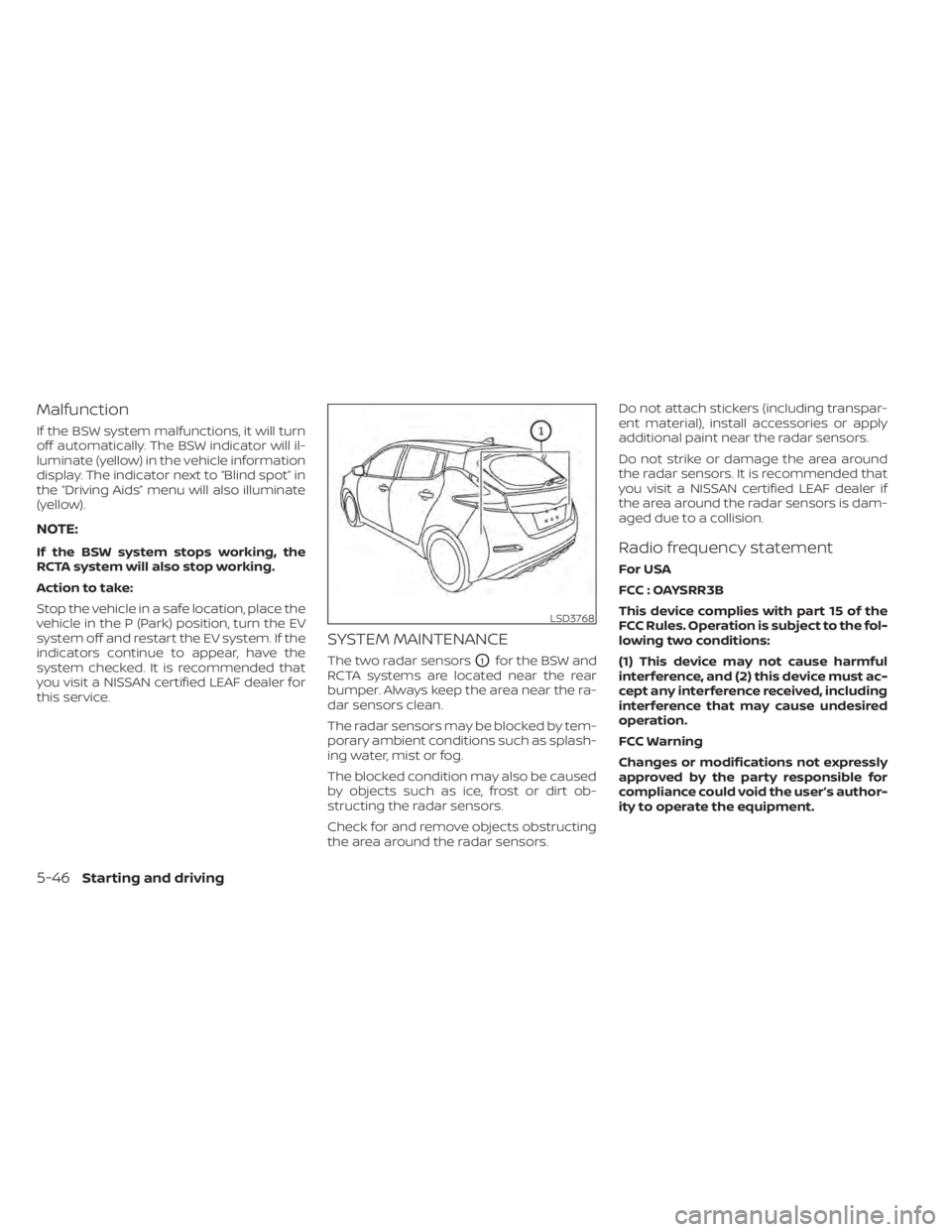
The two radar sensorsO1for the BSW and
RCTA systems are located near the rear
bumper. Always keep the area near the ra-
dar sensors clean.
The radar sensors may be blocked by tem-
porary ambient conditions such as splash-
ing water, mist or fog.
The blocked condition may also be caused
by objects such as ice, frost or dirt ob-
structing the radar sensors.
Check for and remove objects obstructing
the area around the radar sensors. Do not attach stickers (including transpar-
ent material), install accessories or apply
additional paint near the radar sensors.
Do not strike or damage the area around
the radar sensors. It is recommended that
you visit a NISSAN certified LEAF dealer if
the area around the radar sensors is dam-
aged due to a collision.
Radio frequency statement
For USA
FCC : OAYSRR3B
This device complies with part 15 of the
FCC Rules. Operation is subject to the fol-
lowing two conditions:
(1) This device may not cause harmful
interference, and (2) this device must ac-
cept any interference received, including
interference that may cause undesired
operation.
FCC Warning
Changes or modifications not expressly
approved by the party responsible for
compliance could void the user’s author-
ity to operate the equipment.
LSD3768
5-46Starting and driving
Page 380 of 596
SYSTEM TEMPORARILY
UNAVAILABLE
Under the following conditions, a chime will
sound, the following message will appear
in the vehicle information display and the
I-BSI system will be turned off automati-
cally. The I-BSI system will not be available
until the conditions no longer exist.
• “Not available Poor Road Conditions”
• When the VDC system (except TCS func-tion) or ABS operates.
• “Currently not available”
• When the VDC system is turned off.
Action to take:
When the above conditions no longer exist,
push the ProPILOT Assist switch (models
with ProPILOT Assist) or the dynamic driver
assistance switch (models without ProPI-
LOT Assist) again to turn the I-BSI system
back on.
When radar blockage is detected, the I-BSI
system will be turned off automatically, a
chime will sound and the “Unavailable: Side
Radar Obstruction” warning message will
appear in the vehicle information display. The I-BSI system is not available until the
conditions no longer exist. For additional
information, refer to “System maintenance”
in this section.
Action to take:
When the above conditions no longer exist,
turn the I-BSI system on again. If the “Un-
available: Side Radar Obstruction” warning
message appears even af ter the I-BSI sys-
tem is turned on again, stop the vehicle in a
safe location, place the vehicle in the P
(Park) position and turn the EV system off.
Check for and remove objects obscuring
the radar sensors on the rear bumper, and
restart the EV system.
If the vehicle is parked in direct sunlight
under high temperature conditions (over
approximately 104°F (40°C)) and then the
I-BSI system is turned on, the I-BSI system
may be deactivated automatically. The
“Unavailable: High Cabin Temperature”
warning message will appear in the vehicle
information display.
Action to take:
When the interior temperature is reduced,
push the ProPILOT Assist switch (models
with ProPILOT Assist) or the dynamic driver
assistance switch (models without ProPI-
LOT Assist) again to turn the I-BSI system
back on.
SYSTEM MALFUNCTION
When the I-BSI system malfunctions, it will
be turned off automatically, a chime will
sound, and the “Not available System Mal-
function” warning message with the BSW
indicator (orange) will appear in the vehicle
information display.
Action to take:
Stop the vehicle in a safe location, place the
vehicle in the P (Park) position, turn the EV
system off and restart the EV system. If the
“Not available System Malfunction” warning
message with the BSW indicator (orange)
continues to be displayed, have the I-BSI
system checked. It is recommended you
visit a NISSAN certified LEAF dealer for this
service.
Starting and driving5-57
Page 381 of 596
SYSTEM MAINTENANCE
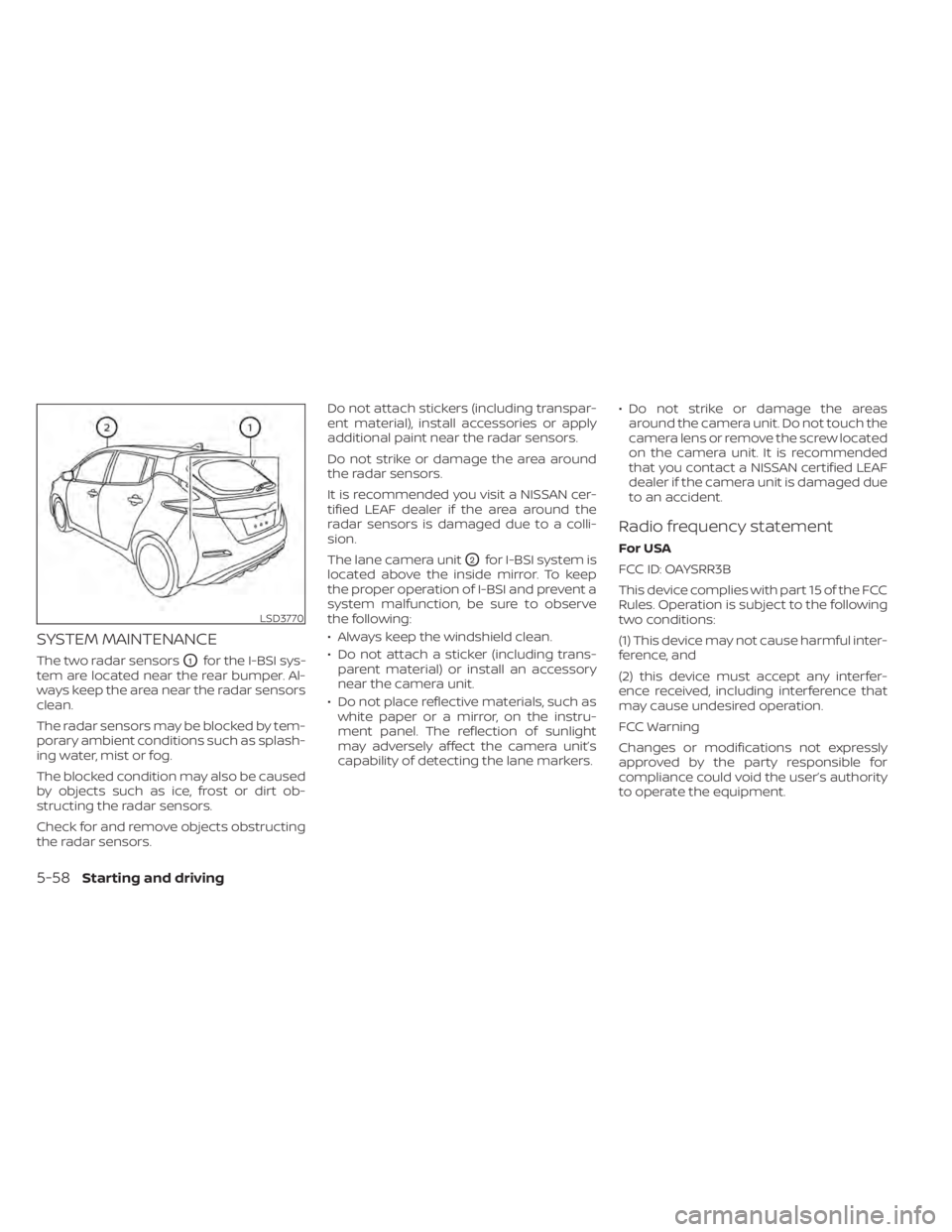
The two radar sensorsO1for the I-BSI sys-
tem are located near the rear bumper. Al-
ways keep the area near the radar sensors
clean.
The radar sensors may be blocked by tem-
porary ambient conditions such as splash-
ing water, mist or fog.
The blocked condition may also be caused
by objects such as ice, frost or dirt ob-
structing the radar sensors.
Check for and remove objects obstructing
the radar sensors. Do not attach stickers (including transpar-
ent material), install accessories or apply
additional paint near the radar sensors.
Do not strike or damage the area around
the radar sensors.
It is recommended you visit a NISSAN cer-
tified LEAF dealer if the area around the
radar sensors is damaged due to a colli-
sion.
The lane camera unit
O2for I-BSI system is
located above the inside mirror. To keep
the proper operation of I-BSI and prevent a
system malfunction, be sure to observe
the following:
• Always keep the windshield clean.
• Do not attach a sticker (including trans- parent material) or install an accessory
near the camera unit.
• Do not place reflective materials, such as white paper or a mirror, on the instru-
ment panel. The reflection of sunlight
may adversely affect the camera unit’s
capability of detecting the lane markers. • Do not strike or damage the areas
around the camera unit. Do not touch the
camera lens or remove the screw located
on the camera unit. It is recommended
that you contact a NISSAN certified LEAF
dealer if the camera unit is damaged due
to an accident.
Radio frequency statement
For USA
FCC ID: OAYSRR3B
This device complies with part 15 of the FCC
Rules. Operation is subject to the following
two conditions:
(1) This device may not cause harmful inter-
ference, and
(2) this device must accept any interfer-
ence received, including interference that
may cause undesired operation.
FCC Warning
Changes or modifications not expressly
approved by the party responsible for
compliance could void the user’s authority
to operate the equipment.
LSD3770
5-58Starting and driving
Page 388 of 596
SYSTEM TEMPORARILY
UNAVAILABLE
When radar blockage is detected, the sys-
tem will be deactivated automatically.
The systems are not available until the
conditions no longer exist.
The radar sensors may be blocked by tem-
porary ambient conditions such as splash-
ing water, mist or fog.
The blocked condition may also be caused
by objects such as ice, frost or dirt ob-
structing the radar sensors.
NOTE:
If the BSW system stops working, the
RCTA system will also stop working.
Action to take
When the above conditions no longer exist,
the system will resume automatically.
Malfunction
When the RCTA system malfunctions, it will
turn off automatically. The “Malfunction:
See Owner’s Manual” warning message will
appear.
NOTE:
If the BSW system stops working, the
RCTA system will also stop working.
Action to take
Stop the vehicle in a safe location, place the
vehicle in the P (Park) position, turn the EV
system off and restart the EV system. If the
system does not resume automatically,
have the system checked. It is recom-
mended that you visit a NISSAN certified
LEAF dealer for this service.
SYSTEM MAINTENANCE
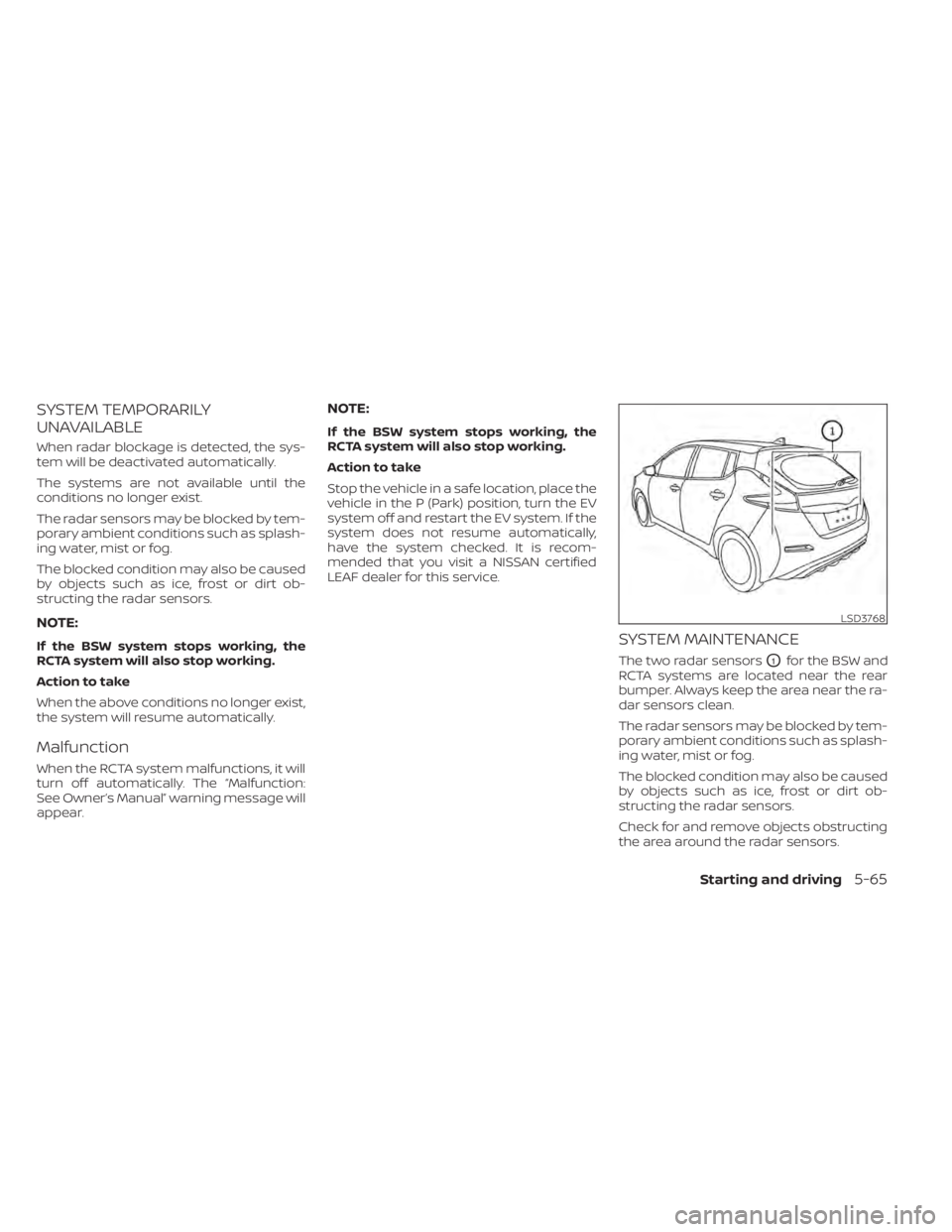
The two radar sensorsO1for the BSW and
RCTA systems are located near the rear
bumper. Always keep the area near the ra-
dar sensors clean.
The radar sensors may be blocked by tem-
porary ambient conditions such as splash-
ing water, mist or fog.
The blocked condition may also be caused
by objects such as ice, frost or dirt ob-
structing the radar sensors.
Check for and remove objects obstructing
the area around the radar sensors.
LSD3768
Starting and driving5-65
Page 409 of 596
Action to take
If the warning light comes on, park the ve-
hicle in a safe place. Turn the EV system off,
restart the EV system, resume driving and
set the ICC system again.
If it is not possible to set the system or
the indicator stays on, it may indicate
that the system is malfunctioning. Al-
though the vehicle is still drivable under
normal conditions, have the vehicle
checked. It is recommended that you
visit a NISSAN certified LEAF dealer for
this service.SYSTEM MAINTENANCE
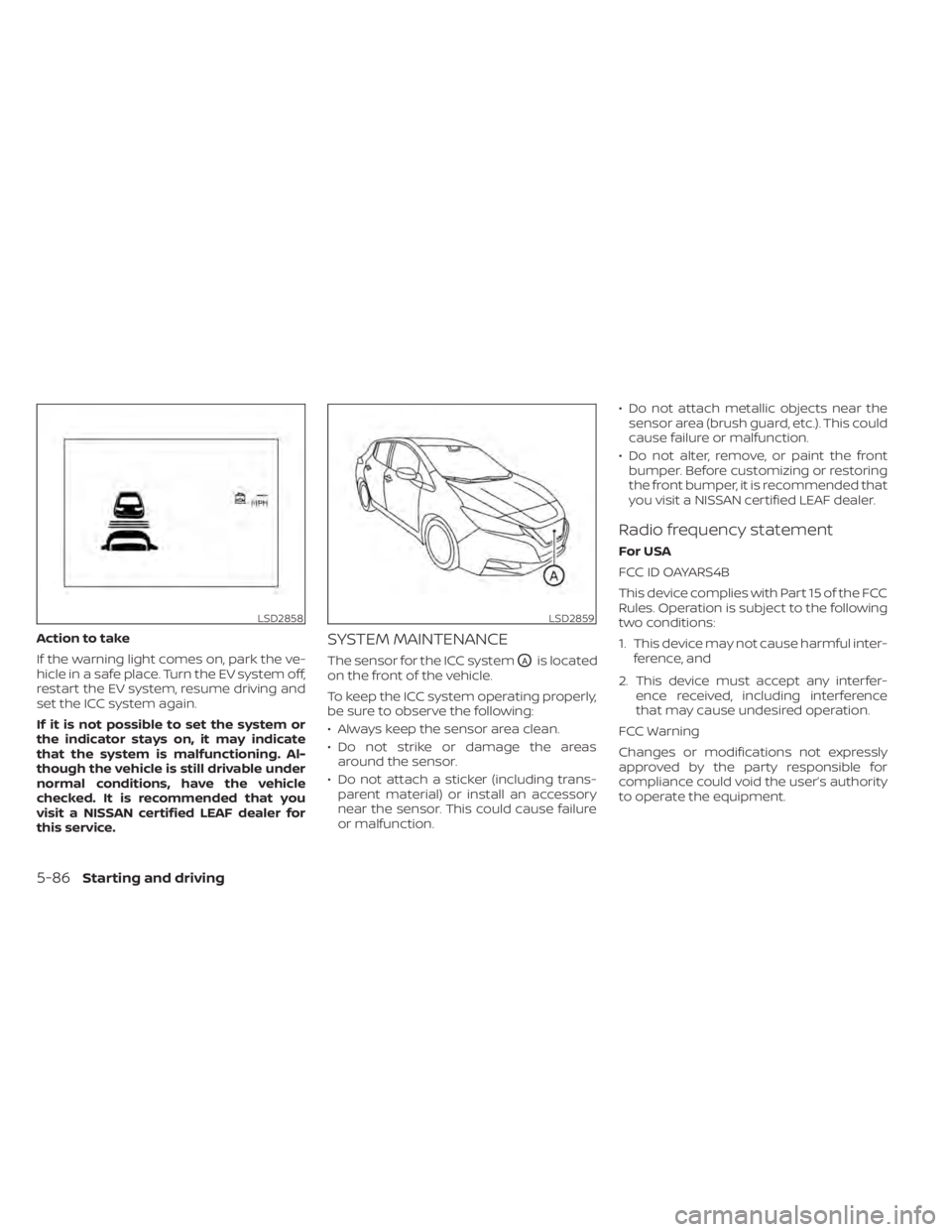
The sensor for the ICC systemOAis located
on the front of the vehicle.
To keep the ICC system operating properly,
be sure to observe the following:
• Always keep the sensor area clean.
• Do not strike or damage the areas around the sensor.
• Do not attach a sticker (including trans- parent material) or install an accessory
near the sensor. This could cause failure
or malfunction. • Do not attach metallic objects near the
sensor area (brush guard, etc.). This could
cause failure or malfunction.
• Do not alter, remove, or paint the front bumper. Before customizing or restoring
the front bumper, it is recommended that
you visit a NISSAN certified LEAF dealer.
Radio frequency statement
For USA
FCC ID OAYARS4B
This device complies with Part 15 of the FCC
Rules. Operation is subject to the following
two conditions:
1. This device may not cause harmful inter- ference, and
2. This device must accept any interfer- ence received, including interference
that may cause undesired operation.
FCC Warning
Changes or modifications not expressly
approved by the party responsible for
compliance could void the user’s authority
to operate the equipment.
LSD2858LSD2859
5-86Starting and driving
Page 437 of 596
ICC system malfunction
If the ICC system malfunctions, it will be
turned off automatically, a chime will
sound, and the speed control status warn-
ing (orange) will illuminate.
Action to take:
If the warning light comes on, stop the ve-
hicle in a safe place. Turn the EV system off,
restart the EV system and set the ICC sys-
tem again. If it is not possible to set the ICC
system or the indicator stays on, it may be
a malfunction. Although the normal driving
can be continued, the ICC system should
be inspected. It is recommended that you
visit a NISSAN certified LEAF dealer for this
service.
ICC sensor maintenance
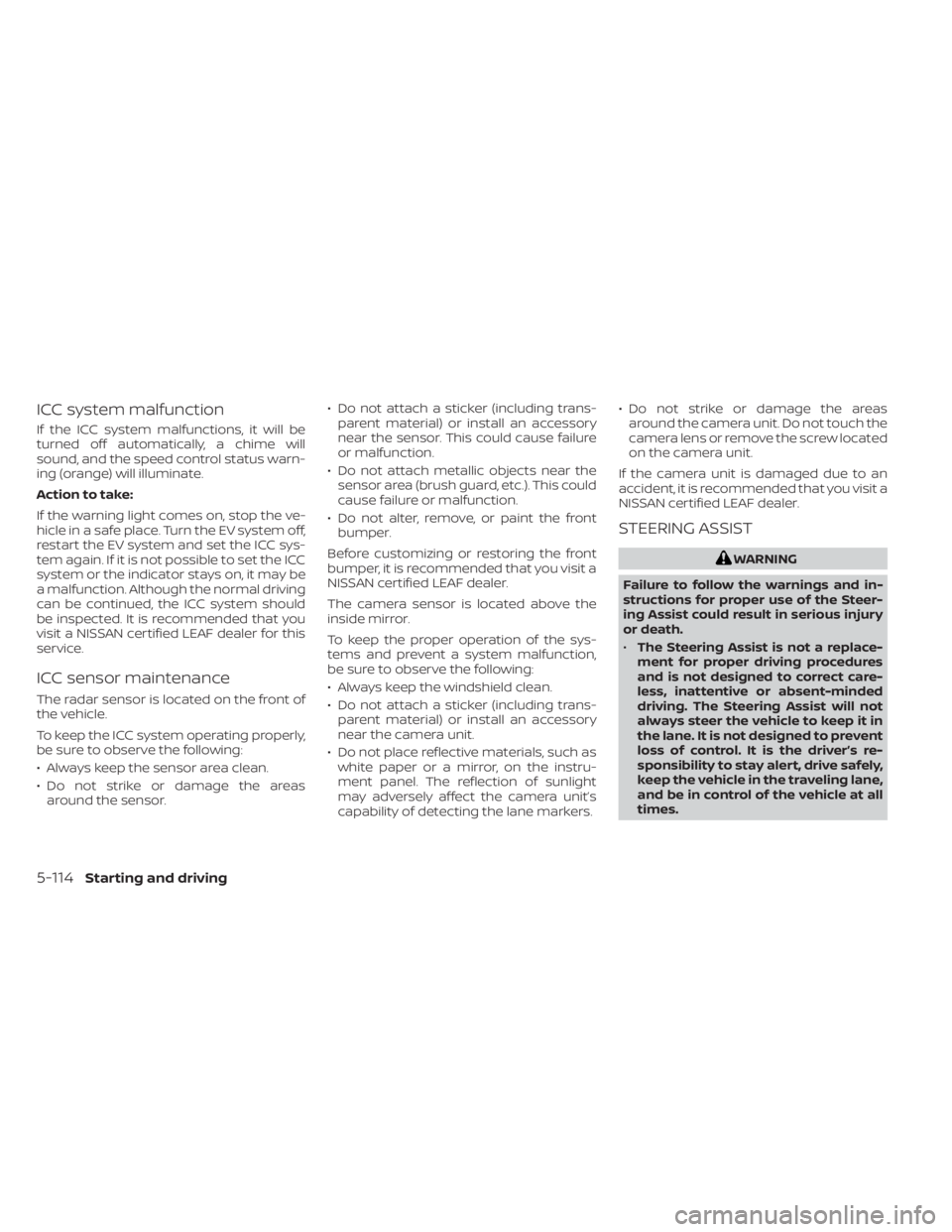
The radar sensor is located on the front of
the vehicle.
To keep the ICC system operating properly,
be sure to observe the following:
• Always keep the sensor area clean.
• Do not strike or damage the areasaround the sensor. • Do not attach a sticker (including trans-
parent material) or install an accessory
near the sensor. This could cause failure
or malfunction.
• Do not attach metallic objects near the sensor area (brush guard, etc.). This could
cause failure or malfunction.
• Do not alter, remove, or paint the front bumper.
Before customizing or restoring the front
bumper, it is recommended that you visit a
NISSAN certified LEAF dealer.
The camera sensor is located above the
inside mirror.
To keep the proper operation of the sys-
tems and prevent a system malfunction,
be sure to observe the following:
• Always keep the windshield clean.
• Do not attach a sticker (including trans- parent material) or install an accessory
near the camera unit.
• Do not place reflective materials, such as white paper or a mirror, on the instru-
ment panel. The reflection of sunlight
may adversely affect the camera unit’s
capability of detecting the lane markers. • Do not strike or damage the areas
around the camera unit. Do not touch the
camera lens or remove the screw located
on the camera unit.
If the camera unit is damaged due to an
accident, it is recommended that you visit a
NISSAN certified LEAF dealer.
STEERING ASSIST
WARNING
Failure to follow the warnings and in-
structions for proper use of the Steer-
ing Assist could result in serious injury
or death.
• The Steering Assist is not a replace-
ment for proper driving procedures
and is not designed to correct care-
less, inattentive or absent-minded
driving. The Steering Assist will not
always steer the vehicle to keep it in
the lane. It is not designed to prevent
loss of control. It is the driver’s re-
sponsibility to stay alert, drive safely,
keep the vehicle in the traveling lane,
and be in control of the vehicle at all
times.
5-114Starting and driving
Page 443 of 596
Steering Assist cancel
Under the following conditions, the Steer-
ing Assist cancels, and the Steering Assist
status indicator and the Steering Assist in-
dicator turn off, and the “Not Available Bad
Weather” warning message will appear:
• When unusual lane markers appear inthe traveling lane or when the lane
marker cannot be correctly detected for
some time due to certain conditions (for
example, a snow rut, the reflection of light
on a rainy day, the presence of several
unclear lane markers)
• When the windshield wiper operates in the high (HI) speed operation (the Steer-
ing Assist is disabled when the wiper op-
erates for more than approximately 10
seconds)
Action to take:
Turn the ICC system off using the CANCEL
switch. When the conditions listed above
are no longer present, turn the ICC system
on again.
Steering Assist malfunction
When the system malfunctions, it turns off
automatically. The Steering Assist status
warning illuminates (orange). A chime may
sound depending on the situation.
Action to take:
Stop the vehicle in a safe location, place the
vehicle in the P (Park) position, turn the EV
system off, restart the EV system, resume
driving, and set the Intelligent Cruise Con-
trol system again. If the warning (orange)
continues to illuminate, the Steering Assist
is malfunctioning. Although the vehicle is
still drivable under normal conditions, have
the system checked. It is recommended
that you visit a NISSAN certified LEAF dealer
for this service.
Steering Assist maintenance
The camera sensor is located above the
inside mirror.
To keep the proper operation of the system
and prevent a system malfunction, be sure
to observe the following:
• Always keep the windshield clean.
• Do not attach a sticker (including trans- parent material) or install an accessory
near the camera unit. • Do not place reflective materials, such as
white paper or a mirror, on the instru-
ment panel. The reflection of sunlight
may adversely affect the camera unit’s
capability of detecting the lane markers.
• Do not strike or damage the areas around the camera unit. Do not touch the
camera lens or remove the screw located
on the camera unit.
If the camera unit is damaged due to an
accident, it is recommended that you visit a
NISSAN certified LEAF dealer.
Radio frequency statement
For USA
FCC ID OAYARS4B
This device complies with Part 15 of the FCC
Rules. Operation is subject to the following
two conditions:
1. This device may not cause harmful inter- ference, and
2. This device must accept any interfer- ence received, including interference
that may cause undesired operation.
5-120Starting and driving
Page 456 of 596
SYSTEM MAINTENANCE
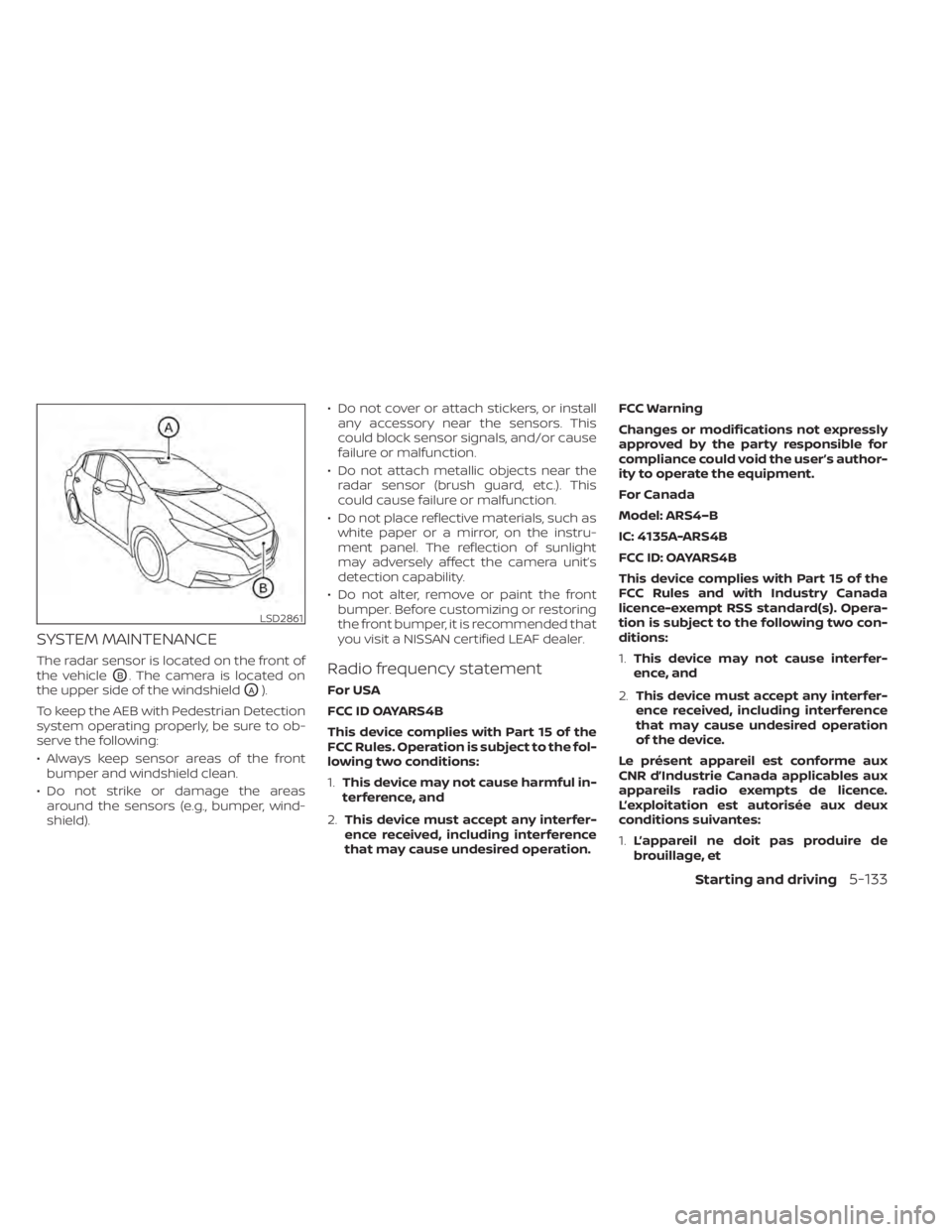
The radar sensor is located on the front of
the vehicle
OB. The camera is located on
the upper side of the windshield
OA).
To keep the AEB with Pedestrian Detection
system operating properly, be sure to ob-
serve the following:
• Always keep sensor areas of the front bumper and windshield clean.
• Do not strike or damage the areas around the sensors (e.g., bumper, wind-
shield). • Do not cover or attach stickers, or install
any accessory near the sensors. This
could block sensor signals, and/or cause
failure or malfunction.
• Do not attach metallic objects near the radar sensor (brush guard, etc.). This
could cause failure or malfunction.
• Do not place reflective materials, such as white paper or a mirror, on the instru-
ment panel. The reflection of sunlight
may adversely affect the camera unit’s
detection capability.
• Do not alter, remove or paint the front bumper. Before customizing or restoring
the front bumper, it is recommended that
you visit a NISSAN certified LEAF dealer.
Radio frequency statement
For USA
FCC ID OAYARS4B
This device complies with Part 15 of the
FCC Rules. Operation is subject to the fol-
lowing two conditions:
1. This device may not cause harmful in-
terference, and
2. This device must accept any interfer-
ence received, including interference
that may cause undesired operation. FCC Warning
Changes or modifications not expressly
approved by the party responsible for
compliance could void the user’s author-
ity to operate the equipment.
For Canada
Model: ARS4–B
IC: 4135A-ARS4B
FCC ID: OAYARS4B
This device complies with Part 15 of the
FCC Rules and with Industry Canada
licence-exempt RSS standard(s). Opera-
tion is subject to the following two con-
ditions:
1.
This device may not cause interfer-
ence, and
2. This device must accept any interfer-
ence received, including interference
that may cause undesired operation
of the device.
Le présent appareil est conforme aux
CNR d’Industrie Canada applicables aux
appareils radio exempts de licence.
L’exploitation est autorisée aux deux
conditions suivantes:
1. L’appareil ne doit pas produire de
brouillage, et
LSD2861
Starting and driving5-133
Page 462 of 596
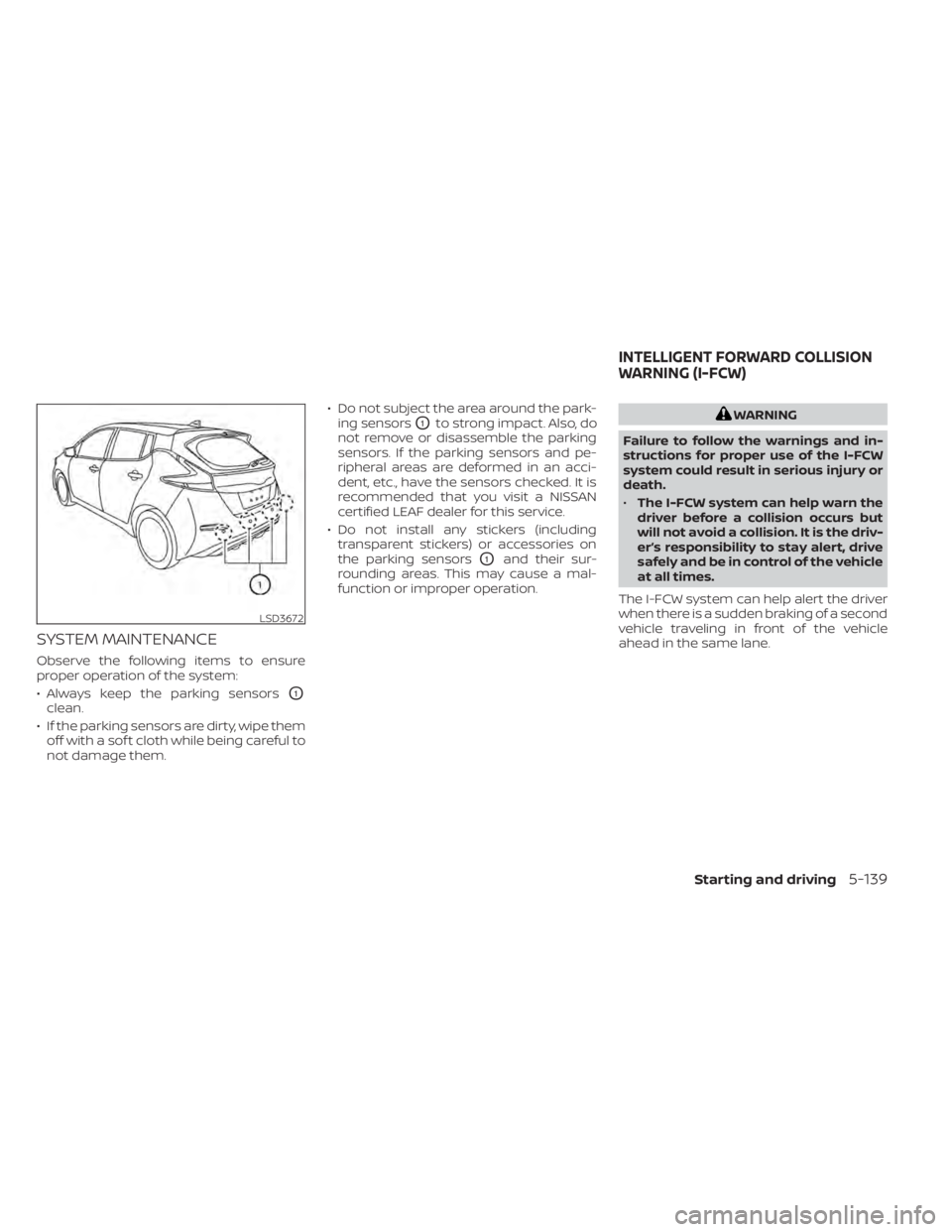
SYSTEM MAINTENANCE
Observe the following items to ensure
proper operation of the system:
• Always keep the parking sensors
O1
clean.
• If the parking sensors are dirty, wipe them off with a sof t cloth while being careful to
not damage them. • Do not subject the area around the park-
ing sensors
O1to strong impact. Also, do
not remove or disassemble the parking
sensors. If the parking sensors and pe-
ripheral areas are deformed in an acci-
dent, etc., have the sensors checked. It is
recommended that you visit a NISSAN
certified LEAF dealer for this service.
• Do not install any stickers (including transparent stickers) or accessories on
the parking sensors
O1and their sur-
rounding areas. This may cause a mal-
function or improper operation.
WARNING
Failure to follow the warnings and in-
structions for proper use of the I-FCW
system could result in serious injury or
death.
• The I-FCW system can help warn the
driver before a collision occurs but
will not avoid a collision. It is the driv-
er’s responsibility to stay alert, drive
safely and be in control of the vehicle
at all times.
The I-FCW system can help alert the driver
when there is a sudden braking of a second
vehicle traveling in front of the vehicle
ahead in the same lane.
LSD3672
INTELLIGENT FORWARD COLLISION
WARNING (I-FCW)
Starting and driving5-139
Page 471 of 596
Action to take
If the warning light (orange) comes on, stop
the vehicle in a safe place and turn the EV
system off. Clean the radar cover on the on
the front of the vehicle with a sof t cloth, and
restart the EV system. If the warning light
continues to illuminate, have the I-FCW sys-
tem checked. It is recommended that you
visit a NISSAN certified LEAF dealer for this
service.
• When driving on roads with limited roadstructures or buildings (for example, long
bridges, deserts, snow fields, driving next
to long walls).
Action to take
When the above conditions no longer exist,
the AEB system will resume automatically.
NOTE:
If the AEB system stops working, the
I-FCW system will also stop working.
SYSTEM MALFUNCTION
If the I-FCW system malfunctions, it will be
turned off automatically, a chime will
sound, the AEB system warning light (or-
ange) will illuminate and the warning mes-
sage “Malfunction: See Owner’s Manual” will
appear in the vehicle information display.
Action to take:
If the warning light (orange) comes on, stop
the vehicle in a safe location, turn the EV
system off and restart the EV system. If the
warning light continues to illuminate, have
the AEB system checked. It is recom-
mended that you visit a NISSAN certified
LEAF dealer for this service
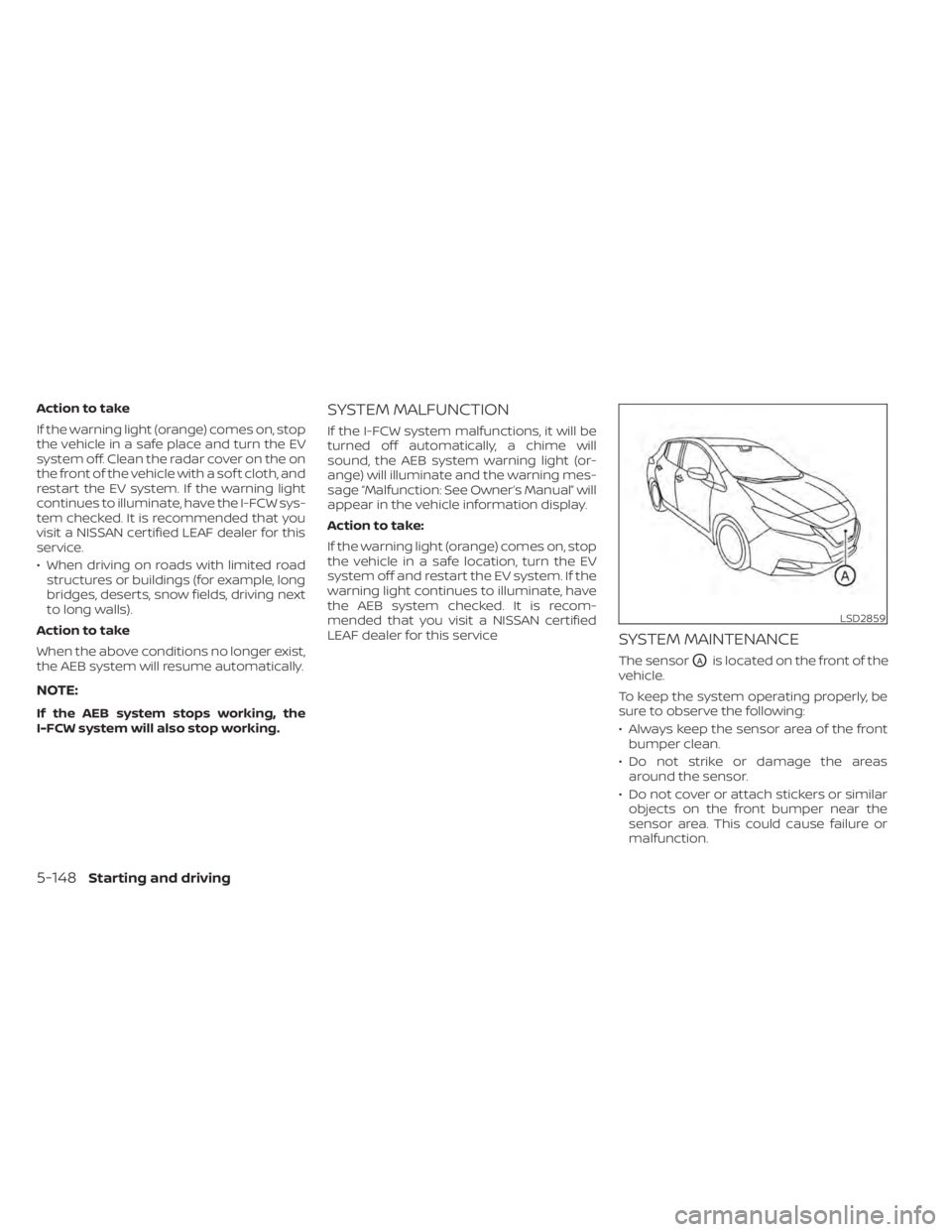
SYSTEM MAINTENANCE
The sensorOAis located on the front of the
vehicle.
To keep the system operating properly, be
sure to observe the following:
• Always keep the sensor area of the front bumper clean.
• Do not strike or damage the areas around the sensor.
• Do not cover or attach stickers or similar objects on the front bumper near the
sensor area. This could cause failure or
malfunction.
LSD2859
5-148Starting and driving