lights NISSAN LEAF 2022 Owner´s Manual
[x] Cancel search | Manufacturer: NISSAN, Model Year: 2022, Model line: LEAF, Model: NISSAN LEAF 2022Pages: 618, PDF Size: 4.3 MB
Page 319 of 618
5. Press thebutton to select “De-
parture time” and then press the OK
button.
6. Press the
button to set “Hour”
and then press the OK button.
7. Press the
button to set “Minute”
and then press the OK button. The set-
ting can be changed with an increment
step of 10 minutes.
8. Press the
button to select
“Climate Temperature” and then press
the OK button.
9. Press the
button to set Cli-
mate Temperature and then press the
OK button.
10. * Press the
button to select
"Days" and then press the OK button.
The current day of the week is dis-
played with an underline.
Press the
button to select the
days of the week you wish to activate
the Climate Control system and then
press the OK button. The indicator light
of the selected button will turn on. 11. * Af ter setting the day of the week, press
the Back button and return to the pre-
vious screen.
The set day of the week is lit in white.
12. Af ter the setting is complete, place the power switch in the OFF position, and
then connect the charge connector to
the vehicle.
* models with Navigation System
Info
The Climate Ctrl. Timer does not activate if
the charge connector is not connected to
the vehicle. When the “Battery Operation
OK” is turned on and the charging connec-
tor is not connected to the vehicle, the Cli-
mate Ctrl. Timer will activate for 15 minutes.
When the outside temperature is high, the
interior temperature may not reach the set
temperature within the 15 minutes.
Turn "Battery Operation OK" to OFF when it
is not necessary to operate air condition-
ing timer in order to prevent Li-ion battery
from discharging.
For models without Navigation System, the
Climate Ctrl. Timer operates repeatedly ev-
ery day once it is turned on.
Operating tips for using Climate
Ctrl. Timer
• The Climate Ctrl. Timer will only start when the power switch is in the LOCK/
OFF or ACC position.
• To turn off the Climate Ctrl. Timer func- tion, turn off the “Climate Ctrl. Timer1” and
"Climate Ctrl. Timer2" setting in the video
information display using the
button on the steering wheel. The start
and stop time settings will not be deleted
even if the Climate Ctrl. Timer function is
turned off.
• While the Climate Ctrl. Timer is operating, the Climate Ctrl. Timer indicator and the
charging status indicator lights flash. If
the Climate Ctrl. Timer is set to activate,
the Climate Ctrl. Timer indicator
illuminates.*
• If the Climate Ctrl. Timer starts operating while the vehicle is being charged, the
time required for charging will be longer.
• Operating the Climate Ctrl. Timer or re- mote climate control in an environment
where the temperature is low may de-
crease the rate of battery charge.
4-40Monitor, climate, audio, phone and voice recognition systems
Page 320 of 618
• Timer setting can also be changed whileClimate Ctrl. Timer is operated. When the
power position is switched to OFF, the air
conditioner starts or enters waiting
mode depending on the new timer
settings.
• When the difference in temperature be- tween the air conditioner setting tem-
perature and the temperature outside
the vehicle is large, the temperature in-
side the vehicle may not be maintained
at the setting temperature.
• The charging status indicator lights illu- minate in a specific pattern when the Li-
ion battery warmer operates. The charg-
ing status indicator lights use the same
pattern to indicate 12–volt battery charg-
ing, Climate Ctrl. Timer operation or Re-
mote Climate Control operation. The
charging status indicator lights do not
change if the Li-ion battery warmer oper-
ates at the same time as the above
features.
• The temperature in the passenger com- partment may not be comfortable if en-
tering the vehicle too soon before or too
long af ter the scheduled time of
departure. • Air conditioning is limited to the capacity
of the electric power when the charge
connector is connected. Therefore, the
temperature may not reach the set tem-
perature due to limitations in air condi-
tioning performance, if ambient tem-
perature is excessively high or low, or if
the charge connector is connected to a
120–volt plug outlet.
• The Climate Ctrl. Timer operates the cli- mate control function so that a comfort-
able temperature is provided in the pas-
senger compartment at the scheduled
time of departure. The climate control is
set to stop at the scheduled time of
departure.
• Depending on the facilities of charging station, there may be time when it is not
available for charging. Confirm the avail-
ability of the charging facility before set-
ting the Climate Ctrl. Timer. Be sure that
the power switch of the charger is turned
on when setting the Climate Ctrl. Timer.
• When the power switch is turned OFF af- ter changing the setting, the new setting
will be applied.
*models with Navigation SystemRemote climate control
This vehicle incorporates a communica-
tion device that is called a TCU (Telematics
Control Unit). The communication connec-
tion between this unit and Nissan Data
Center allows for various remote function
services.
Even when away from the vehicle, climate
control can be started by accessing the
Web Owner Portal using a cellular phone or
a personal computer.
When operation is started, or at the set
start time, the Nissan Data Center ac-
cesses the vehicle. When the vehicle re-
ceives a command for remote operation,
the climate control immediately turns ON
and operates for the specified period of
time. Confirmation of the ON/OFF of the
climate control operation can be checked
by accessing the Web Owner Portal, or by
e-mail.
Completing registration for the
NissanConnect® EV Services is necessary
before using the service. For additional in-
formation, refer to the NissanConnect®
Manual.
Monitor, climate, audio, phone and voice recognition systems4-41
Page 338 of 618
4. Push the power switch while depressingthe brake pedal within 10 seconds af ter
the chime sounds. The power switch
position changes to the READY to drive
mode.
Af ter step 3 is performed, if the power
switch is pushed without depressing the
brake pedal, the power switch position will
change to ACC.
NOTE:
• When the power switch is placed in the ACC or ON position or READY to drive
mode by the above procedure, the EV
system operation for discharged Intel-
ligent Key system indicator appears on
the vehicle information display even if
the Intelligent Key is inside the vehicle.
This is not a malfunction. To stop the
warning indicator from blinking, touch
the power switch with the Intelligent
Key again.
• If the Intelligent Key battery discharge indicator appears on the vehicle infor-
mation display, replace the battery as
soon as possible. For additional infor-
mation, see “NISSAN Intelligent Key®
battery replacement” (P. 8-19).
NISSAN VEHICLE IMMOBILIZER
SYSTEM
The NISSAN Vehicle Immobilizer System
will not allow the power switch to be placed
in the READY to drive position without the
use of the registered key.
If the power switch fails to place the vehicle
into the READY to drive position using the
registered key, it may be due to interfer-
ence caused by another registered key, an
automated toll road device or automated
payment device on the key ring. Restart the
EV system using the following procedure:
1. Leave the power switch in the ON posi- tion for approximately 5 seconds.
2. Place the power switch in the OFF posi- tion and wait approximately 10 seconds.
3. Repeat steps 1 and 2 again.
4. Place the power switch in the READY to drive position while holding the device
(which may have caused the interfer-
ence) separate from the registered key.
If this procedure allows the power
switch to be placed in the READY to drive
mode, NISSAN recommends placing the
registered key on a separate key ring to
avoid interference from other devices. • Make sure that the area around the ve-
hicle is clear.
• Check fluid levels such as coolant, brake fluid, and windshield-washer fluid as fre-
quently as possible.
• Check that all windows and lights are clean.
• Visually inspect tires for their appearance and condition. Also check tires for proper
inflation.
• Check that all doors are closed.
• Position the seat and adjust the head restraints/headrests.
• Adjust the inside and outside mirrors.
• Fasten seat belts and ask all passengers to do likewise.
• Check the operation of the warning lights when the power switch is pushed to the
ON position. For additional information,
see “Warning lights, indicator lights and
audible reminders” (P. 2-14).
BEFORE STARTING THE EV SYSTEM
Starting and driving5-13
Page 345 of 618
NOTE:
• If a malfunction occurs in the elec-tronic parking brake system (for ex-
ample, due to battery discharge), it is
recommended that you visit a NISSAN
certified LEAF dealer.
• When the ICC system (if so equipped) is canceled under the following condi-
tions at a standstill, the electronic
parking brake is automatically
activated:– Any door is open.
– The driver’s seat belt is not fastened.
– Your vehicle has been stopped by the ICC system for approximately 3
minutes or longer.
– The shif t lever is not in the D (Drive) position or B mode.
– The Vehicle Dynamic Control system is turned off.
– When distance measurement be- comes impaired due to adhesion of
dirt or obstruction to the sensor.
– When the radar signal is temporarily interrupted.
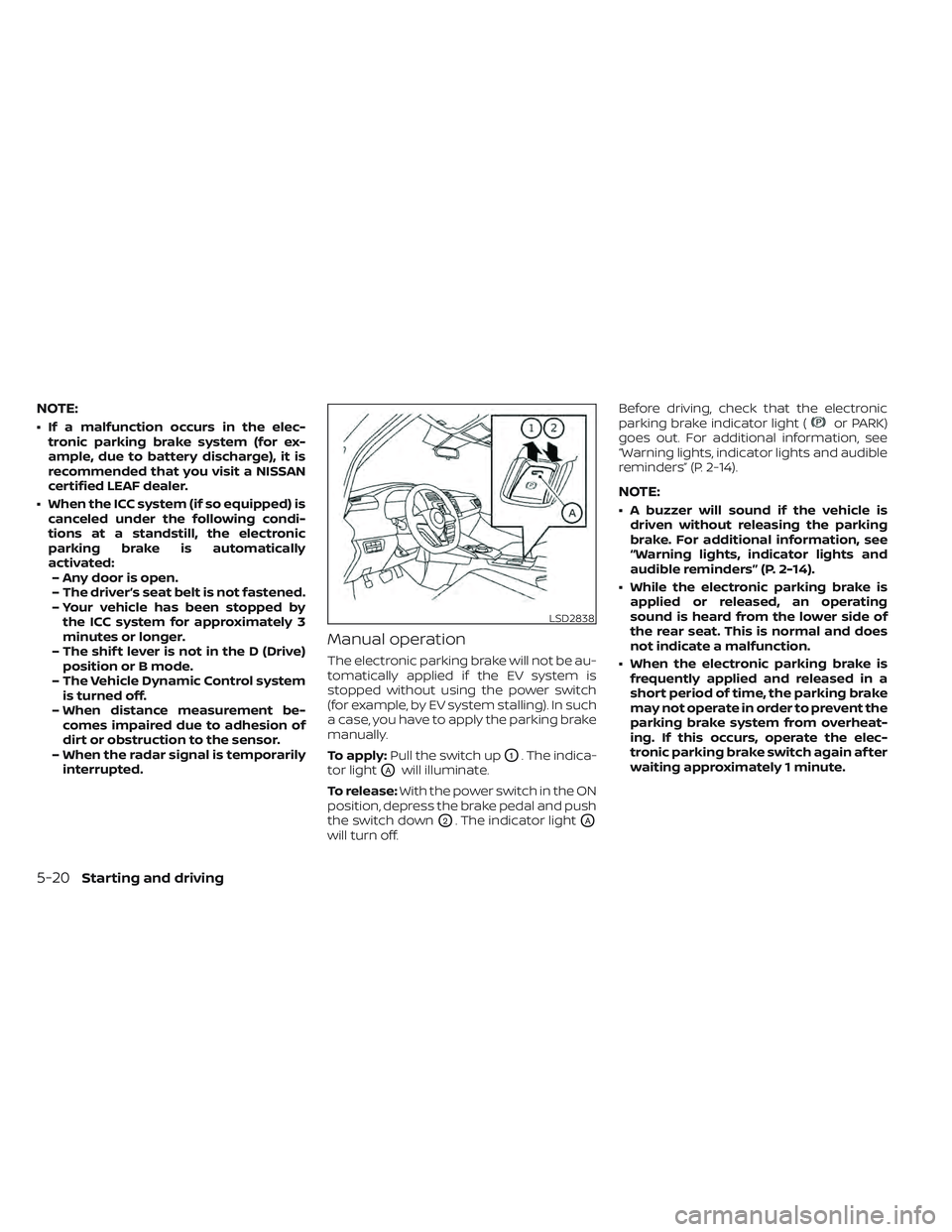
Manual operation
The electronic parking brake will not be au-
tomatically applied if the EV system is
stopped without using the power switch
(for example, by EV system stalling). In such
a case, you have to apply the parking brake
manually.
To apply: Pull the switch up
O1. The indica-
tor light
OAwill illuminate.
To release: With the power switch in the ON
position, depress the brake pedal and push
the switch down
O2. The indicator lightOA
will turn off. Before driving, check that the electronic
parking brake indicator light (
or PARK)
goes out. For additional information, see
“Warning lights, indicator lights and audible
reminders” (P. 2-14).
NOTE:
• A buzzer will sound if the vehicle is driven without releasing the parking
brake. For additional information, see
“Warning lights, indicator lights and
audible reminders” (P. 2-14).
• While the electronic parking brake is applied or released, an operating
sound is heard from the lower side of
the rear seat. This is normal and does
not indicate a malfunction.
• When the electronic parking brake is frequently applied and released in a
short period of time, the parking brake
may not operate in order to prevent the
parking brake system from overheat-
ing. If this occurs, operate the elec-
tronic parking brake switch again af ter
waiting approximately 1 minute.
LSD2838
5-20Starting and driving
Page 348 of 618
The e-Pedal system provides the following
driving features:
When driving and stopping the vehicle:
• Depressing or returning the acceleratorpedal changes the degree of accelera-
tion and deceleration accordingly.
• Returning the accelerator pedal gener- ates more deceleration than normal. (The
maximum deceleration changes accord-
ing to the vehicle speed.)
• Releasing (taking your foot off ) the accel- erator pedal reduces the vehicle speed
until the vehicle comes to a stop.
• The vehicle’s brake lights illuminate when the deceleration level reaches an ordi-
nary braking operation.
If the deceleration is not sufficient when the
accelerator pedal is returned or released,
depress the brake pedal. The brake pedal
can be operated to reduce the vehicle
speed in the same way as normal even
when the e-Pedal system is activated.
When restarting the vehicle:
• Af ter the vehicle comes to a stop by the e-Pedal system function, the vehicle re-
mains at a stop as long as the accelerator
pedal is released. • The vehicle’s brake lights remain illumi-
nated when the vehicle is stopped by the
e-Pedal system.
• Depress the accelerator pedal to start the vehicle again from a stop.
When the vehicle needs to be stopped for a
certain period of time, place the vehicle in
the P (Park) position and apply the parking
brake.
CAUTION
When the e-Pedal system is turned off,
remember to depress the brake pedal
firmly to prevent the vehicle from mov-
ing with the shif t lever in any position
other than P (Park).
When backing up the vehicle:
• With the shif t lever in the R (Reverse) po- sition, operating the accelerator pedal
adjusts the vehicle speed (acceleration,
deceleration, or stopping) in the same
way as the D (Drive) position. Other driving tips for the e-Pedal
system:
• For smooth deceleration when the
e-Pedal system is activated, it is recom-
mended that you adjust the accelerator
pedal by either depressing or returning,
not releasing, the pedal.
• Moving the shif t lever from D (Drive) to B mode or from B mode to D (Drive) does
not affect the e-Pedal system feature.
• The e-Pedal system does not function under the following conditions:– When the vehicle is placed in the P (Park) or N (Neutral) position
– When cruise control (if so equipped), ProPILOT Assist (if so equipped), or
Automatic Emergency Braking with
Pedestrian Detection operates
Starting and driving5-23
Page 353 of 618
–When driving in a makeshif t or
temporary lane.
– When driving on roads where the
lane width is too narrow.
– When driving without normal tire
conditions (for example, tire wear,
low tire pressure, installation of
spare tire, tire chains, nonstan-
dard wheels).
– When the vehicle is equipped with
non-original brake parts or sus-
pension parts.
• The system may not function prop-
erly under the following conditions:
– On roads where there are multiple
parallel lane markers; lane mark-
ers that are faded or not painted
clearly; yellow painted lane mark-
ers; non-standard lane markers;
or lane markers covered with wa-
ter, dirt, snow, etc.
– On roads where the discontinued
lane markers are still detectable.
– On roads where there are sharp
curves. –
On roads where there are sharply
contrasting objects, such as shad-
ows, snow, water, wheel ruts,
seams or lines remaining af ter
road repairs. (The LDW system
could detect these items as lane
markers.)
– On roads where the traveling lane
merges or separates.
– When the vehicle’s traveling direc-
tion does not align with the lane
marker.
– When traveling close to the ve-
hicle in front of you, which ob-
structs the lane camera unit de-
tection range.
– When rain, snow, dirt or an object
adheres to the windshield in front
of the lane camera unit.
– When the headlights are not
bright due to dirt on the lens or if
the aiming is not adjusted
properly.
– When strong light enters the lane
camera unit (for example, the light
directly shines on the front of the
vehicle at sunrise or sunset). –
When a sudden change in bright-
ness occurs (for example, when
the vehicle enters or exits a tunnel
or under a bridge).
SYSTEM TEMPORARILY
UNAVAILABLE
If the vehicle is parked in direct sunlight
under high temperature conditions (over
approximately 104°F [40°C]) and then
started, the LDW system may be deacti-
vated automatically and the following
message will appear in the vehicle infor-
mation display: “Unavailable: High Cabin
Temperature.”
When the interior temperature is reduced,
the LDW system will resume operating
automatically
The LDW system is not designed to warn
under the following conditions:
• When you operate the lane change signal and change traveling lanes in the direc-
tion of the signal. (The LDW system will
become operable again approximately 2
seconds af ter the lane change signal is
turned off.)
• When the vehicle speed lowers to less than approximately 37 mph (60 km/h).
5-28Starting and driving
Page 359 of 618
–When rain, snow or dirt adheres to
the windshield in front of the lane
camera unit.
– When the headlights are not
bright due to dirt on the lens or if
the aiming is not adjusted
properly.
– When strong light enters the lane
camera unit (for example, the light
directly shines on the front of the
vehicle at sunrise or sunset).
– When a sudden change in bright-
ness occurs (for example, when
the vehicle enters or exits a tunnel
or under a bridge).
While the I-LI system is operating, you may
hear a sound of brake operation. This is
normal and indicates that the I-LI system is
operating properly.SYSTEM TEMPORARILY
UNAVAILABLE
Condition A:
The warning and assist functions of the I-LI
system are not designed to work under the
following conditions:
• When you operate the lane change signal and change the traveling lanes in the di-
rection of the signal. (The I-LI system will
be deactivated for approximately 2 sec-
onds af ter the lane change signal is
turned off.)
• When the vehicle speed lowers to less than approximately 37 mph (60 km/h).
Af ter the above conditions have finished
and the necessary operating conditions
are satisfied, the warning and assist func-
tions will resume.
Condition B:
The assist function of the I-LI system is not
designed to work under the following con-
ditions (warning is still functional):
• When the brake pedal is depressed.
• When the steering wheel is turned as far as necessary for the vehicle to change
lanes.
• When the vehicle is accelerated during I-LI system operation. • When the Intelligent Cruise Control (ICC)
approach warning occurs.
• When the hazard warning flashers are operated.
• When driving on a curve at high speed.
Af ter the above conditions have finished
and the necessary operating conditions
are satisfied, the I-LI system application of
the brakes will resume.
Condition C:
If the following messages appear in the
vehicle information display, a chime will
sound and the I-LI system will be turned off
automatically.
• “Not Available - Poor Road Conditions”: When the Vehicle Dynamic Control (VDC)
system (except Traction Control System
[TCS] function) or ABS operates.
• “Currently not available”: When the VDC system is turned off.
Action to take:
When the above conditions no longer exist,
turn off the I-LI system. Push the ProPILOT
Assist switch (models with ProPILOT Assist)
or dynamic driver assistance switch (mod-
els without ProPILOT Assist) to turn the I-LI
system back on.
5-34Starting and driving
Page 375 of 618
–On roads where discontinued lane
markers are still detectable.
– On roads where there are sharp
curves.
– On roads where there are sharply
contrasting objects, such as shad-
ows, snow, water, wheel ruts,
seams or lines remaining af ter
road repairs.
– On roads where the traveling lane
merges or separates.
– When the vehicle’s traveling direc-
tion does not align with the lane
markers.
– When traveling close to the ve-
hicle in front of you, which ob-
structs the lane camera unit de-
tection range.
– When rain, snow or dirt adheres to
the windshield in front of a lane
camera unit.
– When the headlights are not
bright due to dirt on the lens or if
aiming is not adjusted properly.
– When strong light enters a lane
camera unit. (For example: light
directly shines on the front of the
vehicle at sunrise or sunset.) –
When a sudden change in bright-
ness occurs. (For example: when
the vehicle enters or exits a tunnel
or under a bridge.)
• Do not use the I-BSI system under the
following conditions because the
system may not function properly.
– During bad weather (for example:
rain, fog, snow, etc.).
– When driving on slippery roads,
such as on ice or snow, etc.
– When driving on winding or un-
even roads.
– When there is a lane closure due to
road repairs.
– When driving in a makeshif t or
temporary lane.
– When driving on roads where the
lane width is too narrow.
– When driving with a tire that is not
within normal tire conditions (e.g.,
tire wear, low tire pressure, instal-
lation of spare tire, tire chains,
nonstandard wheels).
– When the vehicle is equipped with
non-original brake parts or sus-
pension parts. •
Excessive noise (e.g., audio system
volume, open vehicle window) will in-
terfere with the chime sound, and it
may not be heard.
I-BSI DRIVING SITUATIONS
Indicator on
Indicator off
Indicator flashing
5-50Starting and driving
Page 400 of 618
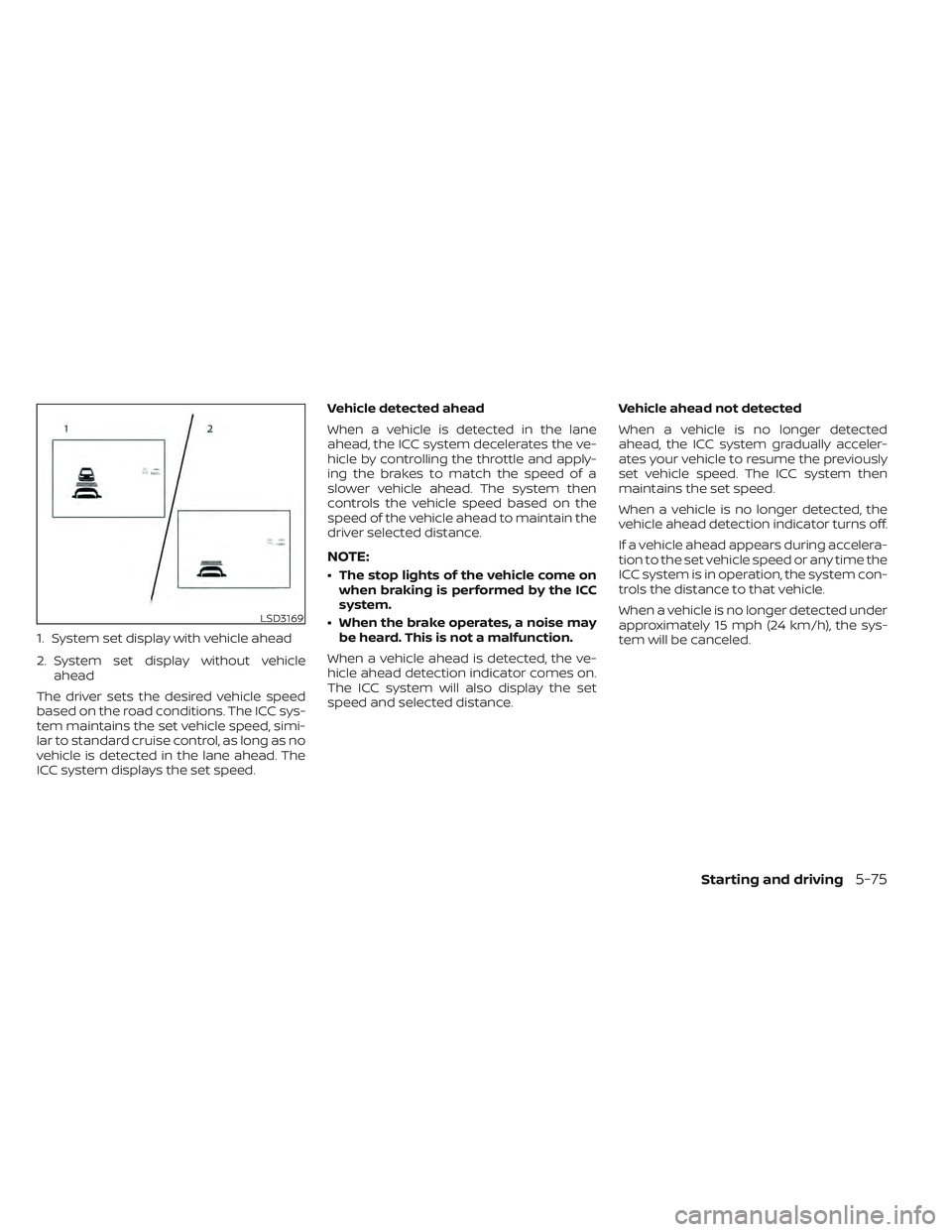
1. System set display with vehicle ahead
2. System set display without vehicleahead
The driver sets the desired vehicle speed
based on the road conditions. The ICC sys-
tem maintains the set vehicle speed, simi-
lar to standard cruise control, as long as no
vehicle is detected in the lane ahead. The
ICC system displays the set speed. Vehicle detected ahead
When a vehicle is detected in the lane
ahead, the ICC system decelerates the ve-
hicle by controlling the throttle and apply-
ing the brakes to match the speed of a
slower vehicle ahead. The system then
controls the vehicle speed based on the
speed of the vehicle ahead to maintain the
driver selected distance.
NOTE:
• The stop lights of the vehicle come on
when braking is performed by the ICC
system.
• When the brake operates, a noise may be heard. This is not a malfunction.
When a vehicle ahead is detected, the ve-
hicle ahead detection indicator comes on.
The ICC system will also display the set
speed and selected distance. Vehicle ahead not detected
When a vehicle is no longer detected
ahead, the ICC system gradually acceler-
ates your vehicle to resume the previously
set vehicle speed. The ICC system then
maintains the set speed.
When a vehicle is no longer detected, the
vehicle ahead detection indicator turns off.
If a vehicle ahead appears during accelera-
tion to the set vehicle speed or any time the
ICC system is in operation, the system con-
trols the distance to that vehicle.
When a vehicle is no longer detected under
approximately 15 mph (24 km/h), the sys-
tem will be canceled.
LSD3169
Starting and driving5-75
Page 431 of 618
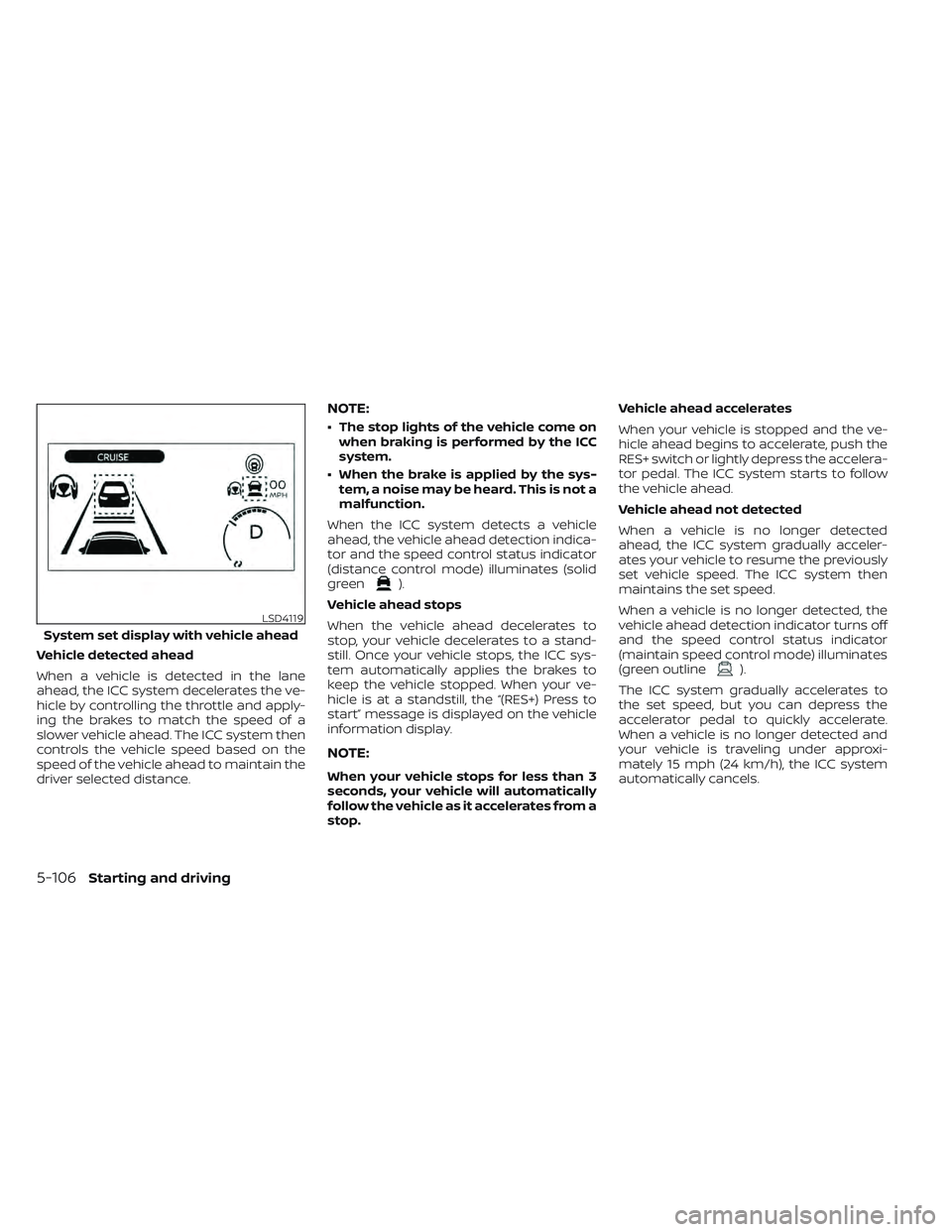
Vehicle detected ahead
When a vehicle is detected in the lane
ahead, the ICC system decelerates the ve-
hicle by controlling the throttle and apply-
ing the brakes to match the speed of a
slower vehicle ahead. The ICC system then
controls the vehicle speed based on the
speed of the vehicle ahead to maintain the
driver selected distance.
NOTE:
• The stop lights of the vehicle come onwhen braking is performed by the ICC
system.
• When the brake is applied by the sys- tem, a noise may be heard. This is not a
malfunction.
When the ICC system detects a vehicle
ahead, the vehicle ahead detection indica-
tor and the speed control status indicator
(distance control mode) illuminates (solid
green
).
Vehicle ahead stops
When the vehicle ahead decelerates to
stop, your vehicle decelerates to a stand-
still. Once your vehicle stops, the ICC sys-
tem automatically applies the brakes to
keep the vehicle stopped. When your ve-
hicle is at a standstill, the “(RES+) Press to
start” message is displayed on the vehicle
information display.
NOTE:
When your vehicle stops for less than 3
seconds, your vehicle will automatically
follow the vehicle as it accelerates from a
stop. Vehicle ahead accelerates
When your vehicle is stopped and the ve-
hicle ahead begins to accelerate, push the
RES+ switch or lightly depress the accelera-
tor pedal. The ICC system starts to follow
the vehicle ahead.
Vehicle ahead not detected
When a vehicle is no longer detected
ahead, the ICC system gradually acceler-
ates your vehicle to resume the previously
set vehicle speed. The ICC system then
maintains the set speed.
When a vehicle is no longer detected, the
vehicle ahead detection indicator turns off
and the speed control status indicator
(maintain speed control mode) illuminates
(green outline
).
The ICC system gradually accelerates to
the set speed, but you can depress the
accelerator pedal to quickly accelerate.
When a vehicle is no longer detected and
your vehicle is traveling under approxi-
mately 15 mph (24 km/h), the ICC system
automatically cancels.
LSD4119
System set display with vehicle ahead
5-106Starting and driving