service NISSAN LEAF 2022 Owner´s Manual
[x] Cancel search | Manufacturer: NISSAN, Model Year: 2022, Model line: LEAF, Model: NISSAN LEAF 2022Pages: 618, PDF Size: 4.3 MB
Page 465 of 618
•Once the automatic brake control
operates, it does not operate again if
the vehicle approaches the same
obstacle.
• The automatic brake control can only
operate for a short period of time.
Therefore, the driver must depress
the brake pedal.
• In the following situations, the RAB
system may not operate properly or
may not function sufficiently:
– The vehicle is driven in bad
weather (rain, fog, snow, etc.).
– The vehicle is driven on a steep
hill.
– The vehicle’s posture is changed
(e.g., when driving over a bump).
– The vehicle is driven on a slippery
road.
– The vehicle is turned sharply by
turning the steering wheel fully.
– Snow chains are used.
– Wheels or tires other than NISSAN
recommended are used.
– The brakes are cold at low ambi-
ent temperatures or immediately
af ter driving has started. –
The braking force becomes poor
due to wet brakes af ter driving
through a puddle or washing the
vehicle.
• Turn the RAB system off in the follow-
ing conditions to prevent the occur-
rence of an unexpected accident re-
sulting from sudden system
operation:
– The vehicle is towed.
– The vehicle is carried on a flatbed
truck.
– The vehicle is on the chassis
dynamometer.
– The vehicle drives on an uneven
road surface.
– The vehicle is towing an object (if
so equipped).
– Suspension parts other than
those designated as Genuine
NISSAN parts are used. (If the ve-
hicle height or the vehicle body in-
clination is changed, the system
may not detect an obstacle
correctly.)
– If the vehicle is using an accessory
like a bike rack, or cargo carrier
that blocks the sensors. •
Excessive noise (e.g., audio system
volume, an open vehicle window) will
interfere with the chime sound, and it
may not be heard.
SYSTEM MALFUNCTION
If the RAB system malfunctions, it will be
turned off automatically, the RAB system
warning light will illuminate, and the “Mal-
function: See Owner’s Manual” warning
message will appear in the vehicle infor-
mation display.
Action to take
If the warning light illuminates, park the ve-
hicle in a safe location, turn the EV system
off, and restart the EV system. If the warn-
ing light continues to illuminate, have the
RAB system checked. It is recommended
that you visit a NISSAN certified LEAF dealer
for this service.
NOTE:
If the RAB system cannot be operated
temporarily, the RAB system warning
light blinks.
5-140Starting and driving
Page 466 of 618
SYSTEM MAINTENANCE
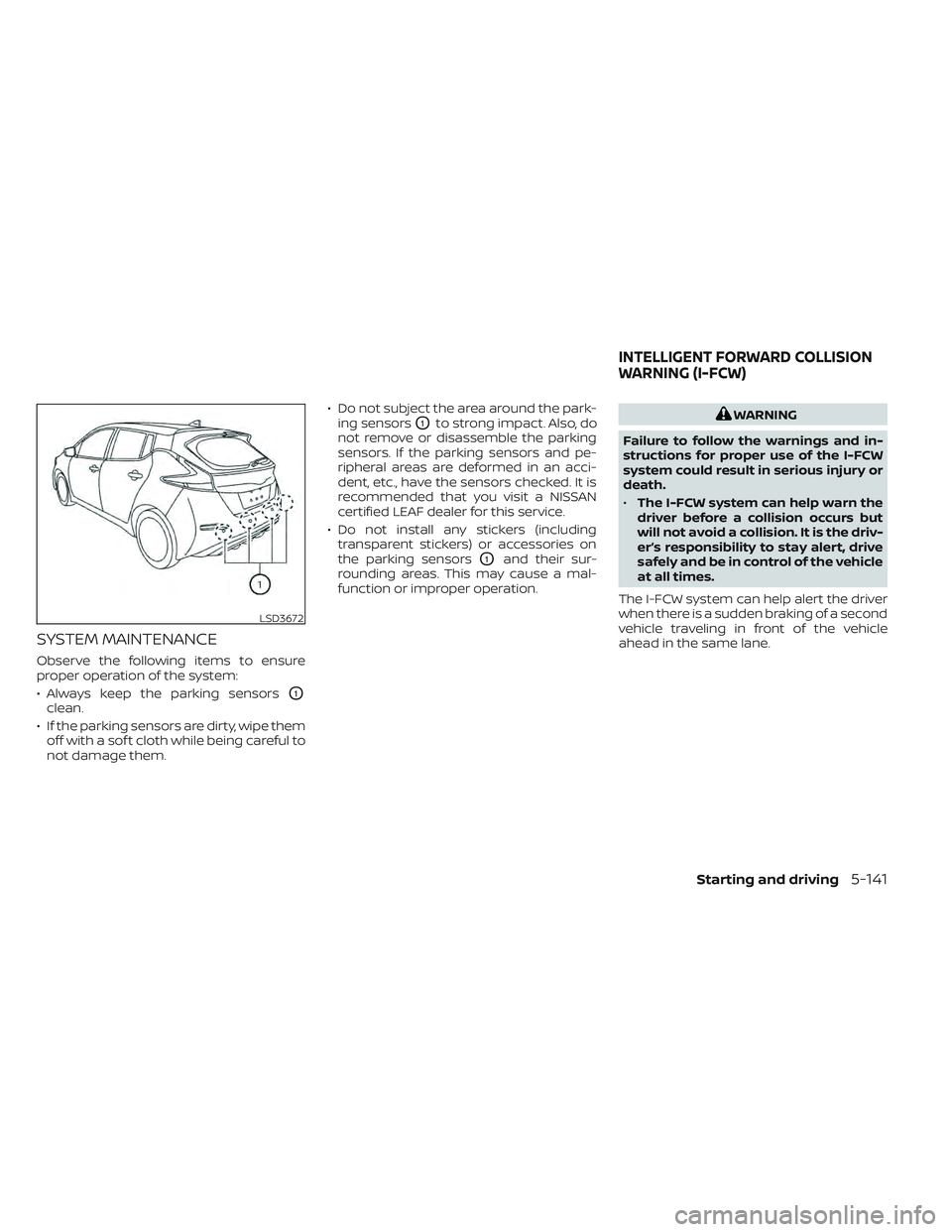
Observe the following items to ensure
proper operation of the system:
• Always keep the parking sensors
O1
clean.
• If the parking sensors are dirty, wipe them off with a sof t cloth while being careful to
not damage them. • Do not subject the area around the park-
ing sensors
O1to strong impact. Also, do
not remove or disassemble the parking
sensors. If the parking sensors and pe-
ripheral areas are deformed in an acci-
dent, etc., have the sensors checked. It is
recommended that you visit a NISSAN
certified LEAF dealer for this service.
• Do not install any stickers (including transparent stickers) or accessories on
the parking sensors
O1and their sur-
rounding areas. This may cause a mal-
function or improper operation.
WARNING
Failure to follow the warnings and in-
structions for proper use of the I-FCW
system could result in serious injury or
death.
• The I-FCW system can help warn the
driver before a collision occurs but
will not avoid a collision. It is the driv-
er’s responsibility to stay alert, drive
safely and be in control of the vehicle
at all times.
The I-FCW system can help alert the driver
when there is a sudden braking of a second
vehicle traveling in front of the vehicle
ahead in the same lane.
LSD3672
INTELLIGENT FORWARD COLLISION
WARNING (I-FCW)
Starting and driving5-141
Page 475 of 618
SYSTEM TEMPORARILY
UNAVAILABLE
Condition A
When the radar sensor picks up interfer-
ence from another radar source, making it
impossible to detect a vehicle ahead, the
I-FCW system is automatically turned off.
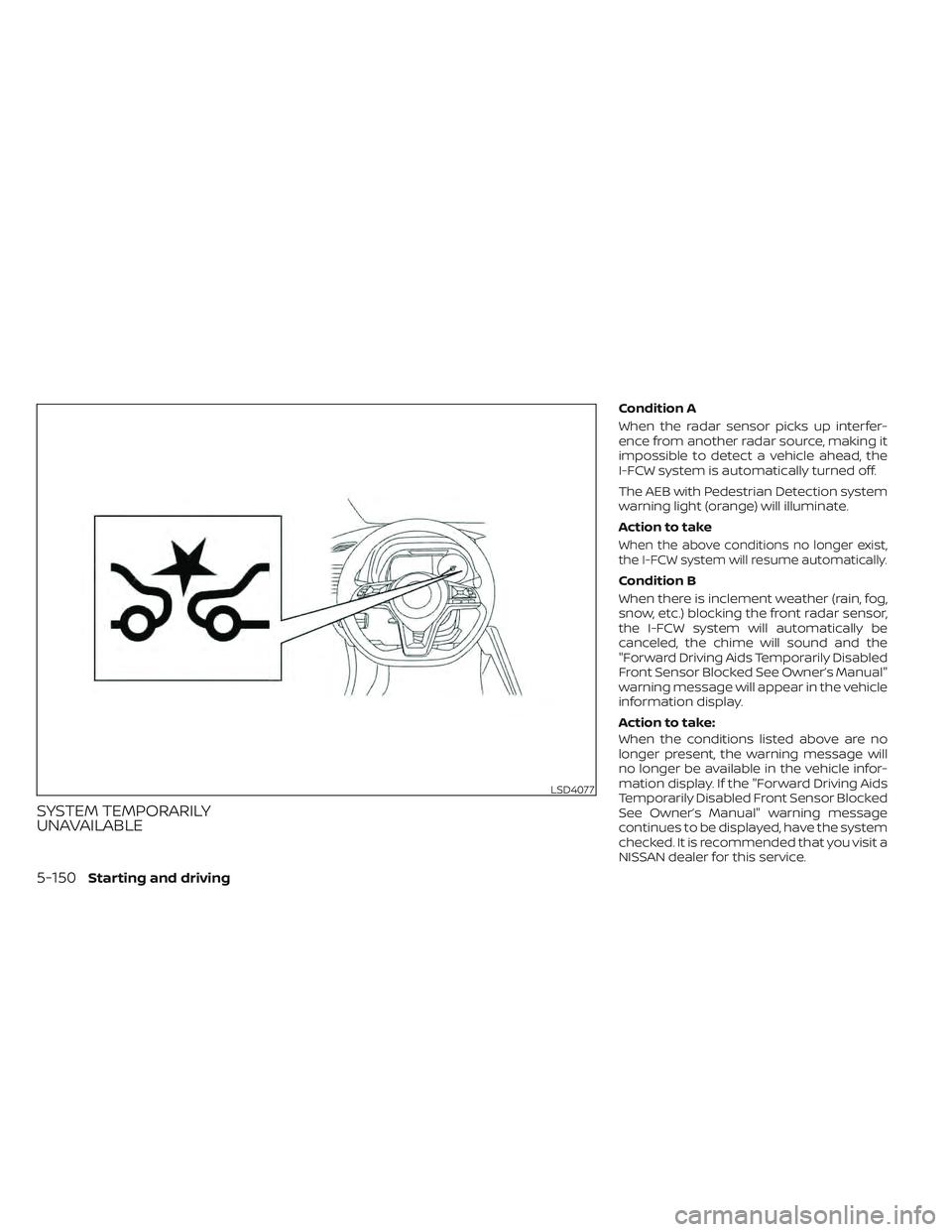
The AEB with Pedestrian Detection system
warning light (orange) will illuminate.
Action to take
When the above conditions no longer exist,
the I-FCW system will resume automatically.
Condition B
When there is inclement weather (rain, fog,
snow, etc.) blocking the front radar sensor,
the I-FCW system will automatically be
canceled, the chime will sound and the
"Forward Driving Aids Temporarily Disabled
Front Sensor Blocked See Owner’s Manual"
warning message will appear in the vehicle
information display.
Action to take:
When the conditions listed above are no
longer present, the warning message will
no longer be available in the vehicle infor-
mation display. If the "Forward Driving Aids
Temporarily Disabled Front Sensor Blocked
See Owner’s Manual" warning message
continues to be displayed, have the system
checked. It is recommended that you visit a
NISSAN dealer for this service.
LSD4077
5-150Starting and driving
Page 476 of 618
Condition C
When the radar sensor of the front bumper
is covered with dirt or is obstructed, the
I-FCW system will automatically be can-
celed. The chime will sound and the "For-
ward Driving Aids Temporarily Disabled
Front Sensor Blocked See Owner’s Manual"
warning message will appear in the vehicle
information display.
Action to take:
If the warning message appears, stop the
vehicle in a safe place, place the shif t lever
in the P (Park) position, and turn the EV
system off. When the radar signal is tempo-
rarily interrupted, clean the sensor area of
the front bumper and restart the EV sys-
tem. If the "Forward Driving Aids Temporar-
ily Disabled Front Sensor Blocked See Own-
er’s Manual" warning message continues
to be displayed, have the system checked.
It is recommended that you visit a NISSAN
dealer for this service.Condition D
When driving on roads with limited road
structures or buildings (for example, long
bridges, deserts, snowfields, driving next to
long walls), the system may illuminate the
system warning light and display the "For-
ward Driving Aids Temporarily Disabled
Front Sensor Blocked See Owner’s Manual"
warning message.
Action to take:
When the above driving conditions no lon-
ger exist, turn the system back on.
NOTE:
If the AEB with Pedestrian Detection sys-
tem stops working, the I-FCW system will
also stop working.SYSTEM MALFUNCTION
If the I-FCW system malfunctions, it will be
turned off automatically, a chime will
sound, the AEB with Pedestrian Detection
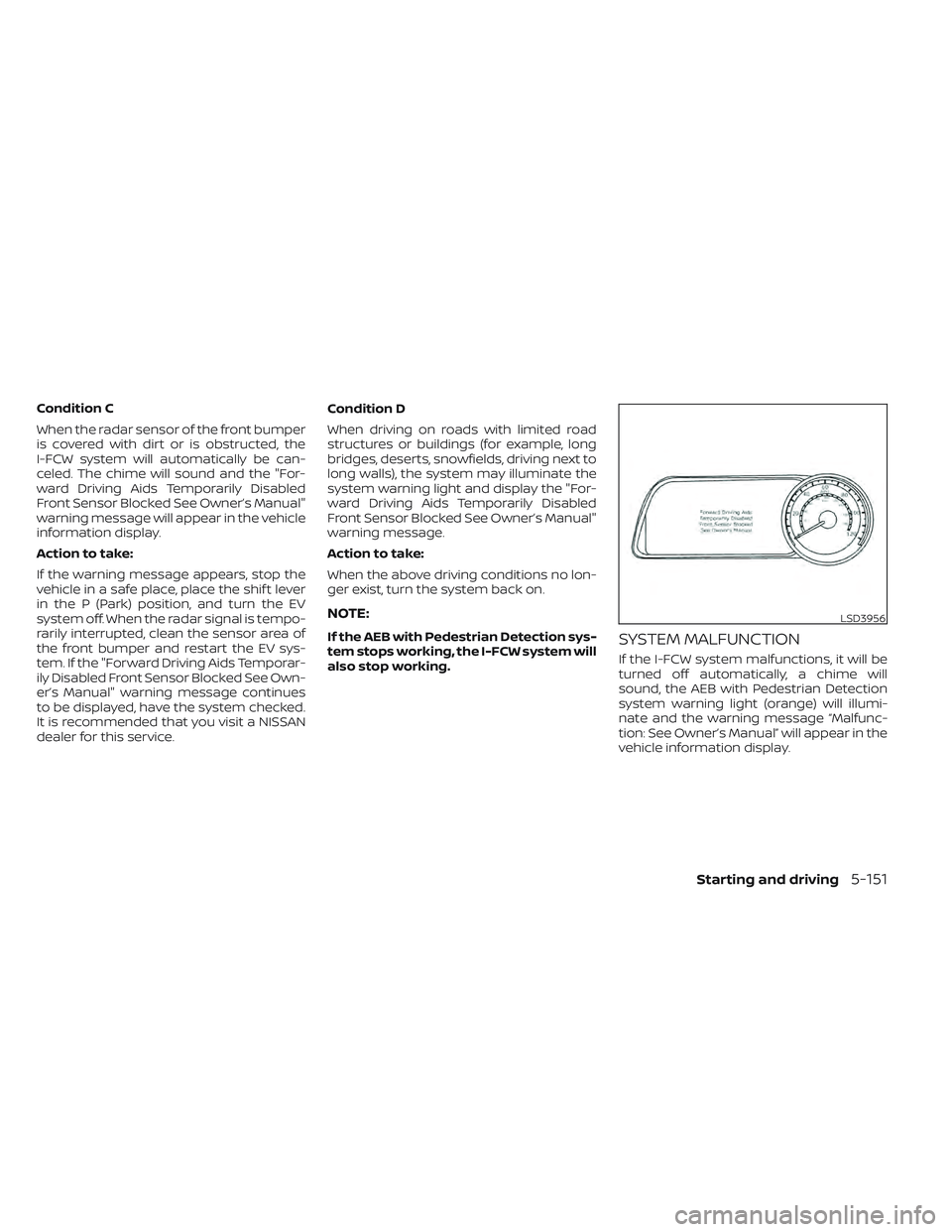
system warning light (orange) will illumi-
nate and the warning message “Malfunc-
tion: See Owner’s Manual” will appear in the
vehicle information display.
LSD3956
Starting and driving5-151
Page 477 of 618
Action to take:
If the warning light (orange) comes on, stop
the vehicle in a safe location, turn the EV
system off and restart the EV system. If the
warning light continues to illuminate, have
the AEB with Pedestrian Detection system
checked. It is recommended that you visit a
NISSAN certified LEAF dealer for this service
SYSTEM MAINTENANCE
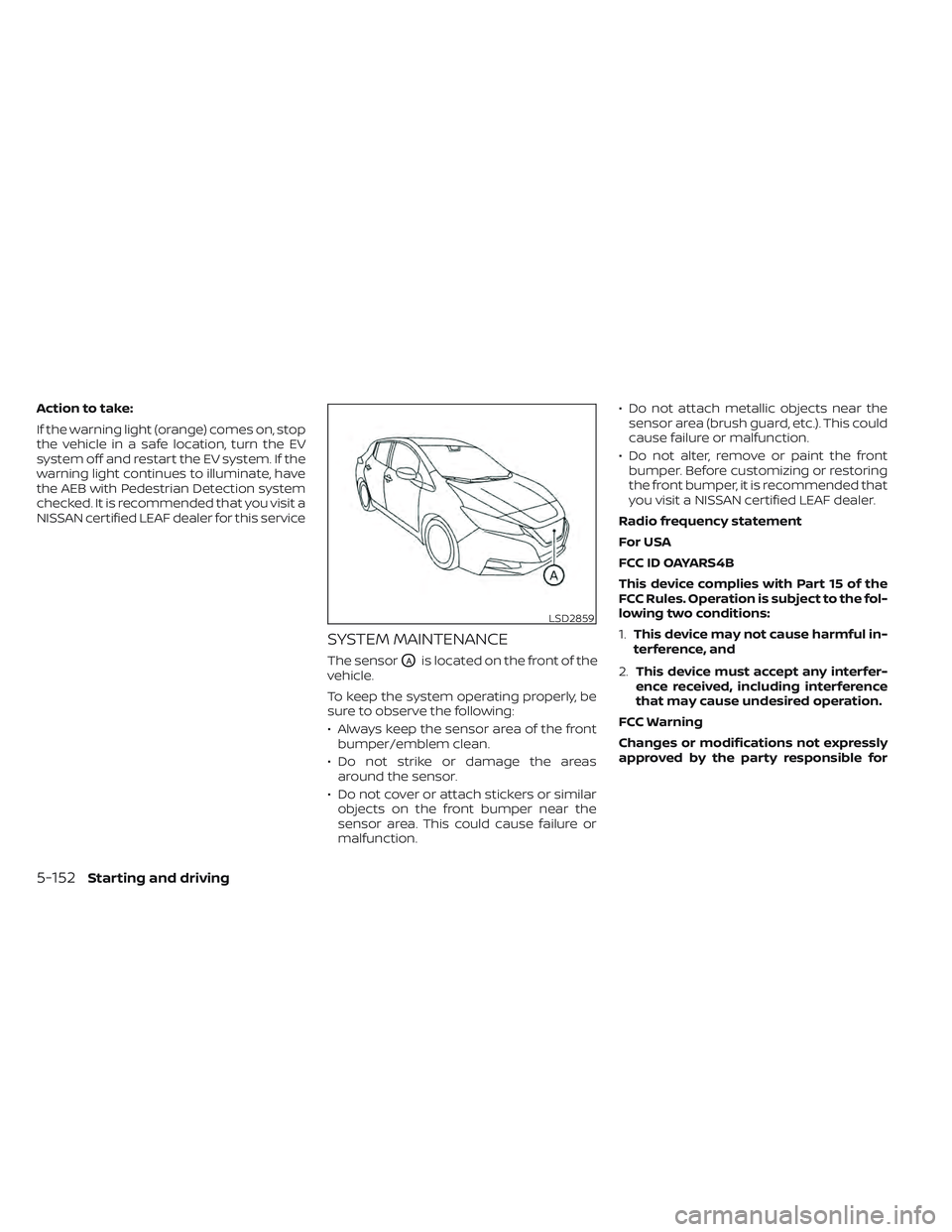
The sensorOAis located on the front of the
vehicle.
To keep the system operating properly, be
sure to observe the following:
• Always keep the sensor area of the front bumper/emblem clean.
• Do not strike or damage the areas around the sensor.
• Do not cover or attach stickers or similar objects on the front bumper near the
sensor area. This could cause failure or
malfunction. • Do not attach metallic objects near the
sensor area (brush guard, etc.). This could
cause failure or malfunction.
• Do not alter, remove or paint the front bumper. Before customizing or restoring
the front bumper, it is recommended that
you visit a NISSAN certified LEAF dealer.
Radio frequency statement
For USA
FCC ID OAYARS4B
This device complies with Part 15 of the
FCC Rules. Operation is subject to the fol-
lowing two conditions:
1. This device may not cause harmful in-
terference, and
2. This device must accept any interfer-
ence received, including interference
that may cause undesired operation.
FCC Warning
Changes or modifications not expressly
approved by the party responsible for
LSD2859
5-152Starting and driving
Page 481 of 618

–If you have adopted a sporty driv-
ing style with higher cornering
speeds or higher rates of
acceleration.
– Frequent lane changes or
changes to vehicle speed.
• The I–DA system will not provide an
alert in the following conditions:
– Vehicle speeds lower than 37 mph
(60 km/h).
– Short lapses of attention.
– Instantaneous distractions such
as dropping an object.
System malfunction
If the Intelligent Driver Alertness system
malfunctions, the system warning mes-
sage will appear in the vehicle information
display and the function will be stopped
automatically. Action to take
Stop the vehicle in a safe location, place the
vehicle in P (Park) position, turn the EV sys-
tem off and restart the EV system. If the
system warning message continues to ap-
pear, have the system checked. It is recom-
mended that you visit a NISSAN certified
LEAF dealer for this service.
LSD3958
5-156Starting and driving
Page 486 of 618
WARNING
• If the READY to drive indicator light is
off while driving, the power assist for
the steering will not work. Steering
will be harder to operate.
• When the power steering warning
light illuminates while the READY to
drive indicator light is on, the power
assist for the steering will cease op-
eration. You will still have control of
the vehicle but the steering will be
harder to operate.
The power steering system is designed to
provide power assistance while driving to
operate the steering wheel with less effort.
When the steering wheel is operated re-
peatedly or continuously while parking or
driving at a very low speed, the power as-
sist for the steering wheel will be reduced.
This is to prevent overheating of the power
steering system and help protect it from
getting damaged. When the power assis-
tance is reduced, steering wheel operation
will become harder. When the temperature
of the power steering system goes down,
the power assistance level will return to
normal. Avoid repeating such steering
wheel operations that could cause the
power steering system to overheat. You may hear a noise when the steering
wheel is operated quickly. However, this is
not a malfunction.
If the power steering warning light
illuminates while the READY to drive indica-
tor light is on, it may indicate the power
steering system is not functioning properly
and may need servicing. Have the power
steering system checked. It is recom-
mended that you visit a NISSAN certified
LEAF dealer for this service. For additional
information, see “Power steering warning
light” (P. 2-23).
The power assist for steering stops operat-
ing when both the power steering warning
light and READY to drive indicator light are
illuminated. You will still have control of the
vehicle. However, greater steering effort is
needed, especially in sharp turns and at
low speeds.
BRAKE PRECAUTIONS
This vehicle is equipped with two braking
systems:
1. Hydraulic brake system
2. Regenerative brake system
Hydraulic brake system
The hydraulic brake system is similar to the
brakes used on conventional vehicles.
The brake system has two separate hy-
draulic circuits. If one circuit malfunctions,
you will still have braking at two wheels.
Regenerative brake system
The primary purpose of the regenerative
brake system is to provide some power to
help recharge the Li-ion battery and ex-
tend driving range. A secondary benefit is
“engine braking” that operates based on
battery conditions.
In the D (Drive) range, when the accelerator
is released, the regenerative brake system
provides some deceleration and gener-
ates power for the Li-ion battery. Power is
also generated when the brake pedal is
applied.
POWER STEERING SYSTEM
BRAKE SYSTEM
Starting and driving5-161
Page 488 of 618
To dry brakes, drive the vehicle at a safe
speed while lightly tapping the brake pedal
to heat up the brakes. Do this until the
brakes return to normal. Avoid driving the
vehicle at high speeds until the brakes
have dried.
Parking brake break-in
Break in the parking brake shoes whenever
the stopping effect of the parking brake is
weakened or whenever the parking brake
shoes and/or rotors are replaced, in order
to assure the best braking performance.
This procedure is described in the Genuine
NISSAN Service Manual, and it can be per-
formed by a certified repair facility. It is rec-
ommended that you visit a NISSAN certi-
fied LEAF dealer.
ANTI-LOCK BRAKING SYSTEM (ABS)
WARNING
• The ABS is a sophisticated device, but
it cannot prevent accidents resulting
from careless or dangerous driving
techniques. It can help maintain ve-
hicle control during braking on slip-
pery surfaces. Remember that stop-
ping distances on slippery surfaces
will be longer than on normal sur-
faces even with ABS. Stopping dis-
tances may also be longer on rough,
gravel or snow covered roads, or if
you are using tire chains. Always
maintain a safe distance from the ve-
hicle in front of you. Ultimately, the
driver is responsible for safety.
• Tire type and condition may also af-
fect braking effectiveness.
– When replacing tires, install the
specified size of tires on all four
wheels.
– For additional information, see
“Wheels and tires” (P. 8-25). The ABS controls the brakes so the wheels
do not lock during hard braking or when
braking on slippery surfaces. The system
detects the rotation speed at each wheel
and varies the brake fluid pressure to pre-
vent each wheel from locking and sliding.
By preventing each wheel from locking, the
system helps the driver maintain steering
control and helps to minimize swerving
and spinning on slippery surfaces.
Using the system
Depress the brake pedal and hold it down.
Depress the brake pedal with firm steady
pressure, but do not pump the brakes. The
Anti-lock Braking System will operate to
prevent the wheels from locking up. Steer
the vehicle to avoid obstacles.
WARNING
Do not pump the brake pedal. Doing so
may result in increased stopping
distances.
Starting and driving5-163
Page 489 of 618

Self-test feature
The Anti-lock Braking System (ABS) in-
cludes electronic sensors, electric pumps,
hydraulic solenoids and a computer. The
computer has a built-in diagnostic feature
that tests the system each time you place
the power switch in the READY to drive po-
sition and move the vehicle at a low speed
in forward or reverse. When the self-test
occurs, you may hear a “clunk” noise
and/or feel a pulsation in the brake pedal.
This is normal and does not indicate a mal-
function. If the computer senses a mal-
function, it switches the ABS off and illumi-
nates the ABS warning light on the
instrument panel. The brake system then
operates normally, but without anti-lock
assistance.
If the ABS warning light illuminates during
the self-test or while driving, have the ve-
hicle checked. It is recommended that you
visit a NISSAN certified LEAF dealer for this
service.
Normal operation
The Anti-lock Braking System (ABS) oper-
ates at speeds above 3 to 6 mph (5 to 10
km/h). The speed varies according to road
conditions.When the ABS senses that one or more
wheels are close to locking up, the actuator
rapidly applies and releases hydraulic pres-
sure. This action is similar to pumping the
brakes very quickly. You may feel a pulsa-
tion in the brake pedal and hear a noise
from under the hood or feel a vibration
from the actuator when it is operating. This
is normal and indicates that the ABS is op-
erating properly. However, the pulsation
may indicate that road conditions are haz-
ardous and extra care is required while
driving.
BRAKE ASSIST
When the force applied to the brake pedal
exceeds a certain level, the Brake Assist is
activated generating greater braking force
than a conventional brake booster even
with light pedal force.
WARNING
The Brake Assist is only an aid to assist
braking operation and is not a collision
warning or avoidance device. It is the
drivers responsibility to stay alert, drive
safely and be in control of the vehicle at
all times. The VDC system uses various sensors to
monitor driver inputs and vehicle motion.
Under certain driving conditions, the VDC
system helps to perform the following
functions.
• Controls brake pressure to reduce wheel
slip on one slipping drive wheel so power
is transferred to a drive wheel on the
same axle that is not slipping.
• Controls brake pressure and traction motor output to reduce drive wheel slip
based on vehicle speed (traction control
function).
• Controls brake pressure at individual wheels and traction motor output to help
the driver maintain control of the vehicle
in the following conditions:– Understeer (vehicle tends to not follow the steered path despite increased
steering input).
– Oversteer (vehicle tends to spin due to certain road or driving conditions).
The VDC system can help the driver main-
tain control of the vehicle, but it cannot
prevent loss of vehicle control in all driving
situations.
VEHICLE DYNAMIC CONTROL (VDC)
SYSTEM
5-164Starting and driving
Page 492 of 618
INTELLIGENT TRACE CONTROL
This system senses driving based on the
driver’s steering and acceleration/braking
patterns, and controls brake pressure at
individual wheels to aid tracing at corners
and help smooth vehicle response.
The Intelligent Trace Control can be set to
on (enabled) or off (disabled) through the
vehicle information display “Settings” page.
For additional information, see “Vehicle in-
formation display” (P. 2-26).
When the VDC system is turned off in the
vehicle information display, the Intelligent
Trace Control is also turned off.When the Intelligent Trace Control is oper-
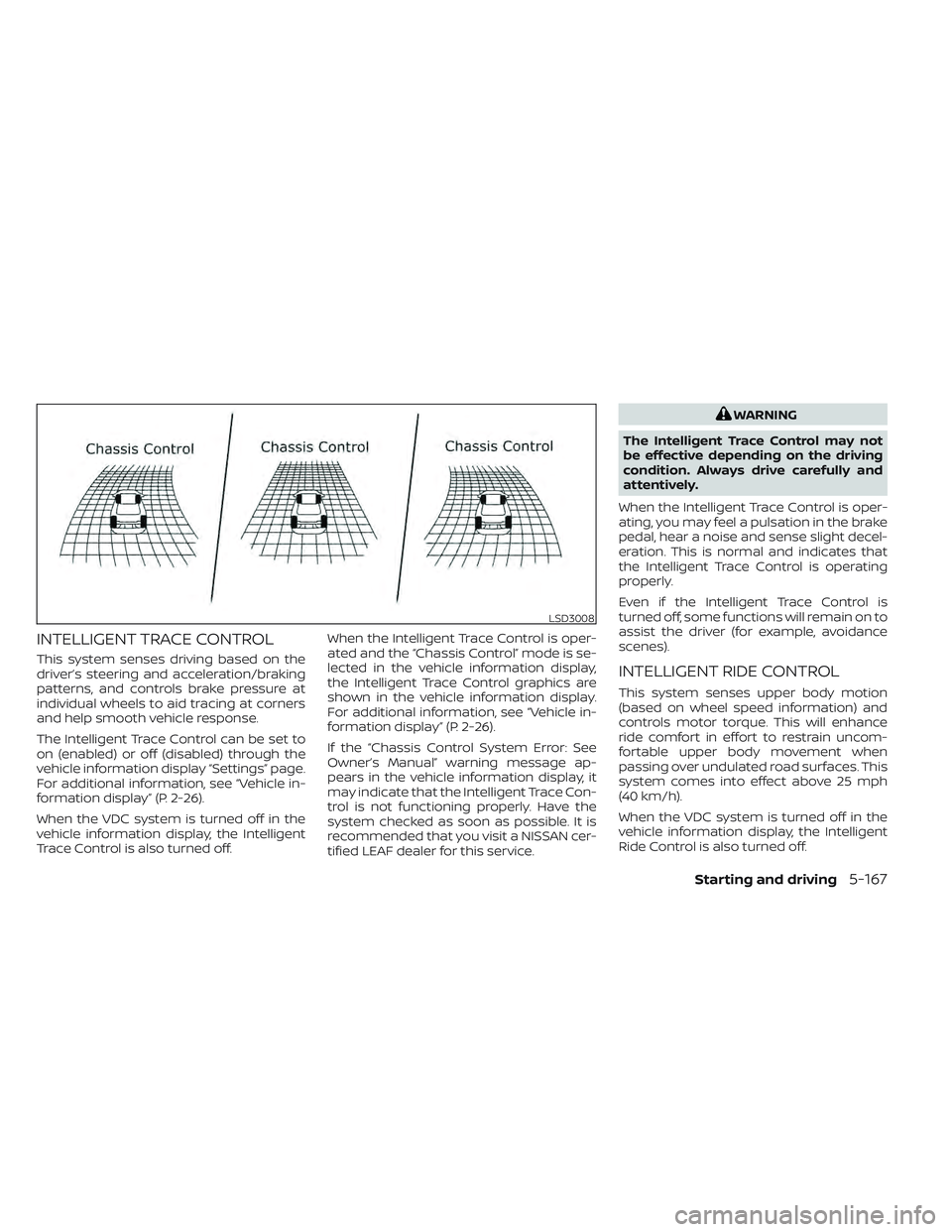
ated and the “Chassis Control” mode is se-
lected in the vehicle information display,
the Intelligent Trace Control graphics are
shown in the vehicle information display.
For additional information, see “Vehicle in-
formation display” (P. 2-26).
If the “Chassis Control System Error: See
Owner’s Manual” warning message ap-
pears in the vehicle information display, it
may indicate that the Intelligent Trace Con-
trol is not functioning properly. Have the
system checked as soon as possible. It is
recommended that you visit a NISSAN cer-
tified LEAF dealer for this service.
WARNING
The Intelligent Trace Control may not
be effective depending on the driving
condition. Always drive carefully and
attentively.
When the Intelligent Trace Control is oper-
ating, you may feel a pulsation in the brake
pedal, hear a noise and sense slight decel-
eration. This is normal and indicates that
the Intelligent Trace Control is operating
properly.
Even if the Intelligent Trace Control is
turned off, some functions will remain on to
assist the driver (for example, avoidance
scenes).
INTELLIGENT RIDE CONTROL
This system senses upper body motion
(based on wheel speed information) and
controls motor torque. This will enhance
ride comfort in effort to restrain uncom-
fortable upper body movement when
passing over undulated road surfaces. This
system comes into effect above 25 mph
(40 km/h).
When the VDC system is turned off in the
vehicle information display, the Intelligent
Ride Control is also turned off.
LSD3008
Starting and driving5-167