horn NISSAN MAXIMA 2005 A34 / 6.G Owners Manual
[x] Cancel search | Manufacturer: NISSAN, Model Year: 2005, Model line: MAXIMA, Model: NISSAN MAXIMA 2005 A34 / 6.GPages: 288, PDF Size: 4.71 MB
Page 12 of 288

1. Headlight/fog light/turn signal switch
(P. 2-19)
2. Meters and gauges (P. 2-3)
3. Windshield wiper/washer switch
(P. 2-18)
4. Center and side ventilators (P. 4-16)
5. Security indicator light (P. 2-14)
6. Display screen/Navigation system*
(P. 4-2, P. 4-7)
7. Passenger air bag status light (P. 1-43)
8. Audio system controls (P. 4-20)
9. Climate controls (P. 4-17)
10. Front passenger supplemental air bag
(P. 1-35)
11. Glove box (P. 2-32)
12. Power outlet/cigarette lighter
(accessory) (P.2-28)
13. Hazard warning flasher switch
(P. 2-24)
14. Cruise control main/set switches
(P. 2-24)
15. Driver supplemental air bag/horn
(P. 1-35, P. 2-24)
16. Tilt/telescopic steering wheel controls
(P. 3-13)
17. Steering wheel switch for audio control
(P. 4-32)
WIC0753
INSTRUMENT PANEL
0-6Illustrated table of contents
ZREVIEW COPYÐ2005 Maxima(max)
Owners ManualÐUSA_English(nna)
09/01/04Ðtbrooks
X
Page 68 of 288

2 Instruments and controls
Instrument panel...................................2-2
Meters and gauges................................2-3
Speedometer and odometer.....................2-4
Tachometer....................................2-5
Engine coolant temperature gauge...............2-5
Fuel gauge....................................2-6
Compass display (if so equipped)...................2-6
Zone variation change procedure.................2-7
Warning/indicator lights and audible reminders.......2-9
Checking bulbs................................2-9
Warning lights.................................2-9
Indicator lights................................2-12
Audible reminders.............................2-14
Security systems.................................2-14
Vehicle security system.........................2-14
Nissan vehicle immobilizer system (NVIS)........2-16
Windshield wiper and washer switch...............2-18
Switch operation..............................2-18
Rear window and outside mirror (if so equipped)
defroster switch..................................2-19
Headlight and turn signal switch....................2-19
Xenon headlights (if so equipped)...............2-19
Headlight control switch........................2-20Daytime running light system (Canada only)......2-22
Instrument brightness control...................2-22
Turn signal switch.............................2-23
Fog light switch...............................2-23
Cornering light................................2-23
Hazard warning flasher switch.....................2-24
Horn............................................2-24
Heated seats (if so equipped)......................2-25
Heated steering wheel (if so equipped).............2-26
Traction control system (TCS) off switch
(if so equipped)..................................2-26
Vehicle dynamic control (VDC) off switch
(if so equipped)..................................2-27
Power outlet.....................................2-27
Cigarette lighter..................................2-28
Storage.........................................2-29
Map pockets..................................2-29
Seatback pockets.............................2-29
Sunglasses holder.............................2-30
Cup holders..................................2-30
Glove box....................................2-32
Console box..................................2-32
Rear center console (if so equipped).............2-33
ZREVIEW COPYÐ2005 Maxima(max)
Owners ManualÐUSA_English(nna)
09/01/04Ðtbrooks
X
Page 70 of 288

1. Headlight/fog light/turn signal switch
(P. 2-19)
2. Meters and gauges (P. 2-3)
3. Windshield wiper/washer switch
(P. 2-18)
4. Center and side ventilators (P. 4-16)
5. Security indicator light (P. 2-14)
6. Display screen/Navigation system*
(P. 4-2, P. 4-7)
7. Passenger air bag status light (P. 1-43)
8. Audio system controls (P. 4-20)
9. Climate controls (P. 4-17)
10. Front passenger supplemental air bag
(P. 1-35)
11. Glove box (P. 2-32)
12. Power outlet/cigarette lighter
(accessory) (P. 2-27/P. 2-28)
13. Hazard warning flasher switch
(P. 2-24)
14. Cruise control main/set switches
(P. 2-24)
15. Driver supplemental air bag/horn
(P. 1-35, P. 2-24)
16. Tilt/telescopic steering wheel controls
(P. 3-13)
17. Steering wheel switch for audio control
(P. 4-32)
WIC0753
INSTRUMENT PANEL
2-2Instruments and controls
ZREVIEW COPYÐ2005 Maxima(max)
Owners ManualÐUSA_English(nna)
09/01/04Ðtbrooks
X
Page 83 of 288

Security indicator light (Vehicle secu-
rity system)
The security indicator lights1is located on the
instrument panel near the windshield.
The security indicator light shows the status of
the vehicle security system.
The light operates whenever the ignition switch is
in the LOCK, OFF, or ACC position.
The vehicle security system has four phases. For
each phase the operation of the security indicator
light is different.
How to arm the vehicle security sys-
tem
1. Close all windows.(The system can be
armed even if the windows are open.)
2. Remove the key from the ignition switch.3. Close the trunk lid and all doors. Lock all
doors. The doors can be locked with the key,
power door lock switch or with the keyfob.
Keyfob operation:
cPush the
button on the keyfob.
All doors lock. The hazard lights flash
twice and the horn beeps once to indicate
all doors are locked.
cWhen the
button is pushed with
all doors locked, the hazard lights flash
twice and the horn beeps once as a re-
minder that the doors are already locked.
The horn may or may not beep. Refer to
“Personalized settings menu” (vehicles with-
out navigation system) or “Vehicle electronic
systems” (vehicles with navigation system)
in the “Display screen, heater, air conditioner
and audio systems” section later in this
manual.
WIC0754
LIC0053
Instruments and controls2-15
ZREVIEW COPYÐ2005 Maxima(max)
Owners ManualÐUSA_English(nna)
09/01/04Ðtbrooks
X
Page 84 of 288

4. Confirm that the SECURITY indicator light
comes on. The SECURITY light stays on for
about 30 seconds. The vehicle security sys-
tem is now pre-armed. After about 30 sec-
onds the vehicle security system automati-
cally shifts into the armed phase. The
SECURITY light begins to flash once every 3
seconds. If, during the 30-second pre-arm
time period, the door is unlocked by the key
or the keyfob, or the ignition key is turned to
ACC or ON, the system will not arm.
cIf the key is turned slowly when locking
the door, the system may not arm. Fur-
thermore, if the key is turned beyond
the vertical position toward the unlock
position to remove the key, the system
may be disarmed when the key is re-
moved. If the indicator light fails to
glow for 30 seconds, unlock the door
once and lock it again.
cEven when the driver and/or passen-
gers are in the vehicle, the system will
arm with all doors and trunk lid closed
and locked with the ignition key in the
OFF position.Vehicle security system activation
The vehicle security system will give the following
alarm:
cThe headlights blink and the horn sounds
intermittently.
cThe alarm automatically turns off after ap-
proximately 50 seconds. However, the alarm
reactivates if the vehicle is tampered with
again. The alarm can be shut off by unlocking
a door with the key, or by pressing the
button on the keyfob.
The alarm is activated by:
copening the door or trunk lid without using
the key or keyfob (even if the door is un-
locked by releasing the door inside lock
switch)
copening the trunk lid by operating the interior
trunk lid release.
How to stop an activated alarm
The alarm stops only by unlocking a door with the
key, or by pressing thebutton on the key-
fob.
NISSAN VEHICLE IMMOBILIZER
SYSTEM (NVIS)
The NISSAN Vehicle Immobilizer System (NVIS)
will not allow the engine to start without the use of
a registered NVIS key.
If the engine fails to start using a registered NVIS
key (for example, when interference is caused by
another NVIS key, an automated toll road device
or automatic payment device on the key ring) ,
restart the engine using the following proce-
dures:
1. Leave the ignition switch in the ON position
for approximately 5 seconds.
2. Turn the ignition switch to the OFF or LOCK
position, and wait approximately 10 sec-
onds.
3. Repeat steps 1 and 2.
4. Restart the engine while holding the device
(which may have caused the interference)
separate from the registered NVIS key.
If the no start condition re-occurs, NISSAN rec-
ommends placing the registered NVIS key on a
separate key ring to avoid interference from other
devices.
Statement related to Section 15 of FCC
Rules for NISSAN Vehicle Immobilizer Sys-
2-16Instruments and controls
ZREVIEW COPYÐ2005 Maxima(max)
Owners ManualÐUSA_English(nna)
09/01/04Ðtbrooks
X
Page 92 of 288
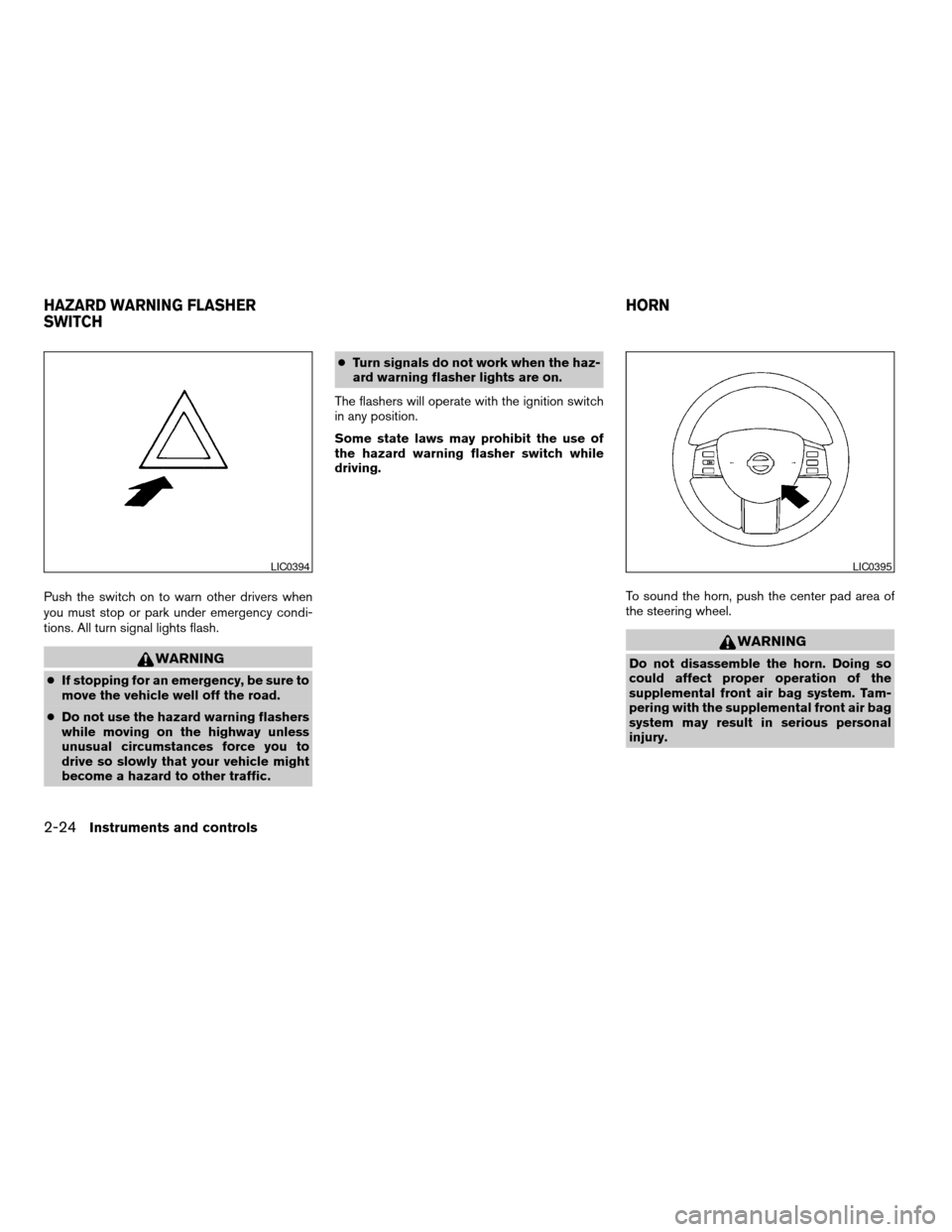
Push the switch on to warn other drivers when
you must stop or park under emergency condi-
tions. All turn signal lights flash.
WARNING
cIf stopping for an emergency, be sure to
move the vehicle well off the road.
cDo not use the hazard warning flashers
while moving on the highway unless
unusual circumstances force you to
drive so slowly that your vehicle might
become a hazard to other traffic.cTurn signals do not work when the haz-
ard warning flasher lights are on.
The flashers will operate with the ignition switch
in any position.
Some state laws may prohibit the use of
the hazard warning flasher switch while
driving.
To sound the horn, push the center pad area of
the steering wheel.
WARNING
Do not disassemble the horn. Doing so
could affect proper operation of the
supplemental front air bag system. Tam-
pering with the supplemental front air bag
system may result in serious personal
injury.
LIC0394LIC0395
HAZARD WARNING FLASHER
SWITCHHORN
2-24Instruments and controls
ZREVIEW COPYÐ2005 Maxima(max)
Owners ManualÐUSA_English(nna)
09/01/04Ðtbrooks
X
Page 120 of 288

HOW TO USE REMOTE KEYLESS
ENTRY SYSTEM
Locking doors
1. Close all windows
2. Remove the key from the ignition switch.
3. Close the hood, trunk lid and all doors.
4. Push the
button on the keyfob. All
the doors lock. The hazard warning lights
flash twice and the horn beeps once to
indicate all doors are locked.
cWhen the
button is pushed with all
doors locked, the hazard warning lights flashtwice and the horn beeps once as a re-
minder that the doors are already locked.
cIf a door is open and you push the
button, the doors will lock but the horn will
not beep and the hazard warning lights will
not flash.
The horn may or may not beep. Refer to “Person-
alized settings menu” (vehicles without naviga-
tion system) or “Vehicle electronic systems” (ve-
hicles with navigation system) in the “Display
screen, heater, air conditioner and audio sys-
tems” section later in this manual.
NOTE:
If you change the horn beep and lamp flash
feature with the keyfob, the display screen
will not show the current mode and cannot
be used to change the mode. Use the key-
fob to return to the previous mode and
re-enable the display screen control.
Unlocking doors
Push thebutton on the keyfob once.
cOnly the driver’s door unlocks.
cThe hazard warning lights flash once if all
doors are completely closed with the ignition
key in any position except the ON position.
cThe interior light turns on and the light timer
activates for 30 seconds when the interior
light switch is in the center DOOR position
with the ignition key in any position except
the ON position.
LPD0209LPD0210
3-6Pre-driving checks and adjustments
ZREVIEW COPYÐ2005 Maxima(max)
Owners ManualÐUSA_English(nna)
09/01/04Ðtbrooks
X
Page 142 of 288
Service alert
If the service alert “ON” key is selected, the
information will be displayed when the engine oil
and the tire rotation periods reach the preset
driving distance.
Personalized settings menu
You can set the following electronic systems
operating conditions using the joystick.
Slide back DR (driver’s) seat on exit:
The driver’s seat automatically moves back and
returns to the original position for exceptional
ease of exit and entry.
Remote unlock door logic:
This option allows you to select which doors will
unlock first during an unlocking operation:
Only the driver’s doorÃ!All the doors
Horn chirp with remote:
This option allows you to select the horn chirp
mode that occurs when the LOCK or UNLOCK
button on the keyfob is pressed.NOTE:
If you change the horn beep or the lamp
flash feature with the keyfob, the display
screen will not show the current mode. Use
the keyfob to return to the previous mode
and re-enable the display screen control.
Lamps flash with remote:
This option allows you to select the hazard indi-
cator flash mode that occurs when the LOCK or
UNLOCK button on the keyfob is pressed.
NOTE:
If you change the horn beep or the lamp
flash feature with the keyfob, the mode will
not be changed with the display. Use the
keyfob to return to the previous mode and
re-enable the display control.
Auto relock time:
This option allows you to set the length of time
before the doors lock with the auto re-lock func-
tion.
Auto headlamp sensitivity:
This option allows you to set the sensitivity of the
autolights.Auto headlamp off delay:
This option allows you to select the length of time
before the autolights turn off.
Speed sensing wiper interval:
This option allows you to turn on or turn off the
driving speed dependent intermittent wiper func-
tion.
Confirm reset settings:
This option allows you to reset all options to their
default settings.
BUTTON
To change the display brightness, push
thebutton. Pushing the button again will
change the display to DAY or NIGHT display.
Then, adjust the brightness moving the joystick
right or left.
If no operation is done within 10 seconds, or if the
“PREV”button is pushed, the display will return
to the previous display.
WARNING
cPositioning of the heating or air condi-
tioning controls and display controls
should not be done while driving in or-
der that full attention may be given to
the driving operation.
4-6Display screen, heater, air conditioner and audio systems
ZREVIEW COPYÐ2005 Maxima(max)
Owners ManualÐUSA_English(nna)
09/01/04Ðtbrooks
X
Page 149 of 288

Adjust driver seat when exiting vehicle (au-
tomatic transmission only):
With this option ON, the driver’s seat automati-
cally moves back and returns to the original po-
sition for ease of exit and entry.
Lift steering column when exiting vehicle
(automatic transmission only):
With this option ON, the steering column auto-
matically tilts up and returns to the original posi-
tion for ease of exit and entry.
Remote unlock driver’s door first:
This option allows you to select which doors will
unlock first during an unlocking operation:
Only the driver’s doorÃ!All the doors
Keyless remote response — horn:
This key allows you to change the horn chirp
mode that occurs when pressing the LOCK or
UNLOCK button on the keyfob.
NOTE:
If you change the horn beep or the lamp
flash feature with the keyfob, the display
screen will not show the current mode. Use
the keyfob to return to the previous mode
and re-enable the display screen control.Keyless remote response — lights:
This key allows you to change the hazard indica-
tor flash mode that occurs when pressing the
LOCK or UNLOCK button on the keyfob.
NOTE:
If you change the horn beep or the lamp
flash feature with the keyfob, the mode will
not be changed with the display. Use the
keyfob to return to the previous mode and
re-enable the display control.
Auto re-lock time:
This key allows you to set the length of time
before doors auto re-lock.
Sensitivity of automatic headlights:
This key allows you to set the sensitivity of the
automatic headlights:
cLower- less sensitive, automatic headlights
will take longer to come on when the head-
light sensor senses less ambient light.
cHigher- more sensitive, automatic head-
lights will come on quicker when the head-
light sensor senses less ambient light.Automatic headlights off delay:
This key allows you to set the length of time
before the automatic headlights turn off after
exiting the vehicle.
Speed dependent wiper:
This key allows you to turn on or turn off the
driving speed dependent intermittent wiper func-
tion.
Return all settings to default:
When this key is selected and turned on using
the“ENTER”button, all settings made by VE-
HICLE ELECTRONICS will return to the default
settings.
Display screen, heater, air conditioner and audio systems4-13
ZREVIEW COPYÐ2005 Maxima(max)
Owners ManualÐUSA_English(nna)
09/01/04Ðtbrooks
X
Page 281 of 288

Fuel recommendation............9-3
FUEL ECON button............4-4, 4-9
Fuel Econ button
Control panel buttons..........4-4, 4-9
Fuses......................8-21
Fusible links...................8-23
G
Garage door opener, HomeLinkTUniversal
Transceiver...................2-43
Gascap.....................3-12
Gauge
Engine coolant temperature gauge.....2-5
Fuel gauge..................2-6
Odometer...................2-4
Speedometer.................2-4
Tachometer..................2-5
Trip odometer.................2-4
General maintenance..............8-2
Glove box....................2-32
Glove box lock.................2-32
Grocery hooks.................2-34
H
Hazard warning flasher switch.........2-24
Head restraints..................1-8
Active head restraint.............1-9
Headlight and turn signal switch........2-19
Heated seats..................2-25
Heated steering wheel.............2-26
Heater
Heater operation..............4-18HomeLinkTUniversal Transceiver.......2-43
Hood release...................3-9
Horn.......................2-24
I
Ignition switch..................5-4
Immobilizer system..........2-16, 3-2, 5-5
Important vehicle information label.......9-10
In-cabin microfilter...............8-16
Increasing fuel economy............5-15
Indicator lights and audible reminders
(See warning/indicator lights and audible
reminders).....................2-9
Instrument brightness control.........2-22
Instrument panel.................2-2
Interior light...................2-41
Interior trunk lid release.............3-11
ISOFIX child restraints.............1-25
J
Jump starting...................6-6
K
Key ........................3-2
Keyless entry system (See remote keyless entry
system)......................3-5L
Labels
Air conditioner specification label.....9-11
Emission control information label.....9-10
Engine serial number............9-10
F.M.V.S.S. certification label........9-10
Vehicle identification number (VIN) plate . .9-9
Warning labels (for SRS)..........1-49
LATCH (Lower Anchors and Tethers for CHildren)
System......................1-25
License plate
Installing the license plate.........9-11
Light
Air bag warning light.........1-49, 2-11
Brake light (See stop light).........8-26
Bulb check/instrument panel........2-9
Bulb replacement..............8-26
Charge warning light............2-10
Cornering light...............2-23
Fog light switch...............2-23
Headlight and turn signal switch......2-19
Interior light.................2-41
Light bulbs..................8-26
Low washer fluid warning light.......2-11
Passenger air bag and status light.....1-43
Personal lights...............2-42
Security indicator light...........1-43
Trunk light..................2-43
Warning/indicator lights and audible
reminders...................2-9
Lock
Child safety rear door lock..........3-5
Door locks..................3-3
Glove box lock...............2-32
10-3
ZREVIEW COPYÐ2005 Maxima(max)
Owners ManualÐUSA_English(nna)
09/01/04Ðtbrooks
X