ECO mode NISSAN MAXIMA 2010 Owner´s Manual
[x] Cancel search | Manufacturer: NISSAN, Model Year: 2010, Model line: MAXIMA, Model: NISSAN MAXIMA 2010Pages: 457, PDF Size: 4.66 MB
Page 250 of 457
cPlay Mode
Choose the preferred play mode using the
NISSAN controller or the touchscreen.
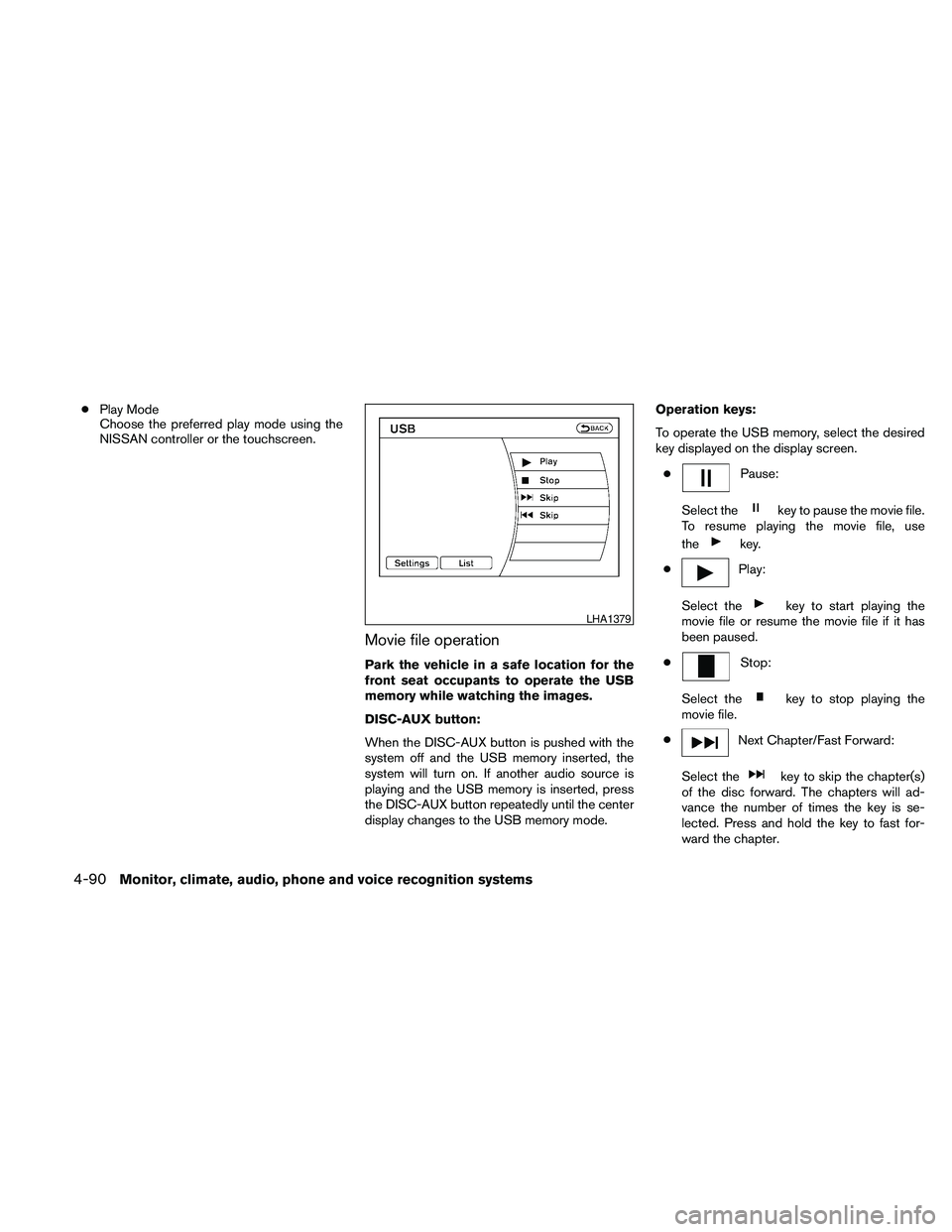
Movie file operation
Park the vehicle in a safe location for the
front seat occupants to operate the USB
memory while watching the images.
DISC-AUX button:
When the DISC-AUX button is pushed with the
system off and the USB memory inserted, the
system will turn on. If another audio source is
playing and the USB memory is inserted, press
the DISC-AUX button repeatedly until the center
display changes to the USB memory mode.Operation keys:
To operate the USB memory, select the desired
key displayed on the display screen.
c
Pause:
Select the
key to pause the movie file.
To resume playing the movie file, use
the
key.
c
Play:
Select the
key to start playing the
movie file or resume the movie file if it has
been paused.
c
Stop:
Select the
key to stop playing the
movie file.
c
Next Chapter/Fast Forward:
Select the
key to skip the chapter(s)
of the disc forward. The chapters will ad-
vance the number of times the key is se-
lected. Press and hold the key to fast for-
ward the chapter.
LHA1379
4-90Monitor, climate, audio, phone and voice recognition systems
Page 251 of 457
cPrevious Chapter/Rewind:
Select the
key to skip the chapter(s)
of the disc backward. The chapters will go
back the number of times the key is selected.
Press and hold the key to rewind the chap-
ter.
List:
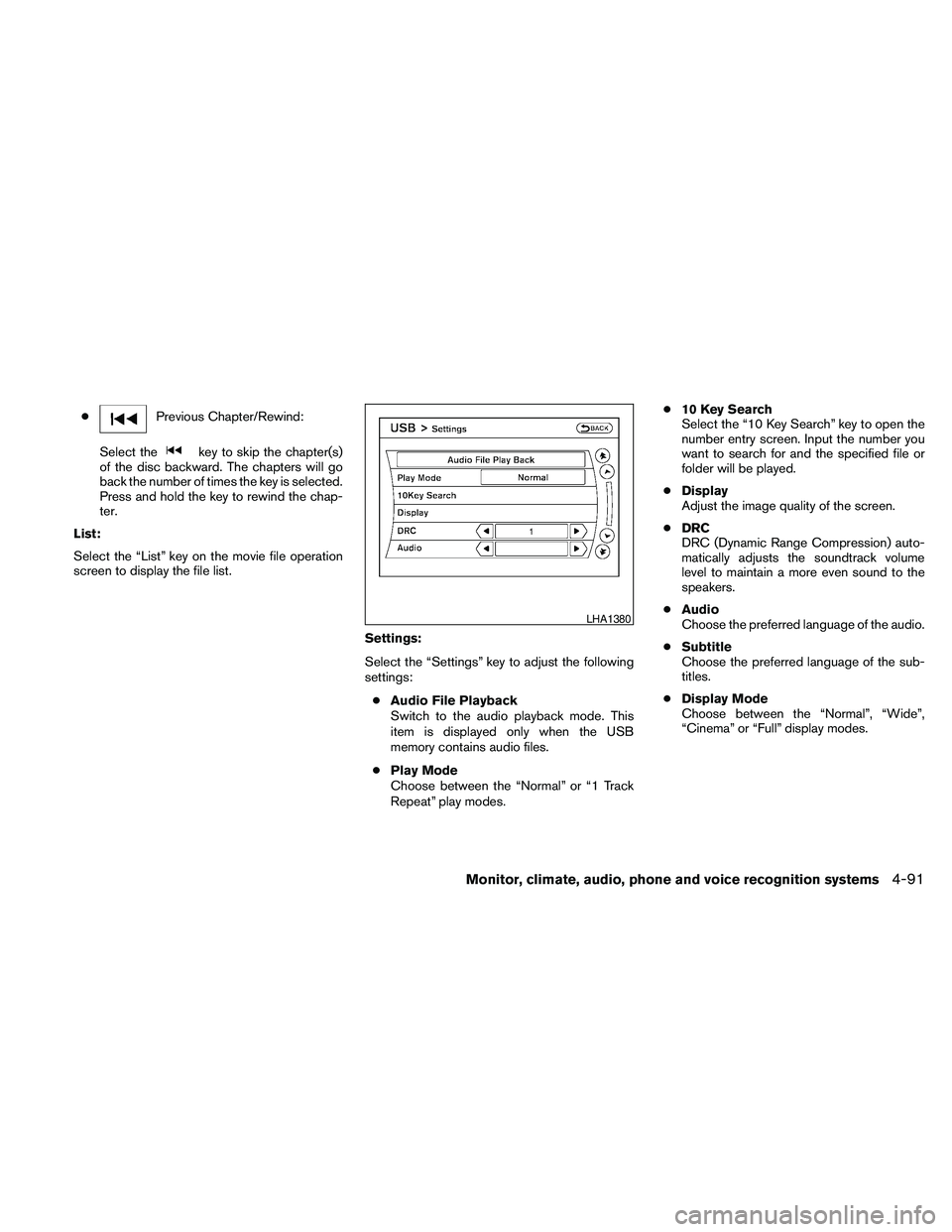
Select the “List” key on the movie file operation
screen to display the file list.
Settings:
Select the “Settings” key to adjust the following
settings:
cAudio File Playback
Switch to the audio playback mode. This
item is displayed only when the USB
memory contains audio files.
cPlay Mode
Choose between the “Normal” or “1 Track
Repeat” play modes.c10 Key Search
Select the “10 Key Search” key to open the
number entry screen. Input the number you
want to search for and the specified file or
folder will be played.
cDisplay
Adjust the image quality of the screen.
cDRC
DRC (Dynamic Range Compression) auto-
matically adjusts the soundtrack volume
level to maintain a more even sound to the
speakers.
cAudio
Choose the preferred language of the audio.
cSubtitle
Choose the preferred language of the sub-
titles.
cDisplay Mode
Choose between the “Normal”, “Wide”,
“Cinema” or “Full” display modes.
LHA1380
Monitor, climate, audio, phone and voice recognition systems4-91
Page 252 of 457
iPodT* PLAYER OPERATION
WITHOUT NAVIGATION SYSTEM (if
so equipped)
Connecting iPodT
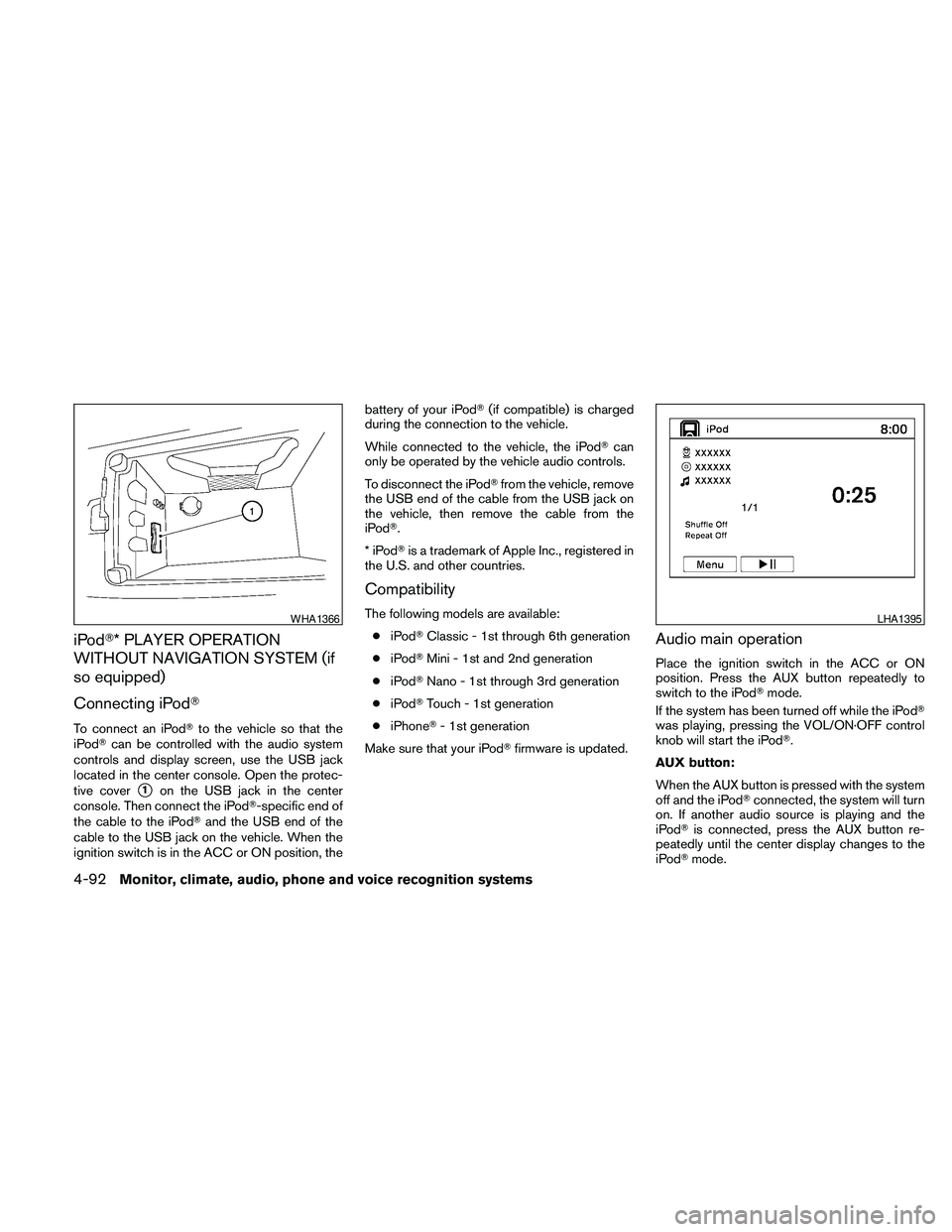
To connect an iPodTto the vehicle so that the
iPodTcan be controlled with the audio system
controls and display screen, use the USB jack
located in the center console. Open the protec-
tive cover
s1on the USB jack in the center
console. Then connect the iPodT-specific end of
the cable to the iPodTand the USB end of the
cable to the USB jack on the vehicle. When the
ignition switch is in the ACC or ON position, thebattery of your iPodT(if compatible) is charged
during the connection to the vehicle.
While connected to the vehicle, the iPodTcan
only be operated by the vehicle audio controls.
To disconnect the iPodTfrom the vehicle, remove
the USB end of the cable from the USB jack on
the vehicle, then remove the cable from the
iPodT.
*iPodTis a trademark of Apple Inc., registered in
the U.S. and other countries.
Compatibility
The following models are available:
ciPodTClassic - 1st through 6th generation
ciPodTMini - 1st and 2nd generation
ciPodTNano - 1st through 3rd generation
ciPodTTouch - 1st generation
ciPhoneT- 1st generation
Make sure that your iPodTfirmware is updated.
Audio main operation
Place the ignition switch in the ACC or ON
position. Press the AUX button repeatedly to
switch to the iPodTmode.
If the system has been turned off while the iPodT
was playing, pressing the VOL/ON·OFF control
knob will start the iPodT.
AUX button:
When the AUX button is pressed with the system
off and the iPodTconnected, the system will turn
on. If another audio source is playing and the
iPodTis connected, press the AUX button re-
peatedly until the center display changes to the
iPodTmode.
WHA1366LHA1395
4-92Monitor, climate, audio, phone and voice recognition systems
Page 254 of 457
battery of your iPodT(if compatible) is charged
during the connection to the vehicle.
While connected to the vehicle, the iPodTcan
only be operated by the vehicle audio controls.
To disconnect the iPodTfrom the vehicle, remove
the USB end of the cable from the USB jack on
the vehicle, then remove the cable from the
iPodT.
*iPodTis a trademark of Apple Inc., registered in
the U.S. and other countries.
Compatibility
The following models are available:
ciPodTClassic - 1st through 6th generation
ciPodTMini - 1st and 2nd generation
ciPodTNano - 1st through 3rd generation
ciPodTTouch - 1st generation
ciPhoneT- 1st generation
Make sure that your iPodTfirmware is updated.
Audio main operation
Place the ignition switch in the ACC or ON
position. Press the DISC·AUX button repeatedly
to switch to the iPodTmode.
If the system has been turned off while the iPodT
was playing, pressing the VOL/ON·OFF control
knob will start the iPodT.DISC·AUX button:
When the DISC·AUX button is pressed with the
system off and the iPodTconnected, the system
will turn on. If another audio source is playing and
the iPodTis connected, press the DISC·AUX
button repeatedly until the center display
changes to the iPodTmode.
LHA1397
4-94Monitor, climate, audio, phone and voice recognition systems
Page 255 of 457
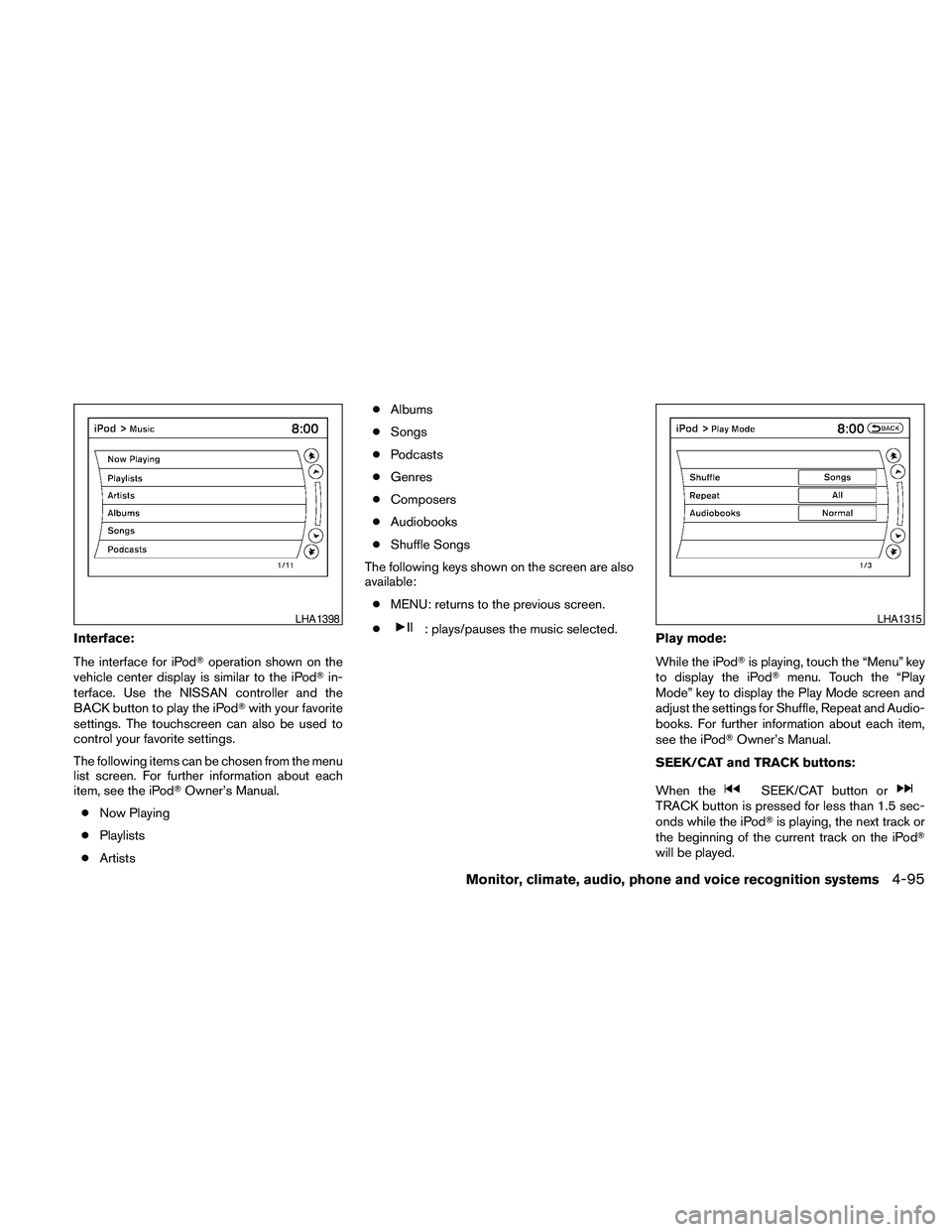
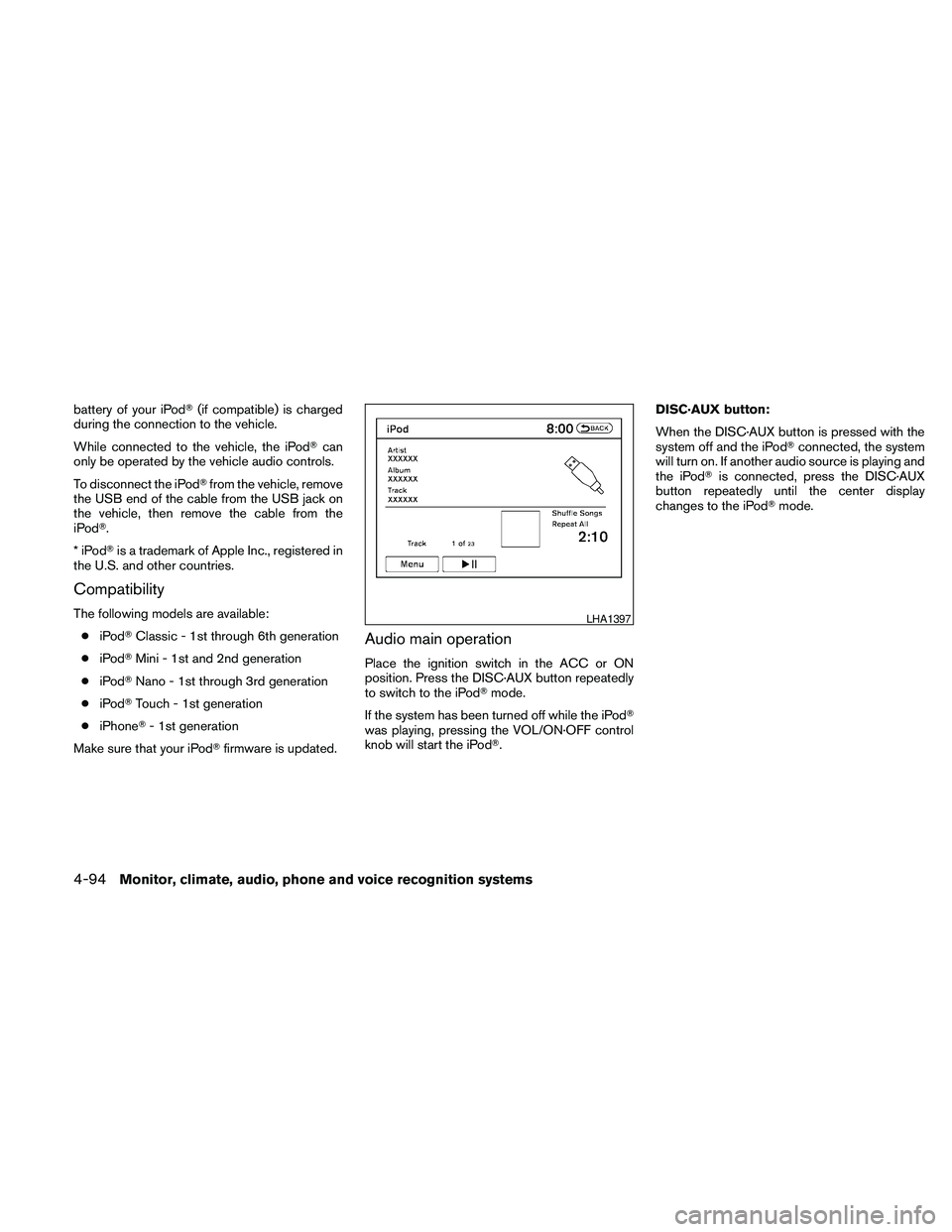
Interface:
The interface for iPodToperation shown on the
vehicle center display is similar to the iPodTin-
terface. Use the NISSAN controller and the
BACK button to play the iPodTwith your favorite
settings. The touchscreen can also be used to
control your favorite settings.
The following items can be chosen from the menu
list screen. For further information about each
item, see the iPodTOwner’s Manual.
cNow Playing
cPlaylists
cArtistscAlbums
cSongs
cPodcasts
cGenres
cComposers
cAudiobooks
cShuffle Songs
The following keys shown on the screen are also
available:
cMENU: returns to the previous screen.
c: plays/pauses the music selected.
Play mode:
While the iPodTis playing, touch the “Menu” key
to display the iPodTmenu. Touch the “Play
Mode” key to display the Play Mode screen and
adjust the settings for Shuffle, Repeat and Audio-
books. For further information about each item,
see the iPodTOwner’s Manual.
SEEK/CAT and TRACK buttons:
When the
SEEK/CAT button orTRACK button is pressed for less than 1.5 sec-
onds while the iPodTis playing, the next track or
the beginning of the current track on the iPodT
will be played.
LHA1398LHA1315
Monitor, climate, audio, phone and voice recognition systems4-95
Page 256 of 457
When theSEEK/CAT button orTRACK button is pressed for more than 1.5 sec-
onds while the iPodTis playing, the iPodTwill
play while fast forwarding or rewinding. When the
button is released, the iPodTwill return to the
normal play speed.
The NISSAN controller can also be used to se-
lect tracks when the iPodTis playing.
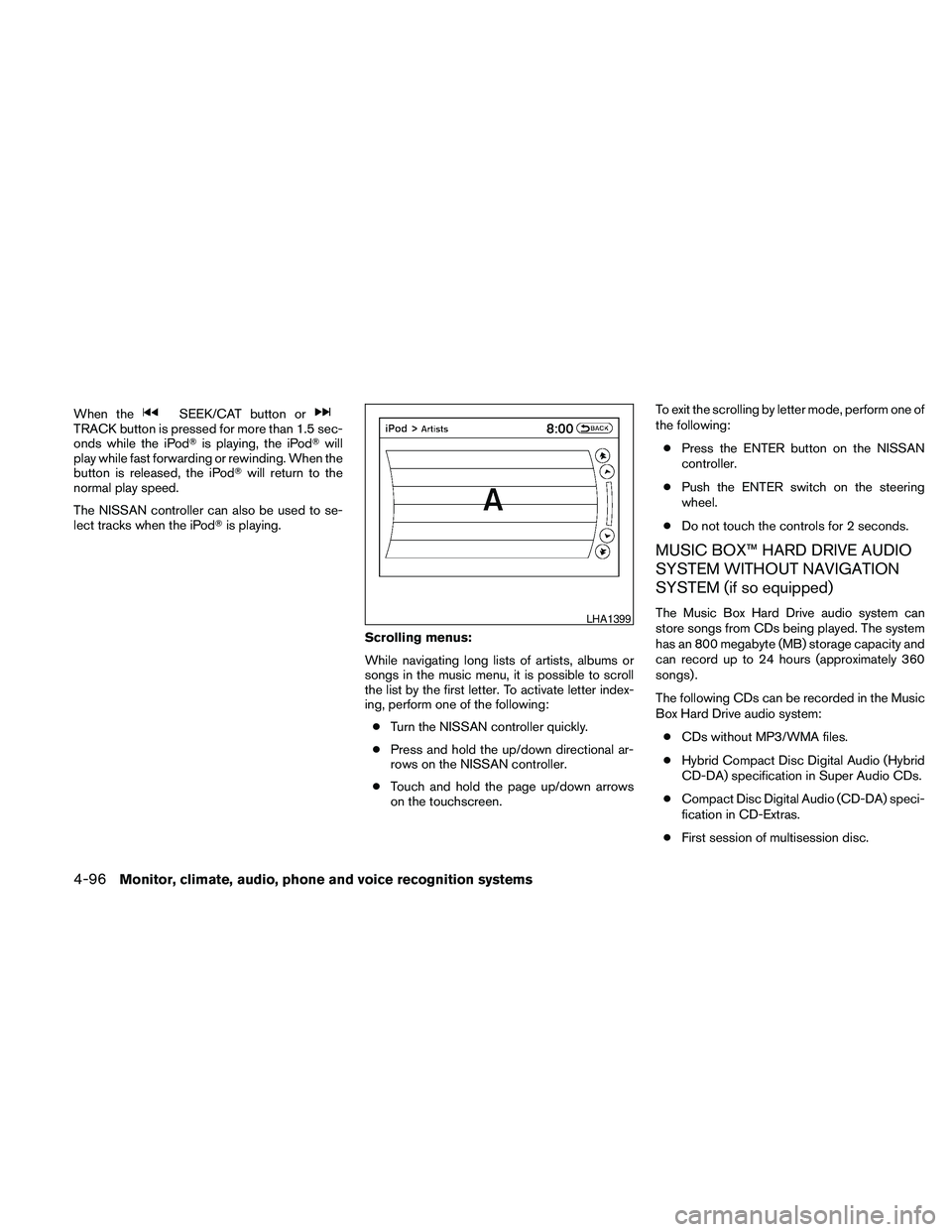
Scrolling menus:
While navigating long lists of artists, albums or
songs in the music menu, it is possible to scroll
the list by the first letter. To activate letter index-
ing, perform one of the following:
cTurn the NISSAN controller quickly.
cPress and hold the up/down directional ar-
rows on the NISSAN controller.
cTouch and hold the page up/down arrows
on the touchscreen.To exit the scrolling by letter mode, perform one of
the following:
cPress the ENTER button on the NISSAN
controller.
cPush the ENTER switch on the steering
wheel.
cDo not touch the controls for 2 seconds.
MUSIC BOX™ HARD DRIVE AUDIO
SYSTEM WITHOUT NAVIGATION
SYSTEM (if so equipped)
The Music Box Hard Drive audio system can
store songs from CDs being played. The system
has an 800 megabyte (MB) storage capacity and
can record up to 24 hours (approximately 360
songs) .
The following CDs can be recorded in the Music
Box Hard Drive audio system:
cCDs without MP3/WMA files.
cHybrid Compact Disc Digital Audio (Hybrid
CD-DA) specification in Super Audio CDs.
cCompact Disc Digital Audio (CD-DA) speci-
fication in CD-Extras.
cFirst session of multisession disc.LHA1399
4-96Monitor, climate, audio, phone and voice recognition systems
Page 258 of 457
The Music Box audio system cannot perform
recording under the following conditions:
cThere is not enough space in the Music Box.
cThe number of albums reaches the maximum
of 99.
cThe number of tracks reaches the maximum
of 2,000.
Automatic recording:
If the “Automatic Recording” function is turned to
ON, recording starts when a CD is inserted and
any previous CD “converting” is finished. For
more information, see “Music Box settings” in this
section.
Stopping recording:
To stop the recording, select the “Stop REC” key
on the screen. If the CD is ejected, the audio
system is turned off or the ignition switch is
placed in the OFF position, the recording also
stops.
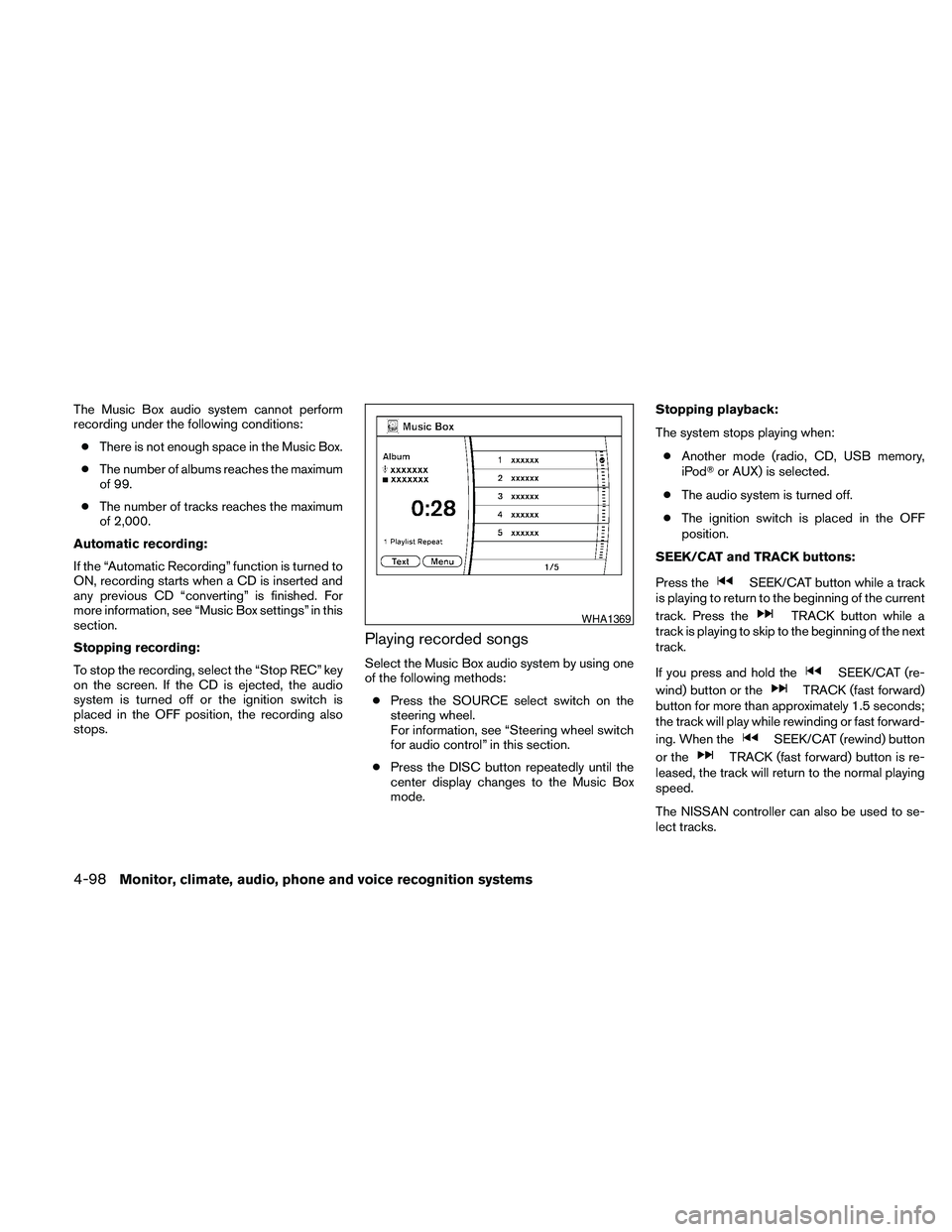
Playing recorded songs
Select the Music Box audio system by using one
of the following methods:
cPress the SOURCE select switch on the
steering wheel.
For information, see “Steering wheel switch
for audio control” in this section.
cPress the DISC button repeatedly until the
center display changes to the Music Box
mode.Stopping playback:
The system stops playing when:
cAnother mode (radio, CD, USB memory,
iPodTor AUX) is selected.
cThe audio system is turned off.
cThe ignition switch is placed in the OFF
position.
SEEK/CAT and TRACK buttons:
Press the
SEEK/CAT button while a track
is playing to return to the beginning of the current
track. Press the
TRACK button while a
track is playing to skip to the beginning of the next
track.
If you press and hold the
SEEK/CAT (re-
wind) button or the
TRACK (fast forward)
button for more than approximately 1.5 seconds;
the track will play while rewinding or fast forward-
ing. When the
SEEK/CAT (rewind) button
or the
TRACK (fast forward) button is re-
leased, the track will return to the normal playing
speed.
The NISSAN controller can also be used to se-
lect tracks.
WHA1369
4-98Monitor, climate, audio, phone and voice recognition systems
Page 259 of 457
For more information on how to use the NISSAN
controller, see “How to use the NISSAN control-
ler” in this section.
Play mode selection:
To change to another album or artist, turn the
TUNE/FOLDER knob.
RPT/RDM button:
Press the RPT/RDM button while a track is play-
ing to change the play pattern as follows:
Repeat All!1 Folder Repeat!1 Track Repeat
!All Random!1 Folder Random!Repeat All
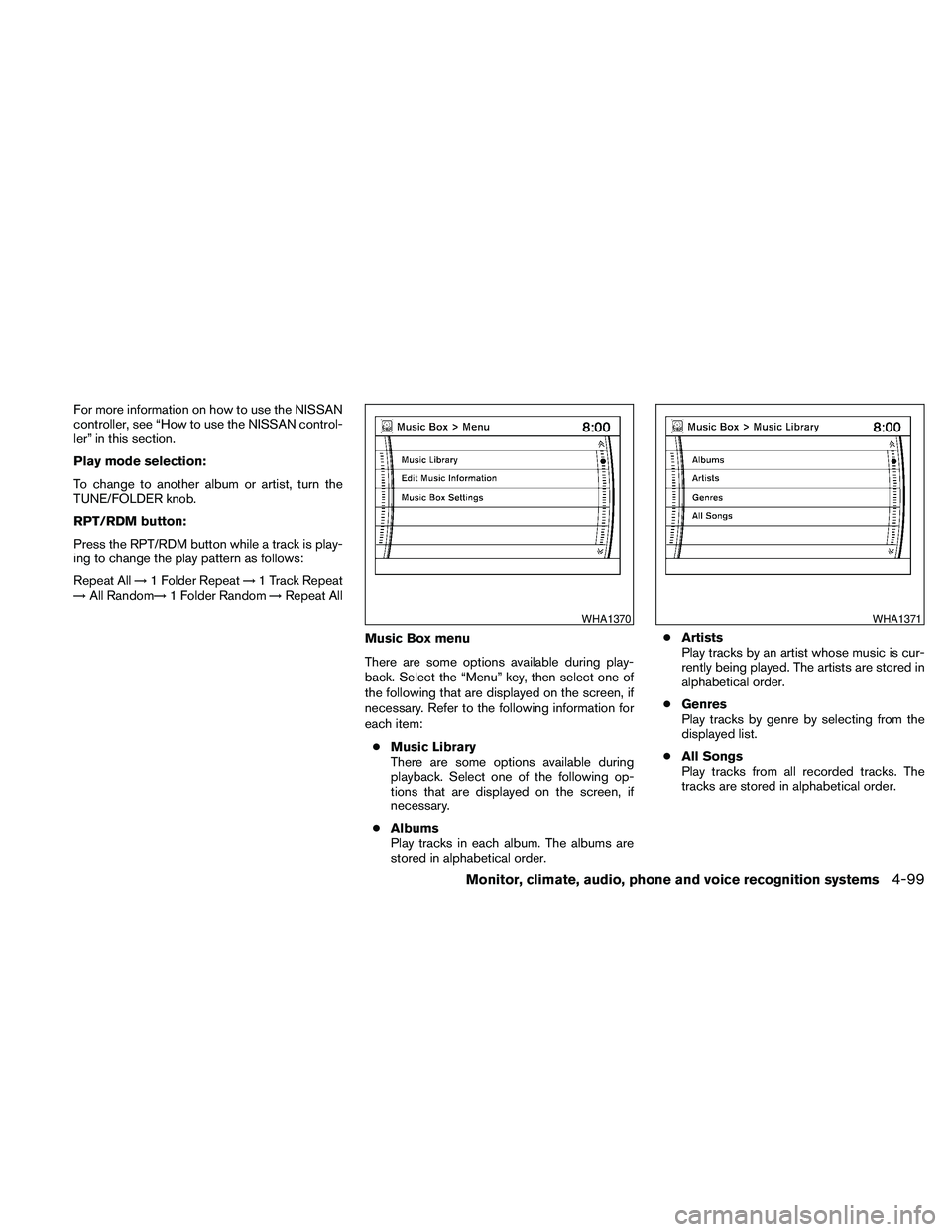
Music Box menu
There are some options available during play-
back. Select the “Menu” key, then select one of
the following that are displayed on the screen, if
necessary. Refer to the following information for
each item:
cMusic Library
There are some options available during
playback. Select one of the following op-
tions that are displayed on the screen, if
necessary.
cAlbums
Play tracks in each album. The albums are
stored in alphabetical order.cArtists
Play tracks by an artist whose music is cur-
rently being played. The artists are stored in
alphabetical order.
cGenres
Play tracks by genre by selecting from the
displayed list.
cAll Songs
Play tracks from all recorded tracks. The
tracks are stored in alphabetical order.
WHA1370WHA1371
Monitor, climate, audio, phone and voice recognition systems4-99
Page 264 of 457
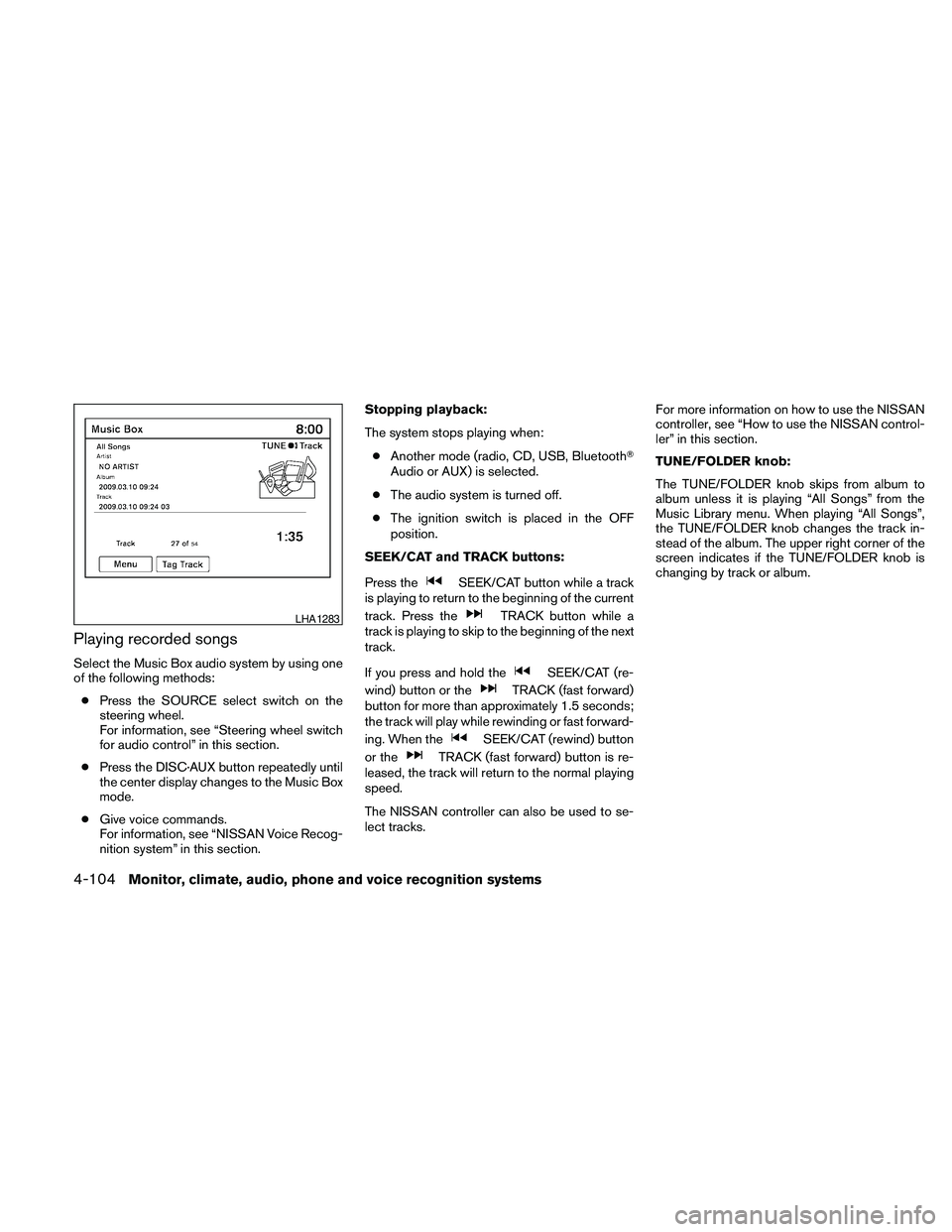
Playing recorded songs
Select the Music Box audio system by using one
of the following methods:
cPress the SOURCE select switch on the
steering wheel.
For information, see “Steering wheel switch
for audio control” in this section.
cPress the DISC·AUX button repeatedly until
the center display changes to the Music Box
mode.
cGive voice commands.
For information, see “NISSAN Voice Recog-
nition system” in this section.Stopping playback:
The system stops playing when:
cAnother mode (radio, CD, USB, BluetoothT
Audio or AUX) is selected.
cThe audio system is turned off.
cThe ignition switch is placed in the OFF
position.
SEEK/CAT and TRACK buttons:
Press the
SEEK/CAT button while a track
is playing to return to the beginning of the current
track. Press the
TRACK button while a
track is playing to skip to the beginning of the next
track.
If you press and hold the
SEEK/CAT (re-
wind) button or the
TRACK (fast forward)
button for more than approximately 1.5 seconds;
the track will play while rewinding or fast forward-
ing. When the
SEEK/CAT (rewind) button
or the
TRACK (fast forward) button is re-
leased, the track will return to the normal playing
speed.
The NISSAN controller can also be used to se-
lect tracks.For more information on how to use the NISSAN
controller, see “How to use the NISSAN control-
ler” in this section.
TUNE/FOLDER knob:
The TUNE/FOLDER knob skips from album to
album unless it is playing “All Songs” from the
Music Library menu. When playing “All Songs”,
the TUNE/FOLDER knob changes the track in-
stead of the album. The upper right corner of the
screen indicates if the TUNE/FOLDER knob is
changing by track or album.
LHA1283
4-104Monitor, climate, audio, phone and voice recognition systems
Page 266 of 457
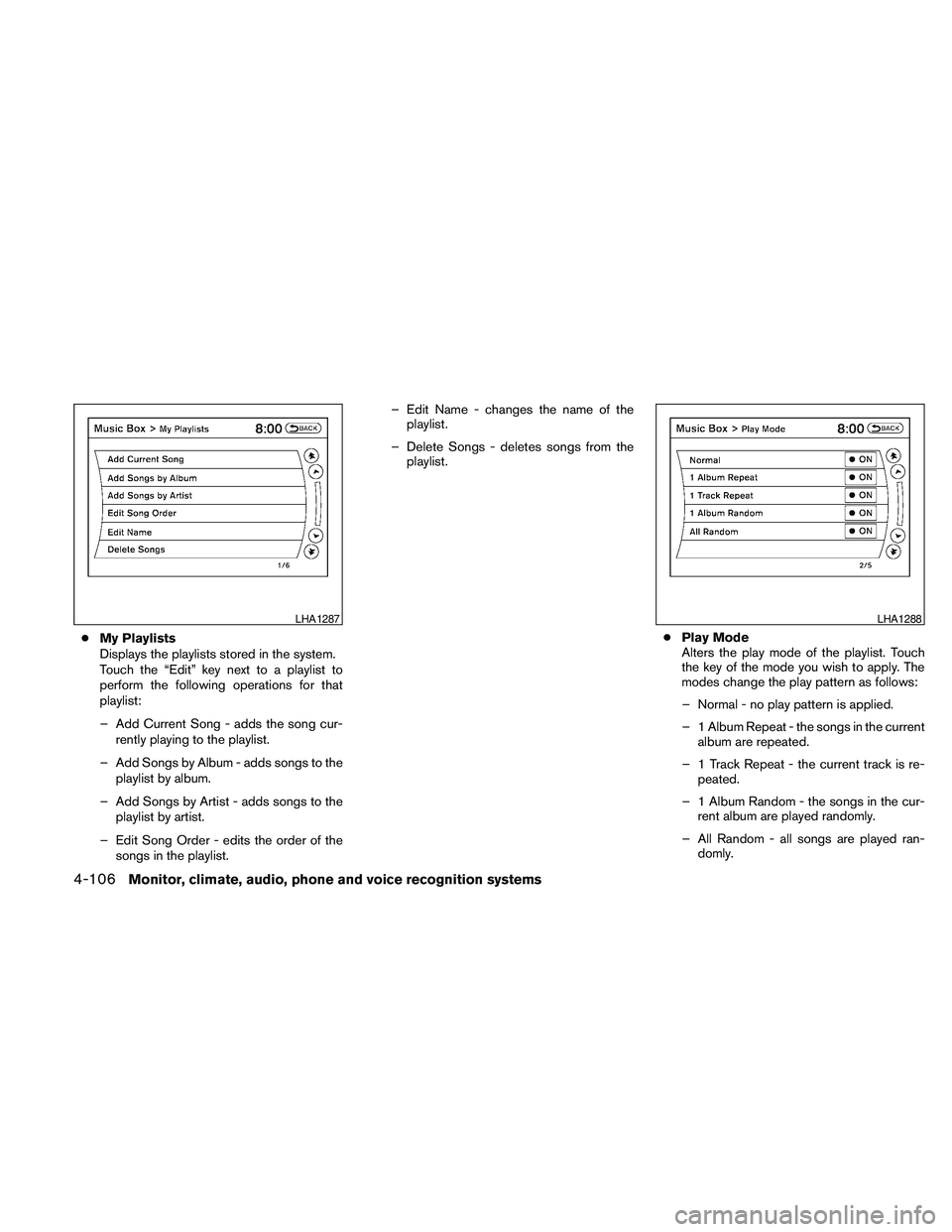
cMy Playlists
Displays the playlists stored in the system.
Touch the “Edit” key next to a playlist to
perform the following operations for that
playlist:
– Add Current Song - adds the song cur-
rently playing to the playlist.
– Add Songs by Album - adds songs to the
playlist by album.
– Add Songs by Artist - adds songs to the
playlist by artist.
– Edit Song Order - edits the order of the
songs in the playlist.– Edit Name - changes the name of the
playlist.
– Delete Songs - deletes songs from the
playlist.
cPlay Mode
Alters the play mode of the playlist. Touch
the key of the mode you wish to apply. The
modes change the play pattern as follows:
– Normal - no play pattern is applied.
– 1 Album Repeat - the songs in the current
album are repeated.
– 1 Track Repeat - the current track is re-
peated.
– 1 Album Random - the songs in the cur-
rent album are played randomly.
– All Random - all songs are played ran-
domly.
LHA1287LHA1288
4-106Monitor, climate, audio, phone and voice recognition systems