em button NISSAN MURANO 2005 1.G User Guide
[x] Cancel search | Manufacturer: NISSAN, Model Year: 2005, Model line: MURANO, Model: NISSAN MURANO 2005 1.GPages: 192, PDF Size: 4.45 MB
Page 34 of 192
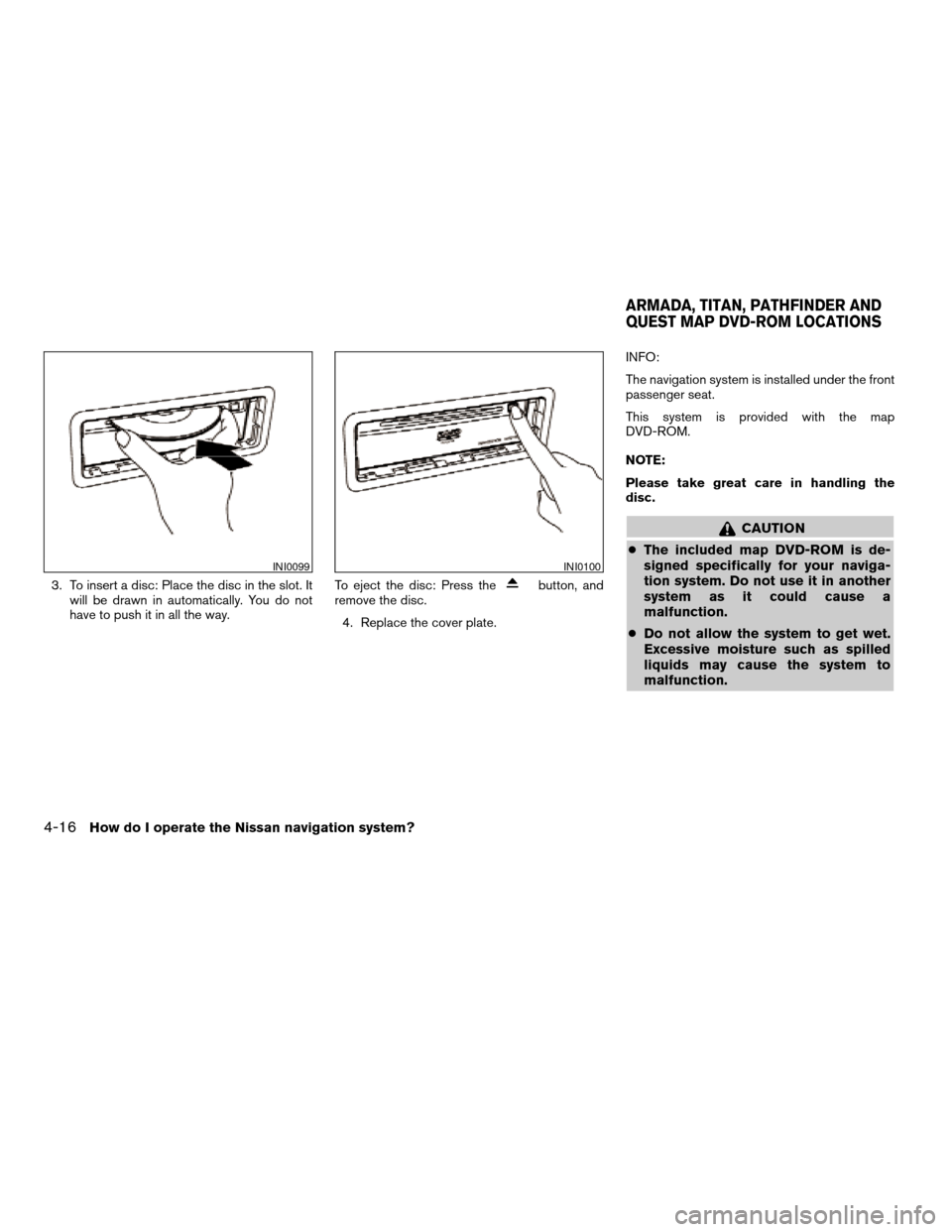
3. To insert a disc: Place the disc in the slot. It
will be drawn in automatically. You do not
have to push it in all the way.To eject the disc: Press thebutton, and
remove the disc.
4. Replace the cover plate.INFO:
The navigation system is installed under the front
passenger seat.
This system is provided with the map
DVD-ROM.
NOTE:
Please take great care in handling the
disc.
CAUTION
cThe included map DVD-ROM is de-
signed specifically for your naviga-
tion system. Do not use it in another
system as it could cause a
malfunction.
cDo not allow the system to get wet.
Excessive moisture such as spilled
liquids may cause the system to
malfunction.
INI0099INI0100
ARMADA, TITAN, PATHFINDER AND
QUEST MAP DVD-ROM LOCATIONS
4-16How do I operate the Nissan navigation system?
ZREVIEW COPYÐ2005(nav)
Navigation System OMÐUSA_English(nna)
07/10/04Ðdebbie
X
Page 35 of 192

1. Slide the front passenger’s seat back for
easier access to the navigation system.
The map DVD-ROM is mounted under the
front passenger seat with the slot facing the
front of the vehicle.2. To insert a disc:
Place the disc in the slot. It will be drawn in
automatically. You do not have to push it in
all the way.3. To eject the disc:
Press the
button, and remove the
disc.
LNV0038LHA0324LHA0325
How do I operate the Nissan navigation system?4-17
ZREVIEW COPYÐ2005(nav)
Navigation System OMÐUSA_English(nna)
07/10/04Ðdebbie
X
Page 36 of 192
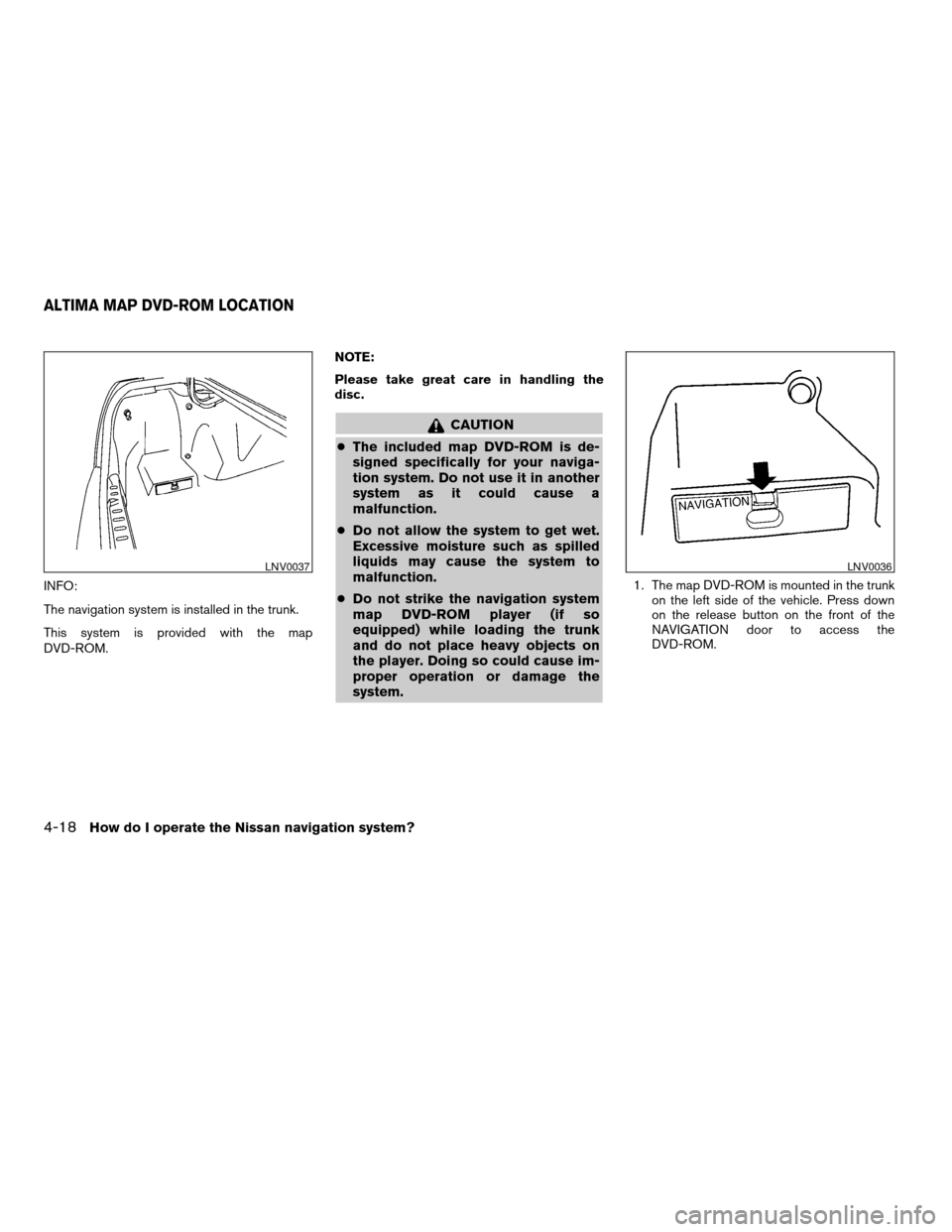
INFO:
The navigation system is installed in the trunk.
This system is provided with the map
DVD-ROM.NOTE:
Please take great care in handling the
disc.
CAUTION
cThe included map DVD-ROM is de-
signed specifically for your naviga-
tion system. Do not use it in another
system as it could cause a
malfunction.
cDo not allow the system to get wet.
Excessive moisture such as spilled
liquids may cause the system to
malfunction.
cDo not strike the navigation system
map DVD-ROM player (if so
equipped) while loading the trunk
and do not place heavy objects on
the player. Doing so could cause im-
proper operation or damage the
system.
1. The map DVD-ROM is mounted in the trunk
on the left side of the vehicle. Press down
on the release button on the front of the
NAVIGATION door to access the
DVD-ROM.
LNV0037LNV0036
ALTIMA MAP DVD-ROM LOCATION
4-18How do I operate the Nissan navigation system?
ZREVIEW COPYÐ2005(nav)
Navigation System OMÐUSA_English(nna)
07/10/04Ðdebbie
X
Page 37 of 192
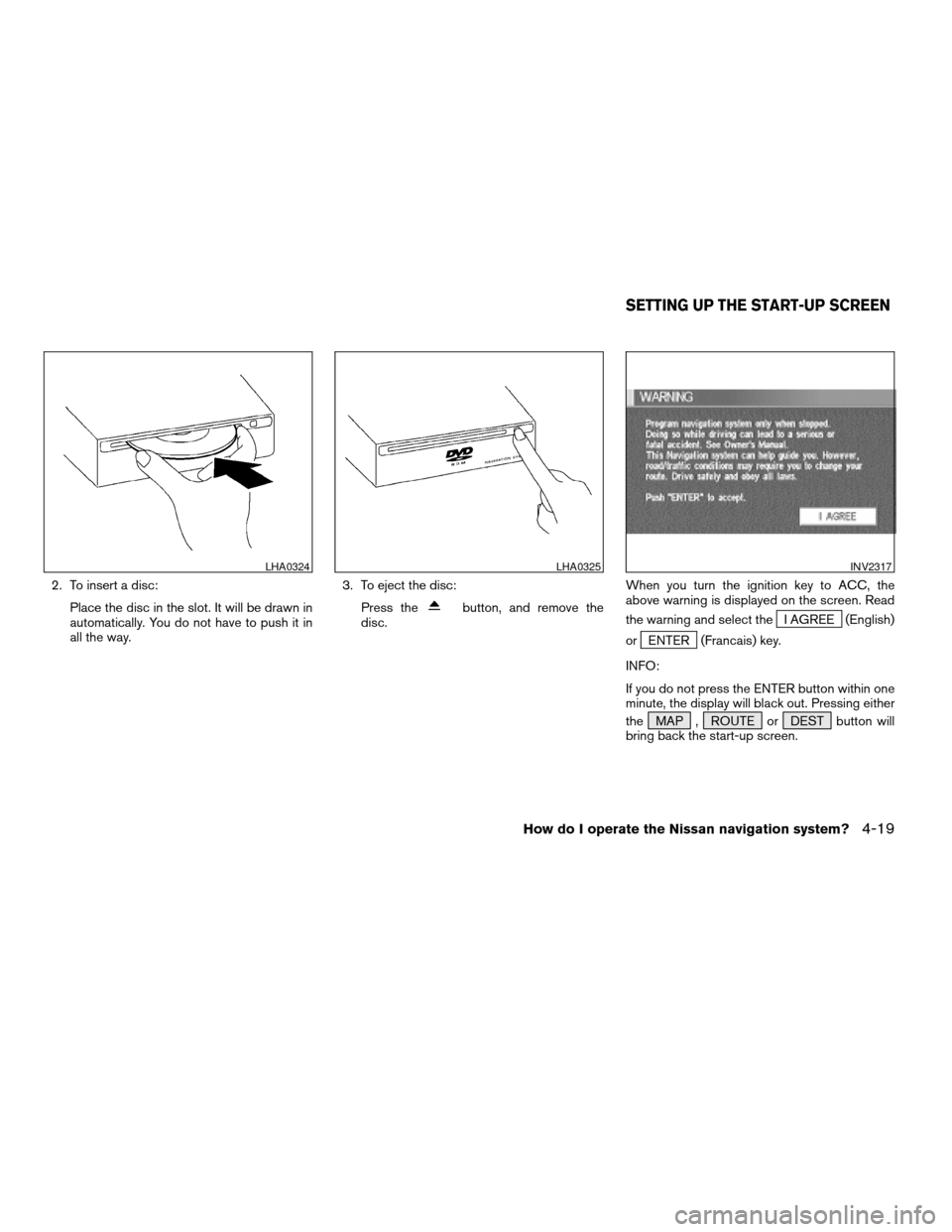
2. To insert a disc:
Place the disc in the slot. It will be drawn in
automatically. You do not have to push it in
all the way.3. To eject the disc:
Press the
button, and remove the
disc.When you turn the ignition key to ACC, the
above warning is displayed on the screen. Read
the warning and select theI AGREE (English)
or
ENTER (Francais) key.
INFO:
If you do not press the ENTER button within one
minute, the display will black out. Pressing either
the MAP , ROUTE or DEST button will
bring back the start-up screen.
LHA0324LHA0325INV2317
SETTING UP THE START-UP SCREEN
How do I operate the Nissan navigation system?4-19
ZREVIEW COPYÐ2005(nav)
Navigation System OMÐUSA_English(nna)
07/10/04Ðdebbie
X
Page 38 of 192
![NISSAN MURANO 2005 1.G User Guide CONFIRMATION OF DESTINATION
OR WAYPOINT
When the engine is turned off during route cal-
culation and then turned on, the [CONFIRMA-
TION OF DEST./WAYPOINT] screen will be dis-
played after the [START-](/img/5/686/w960_686-37.png "NISSAN MURANO 2005 1.G User Guide CONFIRMATION OF DESTINATION
OR WAYPOINT
When the engine is turned off during route cal-
culation and then turned on, the [CONFIRMA-
TION OF DEST./WAYPOINT] screen will be dis-
played after the [START-")
CONFIRMATION OF DESTINATION
OR WAYPOINT
When the engine is turned off during route cal-
culation and then turned on, the [CONFIRMA-
TION OF DEST./WAYPOINT] screen will be dis-
played after the [START-UP] screen.
In the [CONFIRMATION OF DEST./ WAY-
POINT] screen, the following four keys are
displayed.
cTo All Destinations
cFrom Next Waypoint
cCancel Guidance
cChange (only in Expert Mode)
INFO:
When the PREV or MAP button is pressed
in this screen, the [Turn by turn] screen will be
displayed.
When theTo All Destinations key is
selected
Route guidance will start to all
destinations/waypoints from the current location.
INV1774
4-20How do I operate the Nissan navigation system?
ZREVIEW COPYÐ2005(nav)
Navigation System OMÐUSA_English(nna)
07/10/04Ðdebbie
X
Page 39 of 192
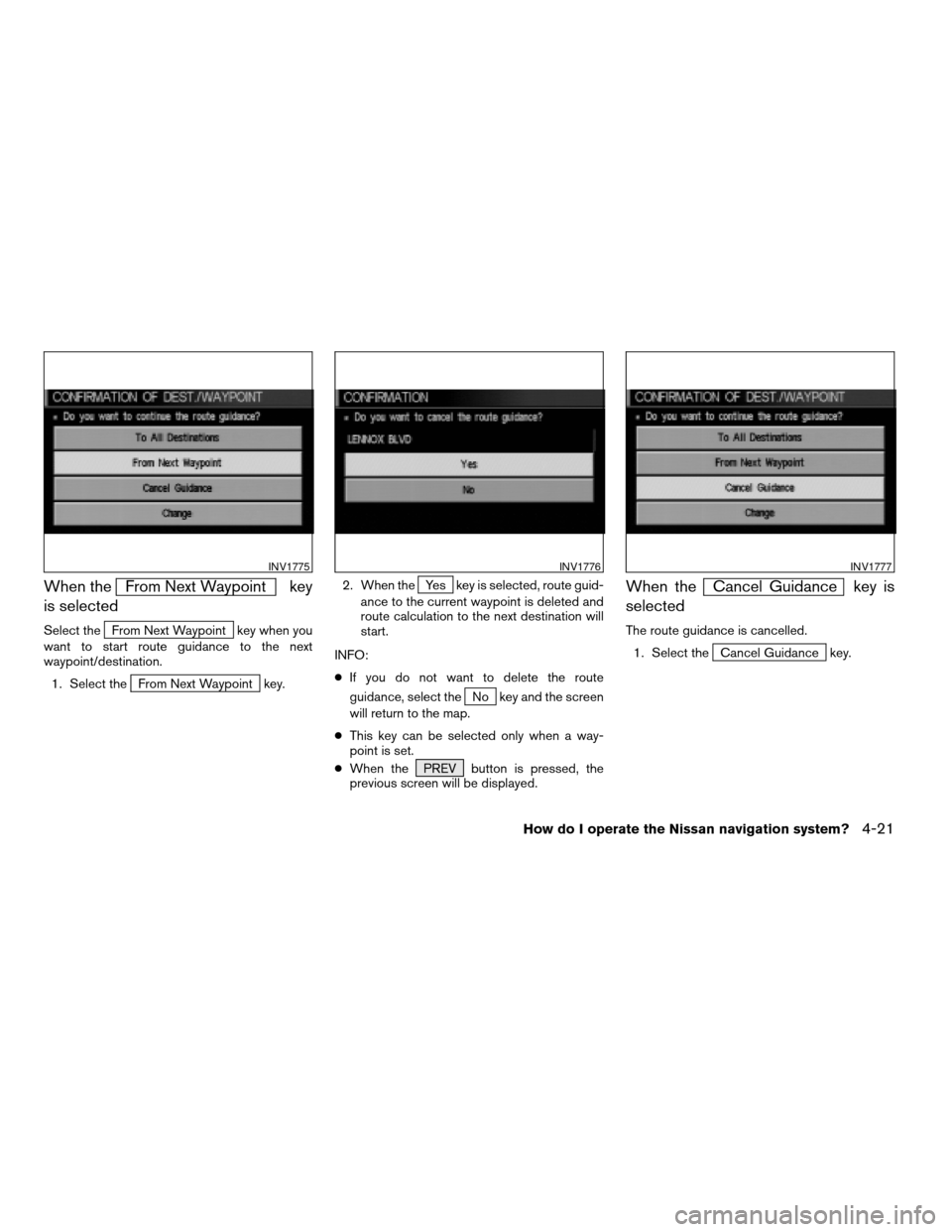
When theFrom Next Waypoint key
is selected
Select theFrom Next Waypoint key when you
want to start route guidance to the next
waypoint/destination.
1. Select the
From Next Waypoint key.2. When the
Yes key is selected, route guid-
ance to the current waypoint is deleted and
route calculation to the next destination will
start.
INFO:
cIf you do not want to delete the route
guidance, select the
No key and the screen
will return to the map.
cThis key can be selected only when a way-
point is set.
cWhen the PREV button is pressed, the
previous screen will be displayed.
When theCancel Guidance key is
selected
The route guidance is cancelled.
1. Select the
Cancel Guidance key.
INV1775INV1776INV1777
How do I operate the Nissan navigation system?4-21
ZREVIEW COPYÐ2005(nav)
Navigation System OMÐUSA_English(nna)
07/10/04Ðdebbie
X
Page 40 of 192
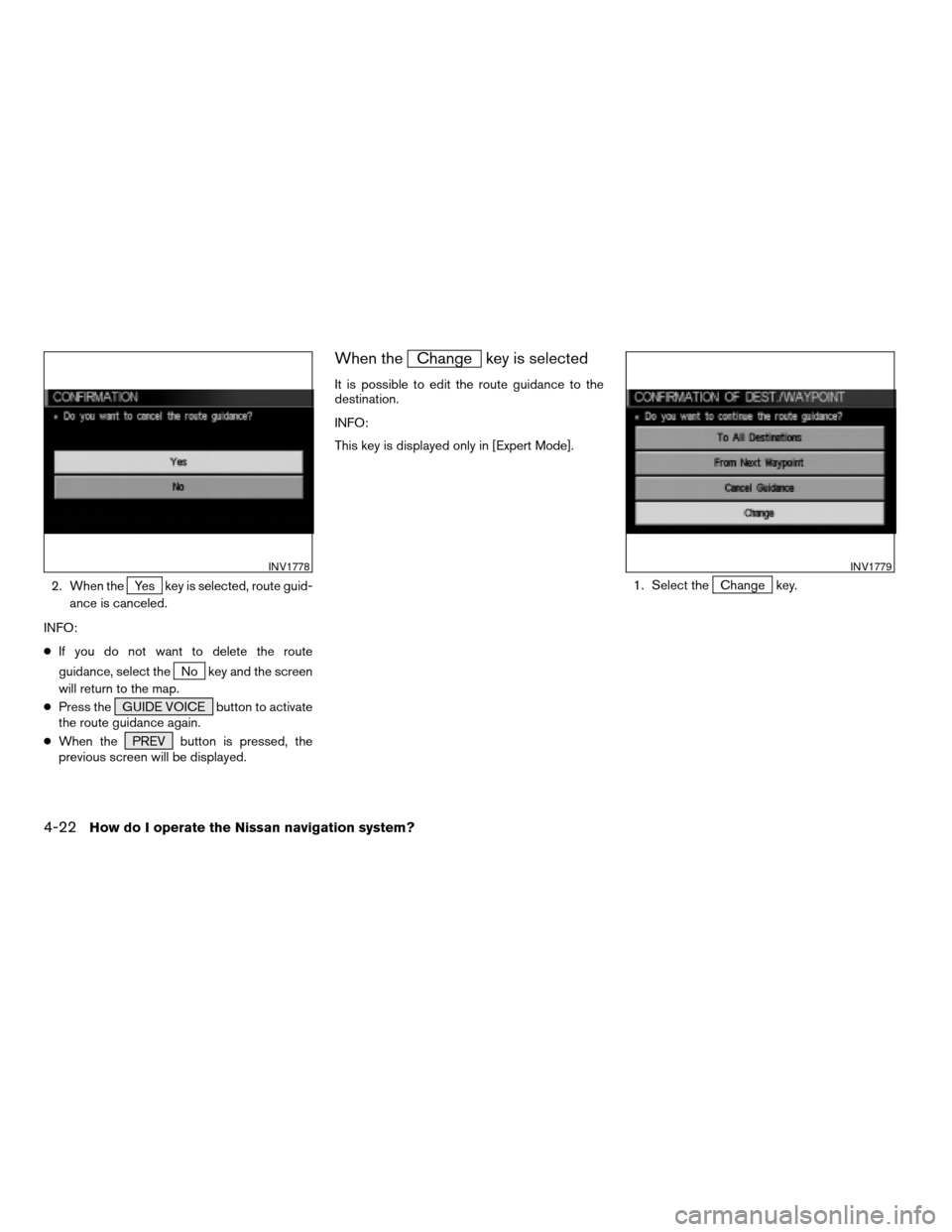
2. When theYes key is selected, route guid-
ance is canceled.
INFO:
cIf you do not want to delete the route
guidance, select the
No key and the screen
will return to the map.
cPress the GUIDE VOICE button to activate
the route guidance again.
cWhen the PREV button is pressed, the
previous screen will be displayed.
When theChange key is selected
It is possible to edit the route guidance to the
destination.
INFO:
This key is displayed only in [Expert Mode].
1. Select the
Change key.
INV1778INV1779
4-22How do I operate the Nissan navigation system?
ZREVIEW COPYÐ2005(nav)
Navigation System OMÐUSA_English(nna)
07/10/04Ðdebbie
X
Page 41 of 192
![NISSAN MURANO 2005 1.G User Guide 2. The [EDIT ROUTE] screen will be displayed.
Please refer to “Setting with
Country key” on
page 5-29.All the stored data (Address Book, Avoid Area,
Previous Dest) can be cleared.
1. Press the SET](/img/5/686/w960_686-40.png "NISSAN MURANO 2005 1.G User Guide 2. The [EDIT ROUTE] screen will be displayed.
Please refer to “Setting with
Country key” on
page 5-29.All the stored data (Address Book, Avoid Area,
Previous Dest) can be cleared.
1. Press the SET")
2. The [EDIT ROUTE] screen will be displayed.
Please refer to “Setting with
Country key” on
page 5-29.All the stored data (Address Book, Avoid Area,
Previous Dest) can be cleared.
1. Press the SETTING button.
2. Select the
Navigation key on the [SET-
TINGS] screen.
INV1780INV1781
CLEARING THE MEMORY
How do I operate the Nissan navigation system?4-23
ZREVIEW COPYÐ2005(nav)
Navigation System OMÐUSA_English(nna)
07/10/04Ðdebbie
X
Page 43 of 192
This navigation system can calculate and display
the expected arrival time to the destination. To
do this, set average vehicle speeds when driving
on freeways, main roads and ordinary roads.
The following settings are available.
cFreeway
Default: 55 MPH (90 km/h)
Max: 70 MPH (115 km/h)
Min: 40 MPH (65 km/h)
cMain Roads
Default: 25 MPH (40 km/h)
Max: 50 MPH (80 km/h)
Min: 10 MPH (20 km/h)
cOrdinary Roads
Default: 15 MPH (25 km/h)
Max: 35 MPH (55 km/h)
Min: 5 MPH (10 km/h)
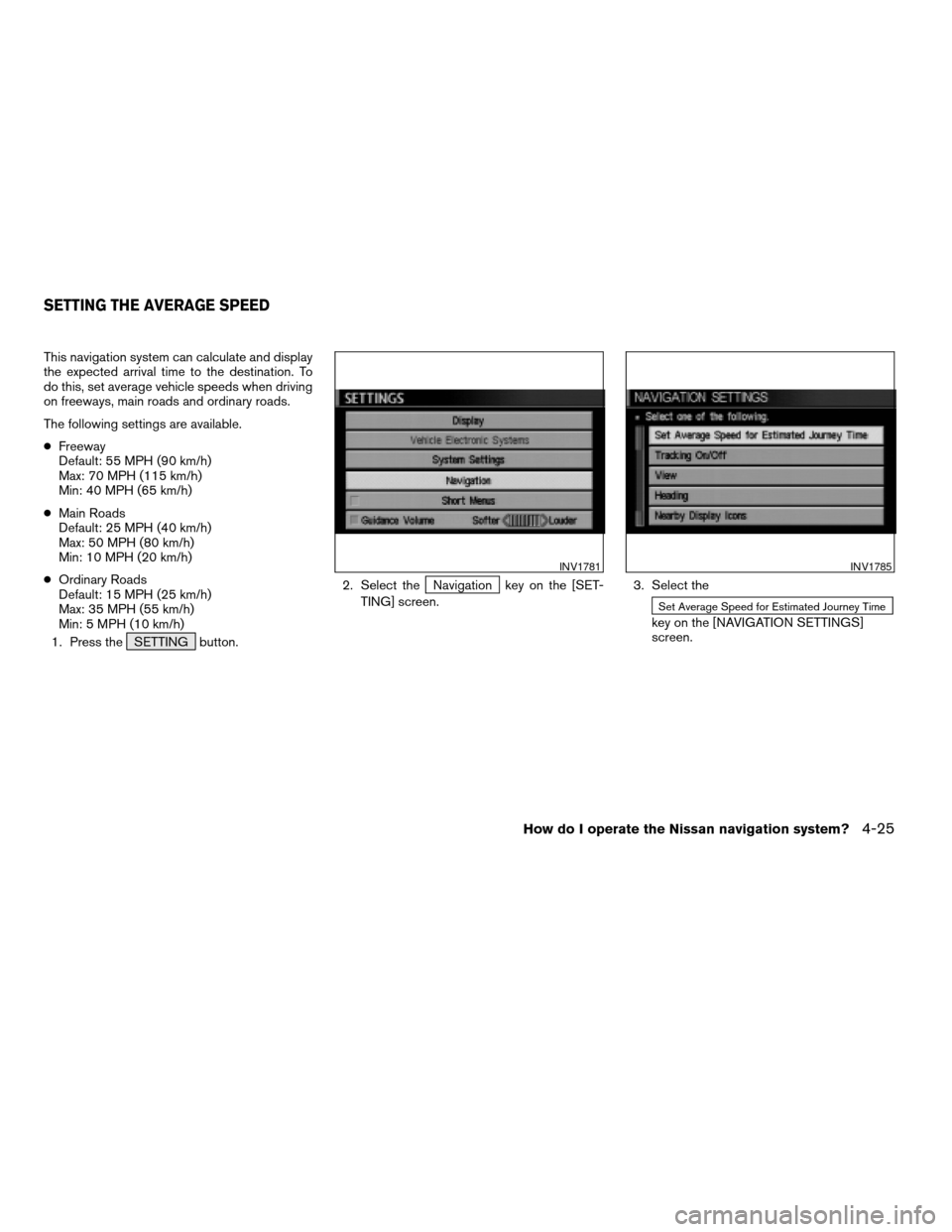
1. Press the SETTING button.2. Select the
Navigation key on the [SET-
TING] screen.3. Select the
Set Average Speed for Estimated Journey Time
key on the [NAVIGATION SETTINGS]
screen.
INV1781INV1785
SETTING THE AVERAGE SPEED
How do I operate the Nissan navigation system?4-25
ZREVIEW COPYÐ2005(nav)
Navigation System OMÐUSA_English(nna)
07/10/04Ðdebbie
X
Page 44 of 192
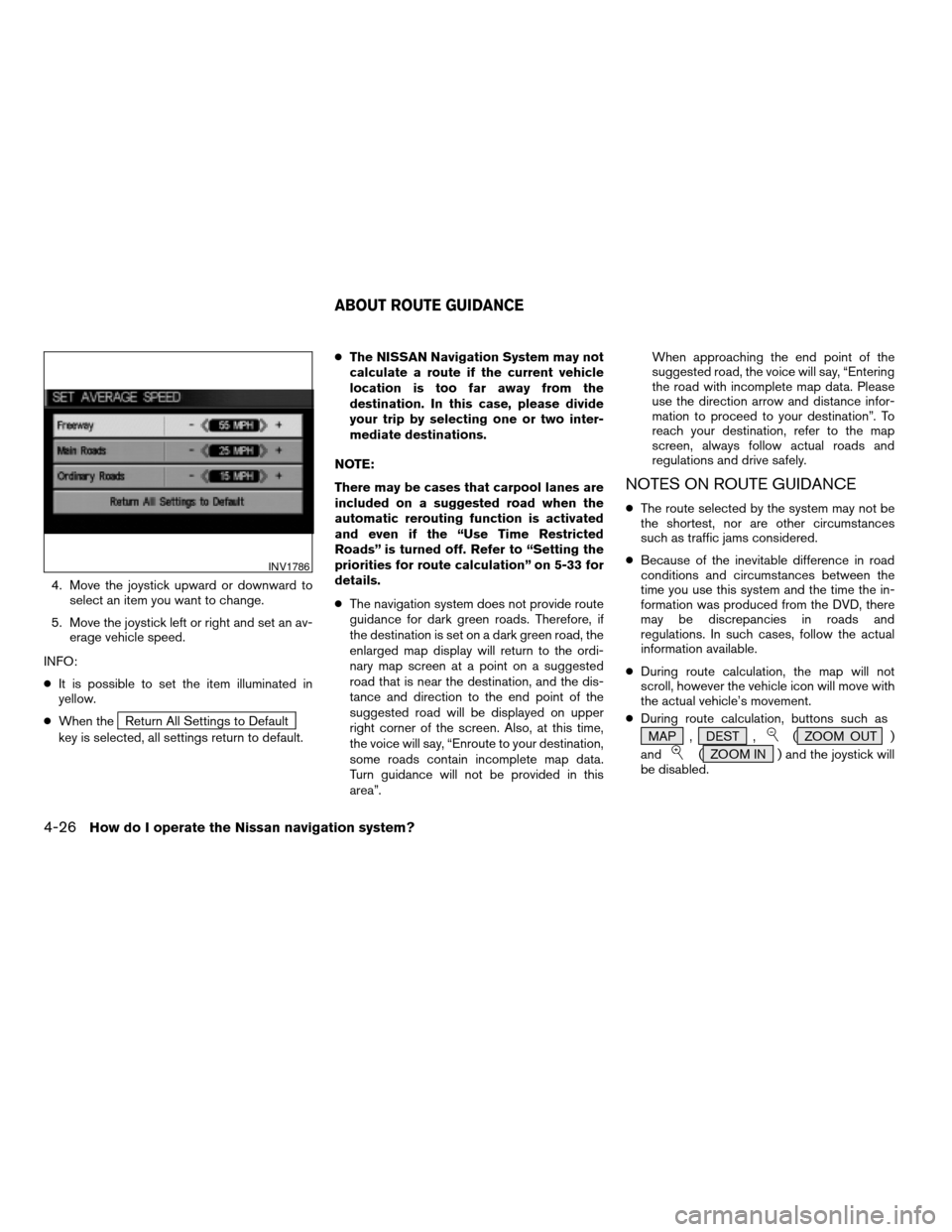
4. Move the joystick upward or downward to
select an item you want to change.
5. Move the joystick left or right and set an av-
erage vehicle speed.
INFO:
cIt is possible to set the item illuminated in
yellow.
cWhen the
Return All Settings to Default
key is selected, all settings return to default.cThe NISSAN Navigation System may not
calculate a route if the current vehicle
location is too far away from the
destination. In this case, please divide
your trip by selecting one or two inter-
mediate destinations.
NOTE:
There may be cases that carpool lanes are
included on a suggested road when the
automatic rerouting function is activated
and even if the “Use Time Restricted
Roads” is turned off. Refer to “Setting the
priorities for route calculation” on 5-33 for
details.
cThe navigation system does not provide route
guidance for dark green roads. Therefore, if
the destination is set on a dark green road, the
enlarged map display will return to the ordi-
nary map screen at a point on a suggested
road that is near the destination, and the dis-
tance and direction to the end point of the
suggested road will be displayed on upper
right corner of the screen. Also, at this time,
the voice will say, “Enroute to your destination,
some roads contain incomplete map data.
Turn guidance will not be provided in this
area”.When approaching the end point of the
suggested road, the voice will say, “Entering
the road with incomplete map data. Please
use the direction arrow and distance infor-
mation to proceed to your destination”. To
reach your destination, refer to the map
screen, always follow actual roads and
regulations and drive safely.
NOTES ON ROUTE GUIDANCE
cThe route selected by the system may not be
the shortest, nor are other circumstances
such as traffic jams considered.
cBecause of the inevitable difference in road
conditions and circumstances between the
time you use this system and the time the in-
formation was produced from the DVD, there
may be discrepancies in roads and
regulations. In such cases, follow the actual
information available.
cDuring route calculation, the map will not
scroll, however the vehicle icon will move with
the actual vehicle’s movement.
cDuring route calculation, buttons such as
MAP , DEST ,
( ZOOM OUT )
and
( ZOOM IN ) and the joystick will
be disabled.
INV1786
ABOUT ROUTE GUIDANCE
4-26How do I operate the Nissan navigation system?
ZREVIEW COPYÐ2005(nav)
Navigation System OMÐUSA_English(nna)
07/22/04Ðmarlene
X