em button NISSAN MURANO 2005 1.G Workshop Manual
[x] Cancel search | Manufacturer: NISSAN, Model Year: 2005, Model line: MURANO, Model: NISSAN MURANO 2005 1.GPages: 192, PDF Size: 4.45 MB
Page 98 of 192
![NISSAN MURANO 2005 1.G Workshop Manual cWhen theInfo key next to the facility name of
your choice is selected in step 2, the display
shows the detailed [Address] and [Telephone
number] of the selected facility, and the
Map andEnter keys.4.](/img/5/686/w960_686-97.png "NISSAN MURANO 2005 1.G Workshop Manual cWhen theInfo key next to the facility name of
your choice is selected in step 2, the display
shows the detailed [Address] and [Telephone
number] of the selected facility, and the
Map andEnter keys.4.")
cWhen theInfo key next to the facility name of
your choice is selected in step 2, the display
shows the detailed [Address] and [Telephone
number] of the selected facility, and the
Map andEnter keys.4. When setting the facility as the destination,
select the
OK key. The display shows the
[DEST. SETTING (POI)] screen to set the
destination.
Set priorities and select the
Route Calc. key. Then, the route calcula-
tion will be started.
When you alter the destination or set
waypoints, select the
Waypoint key.
Please refer to “Making the system guide the
route with detailed options” on page 5-31.cWhen the
Map key is selected, the display
shows the map. When the ENTER button is
pressed, the display shows the
Destination key.
INV1897INV1896INV2006
6-4How do I use the Point of Interest (POI) feature?
ZREVIEW COPYÐ2005(nav)
Navigation System OMÐUSA_English(nna)
07/10/04Ðdebbie
X
Page 108 of 192
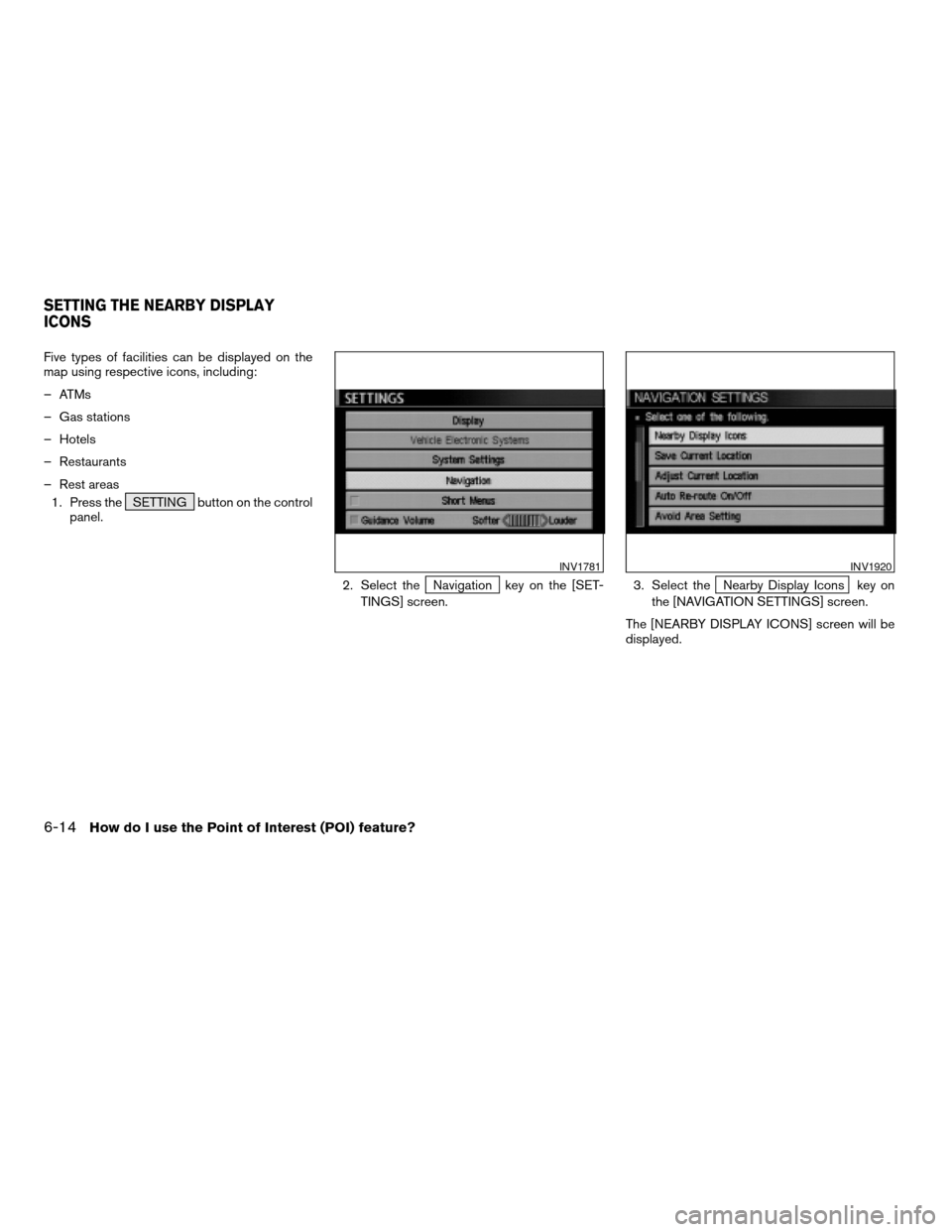
Five types of facilities can be displayed on the
map using respective icons, including:
– ATMs
– Gas stations
– Hotels
– Restaurants
– Rest areas
1. Press the SETTING button on the control
panel.
2. Select the
Navigation key on the [SET-
TINGS] screen.3. Select theNearby Display Icons key on
the [NAVIGATION SETTINGS] screen.
The [NEARBY DISPLAY ICONS] screen will be
displayed.
INV1781INV1920
SETTING THE NEARBY DISPLAY
ICONS
6-14How do I use the Point of Interest (POI) feature?
ZREVIEW COPYÐ2005(nav)
Navigation System OMÐUSA_English(nna)
07/10/04Ðdebbie
X
Page 109 of 192
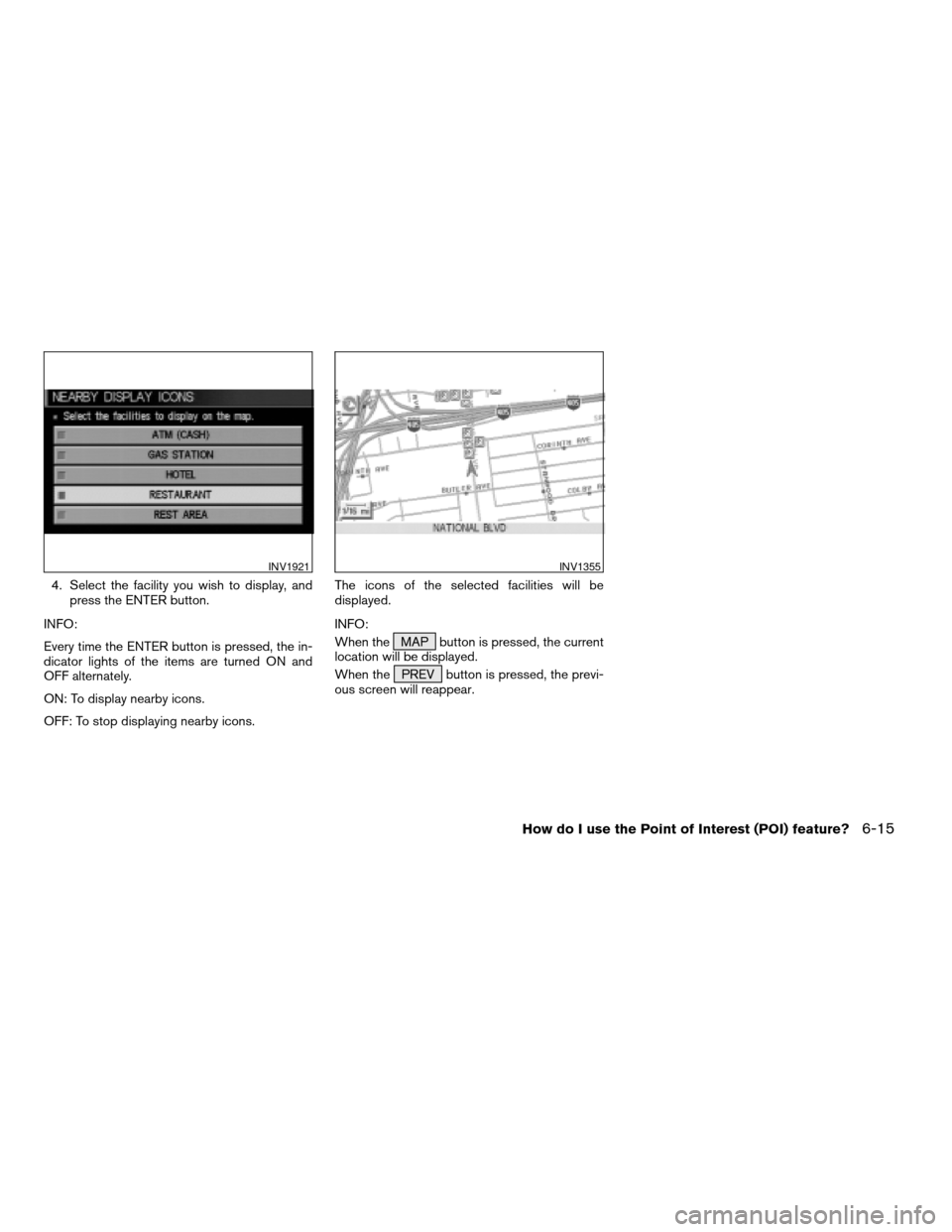
4. Select the facility you wish to display, and
press the ENTER button.
INFO:
Every time the ENTER button is pressed, the in-
dicator lights of the items are turned ON and
OFF alternately.
ON: To display nearby icons.
OFF: To stop displaying nearby icons.The icons of the selected facilities will be
displayed.
INFO:
When the MAP button is pressed, the current
location will be displayed.
When the PREV button is pressed, the previ-
ous screen will reappear.
INV1921INV1355
How do I use the Point of Interest (POI) feature?6-15
ZREVIEW COPYÐ2005(nav)
Navigation System OMÐUSA_English(nna)
07/10/04Ðdebbie
X
Page 112 of 192
You can store locations in the address book for
quicker access, or name the location and set a
special icon on the map.You can store your favorite places or the places
you frequently visit. By storing them, you can re-
call them quickly on the display, enabling easier
setting of these destinations.
USING VARIOUS CATEGORIES TO
STORE LOCATIONS
You can choose various categories in the menu
to store the locations. The categories are: Street
Address, Points of Interest (POI) , Phone
Number, Map, Intersection, City and Previous
Dest.
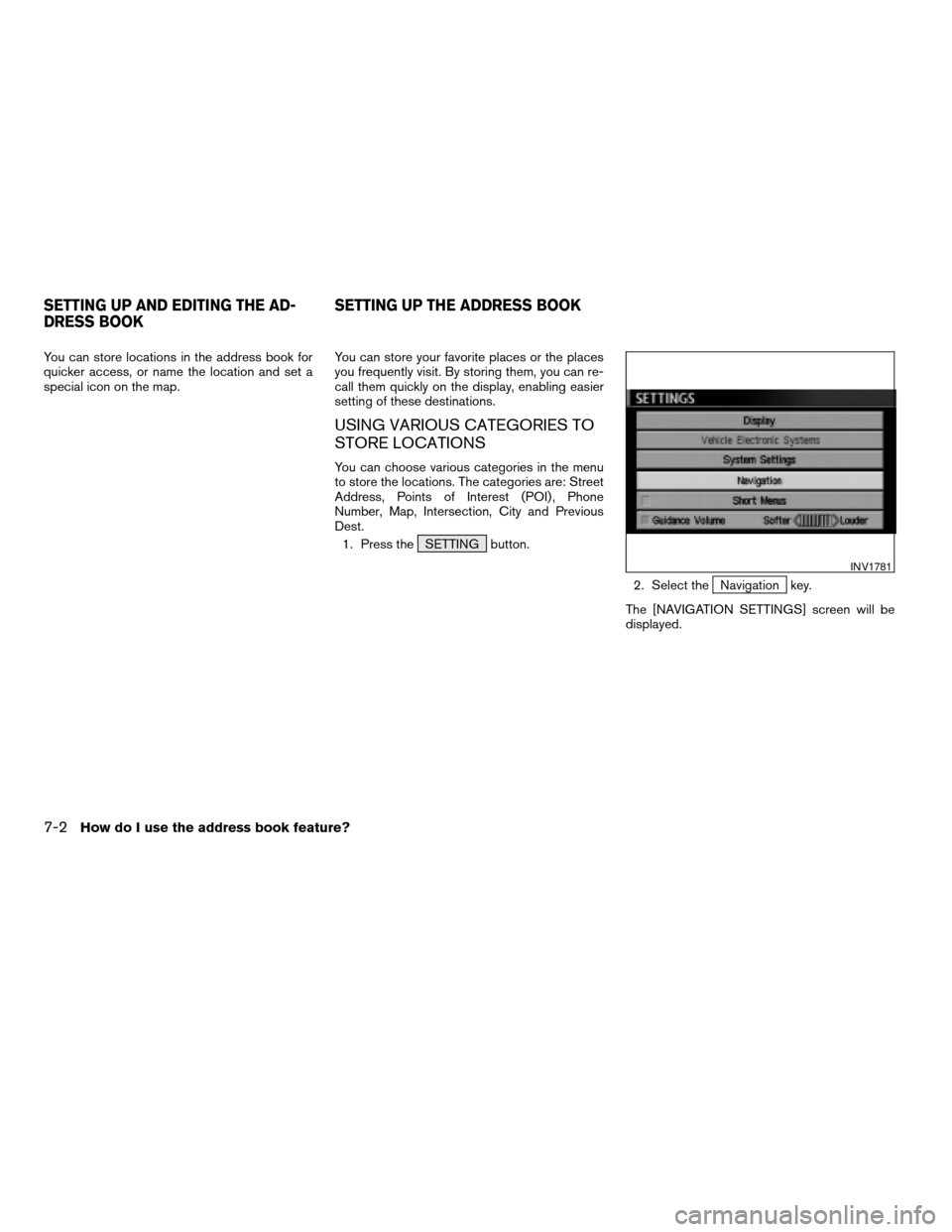
1. Press the SETTING button.
2. Select the
Navigation key.
The [NAVIGATION SETTINGS] screen will be
displayed.
INV1781
SETTING UP AND EDITING THE AD-
DRESS BOOKSETTING UP THE ADDRESS BOOK
7-2How do I use the address book feature?
ZREVIEW COPYÐ2005(nav)
Navigation System OMÐUSA_English(nna)
07/10/04Ðdebbie
X
Page 113 of 192
![NISSAN MURANO 2005 1.G Workshop Manual 3. Select theEdit Address Book key.
The [EDIT ADDRESS BOOK] screen will be
displayed.4. Choose an unused number location on the
address book list.5. Store location.
Set a location to be stored in the](/img/5/686/w960_686-112.png "NISSAN MURANO 2005 1.G Workshop Manual 3. Select theEdit Address Book key.
The [EDIT ADDRESS BOOK] screen will be
displayed.4. Choose an unused number location on the
address book list.5. Store location.
Set a location to be stored in the")
3. Select theEdit Address Book key.
The [EDIT ADDRESS BOOK] screen will be
displayed.4. Choose an unused number location on the
address book list.5. Store location.
Set a location to be stored in the same way as
when setting a destination (waypoints) .
Please refer to “Expert Mode Categories” on
page 5-2.
INFO:
cPress the MAP button to go back to get the
current vehicle display.
cThe maximum number of the stored locations
is 50, including your home and office.
INV1924INV1925INV2344
How do I use the address book feature?7-3
ZREVIEW COPYÐ2005(nav)
Navigation System OMÐUSA_English(nna)
07/10/04Ðdebbie
X
Page 114 of 192
cIf you want to store places close to POI, it is
quicker to use the
Points of Interest (POI) key.
STORING CURRENT VEHICLE PO-
SITION
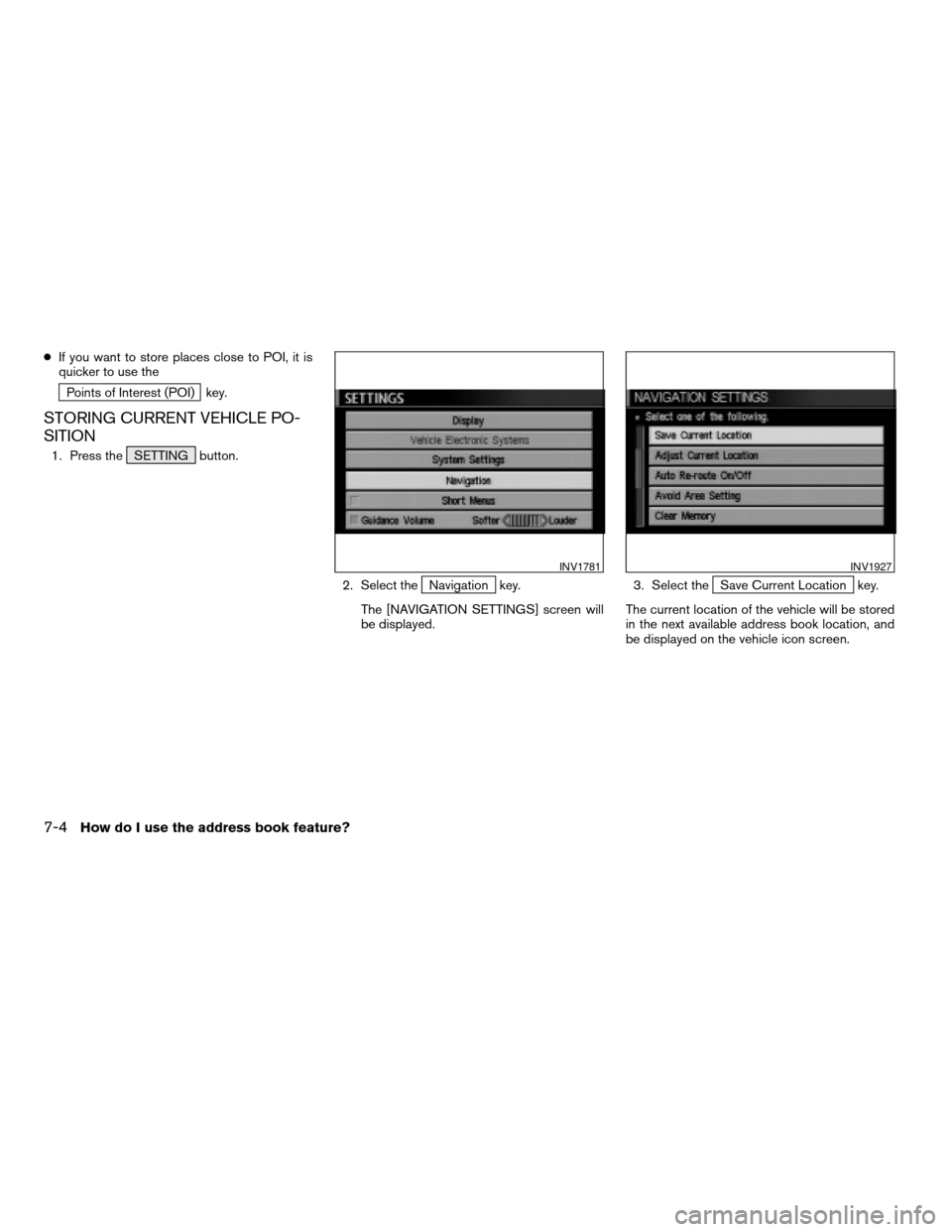
1. Press the SETTING button.
2. Select the
Navigation key.
The [NAVIGATION SETTINGS] screen will
be displayed.3. Select theSave Current Location key.
The current location of the vehicle will be stored
in the next available address book location, and
be displayed on the vehicle icon screen.
INV1781INV1927
7-4How do I use the address book feature?
ZREVIEW COPYÐ2005(nav)
Navigation System OMÐUSA_English(nna)
07/10/04Ðdebbie
X
Page 115 of 192
INFO:
cIf the number of the stored locations exceeds
50, a message will appear “Memory is full.
Delete old one to store new one”.
cIf you store more than one location at the
same place, the location stored in the da-
tabase with the largest identification number
will be displayed.
cIf you store the location by the location store
function, the stored name may differ, depend-
ing on the scale used in the display.
cThe unused and smallest identification num-
ber will be assigned to the newly set location.STORING LOCATIONS OF YOUR
CHOICE
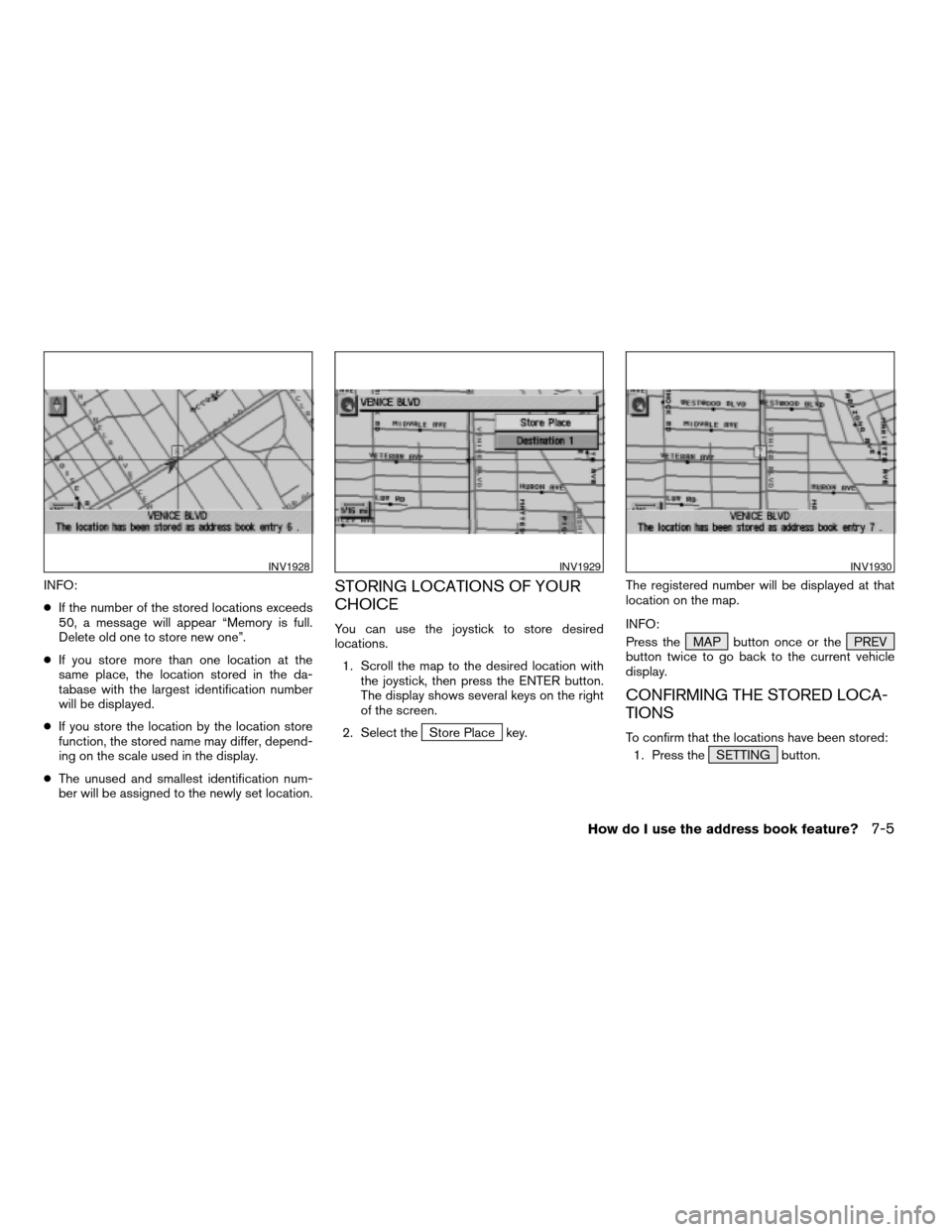
You can use the joystick to store desired
locations.
1. Scroll the map to the desired location with
the joystick, then press the ENTER button.
The display shows several keys on the right
of the screen.
2. Select the
Store Place key.The registered number will be displayed at that
location on the map.
INFO:
Press the MAP button once or the PREV
button twice to go back to the current vehicle
display.
CONFIRMING THE STORED LOCA-
TIONS
To confirm that the locations have been stored:
1. Press the SETTING button.
INV1928INV1929INV1930
How do I use the address book feature?7-5
ZREVIEW COPYÐ2005(nav)
Navigation System OMÐUSA_English(nna)
07/10/04Ðdebbie
X
Page 117 of 192
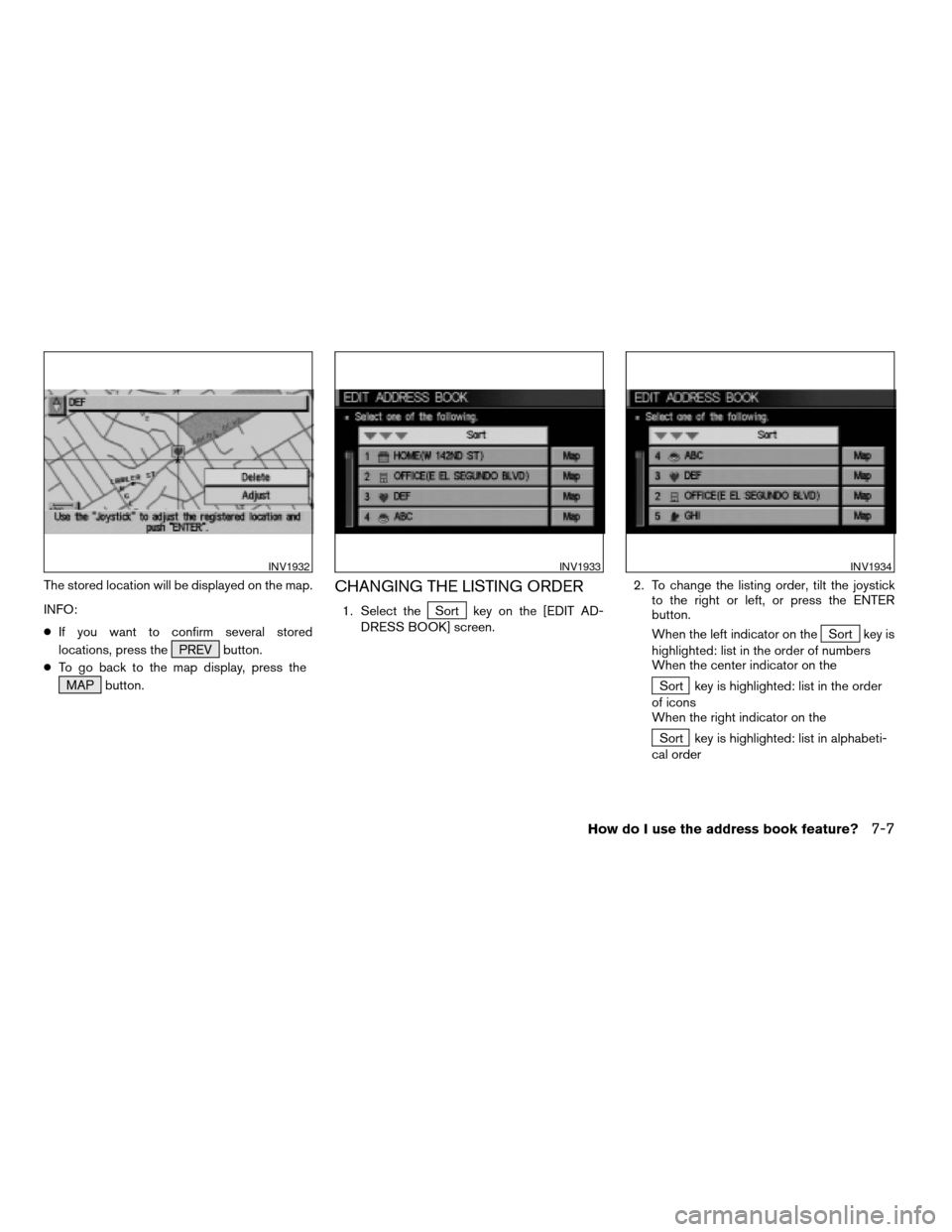
The stored location will be displayed on the map.
INFO:
cIf you want to confirm several stored
locations, press the PREV button.
cTo go back to the map display, press the
MAP button.CHANGING THE LISTING ORDER
1. Select theSort key on the [EDIT AD-
DRESS BOOK] screen.2. To change the listing order, tilt the joystick
to the right or left, or press the ENTER
button.
When the left indicator on the
Sort key is
highlighted: list in the order of numbers
When the center indicator on the
Sort key is highlighted: list in the order
of icons
When the right indicator on the
Sort key is highlighted: list in alphabeti-
cal order
INV1932INV1933INV1934
How do I use the address book feature?7-7
ZREVIEW COPYÐ2005(nav)
Navigation System OMÐUSA_English(nna)
07/10/04Ðdebbie
X
Page 118 of 192
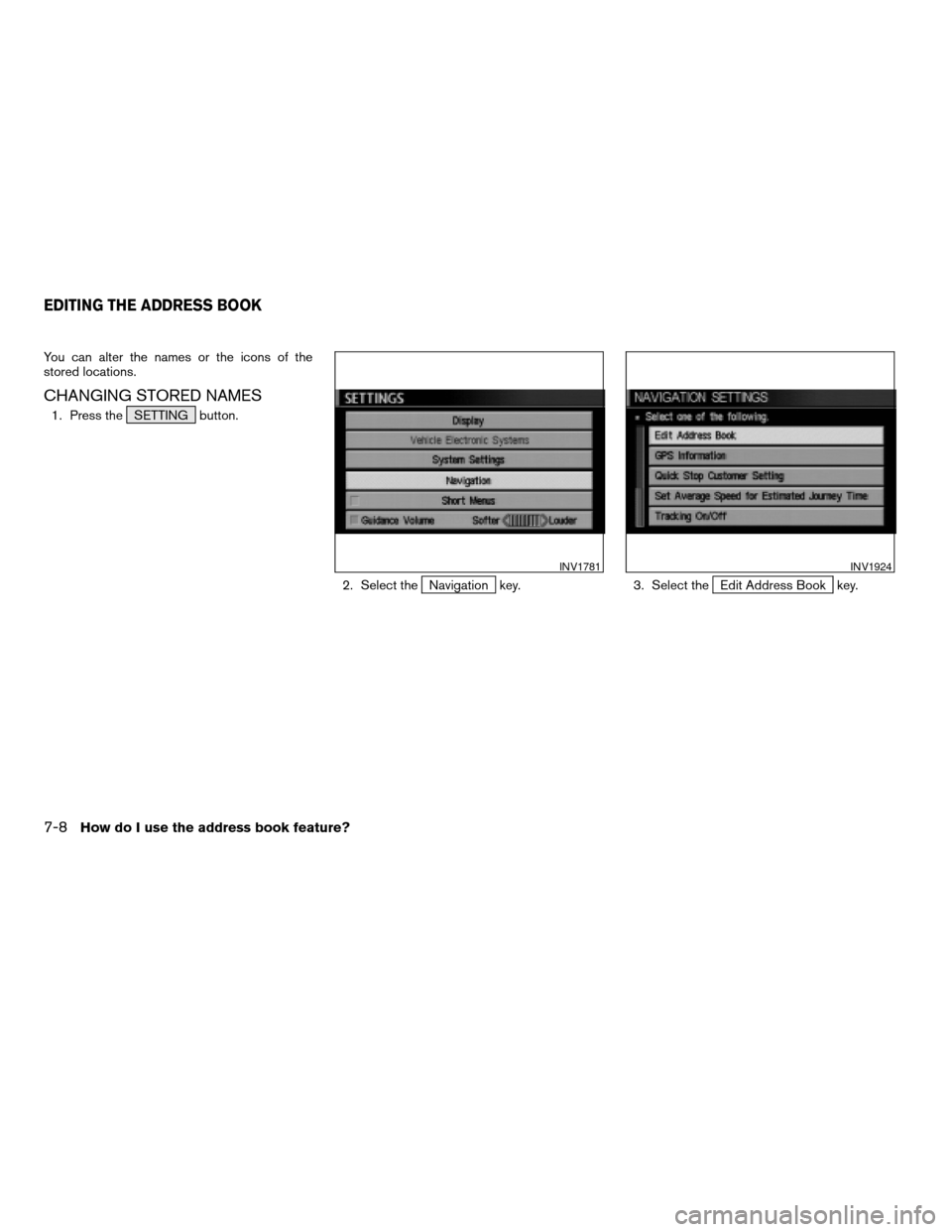
You can alter the names or the icons of the
stored locations.
CHANGING STORED NAMES
1. Press the SETTING button.
2. Select the
Navigation key. 3. Select theEdit Address Book key.
INV1781INV1924
EDITING THE ADDRESS BOOK
7-8How do I use the address book feature?
ZREVIEW COPYÐ2005(nav)
Navigation System OMÐUSA_English(nna)
07/10/04Ðdebbie
X
Page 119 of 192
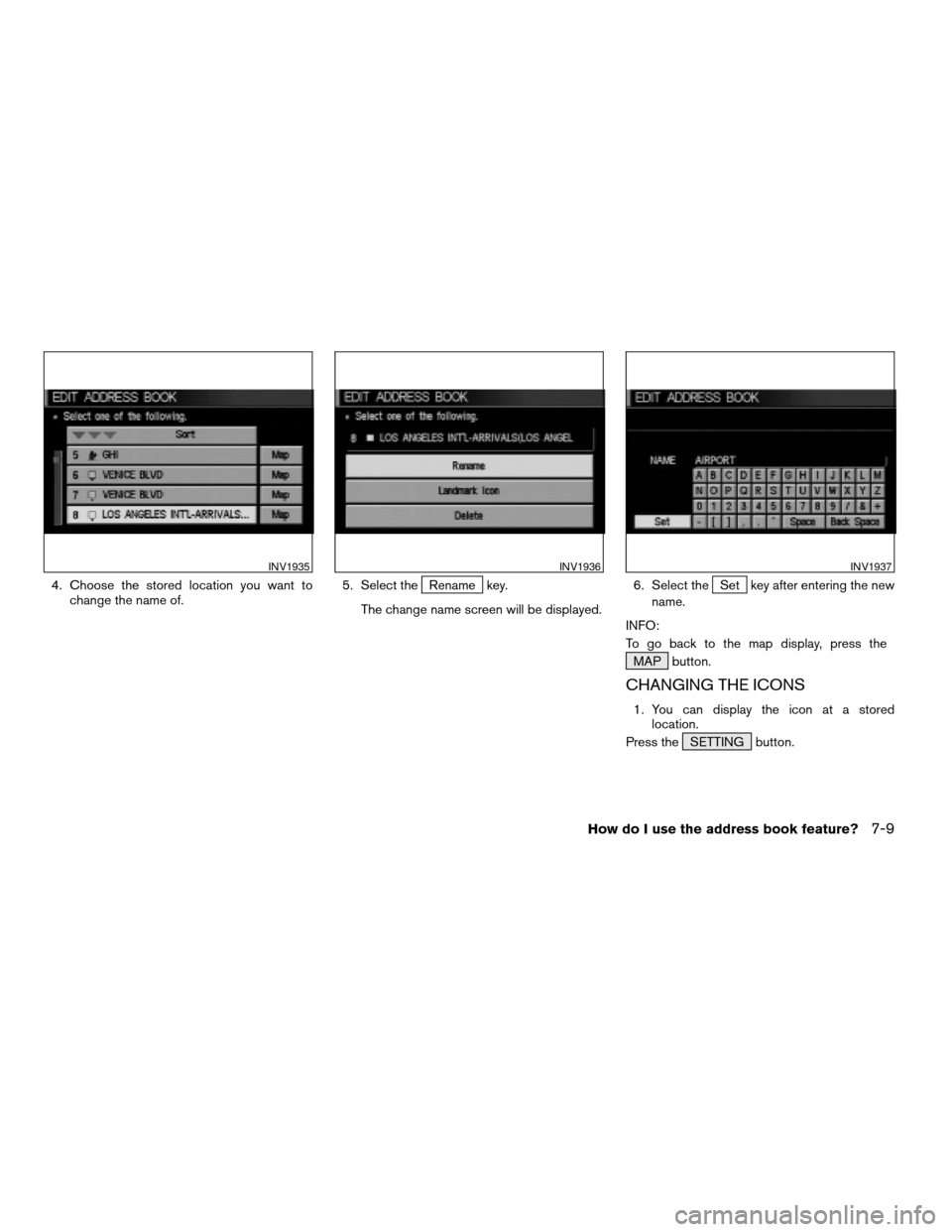
4. Choose the stored location you want to
change the name of.5. Select theRename key.
The change name screen will be displayed.6. Select theSet key after entering the new
name.
INFO:
To go back to the map display, press the
MAP button.
CHANGING THE ICONS
1. You can display the icon at a stored
location.
Press the SETTING button.
INV1935INV1936INV1937
How do I use the address book feature?7-9
ZREVIEW COPYÐ2005(nav)
Navigation System OMÐUSA_English(nna)
07/10/04Ðdebbie
X