key NISSAN MURANO 2008 Service Manual
[x] Cancel search | Manufacturer: NISSAN, Model Year: 2008, Model line: MURANO, Model: NISSAN MURANO 2008Pages: 444, PDF Size: 6.09 MB
Page 179 of 444
Black plate (175,1)
Model "Z51-D" EDITED: 2008/ 6/ 26
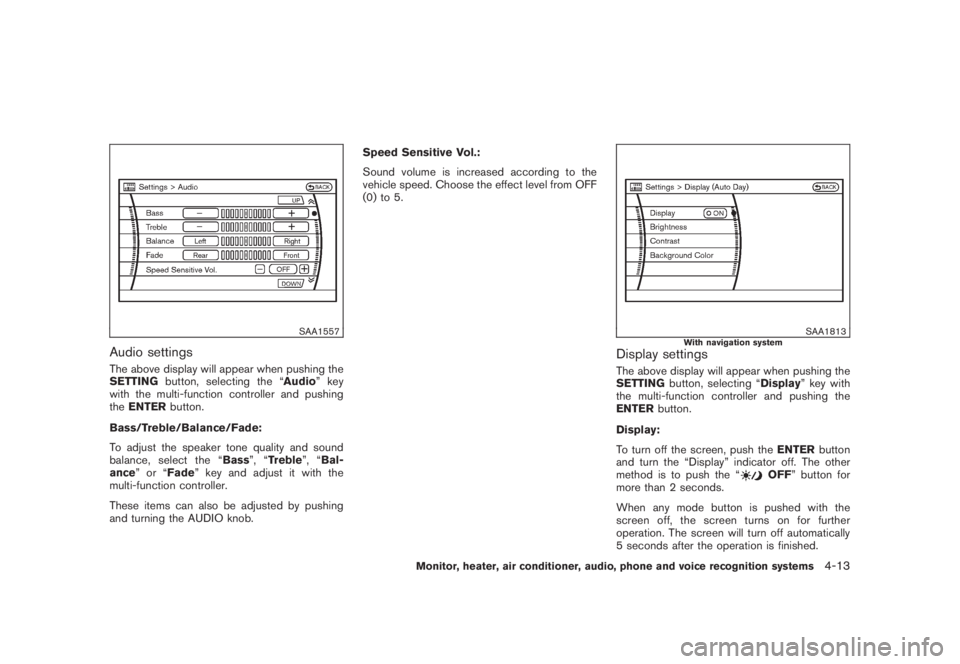
SAA1557
Audio settingsThe above display will appear when pushing the
SETTINGbutton, selecting the “Audio” key
with the multi-function controller and pushing
theENTERbutton.
Bass/Treble/Balance/Fade:
To adjust the speaker tone quality and sound
balance, select the “Bass”, “Treble”, “Bal-
ance”or“Fade” key and adjust it with the
multi-function controller.
These items can also be adjusted by pushing
and turning the AUDIO knob.Speed Sensitive Vol.:
Sound volume is increased according to the
vehicle speed. Choose the effect level from OFF
(0) to 5.
SAA1813
With navigation system
Display settingsThe above display will appear when pushing the
SETTINGbutton, selecting “Display” key with
the multi-function controller and pushing the
ENTERbutton.
Display:
To turn off the screen, push theENTERbutton
and turn the “Display” indicator off. The other
method is to push the “
OFF” button for
more than 2 seconds.
When any mode button is pushed with the
screen off, the screen turns on for further
operation. The screen will turn off automatically
5 seconds after the operation is finished.
Monitor, heater, air conditioner, audio, phone and voice recognition systems
4-13
Page 180 of 444
Black plate (176,1)
Model "Z51-D" EDITED: 2008/ 6/ 26
To turn on the screen, set this item to the ON
position, or push the “
OFF” button.
Brightness/Contrast/Background Color:
To adjust the brightness and contrast of the
screen, select the “Brightness”or“Contrast”
key and push theENTERbutton.
Then, you can adjust the brightness to “Darker”
or “Brighter”, and the contrast to “Lower” or
“Higher” using the multi-function controller.
For information on the “Background Color”
key, refer to the separate Navigation System
Owner’s Manual.
Navigation settings (if so equipped)For the details of “Navigation” settings, refer to
the separate Navigation System Owner’s Man-
ual.
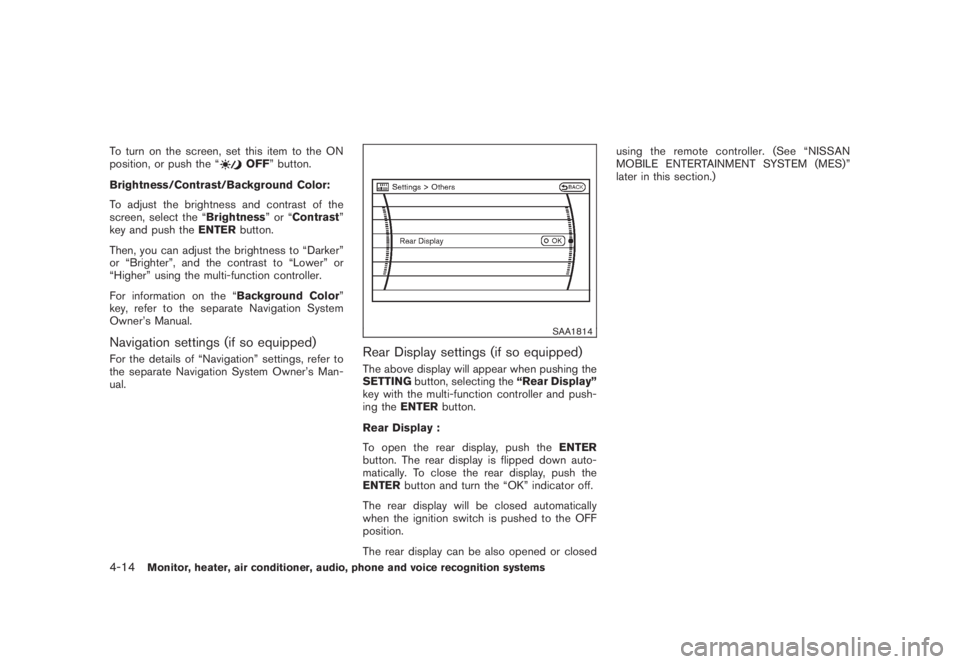
SAA1814
Rear Display settings (if so equipped)The above display will appear when pushing the
SETTINGbutton, selecting the“Rear Display”
key with the multi-function controller and push-
ing theENTERbutton.
Rear Display :
To open the rear display, push theENTER
button. The rear display is flipped down auto-
matically. To close the rear display, push the
ENTERbutton and turn the “OK” indicator off.
The rear display will be closed automatically
when the ignition switch is pushed to the OFF
position.
The rear display can be also opened or closedusing the remote controller. (See “NISSAN
MOBILE ENTERTAINMENT SYSTEM (MES)”
later in this section.)
4-14
Monitor, heater, air conditioner, audio, phone and voice recognition systems
Page 181 of 444
Black plate (177,1)
Model "Z51-D" EDITED: 2008/ 6/ 26
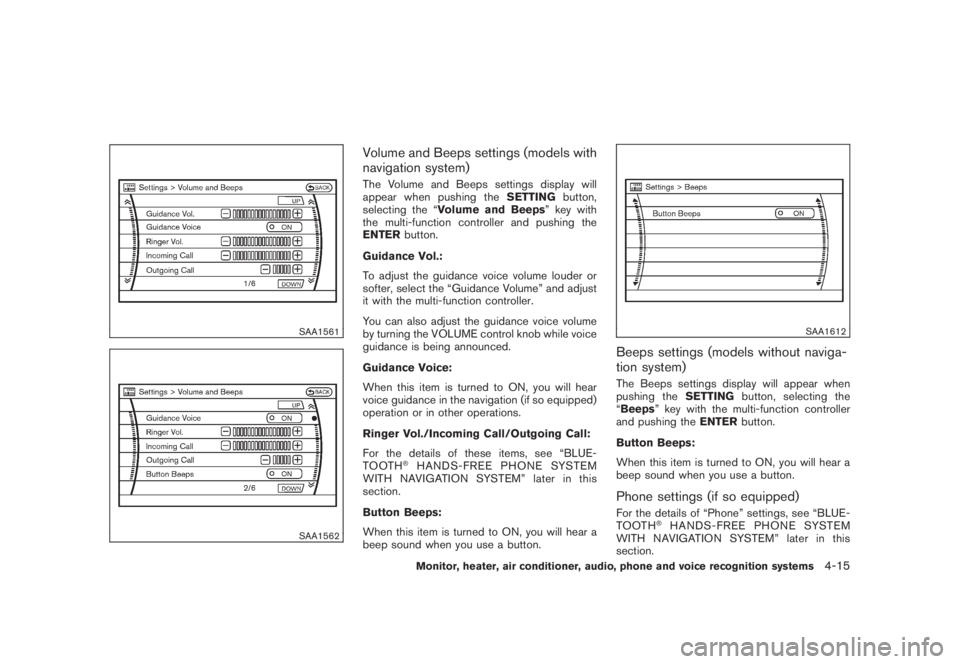
SAA1561SAA1562
Volume and Beeps settings (models with
navigation system)The Volume and Beeps settings display will
appear when pushing theSETTINGbutton,
selecting the “Volume and Beeps” key with
the multi-function controller and pushing the
ENTERbutton.
Guidance Vol.:
To adjust the guidance voice volume louder or
softer, select the “Guidance Volume” and adjust
it with the multi-function controller.
You can also adjust the guidance voice volume
by turning the VOLUME control knob while voice
guidance is being announced.
Guidance Voice:
When this item is turned to ON, you will hear
voice guidance in the navigation (if so equipped)
operation or in other operations.
Ringer Vol./Incoming Call/Outgoing Call:
For the details of these items, see “BLUE-
TOOTH
®HANDS-FREE PHONE SYSTEM
WITH NAVIGATION SYSTEM” later in this
section.
Button Beeps:
When this item is turned to ON, you will hear a
beep sound when you use a button.
SAA1612
Beeps settings (models without naviga-
tion system)The Beeps settings display will appear when
pushing theSETTINGbutton, selecting the
“Beeps” key with the multi-function controller
and pushing theENTERbutton.
Button Beeps:
When this item is turned to ON, you will hear a
beep sound when you use a button.Phone settings (if so equipped)For the details of “Phone” settings, see “BLUE-
TOOTH
®HANDS-FREE PHONE SYSTEM
WITH NAVIGATION SYSTEM” later in this
section.
Monitor, heater, air conditioner, audio, phone and voice recognition systems
4-15
Page 182 of 444
Black plate (178,1)
Model "Z51-D" EDITED: 2008/ 6/ 26
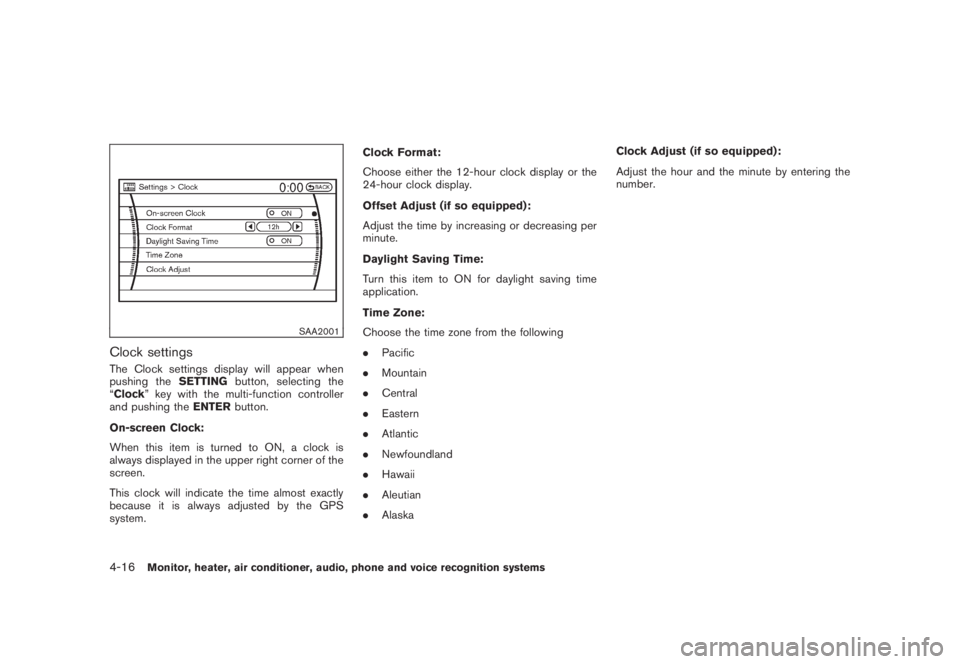
SAA2001
Clock settingsThe Clock settings display will appear when
pushing theSETTINGbutton, selecting the
“Clock” key with the multi-function controller
and pushing theENTERbutton.
On-screen Clock:
When this item is turned to ON, a clock is
always displayed in the upper right corner of the
screen.
This clock will indicate the time almost exactly
because it is always adjusted by the GPS
system.Clock Format:
Choose either the 12-hour clock display or the
24-hour clock display.
Offset Adjust (if so equipped):
Adjust the time by increasing or decreasing per
minute.
Daylight Saving Time:
Turn this item to ON for daylight saving time
application.
Time Zone:
Choose the time zone from the following
.Pacific
.Mountain
.Central
.Eastern
.Atlantic
.Newfoundland
.Hawaii
.Aleutian
.AlaskaClock Adjust (if so equipped):
Adjust the hour and the minute by entering the
number.4-16
Monitor, heater, air conditioner, audio, phone and voice recognition systems
Page 183 of 444
Black plate (179,1)
Model "Z51-D" EDITED: 2008/ 6/ 26
SAA1564SAA1565
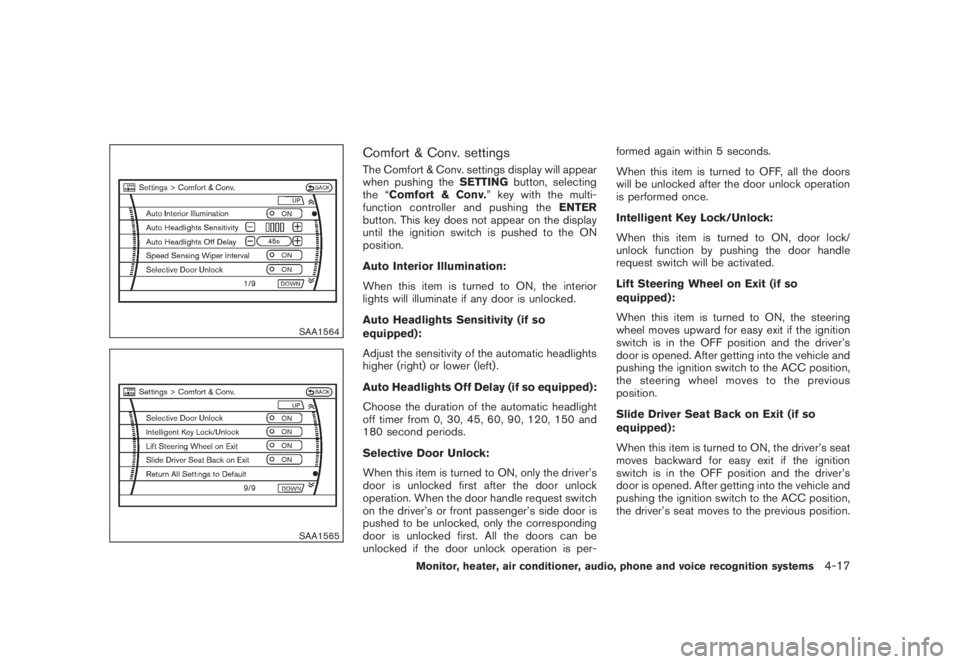
Comfort & Conv. settingsThe Comfort & Conv. settings display will appear
when pushing theSETTINGbutton, selecting
the “Comfort & Conv.” key with the multi-
function controller and pushing theENTER
button. This key does not appear on the display
until the ignition switch is pushed to the ON
position.
Auto Interior Illumination:
When this item is turned to ON, the interior
lights will illuminate if any door is unlocked.
Auto Headlights Sensitivity (if so
equipped):
Adjust the sensitivity of the automatic headlights
higher (right) or lower (left) .
Auto Headlights Off Delay (if so equipped):
Choose the duration of the automatic headlight
off timer from 0, 30, 45, 60, 90, 120, 150 and
180 second periods.
Selective Door Unlock:
When this item is turned to ON, only the driver’s
door is unlocked first after the door unlock
operation. When the door handle request switch
on the driver’s or front passenger’s side door is
pushed to be unlocked, only the corresponding
door is unlocked first. All the doors can be
unlocked if the door unlock operation is per-formed again within 5 seconds.
When this item is turned to OFF, all the doors
will be unlocked after the door unlock operation
is performed once.
Intelligent Key Lock/Unlock:
When this item is turned to ON, door lock/
unlock function by pushing the door handle
request switch will be activated.
Lift Steering Wheel on Exit (if so
equipped):
When this item is turned to ON, the steering
wheel moves upward for easy exit if the ignition
switch is in the OFF position and the driver’s
door is opened. After getting into the vehicle and
pushing the ignition switch to the ACC position,
the steering wheel moves to the previous
position.
Slide Driver Seat Back on Exit (if so
equipped):
When this item is turned to ON, the driver’s seat
moves backward for easy exit if the ignition
switch is in the OFF position and the driver’s
door is opened. After getting into the vehicle and
pushing the ignition switch to the ACC position,
the driver’s seat moves to the previous position.
Monitor, heater, air conditioner, audio, phone and voice recognition systems
4-17
Page 184 of 444
Black plate (180,1)
Model "Z51-D" EDITED: 2008/ 6/ 26
Return All Settings to Default:
Select this item, push theENTERbutton and
choose “YES” if you want to return all settings to
the default.
SAA1566
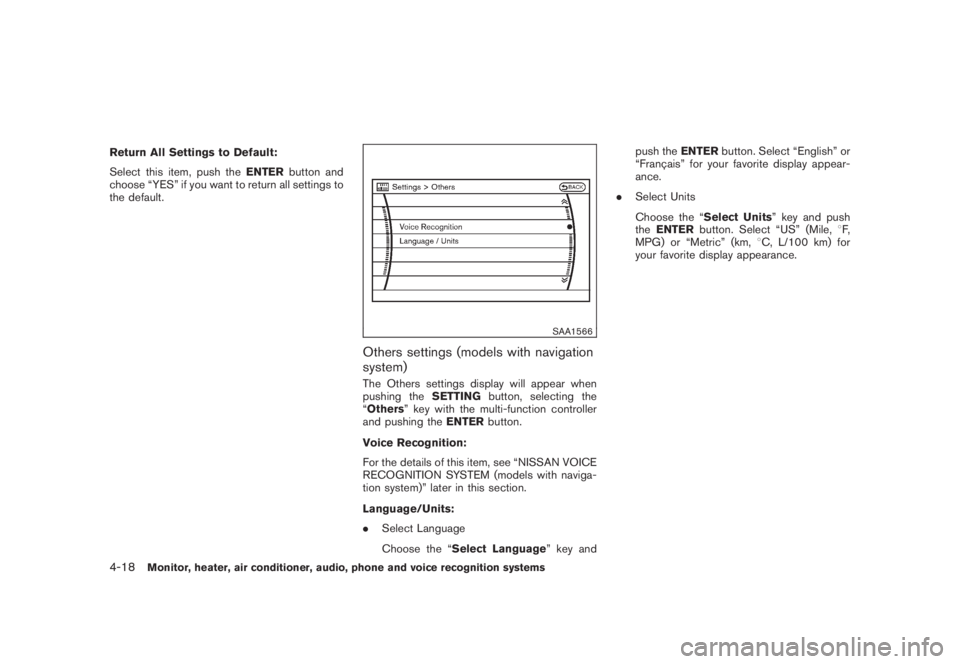
Others settings (models with navigation
system)The Others settings display will appear when
pushing theSETTINGbutton, selecting the
“Others” key with the multi-function controller
and pushing theENTERbutton.
Voice Recognition:
For the details of this item, see “NISSAN VOICE
RECOGNITION SYSTEM (models with naviga-
tion system)” later in this section.
Language/Units:
.Select Language
Choose the “Select Language” key andpush theENTERbutton. Select “English” or
“Franc¸ ais” for your favorite display appear-
ance.
.Select Units
Choose the “Select Units” key and push
theENTERbutton. Select “US” (Mile,8F,
MPG) or “Metric” (km,8C, L/100 km) for
your favorite display appearance.
4-18
Monitor, heater, air conditioner, audio, phone and voice recognition systems
Page 185 of 444
Black plate (181,1)
Model "Z51-D" EDITED: 2008/ 6/ 26
SAA1092
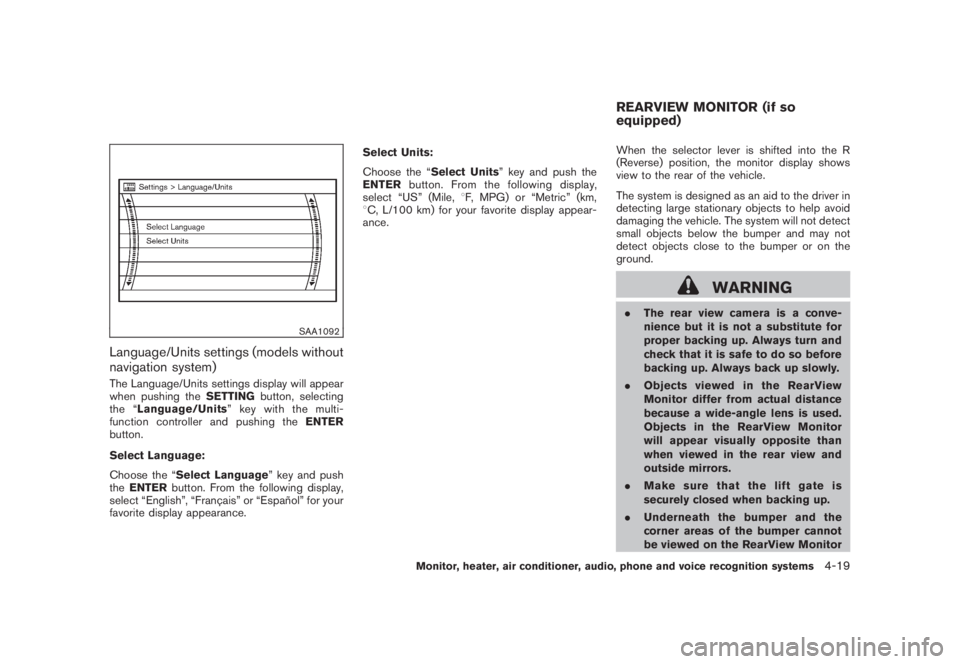
Language/Units settings (models without
navigation system)The Language/Units settings display will appear
when pushing theSETTINGbutton, selecting
the “Language/Units”keywiththemulti-
function controller and pushing theENTER
button.
Select Language:
Choose the “Select Language” key and push
theENTERbutton. From the following display,
select “English”, “Franc¸ ais” or “Espan˜
ol” for your
favorite display appearance.Select Units:
Choose the “Select Units” key and push the
ENTERbutton. From the following display,
select “US” (Mile,8F, MPG) or “Metric” (km,
8C, L/100 km) for your favorite display appear-
ance.When the selector lever is shifted into the R
(Reverse) position, the monitor display shows
view to the rear of the vehicle.
The system is designed as an aid to the driver in
detecting large stationary objects to help avoid
damaging the vehicle. The system will not detect
small objects below the bumper and may not
detect objects close to the bumper or on the
ground.
WARNING
.The rear view camera is a conve-
nience but it is not a substitute for
proper backing up. Always turn and
check that it is safe to do so before
backing up. Always back up slowly.
.Objects viewed in the RearView
Monitor differ from actual distance
because a wide-angle lens is used.
Objects in the RearView Monitor
will appear visually opposite than
when viewed in the rear view and
outside mirrors.
.Make sure that the lift gate is
securely closed when backing up.
.Underneath the bumper and the
corner areas of the bumper cannot
be viewed on the RearView MonitorREARVIEW MONITOR (if so
equipped)
Monitor, heater, air conditioner, audio, phone and voice recognition systems
4-19
Page 190 of 444
Black plate (186,1)
Model "Z51-D" EDITED: 2008/ 6/ 26
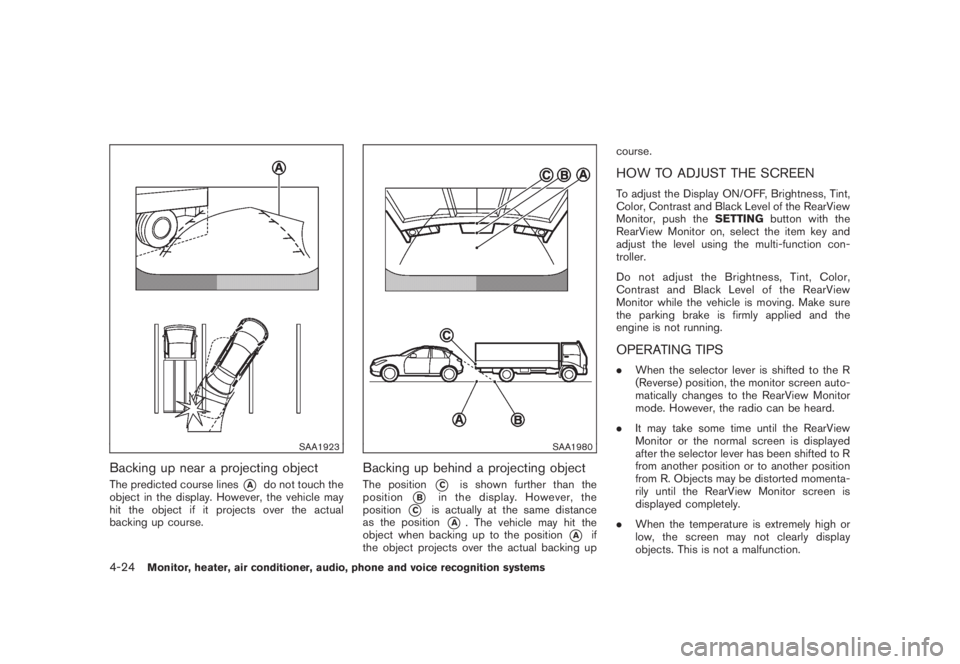
SAA1923
Backing up near a projecting objectThe predicted course lines
*A
do not touch the
object in the display. However, the vehicle may
hit the object if it projects over the actual
backing up course.
SAA1980
Backing up behind a projecting objectThe position
*C
is shown further than the
position
*B
in the display. However, the
position
*C
is actually at the same distance
as the position
*A
. The vehicle may hit the
object when backing up to the position
*A
if
the object projects over the actual backing upcourse.
HOW TO ADJUST THE SCREENTo adjust the Display ON/OFF, Brightness, Tint,
Color, Contrast and Black Level of the RearView
Monitor, push theSETTINGbutton with the
RearView Monitor on, select the item key and
adjust the level using the multi-function con-
troller.
Do not adjust the Brightness, Tint, Color,
Contrast and Black Level of the RearView
Monitor while the vehicle is moving. Make sure
the parking brake is firmly applied and the
engine is not running.OPERATING TIPS.When the selector lever is shifted to the R
(Reverse) position, the monitor screen auto-
matically changes to the RearView Monitor
mode. However, the radio can be heard.
.It may take some time until the RearView
Monitor or the normal screen is displayed
after the selector lever has been shifted to R
from another position or to another position
from R. Objects may be distorted momenta-
rily until the RearView Monitor screen is
displayed completely.
.When the temperature is extremely high or
low, the screen may not clearly display
objects. This is not a malfunction.
4-24
Monitor, heater, air conditioner, audio, phone and voice recognition systems
Page 212 of 444
Black plate (208,1)
Model "Z51-D" EDITED: 2008/ 6/ 26
low frequencies and to stop at the next
broadcasting station.
.For XM satellite radio
Push the SEEK·CAT or TRACK buttonor
to tune to the first channel of the
next or previous category.
During satellite radio reception, the following
notices will be displayed under certain condi-
tions.
.NO SIGNAL (No signal is received while the
SAT tuner is connected.)
.OFF AIR (Broadcasting signed off)
.ANTENNA ERROR (Antenna connection
error)
.LOADING (When the initial setting is
performed)
.UPDATING (When the satellite radio sub-
scription is not active)
.INVALID CH (Invalid channel is received.)
SCAN tuning:
Push the SCAN tuning button to tune from low
to high frequencies and stops at each broad-
casting station for 5 seconds. Pushing the
button again during this 5 seconds period will
stop SCAN tuning and the radio will remaintuned to that station.
If the SCAN tuning button is not pushed within 5
seconds, SCAN tuning moves to the next
station.
*1
to
*6
Station memory operations:
Twelve stations/channels can be set for the FM
band (6 for FM1, 6 for FM2) and the SAT radio
(6 for SAT1, 6 for SAT2) , and 6 stations can be
set for the AM band.
1. Choose the radio band using the radio band
select button.
2. Tune to the desired station using the SEEK,
SCAN or TUNE button.
3. Select the desired station/channel and keep
pushing any of the desired station preset
buttons*1
to
*6
until a beep sound is
heard. (The radio mutes when the select
button is pushed.)
4. The channel indicator will then come on and
the sound will resume. Memorizing is now
complete.
5. Other buttons can be set in the same
manner.
If the battery cable is disconnected, or if the fuse
blows, the radio memory will be erased. In that
case, reset the desired stations.Text:
When the “Text” key is selected with the multi-
function controller on the display and then the
ENTER button is pushed while the satellite radio
is being played, the text information will be
displayed on the screen.
.CH Name
.Category
.Name
.Title
.Other
Compact Disc (CD) player/changer op-
erationPush the ignition switch to the ACC or ON
position, push the LOAD button (if so equipped)
and insert the compact disc into the slot with the
label side facing up. The compact disc will be
guided automatically into the slot and start
playing.
After loading the disc, the number of tracks on
the disc and the play time will appear on the
display.
If the radio is already operating, it will auto-
matically turn off and the compact disc will play.
If the system has been turned off while the
compact disc was playing, pushing the ON·-
4-46
Monitor, heater, air conditioner, audio, phone and voice recognition systems
Page 213 of 444
Black plate (209,1)
Model "Z51-D" EDITED: 2008/ 6/ 26
OFF/VOL control knob will start the compact
disc.
CD LOAD (if so equipped):
To insert a CD in the CD changer, push the
LOAD button for less than 1.5 seconds. Select
the loading position by pushing the CD insert
select button
*1
to*6, then insert the CD.
To insert 6 CDs to the CD changer in
succession, push the LOAD button for more
than 1.5 seconds.
The inserted slot numbers will illuminate on the
display.
or
PLAY:
When the DISC (CD play) button is pushed with
the system off and the compact disc loaded, the
system will turn on and the compact disc will
start to play.
When the DISC button is pushed with the
compact disc loaded and the radio playing, the
radio will automatically be turned off and the
compact disc will start to play.
When the DISC button is pushed while a CD is
loaded and a medium is played using the
auxiliary input jacks, you can toggle back and
forth between CD and medium.Text:
When the “Text” key is selected in the screen
using the multi-function controller and then the
ENTER button is pushed while the CD is being
played, the music information below will be
displayed on the screen.
CD:
.Disc title
.Track title
CD with MP3 or WMA:
.Folder title
.File title
.Song title
.Album title
.Artist
FF (Fast Forward) , REW (Re-
wind)/APS (Automatic Pro-
gram Search) FF, APS REW:
When the(fast forward) or
(rewind)
button is pushed for more than 1.5 seconds
while the compact disc is being played, the
compact disc will play while fast forwarding or
rewinding. When the button is released, the
compact disc will return to normal play speed.When the
or
button is pushed for less
than 1.5 seconds while the compact disc is
being played, the next track or the beginning of
the current track on the CD will be played.
The multi-function controller can also be used to
select tracks when a CD is being played.
CD PLAY selection (if so equipped) :
To change to another CD already loaded into the
player, push the CD play select buttons
*1
to
*6
or choose a disc displayed on the screen
using the multi-function controller.REPEAT (RPT) , RANDOM (RDM):
When the RPT button is pushed while the
compact disc is played, the play pattern can be
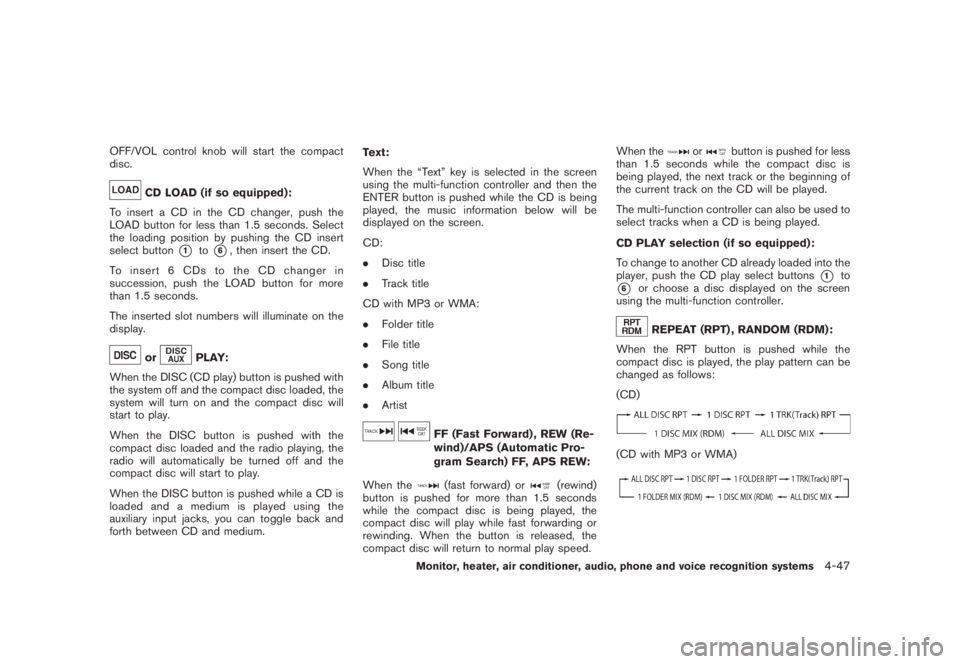
changed as follows:
(CD)
(CD with MP3 or WMA)
Monitor, heater, air conditioner, audio, phone and voice recognition systems
4-47