buttons NISSAN MURANO 2009 Owner´s Manual
[x] Cancel search | Manufacturer: NISSAN, Model Year: 2009, Model line: MURANO, Model: NISSAN MURANO 2009Pages: 443, PDF Size: 3.95 MB
Page 307 of 443
Black plate (305,1)
Model "Z51-D" EDITED: 2007/ 10/ 2
SAA1935
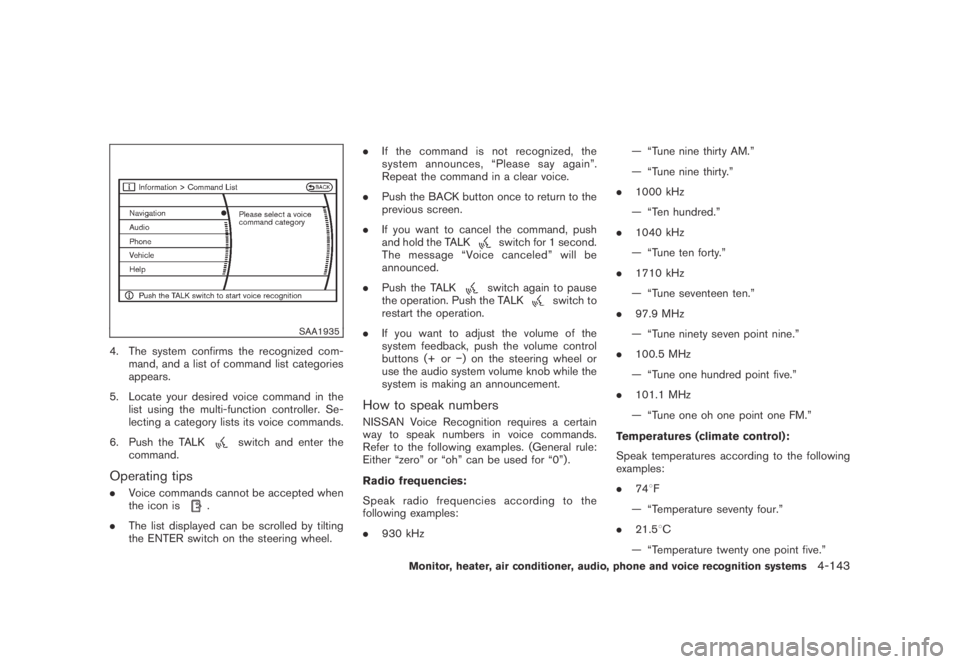
4. The system confirms the recognized com-
mand, and a list of command list categories
appears.
5. Locate your desired voice command in the
list using the multi-function controller. Se-
lecting a category lists its voice commands.
6. Push the TALK
switch and enter the
command.
Operating tips
.Voice commands cannot be accepted when
the icon is.
.The list displayed can be scrolled by tilting
the ENTER switch on the steering wheel..If the command is not recognized, the
system announces, “Please say again”.
Repeat the command in a clear voice.
.Push the BACK button once to return to the
previous screen.
.If you want to cancel the command, push
and hold the TALK
switch for 1 second.
The message “Voice canceled” will be
announced.
.Push the TALK
switch again to pause
the operation. Push the TALKswitch to
restart the operation.
.If you want to adjust the volume of the
system feedback, push the volume control
buttons (+ or−) on the steering wheel or
use the audio system volume knob while the
system is making an announcement.
How to speak numbers
NISSAN Voice Recognition requires a certain
way to speak numbers in voice commands.
Refer to the following examples. (General rule:
Either “zero” or “oh” can be used for “0”) .
Radio frequencies:
Speak radio frequencies according to the
following examples:
.930 kHz— “Tune nine thirty AM.”
— “Tune nine thirty.”
.1000 kHz
— “Ten hundred.”
.1040 kHz
— “Tune ten forty.”
.1710 kHz
— “Tune seventeen ten.”
.97.9 MHz
— “Tune ninety seven point nine.”
.100.5 MHz
— “Tune one hundred point five.”
.101.1 MHz
— “Tune one oh one point one FM.”
Temperatures (climate control):
Speak temperatures according to the following
examples:
.748F
— “Temperature seventy four.”
.21.58C
— “Temperature twenty one point five.”
Monitor, heater, air conditioner, audio, phone and voice recognition systems4-143
Page 386 of 443
Black plate (388,1)
Model "Z51-D" EDITED: 2007/ 10/ 2
SDI2135
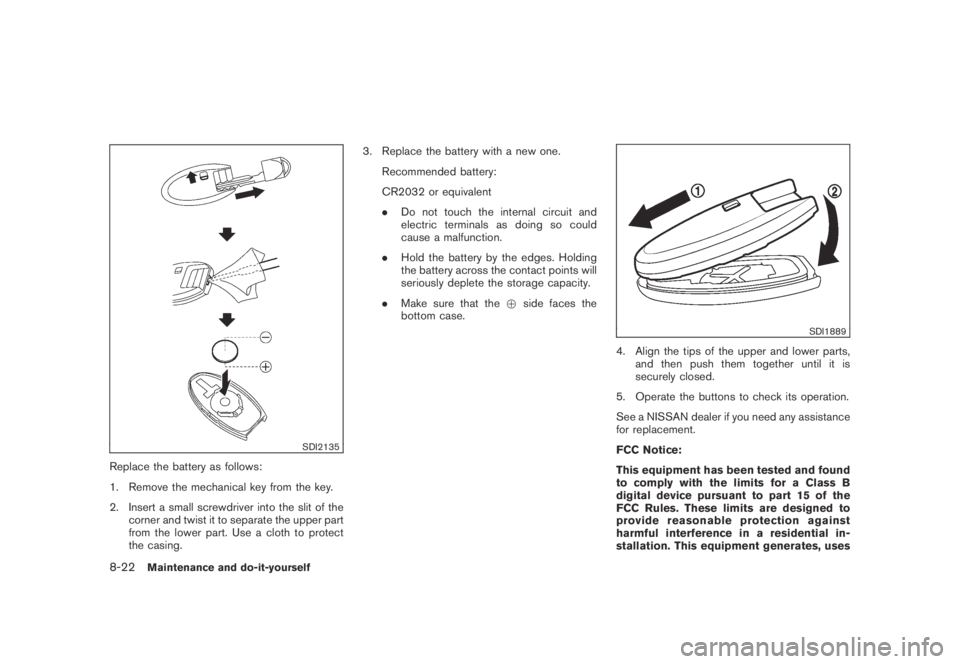
Replace the battery as follows:
1. Remove the mechanical key from the key.
2. Insert a small screwdriver into the slit of the
corner and twist it to separate the upper part
from the lower part. Use a cloth to protect
the casing.3. Replace the battery with a new one.
Recommended battery:
CR2032 or equivalent
.Do not touch the internal circuit and
electric terminals as doing so could
cause a malfunction.
.Hold the battery by the edges. Holding
the battery across the contact points will
seriously deplete the storage capacity.
.Make sure that the+side faces the
bottom case.
SDI1889
4. Align the tips of the upper and lower parts,
and then push them together until it is
securely closed.
5. Operate the buttons to check its operation.
See a NISSAN dealer if you need any assistance
for replacement.
FCC Notice:
This equipment has been tested and found
to comply with the limits for a Class B
digital device pursuant to part 15 of the
FCC Rules. These limits are designed to
provide reasonable protection against
harmful interference in a residential in-
stallation. This equipment generates, uses
8-22Maintenance and do-it-yourself