diagram NISSAN NOTE 2016 Service Repair Manual
[x] Cancel search | Manufacturer: NISSAN, Model Year: 2016, Model line: NOTE, Model: NISSAN NOTE 2016Pages: 3641, PDF Size: 28.72 MB
Page 606 of 3641
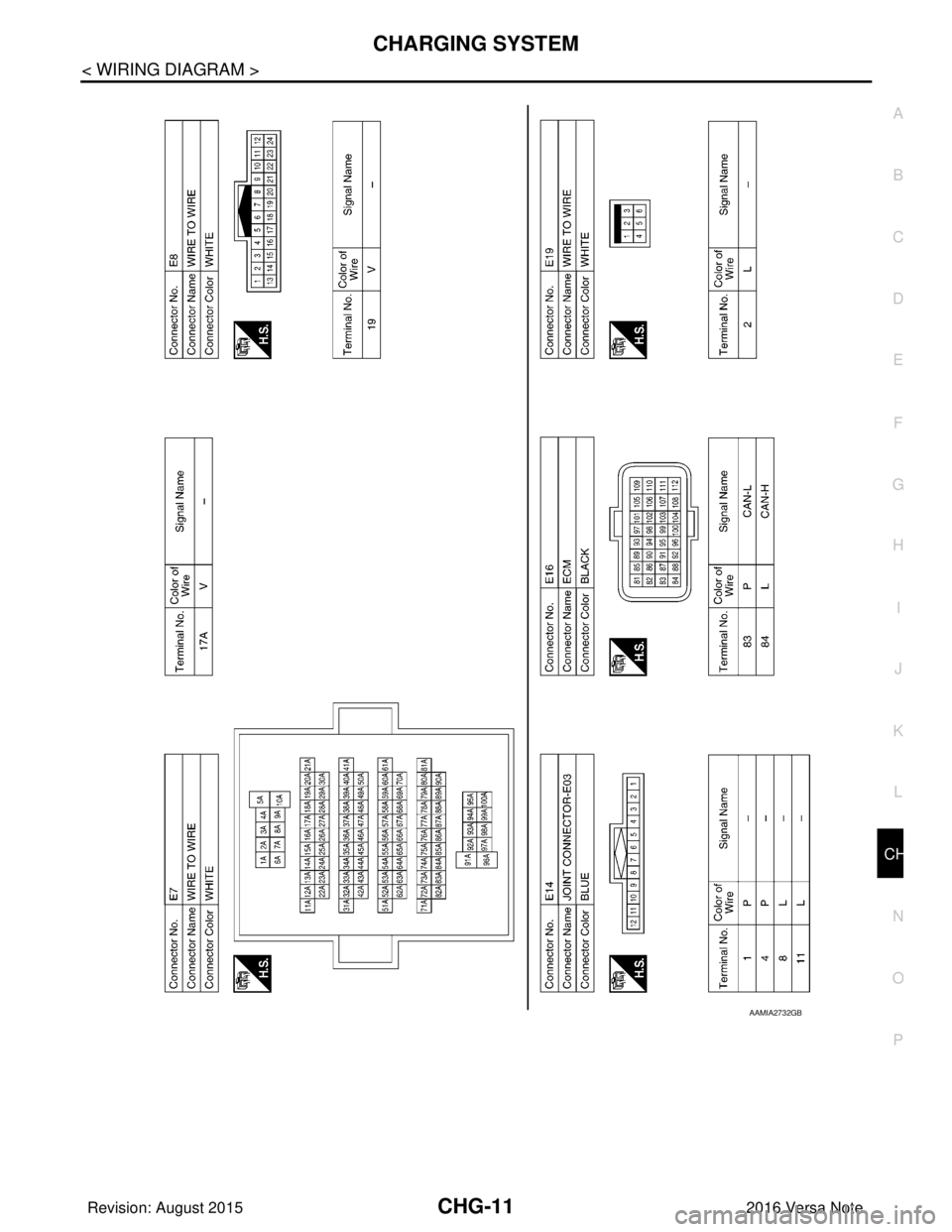
CHG
CHARGING SYSTEMCHG-11
< WIRING DIAGRAM >
C
DE
F
G H
I
J
K L
B A
O P
N
AAMIA2732GB
Revision: August 2015
2016 Versa Note
cardiagn.com
Page 607 of 3641
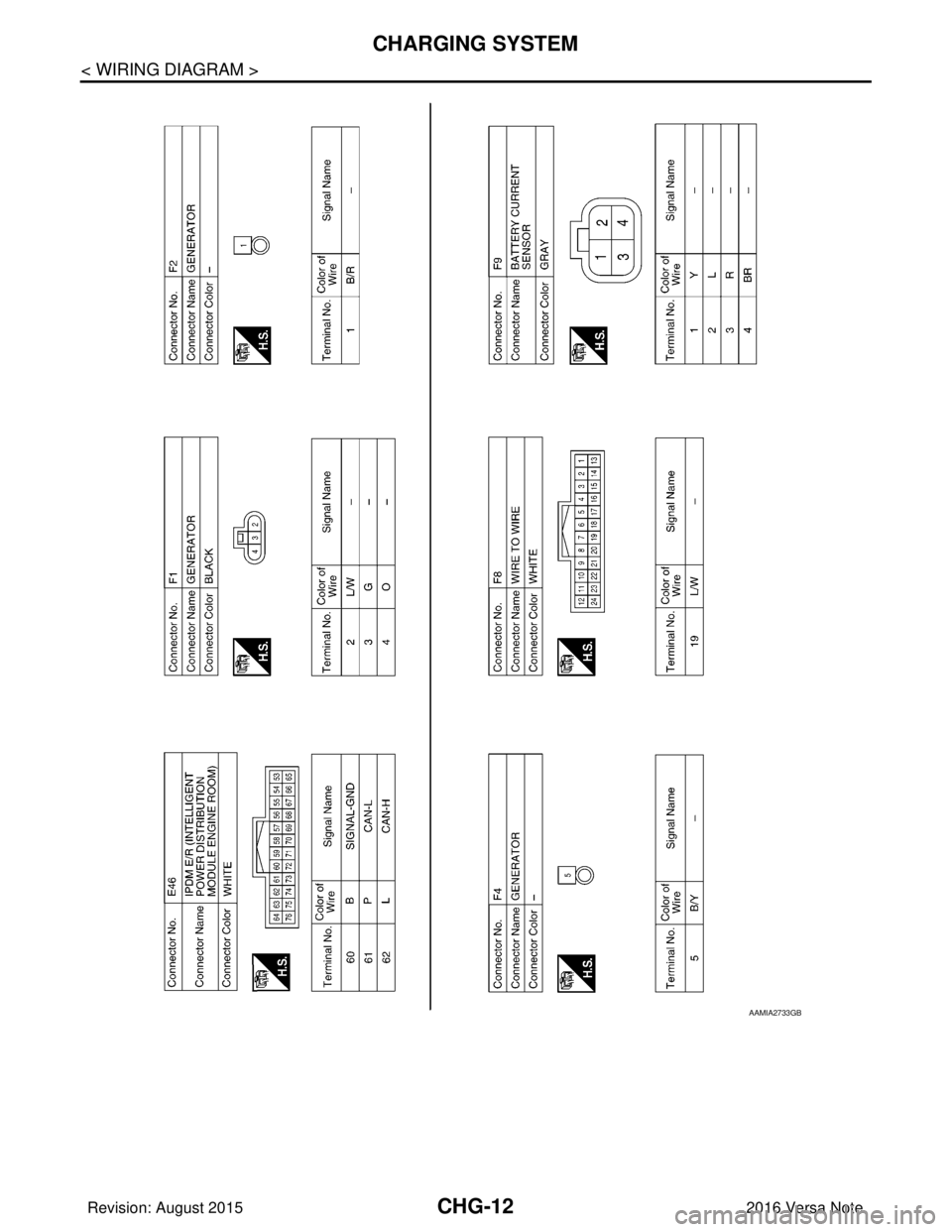
CHG-12
< WIRING DIAGRAM >
CHARGING SYSTEM
AAMIA2733GB
Revision: August 20152016 Versa Note
cardiagn.com
Page 608 of 3641
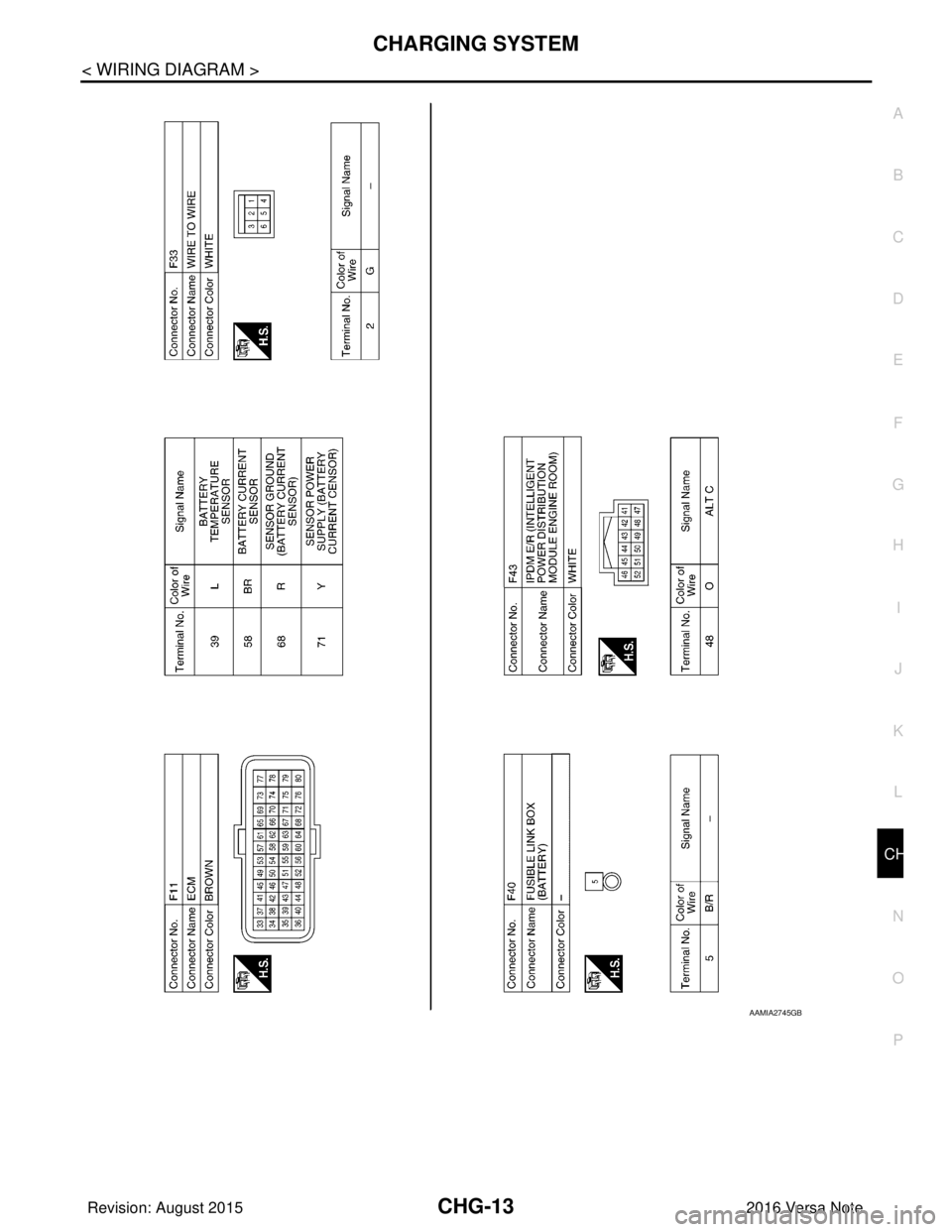
CHG
CHARGING SYSTEMCHG-13
< WIRING DIAGRAM >
C
DE
F
G H
I
J
K L
B A
O P
N
AAMIA2745GB
Revision: August 2015
2016 Versa Note
cardiagn.com
Page 616 of 3641
CHG
POWER GENERATION VOLTAGE VARIABLE CONTROL SYSTEM OPERATION
INSPECTION
CHG-21
< DTC/CIRCUIT DIAGNOSIS >
C
DE
F
G H
I
J
K L
B A
O P
N
POWER GENERATION VOLTAGE VARI
ABLE CONTROL SYSTEM OPER-
ATION INSPECTION
Diagnosis ProcedureINFOID:0000000012431250
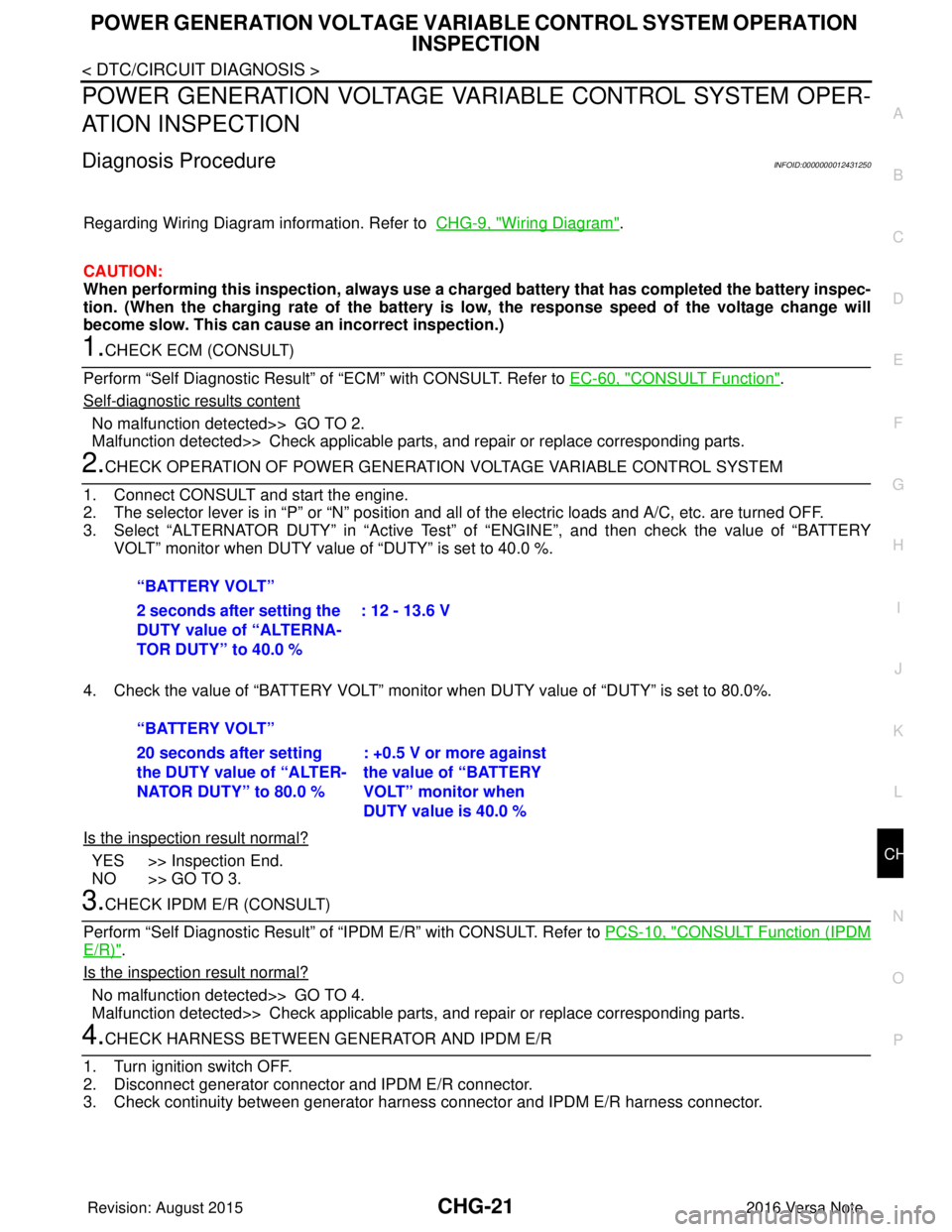
Regarding Wiring Diagram information. Refer to CHG-9, "Wiring Diagram".
CAUTION:
When performing this inspection, always use a charged battery that has completed the battery inspec-
tion. (When the charging rate of the battery is low, the response speed of the voltage change will
become slow. This can cause an incorrect inspection.)
1.CHECK ECM (CONSULT)
Perform “Self Diagnostic Result” of “ECM” with CONSULT. Refer to EC-60, "
CONSULT Function".
Self
-diagnostic results content
No malfunction detected>> GO TO 2.
Malfunction detected>> Check applicable parts, and repair or replace corresponding parts.
2.CHECK OPERATION OF POWER GENERATION VOLTAGE VARIABLE CONTROL SYSTEM
1. Connect CONSULT and start the engine.
2. The selector lever is in “P” or “N” position and a ll of the electric loads and A/C, etc. are turned OFF.
3. Select “ALTERNATOR DUTY” in “Active Test” of “ENGINE”, and then check the value of “BATTERY
VOLT” monitor when DUTY value of “DUTY” is set to 40.0 %.
4. Check the value of “BATTERY VOLT” monitor when DUTY value of “DUTY” is set to 80.0%.
Is the inspection result normal?
YES >> Inspection End.
NO >> GO TO 3.
3.CHECK IPDM E/R (CONSULT)
Perform “Self Diagnostic Result” of “I PDM E/R” with CONSULT. Refer to PCS-10, "
CONSULT Function (IPDM
E/R)".
Is the inspection result normal?
No malfunction detected>> GO TO 4.
Malfunction detected>> Check applicable parts, and repair or replace corresponding parts.
4.CHECK HARNESS BETWEEN GE NERATOR AND IPDM E/R
1. Turn ignition switch OFF.
2. Disconnect generator connector and IPDM E/R connector.
3. Check continuity between generator harne ss connector and IPDM E/R harness connector.
“BATTERY VOLT”
2 seconds after setting the
DUTY value of “ALTERNA-
TOR DUTY” to 40.0 %
: 12 - 13.6 V
“BATTERY VOLT”
20 seconds after setting
the DUTY value of “ALTER-
NATOR DUTY” to 80.0 % : +0.5 V or more against
the value of “BATTERY
VOLT” monitor when
DUTY value is 40.0 %
Revision: August 2015
2016 Versa Note
cardiagn.com
Page 618 of 3641
CHG
B TERMINAL CIRCUITCHG-23
< DTC/CIRCUIT DIAGNOSIS >
C
DE
F
G H
I
J
K L
B A
O P
N
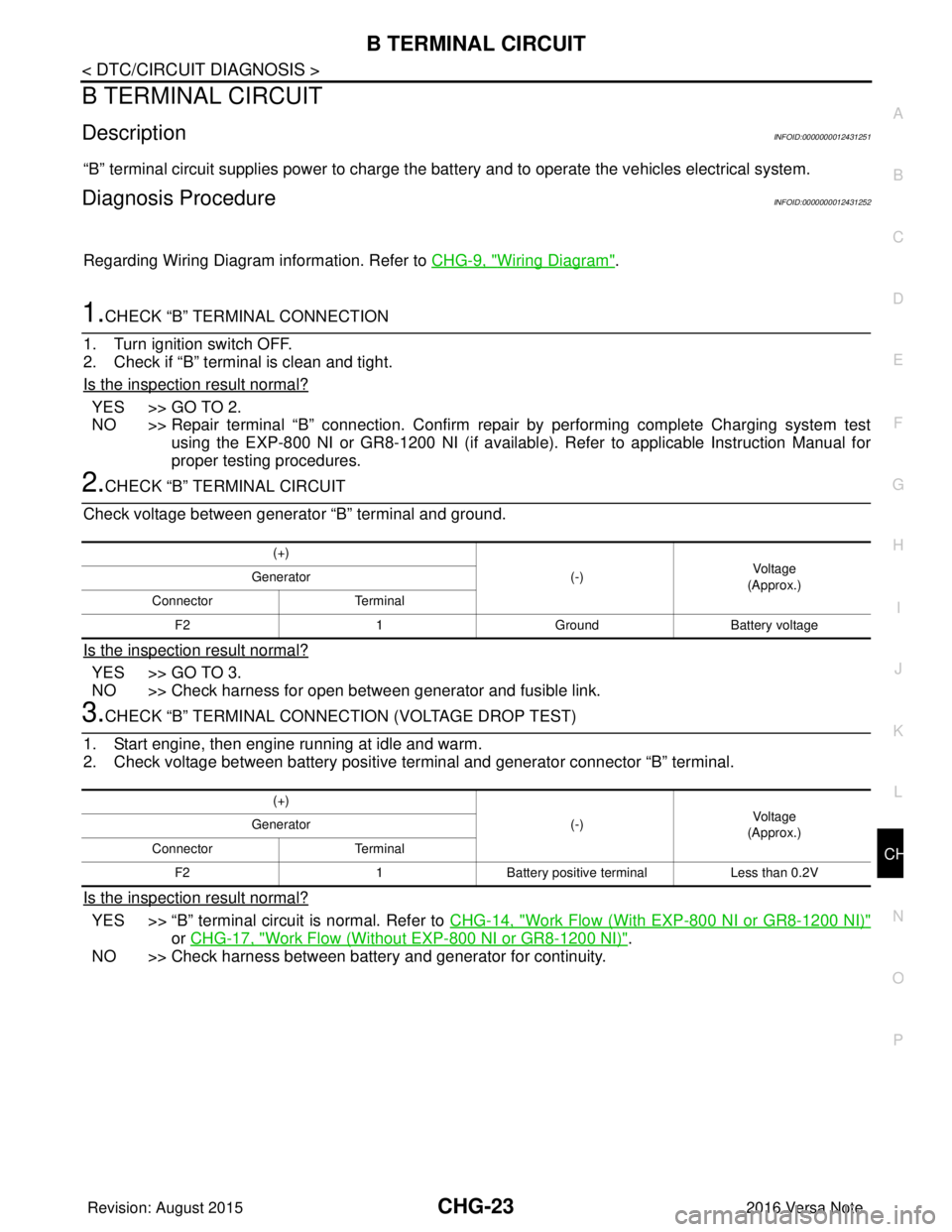
B TERMINAL CIRCUIT
DescriptionINFOID:0000000012431251
“B” terminal circuit supplies power to charge the batte
ry and to operate the vehicles electrical system.
Diagnosis ProcedureINFOID:0000000012431252
Regarding Wiring Diagram information. Refer to CHG-9, "Wiring Diagram".
1.CHECK “B” TERMINAL CONNECTION
1. Turn ignition switch OFF.
2. Check if “B” terminal is clean and tight.
Is the inspection result normal?
YES >> GO TO 2.
NO >> Repair terminal “B” connection. Confirm repair by performing complete Charging system test using the EXP-800 NI or GR8-1200 NI (if availabl e). Refer to applicable Instruction Manual for
proper testing procedures.
2.CHECK “B” TERMINAL CIRCUIT
Check voltage between generator “B” terminal and ground.
Is the inspection result normal?
YES >> GO TO 3.
NO >> Check harness for open between generator and fusible link.
3.CHECK “B” TERMINAL CONNECT ION (VOLTAGE DROP TEST)
1. Start engine, then engine running at idle and warm.
2. Check voltage between battery positive te rminal and generator connector “B” terminal.
Is the inspection result normal?
YES >> “B” terminal circuit is normal. Refer to CHG-14, "Work Flow (With EXP-800 NI or GR8-1200 NI)"
or CHG-17, "Work Flow (Without EXP-800 NI or GR8-1200 NI)".
NO >> Check harness between battery and generator for continuity.
(+)
(-)Voltage
(Approx.)
Generator
Connector Terminal
F2 1GroundBattery voltage
(+)
(-)Voltage
(Approx.)
Generator
Connector Terminal
F2 1Battery positive terminal Less than 0.2V
Revision: August 2015 2016 Versa Note
cardiagn.com
Page 619 of 3641
CHG-24
< DTC/CIRCUIT DIAGNOSIS >
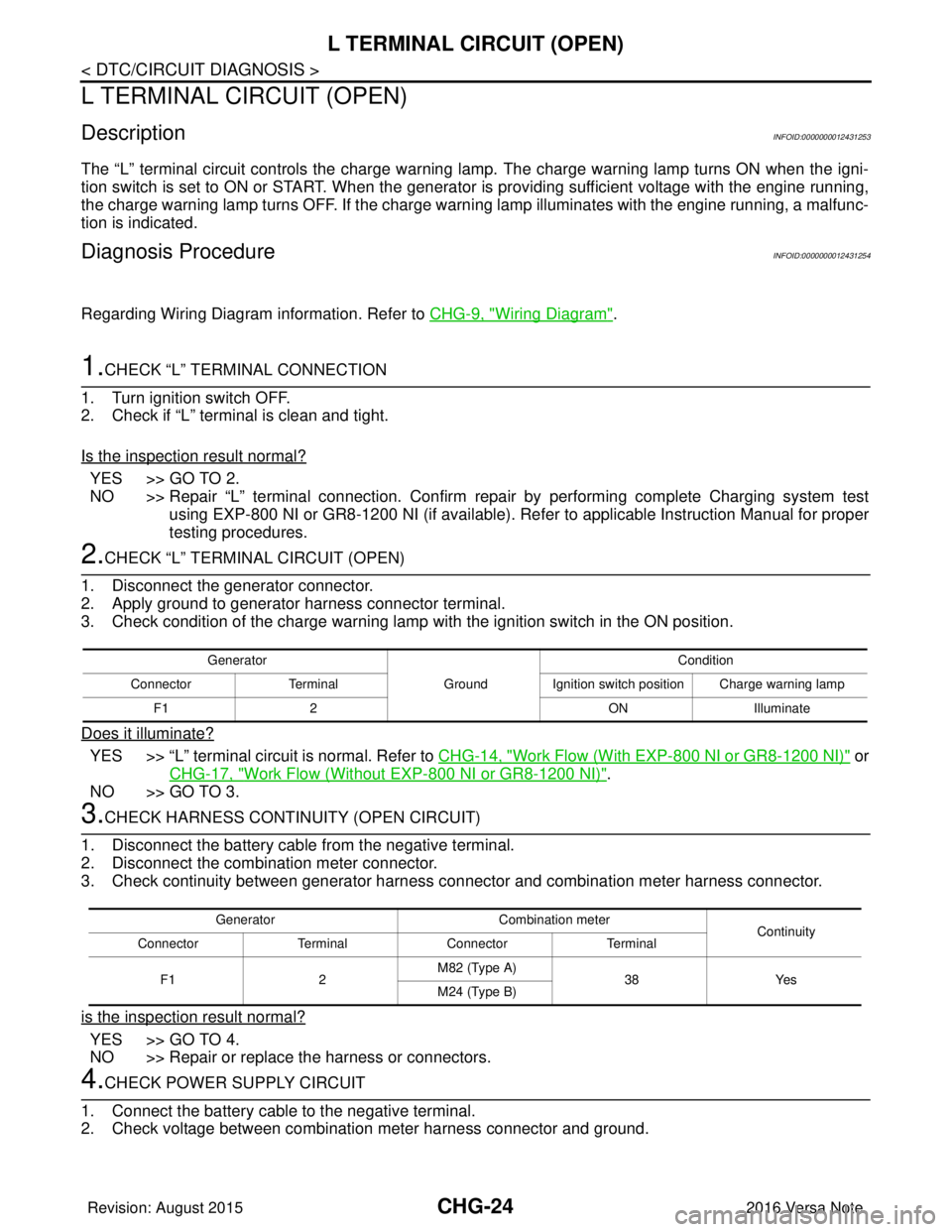
L TERMINAL CIRCUIT (OPEN)
L TERMINAL CIRCUIT (OPEN)
DescriptionINFOID:0000000012431253
The “L” terminal circuit controls the charge warning lamp. The charge warning lamp turns ON when the igni-
tion switch is set to ON or START. When the generator is providing sufficient voltage with the engine running,
the charge warning lamp turns OFF. If the charge warn ing lamp illuminates with the engine running, a malfunc-
tion is indicated.
Diagnosis ProcedureINFOID:0000000012431254
Regarding Wiring Diagram information. Refer to CHG-9, "Wiring Diagram".
1.CHECK “L” TERMINAL CONNECTION
1. Turn ignition switch OFF.
2. Check if “L” terminal is clean and tight.
Is the inspection result normal?
YES >> GO TO 2.
NO >> Repair “L” terminal connection. Confirm repa ir by performing complete Charging system test
using EXP-800 NI or GR8-1200 NI (if available). Refer to applicable Instruction Manual for proper
testing procedures.
2.CHECK “L” TERMIN AL CIRCUIT (OPEN)
1. Disconnect the generator connector.
2. Apply ground to generator harness connector terminal.
3. Check condition of the charge warning lamp with the ignition switch in the ON position.
Does it illuminate?
YES >> “L” terminal circuit is normal. Refer to CHG-14, "Work Flow (With EXP-800 NI or GR8-1200 NI)" or
CHG-17, "
Work Flow (Without EXP-800 NI or GR8-1200 NI)".
NO >> GO TO 3.
3.CHECK HARNESS CONTI NUITY (OPEN CIRCUIT)
1. Disconnect the battery cable from the negative terminal.
2. Disconnect the combination meter connector.
3. Check continuity between generator harness c onnector and combination meter harness connector.
is the inspection result normal?
YES >> GO TO 4.
NO >> Repair or replace the harness or connectors.
4.CHECK POWER SUPPLY CIRCUIT
1. Connect the battery cable to the negative terminal.
2. Check voltage between combination meter harness connector and ground.
Generator
GroundCondition
Connector Terminal Ignition switch position Charge warning lamp
F1 2 ONIlluminate
Generator Combination meter
Continuity
Connector TerminalConnector Terminal
F1 2M82 (Type A)
38Yes
M24 (Type B)
Revision: August 2015 2016 Versa Note
cardiagn.com
Page 621 of 3641
CHG-26
< DTC/CIRCUIT DIAGNOSIS >
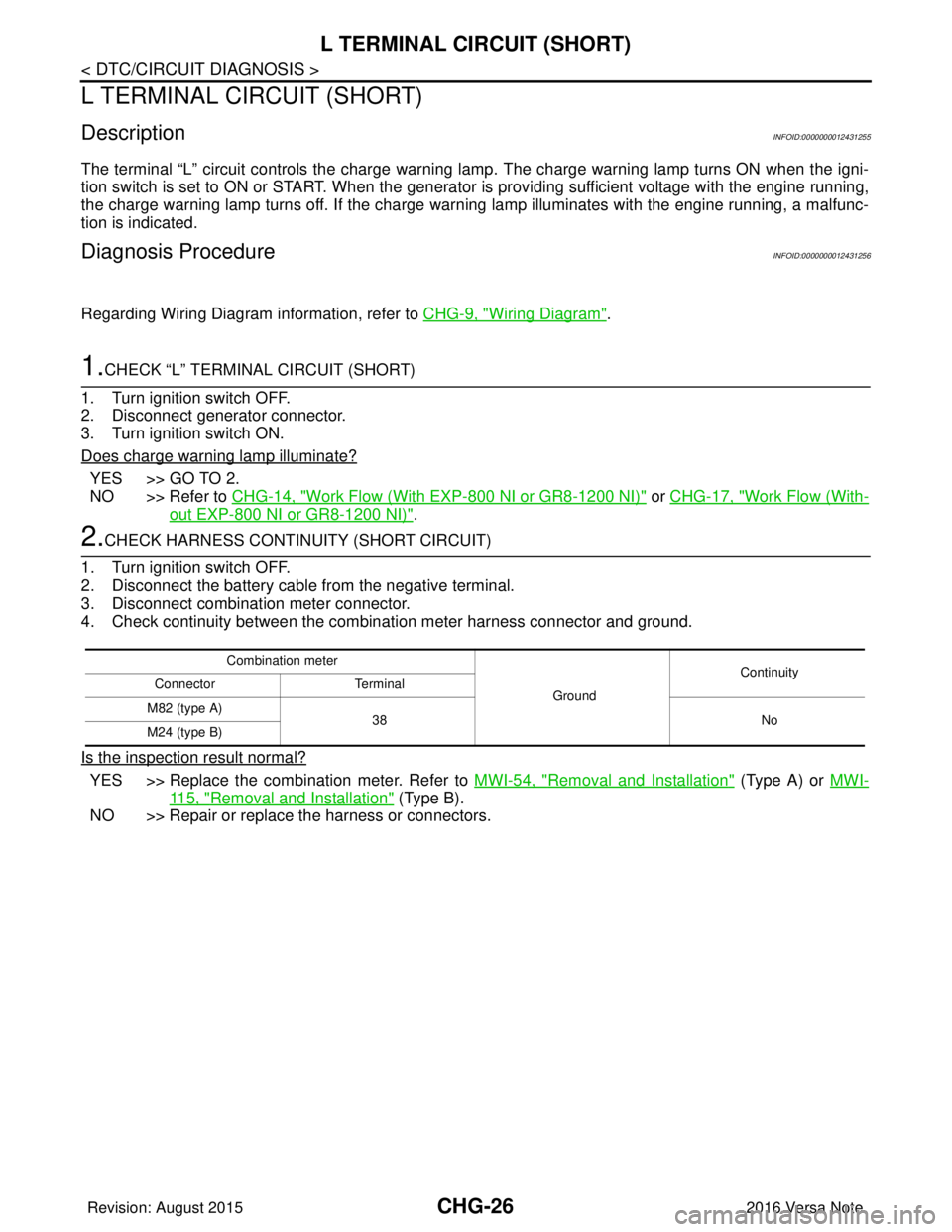
L TERMINAL CIRCUIT (SHORT)
L TERMINAL CIRCUIT (SHORT)
DescriptionINFOID:0000000012431255
The terminal “L” circuit controls the charge warning lamp. The charge warning lamp turns ON when the igni-
tion switch is set to ON or START. When the generator is providing sufficient voltage with the engine running,
the charge warning lamp turns off. If the charge warning lamp illuminates with the engine running, a malfunc-
tion is indicated.
Diagnosis ProcedureINFOID:0000000012431256
Regarding Wiring Diagram information, refer to CHG-9, "Wiring Diagram".
1.CHECK “L” TERMINAL CIRCUIT (SHORT)
1. Turn ignition switch OFF.
2. Disconnect generator connector.
3. Turn ignition switch ON.
Does charge warning lamp illuminate?
YES >> GO TO 2.
NO >> Refer to CHG-14, "
Work Flow (With EXP-800 NI or GR8-1200 NI)" or CHG-17, "Work Flow (With-
out EXP-800 NI or GR8-1200 NI)".
2.CHECK HARNESS CONTI NUITY (SHORT CIRCUIT)
1. Turn ignition switch OFF.
2. Disconnect the battery cable from the negative terminal.
3. Disconnect combination meter connector.
4. Check continuity between the combination meter harness connector and ground.
Is the inspection result normal?
YES >> Replace the combination meter. Refer to MWI-54, "Removal and Installation" (Type A) or MWI-
115, "Removal and Installation" (Type B).
NO >> Repair or replace the harness or connectors.
Combination meter
GroundContinuity
Connector Terminal
M82 (type A) 38 No
M24 (type B)
Revision: August 2015 2016 Versa Note
cardiagn.com
Page 622 of 3641
CHG
S TERMINAL CIRCUITCHG-27
< DTC/CIRCUIT DIAGNOSIS >
C
DE
F
G H
I
J
K L
B A
O P
N
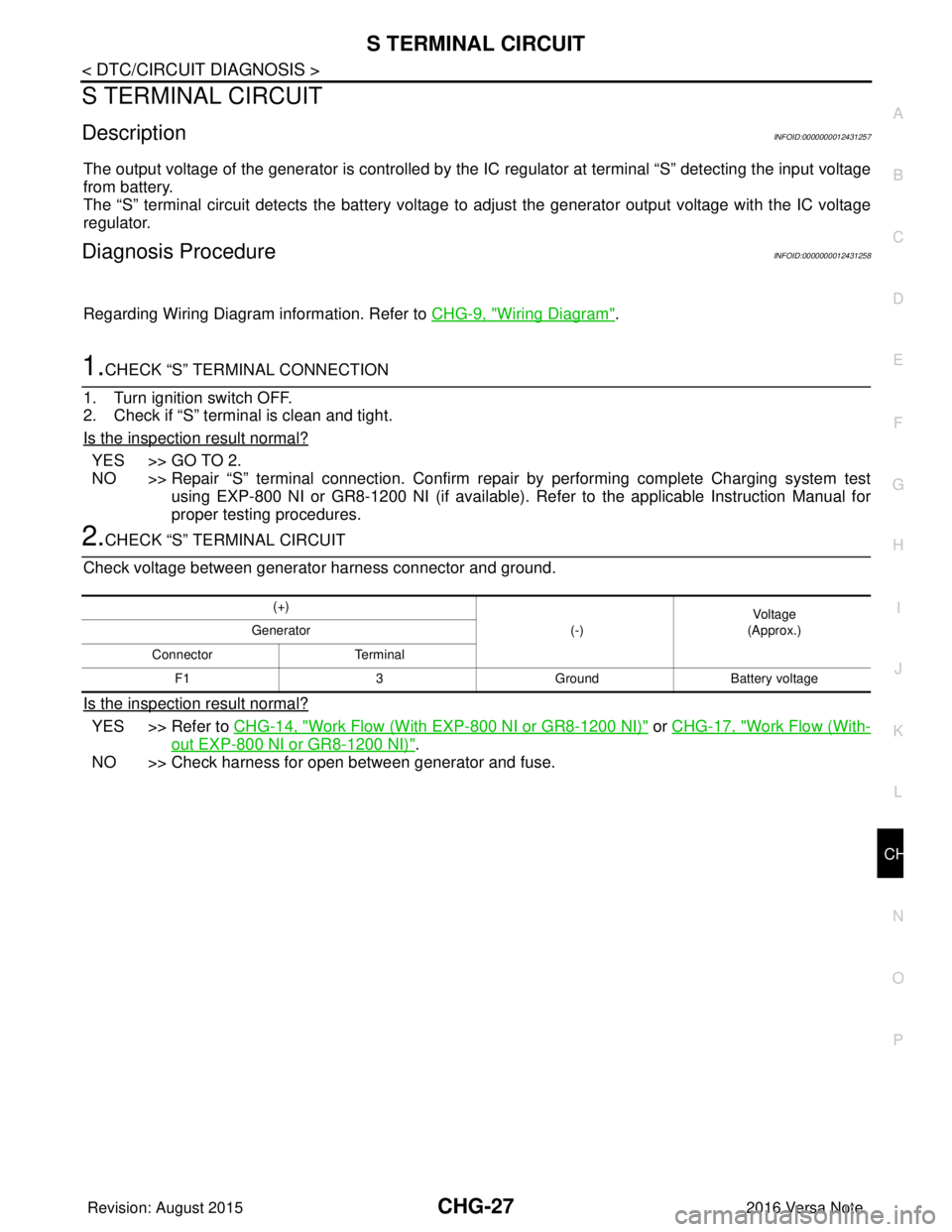
S TERMINAL CIRCUIT
DescriptionINFOID:0000000012431257
The output voltage of the generator is controlled by the IC
regulator at terminal “S” detecting the input voltage
from battery.
The “S” terminal circuit detects the battery voltage to adjust the generator output voltage with the IC voltage
regulator.
Diagnosis ProcedureINFOID:0000000012431258
Regarding Wiring Diagram information. Refer to CHG-9, "Wiring Diagram".
1.CHECK “S” TERMINAL CONNECTION
1. Turn ignition switch OFF.
2. Check if “S” terminal is clean and tight.
Is the inspection result normal?
YES >> GO TO 2.
NO >> Repair “S” terminal connection. Confirm repair by performing complete Charging system test using EXP-800 NI or GR8-1200 NI (if available). Refer to the applicable Instruction Manual for
proper testing procedures.
2.CHECK “S” TERMINAL CIRCUIT
Check voltage between generator harness connector and ground.
Is the inspection result normal?
YES >> Refer to CHG-14, "Work Flow (With EXP-800 NI or GR8-1200 NI)" or CHG-17, "Work Flow (With-
out EXP-800 NI or GR8-1200 NI)".
NO >> Check harness for open between generator and fuse.
(+)
(-)Voltage
(Approx.)
Generator
Connector Terminal F1 3GroundBattery voltage
Revision: August 2015 2016 Versa Note
cardiagn.com
Page 652 of 3641

DEF-1
DRIVER CONTROLS
C
DE
F
G H
I
J
K
M
SECTION DEF
A
B
DEF
N
O P
CONTENTS
DEFOGGER
PRECAUTION ....... ........................................3
PRECAUTIONS .............................................. .....3
Precaution for Supplemental Restraint System
(SRS) "AIR BAG" and "SEAT BELT PRE-TEN-
SIONER" ............................................................. ......
3
SYSTEM DESCRIPTION ..............................4
COMPONENT PARTS ................................... .....4
Component Parts Location .................................. ......4
Rear window defogger ..............................................5
Door mirror defogger .................................................5
SYSTEM ..............................................................6
System Description ............................................. ......6
DIAGNOSIS SYSTEM (BCM) (WITH INTELLI-
GENT KEY SYSTEM) ..........................................
7
COMMON ITEM ..................................................... ......7
COMMON ITEM : CONSULT Function (BCM -
COMMON ITEM) .......................................................
7
REAR DEFOGGER ............................................... ......8
REAR DEFOGGER : CONSULT Function (BCM -
REAR DEFOGGER) ........................................... ......
8
DIAGNOSIS SYSTEM (BCM) (WITHOUT IN-
TELLIGENT KEY SYSTEM) ................................
9
COMMON ITEM ..................................................... ......9
COMMON ITEM : CONSULT Function (BCM -
COMMON ITEM) .......................................................
9
REAR DEFOGGER ............................................... ....10
REAR DEFOGGER : CONSULT Function (BCM -
REAR DEFOGGER) ........................................... ....
10
ECU DIAGNOSIS INFORMATION ..............11
BCM ................................................................ ....11
List of ECU Reference ........................................ ....11
WIRING DIAGRAM ......................................12
REAR WINDOW DE FOGGER SYSTEM ..........12
Wiring Diagram .................................................... ....12
BASIC INSPECTION ...................................17
DIAGNOSIS AND REPAIR WORK FLOW .......17
Work Flow ............................................................ ....17
DTC/CIRCUIT DIAGNOSIS .........................20
REAR WINDOW DEFOGGER SWITCH ...........20
Description ........................................................... ....20
Component Function Check ....................................20
Diagnosis Procedure ...............................................20
Component Inspection .............................................21
REAR WINDOW DEFOGGER RELAY .............22
Description ...............................................................22
Component Function Check ....................................22
Diagnosis Procedure ...............................................22
Component Inspection .............................................23
REAR WINDOW DEFOGGER POWER SUP-
PLY AND GROUND CIRCUIT ..........................
24
Description ...............................................................24
Component Function Check ....................................24
Diagnosis Procedure ...............................................24
Component Inspection .............................................25
DRIVER SIDE DOOR MIRROR DEFOGGER ...26
Description ...............................................................26
Component Function Check ....................................26
Diagnosis Procedure ...............................................26
Component Inspection .............................................27
PASSENGER SIDE DOOR MIRROR DEFOG-
GER ...................................................................
28
Description ...............................................................28
Component Function Check ....................................28
Diagnosis Procedure ...............................................28
Revision: August 2015 2016 Versa Note
cardiagn.com
Page 657 of 3641
DEF-6
< SYSTEM DESCRIPTION >
SYSTEM
SYSTEM
System DescriptionINFOID:0000000012431755
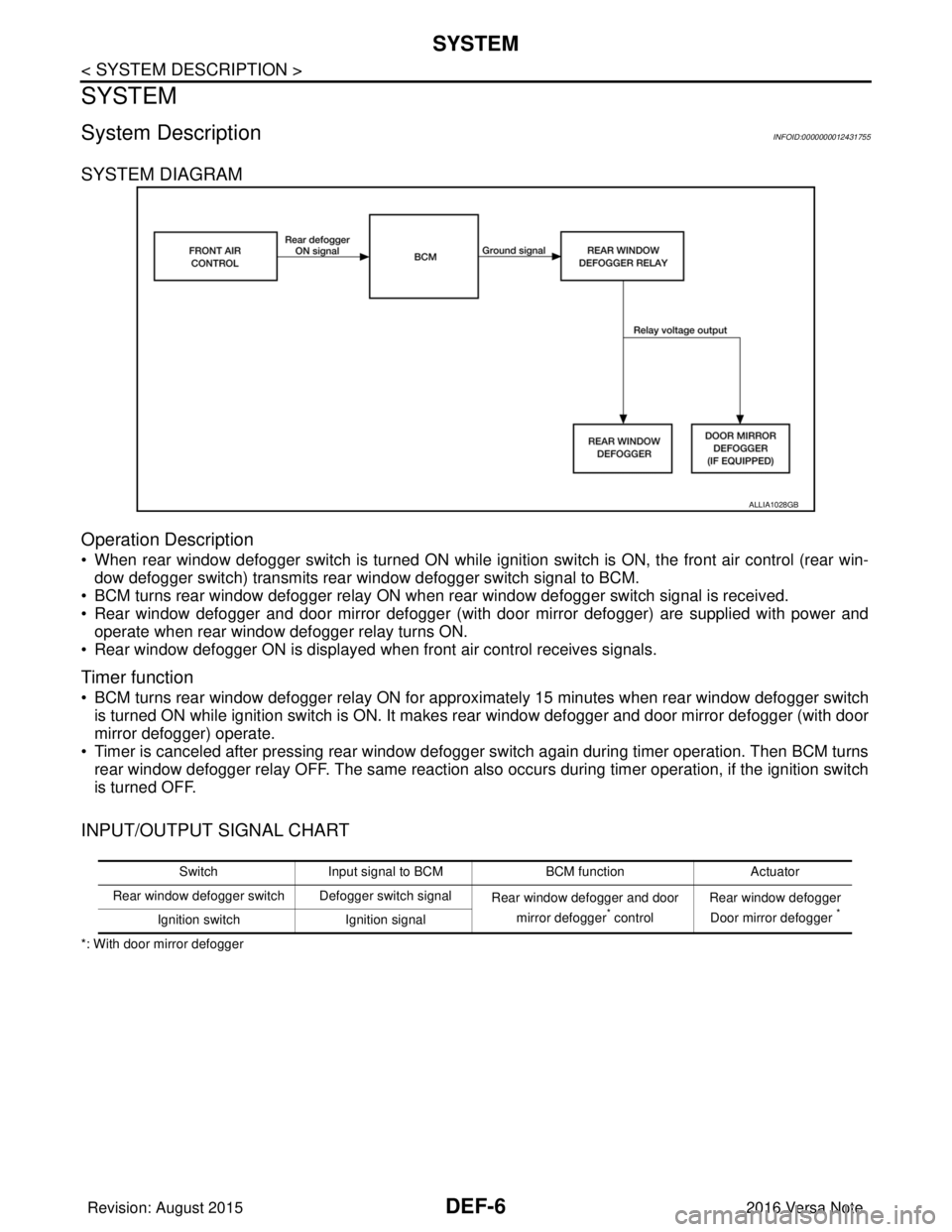
SYSTEM DIAGRAM
Operation Description
• When rear window defogger switch is turned ON while ignition switch is ON, the front air control (rear win-dow defogger switch) transmits rear window defogger switch signal to BCM.
• BCM turns rear window defogger relay ON when rear window defogger switch signal is received.
• Rear window defogger and door mirror defogger (with door mirror defogger) are supplied with power and operate when rear window defogger relay turns ON.
• Rear window defogger ON is displayed when front air control receives signals.
Timer function
• BCM turns rear window defogger relay ON for appr oximately 15 minutes when rear window defogger switch
is turned ON while ignition switch is ON. It makes rear window defogger and door mirror defogger (with door
mirror defogger) operate.
• Timer is canceled after pressing rear window defogger switch again during timer operation. Then BCM turns rear window defogger relay OFF. The same reaction also occurs during timer operation, if the ignition switch
is turned OFF.
INPUT/OUTPUT SIGNAL CHART
*: With door mirror defogger
ALLIA1028GB
Switch Input signal to BCM BCM functionActuator
Rear window defogger switch Defogger switch signal Rear window defogger and door
mirror defogger
* control Rear window defogger
Door mirror defogger *Ignition switch Ignition signal
Revision: August 2015 2016 Versa Note
cardiagn.com