check engine NISSAN NOTE 2016 Service Repair Manual
[x] Cancel search | Manufacturer: NISSAN, Model Year: 2016, Model line: NOTE, Model: NISSAN NOTE 2016Pages: 3641, PDF Size: 28.72 MB
Page 3226 of 3641
STEERING WHEELST-5
< BASIC INSPECTION >
C
DE
F
H I
J
K L
M A
B
ST
N
O P
BASIC INSPECTION
STEERING WHEEL
InspectionINFOID:0000000012430497
CONDITION OF INSTALLATION
• Check installation conditions of steering gear, front suspension, axle and steering column.
• Check if movement exists when steering wheel is mo ved up and down, to the left and right and to the axial
direction.
• Verify that the steering gear nuts are tightened to specification. Refer to ST-14, "
Exploded View".
STEERING WHEEL PLAY
1. Set the front wheels and tires in the straight-ahead position, start engine, then lightly turn steering wheel
to the left and right until the front wheels start to move. Measure steering wheel movement on the outer
circumference.
2. When the measurement value is outside the standard va lue, check backlash for each joint of steering col-
umn and installation condition of steering gear.
STEERING WHEEL NEUTRAL POSITION
Check steering wheel neutral position using the following procedure:
1. Confirm that front wheel alignment is correct. Refer to FSU-8, "
Adjustment".
2. Set the front wheels and tires in the straight-ahead posit ion, check if steering wheel is in the neutral posi-
tion.
3. If it is not in the neutral position, remo ve steering wheel and reinstall it correctly.
4. If the neutral position cannot be attained by repositi oning the steering wheel two teeth or less on steering
stem, loosen the steering gear outer socket lock nuts, then adjust the inner sockets by the same amount
in the opposite direction.
5. Re-check the front wheel alignment. Refer to FSU-8, "
Adjustment".
STEERING WHEEL TURNING FORCE
1. Park vehicle on a level and dry surface, set parking brake.
2. Tires need to be inflated normal pressure. Refer to WT-54, "
Tire Air Pressure".
3. Start engine.
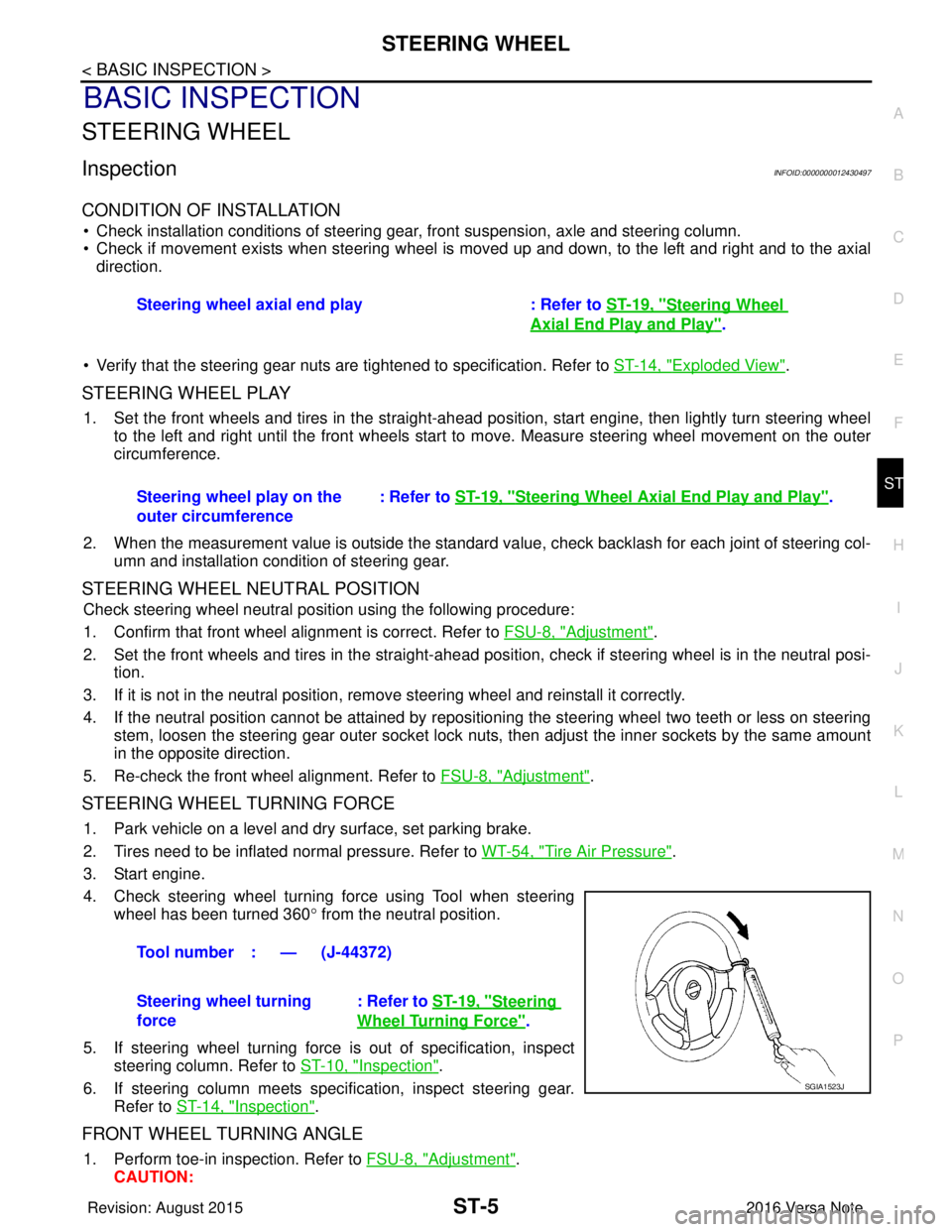
4. Check steering wheel turning force using Tool when steering wheel has been turned 360 ° from the neutral position.
5. If steering wheel turning force is out of specification, inspect steering column. Refer to ST-10, "
Inspection".
6. If steering column meets specification, inspect steering gear. Refer to ST-14, "
Inspection".
FRONT WHEEL TURNING ANGLE
1. Perform toe-in inspection. Refer to FSU-8, "Adjustment".
CAUTION: Steering wheel axial end play : Refer to
ST-19, "
Steering Wheel
Axial End Play and Play".
Steering wheel play on the
outer circumference : Refer to
ST-19, "
Steering Wheel Axia l End Play and Play".
Tool number : — (J-44372)
Steering wheel turning
force : Refer to
ST-19, "
Steering
Wheel Turning Force".
SGIA1523J
Revision: August 2015 2016 Versa Note
cardiagn.com
Page 3227 of 3641
ST-6
< BASIC INSPECTION >
STEERING WHEEL
Perform front wheel turning angle inspection, after toe-in inspection.
2. Place front wheels on turning radius gauges and rear wheels on stands, so that vehicle can be level.
3. Check the maximum inner and outer wheel turning angles for (LH/ RH) wheels and tires.
• With the engine at idle, turn steering wheel from full left stop tofull right stop and measure the turning angles.
• Check the following items when turning angle is out of the standard.
- Check rack stroke (L).
- Disassemble steering gear to check the cause that rack stroke is outside of the standard.
• Steering angles are not adjustable. Check steering gear, steer- ing column and front suspension components for wear or dam-
age if any of the turning angles are different from the specified
value. Replace any of them, if any non-standard condition
exists.
FAA0016D
Inner wheel (Angle: A) : Refer to ST-19, "Steering
Angle".
Outer wheel (Angle: B) : Refer to ST-19, "
Steering
Angle".
SGIA0055E
Rack stroke (L) : Refer to ST-20, "Rack Stroke".
JSGIA0272ZZ
Revision: August 2015 2016 Versa Note
cardiagn.com
Page 3248 of 3641
![NISSAN NOTE 2016 Service Repair Manual PRECAUTIONSTM-7
< PRECAUTION > [5MT: RS5F91R]
C
EF
G H
I
J
K L
M A
B
TM
N
O P
PRECAUTION
PRECAUTIONS
Precaution for Supplemental Restraint System (SRS) "AIR BAG" and "SEAT BELT
PRE-TENSIONER"
INFOID](/img/5/57363/w960_57363-3247.png "NISSAN NOTE 2016 Service Repair Manual PRECAUTIONSTM-7
< PRECAUTION > [5MT: RS5F91R]
C
EF
G H
I
J
K L
M A
B
TM
N
O P
PRECAUTION
PRECAUTIONS
Precaution for Supplemental Restraint System (SRS) \"AIR BAG\" and \"SEAT BELT
PRE-TENSIONER\"
INFOID")
PRECAUTIONSTM-7
< PRECAUTION > [5MT: RS5F91R]
C
EF
G H
I
J
K L
M A
B
TM
N
O P
PRECAUTION
PRECAUTIONS
Precaution for Supplemental Restraint System (SRS) "AIR BAG" and "SEAT BELT
PRE-TENSIONER"
INFOID:0000000012430936
The Supplemental Restraint System such as “AIR BAG” and “SEAT BELT PRE-TENSIONER”, used along
with a front seat belt, helps to reduce the risk or severi ty of injury to the driver and front passenger for certain
types of collision. Information necessary to service the system safely is included in the SR and SB section of
this Service Manual.
WARNING:
• To avoid rendering the SRS inoper ative, which could increase the risk of personal injury or death in
the event of a collision which would result in air bag inflation, all maintenance must be performed by
an authorized NISSAN/INFINITI dealer.
• Improper maintenance, including in correct removal and installation of the SRS, can lead to personal
injury caused by unintentional act ivation of the system. For removal of Spiral Cable and Air Bag
Module, see the SR section.
• Do not use electrical test equipm ent on any circuit related to the SRS unless instructed to in this
Service Manual. SRS wiring harnesses can be identi fied by yellow and/or orange harnesses or har-
ness connectors.
PRECAUTIONS WHEN USING POWER TOOLS (AIR OR ELECTRIC) AND HAMMERS
WARNING:
• When working near the Airbag Diagnosis Sensor Un it or other Airbag System sensors with the Igni-
tion ON or engine running, DO NOT use air or el ectric power tools or strike near the sensor(s) with a
hammer. Heavy vibration could activate the sensor( s) and deploy the air bag(s), possibly causing
serious injury.
• When using air or electric power tools or hammers, always switch the Ignition OFF, disconnect the
battery and wait at least three mi nutes before performing any service.
General PrecautionsINFOID:0000000012430937
CAUTION:
• Do not reuse CSC (Concentric Sl ave Cylinder). CSC slides back to th e original position every time
when removing transaxle assembly. At this time, du st on the sliding parts may damage the seal of
CSC and may cause clutch fluid leakage. Refer to CL-17, "
Removal and Installation".
• Do not reuse transaxle gear oi l, once it has been drained.
• Check oil level or replace gear oil with vehicle on level surface.
• During removal or installation, keep insi de of transaxle clear of dust or dirt.
• Check for the correct installation alignment prior to removal or disassembly. If matching marks are
required, be certain they do not interfer e with the function of the parts marked.
• In principle, tighten bolts or nu ts gradually in several steps workin g diagonally from inside to out-
side. If tightening sequence is specified, use it.
• Do not damage sliding surfaces and mating surfaces.
Precaution for WorkINFOID:0000000012430938
• When removing or disassembling each component, be ca reful not to damage or deform it. If a component
may be subject to interference, be sure to protect it with a shop cloth.
• When removing (disengaging) components with a screwdriver or similar tool, be sure to wrap the component with a shop cloth or vinyl tape to protect it.
• Protect the removed parts with a shop cloth and prevent them from being dropped.
• Replace a deformed or damaged clip.
• If a part is specified as a non-reusabl e part, always replace it with a new one.
• Be sure to tighten bolts and nuts securely to the specified torque.
• After installation is complete, be sure to check that each part works properly.
• Follow the steps below to clean components:
- Water soluble dirt:
• Dip a soft cloth into lukewarm water, wring the water out of the cloth and wipe the dirty area.
• Then rub with a soft, dry cloth.
Revision: August 2015 2016 Versa Note
cardiagn.com
Page 3258 of 3641
![NISSAN NOTE 2016 Service Repair Manual GEAR OILTM-17
< PERIODIC MAINTENANCE > [5MT: RS5F91R]
C
EF
G H
I
J
K L
M A
B
TM
N
O P
PERIODIC MAINTENANCE
GEAR OIL
InspectionINFOID:0000000012430947
GEAR OIL LEAKS
Make sure that gear oil is not l ea](/img/5/57363/w960_57363-3257.png "NISSAN NOTE 2016 Service Repair Manual GEAR OILTM-17
< PERIODIC MAINTENANCE > [5MT: RS5F91R]
C
EF
G H
I
J
K L
M A
B
TM
N
O P
PERIODIC MAINTENANCE
GEAR OIL
InspectionINFOID:0000000012430947
GEAR OIL LEAKS
Make sure that gear oil is not l ea")
GEAR OILTM-17
< PERIODIC MAINTENANCE > [5MT: RS5F91R]
C
EF
G H
I
J
K L
M A
B
TM
N
O P
PERIODIC MAINTENANCE
GEAR OIL
InspectionINFOID:0000000012430947
GEAR OIL LEAKS
Make sure that gear oil is not l eaking from transaxle or around it.
GEAR OIL LEVEL
1. Remove filler plug (1) and gasket from transaxle case.
2. Check the gear oil level from filler plug hole as shown.
CAUTION:
Do not start engine whil e checking gear oil level.
3. Install a new gasket on filler plug and then install filler plug to transaxle case.
CAUTION:
Do not reuse gasket.
4. Tighten filler plug to the specified torque. Refer to TM-26,
"Exploded View".
DrainingINFOID:0000000012430948
1. Start engine and let it run to warm up transaxle.
2. Stop engine. Remove drain plug (1) and gasket, using suitable
tool and then drain gear oil.
3. Install a new gasket on drain plug (1) and install drain plug to clutch housing, using suitable tool.
CAUTION:
Do not reuse gasket.
4. Tighten drain plug (1) to the specified torque. Refer to TM-26,
"Exploded View".
RefillingINFOID:0000000012430949
1. Remove filler plug (1) and gasket from transaxle case.
2. Fill with new gear oil until gear oil level reaches the specified limit at filler plug hole as shown.
CAUTION:
Do not start engine whil e checking gear oil level.
3. Install a new gasket on filler plug and then install filler plug to transaxle case.
CAUTION:
Do not reuse gasket.
4. Tighten filler plug to the specified torque. Refer to TM-26, "
Exploded View".
SCIA7119E
PCIB1504E
Oil capacity
and viscosity: Refer to
MA-11, "Fluids and Lubri-
cants".
SCIA7119E
Revision: August 2015 2016 Versa Note
cardiagn.com
Page 3266 of 3641
![NISSAN NOTE 2016 Service Repair Manual TRANSAXLE ASSEMBLYTM-25
< UNIT REMOVAL AND INSTALLATION > [5MT: RS5F91R]
C
EF
G H
I
J
K L
M A
B
TM
N
O P
• Do not reuse self-tapping bolt.
• Tighten transaxle assembly bolts to the specified torqu](/img/5/57363/w960_57363-3265.png "NISSAN NOTE 2016 Service Repair Manual TRANSAXLE ASSEMBLYTM-25
< UNIT REMOVAL AND INSTALLATION > [5MT: RS5F91R]
C
EF
G H
I
J
K L
M A
B
TM
N
O P
• Do not reuse self-tapping bolt.
• Tighten transaxle assembly bolts to the specified torqu")
TRANSAXLE ASSEMBLYTM-25
< UNIT REMOVAL AND INSTALLATION > [5MT: RS5F91R]
C
EF
G H
I
J
K L
M A
B
TM
N
O P
• Do not reuse self-tapping bolt.
• Tighten transaxle assembly bolts to the specified torque. The illus- tration is the view from the engine.
InspectionINFOID:0000000012430963
INSPECTION AFTER INSTALLATION
• Check the operation of the control linkage. Refer to TM-21, "Inspection".
• Before starting engine, check oil/fluid levels incl uding engine coolant and engine oil. If less than required
quantity, fill to the specified level. Refer to MA-11, "
Fluids and Lubricants".
• Use procedure below to check for fuel leaks.
• Turn ignition switch ON (with engine stopped). With fuel pressure applied to fuel piping, check for fuel leaks at connection points.
• Start engine. With engine speed increased, check again for fuel leaks at connection points.
• Run engine to check for unusual noise and vibration. NOTE:
If hydraulic pressure inside timing chain tensioner drops after removal and installation, slack in the guide
may generate a pounding noise during and just after engine start. However, this is normal. Noise will stop
after hydraulic pressure rises.
• Warm up engine thoroughly to make sure there is no lea ks of fuel, exhaust gas, or any oils/fluids including
engine oil and engine coolant.
• Bleed air from passages in lines and hoses, such as in cooling system.
• After cooling down engine, again check oil/fluid levels including engine oil and engine coolant. Refill to spec-
ified level, if necessary.
• Summary of the inspection items:
*Power steering fluid, brake fluid, etc.
Bolt symbol
ABC D
Insertion direction Transaxle to
engine Engine to transaxle
Quantity 2321
Bolt length
() mm (in) 55 (2.17)
49 (1.93) 69 (2.72)
Tightening torque
N·m (kg-m, ft-lb) 48.0 (4.9, 35)
JPDIC0813ZZ
Item
Before starting engine Engine runningAfter engine stopped
Engine coolant LevelLeaks Level
Engine oil LevelLeaks Level
Transmission/
transaxle fluid CVT Models
LeaksLevel/Leaks Leaks
M/T Models Level/Leaks LeaksLevel/Leaks
Other oils and fluids* LevelLeaks Level
Fuel LeaksLeaks Leaks
Exhaust gas —Leaks —
Revision: August 2015 2016 Versa Note
cardiagn.com
Page 3309 of 3641
![NISSAN NOTE 2016 Service Repair Manual TM-68
< SYSTEM DESCRIPTION >[CVT: RE0F11A]
COMPONENT PARTS
TIMING CHART
CVT CONTROL SYSTEM : Sh
ift Position IndicatorINFOID:0000000012431007
TCM transmits shift position signal to combination meter v](/img/5/57363/w960_57363-3308.png "NISSAN NOTE 2016 Service Repair Manual TM-68
< SYSTEM DESCRIPTION >[CVT: RE0F11A]
COMPONENT PARTS
TIMING CHART
CVT CONTROL SYSTEM : Sh
ift Position IndicatorINFOID:0000000012431007
TCM transmits shift position signal to combination meter v")
TM-68
< SYSTEM DESCRIPTION >[CVT: RE0F11A]
COMPONENT PARTS
TIMING CHART
CVT CONTROL SYSTEM : Sh
ift Position IndicatorINFOID:0000000012431007
TCM transmits shift position signal to combination meter via CAN communication. The actual shift position is
displayed on combination meter according to the signal.
CVT CONTROL SYSTEM : Malfunc tion Indicator Lamp (MIL)INFOID:0000000012431008
The malfunction indicator lamp (MIL) is located on the combination
meter.
The MIL will illuminate when the ignition switch is turned ON without
the engine running. This is a bulb check.
When the engine is started, the MIL should turn off. If the MIL
remains illuminated, the on board diagnostic system has detected an
engine system malfunction.
For details, refer to EC-57, "
DIAGNOSIS DESCRIPTION : Malfunc-
tion Indicator Lamp (MIL)".
SHIFT LOCK SYSTEM
SHIFT LOCK SYSTEM : Co mponent Parts LocationINFOID:0000000012431009
JSDIA3607GB
JSBIA1315ZZ
ALDIA0267ZZ
Revision: August 2015 2016 Versa Note
cardiagn.com
Page 3319 of 3641
![NISSAN NOTE 2016 Service Repair Manual TM-78
< SYSTEM DESCRIPTION >[CVT: RE0F11A]
SYSTEM
·*: If these input/output signals show erro
rs, TCM activates the fail-safe function.
CVT CONTROL SYSTEM : Fail-safeINFOID:0000000012431019
TCM has a](/img/5/57363/w960_57363-3318.png "NISSAN NOTE 2016 Service Repair Manual TM-78
< SYSTEM DESCRIPTION >[CVT: RE0F11A]
SYSTEM
·*: If these input/output signals show erro
rs, TCM activates the fail-safe function.
CVT CONTROL SYSTEM : Fail-safeINFOID:0000000012431019
TCM has a")
TM-78
< SYSTEM DESCRIPTION >[CVT: RE0F11A]
SYSTEM
·*: If these input/output signals show erro
rs, TCM activates the fail-safe function.
CVT CONTROL SYSTEM : Fail-safeINFOID:0000000012431019
TCM has a fail-safe mode. The mode functions so that operation can be continued even if the signal circuit of
the main electronically contro lled input/output parts is damaged.
If the vehicle shows following behaviors including “poor acceleration”, a malfunction of the applicable system
is detected by TCM and the vehicle may be in a fail-sa fe mode. At this time, check the DTC code and perform
inspection and repair according to the malfunction diagnosis procedures.
Fail-safe function
Output Line pressure solenoid valve
××× ×
Primary pressure solenoid valve ××
Torque converter clutch solenoid
valve ××
High clutch & reverse brake solenoid
valve ×××
Low brake solenoid valve ×××
Shift position indicator
(CAN communication) ×
OD OFF indicator lamp
(CAN communication) ×
Control Item
Shift controlLine pressure
control Select control Lock-up con-
trol Fail-safe func-
tion *
DTC Vehicle behavior Conditions of vehicle
P062F Not changed from normal driving —
P0705 • Shift position indicator on combination meter is not dis-
played.
• Selector shock is large
•Start is slow
• Acceleration is slow
• Lock-up is not performed —
P0706 • Shift position indicator on combination meter is not dis-
played.
• Selector shock is large
•Start is slow
• Acceleration is slow
• Lock-up is not performed —
P0711 Acceleration is slow
Engine coolant temperature when engine start: Temp. ≥
10 °C (50 °F)
• Selector shock is large
•Start is slow Engine coolant temperature when engine start: −
35°C ( −
31 °F) ≤Te m p . < 1 0 °C (50 °F)
• Selector shock is large
•Start is slow Engine coolant temperature when engine start: Temp. <
−
35 °C ( −31 °F)
P0712 Acceleration is slow
Engine coolant temperature when engine start: Temp. ≥
10 °C (50 °F)
• Selector shock is large
•Start is slow Engine coolant temperature when engine start: −
35°C ( −
31 °F) ≤Te m p . < 1 0 °C (50 °F)
• Selector shock is large
•Start is slow Engine coolant temperature when engine start: Temp. <
−
35 °C ( −31 °F)
Revision: August 2015 2016 Versa Note
cardiagn.com
Page 3332 of 3641
![NISSAN NOTE 2016 Service Repair Manual DIAGNOSIS SYSTEM (TCM)TM-91
< SYSTEM DESCRIPTION > [CVT: RE0F11A]
C
EF
G H
I
J
K L
M A
B
TM
N
O P
DIAGNOSIS SYSTEM (TCM)
DIAGNOSIS DESCRIPTION
DIAGNOSIS DESCRIPTION : 1 Tr ip Detection Diagnosis and 2](/img/5/57363/w960_57363-3331.png "NISSAN NOTE 2016 Service Repair Manual DIAGNOSIS SYSTEM (TCM)TM-91
< SYSTEM DESCRIPTION > [CVT: RE0F11A]
C
EF
G H
I
J
K L
M A
B
TM
N
O P
DIAGNOSIS SYSTEM (TCM)
DIAGNOSIS DESCRIPTION
DIAGNOSIS DESCRIPTION : 1 Tr ip Detection Diagnosis and 2")
DIAGNOSIS SYSTEM (TCM)TM-91
< SYSTEM DESCRIPTION > [CVT: RE0F11A]
C
EF
G H
I
J
K L
M A
B
TM
N
O P
DIAGNOSIS SYSTEM (TCM)
DIAGNOSIS DESCRIPTION
DIAGNOSIS DESCRIPTION : 1 Tr ip Detection Diagnosis and 2 Trip Detection Diagno-
sis
INFOID:0000000012431028
NOTE:
“Start the engine and turn OFF the ignition switch after warm-up.” This is defined as 1 trip.
1 TRIP DETECTION DIAGNOSIS
When initial malfunction is detected, TCM memorize s DTC. In these diagnoses, some illuminate MIL and
some do not. Refer to TM-110, "
DTC Index".
2 TRIP DETECTION DIAGNOSIS
When initial malfunction is detected, TCM memorizes DTC of the 1st trip. MIL does not light at this stage. <1
trip>
If the same malfunction is detected again in next drivi ng, TCM memorizes DTC. When DTC is memorized, MIL
lights. <2 trip>
“Trip” of the “2 trip detection diagnosis” indicates the driving mode that executes self-diagnosis during driving.
×: Check possible —: Check not possible
DIAGNOSIS DESCRIPTION : DTC and DTC of 1st TripINFOID:0000000012431029
2 TRIP DETECTION DIAGNOSIS THAT ILLUMINATES MIL
• The DTC number of the 1st trip is the same as the DTC number.
• When a malfunction is detected at the 1st trip, TCM memo rizes DTC of the 1st trip. MIL does not light at this
stage. If the same malfunction is not detected at t he 2nd trip (conforming to necessary driving conditions),
DTC at the 1st trip is erased from TCM. If the same malfunction is detected at the 2nd trip, TCM memorizes
DTC and MIL lights at the same time.
• The DTC of the 1st trip is specified in Service $01 of SAE J1979/ISO 15031-5. Since detection of DTC at the
1st trip does not illuminate MIL, warning for a problem is not given to a driver.
• For procedure to delete DTC and 1st trip DTC from TCM, refer to TM-93, "
CONSULT Function".
• If DTC of the 1st trip is detected, it is necessary to check the cause according to the “Diagnosis flow”. Refer to TM-122, "
Flowchart of Trouble Diagnosis".
DIAGNOSIS DESCRIPTION : Malfunction Indicator Lamp (MIL)INFOID:0000000012431030
• TCM not only detects DTC, but also sends the MI L signal to ECM through CAN communication. ECM sends
the MIL signal to the combination meter through CAN communication according to the signal, and illumi-
nates MIL.
• For malfunction indicator lamp (MIL) description, refer to EC-57, "
DIAGNOSIS DESCRIPTION : Malfunction
Indicator Lamp (MIL)".
DIAGNOSIS DESCRIPTION : Counter SystemINFOID:0000000012431031
RELATION BETWEEN DTC AT 1ST TRIP/DTC/MIL AND DRIVING CONDITIONS (FOR 2 TRIP DE-
TECTION DIAGNOSIS THAT ILLUMINATES MIL)
• When initial malfunction is detected, TCM memorizes DTC of the 1st trip. MIL does not light at this stage.
• If the same malfunction is detected at the 2nd trip, TCM memorizes DTC and MIL lights at the same time.
• Then, MIL goes after driving the vehicle for 3 tr ips under “Driving condition B” without malfunction.
• DTC is displayed until 40 trips of “Driving condition A” are satisfied without detecting the same malfunction.
DTC is erased when 40 trips are satisfied.
Item DTC at the 1st trip
DTCMIL
Display at the 1st trip Display at the
2nd trip Display at the
1st trip Display at the
2nd trip Illumination at
the 1st trip Illumination at
the 2nd trip
1 trip detection diagnosis
(Refer to TM-110, "
DTC Index")——
×— ×—
2 trip detection diagnosis
(Refer to TM-110, "
DTC Index") ×
—— ×— ×
Revision: August 2015 2016 Versa Note
cardiagn.com
Page 3335 of 3641
![NISSAN NOTE 2016 Service Repair Manual TM-94
< SYSTEM DESCRIPTION >[CVT: RE0F11A]
DIAGNOSIS SYSTEM (TCM)
SELF DIAGNOSTIC RESULTS
Display Item List
Refer to
TM-110, "DTC Index".
DTC at 1st trip and method to read DTC
• DTC (P0705, P0711](/img/5/57363/w960_57363-3334.png "NISSAN NOTE 2016 Service Repair Manual TM-94
< SYSTEM DESCRIPTION >[CVT: RE0F11A]
DIAGNOSIS SYSTEM (TCM)
SELF DIAGNOSTIC RESULTS
Display Item List
Refer to
TM-110, \"DTC Index\".
DTC at 1st trip and method to read DTC
• DTC (P0705, P0711")
TM-94
< SYSTEM DESCRIPTION >[CVT: RE0F11A]
DIAGNOSIS SYSTEM (TCM)
SELF DIAGNOSTIC RESULTS
Display Item List
Refer to
TM-110, "DTC Index".
DTC at 1st trip and method to read DTC
• DTC (P0705, P0711, P0720, etc.) is specified by SAE J2012/ISO 15031-6.
• DTC and DTC at 1st trip are displayed on “Self Diagnostic results” of CONSULT.
When DTC is currently detected, “CRNT” is displayed. If “PAST” is displayed, it shows a malfunction
occurred in the past.The trip number of drive without malfunction of concerned DTC can be confirmed with
“IGN counter” inside “FFD”.
• When the DTC at the 1st trip is detected, the “timing” is displayed as “1t”.
DTC deletion method
NOTE:
• If the battery terminal is disconnected, the TCM memory is erased. (The disconnection time varies from sev- eral seconds to several hours.
• If the ignition switch is left ON after repair, turn OFF the ignition switch and wait for 10 seconds or more.
Then, turn the ignition ON again. (Engine stop)
1. Touch “TRANSMISSION” of CONSULT.
2. Touch “Self Diagnostic Result”.
3. Touch “Erase”. (DTC memorized in TCM is erased.)
IGN counter
The ignition counter is displayed in “FFD” and the number of times of satisfied “Driving condition A” is dis-
played after normal recovery of DTC. Refer to TM-91, "
DIAGNOSIS DESCRIPTION : Counter System".
• If malfunction (DTC) is currently detected, “0” is displayed.
• After normal recovery, every time “Driving condition A” is satisfied, the display value increases from 1 → 2 →
3...38 → 39.
• When MIL turns OFF due to the malfunction and t he counter reaches 40, the DTC is erased.
NOTE:
The counter display of “40” cannot be checked.
DATA MONITOR
NOTE:
The following table includes information (items) inapplicable to this vehicle. For information (items) applicable
to this vehicle, refer to CONSULT display items.
× : Application : Optional selection
CAN Diagnosis Support Mon-
itor It monitors the status of CAN communication.
ECU Identification Display the ECU identification nu mber (part number etc.) of the selected system.
CALIB DATA The calibration data status of TCM can be checked.
Conditions
Function
Monitored item(Unit)Monitor item selection
Remarks
MAIN SIG-
NALS ECU IN-
PUT SIG- NALS
VSP SENSOR (km/h or mph) ×Displays the vehicle speed calculated from the CVT out-
put shaft speed.
ESTM VSP SIG (km/h or mph) ×Displays the vehicle spee
d signal (ABS) received
through CAN communication.
PRI SPEED SEN (rpm) ×Displays the primary pulley speed calculated from the
pulse signal of the primary speed sensor.
SEC REV SENSOR (rpm) ×Displays the secondary pulley speed calculated from the
pulse signal of the secondary speed sensor.
VHCL/S SE (REV) (rpm) ×Displays the CVT output shaft speed calculated from the
pulse signal of the output speed sensor.
ENG SPEED SIG (rpm) ×Displays the engine speed received through CAN com-
munication.
Revision: August 2015
2016 Versa Note
cardiagn.com
Page 3339 of 3641
![NISSAN NOTE 2016 Service Repair Manual TM-98
< SYSTEM DESCRIPTION >[CVT: RE0F11A]
DIAGNOSIS SYSTEM (TCM)
WORK SUPPORT
*: “Clutch point learning” can
be selected, but do not use it.
Engine brake adjustment
Check the degradation level o](/img/5/57363/w960_57363-3338.png "NISSAN NOTE 2016 Service Repair Manual TM-98
< SYSTEM DESCRIPTION >[CVT: RE0F11A]
DIAGNOSIS SYSTEM (TCM)
WORK SUPPORT
*: “Clutch point learning” can
be selected, but do not use it.
Engine brake adjustment
Check the degradation level o")
TM-98
< SYSTEM DESCRIPTION >[CVT: RE0F11A]
DIAGNOSIS SYSTEM (TCM)
WORK SUPPORT
*: “Clutch point learning” can
be selected, but do not use it.
Engine brake adjustment
Check the degradation level of the CVT fluid.
G SEN SLOPE (%) Displays the gradient angle calculated from the G sensor
signal voltage.
ENGBRKLVL (On/Off) Displays the setting of “ENGINE BRAKE ADJ” in “Work
Support”.
PVIGN VOLT (V) ×Displays the backup voltage of TCM.
TRGT AUX GR RATIO Displays the target gear ratio of the auxiliary gearbox cal-
culated from processing of gear shift control.
G SEN CALIBRATION (YET/DONE) Displays the status of “G
SENSOR CALIBRATION” in
“Work Support”.
N IDLE STATUS (On/Off) Displays idle neutral status.
CVT-B • Displays CVT fluid temperature count.
• This monitor item does not use.
CVT-A • Displays CVT fluid temperature count.
• This monitor item does not use.
Monitored item
(Unit)Monitor item selection
Remarks
MAIN SIG-
NALS ECU IN-
PUT SIG-
NALS
Item name Description
ENGINE BRAKE ADJ. Although there is no malfunction on the transaxle and the CVT system, if a customer
make a complaint like “I do not feel comfortable with automatic operation of the engine
brake on downhill”, the engine brake may be cancelled with “engine brake adjust-
ment”.
CONFORM CVTF DETERIORTN Check the degradation level of the CVT fluid under severe conditions.
G SENSOR CALIBRATION Compensate the G sensor.
ERASE CALIBRATION DATA Erase the calibration data memorized by TCM.
ERASE LEARNING VALUE Erase the learning value me morized by TCM.
ERASE MEMORY DATA Perform “erasing of the calibration data” and “erasing of the learned value” at the same
time.
CLUTCH POINT LEARNING* Allow learning of the clutch engagement point of the auxiliary gearbox for TCM.
ENGINE BRAKE LEVEL
ON : Turn ON the engine brake control.
OFF : Turn OFF the engine brake control.
CVTF degradation level data
210,000 or more : Replacement of the CVT fluid is required.
Less than 210,000 : Replacement of the CVT fluid is not required.
Revision: August 2015 2016 Versa Note
cardiagn.com