service NISSAN NOTE 2016 Service Repair Manual
[x] Cancel search | Manufacturer: NISSAN, Model Year: 2016, Model line: NOTE, Model: NISSAN NOTE 2016Pages: 3641, PDF Size: 28.72 MB
Page 1 of 3641

ACC-1
ENGINE
C
DE
F
G H
I
J
K L
M
SECTION ACC
A
ACC
N
O P
CONTENTS
ACCELERATOR CONTROL SYSTEM
PRECAUTION ....... ........................................2
PRECAUTIONS .............................................. .....2
Precaution for Supplemental Restraint System
(SRS) "AIR BAG" and "SEAT BELT PRE-TEN-
SIONER" ............................................................. ......
2
REMOVAL AND INSTALLATION ................3
ACCELERATOR CONTROL SYSTEM .......... .....3
Exploded View .................................................... ......3
Removal and Installation ..................................... .....3
Inspection .................................................................3
SERVICE DATA AND SPECIFICATIONS
(SDS) ............... .......................................... ....
5
SERVICE DATA AND SPECIFICATIONS
(SDS) ..................................................................
5
Accelerator Control .............................................. .....5
Revision: August 2015 2016 Versa Note
cardiagn.com
Page 2 of 3641

ACC-2
< PRECAUTION >
PRECAUTIONS
PRECAUTION
PRECAUTIONS
Precaution for Supplemental Restraint System (SRS) "AIR BAG" and "SEAT BELT
PRE-TENSIONER"
INFOID:0000000012432475
The Supplemental Restraint System such as “A IR BAG” and “SEAT BELT PRE-TENSIONER”, used along
with a front seat belt, helps to reduce the risk or severity of injury to the driver and front passenger for certain
types of collision. Information necessary to service the system safely is included in the SR and SB section of
this Service Manual.
WARNING:
• To avoid rendering the SRS inopera tive, which could increase the risk of personal injury or death in
the event of a collision which would result in air bag inflation, all maintenance must be performed by
an authorized NISSAN/INFINITI dealer.
• Improper maintenance, including in correct removal and installation of the SRS, can lead to personal
injury caused by unintent ional activation of the system. For re moval of Spiral Cable and Air Bag
Module, see the SR section.
• Do not use electrical test equipmen t on any circuit related to the SRS unless instructed to in this
Service Manual. SRS wiring harn esses can be identified by yellow and/or orange harnesses or har-
ness connectors.
PRECAUTIONS WHEN USING POWER TOOLS (AIR OR ELECTRIC) AND HAMMERS
WARNING:
• When working near the Airbag Diagnosis Sensor Unit or other Airbag System sensors with the Igni-
tion ON or engine running, DO NOT use air or electri c power tools or strike near the sensor(s) with a
hammer. Heavy vibration could activate the sensor( s) and deploy the air bag(s), possibly causing
serious injury.
• When using air or electric power tools or hammers , always switch the Ignition OFF, disconnect the
battery and wait at least three minutes before performing any service.
Revision: August 2015 2016 Versa Note
cardiagn.com
Page 5 of 3641
SERVICE DATA AND SPECIFICATIONS (SDS)ACC-5
< SERVICE DATA AND SPECIFICATIONS (SDS)
C
DE
F
G H
I
J
K L
M A
ACC
NP
O
SERVICE DATA AND SPECIFICATIONS (SDS)
SERVICE DATA AND SPECIFICATIONS (SDS)
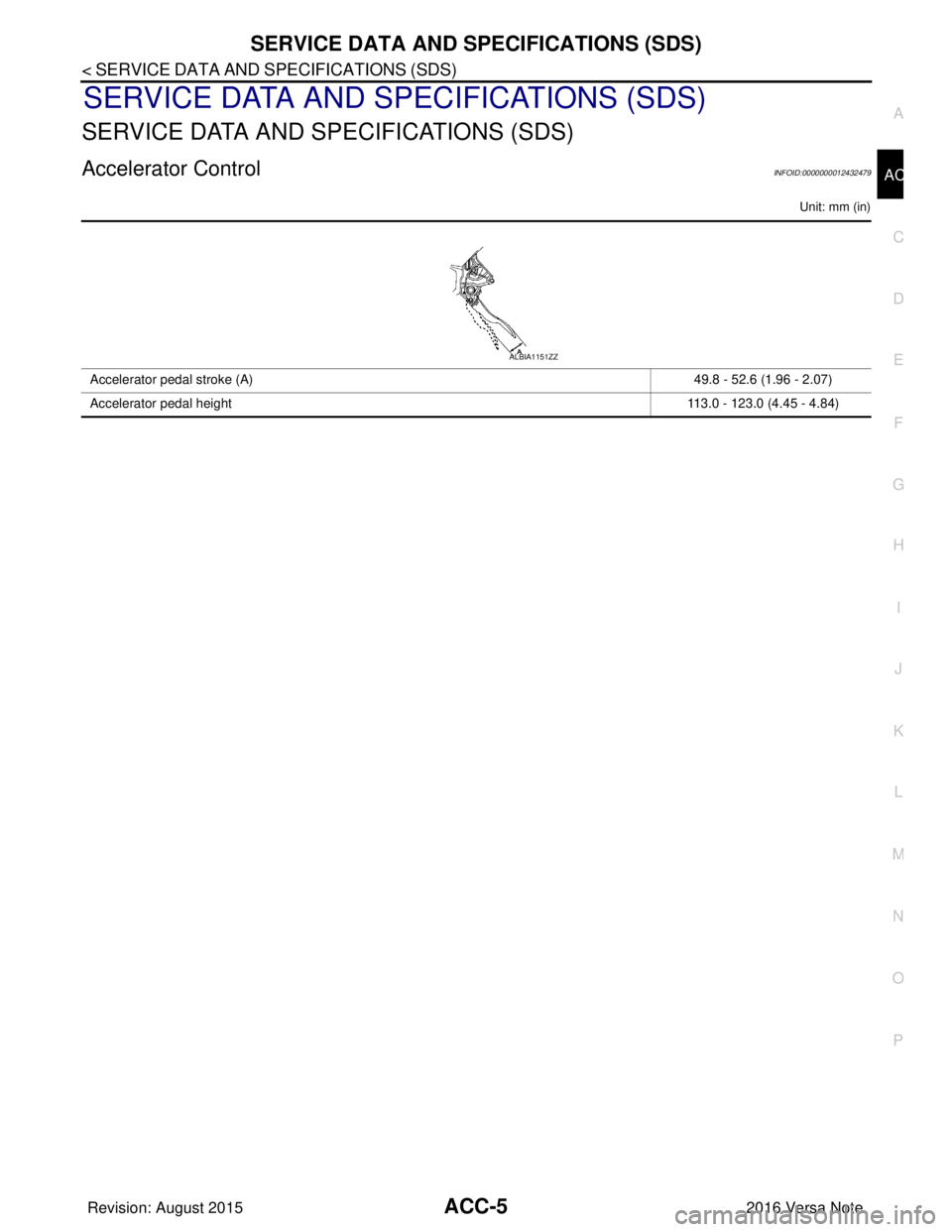
Accelerator ControlINFOID:0000000012432479
Unit: mm (in)
Accelerator pedal stroke (A)
49.8 - 52.6 (1.96 - 2.07)
Accelerator pedal height 113.0 - 123.0 (4.45 - 4.84)
ALBIA1151ZZ
Revision: August 20152016 Versa Note
cardiagn.com
Page 6 of 3641

AV
AV-1
DRIVER INFORMATION & MULTIMEDIA
C
DE
F
G H
I
J
K L
M B
SECTION AV
A
O P
CONTENTS
AUDIO, VISUAL & NAVIGATION SYSTEM
BASE AUDIO
PRECAUTION ....... ........................................
6
PRECAUTIONS .............................................. .....6
Precaution for Supplemental Restraint System
(SRS) "AIR BAG" and "SEAT BELT PRE-TEN-
SIONER" ............................................................. ......
6
Precaution for Work ..................................................6
PREPARATION ............................................7
PREPARATION .............................................. .....7
Special Service Tools .......................................... ......7
Commercial Service Tools ........................................7
SYSTEM DESCRIPTION ..............................8
COMPONENT PARTS ................................... .....8
Component Parts Location .................................. ......8
Audio unit ..................................................................8
Speaker .....................................................................9
Bluetooth® Control Unit ............................................9
Bluetooth® Antenna ................................................10
Steering Wheel Audio Control Switches .................10
Microphone .............................................................10
Rod Antenna, Antenna Amp. and Antenna Feeder
....
10
SYSTEM .............................................................12
System Description ............................................. ....12
DIAGNOSIS SYSTEM (AUDIO UNIT) ................14
Diagnosis Description ......................................... ....14
On Board Diagnosis Function .................................14
DIAGNOSIS SYSTEM (BLUETOOTH® CON-
TROL UNIT) ........................................................
17
Diagnosis Description .............................................17
Work Flow ...............................................................17
ECU DIAGNOSIS INFORMATION ..............18
AUDIO UNIT ......................................................18
Reference Value .................................................. ....18
BLUETOOTH® CONTROL UNIT ......................21
Reference Value ......................................................21
WIRING DIAGRAM ......................................24
BASE AUDIO ....................................................24
Wiring Diagram .................................................... ....24
BASIC INSPECTION ...................................33
DIAGNOSIS AND REPAIR WORKFLOW ........33
Work Flow ............................................................ ....33
DTC/CIRCUIT DIAGNOSIS .........................35
POWER SUPPLY AND GROUND CIRCUIT ....35
AUDIO UNIT ........................................................... ....35
AUDIO UNIT : Diagnosis Procedure .......................35
BLUETOOTH® CONTROL UNIT .......................... ....35
BLUETOOTH® CONTROL UNIT : Diagnosis Pro-
cedure ......................................................................
35
FRONT DOOR SPEAKER ................................37
Diagnosis Procedure ...............................................37
REAR DOOR SPEAKER ..................................39
Diagnosis Procedure ...............................................39
BLUETOOTH® VOICE SIGNAL CIRCUIT .......41
Diagnosis Procedure ...............................................41
BLUETOOTH® CONTROL SIGNAL CIRCUIT ...43
Diagnosis Procedure ........................................... ....43
MICROPHONE SIGNAL CIRCUIT ....................44
Diagnosis Procedure ...............................................44
STEERING SWITCH .........................................46
Diagnosis Procedure ...............................................46
Revision: August 2015 2016 Versa Note
cardiagn.com
Page 7 of 3641

AV-2
SYMPTOM DIAGNOSIS .............................48
AUDIO SYSTEM ............................................. ...48
Symptom Table ................................................... ...48
NORMAL OPERATING CONDITION ................51
Description ........................................................... ...51
REMOVAL AND INSTALLATION ...............53
AUDIO UNIT ................................................... ...53
Exploded View ..................................................... ...53
Removal and Installation ........................................53
FRONT DOOR SPEAKER .............................. ...54
Removal and Installation ..................................... ...54
REAR DOOR SPEAKER ................................ ...55
Removal and Installation ..................................... ...55
BLUETOOTH® CONTROL UNIT ......................56
Removal and Installation ........................................56
BLUETOOTH® ANTENNA ................................57
Removal and Installation ..................................... ...57
STEERING SWITCH ..........................................58
Removal and Installation ..................................... ...58
MICROPHONE ...................................................59
Removal and Installation ..................................... ...59
ROD ANTENNA .................................................60
Exploded View ..................................................... ...60
Removal and Installation ........................................60
ANTENNA FEEDER ....................................... ...61
Feeder Layout ..................................................... ...61
DISPLAY AUDIO
PRECAUTION .............. ...............................
62
PRECAUTIONS .............................................. ...62
Precaution for Supplemental Restraint System
(SRS) "AIR BAG" and "SEAT BELT PRE-TEN-
SIONER" .............................................................. ...
62
Precaution for Trouble Diagnosis ...........................62
Precaution for Harness Repair ...............................62
Precaution for Work ................................................63
PREPARATION ...........................................64
PREPARATION .............................................. ...64
Special Service Tools .......................................... ...64
Commercial Service Tools ......................................64
SYSTEM DESCRIPTION ............................65
COMPONENT PARTS .................................... ...65
Component Parts Location .................................. ...65
Audio Unit ...............................................................65
Speaker ..................................................................66
USB Interface and AUX In Jack .............................66
Steering Wheel Audio Control Switches .............. ...67
Microphone .............................................................67
Rear View Camera ..................................................67
Rod Antenna, Antenna Amp., Satellite Antenna
and Antenna Feeder ...............................................
67
SYSTEM ............................................................69
System Description .............................................. ...69
DIAGNOSIS SYSTEM (AUDIO UNIT) ...............71
Description ........................................................... ...71
On Board Diagnosis Function .................................71
ECU DIAGNOSIS INFORMATION .............76
AUDIO UNIT ......................................................76
Reference Value .................................................. ...76
WIRING DIAGRAM ....................................80
DISPLAY AUDIO ............................................ ...80
Wiring Diagram .................................................... ...80
BASIC INSPECTION ..................................91
DIAGNOSIS AND REPAIR WORKFLOW ...... ...91
Work Flow ............................................................ ...91
INSPECTION AND ADJUSTMENT ...................93
REGISTRATION (AUDIO UNIT) ............................ ...93
REGISTRATION (AUDIO UNIT) : Description ........93
REGISTRATION (AUDIO UNIT) : Work Proce-
dure .........................................................................
93
DTC/CIRCUIT DIAGNOSIS ........................95
POWER SUPPLY AND GROUND CIRCUIT .. ...95
AUDIO UNIT ........................................................... ...95
AUDIO UNIT : Diagnosis Procedure .......................95
FRONT DOOR SPEAKER .................................96
Diagnosis Procedure ............................................ ...96
REAR DOOR SPEAKER ...................................98
Diagnosis Procedure ............................................ ...98
REAR VIEW CAMERA IMAGE SIGNAL CIR-
CUIT ..................................................................
100
Diagnosis Procedure ............................................ .100
MICROPHONE SIGNAL CIRCUIT ...................102
Diagnosis Procedure ............................................ .102
STEERING SWITCH .........................................104
Diagnosis Procedure ............................................ .104
USB CONNECTOR ..........................................106
Diagnosis Procedure ............................................ .106
AUXILIARY INPUT JACK ................................107
Diagnosis Procedure ............................................ .107
Revision: August 2015 2016 Versa Note
cardiagn.com
Page 8 of 3641

AV
AV-3
C
DE
F
G H
I
J
K L
M B
A
O P
SYMPTOM DIAGNOSIS ..... .......................108
AUDIO SYSTEM ............................................. ..108
Symptom Table ................................................... ..108
NORMAL OPERATING CONDITION ...............111
Description .......................................................... ..111
REMOVAL AND INSTALLATION .............113
AUDIO UNIT ................................................... ..113
Exploded View .................................................... ..113
Removal and Installation .......................................113
FRONT DOOR SPEAKER ............................. ..114
Removal and Installation .......................................114
REAR DOOR SPEAKER ................................ ..115
Removal and Installation .......................................115
USB INTERFACE ........................................... ..116
Removal and Installation .......................................116
AUXILIARY INPUT JACK .............................. ..117
Removal and Installation .......................................117
REAR VIEW CAMERA ................................... ..118
Removal and Installation .......................................118
BLUETOOTH® CONTROL UNIT ................... ..119
Removal and Installation .......................................119
BLUETOOTH® ANTENNA ............................ ..120
Removal and Installation .......................................120
STEERING SWITCH ...................................... ..121
Removal and Installation .......................................121
MICROPHONE ............................................... ..122
Removal and Installation .......................................122
ROD ANTENNA ............................................. ..123
Exploded View .................................................... ..123
Removal and Installation .......................................123
ANTENNA FEEDER ....................................... ..124
Feeder Layout ..................................................... ..124
SATELLITE RADIO ANTENNA .......................125
Removal and Installation .......................................125
NAVIGATION
PRECAUTION ....... .....................................
126
PRECAUTIONS .............................................. ..126
Precaution for Supplemental Restraint System
(SRS) "AIR BAG" and "SEAT BELT PRE-TEN-
SIONER" ............................................................. ..
126
Cautions in Removing Battery Terminal and AV
Control Unit (Models with AV Control Unit) ...........
126
Precaution for Trouble Diagnosis ..........................126
Precaution for Harness Repair ..............................126
Precaution for Work ............................................ ..127
PREPARATION .........................................128
PREPARATION ...............................................128
Special Service Tools .......................................... ..128
Commercial Service Tools .....................................128
SYSTEM DESCRIPTION ...........................129
COMPONENT PARTS ....................................129
Component Parts Location .................................. ..129
AV Control Unit ......................................................130
Speakers ...............................................................130
USB Interface and AUX In Jack ............................131
Steering Wheel Audio Control Switches ................131
Microphone ............................................................131
Around View Monitor Control Unit .........................131
Rear View Camera ................................................132
Side Cameras ........................................................132
Front Camera ........................................................132
Steering Angle Sensor ...........................................132
Rod Antenna, Antenna Amp., Satellite Antenna
and Antenna Feeder ..............................................
132
GPS Antenna .........................................................134
SD Card .................................................................134
SYSTEM ..........................................................135
System Description .............................................. ..135
DIAGNOSIS SYSTEM (AV CONTROL UNIT) .143
Description .............................................................143
On Board Diagnosis Function ................................143
CONSULT Function ...............................................144
DIAGNOSIS SYSTEM (AROUND VIEW MON-
ITOR CONTROL UNIT) ...................................
146
CONSULT Function ...............................................146
ECU DIAGNOSIS INFORMATION ............148
AV CONTROL UNIT ........................................148
Reference Value .................................................. ..148
DTC Index .............................................................151
AROUND VIEW MONITOR CONTROL UNIT .152
Reference Value ....................................................152
DTC Index .............................................................154
WIRING DIAGRAM ....................................155
NAVIGATION SYSTEM ..................................155
Wiring Diagram .................................................... ..155
BASIC INSPECTION .................................171
DIAGNOSIS AND REPAIR WORKFLOW ......171
Work Flow ............................................................ ..171
INSPECTION AND ADJUSTMENT ................173
ADDITIONAL SERVICE WHEN REPLACING AV
CONTROL UNIT .................................................... ..
173
Revision: August 2015 2016 Versa Note
cardiagn.com
Page 9 of 3641

AV-4
ADDITIONAL SERVICE WHEN REPLACING AV
CONTROL UNIT : Description ...............................
173
ADDITIONAL SERVICE WHEN REPLACING AV
CONTROL UNIT : Work Procedure .......................
173
ADDITIONAL SERVICE WHEN REPLACING
AROUND VIEW MONITOR CONTROL UNIT ........ ..
174
ADDITIONAL SERVICE WHEN REPLACING
AROUND VIEW MONITOR CONTROL UNIT :
Description ........................................................... ..
174
ADDITIONAL SERVICE WHEN REPLACING
AROUND VIEW MONITOR CONTROL UNIT :
Work Procedure ................................................... ..
174
CONFIGURATION (AV CONTROL UNIT) ............. ..175
CONFIGURATION (AV CONTROL UNIT) : De-
scription .................................................................
175
CONFIGURATION (AV CONTROL UNIT) : Work
Procedure ............................................................ ..
175
CONFIGURATION (AV CONTROL UNIT) : Con-
figuration List .........................................................
176
CONFIGURATION (AROUND VIEW MONITOR
CONTROL UNIT) ................................................... ..
176
CONFIGURATION (AROUND VIEW MONITOR
CONTROL UNIT) : Description ..............................
176
CONFIGURATION (AROUND VIEW MONITOR
CONTROL UNIT) : Work Procedure ......................
176
CONFIGURATION (AROUND VIEW MONITOR
CONTROL UNIT) : Configuration List ....................
177
REGISTRATION (AV CONTROL UNIT) ................ ..177
REGISTRATION (AV CONTROL UNIT) : Descrip-
tion .........................................................................
177
REGISTRATION (AV CONTROL UNIT) : Work
Procedure ..............................................................
177
PREDICTED COURSE LINE CENTER POSITION
ADJUSTMENT ....................................................... ..
178
PREDICTED COURSE LINE CENTER POSI-
TION ADJUSTMENT : Description ........................
179
PREDICTED COURSE LINE CENTER POSI-
TION ADJUSTMENT : Work Procedure ................
179
CALIBRATING CAMERA IMAGE (AROUND VIEW
MONITOR) .............................................................. ..
179
CALIBRATING CAMERA IMAGE (AROUND
VIEW MONITOR) : Description .............................
179
CALIBRATING CAMERA IMAGE (AROUND
VIEW MONITOR) : Work Procedure .....................
179
DTC/CIRCUIT DIAGNOSIS ...................... ..185
U0428 STEERING ANGLE SENSOR ............. .185
DTC Logic ............................................................ ..185
Diagnosis Procedure .............................................185
U1000 CAN COMM CIRCUIT ..........................186
AV CONTROL UNIT ............................................... ..186
AV CONTROL UNIT : DTC Logic ..........................186
AV CONTROL UNIT : Diagnosis Procedure .........186
AROUND VIEW MONITOR CONTROL UNIT .........186
AROUND VIEW MONITOR CONTROL UNIT :
DTC Logic ............................................................ .
186
AROUND VIEW MONITOR CONTROL UNIT : Di-
agnosis Procedure ............................................... .
186
U1010 CONTROL UNIT (CAN) ........................187
AV CONTROL UNIT ............................................... .187
AV CONTROL UNIT : DTC Logic .........................187
AROUND VIEW MONITOR CONTROL UNIT .........187
AROUND VIEW MONITOR CONTROL UNIT :
DTC Logic ............................................................ .
187
U111A REAR CAMERA IMAGE SIGNAL CIR-
CUIT ..................................................................
188
DTC Logic ............................................................ .188
Diagnosis Procedure .............................................188
U111B SIDE CAMERA RH IMAGE SIGNAL
CIRCUIT ............................................................
192
DTC Logic ............................................................ .192
Diagnosis Procedure .............................................192
U111C FRONT CAMERA IMAGE SIGNAL
CIRCUIT ............................................................
194
DTC Logic ............................................................ .194
Diagnosis Procedure .............................................194
U111D SIDE CAMERA LH IMAGE SIGNAL
CIRCUIT ............................................................
196
DTC Logic ............................................................ .196
Diagnosis Procedure .............................................196
U1200 AV CONTROL UNIT .............................198
DTC Logic ............................................................ .198
U1217 AV CONTROL UNIT .............................199
DTC Logic ............................................................ .199
U1229 AV CONTROL UNIT .............................200
DTC Logic ............................................................ .200
U122F AV CONTROL UNIT .............................201
DTC Logic ............................................................ .201
U1232 STEERING ANGLE SENSOR ..............202
DTC Logic .............................................................202
Diagnosis Procedure .............................................202
U1244 GPS ANTENNA .................................. ..203
DTC Logic ............................................................ .203
Diagnosis Procedure .............................................203
U1258 SATELLITE RADIO ANTENNA ............204
DTC Logic ............................................................ .204
Diagnosis Procedure .............................................204
U1263 USB .......................................................205
DTC Logic .............................................................205
Diagnosis Procedure .............................................205
Revision: August 2015 2016 Versa Note
cardiagn.com
Page 11 of 3641
![NISSAN NOTE 2016 Service Repair Manual AV-6
< PRECAUTION >[BASE AUDIO]
PRECAUTIONS
PRECAUTION
PRECAUTIONS
Precaution for Supplemental Restraint Syst
em (SRS) "AIR BAG" and "SEAT BELT
PRE-TENSIONER"
INFOID:0000000012432858
The Supplemental](/img/5/57363/w960_57363-10.png "NISSAN NOTE 2016 Service Repair Manual AV-6
< PRECAUTION >[BASE AUDIO]
PRECAUTIONS
PRECAUTION
PRECAUTIONS
Precaution for Supplemental Restraint Syst
em (SRS) \"AIR BAG\" and \"SEAT BELT
PRE-TENSIONER\"
INFOID:0000000012432858
The Supplemental")
AV-6
< PRECAUTION >[BASE AUDIO]
PRECAUTIONS
PRECAUTION
PRECAUTIONS
Precaution for Supplemental Restraint Syst
em (SRS) "AIR BAG" and "SEAT BELT
PRE-TENSIONER"
INFOID:0000000012432858
The Supplemental Restraint System such as “A IR BAG” and “SEAT BELT PRE-TENSIONER”, used along
with a front seat belt, helps to reduce the risk or severity of injury to the driver and front passenger for certain
types of collision. Information necessary to service the system safely is included in the SR and SB section of
this Service Manual.
WARNING:
• To avoid rendering the SRS inopera tive, which could increase the risk of personal injury or death in
the event of a collision which would result in air bag inflation, all maintenance must be performed by
an authorized NISSAN/INFINITI dealer.
• Improper maintenance, including in correct removal and installation of the SRS, can lead to personal
injury caused by unintent ional activation of the system. For re moval of Spiral Cable and Air Bag
Module, see the SR section.
• Do not use electrical test equipmen t on any circuit related to the SRS unless instructed to in this
Service Manual. SRS wiring harn esses can be identified by yellow and/or orange harnesses or har-
ness connectors.
PRECAUTIONS WHEN USING POWER TOOLS (AIR OR ELECTRIC) AND HAMMERS
WARNING:
• When working near the Airbag Diagnosis Sensor Unit or other Airbag System sensors with the Igni-
tion ON or engine running, DO NOT use air or electri c power tools or strike near the sensor(s) with a
hammer. Heavy vibration could activate the sensor( s) and deploy the air bag(s), possibly causing
serious injury.
• When using air or electric power tools or hammers , always switch the Ignition OFF, disconnect the
battery and wait at least three minutes before performing any service.
Precaution for WorkINFOID:0000000012432859
• When removing or disassembling each component, be careful not to damage or deform it. If a component may be subject to interference, be sure to protect it with a shop cloth.
• When removing (disengaging) components with a screwdriver or similar tool, be sure to wrap the component with a shop cloth or vinyl tape to protect it.
• Protect the removed parts with a shop cloth and prevent them from being dropped.
• Replace a deformed or damaged clip.
• If a part is specified as a non-reusable part, always replace it with a new one.
• Be sure to tighten bolts and nuts securely to the specified torque.
• After installation is complete, be sure to check that each part works properly.
• Follow the steps below to clean components:
- Water soluble dirt:
• Dip a soft cloth into lukewarm water, wring the water out of the cloth and wipe the dirty area.
• Then rub with a soft, dry cloth.
- Oily dirt:
• Dip a soft cloth into lukewarm water with mild detergent (concentration: within 2 to 3%) and wipe the dirty area.
• Then dip a cloth into fresh water, wring the water out of the cloth and wipe the detergent off.
• Then rub with a soft, dry cloth.
- Do not use organic solvent such as thinner, benzene, alcohol or gasoline.
- For genuine leather seats, use a genuine leather seat cleaner.
Revision: August 2015 2016 Versa Note
cardiagn.com
Page 12 of 3641
![NISSAN NOTE 2016 Service Repair Manual AV
PREPARATIONAV-7
< PREPARATION > [BASE AUDIO]
C
D
E
F
G H
I
J
K L
M B A
O P
PREPARATION
PREPARATION
Special Service ToolsINFOID:0000000012432860
The actual shape of the tools may di ffer from those](/img/5/57363/w960_57363-11.png "NISSAN NOTE 2016 Service Repair Manual AV
PREPARATIONAV-7
< PREPARATION > [BASE AUDIO]
C
D
E
F
G H
I
J
K L
M B A
O P
PREPARATION
PREPARATION
Special Service ToolsINFOID:0000000012432860
The actual shape of the tools may di ffer from those")
AV
PREPARATIONAV-7
< PREPARATION > [BASE AUDIO]
C
D
E
F
G H
I
J
K L
M B A
O P
PREPARATION
PREPARATION
Special Service ToolsINFOID:0000000012432860
The actual shape of the tools may di ffer from those illustrated here.
Commercial Service ToolsINFOID:0000000012432861
Tool number
(TechMate No.)
Tool name Description
—
(J-46534)
Trim Tool Set Removing trim components
AWJIA0483ZZ
Tool name
Description
Power tool Loosening nuts, screws and bolts
PIIB1407E
Revision: August 2015 2016 Versa Note
cardiagn.com
Page 54 of 3641
![NISSAN NOTE 2016 Service Repair Manual AV
AUDIO SYSTEMAV-49
< SYMPTOM DIAGNOSIS > [BASE AUDIO]
C
D
E
F
G H
I
J
K L
M B A
O P
RELATED TO HANDS-FREE PHONE
• Before performing diagnosis, confirm that the cellular phone being used by the cus](/img/5/57363/w960_57363-53.png "NISSAN NOTE 2016 Service Repair Manual AV
AUDIO SYSTEMAV-49
< SYMPTOM DIAGNOSIS > [BASE AUDIO]
C
D
E
F
G H
I
J
K L
M B A
O P
RELATED TO HANDS-FREE PHONE
• Before performing diagnosis, confirm that the cellular phone being used by the cus")
AV
AUDIO SYSTEMAV-49
< SYMPTOM DIAGNOSIS > [BASE AUDIO]
C
D
E
F
G H
I
J
K L
M B A
O P
RELATED TO HANDS-FREE PHONE
• Before performing diagnosis, confirm that the cellular phone being used by the customer is compatible with the vehicle.
• It is possible that a malfunction is occurring due to a version change of the phone even thoug\
h the phone is a compatible type. This can be confirmed by changing the cellular phone to another compatible type, and
check that it operates normally. It is important to determine whether the c ause of the malfunction is the vehi-
cle or the cellular phone.
Check Compatibility
1. Make sure the customer’s Bluetooth® related concern is understood.
2. Verify the customer’s concern. NOTE:
The customer’s phone may be required, depending upon their concern.
3. Write down the customer’s phone brand, model and service provider. NOTE:
It is necessary to know the service provider. On occasion, a given phone may be on the approved list with
one provider, but may not be on the approved list with other providers.
4. Go to “www.nissanusa.com/bluetooth/”.
a. Using the website’s search engine, find out if the customer’s phone is on the approved list.
b. If the customer’s phone is NOT on the approved list: Stop diagnosis here. The customer needs to obtain a Bluetooth
® phone that is on the approved list before
any further action.
c. If the feature related to the customer’s concern shows as “N” (not compatible):
Stop diagnosis here. If the customer still wants the feature to function, they will need to get an approved
phone showing the feature as “Y” (compatible) in the “Basic Features”.
d. If the feature related to the customer ’s concern shows as “Y” (compatible):
Perform diagnosis as per the following table.
No radio reception or poor reception. • Other audio sounds are normal.
• Any radio station cannot be received or
poor reception is caused even after mov-
ing to a service area with good reception
(e.g. a place with clear view and no ob-
stacles generating external noises). • Antenna amp. ON signal circuit malfunc-
tion.
Refer to AV- 1 8 , "Reference Value".
• Poor connector connection of antenna or antenna feeder.
Refer to AV- 6 1 , "
Feeder Layout".
Buzz/rattle sound from speaker The majority of buzz/rattle sounds are not
indicative of an issue with the speaker, usu-
ally something nearby the speaker is caus-
ing the buzz/rattle.Refer to "SQUEAK AND RATTLE TROU-
BLE DIAGNOSIS" in the appropriate interi-
or trim section.
Symptoms
Check itemsProbable malfunction location
Symptoms Check itemsProbable malfunction location
Does not recognize cellular phone connec-
tion (no connection is displayed on the dis-
play at the guide). Repeat the registration of cellular phone.
Malfunction in audio unit.
Refer to AV- 1 4 , "
On Board Diagnosis Func-
tion".
Hands-free phone cannot be established. • Hands-free phone operation can be
made, but the communication cannot be
established.
• Hands-free phone operation can be per- formed, however, voice between each
other cannot be heard during the conver-
sation.
The other party’s voice cannot be heard by
hands-free phone. Check the “microphone speaker” in Inspec-
tion & Adjustment Mode if sound is heard.
Originating sound is not heard by the other
party with hands-free phone communica-
tion. Sound operation function is normal.
Sound operation function does not work.
Microphone signal circuit malfunction.
Refer to AV- 4 4 , "
Diagnosis Procedure".
Revision: August 2015
2016 Versa Note
cardiagn.com