light NISSAN PATHFINDER 2010 Owner´s Manual
[x] Cancel search | Manufacturer: NISSAN, Model Year: 2010, Model line: PATHFINDER, Model: NISSAN PATHFINDER 2010Pages: 463, PDF Size: 5.69 MB
Page 251 of 463
Press thebutton on the front radio control
panel; the headphones symbol and the message
“Headphones ON” illuminates on the front dis-
play when the headphones are on.
One or two infrared headphones and one remote
controller are included if the vehicle is equipped
with the DVD entertainment system.
For vehicles equipped with the FM/AM/SAT radio
with compact disc player, if the rear headphones
are turned on, the rear speakers will be disabled.
The rear passengers can use the wireless head-
phones to listen to a different media than the front
passengers. The rear passengers can listen to
the same media along with the front passengers
or they can listen to a different media.
For more information on the remote controller,
see “NISSAN Mobile Entertainment System
(MES)” later in this section.
VOL (volume) wireless headphones dial:
The VOL dial on the wireless headphones allows
the rear passengers to adjust the headphone
volume level.
Speaker control (front panel)
button:
Press the
button on the front radio control
panel to turn the rear speakers off and the wire-less headphones on. Press the
button
again to turn rear speakers back on and wireless
headphones off.
MODE (remote control) button:
The MODE button on the remote controller al-
lows the rear passengers to change between
Preset A, Preset B, Preset C, Music Box**, CD*,
CompactFlash*, DVD* and AUX. When a source
of media is selected, the media type will be dis-
played on the rear screen.
*These modes are only available when compat-
ible media storage is inserted into the device.
**This mode is only available when music has
been downloaded into the Music Box hard-disk
drive audio system.
Seek (remote control)
buttons:
In AM or FM mode, the
or theseek
buttons on the remote controller allow the rear
seat passengers to find the next or previous
preset radio station.
In CD, Music Box hard-disk drive audio system
and CompactFlash™ mode, the
or
the
seek buttons allow the rear passen-
gers to find the next or previous selection.
REW and FF
(remote control) buttons:
When the
(rewind) or the(fast for-
ward) button on the remote controller is pressed
while in AM or FM mode, the radio will tune to the
next frequency.
When the
(rewind) or the(fast for-
ward) button on the remote controller is pressed
while in CD, Music Box hard-disk audio system,
or CompactFlash™, the media will play while re-
winding or fast forwarding.
ANTENNA
Window antenna
The antenna pattern is printed inside the rear
passenger and driver side windows.
CAUTION
cDo not place metalized film near the
rear driver or passenger side window
glass or attach any metal parts to it. This
may cause poor reception or noise.
cWhen cleaning the inside of the rear
driver or passenger side window, be
careful not to scratch or damage the
window antenna. Lightly wipe along the
antenna with a dampened soft cloth.
Monitor, climate, audio, phone and voice recognition systems4-87
Page 260 of 463
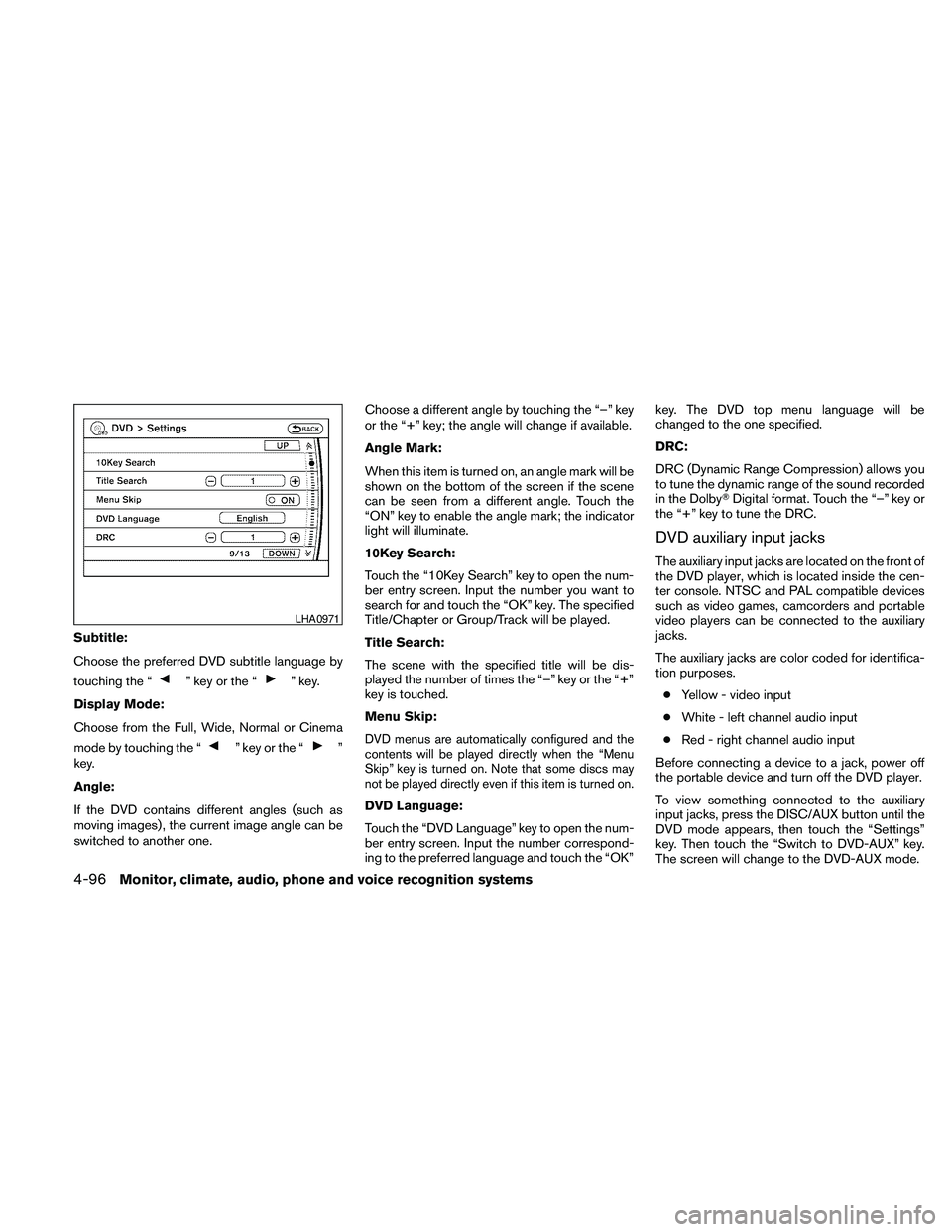
Subtitle:
Choose the preferred DVD subtitle language by
touching the “
” key or the “” key.
Display Mode:
Choose from the Full, Wide, Normal or Cinema
mode by touching the “
” key or the “”
key.
Angle:
If the DVD contains different angles (such as
moving images) , the current image angle can be
switched to another one.Choose a different angle by touching the “–” key
or the “+” key; the angle will change if available.
Angle Mark:
When this item is turned on, an angle mark will be
shown on the bottom of the screen if the scene
can be seen from a different angle. Touch the
“ON” key to enable the angle mark; the indicator
light will illuminate.
10Key Search:
Touch the “10Key Search” key to open the num-
ber entry screen. Input the number you want to
search for and touch the “OK” key. The specified
Title/Chapter or Group/Track will be played.
Title Search:
The scene with the specified title will be dis-
played the number of times the “–” key or the “+”
key is touched.
Menu Skip:DVD menus are automatically configured and the
contents will be played directly when the “Menu
Skip” key is turned on. Note that some discs may
not be played directly even if this item is turned on.
DVD Language:
Touch the “DVD Language” key to open the num-
ber entry screen. Input the number correspond-
ing to the preferred language and touch the “OK”key. The DVD top menu language will be
changed to the one specified.
DRC:
DRC (Dynamic Range Compression) allows you
to tune the dynamic range of the sound recorded
in the DolbyTDigital format. Touch the “–” key or
the “+” key to tune the DRC.
DVD auxiliary input jacks
The auxiliary input jacks are located on the front of
the DVD player, which is located inside the cen-
ter console. NTSC and PAL compatible devices
such as video games, camcorders and portable
video players can be connected to the auxiliary
jacks.
The auxiliary jacks are color coded for identifica-
tion purposes.
cYellow - video input
cWhite - left channel audio input
cRed - right channel audio input
Before connecting a device to a jack, power off
the portable device and turn off the DVD player.
To view something connected to the auxiliary
input jacks, press the DISC/AUX button until the
DVD mode appears, then touch the “Settings”
key. Then touch the “Switch to DVD-AUX” key.
The screen will change to the DVD-AUX mode.
LHA0971
4-96Monitor, climate, audio, phone and voice recognition systems
Page 263 of 463
MENU:
If the media is in PLAY mode and the MENU
button is pressed, the DVD menu will appear on
the screen. Use the Navigation Keys to navigate
within the menu and use ENTER to select the
item.
Press the MENU button again to return to PLAY
mode.
TITLE:
Press the TITLE button to return the DVD media
to the “title” of the DVD.
Press the TITLE button again to return to the
previous stop point and play.
BACK:
Press the BACK button to exit the current active
menu and return to the previous menu.
SUBTITLE:
Press the SUBTITLE button to call up subtitle
selection menu.
Repeatedly press the SUBTITLE button to cycle
through each available subtitle.
AUDIO:
Press the AUDIO button to call up the audio
menu.Repeatedly press the AUDIO button to cycle
through each available audio track.
ANGLE:
Press the ANGLE button to call up the camera
angle menu.
Repeatedly press the ANGLE button to cycle
through each available angle.
CLEAR:
Press the CLEAR button to clear all numeric
inputs, if actuated prior to expiration of the
3-second timer.
NUMERIC KEYPAD (0–9 &¸10):
Press the NUMERIC KEYPAD to directly access
disc chapters, titles or tracks by inputting their
numeric value.
Use the “¸10” button to input numbers greater
than or equal to 10. Up to 3 digits can be inputted
when selecting the chapter/title/track number.
The subsequent actuation of numeric buttons will
continuously shift the previously input number to
the “left”.The chapter/title/track number will be automati-
cally selected (if valid, based on media content) if
3 seconds expire without any keypad inputs.
The operator can cancel the input
chapter/title/track number by actuating the
CLEAR control prior to the expiration of the
3-second timer.
These functions can be used only for the DVD
discs which correspond to them.
CARE AND MAINTENANCE
Use a lightly dampened, lint free cloth to clean the
surfaces of your NISSAN Mobile Entertainment
System (DVD player face, screen, remote control,
etc.) .
Do not attempt to use the system in extreme
temperature conditions [below -4°F (-20°C) or
above 158°F (70°C)].
Do not attempt to operate the system in extreme
humidity conditions (less than 10% or more than
75%) .
Monitor, climate, audio, phone and voice recognition systems4-99
Page 264 of 463
CAUTION
cDo not use any solvents or cleaning
solutions when cleaning the video
system.
cDo not use excessive force on the moni-
tor screen.
cAvoid touching or scratching the moni-
tor screen as it may become dirty or
damaged.
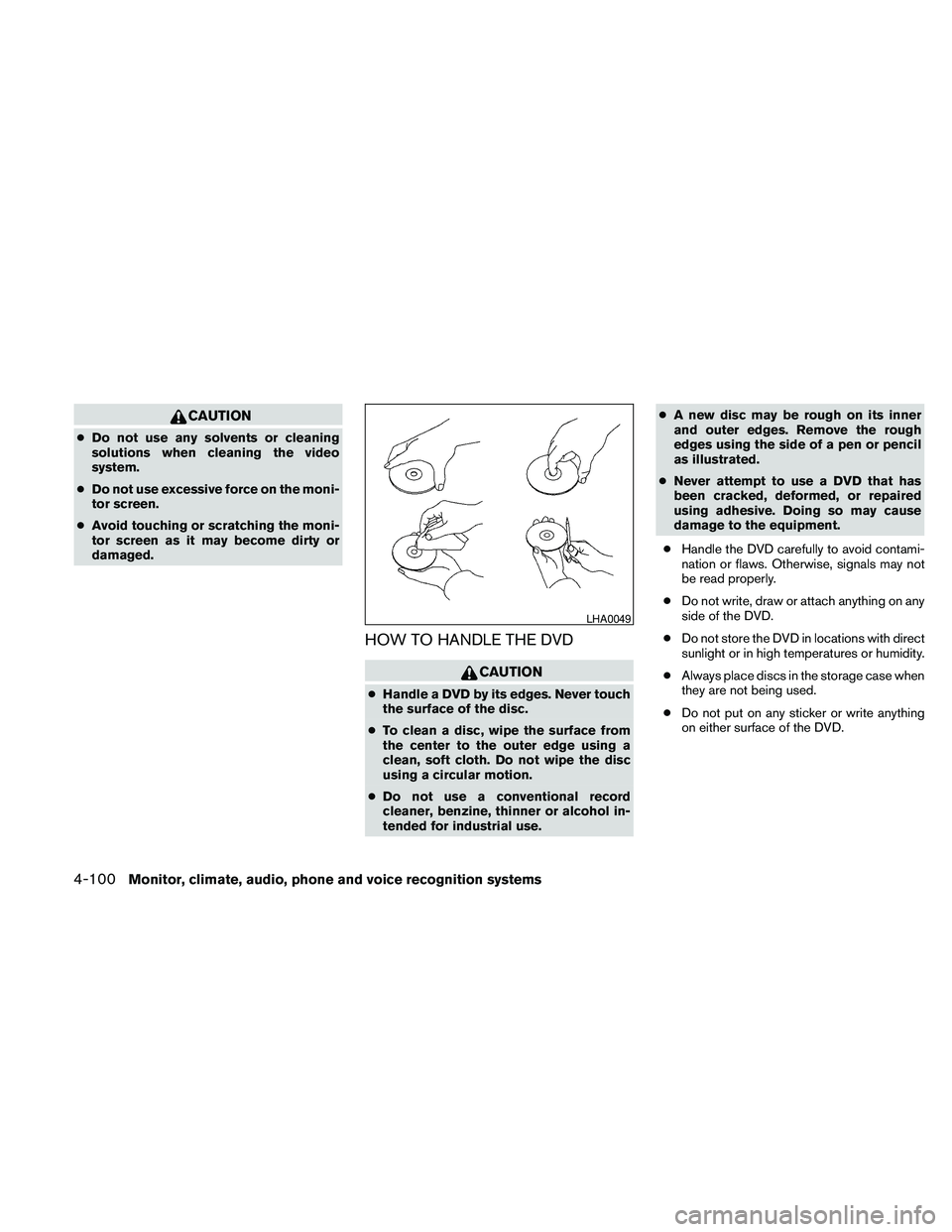
HOW TO HANDLE THE DVD
CAUTION
cHandle a DVD by its edges. Never touch
the surface of the disc.
cTo clean a disc, wipe the surface from
the center to the outer edge using a
clean, soft cloth. Do not wipe the disc
using a circular motion.
cDo not use a conventional record
cleaner, benzine, thinner or alcohol in-
tended for industrial use.cA new disc may be rough on its inner
and outer edges. Remove the rough
edges using the side of a pen or pencil
as illustrated.
cNever attempt to use a DVD that has
been cracked, deformed, or repaired
using adhesive. Doing so may cause
damage to the equipment.
cHandle the DVD carefully to avoid contami-
nation or flaws. Otherwise, signals may not
be read properly.
cDo not write, draw or attach anything on any
side of the DVD.
cDo not store the DVD in locations with direct
sunlight or in high temperatures or humidity.
cAlways place discs in the storage case when
they are not being used.
cDo not put on any sticker or write anything
on either surface of the DVD.
LHA0049
4-100Monitor, climate, audio, phone and voice recognition systems
Page 292 of 463
cPaired Phone List:
Up to 5 registered cellular phones are
shown on the list. If you select a cellular
phone that is different from the one currently
being connected, the newly selected phone
will be connected to the system.
cEdit Phone Name:
If you would like to change the way your
phone’s name is displayed, select this key; a
character input screen will be displayed.
CALL VOLUME
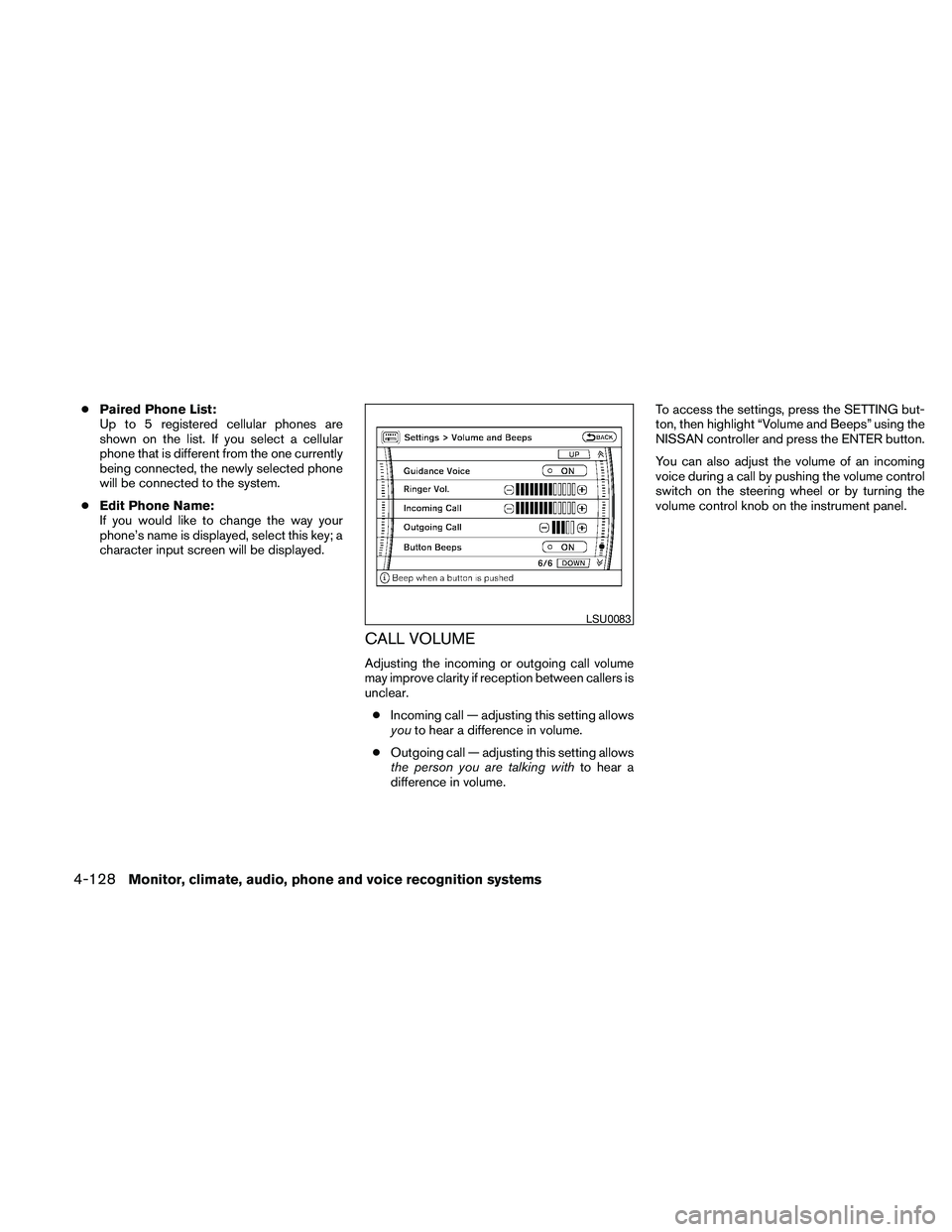
Adjusting the incoming or outgoing call volume
may improve clarity if reception between callers is
unclear.
cIncoming call — adjusting this setting allows
youto hear a difference in volume.
cOutgoing call — adjusting this setting allows
the person you are talking withto hear a
difference in volume.To access the settings, press the SETTING but-
ton, then highlight “Volume and Beeps” using the
NISSAN controller and press the ENTER button.
You can also adjust the volume of an incoming
voice during a call by pushing the volume control
switch on the steering wheel or by turning the
volume control knob on the instrument panel.
LSU0083
4-128Monitor, climate, audio, phone and voice recognition systems
Page 294 of 463
1. Press the INFO button on the instrument
panel.
2. Highlight the “Others” key using the
NISSAN controller and press the ENTER
button.
3. Highlight the “Voice Recognition” key using
the NISSAN controller and press the ENTER
button.
NOTE:
You can skip steps 1 to 3 by pressing
the
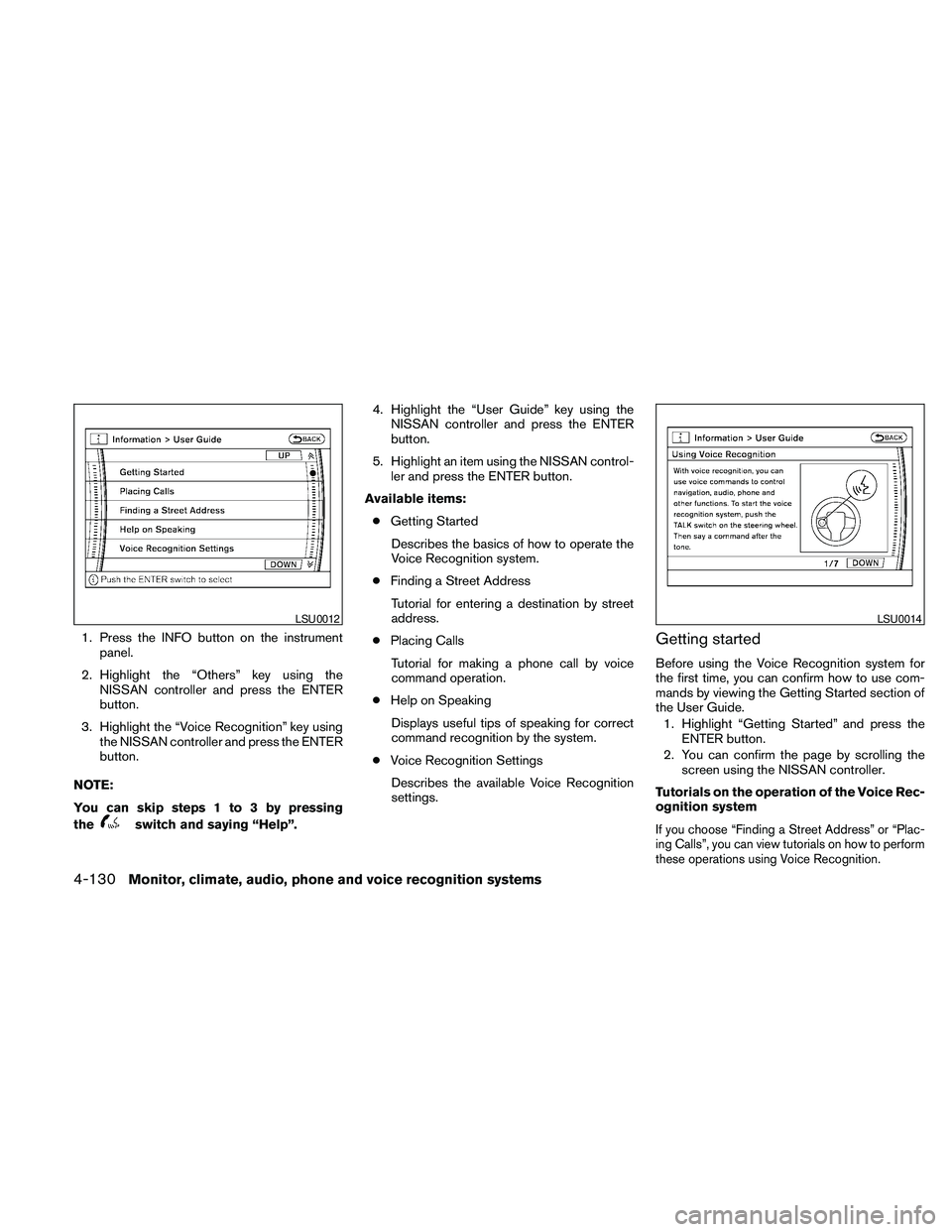
switch and saying “Help”.4. Highlight the “User Guide” key using the
NISSAN controller and press the ENTER
button.
5. Highlight an item using the NISSAN control-
ler and press the ENTER button.
Available items:
cGetting Started
Describes the basics of how to operate the
Voice Recognition system.
cFinding a Street Address
Tutorial for entering a destination by street
address.
cPlacing Calls
Tutorial for making a phone call by voice
command operation.
cHelp on Speaking
Displays useful tips of speaking for correct
command recognition by the system.
cVoice Recognition Settings
Describes the available Voice Recognition
settings.
Getting started
Before using the Voice Recognition system for
the first time, you can confirm how to use com-
mands by viewing the Getting Started section of
the User Guide.
1. Highlight “Getting Started” and press the
ENTER button.
2. You can confirm the page by scrolling the
screen using the NISSAN controller.
Tutorials on the operation of the Voice Rec-
ognition system
If you choose “Finding a Street Address” or “Plac-
ing Calls”, you can view tutorials on how to perform
these operations using Voice Recognition.
LSU0012LSU0014
4-130Monitor, climate, audio, phone and voice recognition systems
Page 295 of 463
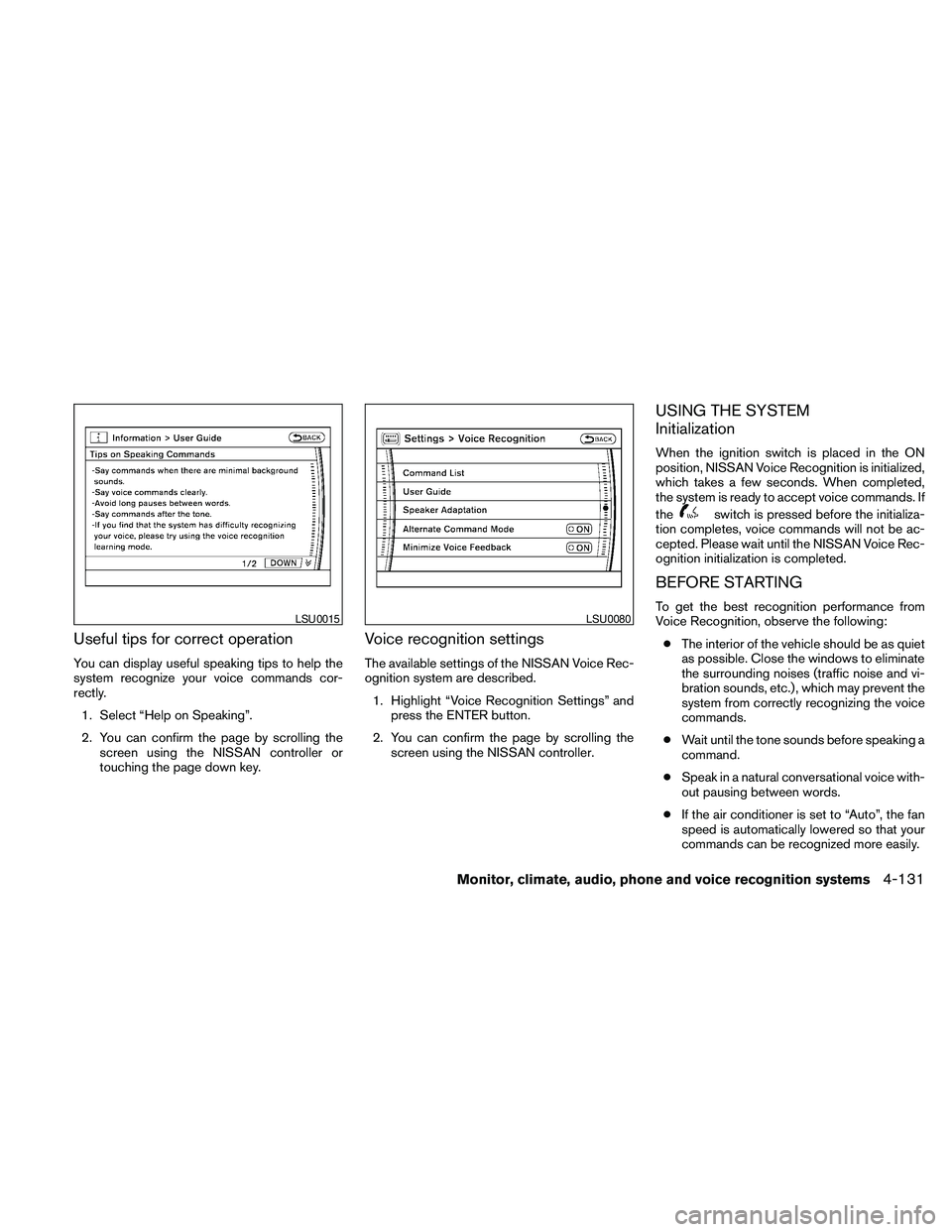
Useful tips for correct operation
You can display useful speaking tips to help the
system recognize your voice commands cor-
rectly.
1. Select “Help on Speaking”.
2. You can confirm the page by scrolling the
screen using the NISSAN controller or
touching the page down key.
Voice recognition settings
The available settings of the NISSAN Voice Rec-
ognition system are described.
1. Highlight “Voice Recognition Settings” and
press the ENTER button.
2. You can confirm the page by scrolling the
screen using the NISSAN controller.
USING THE SYSTEM
Initialization
When the ignition switch is placed in the ON
position, NISSAN Voice Recognition is initialized,
which takes a few seconds. When completed,
the system is ready to accept voice commands. If
the
switch is pressed before the initializa-
tion completes, voice commands will not be ac-
cepted. Please wait until the NISSAN Voice Rec-
ognition initialization is completed.
BEFORE STARTING
To get the best recognition performance from
Voice Recognition, observe the following:
cThe interior of the vehicle should be as quiet
as possible. Close the windows to eliminate
the surrounding noises (traffic noise and vi-
bration sounds, etc.) , which may prevent the
system from correctly recognizing the voice
commands.
cWait until the tone sounds before speaking a
command.
cSpeak in a natural conversational voice with-
out pausing between words.
cIf the air conditioner is set to “Auto”, the fan
speed is automatically lowered so that your
commands can be recognized more easily.LSU0015LSU0080
Monitor, climate, audio, phone and voice recognition systems4-131
Page 305 of 463
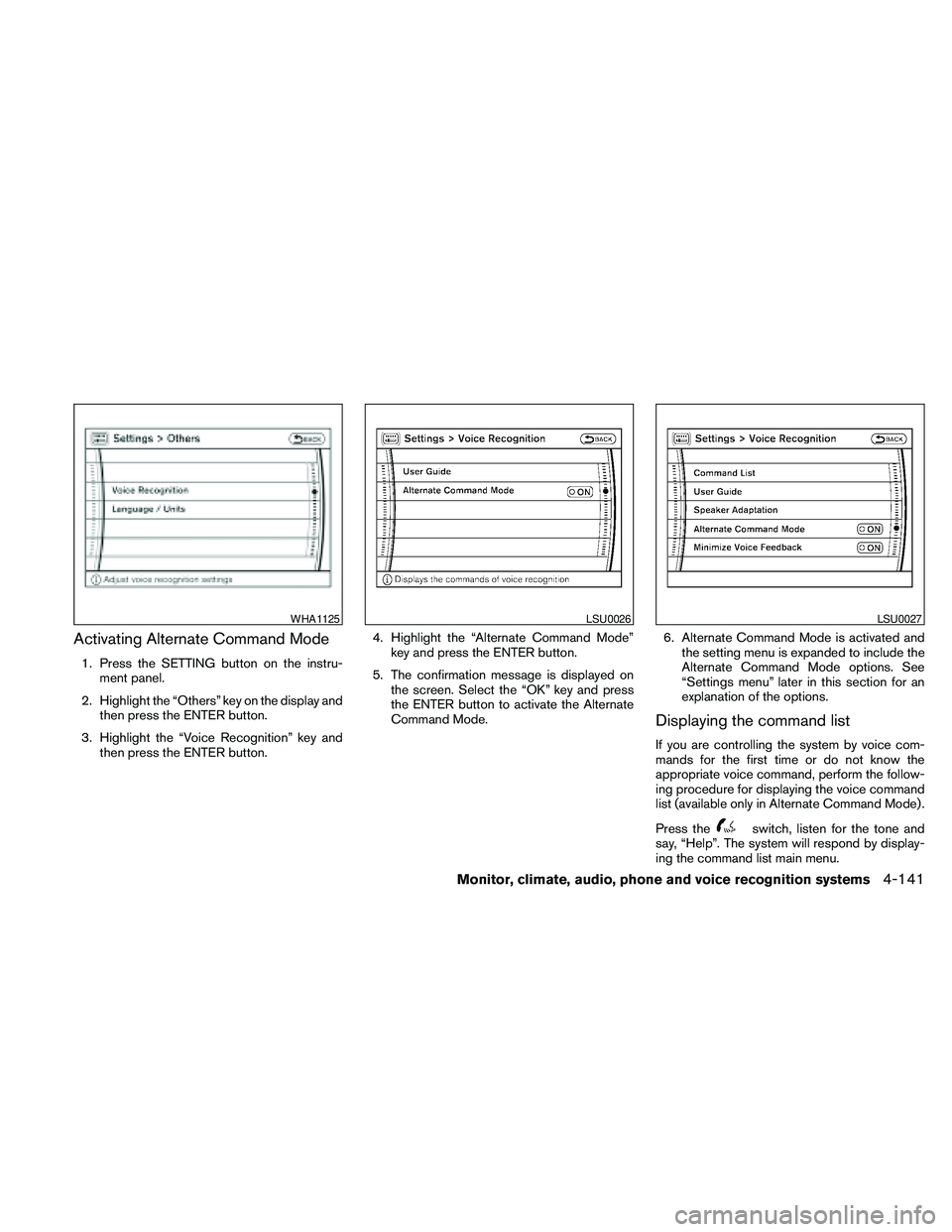
Activating Alternate Command Mode
1. Press the SETTING button on the instru-
ment panel.
2. Highlight the “Others” key on the display and
then press the ENTER button.
3. Highlight the “Voice Recognition” key and
then press the ENTER button.4. Highlight the “Alternate Command Mode”
key and press the ENTER button.
5. The confirmation message is displayed on
the screen. Select the “OK” key and press
the ENTER button to activate the Alternate
Command Mode.6. Alternate Command Mode is activated and
the setting menu is expanded to include the
Alternate Command Mode options. See
“Settings menu” later in this section for an
explanation of the options.
Displaying the command list
If you are controlling the system by voice com-
mands for the first time or do not know the
appropriate voice command, perform the follow-
ing procedure for displaying the voice command
list (available only in Alternate Command Mode) .
Press the
switch, listen for the tone and
say, “Help”. The system will respond by display-
ing the command list main menu.
WHA1125LSU0026LSU0027
Monitor, climate, audio, phone and voice recognition systems4-141
Page 306 of 463
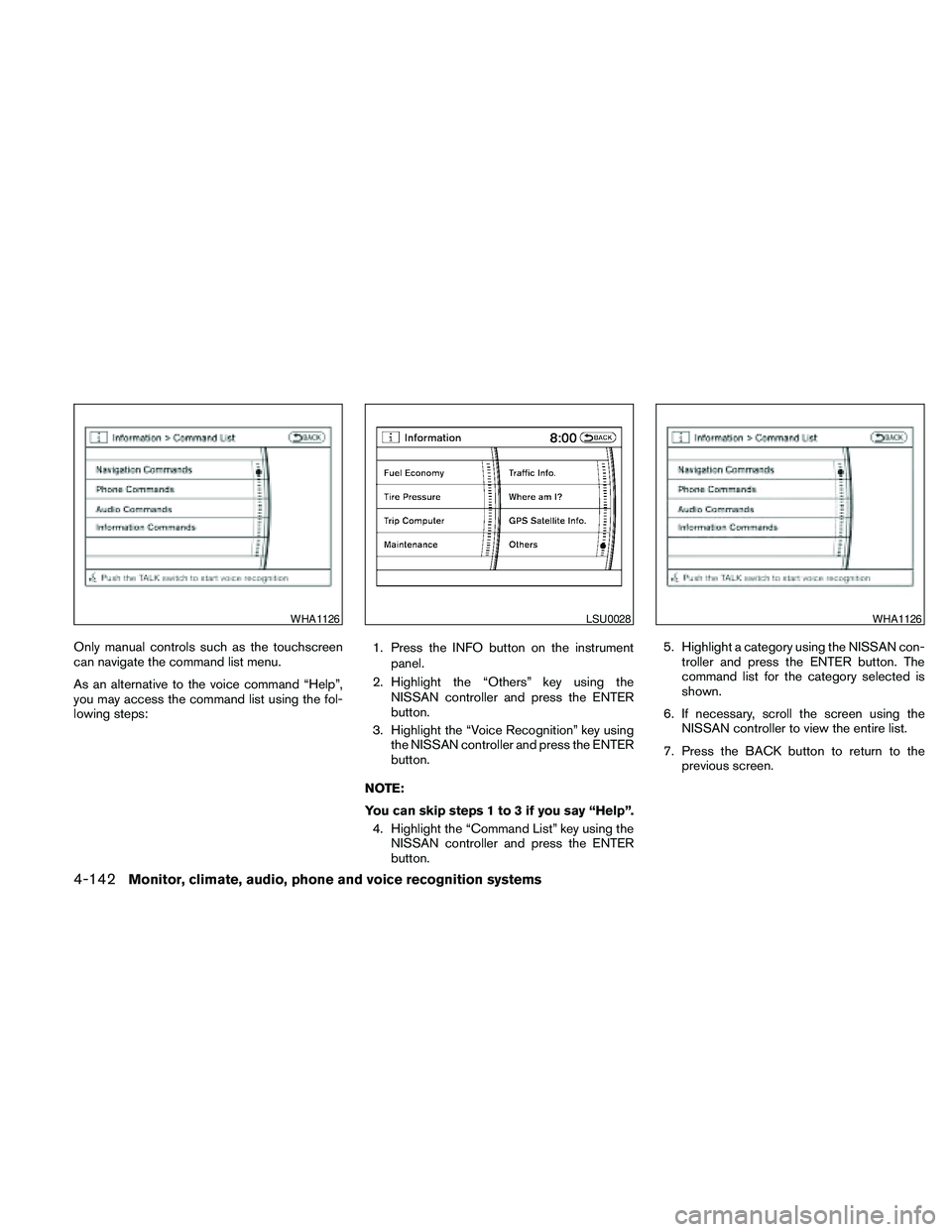
Only manual controls such as the touchscreen
can navigate the command list menu.
As an alternative to the voice command “Help”,
you may access the command list using the fol-
lowing steps:1. Press the INFO button on the instrument
panel.
2. Highlight the “Others” key using the
NISSAN controller and press the ENTER
button.
3. Highlight the “Voice Recognition” key using
the NISSAN controller and press the ENTER
button.
NOTE:
You can skip steps 1 to 3 if you say “Help”.
4. Highlight the “Command List” key using the
NISSAN controller and press the ENTER
button.5. Highlight a category using the NISSAN con-
troller and press the ENTER button. The
command list for the category selected is
shown.
6. If necessary, scroll the screen using the
NISSAN controller to view the entire list.
7. Press the BACK button to return to the
previous screen.
WHA1126LSU0028WHA1126
4-142Monitor, climate, audio, phone and voice recognition systems
Page 310 of 463
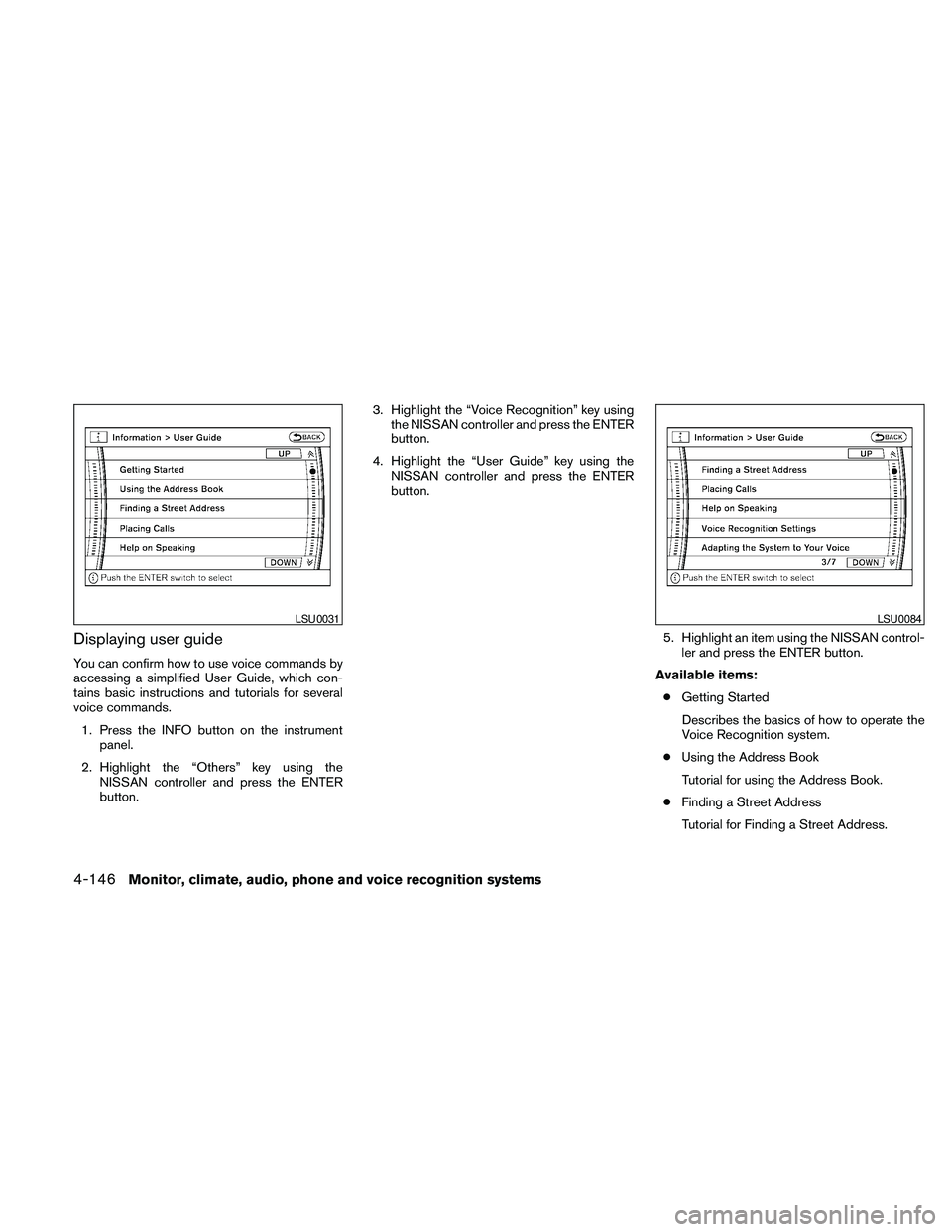
Displaying user guide
You can confirm how to use voice commands by
accessing a simplified User Guide, which con-
tains basic instructions and tutorials for several
voice commands.
1. Press the INFO button on the instrument
panel.
2. Highlight the “Others” key using the
NISSAN controller and press the ENTER
button.3. Highlight the “Voice Recognition” key using
the NISSAN controller and press the ENTER
button.
4. Highlight the “User Guide” key using the
NISSAN controller and press the ENTER
button.
5. Highlight an item using the NISSAN control-
ler and press the ENTER button.
Available items:
cGetting Started
Describes the basics of how to operate the
Voice Recognition system.
cUsing the Address Book
Tutorial for using the Address Book.
cFinding a Street Address
Tutorial for Finding a Street Address.
LSU0031LSU0084
4-146Monitor, climate, audio, phone and voice recognition systems