driver NISSAN PATHFINDER 2019 Owner´s Manual
[x] Cancel search | Manufacturer: NISSAN, Model Year: 2019, Model line: PATHFINDER, Model: NISSAN PATHFINDER 2019Pages: 476, PDF Size: 5.61 MB
Page 111 of 476
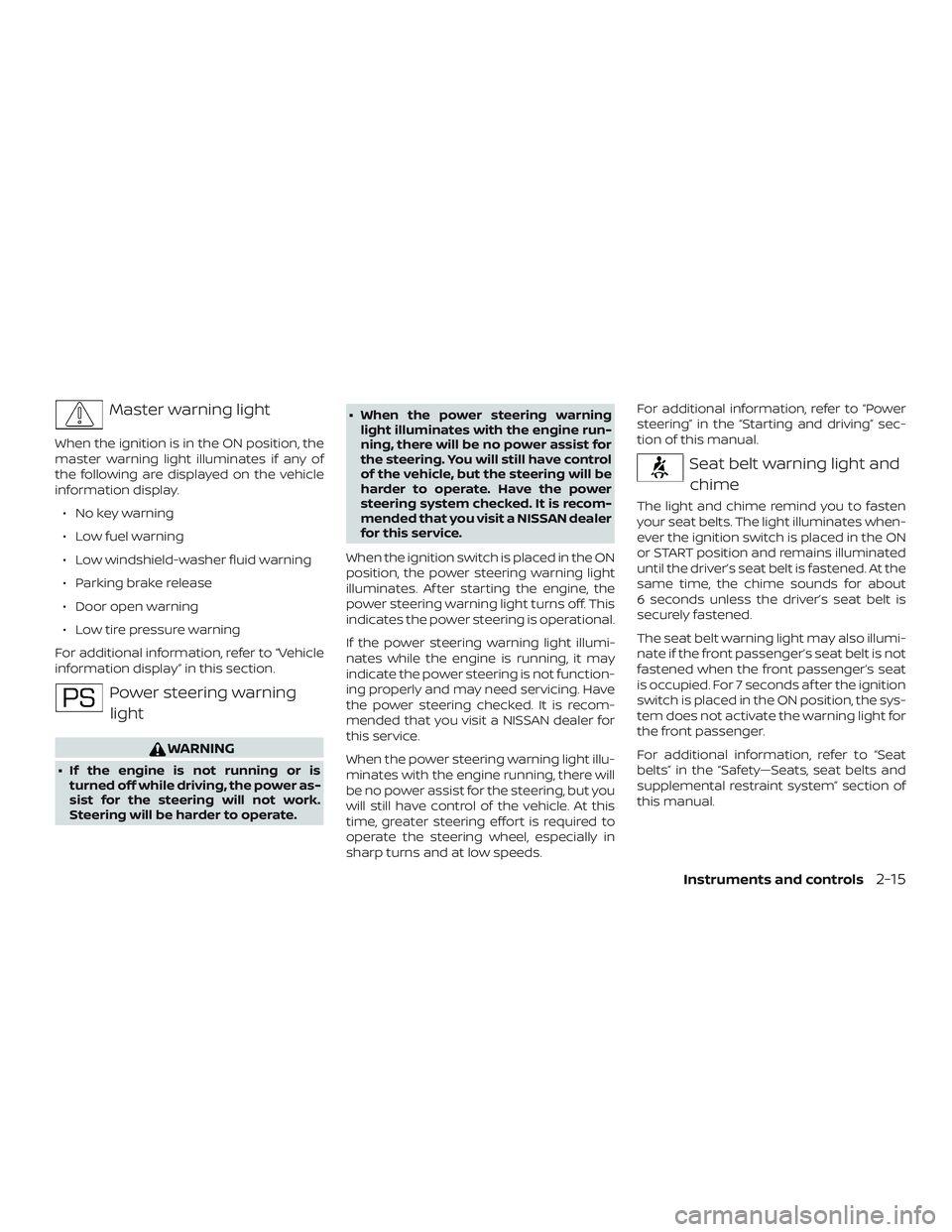
Master warning light
When the ignition is in the ON position, the
master warning light illuminates if any of
the following are displayed on the vehicle
information display.∙ No key warning
∙ Low fuel warning
∙ Low windshield-washer fluid warning
∙ Parking brake release
∙ Door open warning
∙ Low tire pressure warning
For additional information, refer to “Vehicle
information display” in this section.
Power steering warning light
WARNING
∙ If the engine is not running or is turned off while driving, the power as-
sist for the steering will not work.
Steering will be harder to operate. ∙ When the power steering warning
light illuminates with the engine run-
ning, there will be no power assist for
the steering. You will still have control
of the vehicle, but the steering will be
harder to operate. Have the power
steering system checked. It is recom-
mended that you visit a NISSAN dealer
for this service.
When the ignition switch is placed in the ON
position, the power steering warning light
illuminates. Af ter starting the engine, the
power steering warning light turns off. This
indicates the power steering is operational.
If the power steering warning light illumi-
nates while the engine is running, it may
indicate the power steering is not function-
ing properly and may need servicing. Have
the power steering checked. It is recom-
mended that you visit a NISSAN dealer for
this service.
When the power steering warning light illu-
minates with the engine running, there will
be no power assist for the steering, but you
will still have control of the vehicle. At this
time, greater steering effort is required to
operate the steering wheel, especially in
sharp turns and at low speeds. For additional information, refer to “Power
steering” in the “Starting and driving” sec-
tion of this manual.
Seat belt warning light and
chime
The light and chime remind you to fasten
your seat belts. The light illuminates when-
ever the ignition switch is placed in the ON
or START position and remains illuminated
until the driver’s seat belt is fastened. At the
same time, the chime sounds for about
6 seconds unless the driver’s seat belt is
securely fastened.
The seat belt warning light may also illumi-
nate if the front passenger’s seat belt is not
fastened when the front passenger’s seat
is occupied. For 7 seconds af ter the ignition
switch is placed in the ON position, the sys-
tem does not activate the warning light for
the front passenger.
For additional information, refer to “Seat
belts” in the “Safety—Seats, seat belts and
supplemental restraint system” section of
this manual.
Instruments and controls2-15
Page 114 of 476
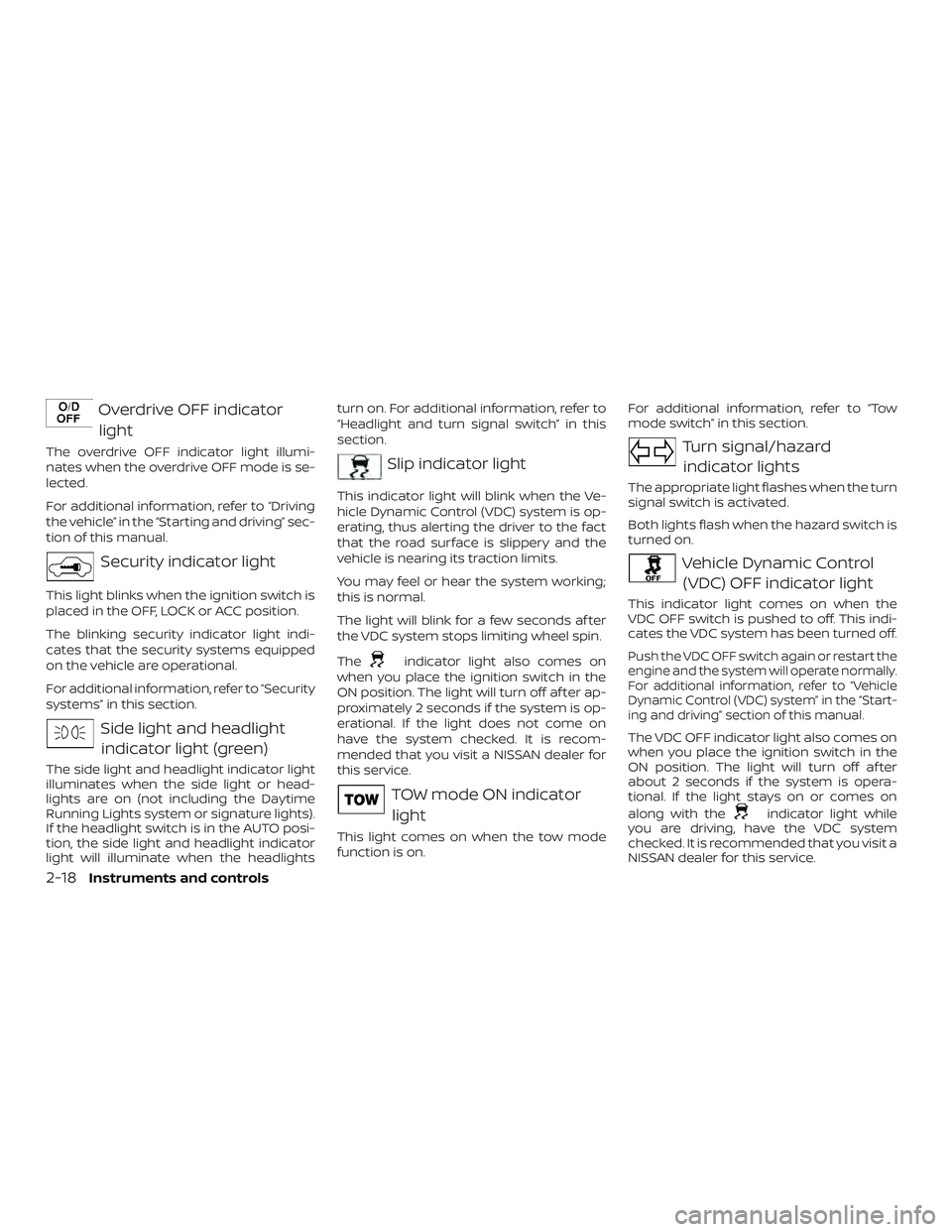
Overdrive OFF indicatorlight
The overdrive OFF indicator light illumi-
nates when the overdrive OFF mode is se-
lected.
For additional information, refer to “Driving
the vehicle” in the “Starting and driving” sec-
tion of this manual.
Security indicator light
This light blinks when the ignition switch is
placed in the OFF, LOCK or ACC position.
The blinking security indicator light indi-
cates that the security systems equipped
on the vehicle are operational.
For additional information, refer to “Security
systems” in this section.
Side light and headlightindicator light (green)
The side light and headlight indicator light
illuminates when the side light or head-
lights are on (not including the Daytime
Running Lights system or signature lights).
If the headlight switch is in the AUTO posi-
tion, the side light and headlight indicator
light will illuminate when the headlights turn on. For additional information, refer to
“Headlight and turn signal switch” in this
section.
Slip indicator light
This indicator light will blink when the Ve-
hicle Dynamic Control (VDC) system is op-
erating, thus alerting the driver to the fact
that the road surface is slippery and the
vehicle is nearing its traction limits.
You may feel or hear the system working;
this is normal.
The light will blink for a few seconds af ter
the VDC system stops limiting wheel spin.
The
indicator light also comes on
when you place the ignition switch in the
ON position. The light will turn off af ter ap-
proximately 2 seconds if the system is op-
erational. If the light does not come on
have the system checked. It is recom-
mended that you visit a NISSAN dealer for
this service.
TOW mode ON indicator
light
This light comes on when the tow mode
function is on. For additional information, refer to “Tow
mode switch” in this section.
Turn signal/hazard
indicator lights
The appropriate light flashes when the turn
signal switch is activated.
Both lights flash when the hazard switch is
turned on.
Vehicle Dynamic Control (VDC) OFF indicator light
This indicator light comes on when the
VDC OFF switch is pushed to off. This indi-
cates the VDC system has been turned off.
Push the VDC OFF switch again or restart the
engine and the system will operate normally.
For additional information, refer to “Vehicle
Dynamic Control (VDC) system” in the “Start-
ing and driving” section of this manual.
The VDC OFF indicator light also comes on
when you place the ignition switch in the
ON position. The light will turn off af ter
about 2 seconds if the system is opera-
tional. If the light stays on or comes on
along with the
indicator light while
you are driving, have the VDC system
checked. It is recommended that you visit a
NISSAN dealer for this service.
2-18Instruments and controls
Page 115 of 476
While the VDC system is operating, you
might feel a slight vibration or hear the sys-
tem working when starting the vehicle or
accelerating, but this is normal.
AUDIBLE REMINDERS
Brake pad wear warning
The disc brake pads have audible wear
warnings. When a disc brake pad requires
replacement, it makes a high pitched
scraping sound when the vehicle is in mo-
tion, whether or not the brake pedal is de-
pressed. Have the brakes checked as soon
as possible if the warning sound is heard. It
is recommended that you visit a NISSAN
dealer for this service.
Key reminder chime
A chime sounds if the driver’s door is
opened while the ignition switch is placed
in the ACC or OFF position or placed in the
OFF or LOCK position with the Intelligent
Key lef t in the vehicle. Make sure the igni-
tion switch is placed in the LOCK position,
and take the Intelligent Key with you when
leaving the vehicle.
Light reminder chime
With the ignition switch placed in the OFF
position, a chime sounds when the driver’s
door is opened if the headlights or parking
lights are on.
Turn the headlight control switch off or to
AUTO before leaving the vehicle.
NISSAN Intelligent Key® door
buzzer (if so equipped)
The Intelligent Key door buzzer sounds if
any one of the following improper opera-
tions is found.∙ The Intelligent Key is lef t inside the ve- hicle when locking the doors.
∙ Any doors are not closed securely when locking the doors.
When the buzzer sounds, be sure to check
both the vehicle and the Intelligent Key. For
additional information, refer to “NISSAN In-
telligent Key®” in the “Pre-driving checks
and adjustments” section of this manual. The vehicle information display is located
to the lef t of the speedometer. It displays
such items as:
∙ Vehicle settings
∙ Trip computer information
∙ Drive system warnings and settings (if so equipped)
∙ Blind Spot Warning (BSW) information (if so equipped)
∙ Rear Cross Traffic Alert (RCTA) (if so equipped)
LIC2205
VEHICLE INFORMATION DISPLAY
Instruments and controls2-19
Page 117 of 476
To control what items display in the vehicle
information display, refer to “Main menu se-
lection” in this section.
RESETTING THE TRIP COMPUTER
1. Press thebutton until you reach
the trip computer mode.
2. Press the
button again for more
than 1.5 seconds to reset average fuel
consumption, average speed, distance
to empty, and journey time.
SETTINGS
The setting mode allows you to change the
information displayed in the vehicle infor-
mation display:
∙ Driver Assistance (if so equipped)
∙ Vehicle Settings
∙ Main Menu Selection
∙ Body Color
∙ Maintenance ∙ Alarms
∙ Language
∙ Unit
∙ Welcome Effect
∙ Factory Reset
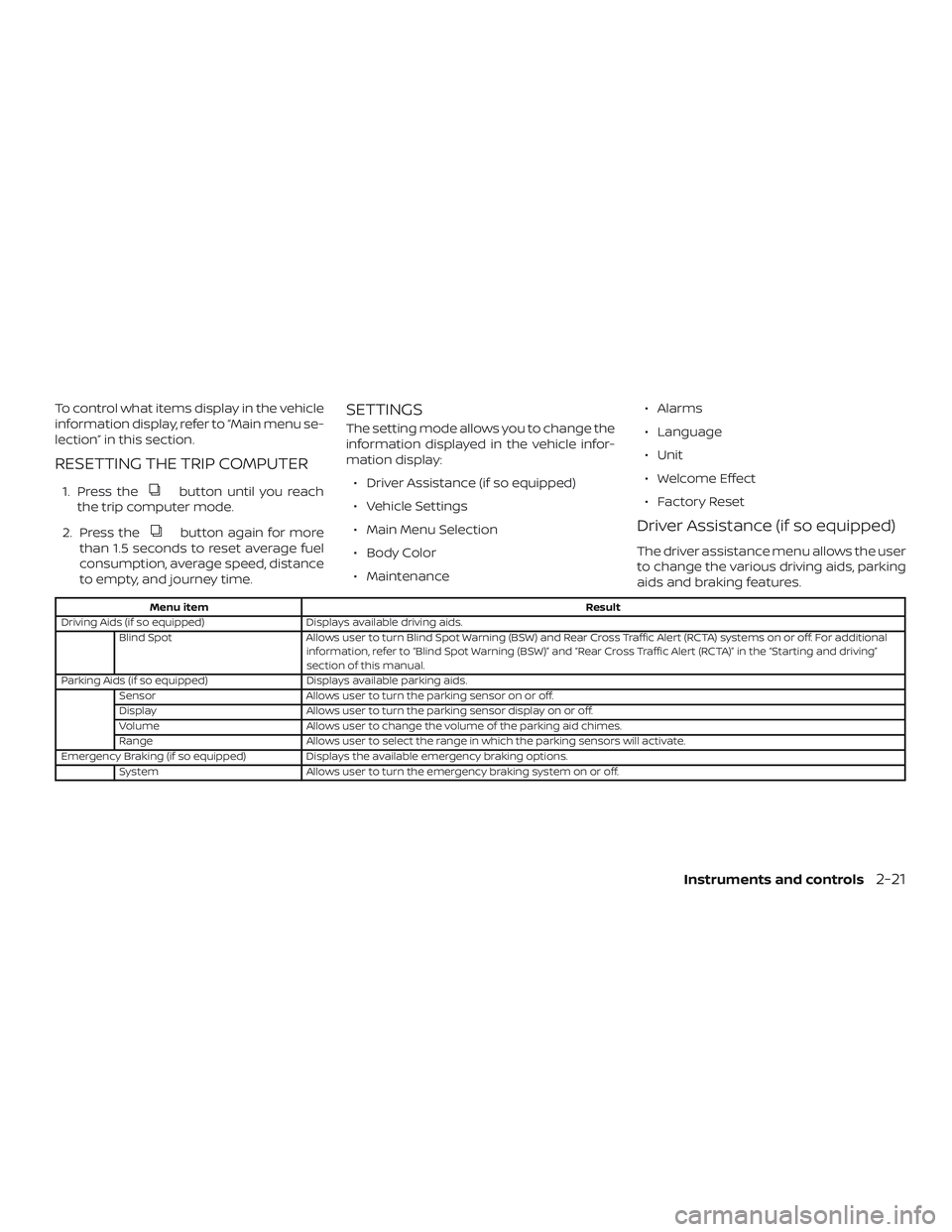
Driver Assistance (if so equipped)
The driver assistance menu allows the user
to change the various driving aids, parking
aids and braking features.
Menu item
Result
Driving Aids (if so equipped) Displays available driving aids.
Blind Spot Allows user to turn Blind Spot Warning (BSW) and Rear Cross Traffic Alert (RCTA) systems on or off. For additional
information, refer to “Blind Spot Warning (BSW)” and “Rear Cross Traffic Alert (RCTA)” in the “Starting and driving”
section of this manual.
Parking Aids (if so equipped) Displays available parking aids.
Sensor Allows user to turn the parking sensor on or off.
Display Allows user to turn the parking sensor display on or off.
Volume Allows user to change the volume of the parking aid chimes.
Range Allows user to select the range in which the parking sensors will activate.
Emergency Braking (if so equipped) Displays the available emergency braking options.
System Allows user to turn the emergency braking system on or off.
Instruments and controls2-21
Page 118 of 476
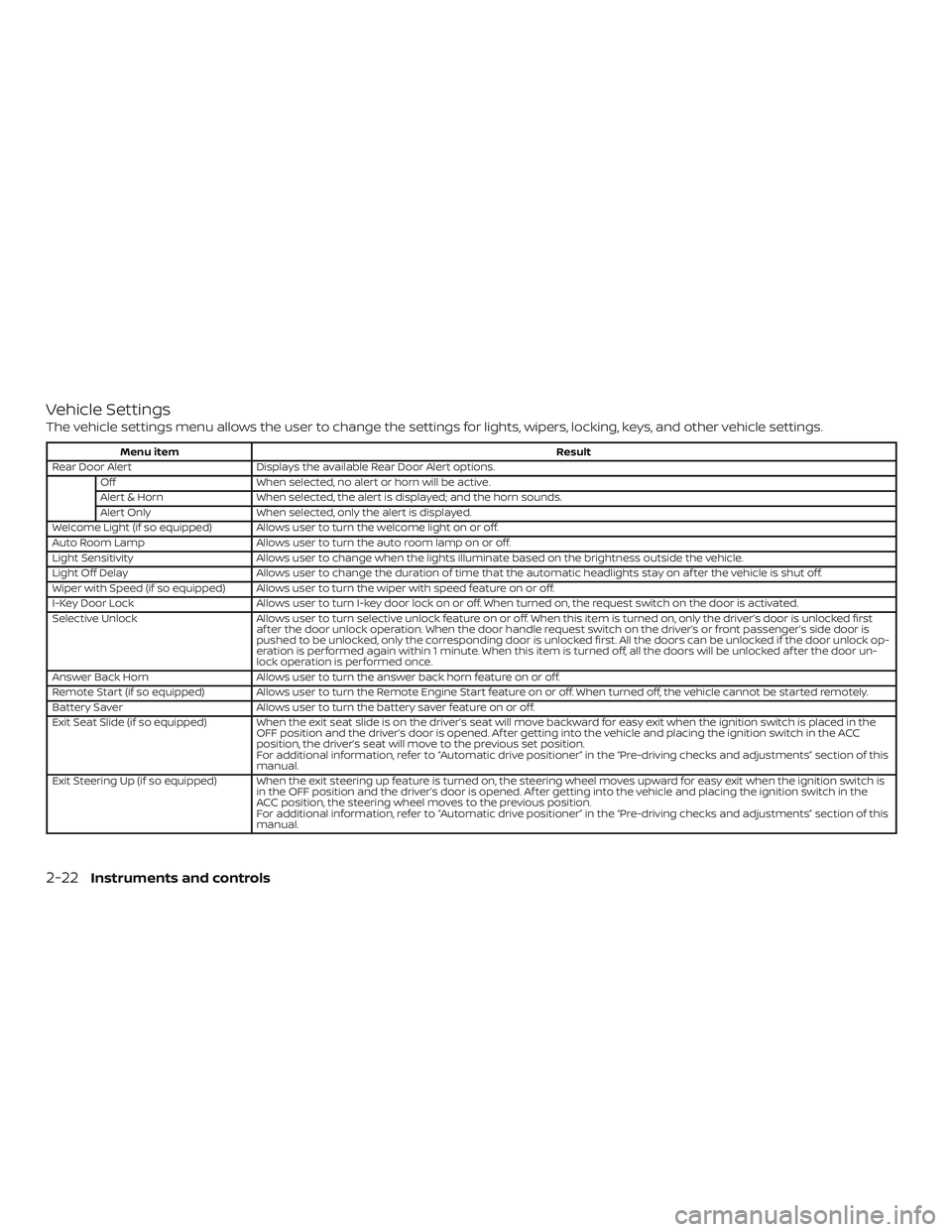
Vehicle Settings
The vehicle settings menu allows the user to change the settings for lights, wipers, locking, keys, and other vehicle settings.
Menu itemResult
Rear Door Alert Displays the available Rear Door Alert options.
Off When selected, no alert or horn will be active.
Alert & Horn When selected, the alert is displayed; and the horn sounds.
Alert Only When selected, only the alert is displayed.
Welcome Light (if so equipped) Allows user to turn the welcome light on or off.
Auto Room Lamp Allows user to turn the auto room lamp on or off.
Light Sensitivity Allows user to change when the lights illuminate based on the brightness outside the vehicle.
Light Off Delay Allows user to change the duration of time that the automatic headlights stay on af ter the vehicle is shut off.
Wiper with Speed (if so equipped) Allows user to turn the wiper with speed feature on or off.
I-Key Door Lock Allows user to turn I-key door lock on or off. When turned on, the request switch on the door is activated.
Selective Unlock Allows user to turn selective unlock feature on or off. When this item is turned on, only the driver’s door is unlocked first
af ter the door unlock operation. When the door handle request switch on the driver’s or front passenger’s side door is
pushed to be unlocked, only the corresponding door is unlocked first. All the doors can be unlocked if the door unlock op-
eration is performed again within 1 minute. When this item is turned off, all the doors will be unlocked af ter the door un-
lock operation is performed once.
Answer Back Horn Allows user to turn the answer back horn feature on or off.
Remote Start (if so equipped) Allows user to turn the Remote Engine Start feature on or off. When turned off, the vehicle cannot be started remotely.
Battery Saver Allows user to turn the battery saver feature on or off.
Exit Seat Slide (if so equipped) When the exit seat slide is on the driver’s seat will move backward for easy exit when the ignition switch is placed in the OFF position and the driver’s door is opened. Af ter getting into the vehicle and placing the ignition switch in the ACC
position, the driver’s seat will move to the previous set position.
For additional information, refer to “Automatic drive positioner” in the “Pre-driving checks and adjustments” section of this
manual.
Exit Steering Up (if so equipped) When the exit steering up feature is turned on, the steering wheel moves upward for easy exit when the ignition switch i s
in the OFF position and the driver’s door is opened. Af ter getting into the vehicle and placing the ignition switch in the
ACC position, the steering wheel moves to the previous position.
For additional information, refer to “Automatic drive positioner” in the “Pre-driving checks and adjustments” section of this
manual.
2-22Instruments and controls
Page 119 of 476
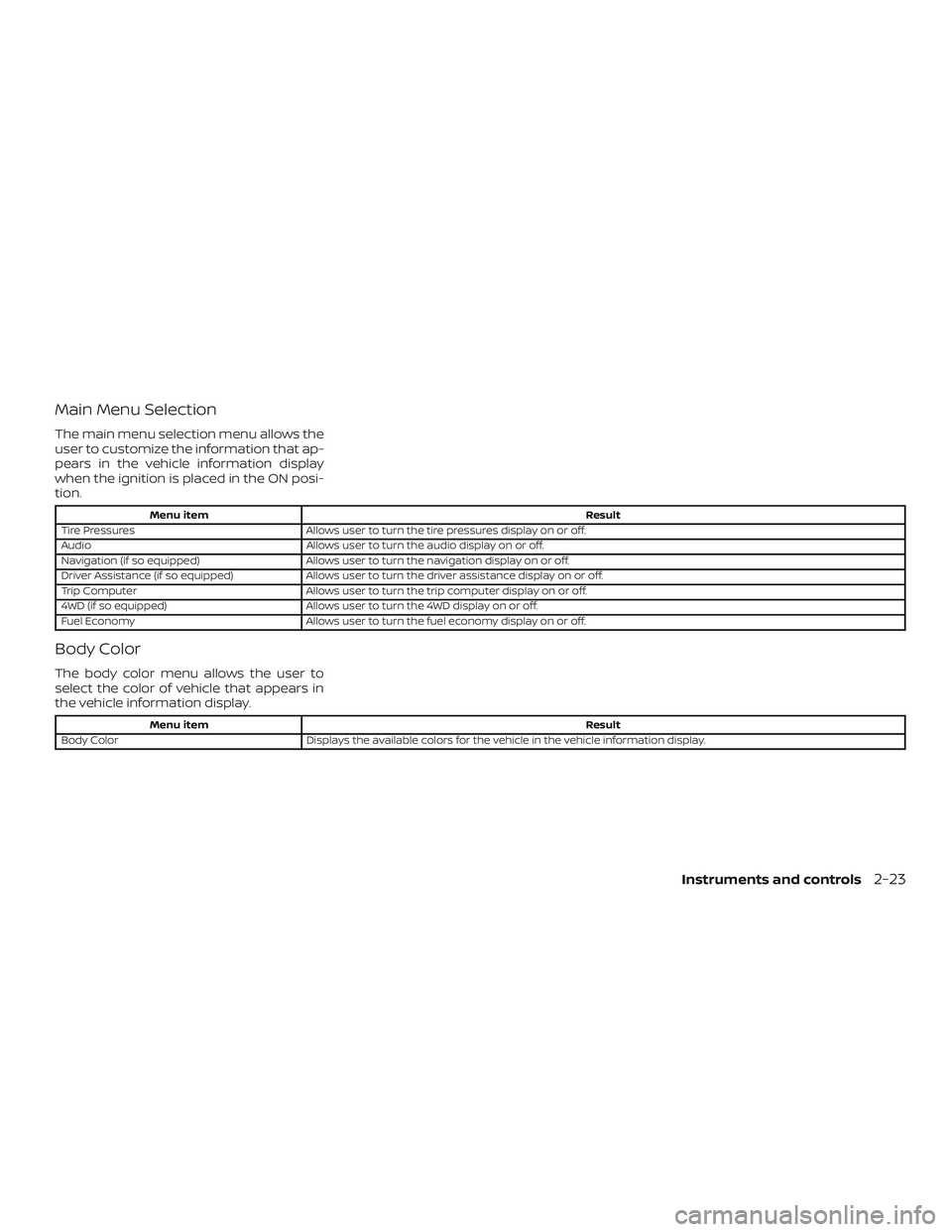
Main Menu Selection
The main menu selection menu allows the
user to customize the information that ap-
pears in the vehicle information display
when the ignition is placed in the ON posi-
tion.
Menu itemResult
Tire Pressures Allows user to turn the tire pressures display on or off.
Audio Allows user to turn the audio display on or off.
Navigation (if so equipped) Allows user to turn the navigation display on or off.
Driver Assistance (if so equipped) Allows user to turn the driver assistance display on or off.
Trip Computer Allows user to turn the trip computer display on or off.
4WD (if so equipped) Allows user to turn the 4WD display on or off.
Fuel Economy Allows user to turn the fuel economy display on or off.
Body Color
The body color menu allows the user to
select the color of vehicle that appears in
the vehicle information display.
Menu item Result
Body Color Displays the available colors for the vehicle in the vehicle information display.
Instruments and controls2-23
Page 128 of 476
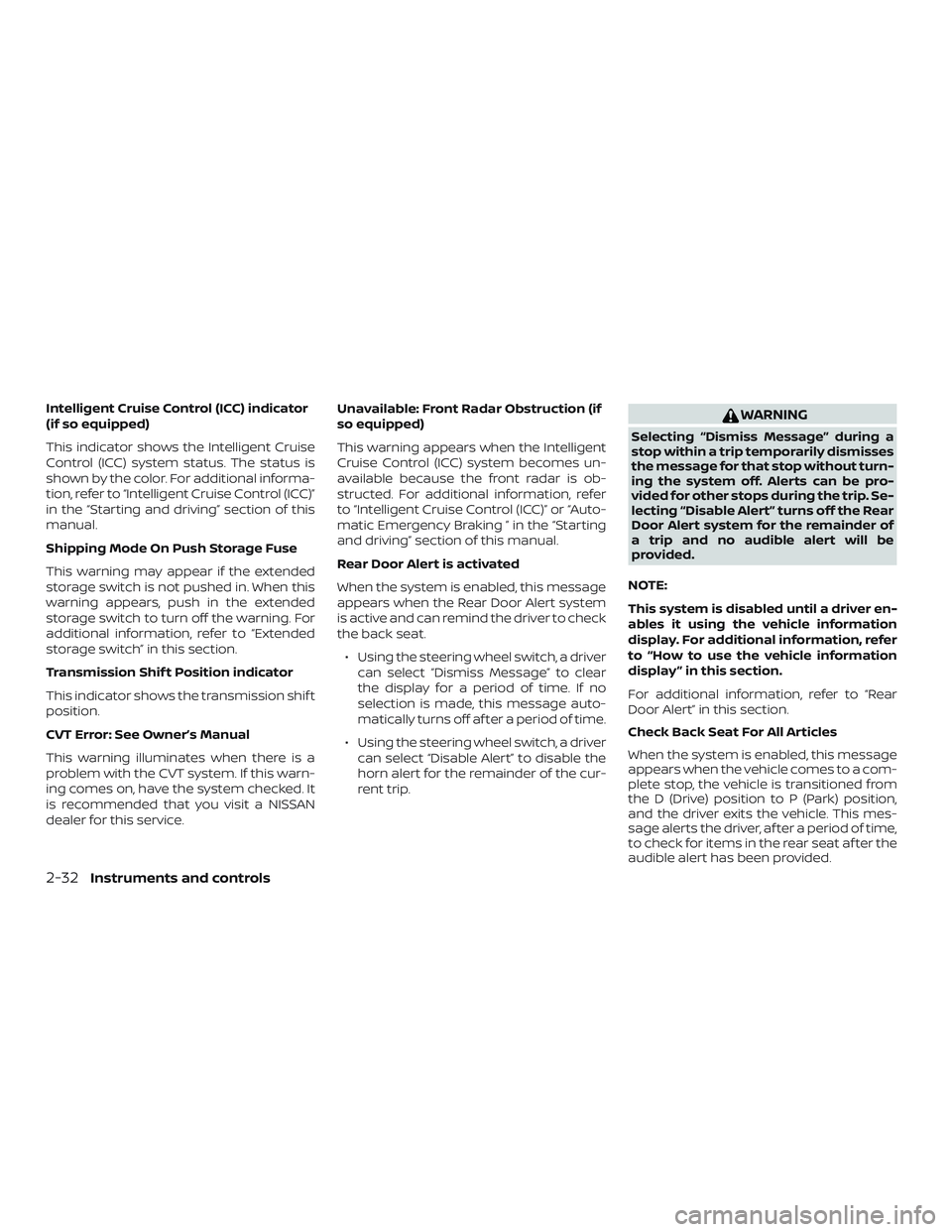
Intelligent Cruise Control (ICC) indicator
(if so equipped)
This indicator shows the Intelligent Cruise
Control (ICC) system status. The status is
shown by the color. For additional informa-
tion, refer to “Intelligent Cruise Control (ICC)”
in the “Starting and driving” section of this
manual.
Shipping Mode On Push Storage Fuse
This warning may appear if the extended
storage switch is not pushed in. When this
warning appears, push in the extended
storage switch to turn off the warning. For
additional information, refer to “Extended
storage switch” in this section.
Transmission Shif t Position indicator
This indicator shows the transmission shif t
position.
CVT Error: See Owner’s Manual
This warning illuminates when there is a
problem with the CVT system. If this warn-
ing comes on, have the system checked. It
is recommended that you visit a NISSAN
dealer for this service.Unavailable: Front Radar Obstruction (if
so equipped)
This warning appears when the Intelligent
Cruise Control (ICC) system becomes un-
available because the front radar is ob-
structed. For additional information, refer
to “Intelligent Cruise Control (ICC)” or “Auto-
matic Emergency Braking ” in the “Starting
and driving” section of this manual.
Rear Door Alert is activated
When the system is enabled, this message
appears when the Rear Door Alert system
is active and can remind the driver to check
the back seat.
∙ Using the steering wheel switch, a driver can select “Dismiss Message” to clear
the display for a period of time. If no
selection is made, this message auto-
matically turns off af ter a period of time.
∙ Using the steering wheel switch, a driver can select “Disable Alert” to disable the
horn alert for the remainder of the cur-
rent trip.WARNING
Selecting “Dismiss Message” during a
stop within a trip temporarily dismisses
the message for that stop without turn-
ing the system off. Alerts can be pro-
vided for other stops during the trip. Se-
lecting “Disable Alert” turns off the Rear
Door Alert system for the remainder of
a trip and no audible alert will be
provided.
NOTE:
This system is disabled until a driver en-
ables it using the vehicle information
display. For additional information, refer
to “How to use the vehicle information
display ” in this section.
For additional information, refer to “Rear
Door Alert” in this section.
Check Back Seat For All Articles
When the system is enabled, this message
appears when the vehicle comes to a com-
plete stop, the vehicle is transitioned from
the D (Drive) position to P (Park) position,
and the driver exits the vehicle. This mes-
sage alerts the driver, af ter a period of time,
to check for items in the rear seat af ter the
audible alert has been provided.
2-32Instruments and controls
Page 129 of 476
NOTE:
This system is disabled until a driver en-
ables it using the vehicle information
display. For additional information, refer
to “How to use the vehicle information
display ” in this section.
For additional information, refer to “Rear
Door Alert” in this section.
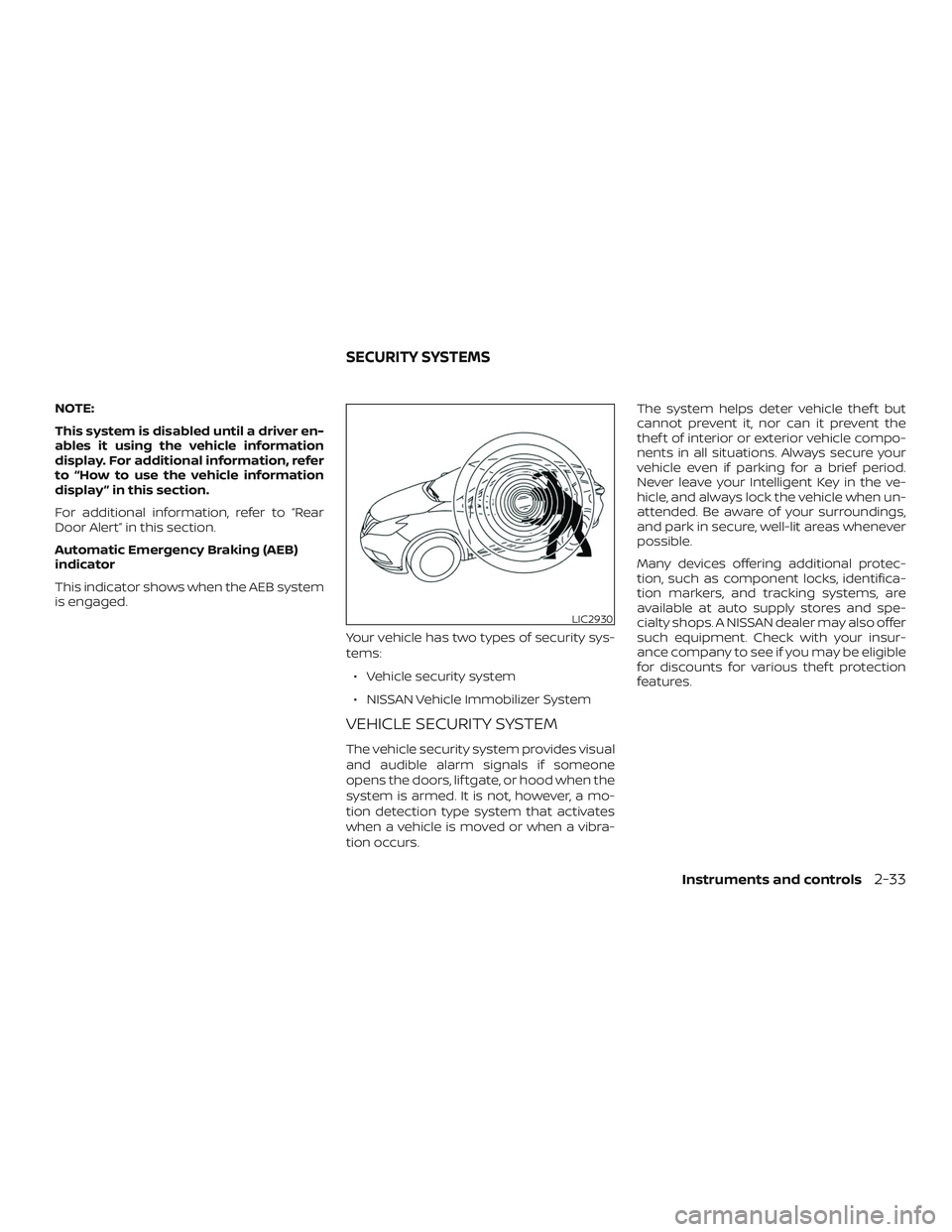
Automatic Emergency Braking (AEB)
indicator
This indicator shows when the AEB system
is engaged.Your vehicle has two types of security sys-
tems:∙ Vehicle security system
∙ NISSAN Vehicle Immobilizer System
VEHICLE SECURITY SYSTEM
The vehicle security system provides visual
and audible alarm signals if someone
opens the doors, lif tgate, or hood when the
system is armed. It is not, however, a mo-
tion detection type system that activates
when a vehicle is moved or when a vibra-
tion occurs. The system helps deter vehicle thef t but
cannot prevent it, nor can it prevent the
thef t of interior or exterior vehicle compo-
nents in all situations. Always secure your
vehicle even if parking for a brief period.
Never leave your Intelligent Key in the ve-
hicle, and always lock the vehicle when un-
attended. Be aware of your surroundings,
and park in secure, well-lit areas whenever
possible.
Many devices offering additional protec-
tion, such as component locks, identifica-
tion markers, and tracking systems, are
available at auto supply stores and spe-
cialty shops. A NISSAN dealer may also offer
such equipment. Check with your insur-
ance company to see if you may be eligible
for discounts for various thef t protection
features.
LIC2930
SECURITY SYSTEMS
Instruments and controls2-33
Page 130 of 476
How to arm the vehicle security
system
1. Close all windows.(The system can be
armed even if the windows are open.)
2. Remove the Intelligent Key from the ve- hicle.
3. Close all doors, hood and lif tgate. Lock all doors. The doors can be locked with
the Intelligent Key, door handle request
switch, or mechanical key (if so
equipped).
4. Confirm that the
security indica-
tor light stays on for about 30 seconds.
The vehicle security system is now pre-
armed. The vehicle security system will
automatically shif t into the armed
phase. The
security light begins
to flash once every three seconds. If
during the pre-armed phase one of the
following occurs, the system will not
arm:
∙ Any door is unlocked with the mechani- cal key (if so equipped), the Intelligent
Key or door request switch.
∙ Ignition switch is placed in ACC or ON position. ∙
Even when the driver and/or passen-
gers are in the vehicle, the system will
activate with all the doors, hood and
lif tgate locked with the ignition
switch placed in the LOCK position.
When placing the ignition switch in
the ACC or ON position, the system
will be released.
Vehicle security system activation
The vehicle security system will give the
following alarm:
∙ The hazard lights blink (for non I-key vehicle) or the headlights (for I-key ve-
hicle) blink and the horn sounds inter-
mittently.
∙ The alarm automatically turns off af ter a period of time. However, the alarm
reactivates if the vehicle is tampered
with again. The alarm can be shut off by
unlocking the driver’s door by pressing
the
button on the key fob or plac-
ing the ignition switch in the ON or ACC
position. The alarm is activated by:
∙ opening a door without using the key fob (even if the door is unlocked by us-
ing the inside lock knob or the power
door lock switch).
How to stop an activated alarm
The alarm stops only by unlocking a door
or the lif tgate with the mechanical key (if so
equipped), pressing the
button on
the Intelligent Key, or pushing the request
switch on the driver’s or passenger’s door
with the Intelligent Key in range of the door
handle.
NISSAN VEHICLE IMMOBILIZER
SYSTEM
The NISSAN Vehicle Immobilizer System
will not allow the engine to start without
the use of a registered key.
If the engine fails to start using a registered
key (for example, when interference is
caused by another registered key, an auto-
mated toll road device or automatic pay-
ment device on the key ring), restart the
engine using the following procedures:
1. Leave the ignition switch in the ON po- sition for approximately 5 seconds.
2-34Instruments and controls
Page 145 of 476
Push the VDC OFF switch again or restart
the engine to turn on the system. For addi-
tional information, refer to “Vehicle Dy-
namic Control (VDC) system” in the “Start-
ing and driving” section of this manual.
WARNING
∙ Never rely solely on the hill descentcontrol system to control vehicle
speed when driving on steep downhill
grades. Always drive carefully when
using the hill descent control system
and decelerate the vehicle speed by
depressing the brake pedal if neces-
sary. Be especially careful when driv-
ing on frozen, muddy or extremely
steep downhill roads. Failure to con-
trol vehicle speed may result in a loss
of control of the vehicle and possible
serious injury or death. ∙ The hill descent control may not con-
trol the vehicle speed on a hill under
all load or road conditions. Always be
prepared to depress the brake pedal
to control vehicle speed. Failure to do
so may result in a collision or serious
personal injury.
CAUTION
When the hill descent control system
operates continuously for a long time,
the temperature of the brake pads may
increase and the hill descent control
system may be temporarily disabled
(the indicator light will blink). If the indi-
cator light does not come on continu-
ously af ter blinking, stop using the
system.
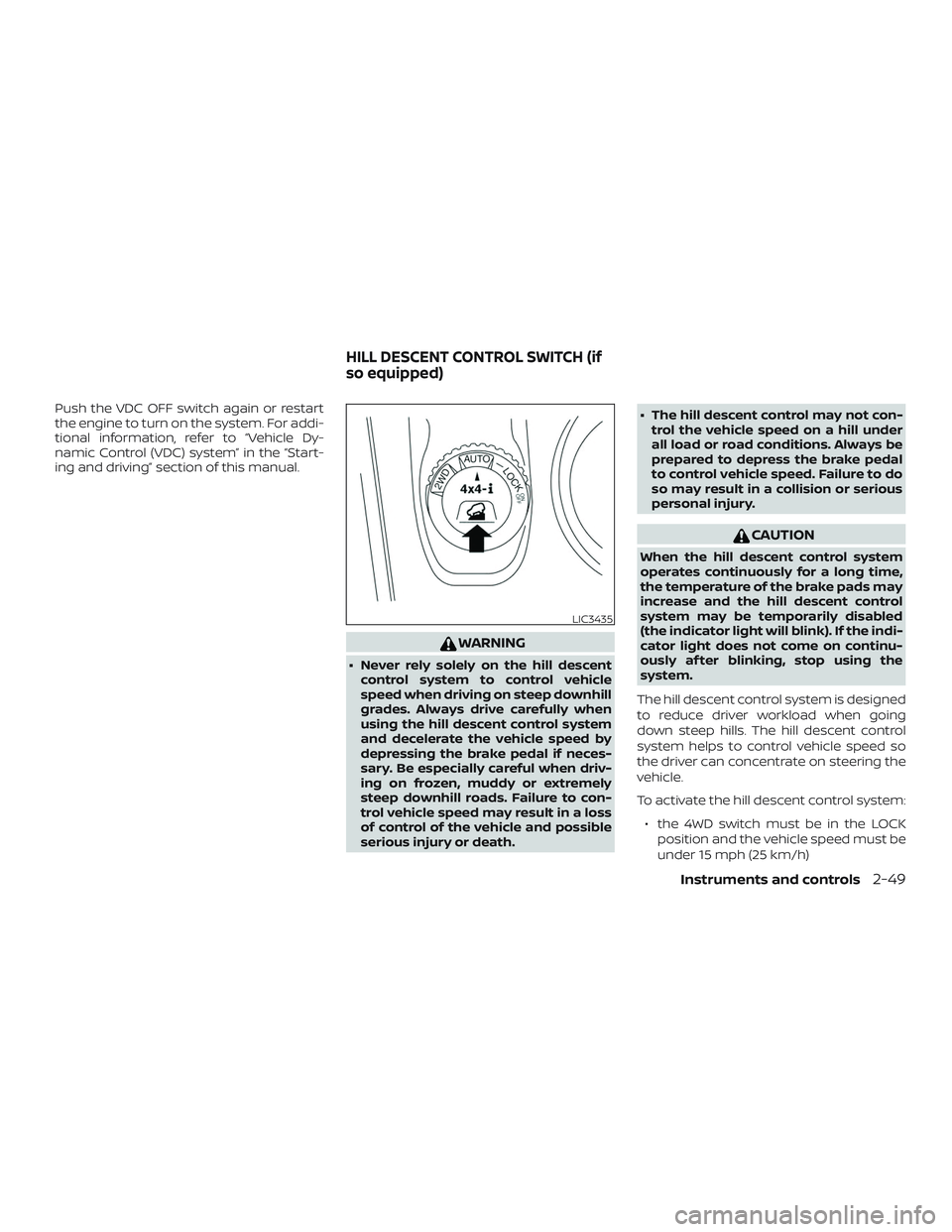
The hill descent control system is designed
to reduce driver workload when going
down steep hills. The hill descent control
system helps to control vehicle speed so
the driver can concentrate on steering the
vehicle.
To activate the hill descent control system: ∙ the 4WD switch must be in the LOCK position and the vehicle speed must be
under 15 mph (25 km/h)
LIC3435
HILL DESCENT CONTROL SWITCH (if
so equipped)
Instruments and controls2-49