power NISSAN QASHQAI 2014 Owner´s Manual
[x] Cancel search | Manufacturer: NISSAN, Model Year: 2014, Model line: QASHQAI, Model: NISSAN QASHQAI 2014Pages: 338, PDF Size: 4.87 MB
Page 199 of 338
•When the engine is turned on with the engine
bonnet open.
•When the driver’s seat belt is not fastened.
•When the driver’s door is open.
•When the steering wheel is operated.
•When the Stop/Start System indicator blinks at
a low speed.
•When the accelerator pedal is depressed
(XTRONIC transmission models).
•When the shift lever is in the R (Reverse) posi-
tion.
•When the fan speed control dial is in any posi-
tion other than “OFF” (0) while the air flow con-
trol dial is in the front defogger position (manual
air conditioner).
•When the front defogger switch is on (automatic
air conditioner).
•When the Stop/Start System OFF switch is
turned on.
•When the electric power steering warning light,
the Anti-lock Braking System (ABS) warning
light, or the Electronic Stability Programme
(ESP) warning light illuminates.
•When the brake pedal is not fully depressed
(XTRONIC transmission models).
•When stopping the vehicle on steep sloping
roads (XTRONIC transmission models).
•When the power consumption is large.
•When the vehicle is travelling at altitudes higher
than 2000 m (6562 ft) (MT models).
•When the vehicle is travelling at altitudes higher
than 1500m (4922 ft) (R9M engine in combina-
tion with XTRONIC transmission models).
NOTE
It may take some time until the Stop/Start Sys-
tem activates under the following conditions:
•When the battery is discharged.
•When the outside temperature is low.
•When the battery is replaced or the battery ter-
minal is disconnected for extended periods and
then reconnected.
NOTE
The engine will not restart even if the brake pedal
is released (XTRONIC transmission ) or clutch
pedal is pressed (MT) while the Stop/Start Sys-
tem is activated under the following condition:
•When the shift lever is in the P (Park) position
(XTRONIC transmission models).
•When the engine bonnet is opened.
•When the driver seat belt is unfastened and the
driver’s door is opened (MT models).
•When the gear shift lever is not in the Neutral
position. (MT models)
NOTE
The engine will restart without releasing thebrake pedal (XTRONIC transmission models) or
without depressing the clutch pedal (MT models)
while the Stop/Start System is activated under
the following conditions:
•When the Stop/Start System OFF switch is
pushed.
•When the fan speed control dial is in any posi-
tion other than “OFF” (0) while the air flow con-
trol dial is in the front defogger position (manual
air conditioner).
•When the front defogger switch is set to “ON”
(automatic air conditioner).
•When the accelerator pedal is depressed.
(XTRONIC transmission models)
•When the steering wheel is operated. (XTRONIC
transmission models)
•When the battery capacity is low.
•When the power consumption is large.
•When the brake pedal is released on sloping
roads and the vehicle is moved.
•When the force to the brake pedal is reduced
while the shift lever is in the D (Drive) or N (Neu-
tral) position. (XTRONIC transmission models)
•When the shift lever is placed in the L (Low), D
(Drive) or R (Reverse) position from the N or P
position. (XTRONIC transmission models)
•When the vacuum of the brake servo is insuffi-
cient as a result of depressing the brake pedal
several times.
Starting and driving5-23
Page 203 of 338
4WD MODE OPERATIONSCAUTION
Depending on the driving conditions, the 4WD
mode may automatically change from 2WD to
4WD even when the 2WD mode is selected.
If this occurs while driving, the 4WD mode indi-
cator light will not illuminate.
Do not start the engine while in the 2WD, AUTO,
or LOCK mode:
•When on free-roller or jacking the front tyres
with the rear tyres on the ground.
•When towing with the rear tyres raised from
the ground.
4WD SHIFT TIPS
•If the 4WD mode control is operated while cor-
nering, accelerating or decelerating, or if the ig-
nition is turned OFF while in the AUTO or LOCK
position you may feel a jolt - this is normal.
•The oil temperature of power train parts will in-
crease if the vehicle is continuously operated
under conditions where the difference in rotation
between the front and rear wheels is large (wheel
slip), such as when driving the vehicle on rough
roads through sand or mud, or when freeing a
stuck vehicle. In these cases, the message [4WD
High Temp. Stop Vehicle] will appear in the ve-
hicle information display and the 4WD mode
changes to the 2WD condition to protect the
power train parts. If you stop the vehicle, with
4WD Mode Wheels driven4WD mode
indicator light
(
m,m)Driving conditions
2WDFront wheels-
The wheel drive mode is in
2WD when driving on a normal
road
*1Goes off For driving on dry, paved roads
AUTODistribution of torque to the
front and rear wheels changes
automatically, depending on
road conditions encountered
[ratio; 100:0 (2WD)→50:50
(4WD)]. This results in
improved driving stability
m
For driving on paved or slippery roads
LOCK Four wheels
*2m/mFor driving on rough roads
*1The 2WD mode may change to the 4WD mode automatically depending on the driving condition. The 4WD mode indi-
cator light does not illuminate.
*2LOCK mode changes to AUTO mode automatically when the vehicle is sharply accelerated or when the vehicle speed
is over approximately 40 km/h (25 MPH). The 4WD LOCK indicator light goes off. Turning off the ignition automatically
cancels LOCK mode.
Starting and driving5-27
Page 204 of 338
the engine idling, and wait until the warning mes-
sage is no longer displayed, the 4WD mode re-
turns to the AUTO mode.
•Braking distance in 4WD mode is the same as in
2WD mode.
•Even if the mode automatically changes to AUTO
mode, when driving in the LOCK mode, the indi-
cator light stays in the LOCK mode.
CAUTION
•Only use the 4WD mode control when driving
in a straight direction (to select 2WD, AUTO or
LOCK).
•Do not use the 4WD mode control when turn-
ing or reversing.
•Do not use the 4WD mode control with the
front wheels spinning (to select 2WD, AUTO,
or LOCK).
•Be especially careful when starting or driving
on slippery surfaces with the 4WD mode set
to AUTO.
•Never drive on dry hard surface roads in the
LOCK position as this will overload the power
train and may cause serious malfunctions.
4WD MODE INDICATOR LIGHTS
•4WD mode indicator light (LOCK):
This light comes on when the ignition switch is
turned to the ON position, and turns off within 1
second. When selecting LOCK mode while theengine is running, this light will illuminate simul-
taneously along with the 4WD mode indicator
light (AUTO).
•4WD mode indicator light (AUTO):
This light comes on when the ignition switch is
turned to the ON position, and turns off within 1
second. If the engine is running, this light will illu-
minate when selecting AUTO mode.
The 4WD mode indicator light is located in the
instrument panel.
The light should turn off within 1 second of the
ignition switch being turned to the ON position.
While the engine is running, the 4WD mode indi-
cator light will display the position selected by
the 4WD mode control.
NOTE
The 4WD mode indicator light may blink while
shifting from one drive mode to another. Once
shifting is completed, the 4WD mode indicator
light will come on. If the indicator light does not
come on immediately, make sure that the area
around the vehicle is safe and free from ob-
stacles. Drive the vehicle straight (DO NOT ac-
celerate, decelerate or reverse), then turn the
4WD mode control.
If the 4WD warning lights comes on, the 4WD indi-
cator light(s) will go out.
DRIVING FOUR-WHEEL DRIVE (4WD)
SAFELY
Your NISSAN is designed for both normal and off-
road use. However, avoid driving in deep water or
mud as your NISSAN is mainly designed for leisure
use, unlike a conventional off-road vehicle.
Remember that Two-Wheel drive (2WD) models are
less capable than Four-Wheel Drive (4WD) models
for rough road driving and extrication when stuck,
for example, in deep snow or mud.
Please observe the following precautions:
•Drive carefully when off-road and avoid danger-
ous areas. Always wear seat belts to help keep
you and your passengers in position when driv-
ing over rough terrain.
•Do not drive across steep slopes. Instead drive
either straight up or straight down the slope. Off-
road vehicles can tip over sideways much more
easily than they can forwards or backwards.
•Many hills are too steep for any vehicle. If you
drive up them, you may stall. If you drive down
them, you may not be able to control your speed.
If you drive across them, you may roll over.
•Do not shift gears when driving on downhill
grades as this could cause loss of control of the
vehicle.
•Stay alert when driving to the top of a hill. At the
top there could be a drop-off or other hazard that
could cause an accident.
5-28Starting and driving
Page 230 of 338
Your new vehicle was designed to be used primarily
to carry passengers and luggage.
Remember that towing a trailer will place additional
loads on your vehicle’s engine, drive-train, steering,
braking and other systems. Towing a trailer will also
exaggerate other conditions, such as sway caused
by crosswinds, rough road surfaces or passing
trucks. Driving style and speed must be adjusted
according to the circumstances. Before towing a
trailer, see a NISSAN dealer or qualified workshop
for an explanation of towing equipment and its
proper use.
OPERATING PRECAUTIONS
•Avoid towing a trailer during the running-in
schedule.
•Choose proper coupling devices (trailer hitch,
safety chain, roof carrier, etc.) for your vehicle
and trailer. These devices are available from a
NISSAN dealer or qualified workshop where you
can also obtain more detailed information about
trailer towing.
Heavy-duty kits are available at a NISSAN dealer
or qualified workshop.
•It is advisable to contact a NISSAN dealer or
qualified workshop for towing details, before
towing a trailer up steep slopes for long dis-
tances.
•Never allow the total trailer load (trailer weight
plus its cargo weight) to exceed the maximum
set for the coupling device.Contact a NISSAN dealer or qualified workshop
for more information on this matter.
•The trailer must be loaded so that heavy goods
are distributed over the axle and as low in the
trailer as possible. Poor load distribution can se-
riously affect the stability of the trailer and tow
vehicle.
•Do not exceed the maximum permitted vertical
load on the trailer hitch.
•Before driving, make sure that the lighting sys-
tem of the trailer works properly.
•When towing with 4WD models, the 4WD mode
switch should be in the AUTO position. Using
the vehicle in AUTO mode gives better traction,
particularly when moving off from stationary and/
or on an incline, as the vehicle is less likely to
wheel spin.
•Avoid abrupt starts, accelerations and stops.
•Avoid sharp turns and lane changes.
•Always drive your vehicle at a moderate speed.
•Always block the wheels on both vehicle and
trailer when parking. Apply the handbrake (where
fitted) on the trailer. Parking on a steep slope is
not recommended.
If parking on a steep slope is unavoidable it is
also advisable to put the vehicle into gear, or
select P (Park (XTRONIC models)), and turn the
front wheels into the kerb (in addition to the other
precautions described). Before parking on asteep slope consider the incline (the towing
weights quoted are for a 12% slope).
•Follow the trailer manufacturer’s instructions.
•Have your vehicle serviced more often than at
the intervals specified in the separately provided
Warranty Information and Maintenance booklet.
•Trailer towing requires more fuel than under nor-
mal circumstances because of a considerable
increase in traction power required and resis-
tance.
•When towing a trailer, observe the following re-
stricted towing speed:
Speed: below 100 km/h (62 MPH)
•Observe the legal maximum speeds for trailer
operation.
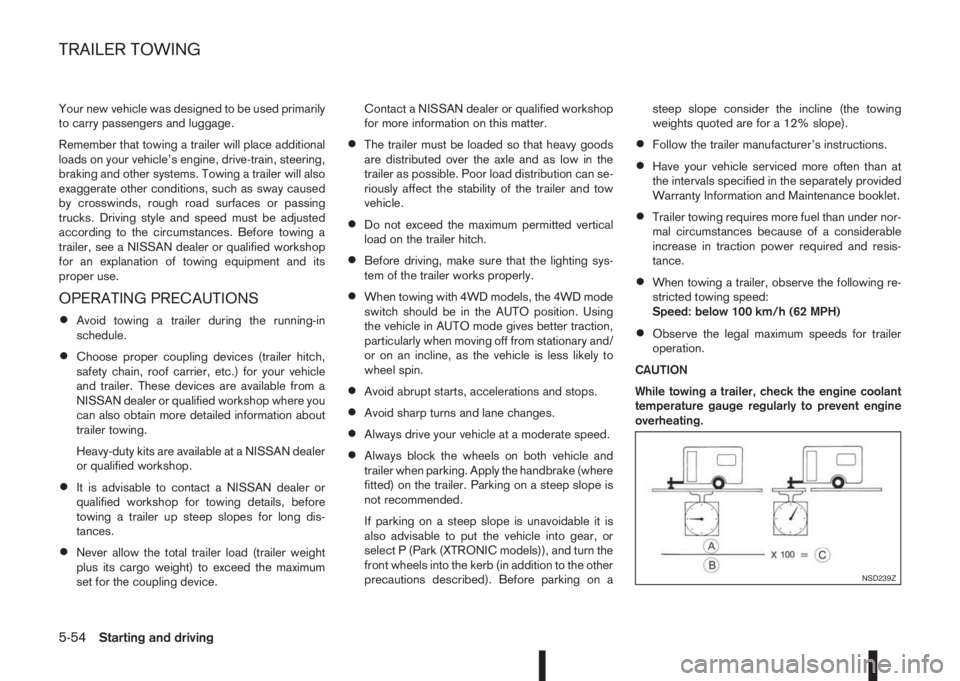
CAUTION
While towing a trailer, check the engine coolant
temperature gauge regularly to prevent engine
overheating.
NSD239Z
TRAILER TOWING
5-54Starting and driving
Page 233 of 338
When leaving your vehicle unoccupied:
•Always remove the ignition key and take it with
you – even in your own garage.
•Always remove the ignition key or Intelligent Key
(where fitted) and take it with you – even in your
own garage.
•Close all windows completely and lock all doors.
•Always park your vehicle where it can be seen.
At night, park in a well lit area.
•If the vehicle is equipped with an alarm or immo-
bilization device, use it – even for short periods.
•Do not leave children and pets in the vehicle
unattended.
•Do not leave valuables on view to tempt a thief.
Always take your valuables with you. If you must
leave something in your vehicle, lock it in the lug-
gage compartment or hide it out of sight.
•Do not leave the vehicle documents in your ve-
hicle. In the unfortunate event of your vehicle
being stolen, the documents will only help a thief
to sell the vehicle.
•Do not leave articles on a roof rack as they are
particularly vulnerable. If possible, remove them
from the rack and lock them inside the vehicle.
•Do not leave the spare key in the vehicle – keep
it in a safe place at home.
•Do not leave the spare key or Intelligent Key in
the vehicle – keep it in a safe place at home.
•Do not leave a note of your vehicle’s key number
in the vehicle. A thief may break into the vehicle,
note the key number and return with a new key
and drive the vehicle.WARNING
•If the engine is not running or is turned off
while driving, the power assistance for the
steering will not work. The steering will be
harder to operate.
•When the electric power steering warning light
illuminates with the engine running, the power
assistance for the steering will cease opera-
tion. You will still have control of the vehicle
but the steering will be harder to operate.
The electric power steering system is designed to
provide power assistance while driving to allow you
to operate the steering wheel with light force.
The steering effort can be set to [Normal] or [Sport]
in the vehicle information display under the heading
[Driver assistance]. (See “[Driver assistance]” in the
“2. Instruments and controls” section.)
NOTE
When the steering wheel is operated repeatedly
or continuously while parking or driving at a very
low speed, the power assistance for the steering
wheel will be reduced. This is to prevent over-
heating of the electric power steering system and
protect it from becoming damaged. While the
power assistance is reduced, steering wheel op-
eration will become heavy. When the tempera-
ture of the electric power steering system de-
creases, the power assistance level will return to
normal. Avoid repeating such steering wheel op-
erations that could cause the electric power
steering system to overheat.
VEHICLE SECURITY ELECTRIC POWER STEERING
SYSTEM
Starting and driving5-57
Page 234 of 338
You may hear a sound when the steering wheel
is operated quickly. However, this is not a mal-
function.
If the electric power steering warning light
illu-
minates while the engine is running, it may indicate
the electric power steering system is not functioning
properly and may need servicing. Have the electric
power steering system checked by a NISSAN dealer
or qualified workshop. (See “ Power steering warn-
ing light” in the “2. Instruments and controls” sec-
tion.)
When the electric power steering warning light illu-
minates with the engine running, the power assis-
tance for the steering will cease operation. You will
still have control of the vehicle. However, greater
steering effort is needed, especially in sharp turns
and at low speeds.The brake system has two separate hydraulic cir-
cuits. If one circuit malfunctions, two wheels will still
have braking ability.BRAKE PRECAUTIONS
Vacuum assisted brake
The brake booster aids braking by using engine
vacuum or vacuum from an engine-driven pump. If
the engine stops or the drive belt is broken, you can
stop the vehicle by depressing the brake pedal.
However, greater foot pressure on the brake pedal
will be required to stop the vehicle and the stopping
distance will be longer.
Wet brakes
When the vehicle is washed or driven through wa-
ter, the brakes may get wet. As a result, your brak-
ing distance will be longer and the vehicle may pull
to one side during braking.
To dry brakes, drive the vehicle at a safe speed
while lightly pressing the brake pedal to heat up the
brakes. Do this until the brakes return to normal.
Avoid driving the vehicle at high speeds until the
brakes function correctly.
Using the brakes
Avoid resting your foot on the brake pedal while
driving. This will overheat the brakes, wear out the
brake linings and pads faster and reduce fuel
economy performance.
To help reduce brake wear and to prevent the brakes
from overheating, reduce speed and shift to a lower
gear before going down a slope or long downhillgradient. Overheated brakes may reduce braking
performance and could result in loss of vehicle con-
trol.
CAUTION
While driving on a slippery surface, be careful
when braking, accelerating or downshifting.
Abrupt braking actions or sudden acceleration
could cause the wheels to skid and result in an
accident.
Be aware that brakes will fade if repeated heavy
brake applications are made.
Driving uphill
When starting on a steep gradient, it is sometimes
difficult to operate the brake or both the brake and
clutch (MT models). Use the parking brake to hold
the vehicle. Do not slip the clutch (MT models).
When ready to start, make sure that the shift lever is
in an appropriate forward or reverse driving posi-
tion, slowly release the parking brake while depress-
ing the accelerator pedal and releasing the clutch
(MT models) or depressing the accelerator pedal
(XTRONIC transmission models). If your vehicle has
an electric parking brake, this will automatically re-
lease when you depress the accelerator pedal and
release the clutch (MT models) or depress the ac-
celerator pedal (XTRONIC transmission models).
BRAKE SYSTEM
5-58Starting and driving
Page 236 of 338
NORMAL OPERATION
The ABS operates at speeds above 5 to 10 km/h (3
to 6 MPH). The speed varies according to road con-
ditions.
When the ABS senses that one or more wheels are
close to locking up, the actuator rapidly applies and
releases hydraulic pressure. This action is similar to
pumping the brakes very quickly. You may feel a
pulsation in the brake pedal and hear a noise from
under the bonnet or feel a vibration from the actua-
tor when it is operating. This is normal and indicates
that the ABS is operating properly. However, the
pulsation may indicate that road conditions are haz-
ardous and extra care is required while driving.When accelerating, driving on slippery surfaces or
suddenly avoiding obstacles on roads, the vehicle
might swerve or slip. The Electronic Stability Pro-
gramme (ESP) system continuously monitors and
compares the driver’s intended speed and the travel
direction. The system adjusts wheel brake pressure
and engine torque to assist in improving vehicle sta-
bility.
•When the ESP system is operating, the “SLIP”
indicator light () in the combination meter
blinks.
•When only the traction control (TCS) system in
the ESP system is operating, the “SLIP” indica-
tor light (
) in the combination meter will also
blink.
•If the “SLIP” indicator light () blinks, the road
conditions are slippery. Be sure to drive care-
fully. See “Warning/indicator lights and audible
reminders” in the “2. Instruments and controls”
section.
•Indicator light
If a malfunction occurs in the system, the “SLIP”
indicator light (
) will come on in the combina-
tion meter.
As long as these indicator lights are on, the trac-
tion control function is cancelled.
The ESP system uses Active Brake Limited Slip
(ABLS) system to improve vehicle traction. The Ac-
tive Brake Limited Slip (ABLS) system works when
one of the driving wheels is spinning on a slipperysurface. The Active Brake Limited Slip (ABLS) sys-
tem, brakes the spinning wheel to distribute the driv-
ing power to the other driving wheel.
If the vehicle is operated with the ESP system turned
off, all ESP and TCS functions will be turned off.
The Active Brake Limited Slip (ABLS) system and
ABS will still operate with the ESP system off. If the
Active Brake Limited Slip (ABLS) system is acti-
vated, the “SLIP” indicator light (
) will blink and
you may hear a clunk noise and/or feel a pulsation in
the brake pedal. This is normal and does not indi-
cate a malfunction.
While the ESP system is operating, you may feel a
pulsation in the brake pedal and hear a noise or
vibration from under the bonnet. This is normal and
indicates that the ESP system is working properly.
The ESP computer has a built in diagnostic feature
that tests the system each time the engine is started
and the vehicle moves forwards or reverses at a
slow speed. When the self-test occurs, you may
hear a clunk noise and/or feel a pulsation in the
brake pedal. This is normal and is not an indication
of a malfunction.
WARNING
•The ESP system is designed to help improve
driving stability but does not prevent accidents
caused by abrupt steering operation at high
speeds, or careless or dangerous driving
techniques. Reduce vehicle speed and be es-
pecially careful when driving and cornering on
slippery surfaces. Always drive carefully.
ELECTRONIC STABILITY PROGRAMME (ESP) SYSTEM (where fitted)
5-60Starting and driving
Page 238 of 338
If the vehicle is stuck in mud or snow, the ESP sys-
tem reduces the engine output to decrease wheel
spin. The engine speed will be reduced even if the
accelerator is depressed to the floor. If maximum
engine power is needed to free a stuck vehicle, turn
the ESP system off.
To turn off the ESP system, push the ESP OFF
switch. The ESP OFF indicator light (
) will
come on.
NOTE
The ESP system cannot be switched off when
the ESP system is operating and the “SLIP” indi-
cator light (
) is blinking.
Push the ESP OFF switch again, or restart the en-
gine, to turn the system ON. See “Electronic Stabil-
ity Programme (ESP) system (where fitted)” earlier
in this section for operational details.The chassis control is an electric control module
that includes the following functions:
•Active Trace Control
•Active Engine Brake
•Active Ride Control
ACTIVE TRACE CONTROL
WARNING
The active trace control may not be effective de-
pending on the driving condition. Always drive
carefully and attentively.
This system senses driving based on the driver’s
steering and acceleration/braking patterns, and con-
trols brake pressure at individual wheels to aid trac-
ing at corners and help smooth vehicle response.
The Active trace control system is switched ON
(enabled) or OFF (disabled) through the Vehicle In-
formation Display. See “[Driver assistance]” in the
“2. Instruments and controls” section for more infor-
mation.
When the Electronic Stability Programme (ESP)
OFF switch is used to turn off the ESP system, the
active trace control is also turned off.
CHASSIS CONTROL
5-62Starting and driving
Page 250 of 338
3. With the wheel wrench, tighten the wheel bolts
alternately and evenly in the sequence as illus-
trated (
j1-j5 ) until they are tight.
4. Lower the vehicle slowly until the tyre touches
the ground.
5. Tighten the wheel bolts securely using the wheel
wrench in the sequence as illustrated.
6. Lower the vehicle completely.
7. Install the wheel cover (where fitted).
NOTE
Before installation, align NISSAN logo (centre
cap) with the wheel bolts/or perpendicular to
valve hole (where fitted), to correctly align to
the centre.
Wheel bolt tightening torque:
113 N•m (12 kg-m, 83 ft-lb)
As soon as possible, tighten the wheel bolts to
the specified torque with a torque wrench.
WARNING
Retighten the wheel bolts after the vehicle has
been driven for 1,000 km (600 miles) (also in
cases of a flat tyre, etc.).
The wheel bolts must be kept tightened to specifi-
cation at all times. It is recommended that the wheel
bolts be tightened to specification at each mainte-
nance interval.
Adjust the tyre pressure to the COLD pressure.COLD pressure is the tyre pressure as measured
after the vehicle has been parked for three hours or
more or driven for less than 1.6 km (1 mile).
COLD tyre pressures are shown on the tyre placard
affixed to the driver’s side centre pillar.
Stowing the wheel and tools
Securely store the wheel with the flat tyre, the jack
and the tools in the specified storage areas.
Wheel lock bolts(where fitted)
In order to prevent theft, the specially designed
wheel lock bolt is installed to each wheel. The wheel
lock bolt cannot be removed with the commonly
used tools.
When removing tyres, use the lock key provided
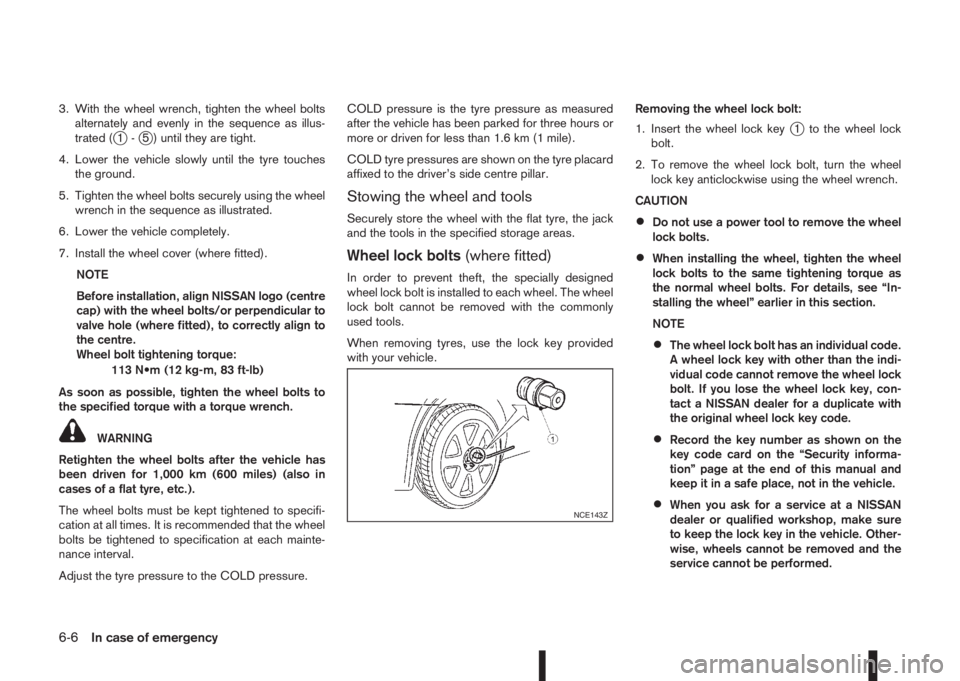
with your vehicle.Removing the wheel lock bolt:
1. Insert the wheel lock key
j1 to the wheel lock
bolt.
2. To remove the wheel lock bolt, turn the wheel
lock key anticlockwise using the wheel wrench.
CAUTION
•Do not use a power tool to remove the wheel
lock bolts.
•When installing the wheel, tighten the wheel
lock bolts to the same tightening torque as
the normal wheel bolts. For details, see “In-
stalling the wheel” earlier in this section.
NOTE
•The wheel lock bolt has an individual code.
A wheel lock key with other than the indi-
vidual code cannot remove the wheel lock
bolt. If you lose the wheel lock key, con-
tact a NISSAN dealer for a duplicate with
the original wheel lock key code.
•Record the key number as shown on the
key code card on the “Security informa-
tion” page at the end of this manual and
keep it in a safe place, not in the vehicle.
•When you ask for a service at a NISSAN
dealer or qualified workshop, make sure
to keep the lock key in the vehicle. Other-
wise, wheels cannot be removed and the
service cannot be performed.NCE143Z
6-6In case of emergency
Page 254 of 338
6. Insert its power plug into the power outlet in the
vehicle. Make sure no other accessories are fit-
ted to the power outlet. For details, see “Power
outlet” in the “2. Instruments and controls” sec-
tion.
7. Turn the ignition switch to the Acc position.
8. Switch on the compressor, and inflate the tyre to
the pressure that is specified on the tyre placard
affixed to the driver’s side centre pillar.
CAUTION
Do not operate the compressor for more than 10
minutes.
If the tyre pressure does not increase to the speci-
fied pressurewithin 10 minutes, the tyre may be
seriously damaged andthe tyre cannot be repaired
with this tyre repair kit. Contact a NISSAN dealer
or qualified workshop.
9. Remove the air compressor from the tyre valve.
Immediately drive the vehicle at a speed of 80
km/h (50 MPH) or less.
10. After 10 minute or 10 km (6 miles) drive, check
the tyre pressure. The temporary repair is com-
pleted if the tyre pressure does not drop.
If the tyre pressure is lower than specified, re-
peat the steps from step5.
If the pressure drops again or under 130 kPa
(1,3 bar, 19 psi),the tyre cannot be repaired
with this tyre repair kit. Contact a NISSAN
dealer or qualified workshop.After repairing tyre
See a NISSAN dealer or qualified workshop for tyre
repair/replacement, inspection/replacement of the
TPMS sensor and for a new tyre sealant bottle and
hose, as soon as possible.
6-10In case of emergency