display NISSAN ROGUE SPORT 2019 Manual Online
[x] Cancel search | Manufacturer: NISSAN, Model Year: 2019, Model line: ROGUE SPORT, Model: NISSAN ROGUE SPORT 2019Pages: 500, PDF Size: 2.37 MB
Page 260 of 500
5-32Starting and driving
applied and the brake force of the
automatic brake hold will be re-
leased:
—The braking force is applied by
the automatic brake hold function
for 3 minutes or longer.
— The driver’s seat belt is unfas-
tened.
— The ignition switch is placed in
the OFF position.
— If a malfunction occurs in the
automatic brake hold function.
. When the vehicle stops, but the
brake force is not automatically
applied, depress the brake pedal
firmly until the automatic brake hold
indicator light (green) illuminates.
Automatic brake hold function dis-
play
The automatic brake hold function status
can be checked in the “Chassis Control”
mode in the vehicle information display.
For additional information, see “Trip com-
puter” (P.2-39).
JVS0185X
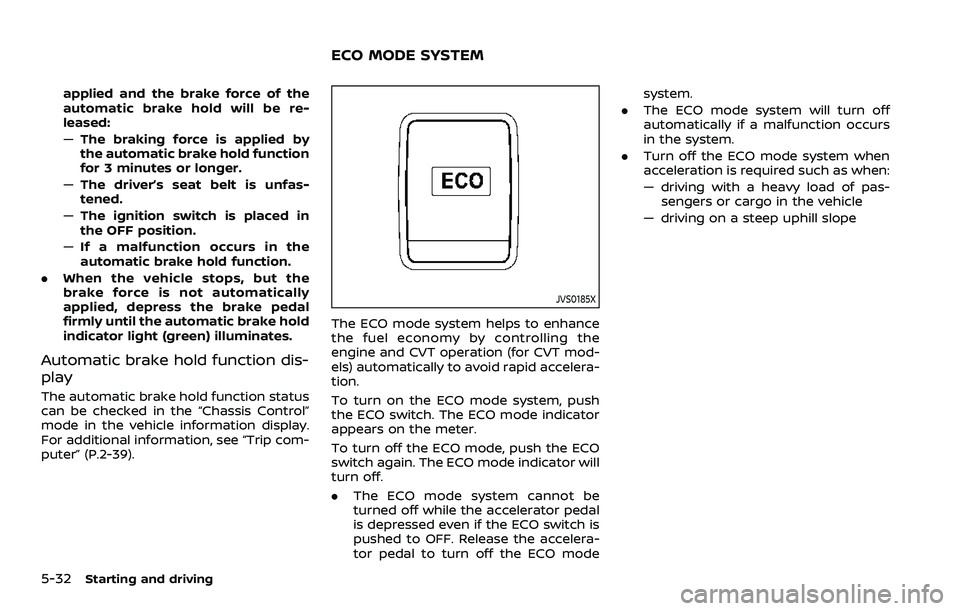
The ECO mode system helps to enhance
the fuel economy by controlling the
engine and CVT operation (for CVT mod-
els) automatically to avoid rapid accelera-
tion.
To turn on the ECO mode system, push
the ECO switch. The ECO mode indicator
appears on the meter.
To turn off the ECO mode, push the ECO
switch again. The ECO mode indicator will
turn off.
.The ECO mode system cannot be
turned off while the accelerator pedal
is depressed even if the ECO switch is
pushed to OFF. Release the accelera-
tor pedal to turn off the ECO mode system.
. The ECO mode system will turn off
automatically if a malfunction occurs
in the system.
. Turn off the ECO mode system when
acceleration is required such as when:
— driving with a heavy load of pas-
sengers or cargo in the vehicle
— driving on a steep uphill slope
ECO MODE SYSTEM
Page 261 of 500
WAF0142X
ECO PEDAL GUIDE FUNCTION
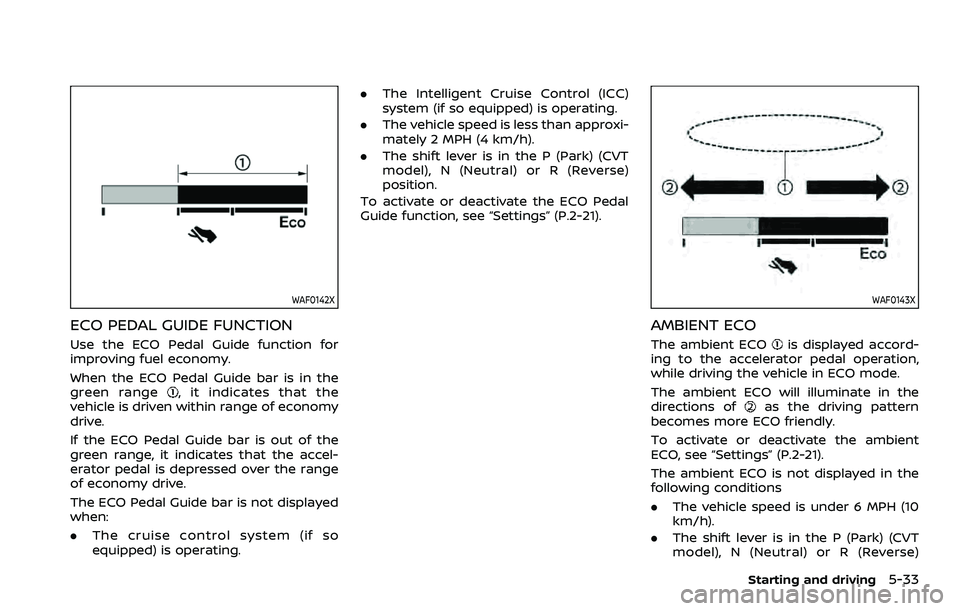
Use the ECO Pedal Guide function for
improving fuel economy.
When the ECO Pedal Guide bar is in the
green range
, it indicates that the
vehicle is driven within range of economy
drive.
If the ECO Pedal Guide bar is out of the
green range, it indicates that the accel-
erator pedal is depressed over the range
of economy drive.
The ECO Pedal Guide bar is not displayed
when:
. The cruise control system (if so
equipped) is operating. .
The Intelligent Cruise Control (ICC)
system (if so equipped) is operating.
. The vehicle speed is less than approxi-
mately 2 MPH (4 km/h).
. The shift lever is in the P (Park) (CVT
model), N (Neutral) or R (Reverse)
position.
To activate or deactivate the ECO Pedal
Guide function, see “Settings” (P.2-21).
WAF0143X
AMBIENT ECO
The ambient ECOis displayed accord-
ing to the accelerator pedal operation,
while driving the vehicle in ECO mode.
The ambient ECO will illuminate in the
directions of
as the driving pattern
becomes more ECO friendly.
To activate or deactivate the ambient
ECO, see “Settings” (P.2-21).
The ambient ECO is not displayed in the
following conditions
. The vehicle speed is under 6 MPH (10
km/h).
. The shift lever is in the P (Park) (CVT
model), N (Neutral) or R (Reverse)
Starting and driving5-33
Page 262 of 500
5-34Starting and driving
position.
. The cruise control system (if so
equipped) is operating.
. The Intelligent Cruise Control (ICC)
system (if so equipped) is operating.
JVS1083X
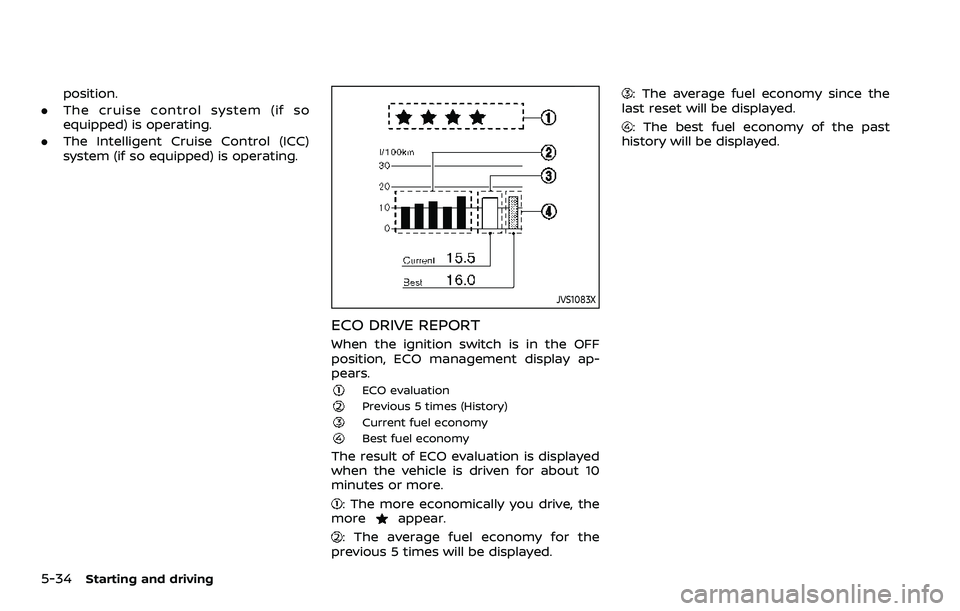
ECO DRIVE REPORT
When the ignition switch is in the OFF
position, ECO management display ap-
pears.
ECO evaluationPrevious 5 times (History)Current fuel economyBest fuel economy
The result of ECO evaluation is displayed
when the vehicle is driven for about 10
minutes or more.
: The more economically you drive, the
moreappear.
: The average fuel economy for the
previous 5 times will be displayed.
: The average fuel economy since the
last reset will be displayed.
: The best fuel economy of the past
history will be displayed.
Page 263 of 500
WARNING
Failure to follow the warnings and
instructions for proper use of the
LDW system could result in serious
injury or death.
.This system is only a warning
device to inform the driver of a
potential unintended lane depar-
ture. It will not steer the vehicle or
prevent loss of control. It is the
driver’s responsibility to stay
alert, drive safely, keep the vehi-
cle in the traveling lane, and be in
control of the vehicle at all times.
JVS1079X
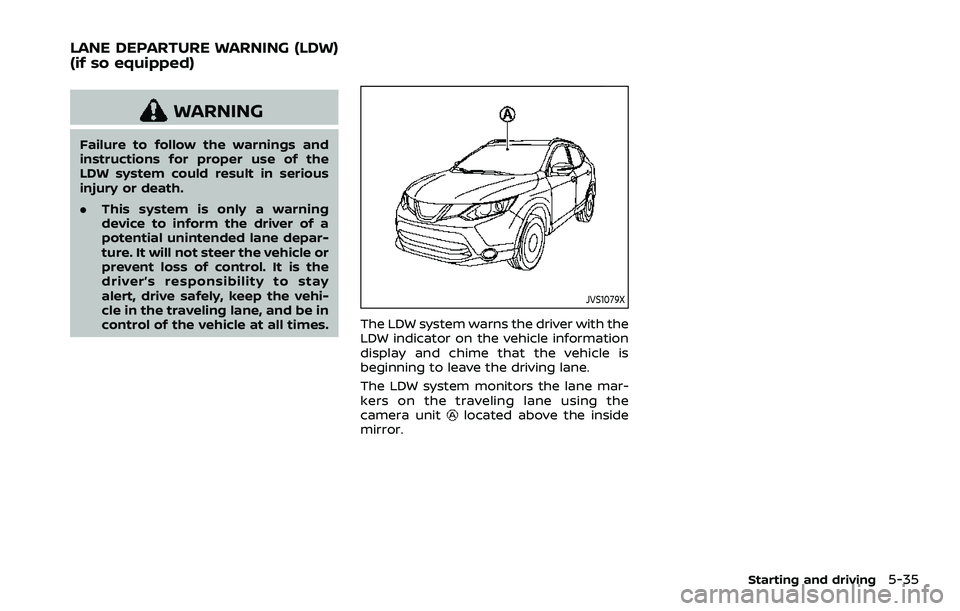
The LDW system warns the driver with the
LDW indicator on the vehicle information
display and chime that the vehicle is
beginning to leave the driving lane.
The LDW system monitors the lane mar-
kers on the traveling lane using the
camera unit
located above the inside
mirror.
Starting and driving5-35
LANE DEPARTURE WARNING (LDW)
(if so equipped)
Page 264 of 500
5-36Starting and driving
JVS1087X
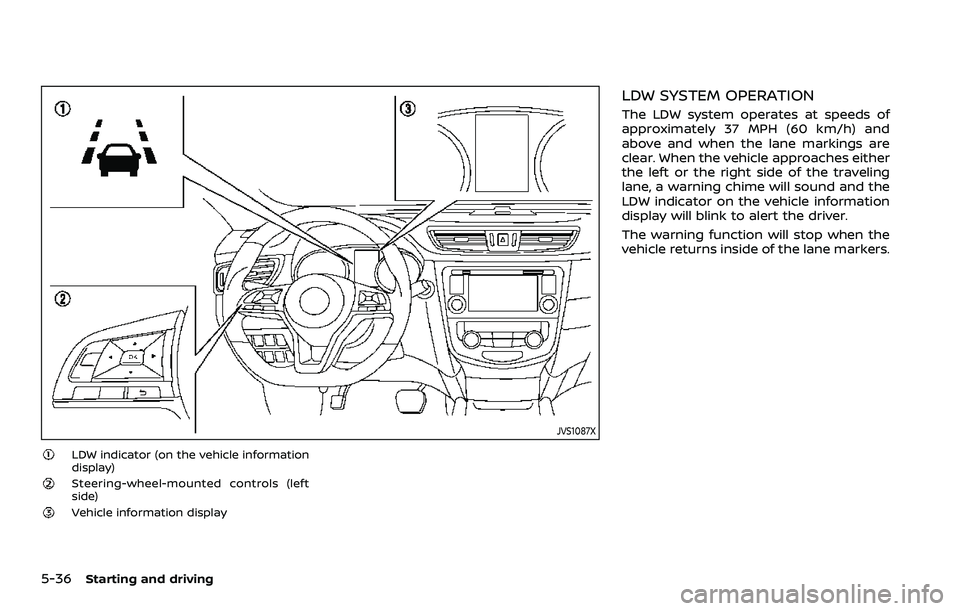
LDW indicator (on the vehicle information
display)
Steering-wheel-mounted controls (left
side)
Vehicle information display
LDW SYSTEM OPERATION
The LDW system operates at speeds of
approximately 37 MPH (60 km/h) and
above and when the lane markings are
clear. When the vehicle approaches either
the left or the right side of the traveling
lane, a warning chime will sound and the
LDW indicator on the vehicle information
display will blink to alert the driver.
The warning function will stop when the
vehicle returns inside of the lane markers.
Page 265 of 500
JVS1088X
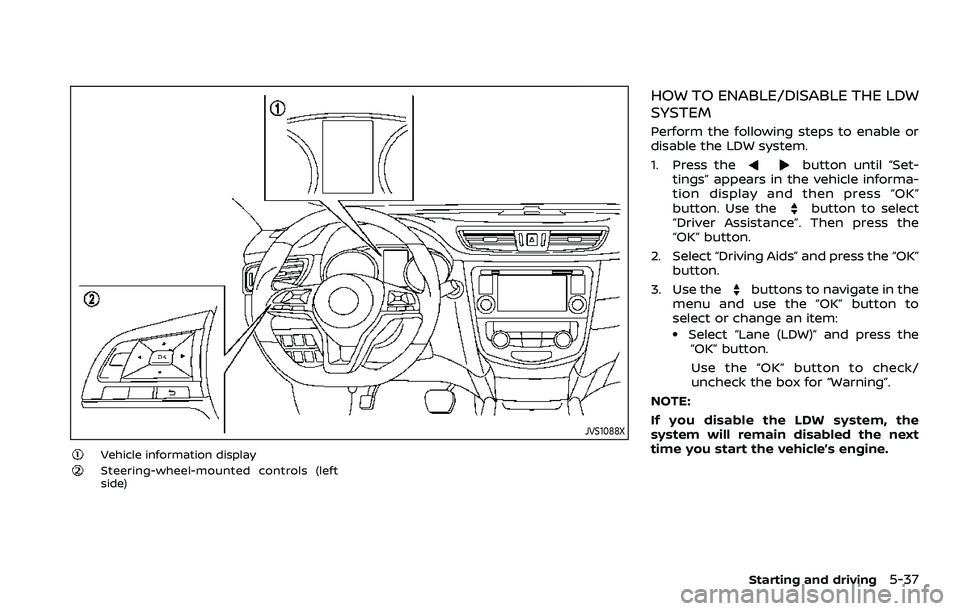
Vehicle information displaySteering-wheel-mounted controls (left
side)
HOW TO ENABLE/DISABLE THE LDW
SYSTEM
Perform the following steps to enable or
disable the LDW system.
1. Press the
button until “Set-
tings” appears in the vehicle informa-
tion display and then press “OK”
button. Use the
button to select
“Driver Assistance”. Then press the
“OK” button.
2. Select “Driving Aids” and press the “OK” button.
3. Use the
buttons to navigate in the
menu and use the “OK” button to
select or change an item:
.Select “Lane (LDW)” and press the “OK” button.
Use the “OK” button to check/
uncheck the box for “Warning”.
NOTE:
If you disable the LDW system, the
system will remain disabled the next
time you start the vehicle’s engine.
Starting and driving5-37
Page 267 of 500
— When a sudden change inbrightness occurs. (For exam-
ple, when the vehicle enters or
exits a tunnel or under a
bridge.)
SYSTEM TEMPORARILY UNAVAIL-
ABLE
Condition A:
If the vehicle is parked in direct sunlight
under high temperature conditions (over
approximately 104°F (40°C)) and then
started, the LDW system may be deacti-
vated automatically, the LDW indicator
will flash and the following message will
appear in the vehicle information display.
- “Unavailable: High Cabin Temperature”
When the interior temperature is reduced,
the LDW system will resume operating
automatically and the LDW indicator will
stop flashing.
Condition B:
The warning function of the LDW system
is not designed to work under the follow-
ing conditions:
. When you operate the lane change
signal and change traveling lanes in
the direction of the signal. (The LDW
system will become operable again
approximately 2 seconds after the lane change signal is turned off.)
. When the vehicle speed lowers to less
than approximately 37 MPH (60 km/h).
Action to take:
After the above conditions have finished
and the necessary operating conditions
are satisfied, the LDW system will resume.
SYSTEM MALFUNCTION
If the LDW system malfunctions, it will
cancel automatically and “Malfunction”
will appear in the vehicle information
display. If “Malfunction” appears in the
vehicle information display, pull off the
road to a safe location and stop the
vehicle. Place the ignition switch in the
OFF position and restart the engine. If
“Malfunction” continues to appear in the
vehicle information display, have the
system checked. It is recommended that
you visit a NISSAN dealer for this service.
JVS1079X
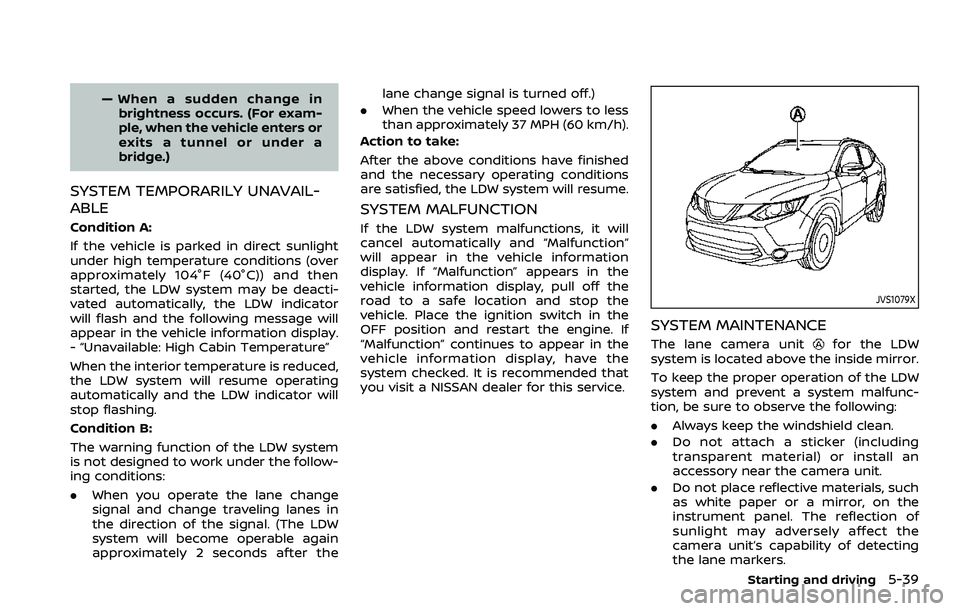
SYSTEM MAINTENANCE
The lane camera unitfor the LDW
system is located above the inside mirror.
To keep the proper operation of the LDW
system and prevent a system malfunc-
tion, be sure to observe the following:
. Always keep the windshield clean.
. Do not attach a sticker (including
transparent material) or install an
accessory near the camera unit.
. Do not place reflective materials, such
as white paper or a mirror, on the
instrument panel. The reflection of
sunlight may adversely affect the
camera unit’s capability of detecting
the lane markers.
Starting and driving5-39
Page 269 of 500
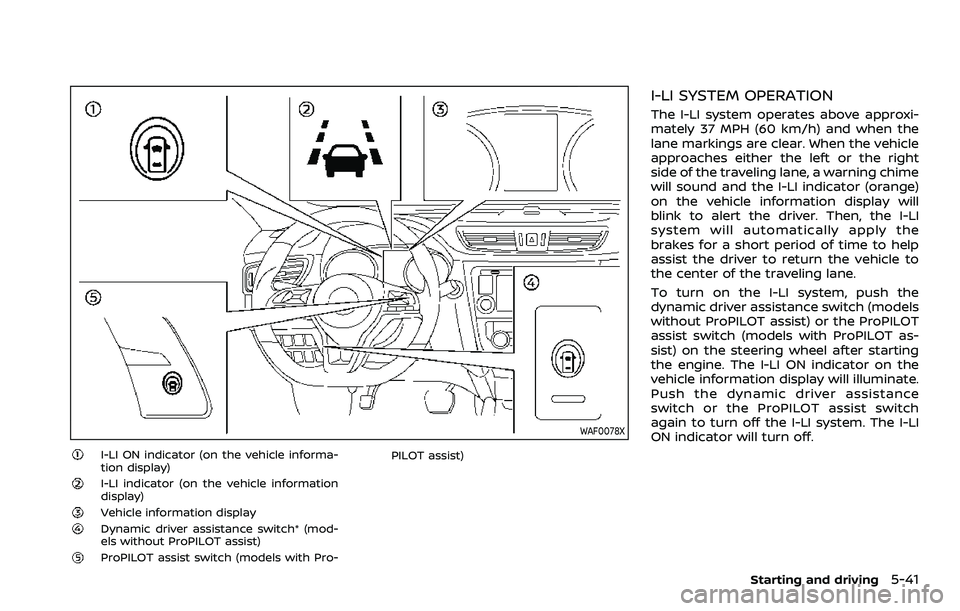
WAF0078X
I-LI ON indicator (on the vehicle informa-
tion display)
I-LI indicator (on the vehicle information
display)
Vehicle information displayDynamic driver assistance switch* (mod-
els without ProPILOT assist)
ProPILOT assist switch (models with Pro-PILOT assist)
I-LI SYSTEM OPERATION
The I-LI system operates above approxi-
mately 37 MPH (60 km/h) and when the
lane markings are clear. When the vehicle
approaches either the left or the right
side of the traveling lane, a warning chime
will sound and the I-LI indicator (orange)
on the vehicle information display will
blink to alert the driver. Then, the I-LI
system will automatically apply the
brakes for a short period of time to help
assist the driver to return the vehicle to
the center of the traveling lane.
To turn on the I-LI system, push the
dynamic driver assistance switch (models
without ProPILOT assist) or the ProPILOT
assist switch (models with ProPILOT as-
sist) on the steering wheel after starting
the engine. The I-LI ON indicator on the
vehicle information display will illuminate.
Push the dynamic driver assistance
switch or the ProPILOT assist switch
again to turn off the I-LI system. The I-LI
ON indicator will turn off.
Starting and driving5-41
Page 270 of 500
5-42Starting and driving
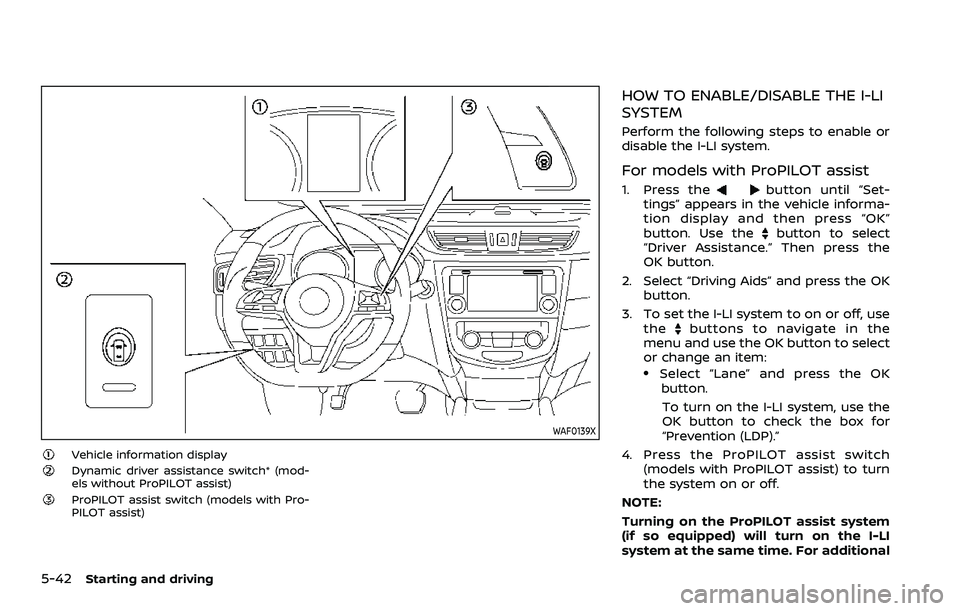
WAF0139X
Vehicle information displayDynamic driver assistance switch* (mod-
els without ProPILOT assist)
ProPILOT assist switch (models with Pro-
PILOT assist)
HOW TO ENABLE/DISABLE THE I-LI
SYSTEM
Perform the following steps to enable or
disable the I-LI system.
For models with ProPILOT assist
1. Press thebutton until “Set-
tings” appears in the vehicle informa-
tion display and then press “OK”
button. Use the
button to select
“Driver Assistance.” Then press the
OK button.
2. Select “Driving Aids” and press the OK button.
3. To set the I-LI system to on or off, use the
buttons to navigate in the
menu and use the OK button to select
or change an item:
.Select “Lane” and press the OK
button.
To turn on the I-LI system, use the
OK button to check the box for
“Prevention (LDP).”
4. Press the ProPILOT assist switch (models with ProPILOT assist) to turn
the system on or off.
NOTE:
Turning on the ProPILOT assist system
(if so equipped) will turn on the I-LI
system at the same time. For additional
Page 271 of 500
information, see “ProPILOT assist” (P.5-
86).
For models without ProPILOT assist
1. To turn on the I-LI system, push thedynamic driver assistance switch on
the instrument panel after starting
the engine.
2. The I-LI ON indicator on the Vehicle Information Display will appear.
3. Push the dynamic driver assistance switch again to turn off the I-LI
system. The I-LI ON indicator on the
vehicle information display will turn
off. The I-LI system will be automati-
cally turned off when the engine off.
I-LI SYSTEM LIMITATIONS
WARNING
Listed below are the system limita-
tions for the I-LI system. Failure to
follow the warnings and instructions
for proper use of the I-LI system
could result in serious injury or
death.
.The I-LI system may activate if
you change lanes without first
activating your turn signal or, for
example, if a construction zone
directs traffic to cross an existing lane marker. If this occurs you
may need to apply corrective
steering to complete your lane
change.
. Because the I-LI may not activate
under the road, weather, and lane
marker conditions described in
this section, it may not activate
every time your vehicle begins to
leave its lane and you will need to
apply corrective steering.
. The I-LI system will not operate at
speeds below approximately 37
MPH (60 km/h) or if it cannot
detect lane markers.
. Do not use the I-LI system under
the following conditions as it may
not function properly:
— During bad weather (rain, fog,
snow, etc.).
— When driving on slippery roads, such as on ice or snow.
— When driving on winding or uneven roads.
— When there is a lane closure due to road repairs.
— When driving in a makeshift or temporary lane. — When driving on roads where
the lane width is too narrow.
— When driving without normal tire conditions (for example,
tire wear, low tire pressure,
installation of spare tire, tire
chains, non-standard wheels).
— When the vehicle is equipped with non-original brake parts
or suspension parts.
. The system may not function
properly under the following con-
ditions:
— On roads where there are
multiple parallel lane markers;
lane markers that are faded or
not painted clearly; yellow
painted lane markers; non-
standard lane markers; or
lane markers covered with
water, dirt, snow, etc.
— On roads where discontinued lane markers are still detect-
able.
— On roads where there are sharp curves.
— On roads where there are sharply contrasting objects,
such as shadows, snow,
water, wheel ruts, seams or
Starting and driving5-43