light NISSAN TEANA 2014 Service Manual
[x] Cancel search | Manufacturer: NISSAN, Model Year: 2014, Model line: TEANA, Model: NISSAN TEANA 2014Pages: 4801, PDF Size: 51.2 MB
Page 2155 of 4801
![NISSAN TEANA 2014 Service Manual
OIL PAN AND OIL STRAINEREM-157
< REMOVAL AND INSTALLATION > [VQ35DE]
C
D E
F
G H
I
J
K L
M A
EM
NP
O
a. Insert Tool (A) between the lower oil pan and the upper oil pan.
CAUTION:
• Be careful not](/img/5/57390/w960_57390-2154.png "NISSAN TEANA 2014 Service Manual
OIL PAN AND OIL STRAINEREM-157
< REMOVAL AND INSTALLATION > [VQ35DE]
C
D E
F
G H
I
J
K L
M A
EM
NP
O
a. Insert Tool (A) between the lower oil pan and the upper oil pan.
CAUTION:
• Be careful not")
OIL PAN AND OIL STRAINEREM-157
< REMOVAL AND INSTALLATION > [VQ35DE]
C
D E
F
G H
I
J
K L
M A
EM
NP
O
a. Insert Tool (A) between the lower oil pan and the upper oil pan.
CAUTION:
• Be careful not to damage the mating surface.
• Do not insert a screwdriver or similar tool, this will dam-
age the mating surfaces.
b. In areas where the cutter is difficult to use, use a plastic hammer to lightly tap (1) the cutter where the liquid gasket is applied. Use
a plastic hammer to slide (2) the cutter by tapping on the side.
4. If re-installing the original lower oil pan, remove the old liquid gasket from the mating surfaces using a scraper.
• Also remove the old liquid gasket from mating surface of the upper oil pan.
• Remove the old liquid gasket from the bolt holes and threads.
CAUTION:
Do not scratch or damage the mating surf aces when cleaning off the old liquid gasket.
INSPECTION AFTER REMOVAL
Clean oil strainer if any object is attached.
INSTALLATION
1. Apply a continuous bead of liquid gasket to the lower oil pan.
• Use Genuine Silicone RTV Sealant, or equivalent. Refer to GI-
21, "Recommended Chemical Products and Sealants".
• Be sure the liquid gasket is 4.5 - 5.5 mm (0.177 - 0.217 in) wide.
• Installation must be done within 5 minutes after applying liquid gasket.
2. Install the lower oil pan. Tighten the lower oil pan bolts in order as shown.
• Wait at least 30 minutes before refilling the engine with oil.
INSPECTION AFTER INSTALLATION
• Start the engine and check for leaks. Refer to LU-25, "Inspection".
• Inspect the engine oil level. Refer to LU-25, "Inspection"
.
Removal and Installation (Upper Oil Pan)INFOID:0000000009460550
REMOVAL
WARNING:
• Do not remove the oil pan until the exhaust system and cooling syst em have completely cooled off.
• When removing the front and rear engine through bolt s and nuts, lift the engine up slightly for safety.
For engine slingers, refer to EM-220, "Removal and Installation"
.
CAUTION:
When removing the upper oil pan from the engine , first remove the crankshaft position sensor (POS).
Be careful not to damage senso r edges or signal plate teeth.
Tool number : KV10111100 (J-37228)
AWBIA1249GB
SEM159F
AWBIA1357ZZ
Revision: November 20132014 Altima NAM
Page 2182 of 4801
![NISSAN TEANA 2014 Service Manual
EM-184
< REMOVAL AND INSTALLATION >[VQ35DE]
TIMING CHAIN
a. Attach a suitable stopper pin (B) to the bank 1 (A) and bank 2
(C) timing chain tensioners (secondary) (1).
NOTE:
• Use approximately 0](/img/5/57390/w960_57390-2181.png "NISSAN TEANA 2014 Service Manual
EM-184
< REMOVAL AND INSTALLATION >[VQ35DE]
TIMING CHAIN
a. Attach a suitable stopper pin (B) to the bank 1 (A) and bank 2
(C) timing chain tensioners (secondary) (1).
NOTE:
• Use approximately 0")
EM-184
< REMOVAL AND INSTALLATION >[VQ35DE]
TIMING CHAIN
a. Attach a suitable stopper pin (B) to the bank 1 (A) and bank 2
(C) timing chain tensioners (secondary) (1).
NOTE:
• Use approximately 0.5 mm (0.02 in) diameter hard metal pin
as a stopper pin.
• Removal of camshaft bracket (No. 1) is required prior to
removing the timing chain tensioner (secondary).
b. Remove camshaft sprockets (INT and EXH) bolts. • Apply paint to the timing chain and camshaft sprockets for alignment during installation.
• Secure the hexagonal portion of camshaft using a wrench to
loosen bolts.
CAUTION:
Do not loosen bolts using an ything other than the cam-
shaft hexagonal portion. Do no t apply tension to the tim-
ing chain.
c. Remove timing chain (secondary) together with camshaft sprockets. • Turn camshaft slightly to keep the chain ti ght when removing the timing chain (secondary).
• Insert 0.5 mm (0.020 in) thick metal or resin plate between tim- ing chain and timing chain tensioner plunger (guide) (E).
Remove timing chain (secondary) (2) together with camshaft
sprockets with timing chain loose from guide groove.
CAUTION:
Be careful of plunger coming off when removing timing chain (secondary). The plunger of timing
chain tensioner (secondary) moves during operatio n, which could cause the stopper pin to fall
out.
• Bank 1 shown.
d. Camshaft sprocket (INT) is two-for-one structure of sprockets for timing chain (primary) and for timing
chain (secondary).
CAUTION:
• Handle camshaft sprocket (INT) carefully to avoid any
shock to camshaft sprocket.
• Do not disassemble. [Do not loosen bolts (A) as shown].
JPBIA1727ZZ
KBIA1698J
(1) : Timing chain tensioner (secondary)
(A) : Bank 1
(B) : View B
(C) : Stopper pin
(D) : Plate
(F) : Timing chain tensioner (body)
JPBIA2527ZZ
PBIC2980E
Revision: November 20132014 Altima NAM
Page 2188 of 4801
![NISSAN TEANA 2014 Service Manual
EM-190
< REMOVAL AND INSTALLATION >[VQ35DE]
REAR TIMING CHAIN CASE
• Before removing the upper oil pan, re
move the crankshaft position sensor (POS).
• Be careful not to damage sensor edges.
•](/img/5/57390/w960_57390-2187.png "NISSAN TEANA 2014 Service Manual
EM-190
< REMOVAL AND INSTALLATION >[VQ35DE]
REAR TIMING CHAIN CASE
• Before removing the upper oil pan, re
move the crankshaft position sensor (POS).
• Be careful not to damage sensor edges.
•")
EM-190
< REMOVAL AND INSTALLATION >[VQ35DE]
REAR TIMING CHAIN CASE
• Before removing the upper oil pan, re
move the crankshaft position sensor (POS).
• Be careful not to damage sensor edges.
• Do not spill engine oil or coolant on drive belt.
1. Remove the engine assembly. Refer to EM-220, "Removal and Installation"
.
2. Remove the oil pan lower and upper. Refer to EM-157, "Removal and Installation (Upper Oil Pan)"
.
3. Remove the front timing chain case. Refer to EM-174, "Removal and Installation"
.
4. Remove the primary and secondary timing chains. Refer to EM-182, "Removal and Installation"
.
5. Remove the rear timing chain case. CAUTION:
• Do not remove the plate metal cover for the oil passage.
• After removing the chain case, do not apply any load to
the case that might bend it.
a. Loosen and remove the rear timing chain case bolts in the order as shown.
b. Cut the sealant using Tool (A) and remove the rear timing chain case.
CAUTION:
• Be careful not to damage the mating surface.
• Do not insert a screwdriver or similar tool, this will dam-
age the mating surfaces.
c. In areas where the cutter is difficult to use, use a plastic hammer to lightly tap (1) the cutter where the liquid gasket is applied. Use
a plastic hammer to slide (2) the cutter by tapping on the side.
KBIA1307E
Tool number : KV10111100 (J-37228)
AWBIA0709ZZ
AWBIA1249GB
Revision: November 20132014 Altima NAM
Page 2195 of 4801
![NISSAN TEANA 2014 Service Manual
CAMSHAFTEM-197
< REMOVAL AND INSTALLATION > [VQ35DE]
C
D E
F
G H
I
J
K L
M A
EM
NP
O
6. Install exhaust and intake camshafts and camshaft brackets.
• Intake camshaft has a drill mark on camshaft s](/img/5/57390/w960_57390-2194.png "NISSAN TEANA 2014 Service Manual
CAMSHAFTEM-197
< REMOVAL AND INSTALLATION > [VQ35DE]
C
D E
F
G H
I
J
K L
M A
EM
NP
O
6. Install exhaust and intake camshafts and camshaft brackets.
• Intake camshaft has a drill mark on camshaft s")
CAMSHAFTEM-197
< REMOVAL AND INSTALLATION > [VQ35DE]
C
D E
F
G H
I
J
K L
M A
EM
NP
O
6. Install exhaust and intake camshafts and camshaft brackets.
• Intake camshaft has a drill mark on camshaft sprocket mount-ing flange.
• Follow your identification marks made during removal, or fol- low the identification marks t hat are present on the new cam-
shafts components for proper placement and direction of the
components.
• Position the camshaft dowel pins (A) as shown.
SEM652F
:Engine front
Bank INT/EXH ID mark
(A) Drill mark
Paint marks
M1 (E) M2 (F) M3 (D)
RH (B) INT 1A Yes Pink No Light blue
EXH 1C No No Light blue Light blue
LH (C) INT 1B Yes Pink No Light blue
EXH 1D No No Light blue Light blue
(1) :Crankshaft key
AWBIA1352ZZ
AWBIA1221GB
Revision: November 20132014 Altima NAM
Page 2210 of 4801
![NISSAN TEANA 2014 Service Manual
EM-212
< REMOVAL AND INSTALLATION >[VQ35DE]
CYLINDER HEAD
6. Install valve spring (uneven pitch type) with narrow pitch end
(paint mark) to cylinder head side (valve spring seat side).
7. Install val](/img/5/57390/w960_57390-2209.png "NISSAN TEANA 2014 Service Manual
EM-212
< REMOVAL AND INSTALLATION >[VQ35DE]
CYLINDER HEAD
6. Install valve spring (uneven pitch type) with narrow pitch end
(paint mark) to cylinder head side (valve spring seat side).
7. Install val")
EM-212
< REMOVAL AND INSTALLATION >[VQ35DE]
CYLINDER HEAD
6. Install valve spring (uneven pitch type) with narrow pitch end
(paint mark) to cylinder head side (valve spring seat side).
7. Install valve spring retainer.
8. Install valve collet. • Compress valve spring with valve spring compressor, attach-
ment and adapter using Tool. Install valve collet with magnet
hand.
CAUTION:
When working, take care not to damage valve lifter holes.
• Tap valve stem edge lightly with plastic hammer after installa-
tion to check its installed condition.
9. Install valve lifter. • Install it in the original position.
10. Install spark plug tube, if removed. • Press-fit spark plug tube as follows:
a. Remove old liquid gasket adhering to cylinder head mounting hole.
b. Apply sealant to area within approximately 12 mm (0 .47 in) from edge of spark plug tube press-fit side.
Use Genuine High Strength Locking Sealant or equivalent. Refer to EM-124, "Precaution for Liquid
Gasket".
c. Press-fit spark plug tube so that its height (H) is as specified in using suitable tool.
CAUTION:
• When press-fitting, take care not to deform spark plug tube.
• After press-fitting, wipe off liquid gasket protruding onto
cylinder-head upper face.
11. Install spark plug. Refer to EM-132, "Removal and Installation"
.
Inspection After DisassemblyINFOID:0000000009460577
CYLINDER HEAD DISTORTION
Clean the surface of the cylinder head. Use a reliabl e straightedge and feeler gauge to check the flatness of
cylinder head surface.
SEM085D
Tool numbers : KV10109230 ( — )
: KV10116200 (J-26336-A)
: KV10115900 (J-26336-20)
WBIA0578E
Press-fit height (H) : 37.7 - 39.1 mm (1.484 - 1.529 in)
PBIC2638E
Revision: November 20132014 Altima NAM
Page 2241 of 4801
![NISSAN TEANA 2014 Service Manual
CYLINDER BLOCKEM-243
< UNIT DISASSEMBLY AND ASSEMBLY > [VQ35DE]
C
D E
F
G H
I
J
K L
M A
EM
NP
O
Connecting Rod Bearing (Big End)
1. Install the connecting rod bearing to the connecting rod and cap.](/img/5/57390/w960_57390-2240.png "NISSAN TEANA 2014 Service Manual
CYLINDER BLOCKEM-243
< UNIT DISASSEMBLY AND ASSEMBLY > [VQ35DE]
C
D E
F
G H
I
J
K L
M A
EM
NP
O
Connecting Rod Bearing (Big End)
1. Install the connecting rod bearing to the connecting rod and cap.")
CYLINDER BLOCKEM-243
< UNIT DISASSEMBLY AND ASSEMBLY > [VQ35DE]
C
D E
F
G H
I
J
K L
M A
EM
NP
O
Connecting Rod Bearing (Big End)
1. Install the connecting rod bearing to the connecting rod and cap.
2. Install the connecting rod cap to the connecti ng rod. Tighten to specification. Refer to EM-224, "Disassem-
bly and Assembly".
3. Measure the inner diameter (C) of each connecting rod (big end) as shown.
4. Measure the outer diameter (Dp) of each crankshaft pin journal.
5. Calculate the connecting rod bearing clearance. Connecting rod bearing clearance = (C) - (Dp)
6. If the calculated clearance exceeds the specified limit, replace the bearings.
7. If the clearance cannot be adjusted within the standard of any bearing, grind the crankshaft journal and use undersized bear-
ings.
8. If the crankshaft is replaced with a new one, select the connect-
ing rod bearings according to the following table:
Connecting Rod Bearing Grad e Number (Identification
Color)
These numbers are punched in eit her Arabic or Roman numer-
als.
Method B (Using Plastigage)
• Remove oil and dust on the crankshaft pin and the surfaces of each bearing completely.
• Cut a Plastigage slightly shorter than the bearing width, and place it in crankshaft axial direction, avoiding oil holes.
• Install the connecting rod bearings to the connecting rod cap, and tighten the connecting rod nuts to the specified torque.
CAUTION:
Do not rotate the crankshaft.
• Remove the connecting rod cap and bearings, and using the scale on the Plastigage bag, measure the Plastigage width.
NOTE:
The procedure when the measured value exceeds the repair limit
is same as that described in "Method A (Using Bore Gauge and Micrometer)".
DRIVE PLATE RUNOUT
AEM027
Standard : 0.020 - 0.045 mm (0.0008 - 0.0018 in)
Limit : 0.070 mm (0.0028 in)
AEM034
Crankshaft pin journal grade number Connecting rod bearing grade
number
0 0 (black)
1 1 (brown)
2 2 (green)
SEM452G
SEM142
Revision: November 20132014 Altima NAM
Page 2267 of 4801

EXL-1
DRIVER CONTROLS
C
D E
F
G H
I
J
K
M
SECTION EXL
A
B
EXL
N
O P
CONTENTS
EXTERIOR LIGHTING SYSTEM
PRECAUTION ................ ...............................4
PRECAUTIONS .............................................. .....4
Precaution for Supplemental Restraint System
(SRS) "AIR BAG" and "SEAT BELT PRE-TEN-
SIONER" ............................................................. ......
4
General precautions for service operations ..............4
Precaution for Work ............................................ ......5
PREPARATION ............................................6
PREPARATION .............................................. .....6
Special Service Tool ........................................... ......6
SYSTEM DESCRIPTION ..............................7
COMPONENT PARTS ................................... .....7
Component Parts Location .................................. ......7
Component Description ............................................8
SYSTEM ..............................................................9
HEADLAMP SYSTEM .................................................9
HEADLAMP SYSTEM : Syst em Diagram .................9
HEADLAMP SYSTEM : System Description ....... ......9
AUTO LIGHT SYSTEM .............................................10
AUTO LIGHT SYSTEM : System Diagram ......... ....10
AUTO LIGHT SYSTEM : System Description .........10
DAYTIME RUNNING LIGHT SYSTEM ......................10
DAYTIME RUNNING LIGHT SYSTEM : System
Diagram ............................................................... ....
11
DAYTIME RUNNING LIGHT SYSTEM : System
Description .......................................................... ....
11
FRONT FOG LAMP SYSTEM ...................................11
FRONT FOG LAMP SYSTEM : System Diagram ....11
FRONT FOG LAMP SYSTEM : System Descrip-
tion ...................................................................... ....
11
TURN SIGNAL AND HAZARD WARNING LAMPS ....11
TURN SIGNAL AND HAZARD WARNING
LAMPS : System Diagram .......................................
12
TURN SIGNAL AND HAZARD WARNING
LAMPS : System Descripti on ..................................
12
PARKING, LICENSE PLATE AND TAIL LAMPS . ....12
PARKING, LICENSE PLATE AND TAIL LAMPS :
System Diagram .................................................. ....
12
PARKING, LICENSE PLATE AND TAIL LAMPS :
System Description .............................................. ....
12
COMBINATION SWITCH READING SYSTEM .........12
COMBINATION SWITCH READING SYSTEM :
System Diagram .................................................. ....
13
COMBINATION SWITCH READING SYSTEM :
System Description .............................................. ....
13
DIAGNOSIS SYSTEM (BCM) ...........................17
COMMON ITEM ..................................................... ....17
COMMON ITEM : CONSULT Function (BCM -
COMMON ITEM) ................................................. ....
17
HEADLAMP ........................................................... ....18
HEADLAMP : CONSULT Function (BCM - HEAD-
LAMP) .................................................................. ....
18
FLASHER ............................................................... ....19
FLASHER : CONSULT Function (BCM - FLASH-
ER) ...................................................................... ....
19
COMB SW .............................................................. ....20
COMB SW : CONSULT Function (BCM - COMB
SW) ...................................................................... ....
20
BATTERY SAVER ................................................. ....20
BATTERY SAVER : CONSULT Function (BCM -
BATTERY SAVER) ............. .....................................
20
DIAGNOSIS SYSTEM (IPDM E/R) ...................22
Diagnosis Description .......................................... ....22
CONSULT Function (IPDM E/R) .............................23
Revision: November 20132014 Altima NAMRevision: November 20132014 Altima NAM
Page 2268 of 4801

EXL-2
ECU DIAGNOSIS INFORMATION ..............26
BCM, IPDM E/R .............................................. ...26
List of ECU Reference ......................................... ...26
WIRING DIAGRAM .....................................27
HEADLAMP .................................................... ...27
Wiring Diagram - Halogen ................................... ...27
Wiring Diagram - Xenon .........................................33
DAYTIME LIGHT SYSTEM ................................39
Wiring Diagram .................................................... ...39
AUTO LIGHT SYSTEM ......................................47
Wiring Diagram .................................................... ...47
FRONT FOG LAMP ...........................................54
Wiring Diagram .................................................... ...54
TURN SIGNAL AND HAZARD WARNING
LAMPS ............................................................ ...
60
Wiring Diagram .................................................... ...60
PARKING, LICENSE PLATE AND TAIL
LAMPS ............................................................ ...
68
Wiring Diagram .................................................... ...68
STOP LAMP ......................................................76
Wiring Diagram .................................................... ...76
BACK-UP LAMP ................................................79
Wiring Diagram .................................................... ...79
BASIC INSPECTION ...................................86
DIAGNOSIS AND REPAIR WORKFLOW ...... ...86
Work Flow ............................................................ ...86
DTC/CIRCUIT DIAGNOSIS ...................... ...89
POWER SUPPLY AND GROUND CIRCUIT .. ...89
BCM (BODY CONTROL MODULE) ...................... ...89
BCM (BODY CONTROL MODULE) : Diagnosis
Procedure ............................................................ ...
89
IPDM E/R (INTELLIGENT POWER DISTRIBU-
TION MODULE ENGINE ROOM) .......................... ...
89
IPDM E/R (INTELLIGENT POWER DISTRIBU-
TION MODULE ENGINE ROOM) : Diagnosis Pro-
cedure .................................................................. ...
89
HEADLAMP (HI) CIRCUIT ................................91
Description ........................................................... ...91
Component Function Check ...................................91
Diagnosis Procedure ..............................................91
HEADLAMP (LO) CIRCUIT ...............................93
HEADLAMP (HALOGEN) ...................................... ...93
HEADLAMP (HALOGEN) : Description ..................93
HEADLAMP (HALOGEN) : Component Function
Check ................................................................... ...
93
HEADLAMP (HALOGEN) : Diagnosis Procedure ...93
HEADLAMP (XENON) ........................................... ...94
HEADLAMP (XENON) : Description .......................94
HEADLAMP (XENON) : Component Function
Check ................................................................... ...
94
HEADLAMP (XENON) : Diagnosis Procedure ........95
XENON HEADLAMP .........................................97
Description ........................................................... ...97
Diagnosis Procedure ...............................................97
DAYTIME LIGHT RELAY CIRCUIT ..................98
Description ........................................................... ...98
Diagnosis Procedure ...............................................98
Component Inspection ............................................99
FRONT FOG LAMP CIRCUIT ..........................101
Description ........................................................... .101
Component Function Check .................................101
Diagnosis Procedure .............................................101
PARKING LAMP CIRCUIT ...............................103
Description ........................................................... .103
Component Function Check .................................103
Diagnosis Procedure .............................................103
TURN SIGNAL LAMP CIRCUIT .......................106
Description ........................................................... .106
Component Function Check .................................106
Diagnosis Procedure .............................................106
OPTICAL SENSOR ..........................................110
Description ........................................................... .110
Component Function Check .................................110
Diagnosis Procedure .............................................110
HAZARD SWITCH .......................................... ..112
Component Function Check ................................ .112
Diagnosis Procedure .............................................112
SYMPTOM DIAGNOSIS ...........................114
EXTERIOR LIGHTING SYSTEM SYMPTOMS ..114
Symptom Table .................................................... .114
NORMAL OPERATING CONDITION ...............116
Description ........................................................... .116
BOTH SIDE HEADLAMPS DO NOT SWITCH
TO HIGH BEAM .............................................. ..
117
Description ........................................................... .117
Diagnosis Procedure .............................................117
DAYTIME LIGHT SYSTEM INOPERATIVE .....118
Description ........................................................... .118
Diagnosis Procedure .............................................118
BOTH SIDE HEADLAMPS (LO) ARE NOT
TURNED ON ................................................... ..
119
Revision: November 20132014 Altima NAMRevision: November 20132014 Altima NAM
Page 2270 of 4801
EXL-4
< PRECAUTION >
PRECAUTIONS
PRECAUTION
PRECAUTIONS
Precaution for Supplemental Restraint System (SRS) "AIR BAG" and "SEAT BELT
PRE-TENSIONER"
INFOID:0000000009951582
The Supplemental Restraint System such as “A IR BAG” and “SEAT BELT PRE-TENSIONER”, used along
with a front seat belt, helps to reduce the risk or severi ty of injury to the driver and front passenger for certain
types of collision. Information necessary to service the system safely is included in the SR and SB section of
this Service Manual.
WARNING:
• To avoid rendering the SRS inopera tive, which could increase the risk of personal injury or death in
the event of a collision which would result in air bag inflation, all maintenance must be performed by
an authorized NISS AN/INFINITI dealer.
• Improper maintenance, including in correct removal and installation of the SRS, can lead to personal
injury caused by unintent ional activation of the system. For re moval of Spiral Cable and Air Bag
Module, see the SR section.
• Do not use electrical test equipmen t on any circuit related to the SRS unless instructed to in this
Service Manual. SRS wiring harn esses can be identified by yellow and/or orange harnesses or har-
ness connectors.
PRECAUTIONS WHEN USING POWER TOOLS (AIR OR ELECTRIC) AND HAMMERS
WARNING:
• When working near the Airbag Diagnosis Sensor Unit or other Airbag System sensors with the Igni-
tion ON or engine running, DO NOT use air or electri c power tools or strike near the sensor(s) with a
hammer. Heavy vibration could activate the sensor( s) and deploy the air bag(s), possibly causing
serious injury.
• When using air or electric power tools or hammers , always switch the Ignition OFF, disconnect the
battery and wait at least three minutes before performing any service.
General precautions fo r service operationsINFOID:0000000009463538
• Do not work with wet hands.
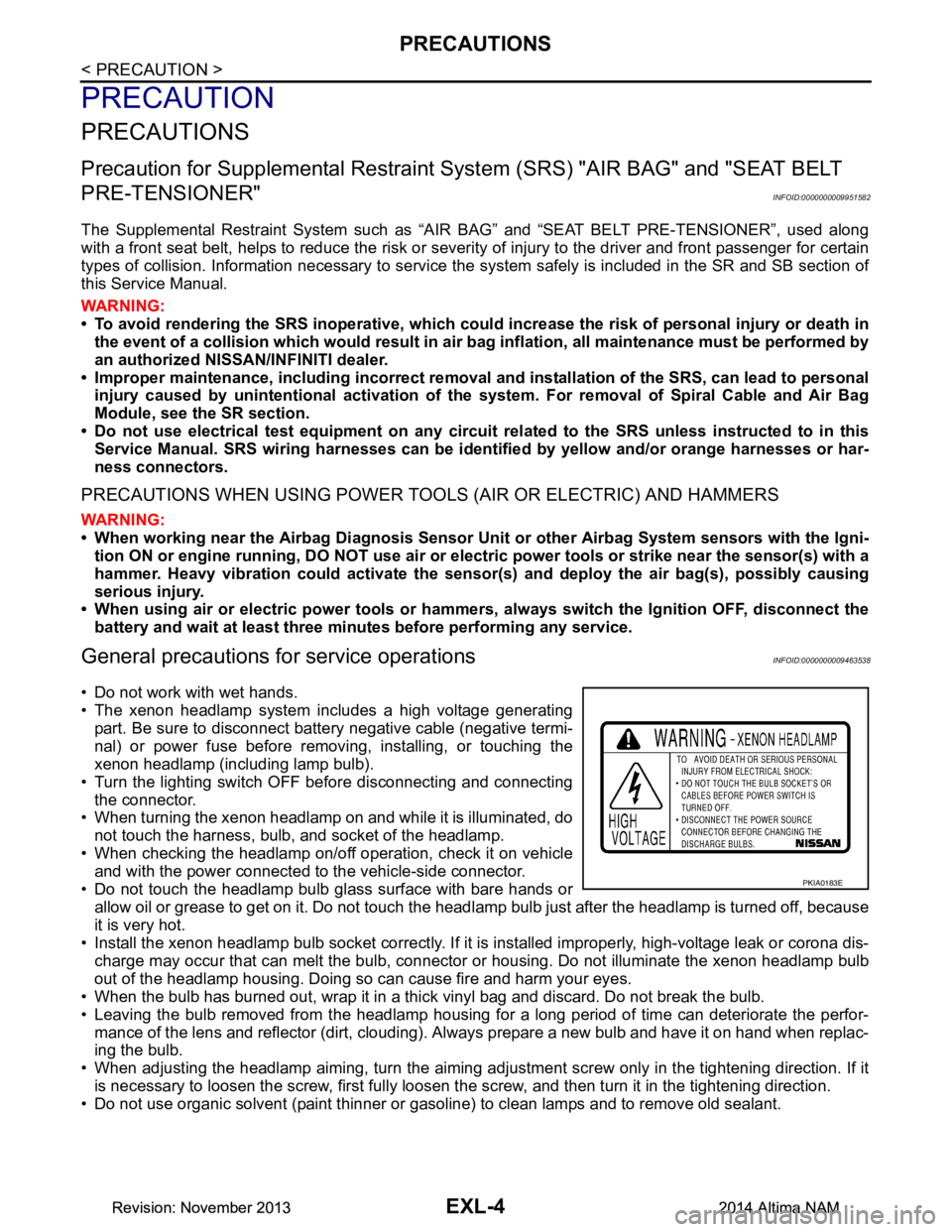
• The xenon headlamp system includes a high voltage generating
part. Be sure to disconnect batte ry negative cable (negative termi-
nal) or power fuse before removing, installing, or touching the
xenon headlamp (including lamp bulb).
• Turn the lighting switch OFF before disconnecting and connecting the connector.
• When turning the xenon headlamp on and while it is illuminated, do
not touch the harness, bulb, and socket of the headlamp.
• When checking the headlamp on/off operation, check it on vehicle and with the power connected to the vehicle-side connector.
• Do not touch the headlamp bulb glass surface with bare hands or allow oil or grease to get on it. Do not touch the headl amp bulb just after the headlamp is turned off, because
it is very hot.
• Install the xenon headlamp bulb socket co rrectly. If it is installed improperly, high-voltage leak or corona dis-
charge may occur that can melt the bulb, connector or housing. Do not illuminate the xenon headlamp bulb
out of the headlamp housing. Doing so can cause fire and harm your eyes.
• When the bulb has burned out, wrap it in a thick vinyl bag and discard. Do not break the bulb.
• Leaving the bulb removed from the headlamp housing for a long period of time can deteriorate the perfor- mance of the lens and reflector (dirt, clouding). Al ways prepare a new bulb and have it on hand when replac-
ing the bulb.
• When adjusting the headlamp aiming, turn the aiming adjus tment screw only in the tightening direction. If it
is necessary to loosen the screw, first fully loosen the screw, and then turn it in the tightening direction.
• Do not use organic solvent (paint thinner or gasoline) to clean lamps and to remove old sealant.
PKIA0183E
Revision: November 20132014 Altima NAMRevision: November 20132014 Altima NAM
Page 2274 of 4801
EXL-8
< SYSTEM DESCRIPTION >
COMPONENT PARTS
Component Description
INFOID:0000000009463542
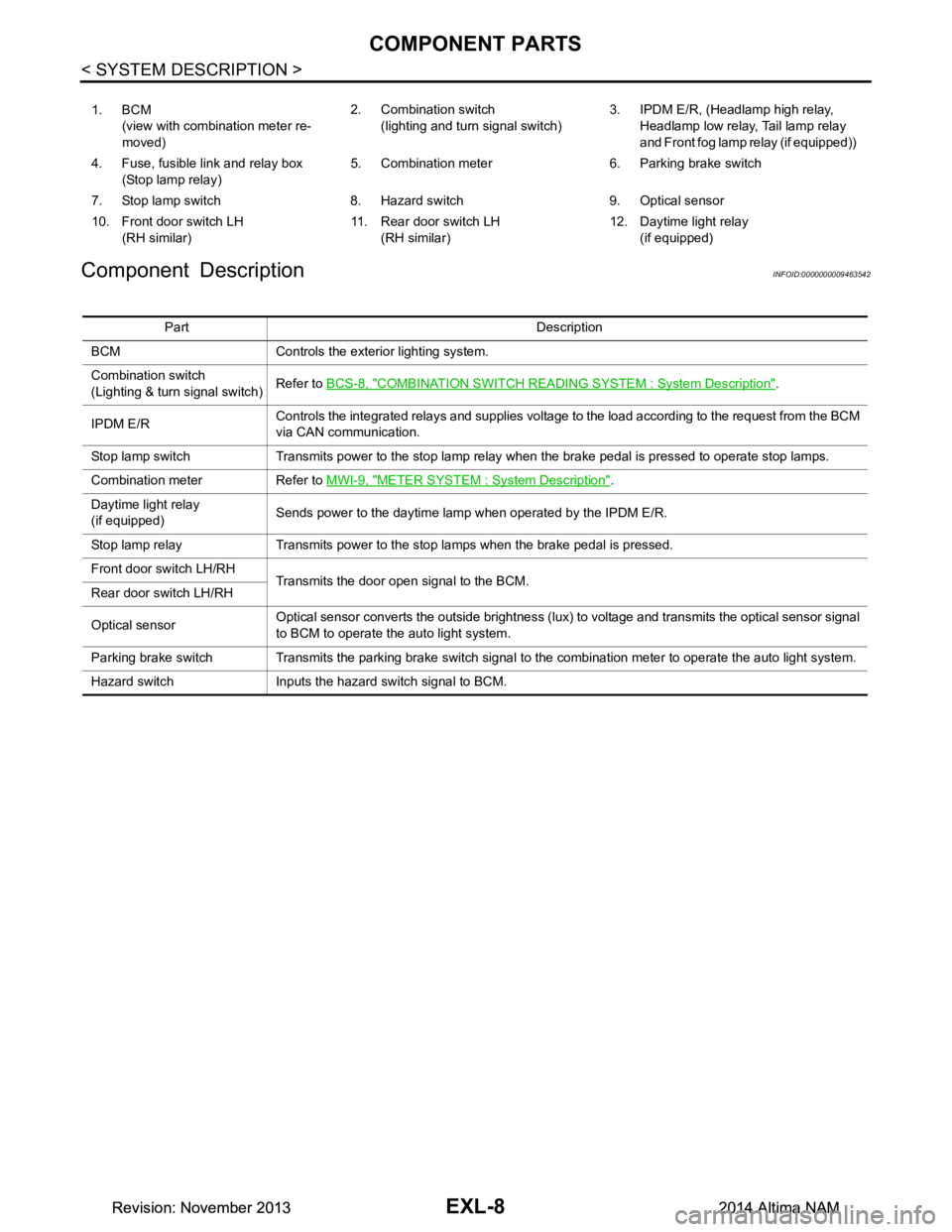
1. BCM (view with combination meter re-
moved) 2. Combination switch
(lighting and turn signal switch) 3. IPDM E/R, (Headlamp high relay,
Headlamp low relay, Tail lamp relay
and Front fog lamp relay (if equipped))
4. Fuse, fusible link and relay box (Stop lamp relay) 5. Combination meter 6. Parking brake switch
7. Stop lamp switch 8. Hazard switch 9. Optical sensor
10. Front door switch LH (RH similar) 11. Rear door switch LH
(RH similar) 12. Daytime light relay
(if equipped)
Part Description
BCM Controls the exterior lighting system.
Combination switch
(Lighting & turn signal switch) Refer to
BCS-8, "COMBINATION SWITCH READIN G SYSTEM : System Description"
.
IPDM E/R Controls the integrated relays and supplies voltage to the load according to the request from the BCM
via CAN communication.
Stop lamp switch Transmits power to the stop lamp relay when the brake pedal is pressed to operate stop lamps.
Combination meter Refer to MWI-9, "METER SYSTEM : System Description"
.
Daytime light relay
(if equipped) Sends power to the daytime lamp when operated by the IPDM E/R.
Stop lamp relay Transmits power to the stop lamps when the brake pedal is pressed.
Front door switch LH/RH Transmits the door open signal to the BCM.
Rear door switch LH/RH
Optical sensor Optical sensor converts the outside brightness (lux) to voltage and transmits the optical sensor signal
to BCM to operate the auto light system.
Parking brake switch Transmits the parking brake switch signal to the combination meter to operate the auto light system.
Hazard switch Inputs the hazard switch signal to BCM.
Revision: November 20132014 Altima NAMRevision: November 20132014 Altima NAM