ECU NISSAN TEANA 2014 Service Manual
[x] Cancel search | Manufacturer: NISSAN, Model Year: 2014, Model line: TEANA, Model: NISSAN TEANA 2014Pages: 4801, PDF Size: 51.2 MB
Page 4075 of 4801
SRC-82
< DTC/CIRCUIT DIAGNOSIS >
B0097 REAR SIDE AIR BAG SATELLITE SENSOR RH
NOTE:
SRS will not enter diagnosis mode if no malfunction is detected in user mode.
Is the DTC detected?
YES >> Refer to SRC-82, "Diagnosis Procedure".
NO >> Inspection End.
Diagnosis ProcedureINFOID:0000000009460779
NOTE:
Follow the procedures in numerical order when repairi ng malfunctioning parts. Confirm whether malfunction is
eliminated using air bag warning lamp each time repair is finished. If malfunction is still observed, proceed to
the next step. When malfunction is eliminated, further repair work is not required.
1.HARNESS CONNECTOR
Visually inspect all applicable harness connectors for the following:
• Visible damage to connector or terminal
• Loose terminal
• Poor connection
NOTE:
All harness connectors should be ins pected from the air bag diagnosis unit to the end component (including
any in-line connectors).
Is the inspection result normal?
YES >> GO TO 2.
NO >> Perform one of the following repairs:
• Visible damage: Replace the harness.
• Loose terminal: Secure the terminal.
• Poor connection: Secure the connection.
2.CONFIRM DTC
1. Reconnect all harness connectors.
2. Turn ignition switch ON.
3. Check for DTC using CONSULT.
Is DTC still current?
YES >> GO TO 3.
NO >> Refer to GI-43, "Intermittent Incident"
.
3.WIRING HARNESS
Check the wiring harness for visible damage
NOTE.
NOTE:
The entire wiring harness should be in spected from the air bag diagnosis sensor unit to the end component
(including any in-line connectors).
Is the inspection result normal?
YES >> GO TO 4.
NO >> Replace the harness.
4.CONFIRM DTC
1. Reconnect all harness connectors.
2. Turn ignition switch ON.
3. Check for DTC using CONSULT.
Is DTC still current?
YES >> GO TO 5.
NO >> Refer to GI-43, "Intermittent Incident"
.
5.AIR BAG DIAGNOSIS SENSOR UNIT
1. Replace the air bag diagnosis sensor unit. Refer to SR-26, "Removal and Installation"
.
2. Turn ignition switch ON.
3. Check for DTC using CONSULT.
Revision: November 20132014 Altima NAMRevision: November 20132014 Altima NAM
Page 4078 of 4801
B0093 FRONT DOOR SATELLITE SENSOR LHSRC-85
< DTC/CIRCUIT DIAGNOSIS >
C
D E
F
G
I
J
K L
M A
B
SRC
N
O P
SRS will not enter diagnosis mode if no malfunction is detected in user mode.
Is the DTC detected?
YES >> Refer to SRC-85, "Diagnosis Procedure".
NO >> Inspection End.
Diagnosis ProcedureINFOID:0000000009460782
NOTE:
Follow the procedures in numerical order when repairi ng malfunctioning parts. Confirm whether malfunction is
eliminated using air bag warning lamp each time repair is finished. If malfunction is still observed, proceed to
the next step. When malfunction is eliminated, further repair work is not required.
1.HARNESS CONNECTOR
Visually inspect all applicable harness connectors for the following:
• Visible damage to connector or terminal
• Loose terminal
• Poor connection NOTE:
All harness connectors should be inspected from the air bag diagnosis unit to the end component (including
any in-line connectors).
Is the inspection result normal?
YES >> GO TO 2.
NO >> Perform one of the following repairs: • Visible damage: Replace the harness.
• Loose terminal: Secure the terminal.
• Poor connection: Secure the connection.
2.CONFIRM DTC
1. Reconnect all harness connectors.
2. Turn ignition switch ON.
3. Check for DTC using CONSULT.
Is DTC still current?
YES >> GO TO 3
NO >> Refer to GI-43, "Intermittent Incident"
.
3.WIRING HARNESS
Check the wiring harness for visible damage
NOTE.
NOTE:
The entire wiring harness should be inspected from the air bag diagnosis sensor unit to the end component
(including any in-line connectors).
Is the inspection result normal?
YES >> GO TO 4.
NO >> Replace the harness.
4.CONFIRM DTC
1. Reconnect all harness connectors.
2. Turn ignition switch ON.
3. Check for DTC using CONSULT.
Is DTC still current?
YES >> GO TO 5.
NO >> Refer to GI-43, "Intermittent Incident"
.
5.AIR BAG DIAGNOSIS SENSOR UNIT
1. Replace the air bag diagnosis sensor unit. Refer to SR-26, "Removal and Installation"
.
2. Turn ignition switch ON.
3. Check for DTC using CONSULT.
Is DTC still current?
Revision: November 20132014 Altima NAMRevision: November 20132014 Altima NAM
Page 4081 of 4801
SRC-88
< DTC/CIRCUIT DIAGNOSIS >
B0098 FRONT DOOR SATELLITE SENSOR RH
SRS will not enter diagnosis mode if no malfunction is detected in user mode.
Is the DTC detected?
YES >> Refer to SRC-88, "Diagnosis Procedure".
NO >> Inspection End.
Diagnosis ProcedureINFOID:0000000009460785
NOTE:
Follow the procedures in numerical order when repairi ng malfunctioning parts. Confirm whether malfunction is
eliminated using air bag warning lamp each time repair is finished. If malfunction is still observed, proceed to
the next step. When malfunction is eliminated, further repair work is not required.
1.HARNESS CONNECTOR
Visually inspect all applicable harness connectors for the following:
• Visible damage to connector or terminal
• Loose terminal
• Poor connection NOTE:
All harness connectors should be ins pected from the air bag diagnosis unit to the end component (including
any in-line connectors).
Is the inspection result normal?
YES >> GO TO 2.
NO >> Perform one of the following repairs: • Visible damage: Replace the harness.
• Loose terminal: Secure the terminal.
• Poor connection: Secure the connection.
2.CONFIRM DTC
1. Reconnect all harness connectors.
2. Turn ignition switch ON.
3. Check for DTC using CONSULT.
Is DTC still current?
YES >> GO TO 3
NO >> Refer to GI-43, "Intermittent Incident"
.
3.WIRING HARNESS
Check the wiring harness for visible damage
NOTE.
NOTE:
The entire wiring harness should be in spected from the air bag diagnosis sensor unit to the end component
(including any in-line connectors).
Is the inspection result normal?
YES >> GO TO 4.
NO >> Replace the harness.
4.CONFIRM DTC
1. Reconnect all harness connectors.
2. Turn ignition switch ON.
3. Check for DTC using CONSULT.
Is DTC still current?
YES >> GO TO 5.
NO >> Refer to GI-43, "Intermittent Incident"
.
5.AIR BAG DIAGNOSIS SENSOR UNIT
1. Replace the air bag diagnosis sensor unit. Refer to SR-26, "Removal and Installation"
.
2. Turn ignition switch ON.
3. Check for DTC using CONSULT.
Is DTC still current?
Revision: November 20132014 Altima NAMRevision: November 20132014 Altima NAM
Page 4084 of 4801
B14XX AIR BAG DIAGNOSIS SENSOR UNITSRC-91
< DTC/CIRCUIT DIAGNOSIS >
C
D E
F
G
I
J
K L
M A
B
SRC
N
O P
Diagnosis ProcedureINFOID:0000000009460788
NOTE:
Follow the procedures in numerical order when repairi ng malfunctioning parts. Confirm whether malfunction is
eliminated using air bag warning lamp each time repair is finished. If malfunction is still observed, proceed to
the next step. When malfunction is eliminated, further repair work is not required.
1.HARNESS CONNECTOR
Visually inspect all applicable harness connectors for the following:
• Visible damage to connector or terminal
• Loose terminal
• Poor connection NOTE:
All harness connectors should be inspected from the air bag diagnosis unit to the end component (including
any in-line connectors).
Is the inspection result normal?
YES >> GO TO 2.
NO >> Perform one of the following repairs: • Visible damage: Replace the harness.
• Loose terminal: Secure the terminal.
• Poor connection: Secure the connection.
2.CONFIRM DTC
1. Reconnect all harness connectors.
2. Turn ignition switch ON.
3. Check for DTC using CONSULT.
Is DTC still current?
YES >> GO TO 3.
NO >> Refer to GI-43, "Intermittent Incident"
.
3.WIRING HARNESS
Check the wiring harness for visible damage
NOTE.
NOTE:
The entire wiring harness should be inspected from the air bag diagnosis sensor unit to the end component
(including any in-line connectors).
Is the inspection result normal?
YES >> GO TO 4.
NO >> Replace the harness.
4.CONFIRM DTC
1. Reconnect all harness connectors.
2. Turn ignition switch ON.
3. Check for DTC using CONSULT.
Is DTC still current?
YES >> GO TO 5.
NO >> Refer to GI-43, "Intermittent Incident"
.
5.AIR BAG DIAGNOSIS SENSOR UNIT
1. Replace the air bag diagnosis sensor unit. Refer to SR-26, "Removal and Installation"
.
2. Turn ignition switch ON.
3. Check for DTC using CONSULT.
Is DTC still current?
YES >> GO TO 6.
NO >> Clear DTC. Inspection End.
6.RELATED HARNESS
Replace the related harness.
Revision: November 20132014 Altima NAMRevision: November 20132014 Altima NAM
Page 4087 of 4801
SRC-94
< DTC/CIRCUIT DIAGNOSIS >
B00D5 PASSENGER AIR BAG OFF INDICATOR
Is the DTC detected?
YES >> Refer to SRC-94, "Diagnosis Procedure".
NO >> Inspection End.
Diagnosis ProcedureINFOID:0000000009460791
NOTE:
Follow the procedures in numerical order when repairi ng malfunctioning parts. Confirm whether malfunction is
eliminated using air bag warning lamp each time repair is finished. If malfunction is still observed, proceed to
the next step. When malfunction is eliminated, further repair work is not required.
1.HARNESS CONNECTOR
Visually inspect all applicable harness connectors for the following:
• Visible damage to connector or terminal
• Loose terminal
• Poor connection
NOTE:
All harness connectors should be ins pected from the air bag diagnosis unit to the end component (including
any in-line connectors).
Is the inspection result normal?
YES >> GO TO 2.
NO >> Perform one of the following repairs: • Visible damage: Replace the harness.
• Loose terminal: Secure the terminal.
• Poor connection: Secure the connection.
2.CONFIRM DTC
1. Reconnect all harness connectors.
2. Turn ignition switch ON.
3. Check for DTC using CONSULT.
Is DTC still current?
YES >> GO TO 3
NO >> Refer to GI-43, "Intermittent Incident"
.
3.WIRING HARNESS
Check the wiring harness for visible damage
NOTE.
NOTE:
The entire wiring harness should be in spected from the air bag diagnosis sensor unit to the end component
(including any in-line connectors).
Is the inspection result normal?
YES >> GO TO 4.
NO >> Replace the harness.
4.CONFIRM DTC
1. Reconnect all harness connectors.
2. Turn ignition switch ON.
3. Check for DTC using CONSULT.
Is DTC still current?
YES >> GO TO 5.
NO >> Refer to GI-43, "Intermittent Incident"
.
5.AIR BAG DIAGNOSIS SENSOR UNIT
1. Replace the air bag diagnosis sensor unit. Refer to SR-26, "Removal and Installation"
.
2. Turn ignition switch ON.
3. Check for DTC using CONSULT.
Is DTC still current?
YES >> GO TO 6.
Revision: November 20132014 Altima NAMRevision: November 20132014 Altima NAM
Page 4094 of 4801
B00A0 OCS SYSTEMSRC-101
< DTC/CIRCUIT DIAGNOSIS >
C
D E
F
G
I
J
K L
M A
B
SRC
N
O P
DTC CONFIRMATION PROCEDURE (Without CONSULT)
1.CHECK SELF-DIAG RESULT
1. Turn ignition switch ON.
2. Check the air bag warning lamp status. Refer to SRC-17, "Trouble Diagnosis without CONSULT"
.
NOTE:
SRS will not enter diagnosis mode if no malfunction is detected in user mode.
Is the DTC detected?
YES >> Refer to SRC-101, "Diagnosis Procedure".
NO >> Inspection End.
Diagnosis ProcedureINFOID:0000000009460800
NOTE:
Follow the procedures in numerical order when repairi ng malfunctioning parts. Confirm whether malfunction is
eliminated using air bag warning lamp each time repair is finished. If malfunction is still observed, proceed to
the next step. When malfunction is eliminated, further repair work is not required.
1.HARNESS CONNECTOR
Visually inspect all applicable harness connectors for the following:
• Visible damage to connector or terminal
• Loose terminal
• Poor connection
NOTE:
All harness connectors should be inspected from the air bag diagnosis unit to the end component (including
any in-line connectors).
Is the inspection result normal?
YES >> GO TO 2.
NO >> Perform one of the following repairs:
• Visible damage: Replace the harness.
• Loose terminal: Secure the terminal.
• Poor connection: Secure the connection.
2.CONFIRM DTC
1. Reconnect all harness connectors.
2. Turn ignition switch ON.
3. Check for DTC using CONSULT.
Is DTC still current?
YES >> GO TO 3
NO >> Refer to GI-43, "Intermittent Incident"
.
3.WIRING HARNESS
Check the wiring harness for visible damage.
NOTE:
The entire wiring harness should be inspected from the air bag diagnosis sensor unit to the end component
(including any in-line connectors).
Is the inspection result normal?
YES >> GO TO 4.
NO >> Replace the harness.
4.CONFIRM DTC
1. Reconnect all harness connectors.
2. Turn ignition switch ON.
3. Check for DTC using CONSULT.
Is DTC still current?
YES >> GO TO 5.
NO >> Refer to GI-43, "Intermittent Incident"
.
Revision: November 20132014 Altima NAMRevision: November 20132014 Altima NAM
Page 4098 of 4801
B142A IGNITION VOLTAGESRC-105
< DTC/CIRCUIT DIAGNOSIS >
C
D E
F
G
I
J
K L
M A
B
SRC
N
O P
1.HARNESS CONNECTOR
Visually inspect all applicable harness connectors for the following:
• Visible damage to connector or terminal
• Loose terminal
• Poor connection NOTE:
All harness connectors should be inspected from the air bag diagnosis unit to the end component (including
any in-line connectors).
Is the inspection result normal?
YES >> GO TO 2.
NO >> Perform one of the following repairs: • Visible damage: Replace the harness.
• Loose terminal: Secure the terminal.
• Poor connection: Secure the connection.
2.CONFIRM DTC
1. Reconnect all harness connectors.
2. Turn ignition switch ON.
3. Check for DTC using CONSULT.
Is DTC still current?
YES >> GO TO 3
NO >> Refer to GI-43, "Intermittent Incident"
.
3.WIRING HARNESS
Check the wiring harness for visible damage
NOTE.
NOTE:
The entire wiring harness should be inspected from the air bag diagnosis sensor unit to the end component
(including any in-line connectors).
Is the inspection result normal?
YES >> GO TO 4.
NO >> Replace the harness.
4.CONFIRM DTC
1. Reconnect all harness connectors.
2. Turn ignition switch ON.
3. Check for DTC using CONSULT.
Is DTC still current?
YES >> GO TO 5.
NO >> Refer to GI-43, "Intermittent Incident"
.
5.AIR BAG DIAGNOSIS SENSOR UNIT
1. Replace the air bag diagnosis sensor unit. Refer to SR-26, "Removal and Installation"
.
2. Turn ignition switch ON.
3. Check for DTC using CONSULT.
Is DTC still current?
YES >> GO TO 6.
NO >> Clear DTC. Inspection End.
6.RELATED HARNESS
Replace the related harness.
>>END
Revision: November 20132014 Altima NAMRevision: November 20132014 Altima NAM
Page 4104 of 4801

ST-1
STEERING
C
D E
F
H I
J
K L
M
SECTION ST
A
B
ST
N
O P
CONTENTS
STEERING SYSTEM
PRECAUTION ................ ...............................3
PRECAUTIONS .............................................. .....3
Precaution for Supplemental Restraint System
(SRS) "AIR BAG" and "SEAT BELT PRE-TEN-
SIONER" ............................................................. ......
3
Precaution for Steering System .......................... ......3
Precaution for Work ............................................ ......3
PREPARATION ............................................5
PREPARATION .............................................. .....5
Special Service Tool ........................................... ......5
Commercial Service Tool ..........................................5
SYSTEM DESCRIPTION ..............................7
COMPONENT PARTS ................................... .....7
HEATED STEERING WHEEL SYSTEM ............... ......7
HEATED STEERING WHEEL SYSTEM : Compo-
nent Parts Location ............................................. ......
7
HEATED STEERING WHEEL SYSTEM : Compo-
nent Description .................................................. ......
7
SYSTEM ..............................................................8
HEATED STEERING WHEEL SYSTEM ............... ......8
HEATED STEERING WHEEL SYSTEM : System
Diagram ............................................................... ......
8
HEATED STEERING WHEEL SYSTEM : System
Description .......................................................... ......
8
ECU DIAGNOSIS INFORMATION ...............9
A/C AUTO AMP. ............................................. .....9
List of ECU Reference ........................................ ......9
WIRING DIAGRAM ......................................10
HEATED STEERING WHEEL ........................ ....10
Wiring Diagram ................................................... ....10
BASIC INSPECTION ...................................13
DIAGNOSIS AND REPAIR WORK FLOW .......13
Work Flow ............................................................ ....13
POWER STEERING FLUID ..............................15
Inspection ................................................................15
STEERING WHEEL ..........................................16
Inspection ................................................................16
STEERING COLUMN ........................................18
Inspection ................................................................18
POWER STEERING OIL PUMP .......................19
Inspection ................................................................19
STEERING GEAR AND LINKAGE ...................20
Inspection ................................................................20
DTC/CIRCUIT DIAGNOSIS .........................21
POWER SUPPLY AND GROUND CIRCUIT ....21
A/C AUTO AMP. .................................................... ....21
A/C AUTO AMP. : Diagnosis Procedure .................21
HEATED STEERING WHEEL SYSTEM ...........22
Component Function Check ....................................22
Diagnosis Procedure ...............................................22
Component Inspection (Heated Steering Wheel
Switch) ................................................................. ....
24
Component Inspection (Heated Steering Relay) .....24
Component Inspection (Heated Steering Wheel) ....25
HEATED STEERING WHEEL SWITCH INDI-
CATOR LAMP ...................................................
26
Component Function Check ................................ ....26
Diagnosis Procedure ...............................................26
SYMPTOM DIAGNOSIS ..............................28
STEERING COLUMN ........................................28
Revision: November 20132014 Altima NAMRevision: November 20132014 Altima NAM
Page 4106 of 4801
PRECAUTIONSST-3
< PRECAUTION >
C
D E
F
H I
J
K L
M A
B
ST
N
O P
PRECAUTION
PRECAUTIONS
Precaution for Supplemental Restraint System (SRS) "AIR BAG" and "SEAT BELT
PRE-TENSIONER"
INFOID:0000000009951723
The Supplemental Restraint System such as “A IR BAG” and “SEAT BELT PRE-TENSIONER”, used along
with a front seat belt, helps to reduce the risk or severi ty of injury to the driver and front passenger for certain
types of collision. Information necessary to service t he system safely is included in the SR and SB section of
this Service Manual.
WARNING:
• To avoid rendering the SRS inoper ative, which could increase the risk of personal injury or death in
the event of a collision which would result in air bag inflation, all maintenance must be performed by
an authorized NISSAN/INFINITI dealer.
• Improper maintenance, including in correct removal and installation of the SRS, can lead to personal
injury caused by unintentional act ivation of the system. For removal of Spiral Cable and Air Bag
Module, see the SR section.
• Do not use electrical test equipm ent on any circuit related to the SRS unless instructed to in this
Service Manual. SRS wiring harnesses can be identi fied by yellow and/or orange harnesses or har-
ness connectors.
PRECAUTIONS WHEN USING POWER TOOLS (AIR OR ELECTRIC) AND HAMMERS
WARNING:
• When working near the Airbag Diagnosis Sensor Un it or other Airbag System sensors with the Igni-
tion ON or engine running, DO NOT use air or el ectric power tools or strike near the sensor(s) with a
hammer. Heavy vibration could activate the sensor( s) and deploy the air bag(s), possibly causing
serious injury.
• When using air or electric power tools or hammers , always switch the Ignition OFF, disconnect the
battery and wait at least three mi nutes before performing any service.
Precaution for Steering SystemINFOID:0000000009461240
• Before disassembly, thoroughly clean the outside of the unit.
• Disassembly should be done in a clean work area. It is im portant to prevent the internal parts from becoming
contaminated by dirt or other foreign matter.
• For easier and proper assembly, place disassembled parts in order on a parts rack.
• Use nylon cloth or paper towels to clean the parts; common shop rags can leave lint that might interfere with
their operation.
• Before inspection or reassembly, carefully clean al l parts with a general purpose, non-flammable solvent.
• Before assembly, apply a coat of recommended Genuine NISSAN PSF or equivalent to hydraulic parts.
Petroleum jelly may be applied to O-rings and seals. Do not use any grease.
• Replace all gaskets, seals and O-rings. Avoid damaging O-rings, seals and gaskets during installation. Per- form functional tests whenever designated.
Precaution for WorkINFOID:0000000009461241
• When removing or disassembling each component, be ca reful not to damage or deform it. If a component
may be subject to interference, be sure to protect it with a shop cloth.
• When removing (disengaging) components with a screwdriver or similar tool, be sure to wrap the component
with a shop cloth or vinyl tape to protect it.
• Protect the removed parts with a shop cloth and prevent them from being dropped.
• Replace a deformed or damaged clip.
• If a part is specified as a non-reusabl e part, always replace it with a new one.
• Be sure to tighten bolts and nuts securely to the specified torque.
• After installation is complete, be sure to check that each part works properly.
• Follow the steps below to clean components:
- Water soluble dirt:
• Dip a soft cloth into lukewarm water, wring the water out of the cloth and wipe the dirty area.
• Then rub with a soft, dry cloth.
-Oily dirt:
Revision: November 20132014 Altima NAMRevision: November 20132014 Altima NAM
Page 4112 of 4801
A/C AUTO AMP.ST-9
< ECU DIAGNOSIS INFORMATION >
C
D E
F
H I
J
K L
M A
B
ST
N
O P
ECU DIAGNOSIS INFORMATION
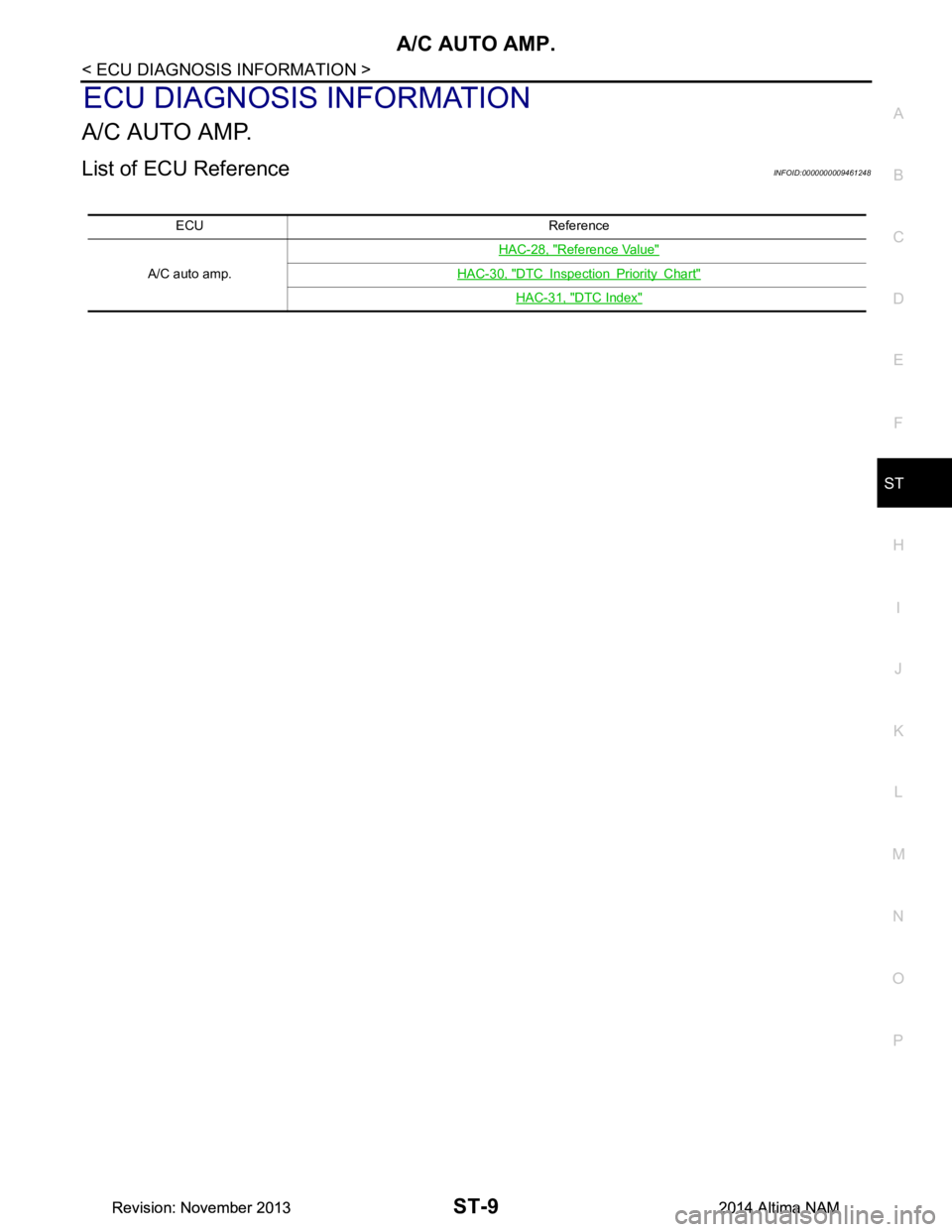
A/C AUTO AMP.
List of ECU ReferenceINFOID:0000000009461248
ECU Reference
A/C auto amp. HAC-28, "Reference Value"
HAC-30, "DTC Inspection Priority Chart"
HAC-31, "DTC Index"
Revision: November 20132014 Altima NAMRevision: November 20132014 Altima NAM