check engine light NISSAN TEANA 2014 Workshop Manual
[x] Cancel search | Manufacturer: NISSAN, Model Year: 2014, Model line: TEANA, Model: NISSAN TEANA 2014Pages: 4801, PDF Size: 51.2 MB
Page 2747 of 4801
![NISSAN TEANA 2014 Workshop Manual
HAC-98
< SYMPTOM DIAGNOSIS >[AUTOMATIC AIR CONDITIONER]
INSUFFICIENT HEATING
INSUFFICIENT HEATING
DescriptionINFOID:0000000009463169
Symptom
• Insufficient heating
• No warm air comes out. (Air](/img/5/57390/w960_57390-2746.png "NISSAN TEANA 2014 Workshop Manual
HAC-98
< SYMPTOM DIAGNOSIS >[AUTOMATIC AIR CONDITIONER]
INSUFFICIENT HEATING
INSUFFICIENT HEATING
DescriptionINFOID:0000000009463169
Symptom
• Insufficient heating
• No warm air comes out. (Air")
HAC-98
< SYMPTOM DIAGNOSIS >[AUTOMATIC AIR CONDITIONER]
INSUFFICIENT HEATING
INSUFFICIENT HEATING
DescriptionINFOID:0000000009463169
Symptom
• Insufficient heating
• No warm air comes out. (Air flow volume is normal.)
Diagnosis ProcedureINFOID:0000000009463170
NOTE:
Perform self-diagnosis with CONSULT before performing symptom diagnosis. If DTC is detected, perform the
corresponding diagnosis.
1.CHECK COOLING SYSTEM
1. Check engine coolant level and check leakage. Refer to CO-11, "System Inspection"
(QR25DE) or CO-
35, "System Inspection" (VQ35DE).
2. Check reservoir tank cap. Refer to CO-11, "System Inspection"
(QR25DE) or CO-35, "System Inspection"
(VQ35DE).
3. Check water flow sounds of the engine coolant. Refer to CO-11, "System Inspection"
(QR25DE) or CO-
35, "System Inspection" (VQ35DE).
Is the inspection result normal?
YES >> GO TO 2.
NO >> Refill engine coolant and repair or repl ace parts depending on the inspection results.
2.CHECK HEATER HOSE
Check installation of heater hose visually or by touching.
Is the inspection result normal?
YES >> GO TO 3.
NO >> Repair or replace parts depending on the inspection results.
3.CHECK HEATER CORE
1. Check temperature of inlet hose and outlet hose of front heater core.
2. Check that inlet side of heater core is hot and the outle t side is slightly lower than/almost equal to the inlet
side.
CAUTION:
Always perform the temperature in spection in a short period of time because the engine coolant
temperature is very hot.
Is the inspection result normal?
YES >> GO TO 4.
NO >> Replace heater core. Refer to HA-42, "HEATER CORE : Removal and Installation"
.
4.CHECK AIR LEAKAGE FROM EACH DUCT
Check duct and nozzle, etc. of front air conditioning system for air leakage.
Is the inspection result normal?
YES >> GO TO 5.
NO >> Repair or replace parts depending on the inspection results.
5.CHECK SETTING OF TEMPERATURE SETTING TRIMMER (FRONT)
1. Check setting value of temperature setting trimmer (front). Refer to HAC-50, "Temperature Setting Trim-
mer".
2. Check that temperature setting trimmer (front) is set to “ − direction”.
NOTE:
The control temperature can be set by t he temperature setting trimmer (front).
3. Set difference between the set temperature and control temperature to “0”.
Are the symptoms solved?
YES >> Inspection End.
NO >> Replace A/C auto amp. Refer to HAC-102, "Removal and Installation"
.
Revision: November 20132014 Altima NAMRevision: November 20132014 Altima NAM
Page 3276 of 4801

MWI
DIAGNOSIS SYSTEM (METER)MWI-21
< SYSTEM DESCRIPTION >
C
D E
F
G H
I
J
K L
M B
A
O PSPECIAL FUNCTION
Special menu
W/L ON HISTORY
• “W/L ON HISTORY” indicates the “TIME” when the warning/ indicator lamp is turned on.
• The “TIME” above is:
- 0: The condition that the warning/indicator lamp has been turned on 1 or more times after starting the engine
and waiting for 30 seconds.
- 1 - 39: The number of times the engi ne was restarted after the 0 condition.
- NO W/L ON HISTORY: No warning/indicator lamp history is stored.
NOTE:
• W/L ON HISTORY is not stored for approximately 30 seconds after the engine starts.
• Brake warning lamp does not store any history when the parking brake is applied or the brake fluid level gets
low.
LDW IND
[ON/OFF] Displays [ON/OFF] condition of LDW warning indicator message in the informa-
tion display.
TPMS MALF
[ON/OFF] Displays [ON/OFF] condition of TPMS warning indicator.
Display item [Unit]
MAIN
SIGNALS Description
Display item Description
W/L ON HISTORY Lighting history of warning lamp and indicator lamp can be checked.
Revision: November 20132014 Altima NAMRevision: November 20132014 Altima NAM
Page 3701 of 4801
RF-36
< SYMPTOM DIAGNOSIS >
SQUEAK AND RATTLE TROUBLE DIAGNOSES
If the noise can be duplicated easily during the test drive, to help identify the source of the noise, try to dupli-
cate the noise with the vehicle stopped by doing one or all of the following:
1) Close a door.
2) Tap or push/pull around the area where the noise appears to be coming from.
3) Rev the engine.
4) Use a floor jack to recreate vehicle “twist”.
5) At idle, apply engine load (electrical load, half-clutch on M/T model, drive position on CVT and A/T models).
6) Raise the vehicle on a hoist and hit a tire with a rubber hammer.
• Drive the vehicle and attempt to duplicate the conditions the customer states exist when the noise occurs.
• If it is difficult to duplicate the noise, drive the v ehicle slowly on an undulating or rough road to stress the
vehicle body.
CHECK RELATED SERVICE BULLETINS
After verifying the customer concern or symptom, chec k ASIST for Technical Service Bulletins (TSBs) related
to that concern or symptom.
If a TSB relates to the symptom, follo w the procedure to repair the noise.
LOCATE THE NOISE AND IDENTIFY THE ROOT CAUSE
1. Narrow down the noise to a general area. To help pi npoint the source of the noise, use a listening tool
(Chassis Ear: J-39570, Engine Ear: J-39565 and mechanic's stethoscope).
2. Narrow down the noise to a more specific area and identify the cause of the noise by:
• removing the components in the area that you suspect the noise is coming from.
Do not use too much force when removing clips and fasteners, otherwise clips and fasteners can be
broken or lost during the repair, resulting in the creation of new noise.
• tapping or pushing/pulling the component that you suspect is causing the noise. Do not tap or push/pull the component with excessive force, otherwise the noise will be eliminated only
temporarily.
• feeling for a vibration with your hand by touching the component(s) that you suspect is (are) causing the
noise.
• placing a piece of paper between components that you suspect are causing the noise.
• looking for loose components and contact marks. Refer to RF-37, "Generic Squeak and Rattle Troubleshooting"
.
REPAIR THE CAUSE
• If the cause is a loose component, tighten the component securely.
• If the cause is insufficient clearance between components:
- separate components by repositioning or loos ening and retightening the component, if possible.
- insulate components with a suitable insulator such as urethane pads, foam blocks, felt cloth tape or urethane
tape. A NISSAN Squeak and Rattle Kit (J-43980) is av ailable through your authorized NISSAN Parts Depart-
ment.
CAUTION:
Do not use excessive force as many components are constructed of plastic and may be damaged.
Always check with the Parts Department for the latest parts information.
The following materials are contained in the NISS AN Squeak and Rattle Kit (J-43980). Each item can be
ordered separately as needed.
URETHANE PADS [1.5 mm (0.059 in) thick]
Insulates connectors, harness, etc.
76268-9E005: 100 ×135 mm (3.94 ×5.31 in)/76884-71L01: 60 ×85 mm (2.36 ×3.35 in)/76884-71L02: 15 ×25
mm (0.59 ×0.98 in)
INSULATOR (Foam blocks)
Insulates components from contact. Can be used to fill space behind a panel.
73982-9E000: 45 mm (1.77 in) thick, 50 ×50 mm (1.97 ×1.97 in)/73982-50Y00: 10 mm (0.39 in) thick,
50 ×50 mm (1.97 ×1.97 in)
INSULATOR (Light foam block)
80845-71L00: 30 mm (1.18 in) thick, 30 ×50 mm (1.18 ×1.97 in)
FELT CLOTH TAPE
Used to insulate where movemen t does not occur. Ideal for instrument panel applications.
68370-4B000: 15 ×25 mm (0.59 ×0.98 in) pad/68239-13E00: 5 mm (0.20 in ) wide tape roll. The following
materials not found in the kit can also be used to repair squeaks and rattles.
UHMW (TEFLON) TAPE
Insulates where slight movemen t is present. Ideal for instrument panel applications.
SILICONE GREASE
Revision: November 20132014 Altima NAMRevision: November 20132014 Altima NAM
Page 4119 of 4801
ST-16
< BASIC INSPECTION >
STEERING WHEEL
STEERING WHEEL
InspectionINFOID:0000000009461252
CONDITION OF INSTALLATION
• Check installation condition of power steering gear assembly, front suspension, front drive shaft and steering
column.
• Check if movement exists when steering wheel is mo ved up and down, to the left and right and to the axial
direction.
• Verify that the power steering gear nuts are tightened to specification. Refer to ST-36, "Exploded View"
.
STEERING WHEEL PLAY
1. Turn tires straight ahead, start engine, then turn steer ing wheel to the left and right lightly. Measure steer-
ing wheel movement on the outer circumference of the steering wheel when it is turned to the point where
tires start moving.
NEUTRAL POSITION ON STEERING WHEEL
• Check neutral position on steering wheel after confirming that front wheel alignment is correct. Refer to FSU-
25, "Wheel Alignment (Unladen*1)".
1. Turn tires straight ahead, check if st eering wheel is in the neutral position.
2. If it is not in the neutral position, remo ve steering wheel and reinstall it correctly.
3. If the neutral position cannot be attained by repositi oning the steering wheel two teeth or less on steering
stem, loosen tie-rod lock nuts of power steering gear outer sockets, then adjust tie-rods by the same
amount in the opposite direction.
STEERING WHEEL TURNING FORCE
1. Park vehicle on a level, dry surface and set parking brake.
2. Start engine.
3. Bring power steering fluid up to operating temperature.
4. Verify that the tires are inflated to the specified pressure. Refer to WT-60, "Tire"
.
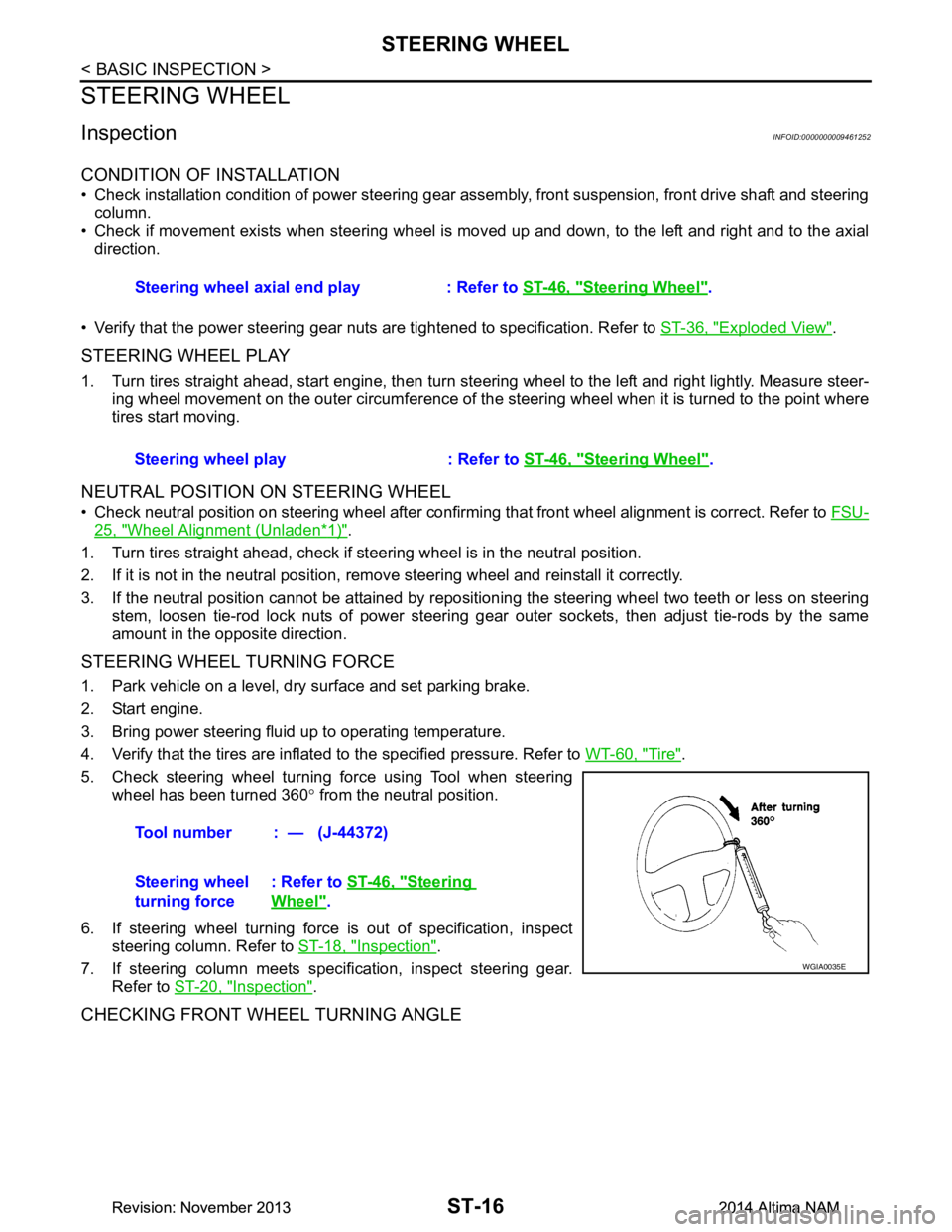
5. Check steering wheel turning force using Tool when steering wheel has been turned 360 ° from the neutral position.
6. If steering wheel turning force is out of specification, inspect steering column. Refer to ST-18, "Inspection"
.
7. If steering column meets specification, inspect steering gear. Refer to ST-20, "Inspection"
.
CHECKING FRONT WHEEL TURNING ANGLE
Steering wheel axial end play : Refer to ST-46, "Steering Wheel".
Steering wheel play : Refer to ST-46, "Steering Wheel"
.
Tool number : — (J-44372)
Steering wheel
turning force : Refer to
ST-46, "Steering
Wheel".
WGIA0035E
Revision: November 20132014 Altima NAMRevision: November 20132014 Altima NAM
Page 4185 of 4801
STC-34
< SYMPTOM DIAGNOSIS >
STEERING WHEEL TURNING FORCE IS HEAVY OR LIGHT
STEERING WHEEL TURNING FORCE IS HEAVY OR LIGHT
Diagnosis ProcedureINFOID:0000000009460376
1.PERFORM SELF-DIAGNOSIS
With CONSULT
Perform “EPS” self-diagnosis.
Is a malfunctioning system displayed?
YES >> Check malfunctioning system. Refer to STC-13, "DTC Index".
NO >> GO TO 2.
2.CHECK THE POWER STEERING CONTROL MODULE SIGNAL (1)
With CONSULT
1. Start the engine. CAUTION:
Never drive the vehicle.
2. Turn the steering wheel until it stops.
3. Select “MTR ASSIST” in “DATA MONITOR” of “EPS”.
Is the display value
“100%”?
YES >> GO TO 4.
NO >> GO TO 3.
3.CHECK THE POWER STEERING CONTROL MODULE SIGNAL (2)
With CONSULT
1. Select “C/U TEMP” and “C/U TEMP A” in “DATA MONITOR” of “EPS”.
2. Stop the system until the DATA MONITOR display value drops to “90 °C (194 °F)” or less.
3. Check whether symptom continues.
Did symptom continue?
YES >> GO TO 4.
NO >> This occurs because the protection function lowers the assist force. It is not a system malfunction.
Inspection End.
4.CHECK THE POWER STEERING CONTROL MODULE SIGNAL (3)
With CONSULT
1. Turn the steering wheel to the straight -ahead position. (There is no steering force)
2. Select “BATTERY VOLT” in “DATA MONITOR” of “EPS”.
Is the display value
“10.5 V” or more?
YES >> GO TO 5.
NO >> Check the battery power system. Refer to STC-23, "Diagnosis Procedure"
.
5.CHECK THE POWER STEERING CONTROL MODULE SIGNAL (4)
With CONSULT
Select “ESTM VHCL SPD” in “DATA MONITOR” of “EPS”.
*: This may not agree with the speedometer indication imm ediately after the ignition switch is turned ON. This
is not a malfunction.
Is the check result normal?
YES >> GO TO 6.
NO >> Check the combination meter, ABS actuator and electric unit (control unit). Refer to MWI-18,
"CONSULT Function (METER/M&A)" and BRC-33, "CONSULT Function (ABS)".
Monitor item Test condition Display value
ESTM VHCL SPD When stopped 0.00 km/h or mph
While driving Approximately equal to the in-
dication on speedometer
*
(Inside of ±10%)
Revision: November 20132014 Altima NAMRevision: November 20132014 Altima NAM
Page 4186 of 4801
STEERING WHEEL TURNING FORCE IS HEAVY OR LIGHTSTC-35
< SYMPTOM DIAGNOSIS >
C
D E
F
H I
J
K L
M A
B
STC
N
O P
6.CHECK THE POWER STEERING CONTROL MODULE SIGNAL (5)
With CONSULT
Select “STR ANG SPD” in “DATA MONITOR” of “EPS”.
Is the check result normal?
YES >> GO TO 7.
NO >> Check the steering angle sensor. Refer to STC-22, "Diagnosis Procedure"
.
7.CHECK THE POWER STEERING CONTROL MODULE SIGNAL (6)
With CONSULT
Select “ENGINE STATUS” in “DATA MONITOR” of “EPS”.
Is the display value
“RUN”?
YES >> GO TO 8.
NO >> Check the ECM. Refer to EC-77, "CONSULT Function"
.
8.CHECK THE STEERING FORCE
Check the steering force. Refer to STC-36, "Diagnosis Procedure"
.
Is the check result normal?
YES >> Inspection End.
NO >> It is possible that there is a mechani cal malfunction. Check the steering system.
Monitor item Test condition Display value
STR ANG SPD The steering wheel is not
steered. Approx. 0.0 deg/s
The steering wheel is steered. Displays steering angle speed
(deg/s)
Revision: November 20132014 Altima NAMRevision: November 20132014 Altima NAM
Page 4256 of 4801
![NISSAN TEANA 2014 Workshop Manual
DIAGNOSIS SYSTEM (TCM)TM-41
< SYSTEM DESCRIPTION > [CVT: RE0F10D]
C
EF
G H
I
J
K L
M A
B
TM
N
O P
DIAGNOSIS SYSTEM (TCM)
DIAGNOSIS DESCRIPTION
DIAGNOSIS DESCRIPTION : 1 Tr ip Detection Diagnosis and](/img/5/57390/w960_57390-4255.png "NISSAN TEANA 2014 Workshop Manual
DIAGNOSIS SYSTEM (TCM)TM-41
< SYSTEM DESCRIPTION > [CVT: RE0F10D]
C
EF
G H
I
J
K L
M A
B
TM
N
O P
DIAGNOSIS SYSTEM (TCM)
DIAGNOSIS DESCRIPTION
DIAGNOSIS DESCRIPTION : 1 Tr ip Detection Diagnosis and")
DIAGNOSIS SYSTEM (TCM)TM-41
< SYSTEM DESCRIPTION > [CVT: RE0F10D]
C
EF
G H
I
J
K L
M A
B
TM
N
O P
DIAGNOSIS SYSTEM (TCM)
DIAGNOSIS DESCRIPTION
DIAGNOSIS DESCRIPTION : 1 Tr ip Detection Diagnosis and 2 Trip Detection Diagno-
sis
INFOID:0000000009463996
NOTE:
“Start the engine and turn OFF the ignition switch after warm-up.” This is defined as 1 trip.
1 TRIP DETECTION DIAGNOSIS
When initial malfunction is detected, TCM memorize s DTC. In these diagnoses, some illuminate MIL and
some do not. Refer to TM-60, "DTC Index"
.
2 TRIP DETECTION DIAGNOSIS
When initial malfunction is detected, TCM memorizes DTC of the 1st trip. MIL does not light at this stage. <1
trip>
If the same malfunction is detected again in next drivi ng, TCM memorizes DTC. When DTC is memorized, MIL
lights. <2 trip>
“Trip” of the “2 trip detection diagnosis” indicates the driving mode that executes self-diagnosis during driving.
×: Check possible —: Check not possible
DIAGNOSIS DESCRIPTION : DTC and DTC of 1st TripINFOID:0000000009463997
2 TRIP DETECTION DIAGNOSIS THAT ILLUMINATES MIL
• The DTC number of the 1st trip is the same as the DTC number.
• When a malfunction is detected at the 1st trip, TCM memo rizes DTC of the 1st trip. MIL does not light at this
stage. If the same malfunction is not detected at t he 2nd trip (conforming to necessary driving conditions),
DTC at the 1st trip is erased from TCM. If the same malfunction is detected at the 2nd trip, TCM memorizes
DTC and MIL lights at the same time.
• The DTC of the 1st trip is specified in Service $01 of SAE J1979/ISO 15031-5. Since detection of DTC at the
1st trip does not illuminate MIL, warning for a problem is not given to a driver.
• For procedure to delete DTC and 1st trip DTC from TCM, refer to TM-43, "CONSULT Function"
.
• If DTC of the 1st trip is detected, it is necessary to check the cause according to the “Diagnosis flow”. Refer
to TM-77, "Flowchart of Trouble Diagnosis"
.
DIAGNOSIS DESCRIPTION : Malf unction Indicator Lamp (MIL)INFOID:0000000009463998
• TCM not only detects DTC, but also sends the MI L signal to ECM through CAN communication. ECM sends
the MIL signal to the combination meter through CAN communication according to the signal, and illumi-
nates MIL.
• For malfunction indicator lamp (MIL) description, refer to EC-74, "DIAGNOSIS DESCRIPTION : Malfunction
Indicator Lamp (MIL)".
DIAGNOSIS DESCRIPTION : Counter SystemINFOID:0000000009463999
RELATION BETWEEN DTC AT 1ST TRIP/DTC/MIL AND DRIVING CONDITIONS (FOR 2 TRIP DE-
TECTION DIAGNOSIS THAT ILLUMINATES MIL)
• When initial malfunction is detected, TCM memorizes DT C of the 1st trip. MIL does not light at this stage.
• If the same malfunction is detect ed at the 2nd trip, TCM memorizes DTC and MIL lights at the same time.
• Then, MIL goes after driving the vehicle for 3 tr ips under “Driving condition B” without malfunction.
• DTC is displayed until 40 trips of “Driving condition A” are satisfied without detecting the same malfunction.
DTC is erased when 40 trips are satisfied.
Item DTC at the 1st trip DTC MIL
Display at the 1st trip Display at the
2nd trip Display at the
1st trip Display at the
2nd trip Illumination at
the 1st trip Illumination at
the 2nd trip
1 trip detection diagnosis
(Refer to TM-60, "DTC Index"
) ——
×— ×—
2 trip detection diagnosis
(Refer to TM-60, "DTC Index"
) ×
—— ×— ×
Revision: November 20132014 Altima NAMRevision: November 20132014 Altima NAM
Page 4264 of 4801
![NISSAN TEANA 2014 Workshop Manual
TCM
TM-49
< ECU DIAGNOSIS INFORMATION > [CVT: RE0F10D]
C
EF
G H
I
J
K L
M A
B
TM
N
O P
ECU DIAGNOSIS INFORMATION
TCM
Reference ValueINFOID:0000000009464001
CONSULT DATA MONITOR STANDARD VALUE
• In](/img/5/57390/w960_57390-4263.png "NISSAN TEANA 2014 Workshop Manual
TCM
TM-49
< ECU DIAGNOSIS INFORMATION > [CVT: RE0F10D]
C
EF
G H
I
J
K L
M A
B
TM
N
O P
ECU DIAGNOSIS INFORMATION
TCM
Reference ValueINFOID:0000000009464001
CONSULT DATA MONITOR STANDARD VALUE
• In")
TCM
TM-49
< ECU DIAGNOSIS INFORMATION > [CVT: RE0F10D]
C
EF
G H
I
J
K L
M A
B
TM
N
O P
ECU DIAGNOSIS INFORMATION
TCM
Reference ValueINFOID:0000000009464001
CONSULT DATA MONITOR STANDARD VALUE
• In CONSULT, electric shift timing or lock-up timing, i. e. operation timing of each solenoid valve, is displayed.
Therefore, if there is an obvious difference between t he shift timing estimated from a shift shock (or engine
speed variations) and that shown on the CONSULT, the mechanism parts (including the hydraulic circuit)
excluding the solenoids and sensors may be malfunctioning. In this case, check the mechanical parts follow-
ing the appropriate diagnosis procedure.
• Shift point (gear position) displayed on CONSULT slight ly differs from shift pattern described in Service Man-
ual. This is due to the following reasons.
- Actual shift pattern may vary slightly within specified tolerances.
- While shift pattern described in Service Manual indica tes start of each shift, CONSULT shows gear position
at end of shift.
- The solenoid display (ON/OFF) on CONSULT is changed at the start of gear shifting. In contrast, the gear
position display is changed at the time when gear shif ting calculated in the control unit is completed.
NOTE:
The following table includes information (items) inapplicable to this vehicle. For information (items) applicable
to this vehicle, refer to CONSULT display items.
Monitor item Condition Value/Status (Approx.)
VSP SENSOR While driving Almost same as the speedometer display.
ESTM VSP SIG While driving Almost same as the speedometer display.
INPUT SPEED SENSOR In driving (lock-up ON) Ap proximately matches the engine speed.
PRI SPEED SEN In driving (lock-up ON) Approximately matches the engine speed.
SEC REV SENSOR While driving VSP SENSOR × 40
ENG SPEED SIG Engine ru nning Almost same reading as tachometer
SEC PRESSURE SEN • After engine warm up
• Selector lever: “N” position
• At idle 1.2 – 1.3 V
PRI PRESSURE SEN • After engine warm up
• Selector lever: “N” position
• At idle 0.70 – 0.85 V
ATF TEMP SEN CVT fluid: Approx. 20
°C (68 °F) 2.01 – 2.05 V
CVT fluid: Approx. 50 °C (122 °F) 1.45 – 1.50 V
CVT fluid: Approx. 80 °C (176 °F) 0.90 – 0.94 V
G SENSOR Vehicle is level 0 V
VIGN SEN Ignition switch: ON 10 – 16 V
PVING VOLT Ignition switch: ON 10 – 16 V
VEHICLE SPEED While driving Almost sa me as the speedometer display.
INPUT REV In driving (lock-up ON) Almost same as the engine speed.
PRI SPEED In driving (lock-up ON) Approximately matches the engine speed.
SEC SPEED While driving VSP SENSOR × 40
ENG SPEED Engine running Almost same reading as tachometer
SLIP REV While driving Engine speed − Input speed
PULLEY GEAR RATIO In driving (forward) 2.70
− 0.38
In driving (reverse) 2.70
Revision: November 20132014 Altima NAMRevision: November 20132014 Altima NAM
Page 4458 of 4801
![NISSAN TEANA 2014 Workshop Manual
DIAGNOSIS SYSTEM (TCM)TM-243
< SYSTEM DESCRIPTION > [CVT: RE0F10E]
C
EF
G H
I
J
K L
M A
B
TM
N
O P
DIAGNOSIS SYSTEM (TCM)
DIAGNOSIS DESCRIPTION
DIAGNOSIS DESCRIPTION : 1 Tr ip Detection Diagnosis an](/img/5/57390/w960_57390-4457.png "NISSAN TEANA 2014 Workshop Manual
DIAGNOSIS SYSTEM (TCM)TM-243
< SYSTEM DESCRIPTION > [CVT: RE0F10E]
C
EF
G H
I
J
K L
M A
B
TM
N
O P
DIAGNOSIS SYSTEM (TCM)
DIAGNOSIS DESCRIPTION
DIAGNOSIS DESCRIPTION : 1 Tr ip Detection Diagnosis an")
DIAGNOSIS SYSTEM (TCM)TM-243
< SYSTEM DESCRIPTION > [CVT: RE0F10E]
C
EF
G H
I
J
K L
M A
B
TM
N
O P
DIAGNOSIS SYSTEM (TCM)
DIAGNOSIS DESCRIPTION
DIAGNOSIS DESCRIPTION : 1 Tr ip Detection Diagnosis and 2 Trip Detection Diagno-
sis
INFOID:0000000009464213
NOTE:
“Start the engine and turn OFF the ignition switch after warm-up.” This is defined as 1 trip.
1 TRIP DETECTION DIAGNOSIS
When initial malfunction is detected, TCM memorize s DTC. In these diagnoses, some illuminate MIL and
some do not. Refer to TM-263, "DTC Index"
.
2 TRIP DETECTION DIAGNOSIS
When initial malfunction is detected, TCM memorizes DTC of the 1st trip. MIL does not light at this stage. <1
trip>
If the same malfunction is detected again in next drivi ng, TCM memorizes DTC. When DTC is memorized, MIL
lights. <2 trip>
“Trip” of the “2 trip detection diagnosis” indicates the driving mode that executes self-diagnosis during driving.
×: Check possible —: Check not possible
DIAGNOSIS DESCRIPTION : DTC and DTC of 1st TripINFOID:0000000009464214
2 TRIP DETECTION DIAGNOSIS THAT ILLUMINATES MIL
• The DTC number of the 1st trip is the same as the DTC number.
• When a malfunction is detected at the 1st trip, TCM memo rizes DTC of the 1st trip. MIL does not light at this
stage. If the same malfunction is not detected at t he 2nd trip (conforming to necessary driving conditions),
DTC at the 1st trip is erased from TCM. If the same malfunction is detected at the 2nd trip, TCM memorizes
DTC and MIL lights at the same time.
• The DTC of the 1st trip is specified in Service $01 of SAE J1979/ISO 15031-5. Since detection of DTC at the
1st trip does not illuminate MIL, warning for a problem is not given to a driver.
• For procedure to delete DTC and 1st trip DTC from TCM, refer to TM-245, "CONSULT Function"
.
• If DTC of the 1st trip is detected, it is necessary to check the cause according to the “Diagnosis flow”. Refer
to TM-279, "Work Flow"
.
DIAGNOSIS DESCRIPTION : Malf unction Indicator Lamp (MIL)INFOID:0000000009464215
• TCM not only detects DTC, but also sends the MI L signal to ECM through CAN communication. ECM sends
the MIL signal to the combination meter through CAN communication according to the signal, and illumi-
nates MIL.
• For malfunction indicator lamp (MIL) description, refer to EC-598, "DIAGNOSIS DESCRIPTION : Malfunc-
tion Indicator Lamp (MIL)".
DIAGNOSIS DESCRIPTION : Counter SystemINFOID:0000000009464216
RELATION BETWEEN DTC AT 1ST TRIP/DTC/MIL AND DRIVING CONDITIONS (FOR 2 TRIP DE-
TECTION DIAGNOSIS THAT ILLUMINATES MIL)
• When initial malfunction is detected, TCM memorizes DT C of the 1st trip. MIL does not light at this stage.
• If the same malfunction is detect ed at the 2nd trip, TCM memorizes DTC and MIL lights at the same time.
• Then, MIL goes after driving the vehicle for 3 tr ips under “Driving condition B” without malfunction.
• DTC is displayed until 40 trips of “Driving condition A” are satisfied without detecting the same malfunction.
DTC is erased when 40 trips are satisfied.
Item DTC at the 1st trip DTC MIL
Display at the 1st trip Display at the
2nd trip Display at the
1st trip Display at the
2nd trip Illumination at
the 1st trip Illumination at
the 2nd trip
1 trip detection diagnosis
(Refer to TM-263, "DTC Index"
) ——
×— ×—
2 trip detection diagnosis
(Refer to TM-263, "DTC Index"
) ×
—— ×— ×
Revision: November 20132014 Altima NAMRevision: November 20132014 Altima NAM
Page 4466 of 4801
![NISSAN TEANA 2014 Workshop Manual
TCM
TM-251
< ECU DIAGNOSIS INFORMATION > [CVT: RE0F10E]
C
EF
G H
I
J
K L
M A
B
TM
N
O P
ECU DIAGNOSIS INFORMATION
TCM
Reference ValueINFOID:0000000009464218
CONSULT DATA MONITOR STANDARD VALUE
• I](/img/5/57390/w960_57390-4465.png "NISSAN TEANA 2014 Workshop Manual
TCM
TM-251
< ECU DIAGNOSIS INFORMATION > [CVT: RE0F10E]
C
EF
G H
I
J
K L
M A
B
TM
N
O P
ECU DIAGNOSIS INFORMATION
TCM
Reference ValueINFOID:0000000009464218
CONSULT DATA MONITOR STANDARD VALUE
• I")
TCM
TM-251
< ECU DIAGNOSIS INFORMATION > [CVT: RE0F10E]
C
EF
G H
I
J
K L
M A
B
TM
N
O P
ECU DIAGNOSIS INFORMATION
TCM
Reference ValueINFOID:0000000009464218
CONSULT DATA MONITOR STANDARD VALUE
• In CONSULT, electric shift timing or lock-up timing, i. e. operation timing of each solenoid valve, is displayed.
Therefore, if there is an obvious difference between t he shift timing estimated from a shift shock (or engine
speed variations) and that shown on the CONSULT, the mechanism parts (including the hydraulic circuit)
excluding the solenoids and sensors may be malfunctioning. In this case, check the mechanical parts follow-
ing the appropriate diagnosis procedure.
• Shift point (gear position) displayed on CONSULT slight ly differs from shift pattern described in Service Man-
ual. This is due to the following reasons.
- Actual shift pattern may vary slightly within specified tolerances.
- While shift pattern described in Service Manual indica tes start of each shift, CONSULT shows gear position
at end of shift.
- The solenoid display (ON/OFF) on CONSULT is changed at the start of gear shifting. In contrast, the gear
position display is changed at the time when gear shif ting calculated in the control unit is completed.
NOTE:
The following table includes information (items) inapplicable to this vehicle. For information (items) applicable
to this vehicle, refer to CONSULT display items.
Monitor item Condition Value/Status (Approx.)
VSP SENSOR While driving Almost same as the speedometer display.
ESTM VSP SIG While driving Almost same as the speedometer display.
INPUT SPEED SENSOR In driving (lock-up ON) Ap proximately matches the engine speed.
PRI SPEED SEN In driving (lock-up ON) Approximately matches the engine speed.
SEC REV SENSOR While driving VSP SENSOR × 40
ENG SPEED SIG Engine ru nning Almost same reading as tachometer
SEC PRESSURE SEN • After engine warm up
• Selector lever: “N” position
• At idle 1.2 – 1.3 V
PRI PRESSURE SEN • After engine warm up
• Selector lever: “N” position
• At idle 0.9 V
ATF TEMP SEN CVT fluid: Approx. 20
°C (68 °F) 2.01 – 2.05 V
CVT fluid: Approx. 50 °C (122 °F) 1.45 – 1.50 V
CVT fluid: Approx. 80 °C (176 °F) 0.90 – 0.94 V
G SENSOR Vehicle is level 0 V
VIGN SEN Ignition switch: ON 10 – 16 V
PVING VOLT Ignition switch: ON 10 – 16 V
VEHICLE SPEED While driving Almost sa me as the speedometer display.
INPUT REV In driving (lock-up ON) Almost same as the engine speed.
PRI SPEED In driving (lock-up ON) Approximately matches the engine speed.
SEC SPEED While driving VSP SENSOR × 40
ENG SPEED Engine running Almost same reading as tachometer
SLIP REV While driving Engine speed − Input speed
PULLEY GEAR RATIO In driving (forward) 2.70
− 0.38
In driving (reverse) 2.70
Revision: November 20132014 Altima NAMRevision: November 20132014 Altima NAM