climate control NISSAN TITAN 2018 Owner´s Manual
[x] Cancel search | Manufacturer: NISSAN, Model Year: 2018, Model line: TITAN, Model: NISSAN TITAN 2018Pages: 650, PDF Size: 7.54 MB
Page 377 of 650
RECEIVING A CALL
When a call is received by the phone con-
nected to the vehicle’s Bluetooth® Hands-
Free Phone System, the call information is
displayed on either the vehicle information
display (if so equipped) or both the vehicle
information display (if so equipped) and the
control panel display.
Press the
button to accept the call.
Press the
button to reject the call.
DURING A CALL
While a call is active, press thebutton
to access additional options. Speak one of
the following commands:
∙ “Send” – Speak this command followed by the digits to enter digits during the
phone call.
∙ “Mute On” or “Mute Off ” – Speak the command to mute or unmute the sys-
tem.
∙ “Transfer Call” – Speak this command to transfer the call to the handset. To
transfer the call back from the handset
to the Bluetooth® Hands-Free Phone
System, press the
button and
confirm when prompted. If supported by the phone, the Bluetooth®
Hands-Free Phone System allows for call
waiting functionality. If a call is received
while another call is already active, a mes-
sage will be displayed on the screen. Press
the
button to hold the active call and
switch to the second call. Press the
button to reject the second call.
While the second call is active, pressing
the
button will allow the same com-
mands that are available during any call as
well as two additional commands:
∙ “Switch Call” – Speak this command to hold the second call and switch back to
the original call.
∙ “End Other Call” – Speak this command to stay with the second call and end the
original call.
Press the
button to accept the call.
Press the
button to reject the call.
ENDING A CALL
To end an active call, press thebut-
ton.
TEXT MESSAGING
WARNING
∙ Laws in some jurisdictions may re- strict the use of “Text-to-Speech.”
Check local regulations before using
the feature.
∙ Laws in some jurisdictions may re- strict the use of some of the applica-
tions and features, such as social net-
working and texting. Check local
regulations for any requirements.
∙ Use the text messaging feature af ter stopping your vehicle in a safe loca-
tion. If you have to use the feature
while driving, exercise extreme cau-
tion at all times so full attention may
be given to vehicle operation.
∙ If you are unable to devote full atten- tion to vehicle operation while using
the text messaging feature, pull off
the road to a safe location and stop
your vehicle.
4-128Monitor, climate, audio, phone and voice recognition systems
Page 381 of 650
∙ Auto Reply MessageSelect to choose the message that is
sent when the Auto Reply function is
enabled. Choose from “I’m Driving” or
one of the three custom messages
stored in the system.
∙ Vehicle Signature On/Off Select to choose whether or not the
vehicle signature is added to outgoing
text messages from the vehicle. This
message cannot be changed or cus-
tomized.MANUAL CONTROL
While using the Voice Recognition system,
it is possible to select menu options by
using the steering wheel controls instead
of speaking voice commands. To activate
manual control mode, press the
but-
ton on the steering wheel to access the
phone menu and then push either up or
down on the
tuning switch .
The manual control mode does not allow
dialing a phone number by digits. The user
may select an entry from the Phonebook
or Recent Calls lists. To reactivate Voice Recognition, exit the manual control mode
by pressing and holding the
button.
At that time, pressing the
button will
start the Hands Free Phone System.
TROUBLESHOOTING GUIDE
The system should respond correctly to all
voice commands without difficulty. If prob-
lems are encountered, try the following so-
lutions.
Where the solutions are listed by number,
try each solution in turn, starting with num-
ber 1, until the problem is resolved.
Symptom Solution
System fails to interpret the command correctly. 1. Ensure that the command is valid. For additional information, refer to “Voice commands” in this
section.
2. Ensure that the command is spoken af ter the tone.
3. Speak clearly without pausing between words and at a level appropriate to the ambient noise level in
the vehicle.
4. Ensure that the ambient noise level is not excessive (for example, windows open or defroster on).
NOTE: If it is too noisy to use the phone, it is likely that the voice commands will not be recognized.
5. If more than one command was said at a time, try saying the commands separately.
The system consistently selects the wrong entry from
the phone book. 1. Ensure that the phone book entry name requested matches what was originally stored. This can be
confirmed by using the “List Names” command. For additional information, refer to “Voice Commands”
in this section.
2. Replace one of the names being confused with a new name.
3. Please speak both first and last name of contact to improve recognition accuracy.
4-132Monitor, climate, audio, phone and voice recognition systems
Page 385 of 650
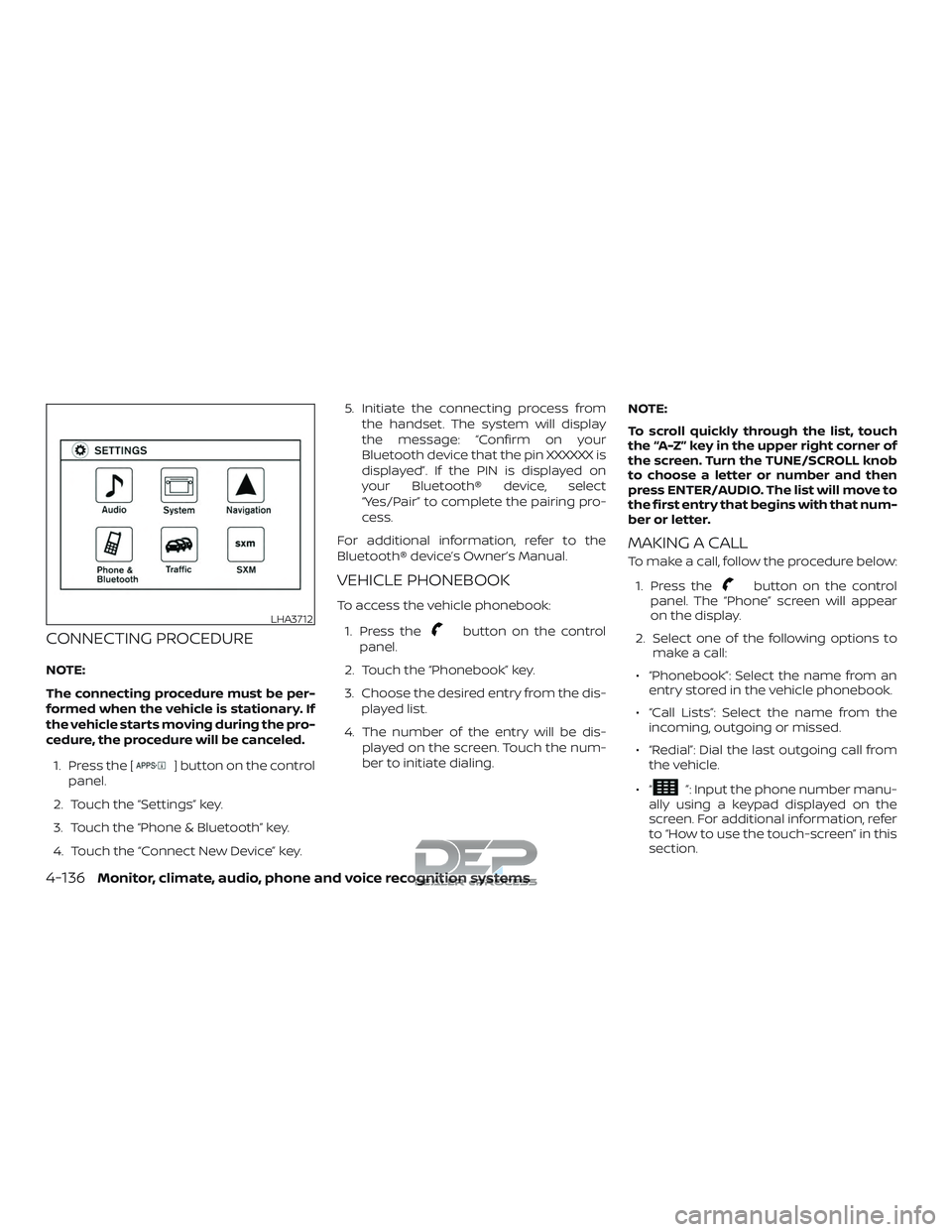
CONNECTING PROCEDURE
NOTE:
The connecting procedure must be per-
formed when the vehicle is stationary. If
the vehicle starts moving during the pro-
cedure, the procedure will be canceled.1. Press the [
] button on the control
panel.
2. Touch the “Settings” key.
3. Touch the “Phone & Bluetooth” key.
4. Touch the “Connect New Device” key. 5. Initiate the connecting process from
the handset. The system will display
the message: “Confirm on your
Bluetooth device that the pin XXXXXX is
displayed”. If the PIN is displayed on
your Bluetooth® device, select
“Yes/Pair” to complete the pairing pro-
cess.
For additional information, refer to the
Bluetooth® device’s Owner’s Manual.
VEHICLE PHONEBOOK
To access the vehicle phonebook:
1. Press the
button on the control
panel.
2. Touch the “Phonebook” key.
3. Choose the desired entry from the dis- played list.
4. The number of the entry will be dis- played on the screen. Touch the num-
ber to initiate dialing. NOTE:
To scroll quickly through the list, touch
the “A-Z” key in the upper right corner of
the screen. Turn the TUNE/SCROLL knob
to choose a letter or number and then
press ENTER/AUDIO. The list will move to
the first entry that begins with that num-
ber or letter.
MAKING A CALL
To make a call, follow the procedure below:
1. Press the
button on the control
panel. The “Phone” screen will appear
on the display.
2. Select one of the following options to make a call:
∙ “Phonebook”: Select the name from an entry stored in the vehicle phonebook.
∙ “Call Lists”: Select the name from the incoming, outgoing or missed.
∙ “Redial”: Dial the last outgoing call from the vehicle.
∙“
”: Input the phone number manu-
ally using a keypad displayed on the
screen. For additional information, refer
to “How to use the touch-screen” in this
section.
LHA3712
4-136Monitor, climate, audio, phone and voice recognition systems
Page 386 of 650
RECEIVING A CALL
When a call is placed to the connected
phone, the display will change to phone
mode.
To accept the incoming call, either:∙ Press the
button on the steering
wheel, or
∙ Touch the
icon on the screen.
To reject the incoming call, either:
∙ Press the
button on the steering
wheel, or
∙ Touch the
icon on the screen.
DURING A CALL
While a call is active, the following options
are available on the screen: ∙ “Handset” Select this option to switch control of
the phone call over to the handset.
∙ “Mute Mic.” Select this option to mute the micro-
phone. Select again to unmute the mi-
crophone.
∙ Phone
icon
Select to end the phone call.
ENDING A CALL
To end a phone call, select the phone
icon on the screen or press thebut-
ton on the steering wheel.
TEXT MESSAGING
WARNING
∙ Laws in some jurisdictions may re- strict the use of “Text-to-Speech”.
Check local regulations before using
this feature.
∙ Laws in some jurisdictions may re- strict the use of some of the applica-
tions and features, such as social net-
working and texting. Check local
regulations for any requirements.
∙ Use the text messaging feature af ter stopping your vehicle in a safe loca-
tion. If you have to use the feature
while driving, exercise extreme cau-
tion at all times so full attention may
be given to vehicle operation.
∙ If you are unable to devote full atten- tion to vehicle operation while using
the text messaging feature, pull off
the road to a safe location and stop
your vehicle. NOTE:
This feature is automatically disabled if
the connected device does not support
the Message Access Profile (MAP). For
additional information, refer to the
phone’s Owner’s Manual for details and
instructions.
NOTE:Many phones may require special permis-
sion to enable text messaging. Check the
phone’s screen during Bluetooth® pairing.
For some phones, you may need to enable
‘Notifications’ in the phone’s Bluetooth®
menu for text messages to appear on the
headunit. For additional information, refer
to your phone’s Owner’s manual. Text
message integration requires that the
phone support MAP (Message Access Pro-
file) for both receiving and sending text
messages. Some phones may not support
all text messaging features. For additional
information, refer to www.nissanusa.com/
bluetooth or www.nissan.ca/bluetooth for
compatibility information, as well as your
device’s Owner’s manual.
The system allows for the sending and re-
ceiving of text messages through the ve-
hicle interface.
Monitor, climate, audio, phone and voice recognition systems4-137
Page 391 of 650
The NISSAN Voice Recognition system al-
lows hands-free operation of the systems
equipped on this vehicle, such as the
phone and navigation systems.
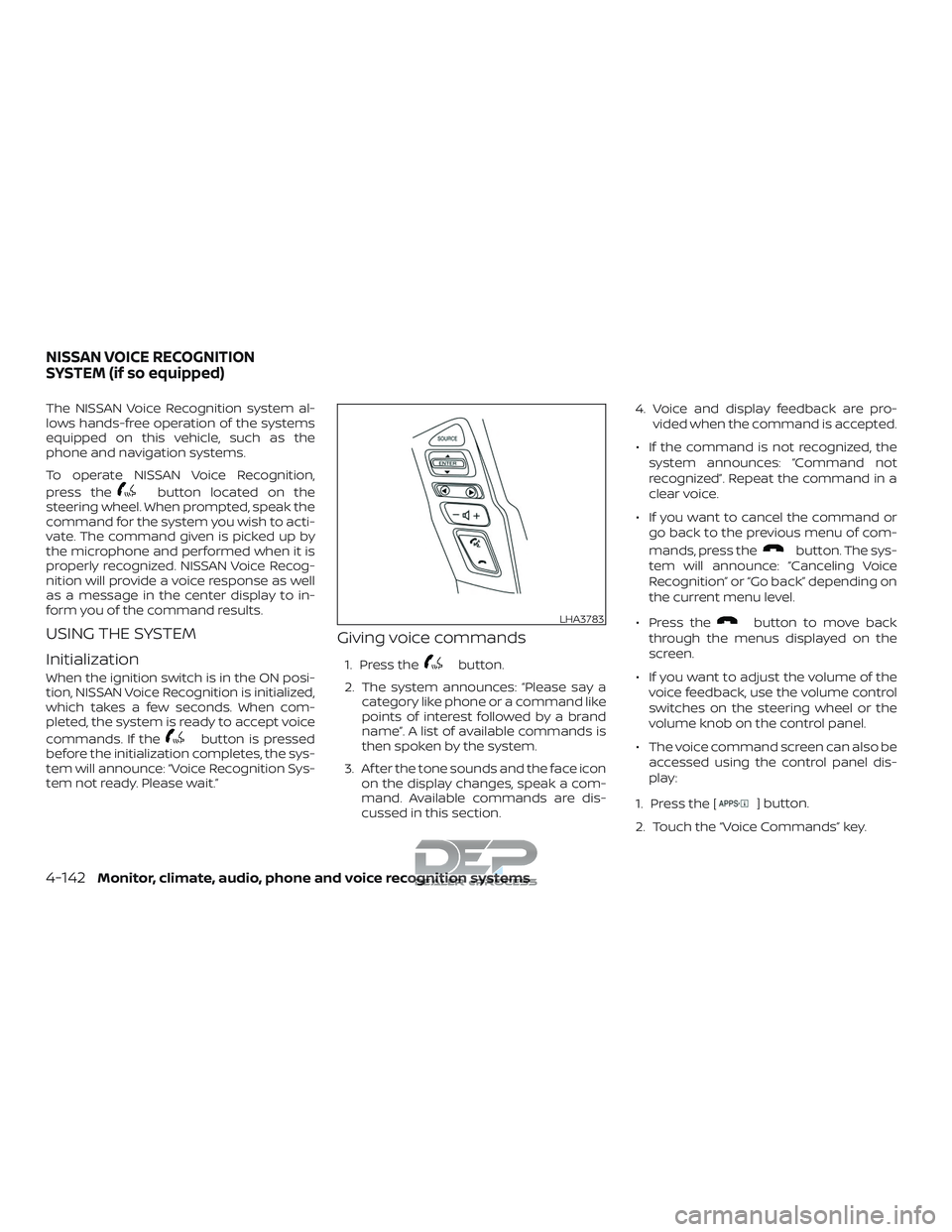
To operate NISSAN Voice Recognition,
press the
button located on the
steering wheel. When prompted, speak the
command for the system you wish to acti-
vate. The command given is picked up by
the microphone and performed when it is
properly recognized. NISSAN Voice Recog-
nition will provide a voice response as well
as a message in the center display to in-
form you of the command results.
USING THE SYSTEM
Initialization
When the ignition switch is in the ON posi-
tion, NISSAN Voice Recognition is initialized,
which takes a few seconds. When com-
pleted, the system is ready to accept voice
commands. If the
button is pressed
before the initialization completes, the sys-
tem will announce: “Voice Recognition Sys-
tem not ready. Please wait.”
Giving voice commands
1. Press thebutton.
2. The system announces: “Please say a category like phone or a command like
points of interest followed by a brand
name”. A list of available commands is
then spoken by the system.
3. Af ter the tone sounds and the face icon on the display changes, speak a com-
mand. Available commands are dis-
cussed in this section. 4. Voice and display feedback are pro-
vided when the command is accepted.
∙ If the command is not recognized, the system announces: “Command not
recognized”. Repeat the command in a
clear voice.
∙ If you want to cancel the command or go back to the previous menu of com-
mands, press the
button. The sys-
tem will announce: “Canceling Voice
Recognition” or “Go back” depending on
the current menu level.
∙ Press the
button to move back
through the menus displayed on the
screen.
∙ If you want to adjust the volume of the voice feedback, use the volume control
switches on the steering wheel or the
volume knob on the control panel.
∙ The voice command screen can also be accessed using the control panel dis-
play:
1. Press the [
] button.
2. Touch the “Voice Commands” key.
LHA3783
NISSAN VOICE RECOGNITION
SYSTEM (if so equipped)
4-142Monitor, climate, audio, phone and voice recognition systems
Page 394 of 650
∙ Select PhoneThe system replies “Please use manual
controls to continue”. Use manual con-
trols to change the active phone from
among the listed phones connected
to the vehicle.
∙ Siri® The system replies “Starting Siri”. For
additional information, refer to “Oper-
ating Siri Eyes Free” in this section.
For additional information, refer to
“Bluetooth® Hands-Free Phone System
with Navigation System” in this section.
NAVIGATION SYSTEM VOICE
COMMANDS
The following voice commands are avail-
able for the Navigation System: ∙ Street Address (address)
∙ Points of Interest (name)
∙ POI by Category
∙ Home
∙ Address Book
∙ Previous Destinations ∙ Enter Address in Steps
∙ Cancel Route
For additional information about these
commands, see the separate
NissanConnect® Owner’s Manual.
AUDIO SYSTEM VOICE COMMANDS
To access the audio system voice com-
mands:
1. Press the
button.
2. Say “Audio”
3. Speak a command from the following available commands:
∙ Play (AM, FM, etc.) Allows user to select radio band
∙ Tune AM (number) Allows user to tune directly to a desired
AM frequency
∙ Tune FM (number) Allows user to tune directly to a desired
FM frequency ∙ SXM channel (number)
Allows user to tune directly to a desired
SXM station (if so equipped)
∙ CD Track (number) Allows user to select track to be played
∙ Play Song (name) Allows user to select song name to be
played
∙ Play Artist (name) Allows user to select artist to be played
∙ Play Album (name) Allows user to select album name to
be played
For additional information, refer to “Audio
system” in this section.
Monitor, climate, audio, phone and voice recognition systems4-145
Page 629 of 650
WARNING
∙ Installing a snowplow may affect ve-hicle handling. This may cause the
driver to lose control of the vehicle
and could result in vehicle damage,
serious injury, or death.
∙ A snowplow attached may affect the operation of the air bags. Use extreme
caution while driving and plowing to
avoid vehicle damage, serious injury,
or death. DOT (Department of Transportation) Qual-
ity Grades: All passenger car tires must
conform to federal safety requirements in
addition to these grades.
Quality grades can be found where appli-
cable on the tire sidewall between tread
shoulder and maximum section width. For
example:
Treadwear 200 Traction AA Temperature
A
Treadwear
The treadwear grade is a comparative rat-
ing based on the wear rate of the tire when
tested under controlled conditions on a
specified government test course. For ex-
ample, a tire graded 150 would wear one
and one-half (1 1/2) times as well on the
government course as a tire graded 100.
The relative performance of tires depends
upon the actual conditions of their use,
however, and may depart significantly from
the norm due to variations in driving habits,
service practices and differences in road
characteristics and climate.
Traction AA, A, B and C
The traction grades, from highest to low-
est, are AA, A, B, and C. Those grades repre-
sent the tire’s ability to stop on wet pave- ment as measured under controlled
conditions on specified government test
surfaces of asphalt and concrete. A tire
marked C may have poor traction perfor-
mance.
WARNING
The traction grade assigned to this tire
is based on straight-ahead braking
traction tests, and does not include ac-
celeration, cornering, hydroplaning, or
peak traction characteristics.
Temperature A, B and C
The temperature grades are A (the high-
est), B, and C, representing the tire’s resis-
tance to the generation of heat, and its
ability to dissipate heat when tested under
controlled conditions on a specified indoor
laboratory test wheel. Sustained high tem-
perature can cause the material of the tire
to degenerate and reduce tire life, and ex-
cessive temperature can lead to sudden
tire failure. The grade C corresponds to a
level of performance which all passenger
car tires must meet under the Federal Mo-
tor Safety Standard No. 109. Grades B and A
represent higher levels of performance on
the laboratory test wheel than the mini-
mum required by law.
UNIFORM TIRE QUALITY GRADING
10-62Technical and consumer information
Page 635 of 650
Brakewearindicators.......2-32,8-21
Parking brake operation.........5-22
Self-adjustingbrakes...........8-21
Brake assist ..................5-58
Brakefluid....................8-13
Brakes......................8-21
Brake system ..................5-56
Break-in schedule ...............5-43
Brightness/contrast button .........4-9
Brightness control Instrument panel .............2-58
Bulb check/instrument panel ........2-22
Bulb replacement ...............8-31
C
Capacities and recommended fuel/
lubricants....................10-2
Cargolightswitch...............2-60
Cargo
(See vehicle loading information) .....10-22
Car phone or CB radio ...........4-120
CDcareandcleaning.............4-86
CD player
(See audio system) .......4-59,4-65,4-72
Check tire pressure ..............2-42
Childrestraints........1-24, 1-25, 1-26, 1-29 LATCH (Lower Anchors and Tethers for
CHildren)System............. .1-29
Precautions on child
restraints......1-26, 1-34, 1-40, 1-44, 1-50
Top tether strap anchor point
locations.................. .1-31Child safety rear door lock
..........3-9
Chimes, audible reminders .........2-32
Cleaningexteriorandinterior......7-2,7-4
Climatecontrolseatswitch.........2-60
Clock setting (models with Navigation
System)......................4-7
Clock setting (models without Navigation
System)..................4-58,4-63
C.M.V.S.S. certification label .........10-18
Cold weather driving .............5-69
Compact disc (CD) player . . .4-59, 4-65, 4-72
Compass ....................2-18
Console light ..................2-92
Control panel buttons .............4-4
Back button .................4-7
Brightness/contrast button .......4-9
Enterbutton.................4-4
Withnavigationsystem..........4-4
Controls Audio controls (steering wheel) .....4-87
Heater and air conditioner controls . .4-44
Heater and air conditioner controls
(manual) ...................4-34
Coolant Capacities and recommended
fuel/lubricants...............10-2
Changing engine coolant .........8-6
Checking engine coolant level ......8-6
Engine coolant temperature gauge . .2-9
Corrosionprotection..............7-7
Cruisecontrol...........5-41,5-41,5-42
Cupholders ..................2-82
Curtain side-impact and rollover air
bag........................1-78 D
Daytime Running Light System . . .2-57, 8-29
Diesel Particulate Filter (DPF) .........8-11
DigitalvideodiscDVD ............4-93
Dimensions and weights ..........10-11
Dimmer switch for instrument panel . . .2-58
Display......................2-32
Display controls
(see control panel buttons) ..........4-4
Door locks ..................3-5,3-6
Door open warning light ...........2-25
Drivebelt.....................8-17
Drive positioner, Automatic ......3-42,3-44
Driving Coldweatherdriving...........5-69
Driving with automatic
transmission ................5-17
Precautions when starting and
driving ..................5-2,5-9
Driving the vehicle ...............5-16
E
Eco Drive Report ................5-54
Economy - fuel .................5-45
Electronic locking rear differential (E-Lock)
system......................5-52
Electronic locking rear differential (E-Lock)
systemswitch.................2-67
Emergency engine shutoff .......5-13, 6-2
Emission control information label . . . .10-19
Emission c
ontrol system warranty . . . .10-63
11-2