service indicator NISSAN TITAN 2020 Owner´s Manual
[x] Cancel search | Manufacturer: NISSAN, Model Year: 2020, Model line: TITAN, Model: NISSAN TITAN 2020Pages: 657, PDF Size: 5.1 MB
Page 382 of 657
For Canada
Model: SRR3–B
Canada 310
This device complies with Industry Cana-
da’s RSS — 310. Operation is subject to the
condition that this device must not cause
harmful interference and must accept any
interferences, including interference that
may cause undesired operation of the de-
vice.
Cet appareil est conforme au RSS — 310
d’Industrie Canada. Le fonctionnement est
soumis à la condition que cet appareil ne
provoque pas d’interférences nuisibles et
accepte toute interférence, y compris les
interférences susceptibles de provoquer
un fonctionnement indésirable de
L’appareil.
PRECAUTIONS ON CRUISE
CONTROL
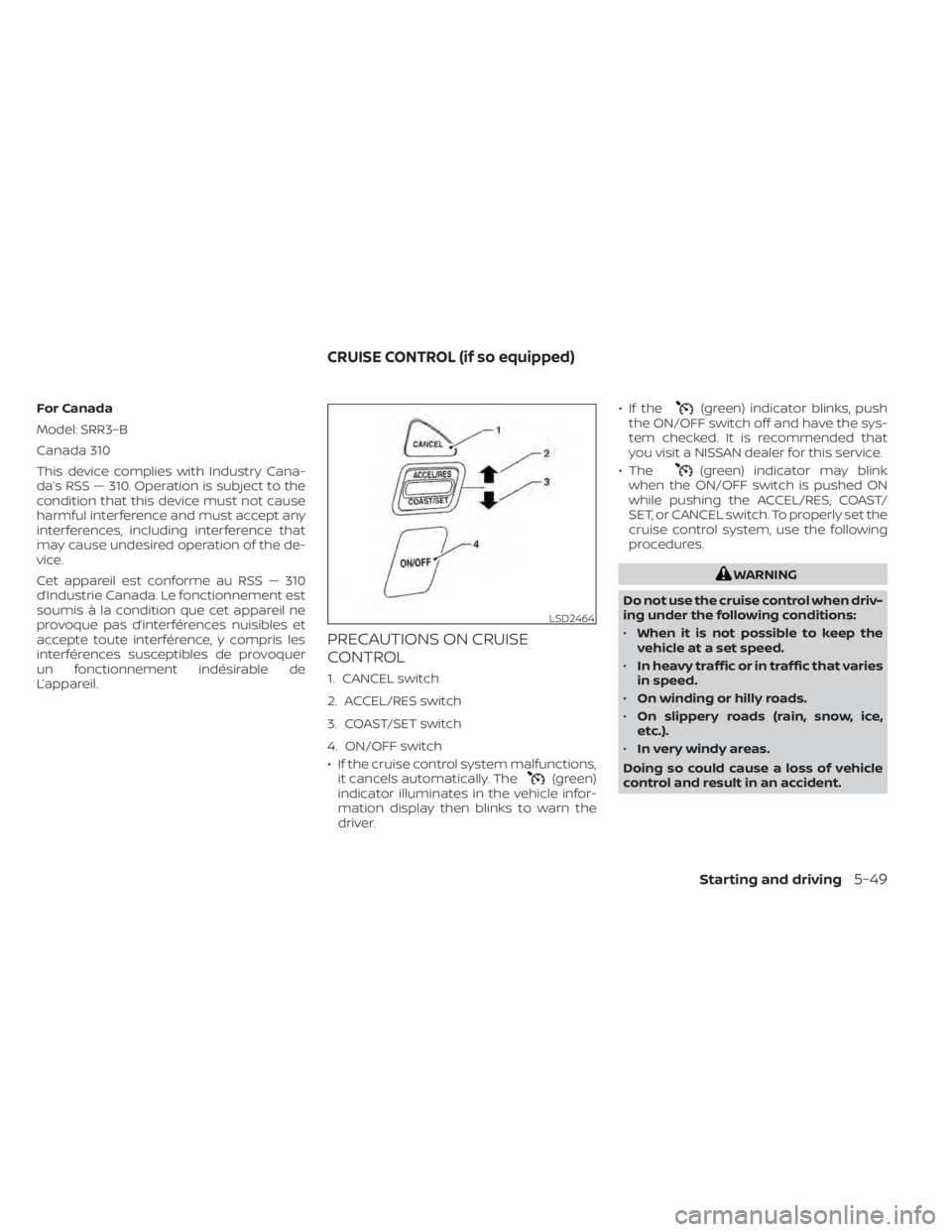
1. CANCEL switch
2. ACCEL/RES switch
3. COAST/SET switch
4. ON/OFF switch
• If the cruise control system malfunctions,it cancels automatically. The
(green)
indicator illuminates in the vehicle infor-
mation display then blinks to warn the
driver. • If the
(green) indicator blinks, push
the ON/OFF switch off and have the sys-
tem checked. It is recommended that
you visit a NISSAN dealer for this service.
• The
(green) indicator may blink
when the ON/OFF switch is pushed ON
while pushing the ACCEL/RES, COAST/
SET, or CANCEL switch. To properly set the
cruise control system, use the following
procedures.
WARNING
Do not use the cruise control when driv-
ing under the following conditions:
• When it is not possible to keep the
vehicle at a set speed.
• In heavy traffic or in traffic that varies
in speed.
• On winding or hilly roads.
• On slippery roads (rain, snow, ice,
etc.).
• In very windy areas.
Doing so could cause a loss of vehicle
control and result in an accident.
LSD2464
CRUISE CONTROL (if so equipped)
Starting and driving5-49
Page 402 of 657
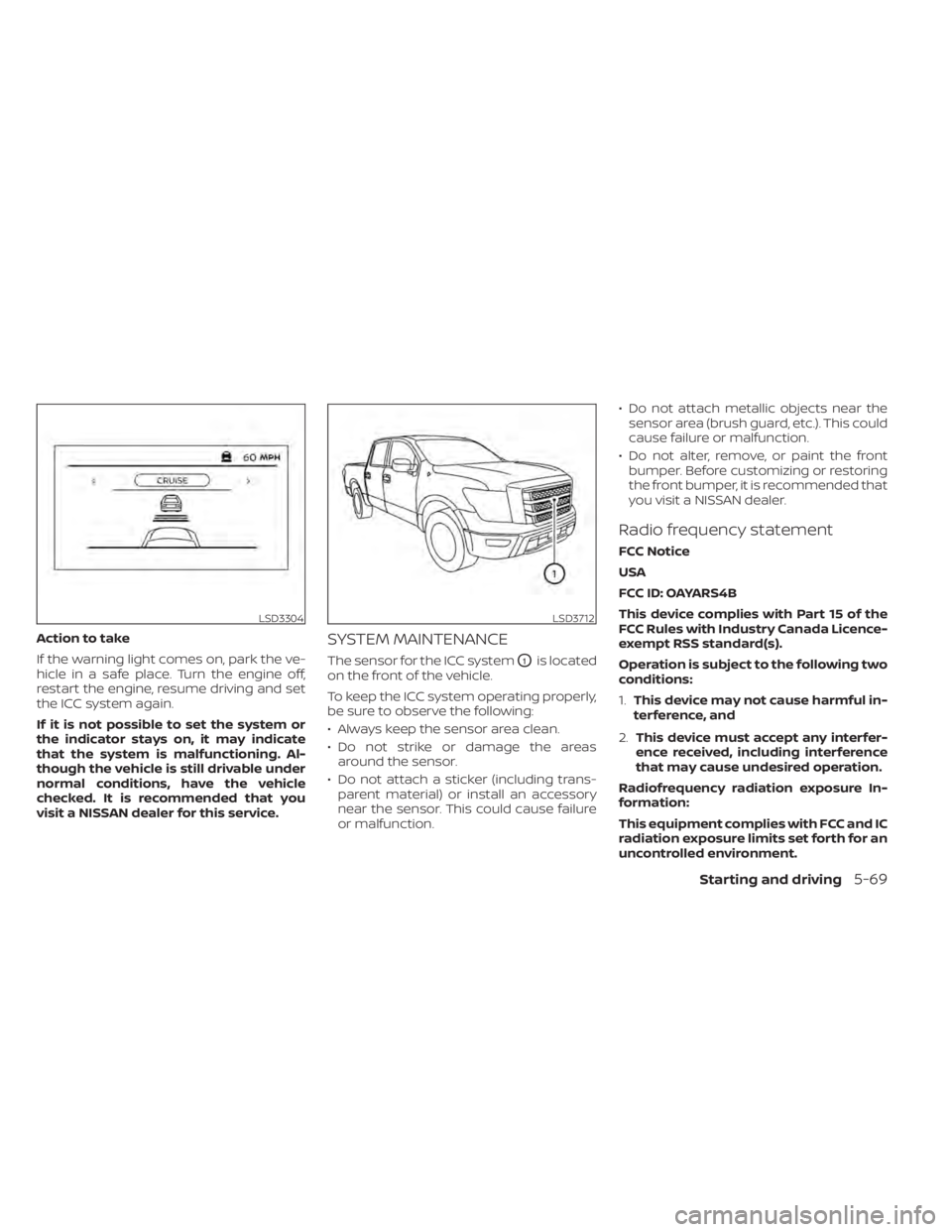
Action to take
If the warning light comes on, park the ve-
hicle in a safe place. Turn the engine off,
restart the engine, resume driving and set
the ICC system again.
If it is not possible to set the system or
the indicator stays on, it may indicate
that the system is malfunctioning. Al-
though the vehicle is still drivable under
normal conditions, have the vehicle
checked. It is recommended that you
visit a NISSAN dealer for this service.SYSTEM MAINTENANCE
The sensor for the ICC systemO1is located
on the front of the vehicle.
To keep the ICC system operating properly,
be sure to observe the following:
• Always keep the sensor area clean.
• Do not strike or damage the areas around the sensor.
• Do not attach a sticker (including trans- parent material) or install an accessory
near the sensor. This could cause failure
or malfunction. • Do not attach metallic objects near the
sensor area (brush guard, etc.). This could
cause failure or malfunction.
• Do not alter, remove, or paint the front bumper. Before customizing or restoring
the front bumper, it is recommended that
you visit a NISSAN dealer.
Radio frequency statement
FCC Notice
USA
FCC ID: OAYARS4B
This device complies with Part 15 of the
FCC Rules with Industry Canada Licence-
exempt RSS standard(s).
Operation is subject to the following two
conditions:
1. This device may not cause harmful in-
terference, and
2. This device must accept any interfer-
ence received, including interference
that may cause undesired operation.
Radiofrequency radiation exposure In-
formation:
This equipment complies with FCC and IC
radiation exposure limits set forth for an
uncontrolled environment.
LSD3304LSD3712
Starting and driving5-69
Page 407 of 657
System temporarily unavailable
A chime sounds under the following conditions
and the control is automatically canceled:
• When the vehicle slows down more than8 mph (13 km/h) below the set speed
• When the shif t lever is not in the D (Drive) or manual shif t mode
• When the parking brake is applied
• When the VDC operates (including the traction control system)
• When a wheel slips
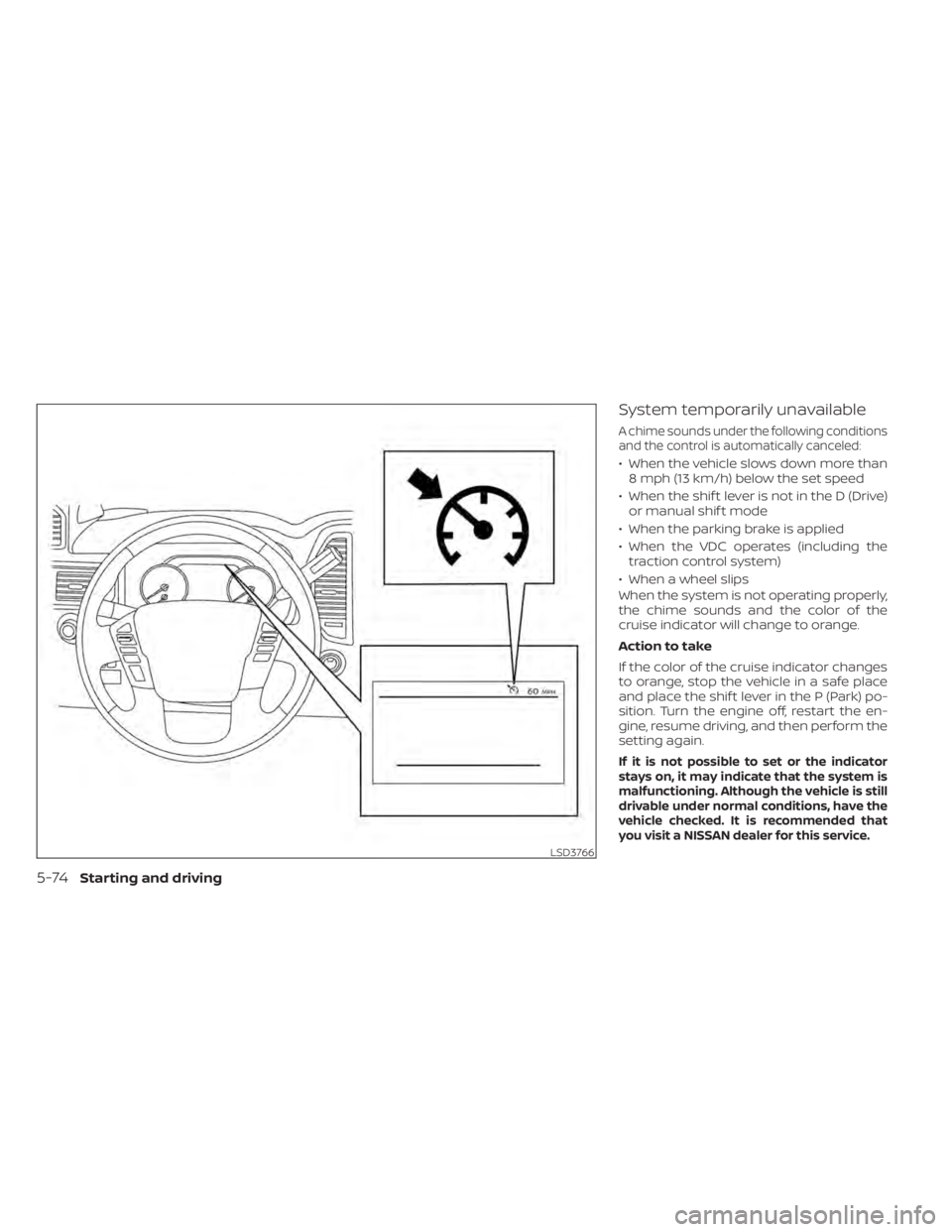
When the system is not operating properly,
the chime sounds and the color of the
cruise indicator will change to orange.
Action to take
If the color of the cruise indicator changes
to orange, stop the vehicle in a safe place
and place the shif t lever in the P (Park) po-
sition. Turn the engine off, restart the en-
gine, resume driving, and then perform the
setting again.
If it is not possible to set or the indicator
stays on, it may indicate that the system is
malfunctioning. Although the vehicle is still
drivable under normal conditions, have the
vehicle checked. It is recommended that
you visit a NISSAN dealer for this service.
LSD3766
5-74Starting and driving
Page 441 of 657
2. Start the engine.
- Check that the 4WD vehicle information display warning message turns off. If the warning message in the vehicle information display stays on, have the sys-
tem checked. It is recommended that you visit a NISSAN dealer for this service.
3. Apply the parking brake, depress the brake pedal and move the shif t lever to the N (Neutral) position.
4. With the brake pedal depressed, move the 4WD shif t switch to the desired mode.
- Be sure to wait until the transfer gear change completes before shif ting the shif t lever from the N (Neutral) position.
*2: While changing in and out of 4LO, the ignition switch must be in the ON position and the vehicle's engine must be running for a shif t to take place and for the
4WD shif t and 4LO position indicators to be operable. Otherwise, the shif t will not take place and no indicators will be on or flashing.
*3: Make sure the transfer 4LO position indicator turns on when you shif t the 4WD shif t switch to 4LO. The
indicator light will also turn on when 4LO is selected. For additional information, refer to “Vehicle Dynamic Control (VDC) system” in this section.
5-108Starting and driving
Page 444 of 657
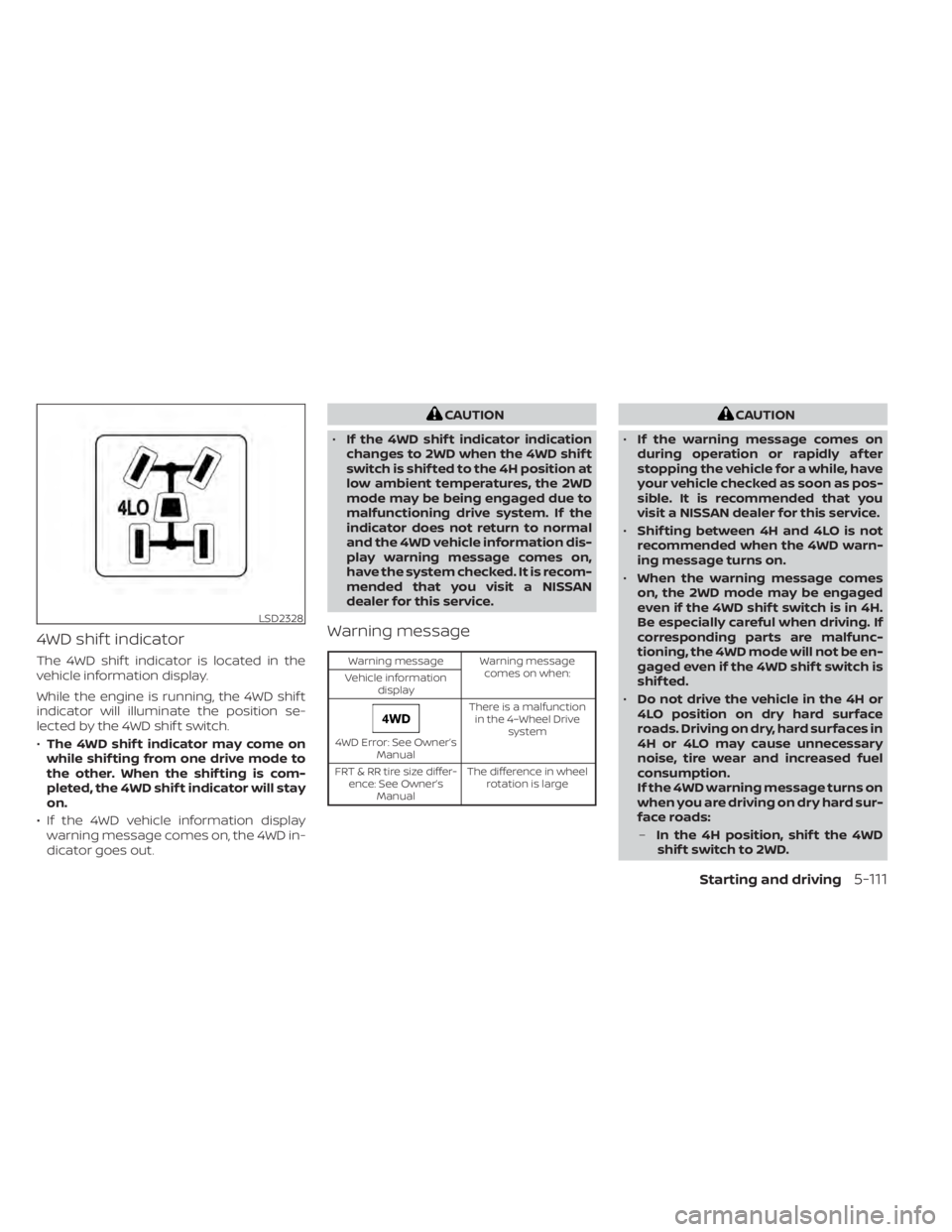
4WD shif t indicator
The 4WD shif t indicator is located in the
vehicle information display.
While the engine is running, the 4WD shif t
indicator will illuminate the position se-
lected by the 4WD shif t switch.
•The 4WD shif t indicator may come on
while shif ting from one drive mode to
the other. When the shif ting is com-
pleted, the 4WD shif t indicator will stay
on.
• If the 4WD vehicle information display warning message comes on, the 4WD in-
dicator goes out.
CAUTION
• If the 4WD shif t indicator indication
changes to 2WD when the 4WD shif t
switch is shif ted to the 4H position at
low ambient temperatures, the 2WD
mode may be being engaged due to
malfunctioning drive system. If the
indicator does not return to normal
and the 4WD vehicle information dis-
play warning message comes on,
have the system checked. It is recom-
mended that you visit a NISSAN
dealer for this service.
Warning message
Warning message Warning message
comes on when:
Vehicle information
display
4WD Error: See Owner’s Manual There is a malfunction
in the 4–Wheel Drive system
FRT & RR tire size differ- ence: See Owner’s Manual The difference in wheel
rotation is large
CAUTION
• If the warning message comes on
during operation or rapidly af ter
stopping the vehicle for a while, have
your vehicle checked as soon as pos-
sible. It is recommended that you
visit a NISSAN dealer for this service.
• Shif ting between 4H and 4LO is not
recommended when the 4WD warn-
ing message turns on.
• When the warning message comes
on, the 2WD mode may be engaged
even if the 4WD shif t switch is in 4H.
Be especially careful when driving. If
corresponding parts are malfunc-
tioning, the 4WD mode will not be en-
gaged even if the 4WD shif t switch is
shif ted.
• Do not drive the vehicle in the 4H or
4LO position on dry hard surface
roads. Driving on dry, hard surfaces in
4H or 4LO may cause unnecessary
noise, tire wear and increased fuel
consumption.
If the 4WD warning message turns on
when you are driving on dry hard sur-
face roads:
– In the 4H position, shif t the 4WD
shif t switch to 2WD.
LSD2328
Starting and driving5-111
Page 445 of 657
–In the 4LO position, stop the ve-
hicle, move the automatic trans-
mission shif t lever to the N (Neu-
tral) position with the brake pedal
depressed, and shif t the 4WD shif t
switch to 2WD.
• If the warning message is still on af-
ter the above operation, have your
vehicle checked as soon as possible.
It is recommended that you visit a
NISSAN dealer for this service.
• The transfer case may be damaged if
you continue driving with the warn-
ing message on. The E-Lock system can provide additional
traction and should only be used when a
vehicle has become or is becoming stuck.
This system operates by electronically
“locking” the two rear drive wheels to-
gether, allowing them to turn at the same
speed. The system is used when it is not
possible to free a stuck vehicle even when
using the 4LO position (4-Wheel Drive ve-
hicles).
When added traction is required, activate
the E-Lock system by pushing the switch
on. For additional information, refer to
“Electronic locking rear differential (E-Lock)
system switch” in the “Instruments and
controls” section of this manual. Once the
system fully engages, the indicator light in
the instrument panel will remain on. When
the system is activated, both rear wheels
will engage, providing added traction.
The rear wheels may momentarily slip or
move to engage the system, and the sys-
tem will only engage up to approximately 4
mph (7 km/h). Once the vehicle is free, the
system should be turned off and driving
resumed.
The Anti-lock Braking System (ABS) is dis-
abled and the ABS warning light illumi-
nates when the E-Lock system is on.WARNING
• Never leave the E-Lock system on
when driving on paved or hard-
surfaced roads. Turning the vehicle
may result in the rear wheels slipping
and result in an accident and per-
sonal injury. Af ter using the E-Lock
system to free the vehicle, turn the
system off.
• Use the E-Lock system only in an
emergency when it is not possible to
free a stuck vehicle even when using
4LO. Never use the E-Lock system on
a slippery road surface such as snow
or ice surface. Using the E-Lock sys-
tem when driving in these road con-
ditions may cause unexpected
movement of the vehicle during en-
gine braking, accelerating or turning,
which may result in an accident and
serious personal injury.
• Observe the above warnings. Other-
wise, loss of normal steering control
may result. This may result in an ac-
cident and serious personal injury.
ELECTRONIC LOCKING REAR
DIFFERENTIAL (E-Lock) SYSTEM (if
so equipped)
5-112Starting and driving
Page 466 of 657
TIRE PRESSURE MONITORING
SYSTEM (TPMS)
This vehicle is equipped with TPMS. It moni-
tors tire pressure of all tires except the
spare. When the low tire pressure warning
light is lit, and the Tire Pressure Low — Add
Air warning appears in the vehicle informa-
tion display, one or more of your tires is
significantly under-inflated. If equipped, the
system also displays pressure of all tires
(except the spare tire) on the display screen
by sending a signal from a sensor that is
installed in each wheel. If the vehicle is be-
ing driven with low tire pressure, the TPMS
will activate and warn you of it by the low
tire pressure warning light. This system will
activate only when the vehicle is driven at
speeds above 16 mph (25 km/h). For addi-
tional information, refer to “Warning lights,
indicator lights and audible reminders” in
the “Instruments and controls” section and
“Tire Pressure Monitoring System (TPMS)” in
the “Starting and driving” section of this
manual.
WARNING
• Radio waves could adversely affect
electric medical equipment. Those
who use a pacemaker should contact
the electric medical equipment
manufacturer for the possible influ-
ences before use. •
If the low tire pressure warning light
illuminates while driving, avoid sud-
den steering maneuvers or abrupt
braking, reduce vehicle speed, pull
off the road to a safe location and
stop the vehicle as soon as possible.
Driving with under-inflated tires may
permanently damage the tires and
increase the likelihood of tire failure.
Serious vehicle damage could occur
and may lead to an accident and
could result in serious personal in-
jury. Check the tire pressure for all
four tires. Adjust the tire pressure to
the recommended COLD tire pres-
sure shown on the Tire and Loading
Information label to turn the low tire
pressure warning light OFF. If the
light still illuminates while driving af-
ter adjusting the tire pressure, a tire
may be flat or the TPMS may be mal-
functioning. If you have a flat tire, re-
place it with a spare tire as soon as
possible, If no tire is flat and all tires
are properly inflated, have the ve-
hicle checked. It is recom-
mended that you visit a NISSAN
dealer for this service
FLAT TIRE
In case of emergency6-3
Page 508 of 657
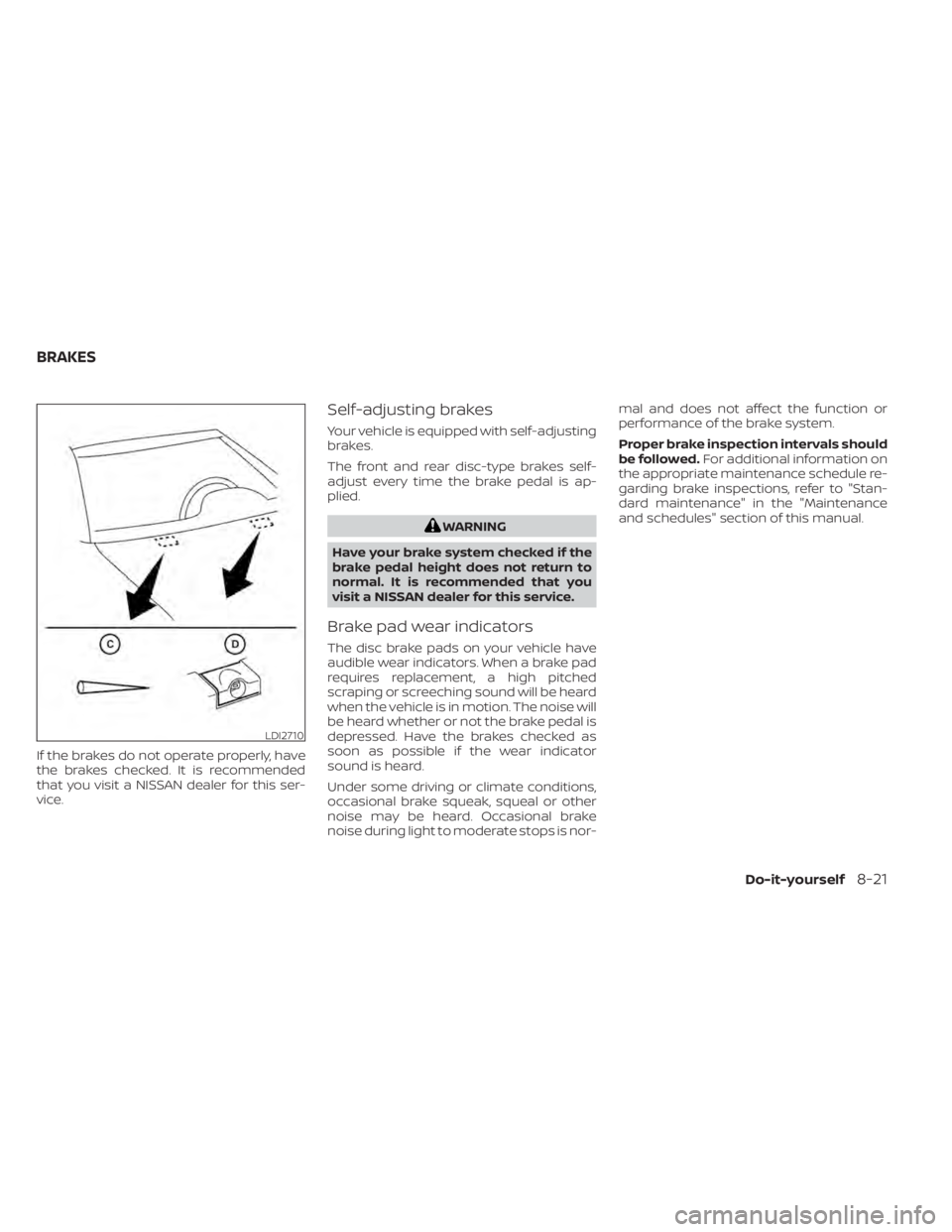
If the brakes do not operate properly, have
the brakes checked. It is recommended
that you visit a NISSAN dealer for this ser-
vice.
Self-adjusting brakes
Your vehicle is equipped with self-adjusting
brakes.
The front and rear disc-type brakes self-
adjust every time the brake pedal is ap-
plied.
WARNING
Have your brake system checked if the
brake pedal height does not return to
normal. It is recommended that you
visit a NISSAN dealer for this service.
Brake pad wear indicators
The disc brake pads on your vehicle have
audible wear indicators. When a brake pad
requires replacement, a high pitched
scraping or screeching sound will be heard
when the vehicle is in motion. The noise will
be heard whether or not the brake pedal is
depressed. Have the brakes checked as
soon as possible if the wear indicator
sound is heard.
Under some driving or climate conditions,
occasional brake squeak, squeal or other
noise may be heard. Occasional brake
noise during light to moderate stops is nor- mal and does not affect the function or
performance of the brake system.
Proper brake inspection intervals should
be followed.
For additional information on
the appropriate maintenance schedule re-
garding brake inspections, refer to "Stan-
dard maintenance" in the "Maintenance
and schedules" section of this manual.
LDI2710
BRAKES
Do-it-yourself8-21
Page 530 of 657
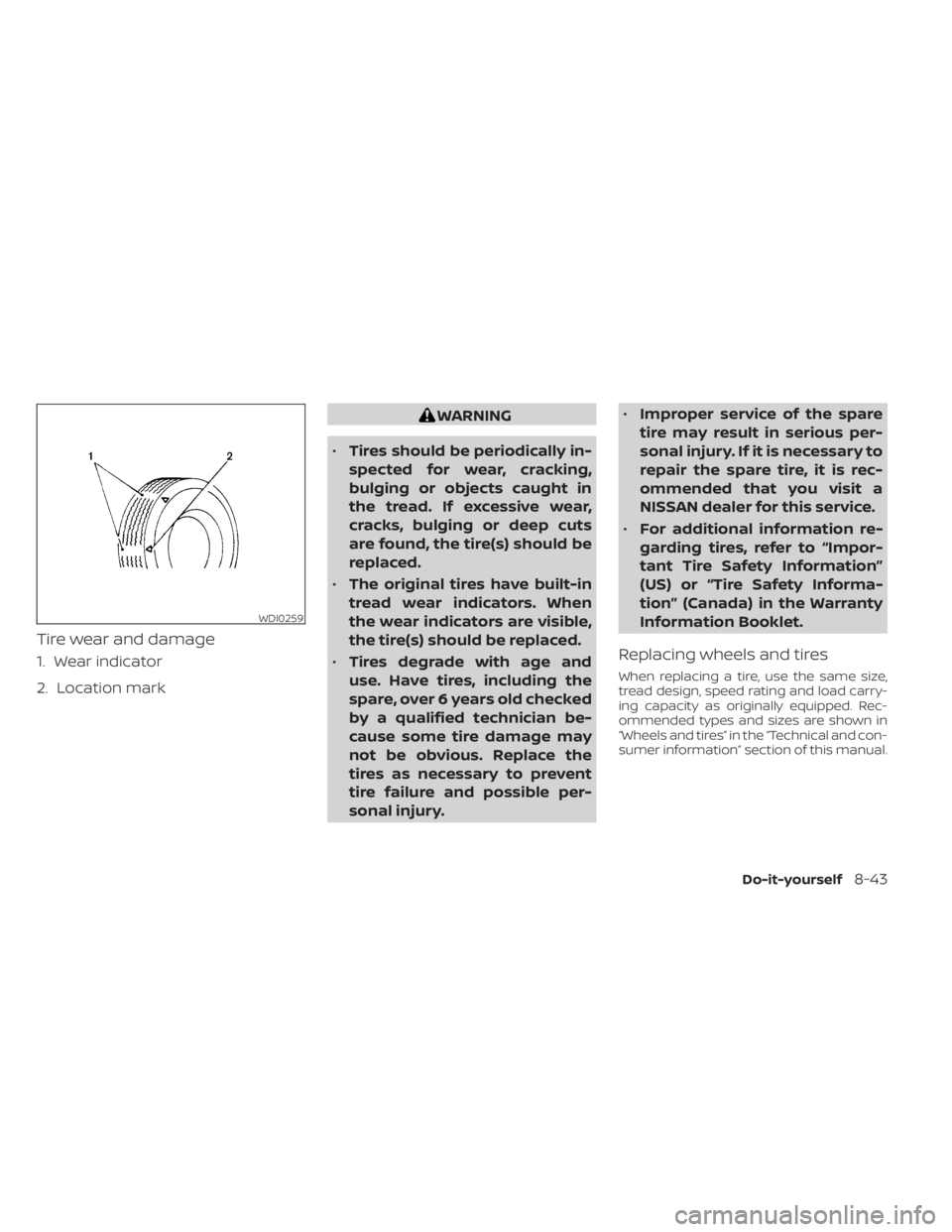
Tire wear and damage
1. Wear indicator
2. Location mark
WARNING
• Tires should be periodically in-
spected for wear, cracking,
bulging or objects caught in
the tread. If excessive wear,
cracks, bulging or deep cuts
are found, the tire(s) should be
replaced.
• The original tires have built-in
tread wear indicators. When
the wear indicators are visible,
the tire(s) should be replaced.
• Tires degrade with age and
use. Have tires, including the
spare, over 6 years old checked
by a qualified technician be-
cause some tire damage may
not be obvious. Replace the
tires as necessary to prevent
tire failure and possible per-
sonal injury. •
Improper service of the spare
tire may result in serious per-
sonal injury. If it is necessary to
repair the spare tire, it is rec-
ommended that you visit a
NISSAN dealer for this service.
• For additional information re-
garding tires, refer to “Impor-
tant Tire Safety Information”
(US) or “Tire Safety Informa-
tion” (Canada) in the Warranty
Information Booklet.
Replacing wheels and tires
When replacing a tire, use the same size,
tread design, speed rating and load carry-
ing capacity as originally equipped. Rec-
ommended types and sizes are shown in
“Wheels and tires” in the “Technical and con-
sumer information” section of this manual.
WDI0259
Do-it-yourself8-43
Page 614 of 657
Maintenance schedules............9-7Maintenance under severe operation
conditions....................9-10Malfunction indicator light..........2-19Manual front seat adjustment........1-4Map lights....................2-91Map pocket................2-71,2-72Memory Seat..................3-40Meters and gauges...........2-6, 2-10Instrument brightness control.....2-53Mirror
Automatic anti-glare inside mirror. . .3-30Outside mirrors..............3-30Rearview...................3-29Vanity mirror................3-29Mirrors......................3-29Moonroof................ .2-87, 7-5Moving Object Detection (MOD)......4-23
N
NISSAN Intelligent Key®..........3-2,3-9NISSAN Vehicle Immobilizer
System................. .2-41, 5-16NissanConnect® Owner's Manual......4-2
O
Octane rating (See fuel octane rating). .10-6Odometer....................2-7Oil
Capacities and recommended
fuel/lubricants
...............10-2
Changing engine oil............8-8Changing engine oil filter.........8-8Checking engine oil level..........8-7Engine oil...................8-7Engine oil and oil filter
recommendation.............10-7Engine oil viscosity.............10-7Outside mirrors................3-30Overhead sunglasses holder........2-77OverheatIf your vehicle overheats.........6-12Owner's manual order form........10-60Owner's manual/service manual order
information................. .10-60
P
Parking
Parking brake operation.........5-23Parking/parking on hills.........5-114Parking brake.................5-23Personal lights................ .2-91Power
Front seat adjustment...........1-6Power door locks..............3-6Power outlet.............2-67, 2-69Powerrearwindows...........2-85Power steering fluid............8-11Power steering system.........5-115Power windows..............2-83Rear power windows...........2-85Power inverter switch............2-64Power outlet..............2-67, 2-69
Power steering................5-115Power steering fluid..............8-11PrecautionsMaintenance precautions.........8-2On-pavement and off-road driving
precautions................ .5-8Precautions on booster
seats...........1-34, 1-40, 1-44, 1-48Precautions on child
restraints........1-34, 1-40, 1-44, 1-48Precautions on seat belt usage.....1-16Precautions on supplemental restraint
system.................1-52, 1-67Precautions when starting and
driving................. .5-4, 5-10Push starting..................6-12
R
Radio
Car phone or CB radio..........4-86Rain sensor.................. .2-44Readiness for inspection maintenance
(I/M) test................... .10-59Rear Automatic Braking (RAB).......5-75Rear Cross Traffic Alert (RCTA).......5-41Rear Door Alert.........2-37, 2-38, 2-66Rear power windows.............2-85Rear seat.................... .1-4Rear Seat Infotainment (RSI) System. . .4-43Rear sliding window.............2-87Rear sonar system OFF switch.......2-64
Index11-5