vin NISSAN TITAN 2021 Owner´s Manual
[x] Cancel search | Manufacturer: NISSAN, Model Year: 2021, Model line: TITAN, Model: NISSAN TITAN 2021Pages: 638, PDF Size: 4.31 MB
Page 167 of 638
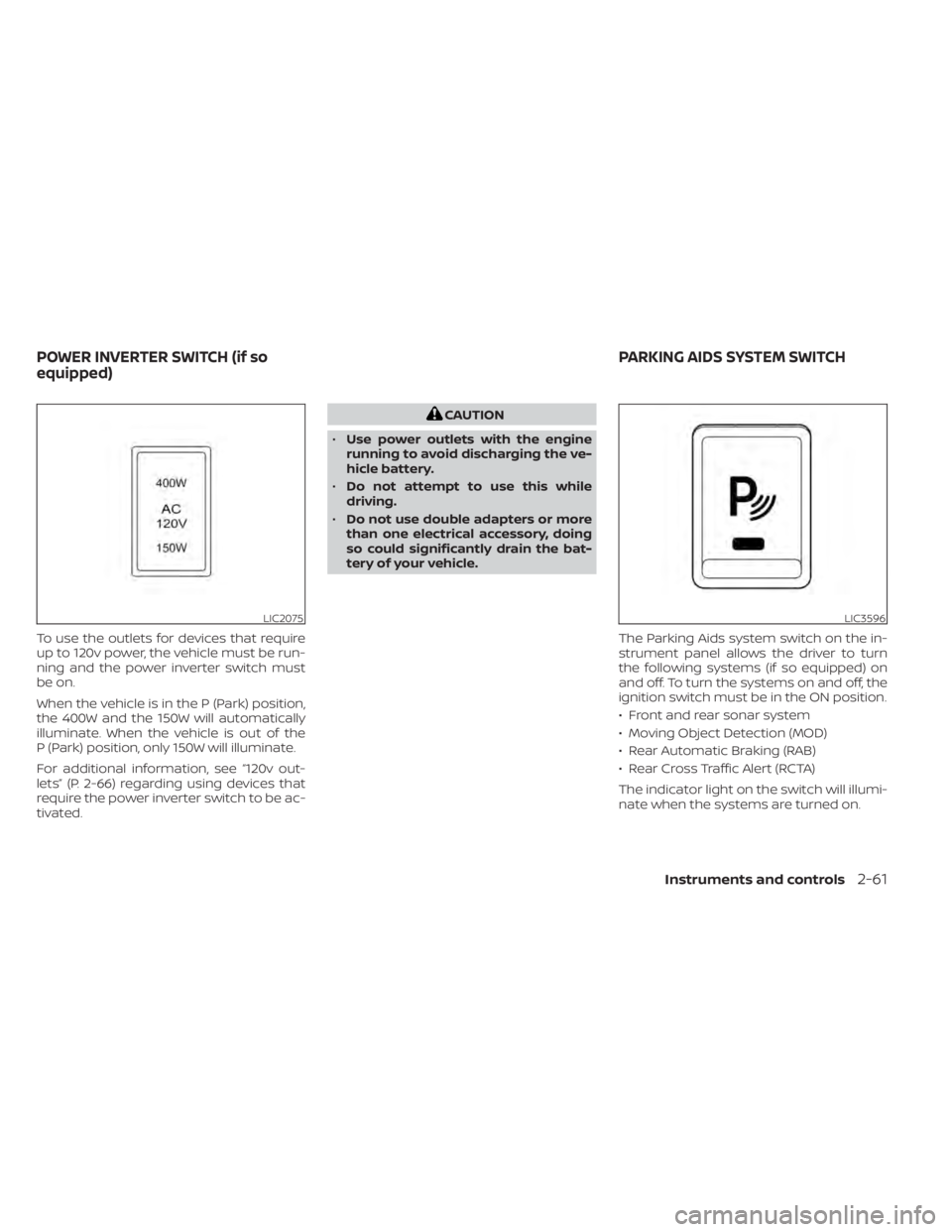
To use the outlets for devices that require
up to 120v power, the vehicle must be run-
ning and the power inverter switch must
be on.
When the vehicle is in the P (Park) position,
the 400W and the 150W will automatically
illuminate. When the vehicle is out of the
P (Park) position, only 150W will illuminate.
For additional information, see “120v out-
lets” (P. 2-66) regarding using devices that
require the power inverter switch to be ac-
tivated.
CAUTION
• Use power outlets with the engine
running to avoid discharging the ve-
hicle battery.
• Do not attempt to use this while
driving.
• Do not use double adapters or more
than one electrical accessory, doing
so could significantly drain the bat-
tery of your vehicle.
The Parking Aids system switch on the in-
strument panel allows the driver to turn
the following systems (if so equipped) on
and off. To turn the systems on and off, the
ignition switch must be in the ON position.
• Front and rear sonar system
• Moving Object Detection (MOD)
• Rear Automatic Braking (RAB)
• Rear Cross Traffic Alert (RCTA)
The indicator light on the switch will illumi-
nate when the systems are turned on.
LIC2075LIC3596
POWER INVERTER SWITCH (if so
equipped) PARKING AIDS SYSTEM SWITCH
Instruments and controls2-61
Page 168 of 638
If the indicator light flashes when the Front
and rear sonar system, MOD, RAB, or RCTA
systems are not turned off, it may indicate
a malfunction in one or more of these sys-
tems (if so equipped).
The Front and rear sonar system, MOD,
RAB, or RCTA systems will be turned on
automatically under the following condi-
tions:
• When the ignition switch is switched fromthe OFF position to the ON position.
• When the shif t lever is shif ted into the R (Reverse) position.
The automatic turning on function can be
turned on and off for these systems in the
vehicle information display. For additional
information, see “Settings” (P. 2-23).
For additional information, see “Front and
rear sonar system” (P. 5-122), ”Rear Auto-
matic Braking (RAB)” (P. 5-75), “Rear Cross
Traffic Alert (RCTA)” (P. 5-41), or “Moving Ob-
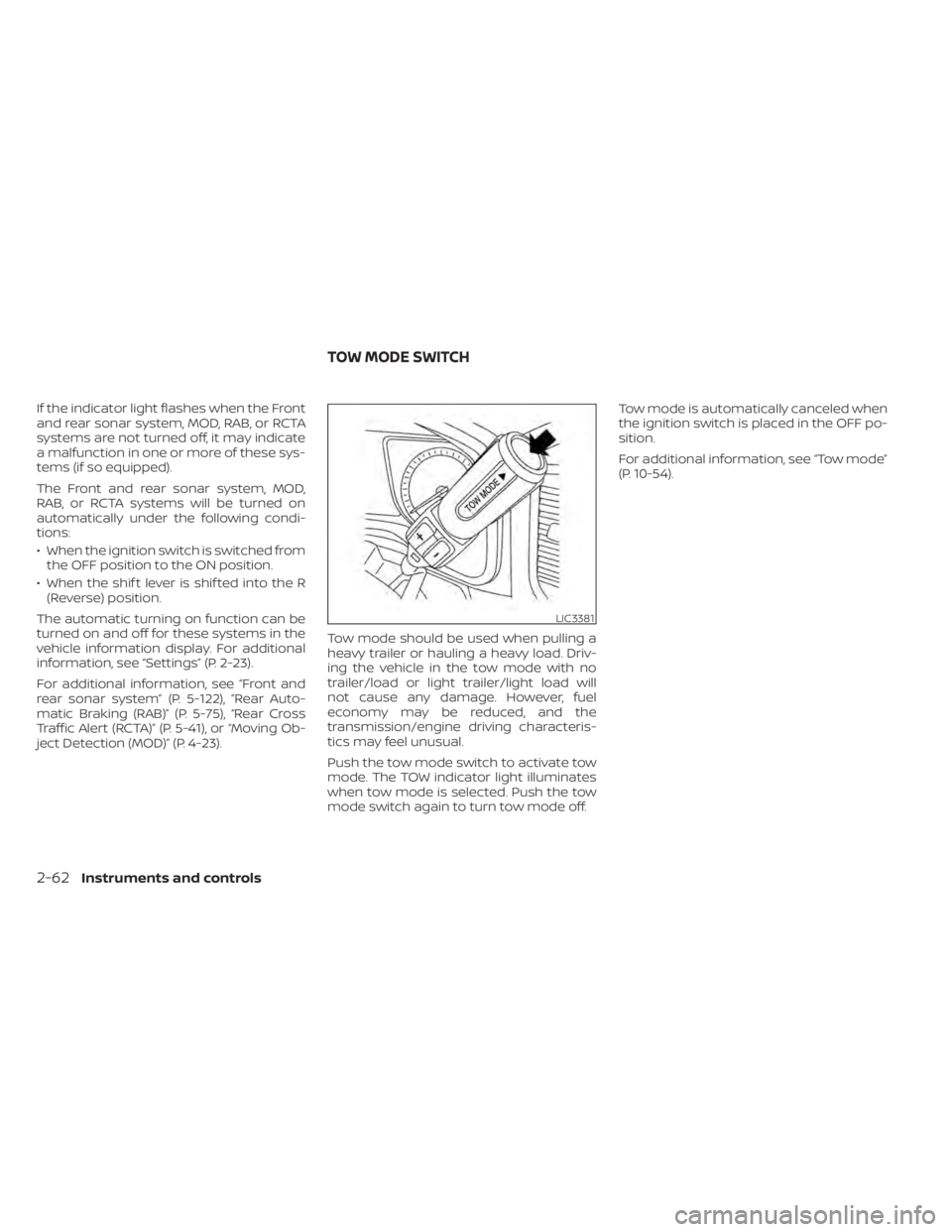
ject Detection (MOD)” (P. 4-23). Tow mode should be used when pulling a
heavy trailer or hauling a heavy load. Driv-
ing the vehicle in the tow mode with no
trailer/load or light trailer/light load will
not cause any damage. However, fuel
economy may be reduced, and the
transmission/engine driving characteris-
tics may feel unusual.
Push the tow mode switch to activate tow
mode. The TOW indicator light illuminates
when tow mode is selected. Push the tow
mode switch again to turn tow mode off.Tow mode is automatically canceled when
the ignition switch is placed in the OFF po-
sition.
For additional information, see “Tow mode”
(P. 10-54).
LIC3381
TOW MODE SWITCH
2-62Instruments and controls
Page 170 of 638
When the Rear Door Alert system is acti-
vated and a driver exits the vehicle af ter
arriving at a destination:
• When the driver puts the vehicle in the P(Park) position, a message appears in the
vehicle information display for a driver to
“Dismiss Message” or “Disable Alert” if de-
sired.
• With the system enabled, when the driver exits the vehicle, an audible alert (horn
sound) will occur unless a rear door is
opened and closed within a short time to
deactivate the alert.
• If the doors are locked before the alert is deactivated by opening a rear door, the
horn will sound.
• If the audible horn alert occurs, a mes- sage will also appear in the vehicle infor-
mation display that states, “Check Rear
Seat for All Articles”.WARNING
• If the driver selects “Disable Alert”, no
audible alert will be provided regard-
less of rear door open/close status.
• There may be times when there is an
object or passenger in the rear seat(s)
but the audible alert does not sound.
For example, this may occur if rear seat
passengers enter or exit the vehicle
during a trip.
• The system does not directly detect
objects or passengers in the rear
seat(s). Instead, it can detect when a
rear door is opened and closed, indicat-
ing that there may be something in the
rear seat(s).
NOTE:
There may be times when the horn
sounds but there are no objects or pas-
sengers in the rear seat(s).
For additional information, see “Rear Door
Alert is activated” (P. 2-33).
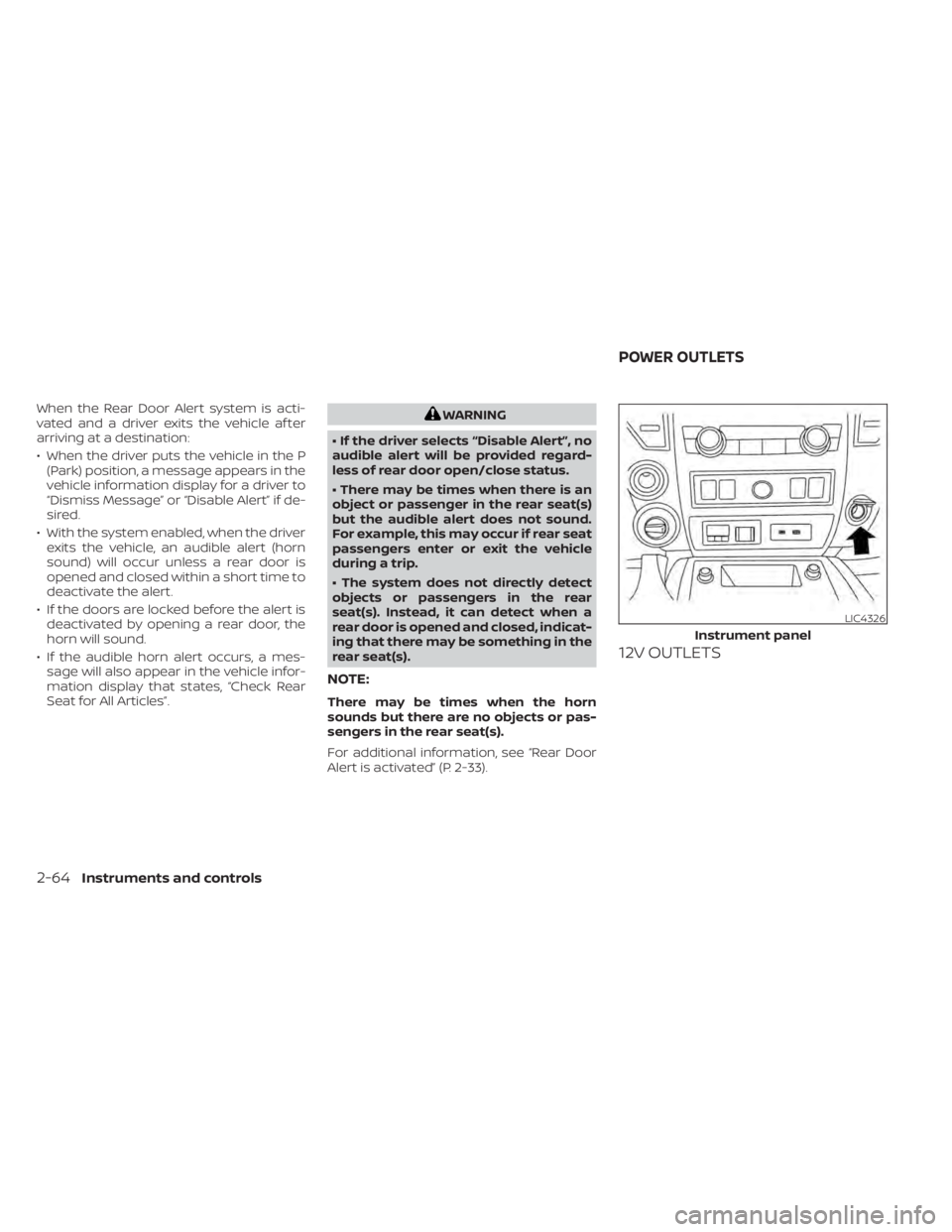
12V OUTLETS
LIC4326
Instrument panel
POWER OUTLETS
2-64Instruments and controls
Page 178 of 638
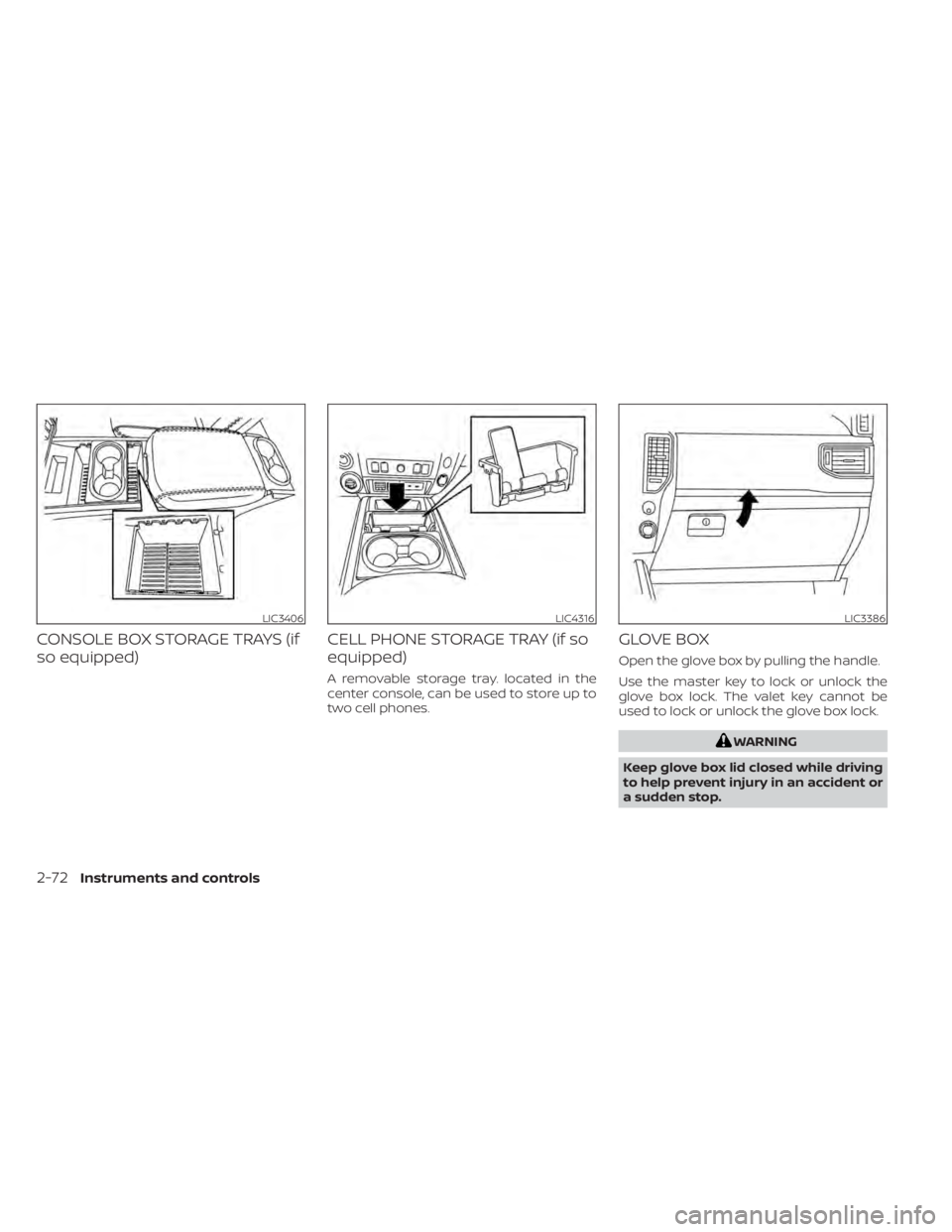
CONSOLE BOX STORAGE TRAYS (if
so equipped)CELL PHONE STORAGE TRAY (if so
equipped)
A removable storage tray. located in the
center console, can be used to store up to
two cell phones.
GLOVE BOX
Open the glove box by pulling the handle.
Use the master key to lock or unlock the
glove box lock. The valet key cannot be
used to lock or unlock the glove box lock.
WARNING
Keep glove box lid closed while driving
to help prevent injury in an accident or
a sudden stop.
LIC3406LIC4316LIC3386
2-72Instruments and controls
Page 179 of 638
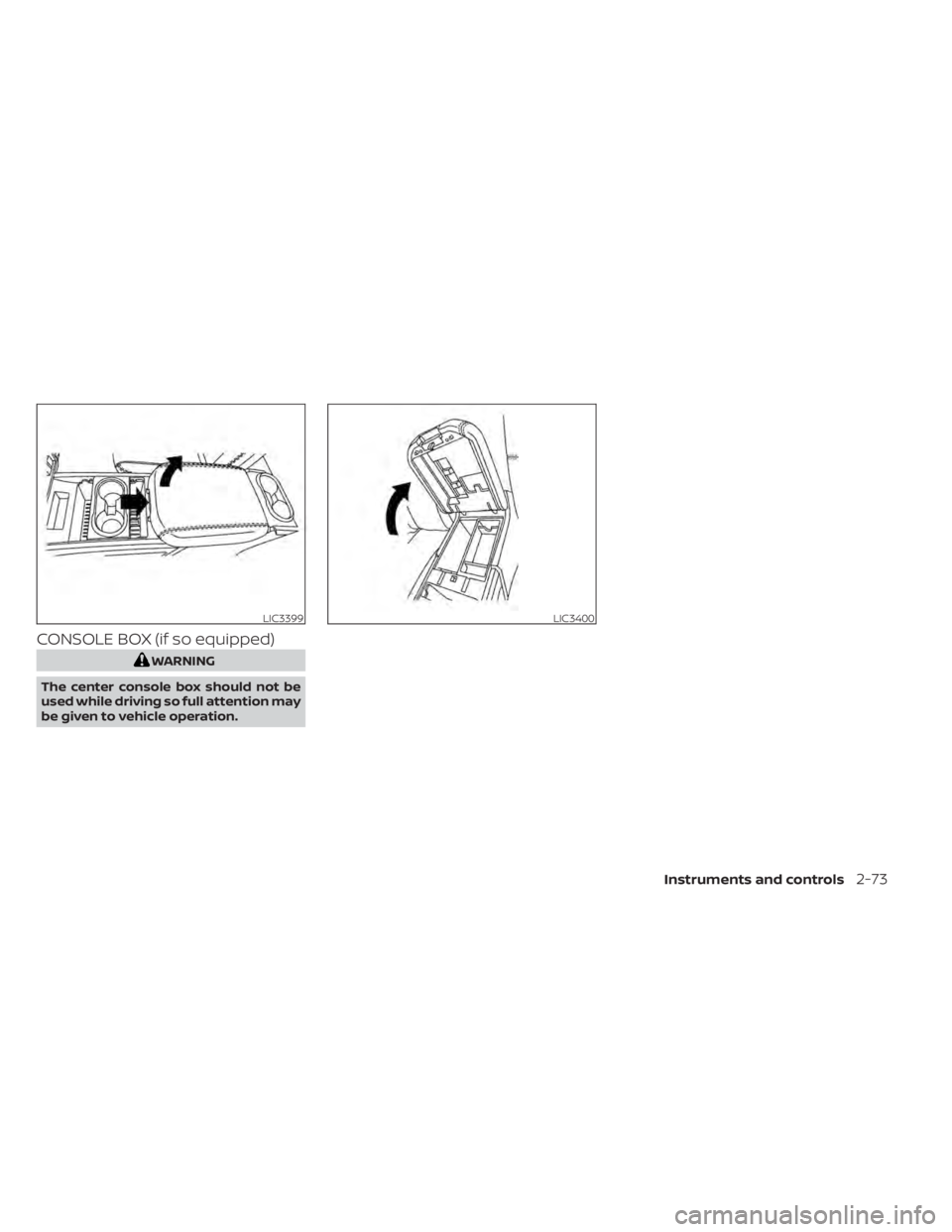
CONSOLE BOX (if so equipped)
WARNING
The center console box should not be
used while driving so full attention may
be given to vehicle operation.
LIC3399LIC3400
Instruments and controls2-73
Page 180 of 638
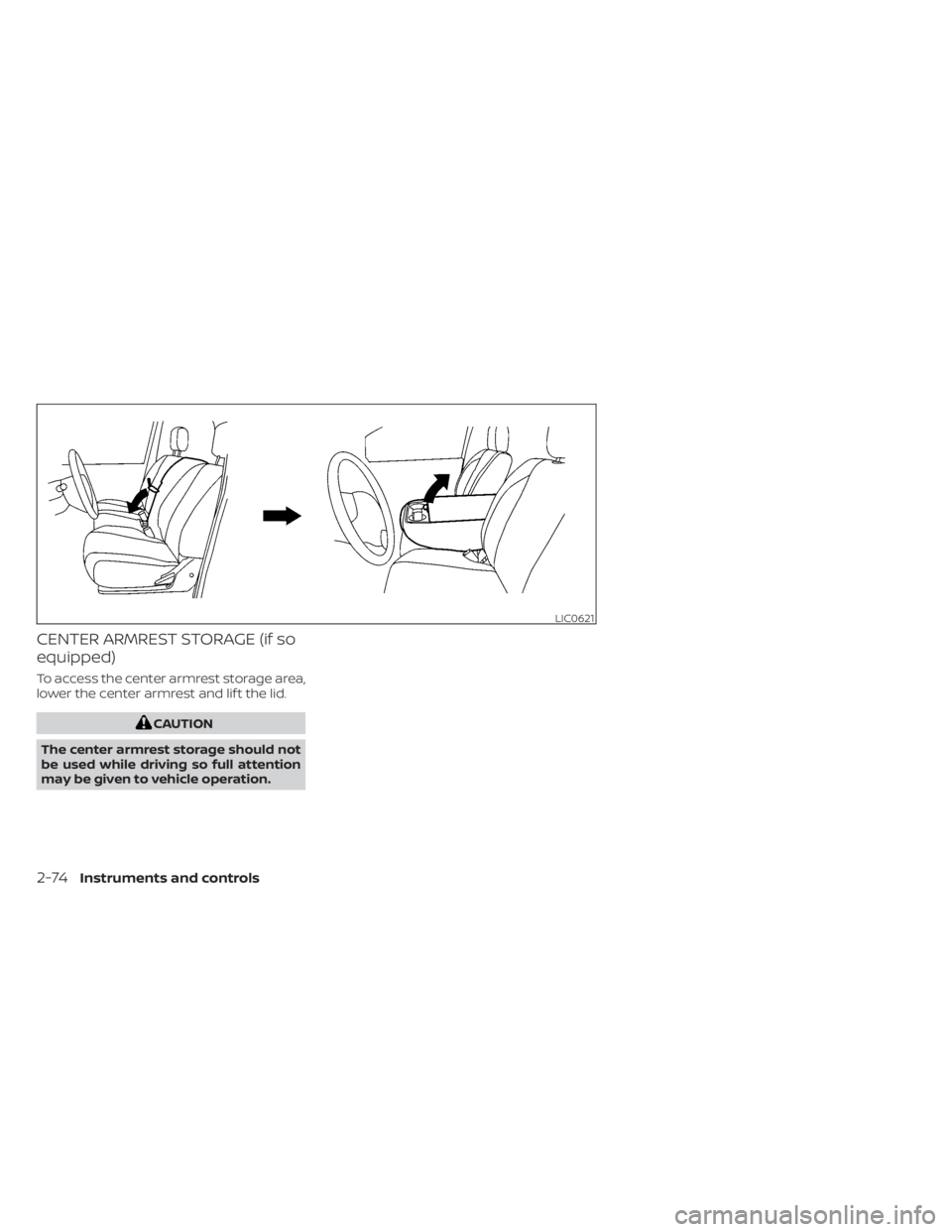
CENTER ARMREST STORAGE (if so
equipped)
To access the center armrest storage area,
lower the center armrest and lif t the lid.
CAUTION
The center armrest storage should not
be used while driving so full attention
may be given to vehicle operation.
LIC0621
2-74Instruments and controls
Page 181 of 638
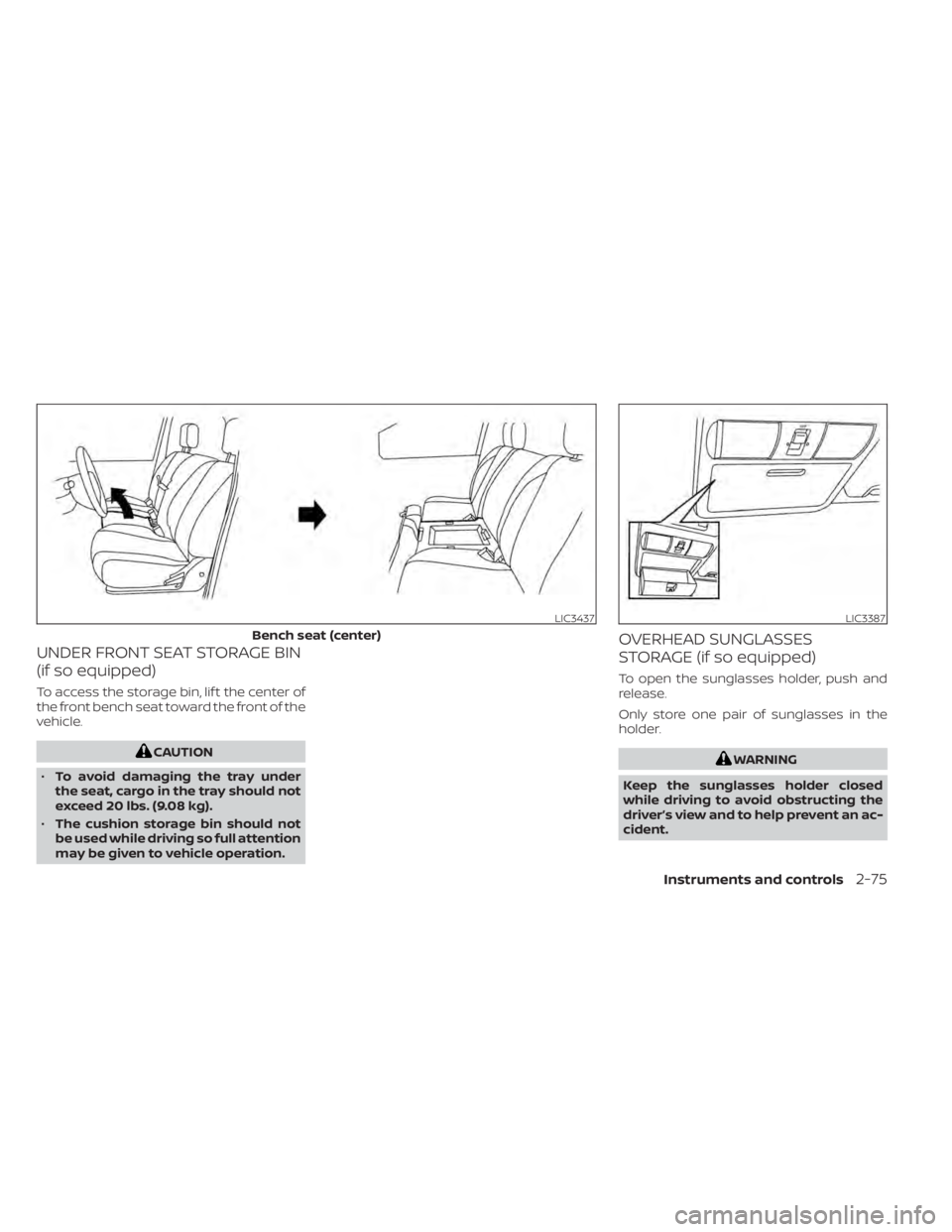
UNDER FRONT SEAT STORAGE BIN
(if so equipped)
To access the storage bin, lif t the center of
the front bench seat toward the front of the
vehicle.
CAUTION
• To avoid damaging the tray under
the seat, cargo in the tray should not
exceed 20 lbs. (9.08 kg).
• The cushion storage bin should not
be used while driving so full attention
may be given to vehicle operation.
OVERHEAD SUNGLASSES
STORAGE (if so equipped)
To open the sunglasses holder, push and
release.
Only store one pair of sunglasses in the
holder.
WARNING
Keep the sunglasses holder closed
while driving to avoid obstructing the
driver’s view and to help prevent an ac-
cident.
LIC3437
Bench seat (center)
LIC3387
Instruments and controls2-75
Page 196 of 638
WARNING
• Your vehicle's engine should be
turned off while programming the
HomeLink® Universal Transceiver. For
additional information, see “Push-
button ignition switch” (P. 5-12). Do
not breathe exhaust gases; they con-
tain colorless and odorless carbon
monoxide. Carbon monoxide is dan-
gerous. It can cause unconscious-
ness or death.
• Do not use the HomeLink® Universal
Transceiver with any garage door
opener that lacks safety stop and re-
verse features as required by federal
safety standards. (These standards
became effective for opener models
manufactured af ter April 1, 1982.) A
garage door opener which cannot
detect an object in the path of a clos-
ing garage door and then automati-
cally stop and reverse does not meet
current federal safety standards. Us-
ing a garage door opener without
these features increases the risk of
serious injury or death. •
During the programming procedure
your garage door or security gate will
open and close (if the transmitter is
within range). Make sure that people
or objects are clear of the garage
door, gate, etc., that you are
programming.
PROGRAMMING HOMELINK®
If you have any questions or are having
difficulty programming your HomeLink®
buttons, refer to the HomeLink® web site at:
www.homelink.com or call 1-800-355-3515.
NOTE:
Place the ignition switch in the ON or ACC
position (without starting the engine)
when programming HomeLink®. It is also
recommended that a new battery be
placed in the hand-held transmitter of
the device being programmed to
HomeLink® for quicker programming
and accurate transmission of the radio
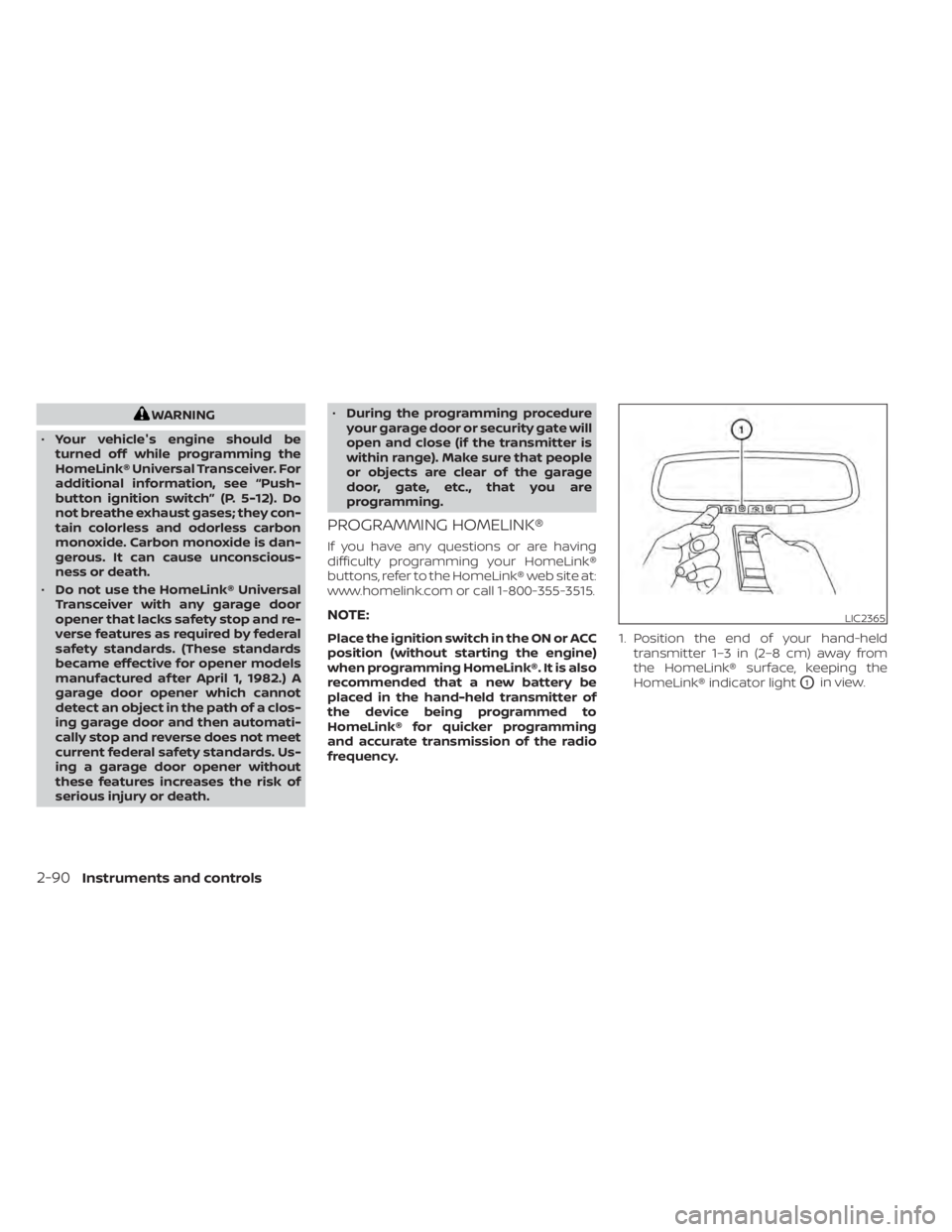
frequency. 1. Position the end of your hand-held
transmitter 1–3 in (2–8 cm) away from
the HomeLink® surface, keeping the
HomeLink® indicator light
O1in view.
LIC2365
2-90Instruments and controls
Page 197 of 638
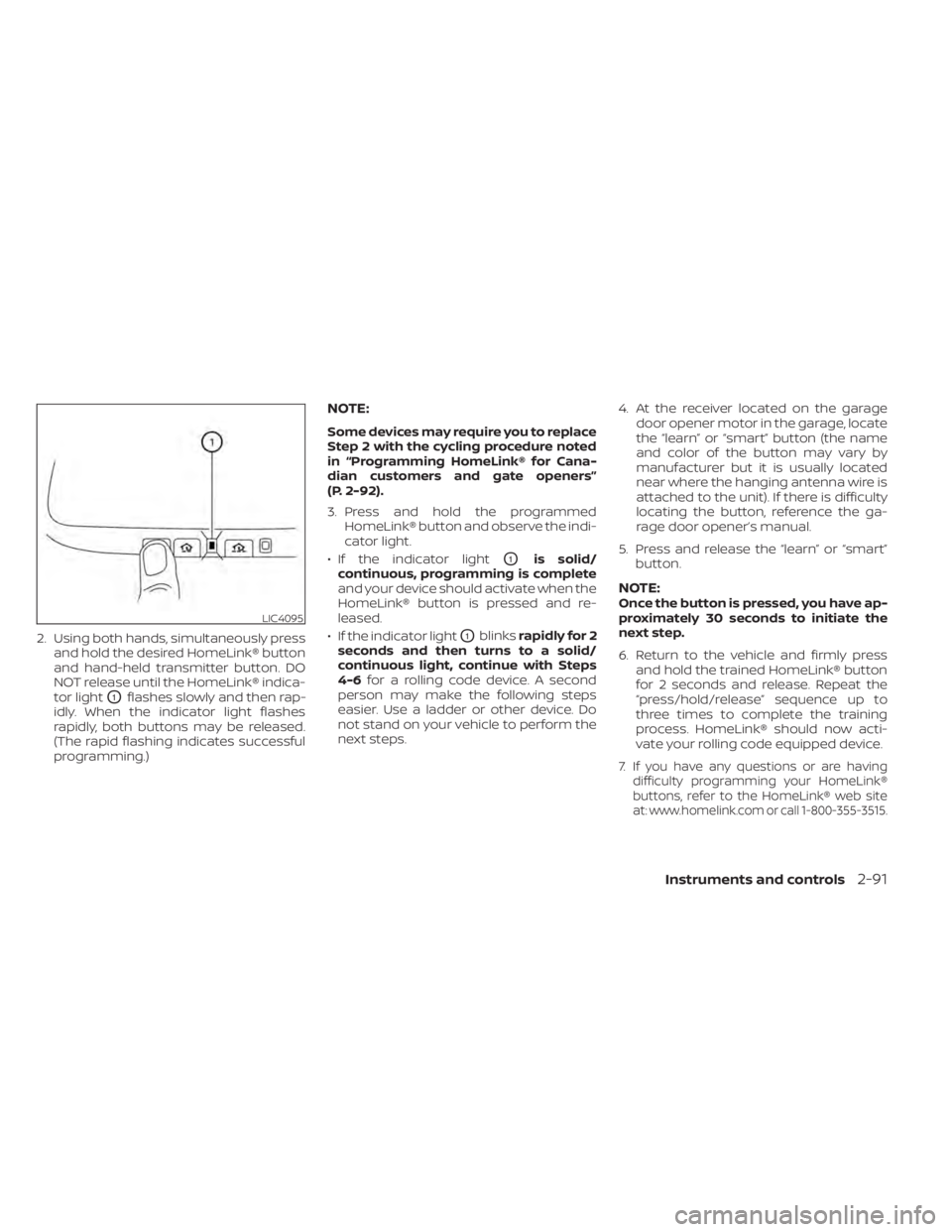
2. Using both hands, simultaneously pressand hold the desired HomeLink® button
and hand-held transmitter button. DO
NOT release until the HomeLink® indica-
tor light
O1flashes slowly and then rap-
idly. When the indicator light flashes
rapidly, both buttons may be released.
(The rapid flashing indicates successful
programming.)
NOTE:
Some devices may require you to replace
Step 2 with the cycling procedure noted
in “Programming HomeLink® for Cana-
dian customers and gate openers”
(P. 2-92).
3. Press and hold the programmed HomeLink® button and observe the indi-
cator light.
• If the indicator light
O1is solid/
continuous, programming is complete
and your device should activate when the
HomeLink® button is pressed and re-
leased.
• If the indicator light
O1blinks rapidly for 2
seconds and then turns to a solid/
continuous light, continue with Steps
4-6 for a rolling code device. A second
person may make the following steps
easier. Use a ladder or other device. Do
not stand on your vehicle to perform the
next steps. 4. At the receiver located on the garage
door opener motor in the garage, locate
the “learn” or “smart” button (the name
and color of the button may vary by
manufacturer but it is usually located
near where the hanging antenna wire is
attached to the unit). If there is difficulty
locating the button, reference the ga-
rage door opener’s manual.
5. Press and release the “learn” or “smart” button.
NOTE:Once the button is pressed, you have ap-
proximately 30 seconds to initiate the
next step.
6. Return to the vehicle and firmly press and hold the trained HomeLink® button
for 2 seconds and release. Repeat the
“press/hold/release” sequence up to
three times to complete the training
process. HomeLink® should now acti-
vate your rolling code equipped device.
7.
If you have any questions or are having
difficulty programming your HomeLink®
buttons, refer to the HomeLink® web site
at:
www.homelink.comor call 1-800-355-3515.
LIC4095
Instruments and controls2-91
Page 198 of 638
PROGRAMMING HOMELINK® FOR
CANADIAN CUSTOMERS AND GATE
OPENERS
Canadian radio-frequency laws require
transmitter signals to “time-out” (or quit)
af ter several seconds of transmission –
which may not be long enough for
HomeLink® to pick up the signal during
training. Similar to this Canadian law, some
U.S. gate operators are designed to “tim-
eout” in the same manner.
If you live in Canada or you are having diffi-
culties training a gate operatororgarage
door opener by using the “Training” proce-
dures, replace “Programming HomeLink®”
step 2 with the following:
NOTE:
When programming a garage door
opener, etc., unplug the device during
the “cycling” process to prevent possible
damage to the garage door opener
components.
1. For additional information, see “Pro-
gramming HomeLink®” step 1 (P. 2-90). 2. Using both hands, simultaneously press
and hold the desired HomeLink® button
and the hand-held transmitter button.
During training, your hand-held trans-
mitter may automatically stop transmit-
ting. Continue to press and hold the de-
sired HomeLink® button while you press
and re-press (“cycle”) your hand-held
transmitter every 2 seconds until the
frequency signal has been learned. The
HomeLink® indicator light will flash
slowly and then rapidly af ter several
seconds upon successful training. DO
NOT release until the HomeLink® indica-
tor light flashes slowly and then rapidly.
When the indicator light flashes rapidly,
both buttons may be released. The rapid
flashing indicates successful training.
Proceed with “Programming HomeLink®”
step 3 (P. 2-90) to complete.
If the device was unplugged during the
programming procedure, remember to
plug it back in when programming is
completed.
OPERATING THE HOMELINK®
UNIVERSAL TRANSCEIVER
The HomeLink® Universal Transceiver, af ter
it is programmed, can be used to activate
the programmed device. To operate, sim-
ply press and release the appropriate pro- grammed HomeLink® Universal Trans-
ceiver button. The amber indicator light will
illuminate while the signal is being trans-
mitted.
For convenience, the hand-held transmit-
ter of the device may also be used at any
time.
PROGRAMMING TROUBLE-
DIAGNOSIS
If the HomeLink® does not quickly learn the
hand-held transmitter information:
• Replace the hand-held transmitter bat-
teries with new batteries.
• Position the hand-held transmitter with its battery area facing away from the
HomeLink® surface.
• Press and hold both the HomeLink® and hand-held transmitter buttons without
interruption.
• Position the hand-held transmitter1-3 inches (26 - 76 mm) away from the
HomeLink® surface. Hold the transmitter
in that position for up to 15 seconds. If
HomeLink® is not programmed within
that time, try holding the transmitter in
another position – keeping the indicator
light in view at all times.
2-92Instruments and controls