air condition Oldsmobile Achieva 1998 Owner's Manuals
[x] Cancel search | Manufacturer: OLDSMOBILE, Model Year: 1998, Model line: Achieva, Model: Oldsmobile Achieva 1998Pages: 356, PDF Size: 18.04 MB
Page 116 of 356
If it stays on, or comes on while you are driving, you
may have a problem with the electrical charging system.
It could indicate that you have a loose generator drive
belt or another electrical problem. Have it checked
right away. Driving while this light is on could drain
your battery.
If you must drive a short distance with the light on, be
certain to turn
off all your accessories, such as the radio
and
air conditioner.
This light should come on briefly when you turn the
ignition key to
RUN. If it doesn’t come on then, have it
fixed so it will be ready to warn you if there’s a problem.
If the light comes
on while you are driving, pull off the
road and stop carefully. You may notice that the pedal is
harder to push. Or, the pedal may go closer to the floor.
It may take longer
to stop. If the light is still on, have the
vehicle towed for service. (See “Towing Your Vehicle”
in the Index.)
Brake System Warning Light
Your vehicle’s hydraulic brake system is divided into
two parts. If one part isn’t working, the other part can
still
work and stop you. For good braking, though, you
need both parts working well.
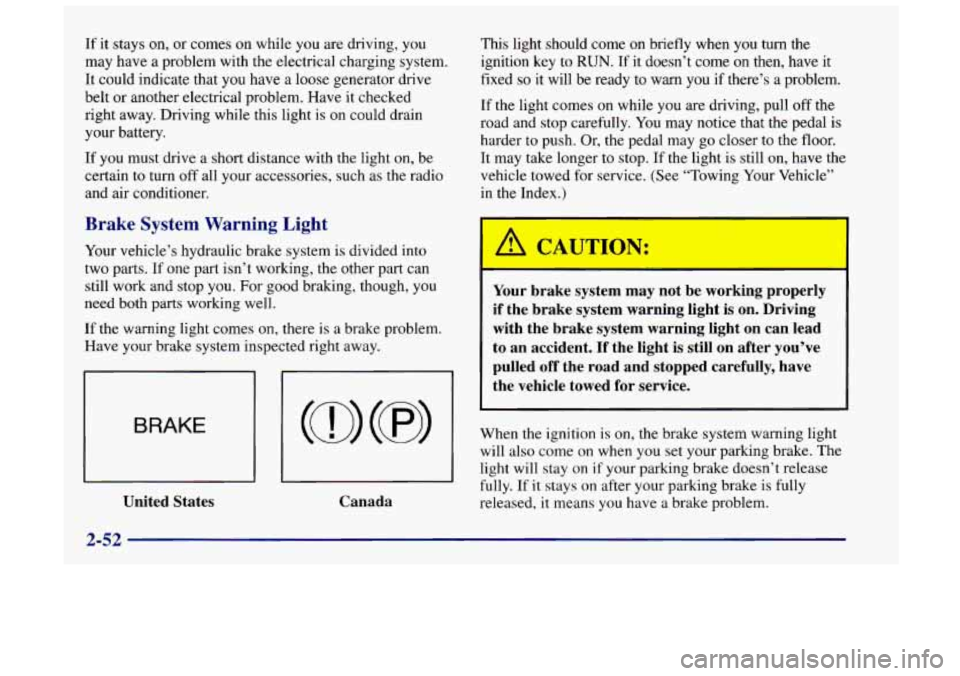
If the warning light comes on, there is a brake problem.
Have your brake system inspected right away.
BRAKE
I I I I
United States Canada Your brake system may not be working properly
if the brake system warning light is on. Driving
with the brake system warning light on can lead
to an accident. If the light is still on after you’ve
pulled off the road and stopped carefully, have
the vehicle towed for service.
When the ignition is on, the brake system warning light
will also come on when
you set your parking brake. The
light will stay on
if your parking brake doesn’t release
fully. If it stays on after your parking brake is fully
released,
it means you have a brake problem.
2-52
Page 120 of 356
This light should come on, as a check to show you it is
working, when the ignition is
on and the engine is not
running. If the light doesn’t
come on, have it repaired.
This light will also come on during a malfunction in
one
of two ways:
Light Flashing -- A misfire condition has been
detected.
A misfire increases vehicle emissions
and may damage the emission control system on
your vehicle. Retailer
or qualified service center
diagnosis and service may
be required.
Light On Steady -- An emission control system
malfunction has been detected on your vehicle.
Retailer or qualified service center diagnosis and
service may be required.
If the Light Is Flashing
The following may prevent more serious damage
to your vehicle:
Reducing vehicle speed.
0 Avoiding hard accelerations.
Avoiding steep uphill grades.
0 If you are towing a trailer, reduce the amount of
cargo being hauled as soon as it is possible. If
the light stops flashing and remains on steady, see
“If the Light
Is On Steady’’ following.
If the light continues to flash, when it
is safe to do so,
stop the vehicle. Find a safe place to park your vehicle.
Turn the key
off, wait at least 10 seconds and restart the
engine. If the light remains on steady, see “If the Light
Is On Steady” following. If the light is still flashing,
follow the previous steps, and drive the vehicle to your
retailer or qualified service center for service.
If the Light Is On Steady
You may be able to correct the emission system
malfunction by considering the following:
Did you recently put fuel into your vehicle?
If
so, reinstall the fuel cap, making sure to fully install
the cap. The diagnostic system can determine
if the
fuel cap has been left off or improperly installed. A
loose or missing fuel cap will allow
fuel to evaporate
into the atmosphere. A few driving trips with the cap
properly installed should turn the light off.
Did you just drive through a deep puddle of water?
If
so, your electrical system may be wet. The condition
will usually be corrected when the electrical system
dries out. A few driving trips should turn the light off.
2-56
Page 125 of 356

Section 3 Comfort Controls and Audio Systems
In this section, you’ll find out how to operate the comfort\
control and audio systems offered with your vehicle. Be
sure to read about the particular systems supplied with your vehicle.
3-2
3-2
3-3
3-3
3-4
3-4
3-5
3-6
3-6
3-7 Comfort Controls
Climate Control System
Air Conditioning Heating
Defogging and Defrosting
Rear Window Defogger
Ventilation System
Audio Systems
Setting the Clock
AM-FM Stereo with Cassette Tape Player and
Automatic Tone Control
(If Equipped)
3-16
3-18
3-18
3-19
3
-20
3 -20
3-2
1
3-11 AM-FM Stereo with Cassette Tape and
Compact Disc with Automatic Tone Control
(If Equipped)
Theft-Deterrent Feature
Understanding Radio Reception
Tips About Your Audio System
Care of Your Cassette Tape Player
Care of Your Compact Discs
Care of Your Compact Disc Player
Rear Window Defogger Antenna
(If Equipped)
3-1
Page 126 of 356
Comfort Controls
With this system, you can control the ventilation and
heating in your vehicle.
Your vehicle also has the flow-through ventilation
system described later in this section.
Climate Control System
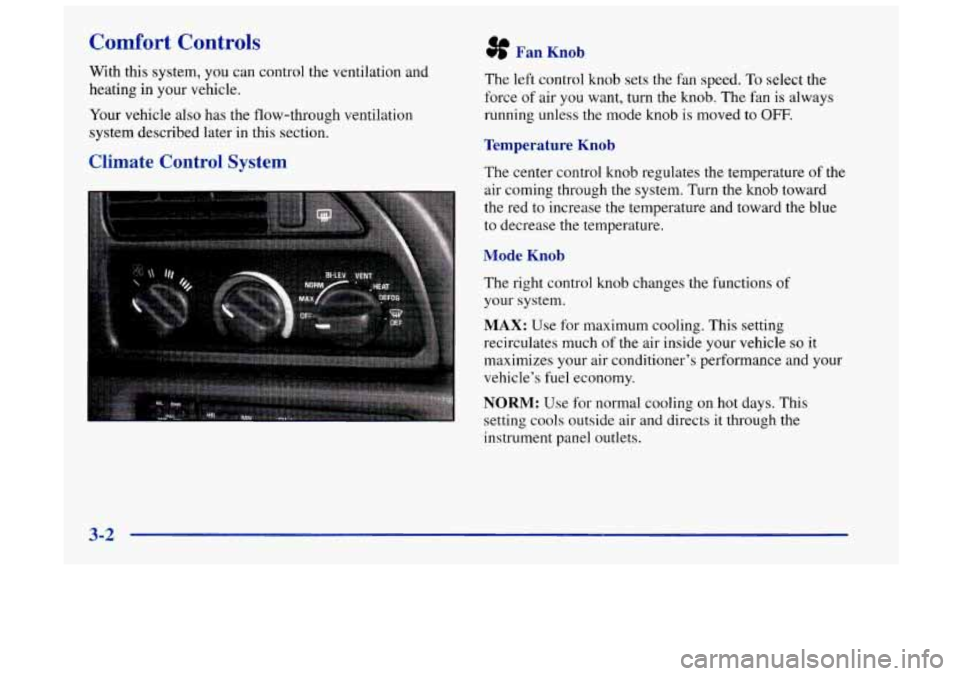
sf Fan Knob
The left control knob sets the fan speed. To select the
force
of air you want, turn the knob. The fan is always
running unless the mode knob is moved to
OFF.
Temperature Knob
The center control knob regulates the temperature of the
air coming through the system.
Turn the knob toward
the red to increase the temperature and toward the blue
to decrease the temperature.
Mode Knob
The right control knob changes the functions of
your system.
MAX: Use for maximum cooling. This setting
recirculates much of the air inside your vehicle
so it
maximizes your air conditioner’s performance and your
vehicle’s fuel economy.
NORM: Use for normal cooling on hot days. This
setting cools outside air and directs it through the
instrument panel outlets.
3-2
Page 127 of 356
BI-LEV: Use on cool, but sunny days. This setting
brings in the outside air, but directs it in two ways. The
cool air is directed to the upper portion of your body
through the instrument panel outlets, but slightly
warmer air is directed through the heater ducts and
defroster vents. At times this temperature difference
may be more apparent than others.
The air conditioner compressor is enabled in all three
air conditioning positions.
VENT: Use when outside temperatures are mild, and
little heating or cooling is needed. Airflow comes
through the instrument panel outlets. Set the center
control knob to the temperature desired.
HEAT This setting brings heated air through the heater
ducts, and some through the windshield defroster vents.
If you have the optional engine coolant heater (engine
block heater) and use it during cold weather,
0 “F (- 18 O C)
or lower, your heating system will more quickly provide
heat because the engine coolant
is already warmed. See
“Engine Coolant Heater” in the Index.
DEFOG: This setting divides airflow equally between
the heater ducts and the windshield defroster vents.
DEF: This setting directs air through the
windshield defroster vents located
on top of the
instrument panel.
Air Conditioning
The air conditioner and heater work best if you keep
your windows closed while using them. Your vehicle
also has the flow-through ventilation system described
later
in this section.
Your system has three air conditioner settings in
addition to the standard climate control system.
Before using your air conditioner
on very hot days,
open the windows long enough to let hot inside air
escape. This reduces the amount of work your air
conditioner’s compressor will have to do, which
should help fuel economy.
Heating
On cold days, use HEAT with the temperature knob all
the way in the red area. The system will bring in outside
air, heat it and send it to the floor ducts.
If your vehicle has an engine coolant heater, you can use
it to help your system provide warm air faster when it’s
cold outside
(0°F (-18°C) or lower). An engine coolant
heater warms the coolant your engine and heating
system
uses to provide heat. See “Engine Coolant
Heater”
in the Index.
Page 163 of 356
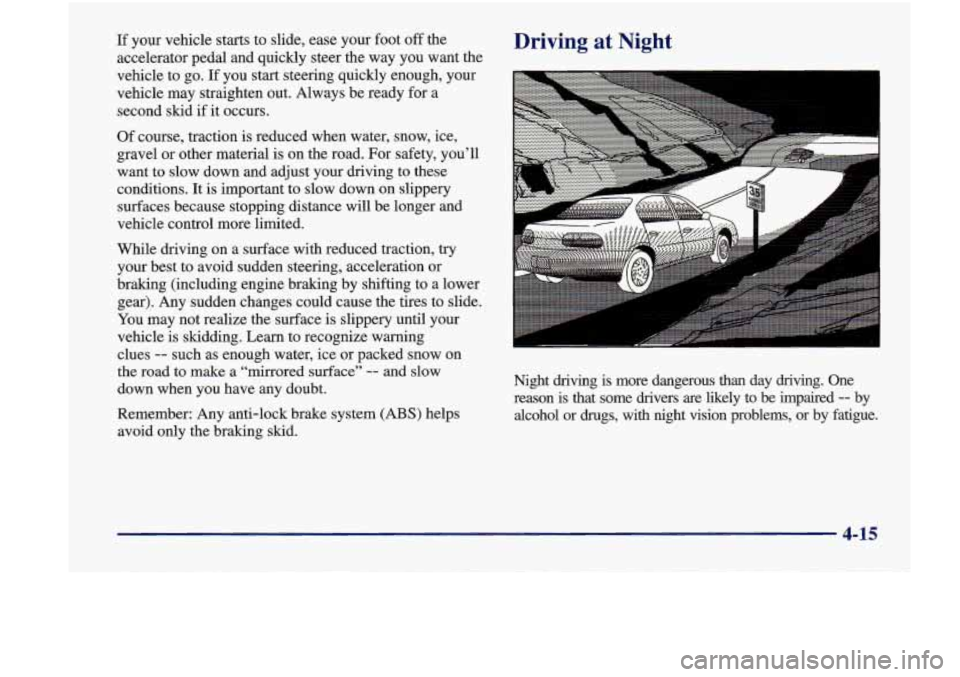
If your vehicle starts to slide, ease your foot off the
accelerator pedal and quickly steer the way you want the
vehicle to go.
If you start steering quickly enough, your
vehicle may straighten out. Always be ready for a
second skid
if it occurs.
Of course, traction is reduced when water, snow, ice,
gravel or other material is on the road. For safety, you’ll
want to slow down and adjust your driving to these
conditions. It is important to slow down on slippery
surfaces because stopping distance will be longer and
vehicle control more limited.
While driving on a surface with reduced traction, try
your best to avoid sudden steering, acceleration or
braking (including engine braking by shifting to a lower
gear). Any sudden changes could cause the tires to slide.
You may not realize the surface is slippery until your
vehicle is skidding. Learn to recognize warning
clues
-- such as enough water, ice or packed snow on
the road
to make a “mirrored surface” -- and slow
down when you have any doubt.
Remember: Any anti-lock brake system
(ABS) helps
avoid only the braking skid.
Driving at Night
Night driving is more dangerous than day driving. One
reason is that some drivers are likely to be impaired
-- by
alcohol or drugs,
with night vision problems, or by fatigue.
4-15
Page 204 of 356

If No Steam Is Coming From Your Engine
If you get the overheat warning but see or hear no
steam, the problem may not be too serious. Sometimes
the engine can get a little too hot when you:
Climb a long hill on a hot day.
Stop after high-speed driving.
Idle for long periods in traffic.
Tow a trailer.
If you get the overheat warning with no sign of steam,
try this for a minute or
so:
1. Turn off your air conditioner.
2. Turn on your heater to full hot at the highest fan
speed and open the window as necessary.
3. If you’re in a traffic jam, shift to NEUTRAL (N);
otherwise, shift to the highest gear while
driving
-- AUTOMATIC OVERDRIVE (@)
or DRIVE (D).
If you no longer have the overheat warning, you can
drive. Just to be safe, drive slower for about
10 minutes.
If the warning doesn’t come back on, you can
drive normally.
If the warning continues, pull over,
stop, and park your
vehicle right away.
If there’s still no sign of steam, you can idle the engine
for two or three minutes while you’re parked, to see if
the warning stops. But then, if you still have the
warning, turn oathe engine
and get everyone out of the
vehicle until it cools down.
You may decide not to lift the hood but to get service
help right away.
5-16
Page 229 of 356
Section 6 Service and Appearance Care
Here you will find information about the care of your vehicle. This section begins with service and fuel information,
and then it shows
how to check important fluid and lubricant levels. There is also technical information about your
vehicle, and a part devoted to its appearance care.
6-2
6-3
6-5
6-5
6-8
6-8
6-
12
6- 17
6-18
6-2 1
6-25
6-25
6-26
6-27
6-3
1
Service
Fuel
Fuels in Foreign Countries
Filling Your Tank
Filling a Portable Fuel Container
Checking Things Under the Hood
Engine Oil
Air Cleaner Automatic Transaxle Fluid
Engine Coolant
Thermostat Power Steering Fluid
Windshield Washer Fluid Brakes
Battery 6-32
6-3 6 6-36
6-44
6-45
6-47
6-48
6-5
1
6-52
6-52
6-57
6-58
6-58
6-59
6-59 Bulb Replacement
Windshield Wiper
Blade Replacement
Tires
Appearance Care
Cleaning the Inside of Your Vehicle
Care
of Safety Belts
Cleaning the Outside
of Your Vehicle
Appearance
Care Materials Chart
Vehicle Identification Number (VIN)
Electrical System
Replacement Bulbs
Capacities and Specifications
Air Conditioning Refrigerants
Normal Maintenance Replacement Parts Vehicle Dimensions
Page 232 of 356
If your vehicle is certified to meet California Emission
Standards (indicated on the underhood emission control
label), it
is designed to operate on fuels that meet
California specifications.
If such fuels are not available
in states adopting California emissions standards, your
vehicle will operate satisfactorily on fuels meeting
federal specifications, but emission control system
performance may be affected. The malfunction indicator
lamp on your instrument panel may turn on and/or your
vehicle may fail a smog-check test. If this occurs, return
to your authorized Oldsmobile retailer for diagnosis to
determine the cause of failure. In the event it
is
determined that the cause of the condition is the type of
fuels used, repairs may not be covered by your warranty.
Some gasolines that are not reformulated
for low
emissions contain an octane-enhancing additive called
methylcyclopentadienyl manganese tricarbonyl (MMT);
ask your service station operator whether or not his fuel
contains
MMT. General Motors does not recommend the
use of such gasolines. If fuels containing MMT are used,
spark plug life may be reduced and your emission
control system performance may be affected. The
malfunction indicator lamp on your instrument panel
may turn on. If this occurs, return
to your authorized
Oldsmobile retailer for service. To
provide cleaner air, all gasolines in the United States
are now required to contain additives that will help
prevent deposits from forming in your engine and fuel system, allowing your emission control system to
function properly. Therefore, you should not have to
add anything to the fuel, In addition, gasolines
containing oxygenates, such as ethers and ethanol, and
reformulated gasolines may be available in your area to
help clean the air. General Motors recommends that you
use these gasolines
if they comply with the
specifications described earlier.
NOTICE:
Your vehicle was not designed for fuel that
contains methanol. Don’t use it. It can corrode
metal parts in your fuel system and also damage plastic and rubber parts. That damage wouldn’t
be covered under your warranty.
6-4
Page 245 of 356
If none of them is true, use the long triphighway
maintenance schedule. Change the oil and filter every
7,500 miles (12 500 km) or 12 months -- whichever
occurs first. Driving
a vehicle with a fully warmed
engine under highway conditions causes engine oil to
break down slower.
What to Do with Used Oil
Did you know that used engine oil contains certain
elements that may be unhealthy for your skin and could
even cause cancer? Don’t let used oil stay on your skin
for very long. Clean your skin and nails
with soap and
water, or a good hand cleaner. Wash or properly throw
away clothing or rags containing used engine oil. (See
the manufacturer’s warnings about the use and disposal
of oil products.)
Used oil can be a real threat to the environment.
If you
change your own oil, be sure to drain all free-flowing oil
from the filter before disposal. Don’t ever dispose of oil
by putting it in the trash, pouring it on the ground, into
sewers, or into streams or bodies of water. Instead,
recycle it by taking it to a place that collects used oil. If
you have a problem properly disposing of your used oil,
ask your retailer, a service station or a local recycling
center for help.
Air Cleaner
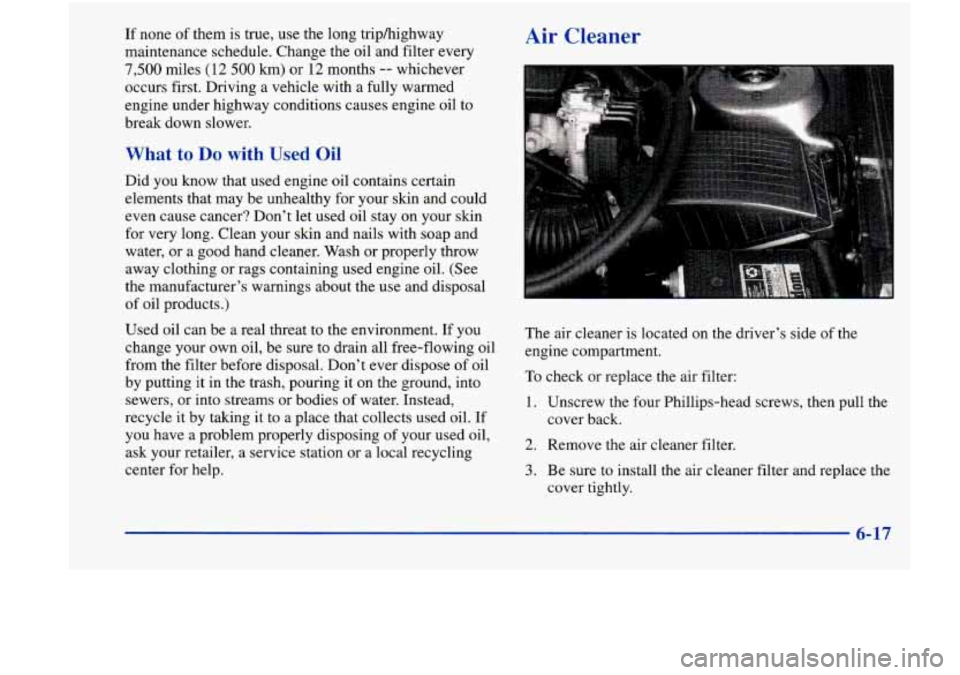
The air cleaner is located on the driver’s side of the
engine compartment.
To check or replace the air filter:
1. Unscrew the four Phillips-head screws, then pull the
cover back.
2. Remove the air cleaner filter.
3. Be sure to install the air cleaner filter and replace the
cover tightly.
6-17