door lock Oldsmobile Bravada 2003 s User Guide
[x] Cancel search | Manufacturer: OLDSMOBILE, Model Year: 2003, Model line: Bravada, Model: Oldsmobile Bravada 2003Pages: 410, PDF Size: 20.1 MB
Page 76 of 410
Programmable Unlocking Feature
The following is the list of available programming
options:
Mode 1: Driver’s door unlocks when the transmission is
shifted into PARK (P).
Mode 2: All doors unlock when the transmission is
shifted into PARK (P).
Mode 3: All doors unlock when the key is removed
from the ignition.
Mode 4: No automatic door unlock.
The automatic door locks were pre-programmed at the
factory to unlock the driver’s door once the transmission
is shifted
to PARK (P). The following instructions
detail how to program your door locks differently than
the factory setting. Choose one of the four programming
options listed above before entering the program
mode.
To enter the program mode you need
to do the
following:
1. Begin with the ignition off. Then pull the turn
signaVmultifunction lever toward you and hold
it there while you perform the next step.
2.
3.
Turn the key to RUN and LOCK twice. Then, with the
key in LOCK, release the turn signal/multifunction
lever. Once you do this, you will hear the lock switch
lock and unlock, the horn will chirp twice, and a
30 second program timer will begin
You are now ready
to program the automatic door
locks. Select one
of the four programming options
listed above, and press the unlock side of the power
door lock switch
to cycle through the unlocking
options. You will have
30 seconds to begin
programming. If you exceed the
30 second limit, the
locks will automatically lock and unlock and the
horn will chirp twice
to indicate that you have
left the program mode. If this occurs, repeat the
procedure beginning with Step
1 to re-enter
the programming mode.
You can exit the program mode any time by turning the
ignition to RUN. The locks will automatically lock and
unlock and the horn will chirp twice
to indicate that you
are leaving the program mode.
If the IocWunlock
switches are not pressed while in the programming
mode, the current auto IocWunlock setting will not be
modified.
See your dealer for more information.
2-1 1
Page 77 of 410
Rear Door Security Locks
Your vehicle may have this feature. You can lock the
rear doors
so they can't be opened from the inside
by passengers. To use one of these locks do the
following:
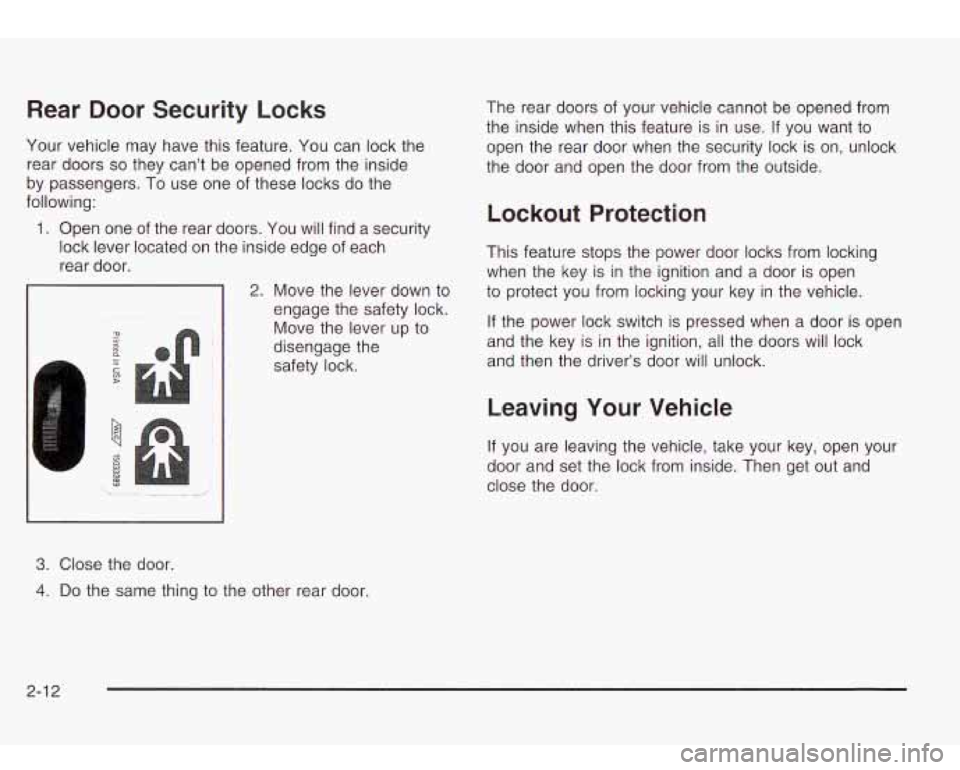
1. Open one
of the rear doors. You will find a security
lock lever located on the inside edge of each
rear door.
1-
3. Close the door.
2. Move the lever down to
engage the safety lock.
Move the lever up to
disengage the
safety lock. The
rear doors
of your vehicle cannot be opened from
the inside when this feature is in use.
If you want to
open the rear door when the security lock is on, unlock
the door and open the door from the outside.
Lockout Protection
This feature stops the power door locks from locking
when the key is in the ignition and a door is open
to protect you from locking your key in the vehicle.
If the power lock switch is pressed when a door is open
and the key is in the ignition, all the doors will lock
and then the driver's door will unlock.
Leaving Your Vehicle
If you are leaving the vehicle, take your key, open your
door and set the lock from inside. Then get out and
close the door.
4. Do the same thing to the other rear door.
2-1 2
Page 78 of 410
Liftgate/Liftglass
It can be dangerous to drive with the liftgate or
liftglass open because carbon monoxide (CO)
gas can come into your vehicle. You can’t see
or smell CO.
It can cause unconsciousness
and even death. If you must drive with the
liftgate open or if electrical wiring or other
cable connections must pass through the seal between the body and the liftgate or liftglass:
Make sure all other windows are shut.
Turn the fan on your heating or cooling
system to its highest speed and select the
control setting that will force outside air into your vehicle. See “Climate Controls”
in the Index.
If you have air outlets on or under the
instrument panel, open them all the way.
See “Engine Exhaust” in the Index.
Liftgate Release
To unlock the liftgate, you may use the power door
locks or the keyless entry system described earlier.
On some vehicies the liftgiass wiii also uniock when the
liftgate is unlocked. Press the pushbutton on the
liftglass to open it.
To open the entire liftgate, lift the handle located in the
center of the liftgate.
If you open the liftgate, the
liftgate module will lock the liftglass after a one to two
second delay.
Emergency Release for Opening
Liftgate
1. Remove the trim plug to expose the access hole in
2. Use a tool to reach through the access hole in the
3. Pry the left release lever up to the unlock position.
4. Reattach the trim plug.
the trim panel.
trim panel.
Pry the right release lever up to unlatch the liftgate.
2-1 3
Page 80 of 410
Power Windows
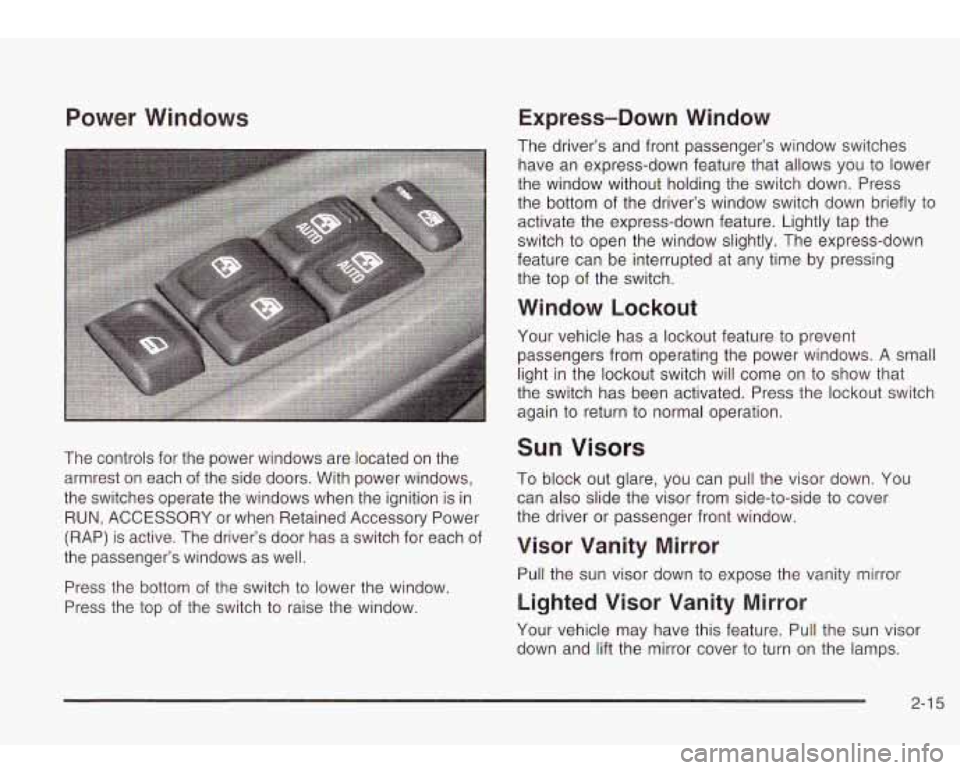
The controls for the power windows are located on the
armrest on each of the side doors. With power windows,
the switches operate the windows when the ignition is in
RUN, ACCESSORY or when Retained Accessory Power
(RAP) is active. The driver’s door has a switch for each of
the passenger’s windows as well.
Press the bottom of the switch
to lower the window.
Press the top of the switch
to raise the window.
Express-Down Window
The driver’s and front passenger’s window switches
have an express-down feature that allows you to lower
the window without holding the switch down. Press
the bottom of the driver’s window switch down briefly
to
activate the express-down feature. Lightly tap the
switch to open the window slightly. The express-down
feature can be interrupted at any time by pressing
the top of the switch.
Window Lockout
Your vehicle has a lockout feature to prevent
passengers from operating the power windows.
A small
light in the lockout switch will come on to show that
the switch has been activated. Press the lockout switch
again to return to normal operation.
Sun Visors
To block out glare, you can pull the visor down. You
can also slide the visor from side-to-side to cover
the driver or passenger front window.
Visor Vanity Mirror
Pull the sun visor down to expose the vanity mirror
Lighted Visor Vanity Mirror
Your vehicle may have this feature. Pull the sun visor
down and lift the mirror cover
to turn on the lamps.
2-1 5
Page 81 of 410
Theft-Deterrent Systems
Vehicle theft is big business, especially in some cities.
Although your vehicle has a number of theft-deterrent
features, we know that nothing we put on it can make it
impossible
to steal. However, there are ways you
can help.
Content Theft-Deterrent
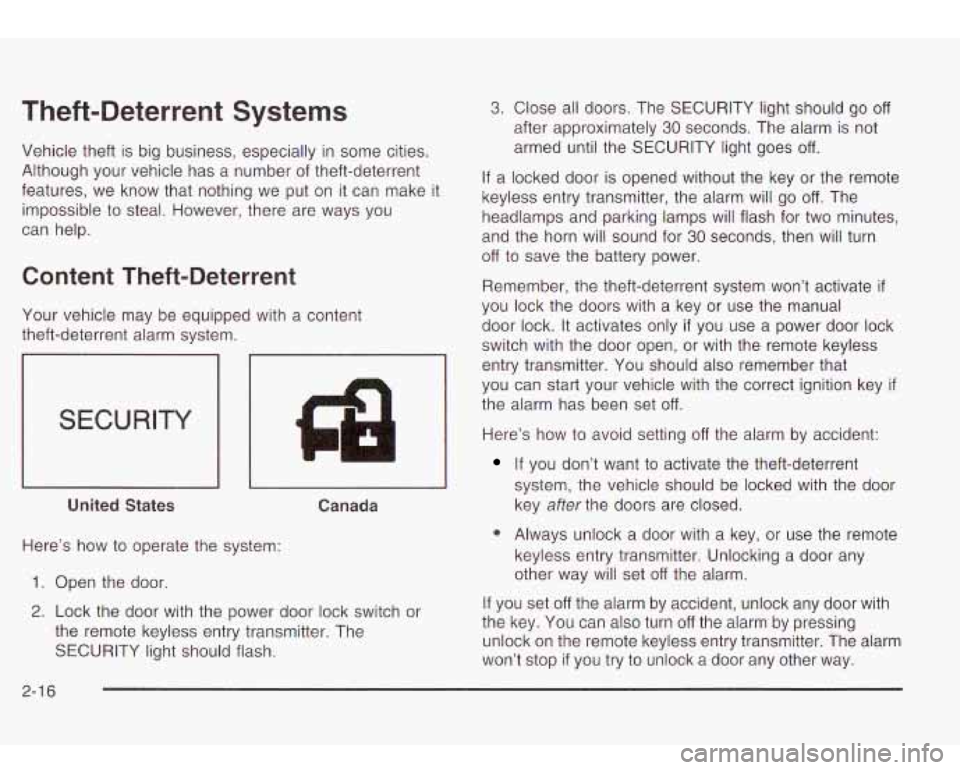
Your vehicle may be equipped with a content
theft-deterrent alarm system.
SECURITY
4 I1
I I I I
United States Canada
Here’s how to operate the system:
1. Open the door.
2. Lock the door with the power door lock switch or
the remote keyless entry transmitter. The
SECURITY light should flash.
3. Close all doors. The SECURITY light should go off
after approximately 30 seconds. The alarm is not
armed until the SECURITY light goes
off.
If a locked door is opened without the key or the remote
keyless entry transmitter, the alarm will go
off. The
headlamps and parking lamps will flash for two minutes,
and the horn will sound for
30 seconds, then will turn
off to save the battery power.
Remember, the theft-deterrent system won’t activate
if
you lock the doors with a key or use the manual
door lock.
It activates only if you use a power door lock
switch with the door open, or with the remote keyless
entry transmitter. You should also remember that
you can start your vehicle with the correct ignition key
if
the alarm has been set off.
Here’s how to avoid setting off the alarm by accident:
If you don’t want to activate the theft-deterrent
system, the vehicle should be locked with the door
key
after the doors are closed.
0 Always unlock a door with a key, or use the remote
keyless entry transmitter. Unlocking a door any
other way will set
off the alarm.
If you set
off the alarm by accident, unlock any door with
the key. You can also turn
off the alarm by pressing
unlock on the remote keyless entry transmitter. The alarm
won’t stop
if you try to unlock a door any other way.
2-1 6
Page 82 of 410
Testing the Alarm
The alarm can be tested by following these steps:
1. From inside the vehicle, lower the driver’s window
and open the driver’s door.
Passlock@
2. Activate the system by locking the doors with the
power door lock switch while the door is open, or
with the remote keyless entry transmitter.
3. Get out of the vehicle, close the door and wait for
the SECURITY light to go out.
4. Then reach in through the window, unlock the door
with the manual door lock and open the door. This
should set
off the alarm.
When the alarm is set the power door unlock switch
is
not operational.
If the alarm does not sound when it should but the
headlamps flash, check
to see if the horn works. The
horn fuse may be blown. To replace the fuse, see
Fuses
and Circuit Breakers on page
5-86.
If the alarm does not sound or the headlamps do not
flash, the vehicle should be serviced by your dealer. Your
vehicle is equipped with the
Passlock@ theft-deterrent system.
Passiock@
is a passive theit-deterrent system.
Passlock@ enables fuel
if the ignition lock cylinder is
turned with a valid key. If a correct key is not used or the
ignition lock cylinder is tampered with, the fuel system
is disabled and the vehicle will not start.
During normal operation, the SECURITY light will turn
off
approximately five seconds after the key is turned
to RUN.
If the engine stalls and the SECURITY light flashes,
wait about
10 minutes until the light stops flashing before
trying
to restart the engine. Remember to release the
key from START as soon as the engine starts.
If the engine does not start after three tries, the vehicle
needs service.
If the engine is running and the SECURITY light comes
on, you will be able
to restart the engine if you turn
the engine
off. However, your Passlock@ system is not
working properly and must be serviced by your
dealer. Your vehicle is not protected by Passlock@ at
this time. You may also want to check the fuse.
See
Fuses and Circuit Breakers on page 5-86. See your
dealer for service.
In an emergency, call the GM Roadside Assistance
Center. See
Roadside Assistance Program on page 7-5.
2-1 7
Page 84 of 410
Notice: If your key seems stuck in LOCK and you
can’t turn
it, be sure you are using the correct key; if
so, is it all the way in? Turn the key only with
your hand. Using a tool to force
it could break the
key or the ignition switch. If none of these works,
then your vehicle needs service.
B (ACCESSORY): This position lets you use things like
the radio and the windshield wipers when the engine
is
off.
Notice: Don’t operate accessories in the
ACCESSORY position for long periods of time.
Prolonged operation of accessories
in the
ACCESSORY position could drain your battery and
prevent you from starting your vehicle.
C (RUN): This is the position for driving.
D (START): This position starts the engine,
Retained Accessory Power (RAP)
Your vehicle is equipped with a Retained Accessory
Power (RAP) feature which will allow certain features
01
your vehicle to continue to work up to 20 minutes
after the ignition key is turned to LOCK.
Your radio, power windows, sunroof (option) and
overhead console will work when the ignition key is in
RUN or ACCESSORY. Once the key is turned from
RUN to LOCK, these features will continue to work for
up to
20 minutes or until a door is opened.
Starting Your Engine
Move your shift lever to PARK (P) or NEUTRAL (N). Your
engine won’t start in any other position-that’s a safety
feature. To restart when you’re already moving, use
NEUTRAL (N) only.
Notice: Don’t try to shift to PARK (P) if your
vehicle is moving.
If you do, you could damage the
transmission. Shift to PARK (P) only when your
vehicle is stopped.
1. With your foot off the accelerator pedal, turn the
ignition key to START. When the engine starts,
let go of the key. The idle speed will go down as
your engine gets warm.
Notice: Holding your key in START for longer than
15 seconds at a time will cause your battery to
be drained much sooner. And the excessive heat
can damage your starter motor.
At 15 seconds, the
starter will automatically be disengaged. Wait
about 15 seconds between each try to help avoid
draining your battery or damaging your starter.
2. If it doesn’t start within 10 seconds, push the
accelerator pedal all the way to the floor, while you
hold the ignition key in START. When the engine
starts, let go of the key and let up on the accelerator
pedal. Wait about 15 seconds between each try.
2-1 9
Page 100 of 410

Onstar@ System Onstar@ Services
OnStaP uses global positioning system (GPS) satellite
technology, wireless communications, and state of
the art call centers
to provide you with a wide range of
safety, security, information and convenience services.
An OnStaP subscription plan is included in the price
of
your vehicle. You can easily upgrade or extend your
Onstar@ services to meet your personal needs.
A complete Onstar@ user’s guide and the terms and
conditions of the Onstar@ Subscription Service
Agreement are included in your Onstar@ equipped
vehicle’s glove box literature. For more information, visit
www.onstar.com, contact Onstar@ at
1 -888-4-ONSTAR
(1-888-466-7827), or press the blue Onstar@ button
to speak to an Onstar@ advisor 24 hours a day,
7 days
a week.
0 Remote Door Unlock
Remote Diagnostics
Onstar@
MED-NET (Requires separate activation
and annual fee on some plans)
0 Online and Personal Concierge Services
Route Support
RideAssist
0 Information and Convenience Services
2-35
Page 102 of 410
HomeLink@ Transmitter
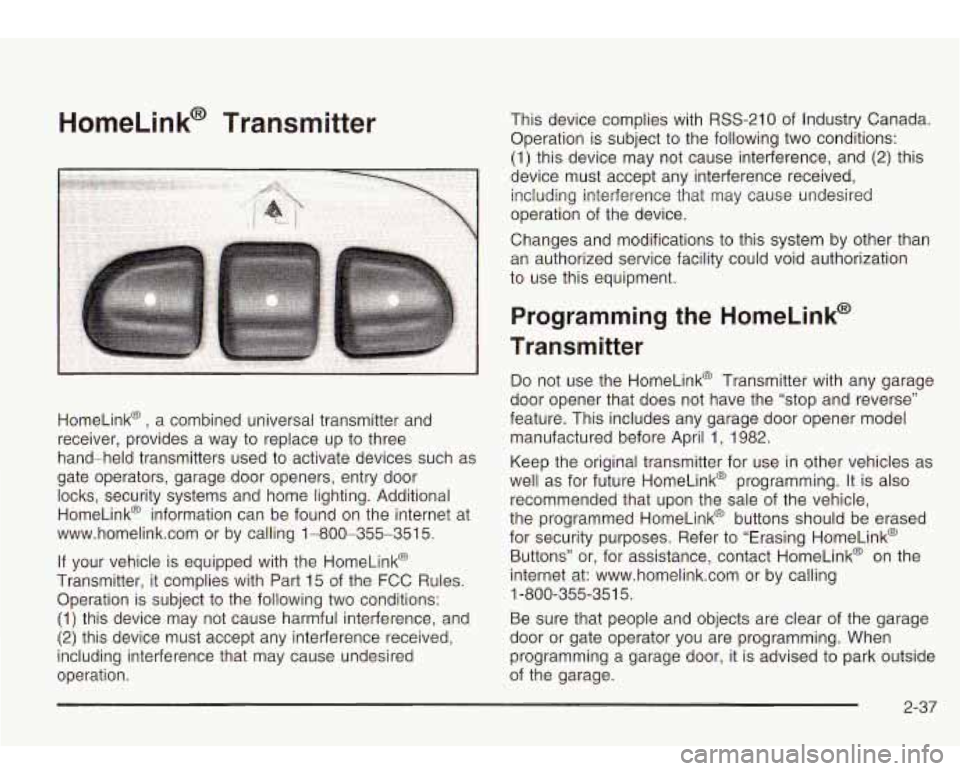
HomeLink@ , a combined universal transmitter and
receiver, provides a way to replace up to three
hand-held transmitters used to activate devices such as
gate operators, garage door openers, entry door
locks, security systems and home lighting. Additional
HomeLink@ information can be found on the internet at
www.homelink.com or by calling 1-800-355-351
5.
If your vehicle is equipped with the HomeLink@
Transmitter, it complies with Part 15 of the FCC Rules.
Operation is subject to the following two conditions:
(1) this device may not cause harmful interference, and
(2) this device must accept any interference received,
including interference that may cause undesired
operation. This device complies with
RSS-210 of
Industry Canada.
Operation is subject
to the following two conditions:
(1) this device may not cause interference, and
(2) this
device must accept any interference received, including interference that may cause undesired
operation of the device.
Changes and modifications to this system by other than
an authorized service facility could void authorization
to use this equipment.
Programming the HomeLink@
Transmitter
Do not use the HomeLink@ Transmitter with any garage
door opener that does not have the “stop and reverse”
feature. This includes any garage door opener model
manufactured before April 1, 1982.
Keep the original transmitter for use in other vehicles as
well as for future HomeLink@ programming. It is also
recommended that upon the sale of the vehicle,
the programmed HomeLink@ buttons should be erased
for security purposes. Refer to “Erasing HomeLink@
Buttons” or, for assistance, contact HomeLink@ on the
internet at: www.homelink.com or by calling
Be sure that people and objects are clear of the garage
door or gate operator you are programming. When
programming a garage door, it is advised to park outside
of the garage.
1
-800-355-35
1 5.
2-37
Page 108 of 410
To slide the crossrails to where you want them, pull up
on the lever on each side of the crossrail. This will
release the crossrail and allow you
to slide it. When the
crossrail is where you want it, press down on the
levers to lock it into place.
Notice: Loading cargo that weighs more than
220 Ibs. (100 kg) on the luggage carrier may damage
your vehicle.
Don’t exceed the maximum vehicle capacity when
loading your vehicle. For more information on vehicle
capacity and loading, see
Loading Your Vehicle on
page
4-4 1.
To prevent damage or loss of cargo as you’re driving,
check now and then to make sure the luggage carrier is
locked and cargo is still securely fastened.
When the luggage carrier is not in use, place the
crossrails
at the following positions for wind noise
reduction. Place one crossrail at the rear most point of
the vehicle and the other crossrail above the opening
of the rear door.
Rear Floor Storage Lid
If any removable convenience item isn’t
secured properly, it can move around in a
collision or sudden stop. People in the vehicle
could be injured. Be sure
to secure any such
item properly.
Your vehicle has a rear floor storage lid located in the
rear cargo area that allows you to put items underneath
it.
To remove the rear floor storage lid, do the following:
1. Press the latch release and lift up the latch handle.
2. Raise the lid slightly to unhook it.
3. Pull the lid toward you to release it from the forward
mounting tabs.
To reinstall the rear floor storage lid, reverse the
previous steps. Make sure the lid
is secure by applying
slight pressure to the latch until you hear it click.
2-43