door lock Oldsmobile Bravada 2003 s Owner's Guide
[x] Cancel search | Manufacturer: OLDSMOBILE, Model Year: 2003, Model line: Bravada, Model: Oldsmobile Bravada 2003Pages: 410, PDF Size: 20.1 MB
Page 112 of 410
Vehicle Personalization
Memory Seat
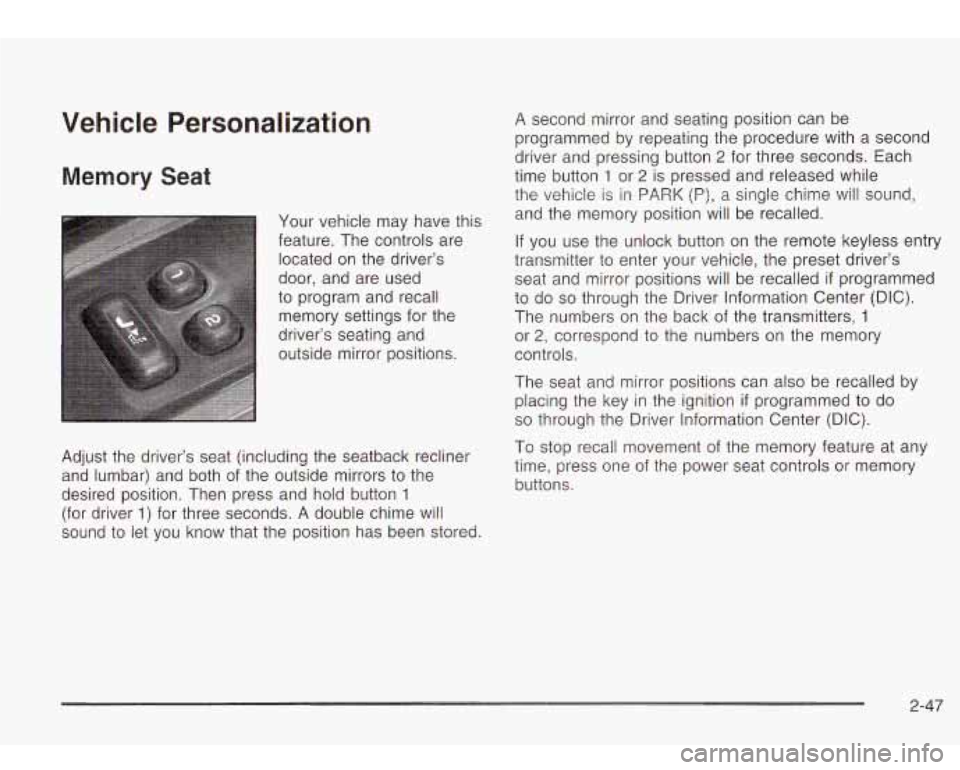
Your vehicle may have this
feature. The controls are located on the driver’s
door, and are used
to program and recall memory settings for the
driver’s seating and
outside mirror positions.
Adjust the driver’s seat (including the seatback recliner
and lumbar) and both of the outside mirrors to the
desired position. Then press and hold button
1
(for driver 1) for three seconds. A double chime will
sound
to let you know that the position has been stored.
A second mirror and seating position can be
programmed by repeating the procedure with a second
driver and pressing button
2 for three seconds. Each
time button
1 or 2 is pressed and released while
the vehicle is in PARK
(P), a single chime will sound,
and the memory position will be recalled.
If you use the unlock button on the remote keyless entry
transmitter to enter your vehicle, the preset driver’s
seat and mirror positions will be recalled
if programmed
to do
so through the Driver Information Center (DIC).
The numbers on the back of the transmitters,
1
or 2, correspond to the numbers on the memory
controls.
The seat and mirror positions can also be recalled by
placing the key in the ignition
if programmed to do
so through the Driver Information Center (DIC).
To stop recall movement of the memory feature at any
time, press one of the power seat controls or memory
buttons.
2-47
Page 128 of 410
Automatic Headlamp System
When it is dark enough outside, your automatic
headlamp system will turn on your headlamps at the
normal brightness along with other lamps such as
the taillamps, sidemarker, parking lamps and the
instrument panel lights. The radio lights will also be on.
Your vehicle is equipped with a light sensor on the
top of the instrument panel. Be sure it is not covered or
the system will be on whenever the ignition is on.
The system may also turn on your lights when driving
through a parking garage, heavy overcast weather
or a tunnel. This is normal.
There is a delay in the transition between the daytime
and nighttime operation
of the Daytime Running
Lamps (DRL) and the automatic headlamp systems,
so
that driving under bridges or bright overhead street
lights does not affect the system. The DRL and
automatic headlamp system will only be affected when
the light sensor sees a change in lighting lasting
longer than the delay. If
you start your vehicle in a dark garage, the automatic
headlamp system will come on immediately. Once
you leave the garage, it will take approximately
one minute for the automatic headlamp system to
change to DRL
if it is light outside. During that delay,
your instrument panel cluster may not be as bright
as usual. Make sure your instrument panel brightness
control is in the full bright position.
To idle your vehicle with the automatic headlamp
system off, set the parking brake while the ignition is off.
Then start your vehicle. The automatic headlamp
system will stay off until you release the parking brake,
shift out
of park or turn the exterior lamp control to
the
off position as described in “Exterior Lamps”.
Lamps On Reminder
A reminder tone will sound when your headlamps or
parking lamps are manually turned on, the driver’s door
is open and your ignition is in LOCK or ACCESSORY.
To turn the tone off, turn the knob all the way
counterclockwise. In the automatic mode, the headlamps
turn
off once the ignition key is in LOCK.
3-1 5
Page 130 of 410
Interior Lamps
Instrument Panel Brightness
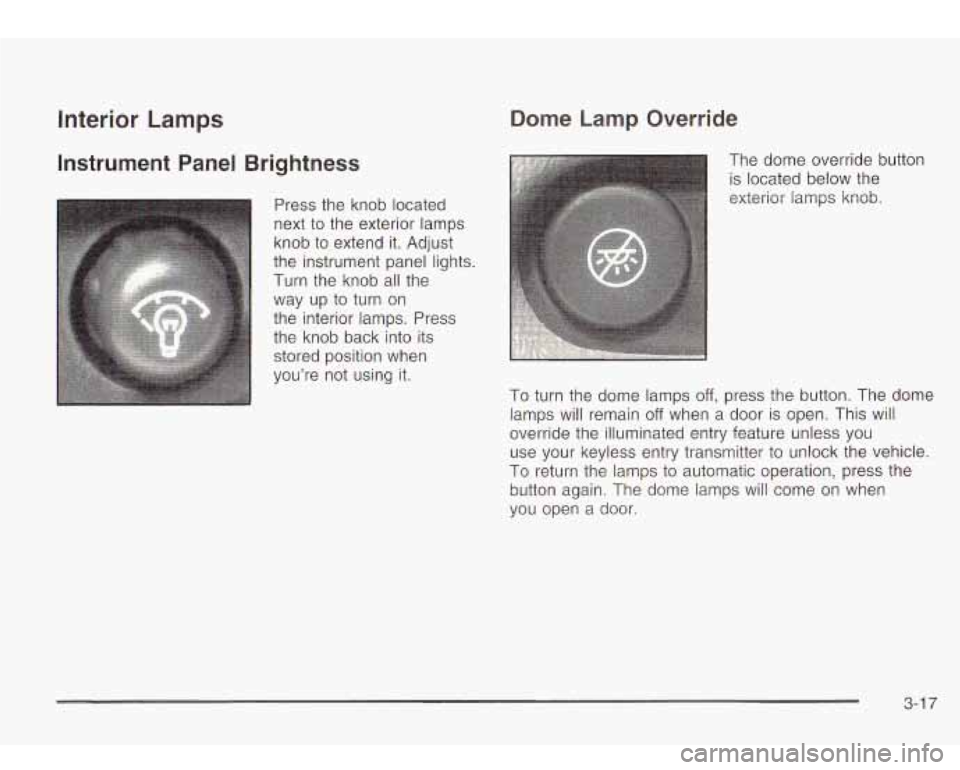
Press the knob located
next to the exterior lamps
knob to extend it. Adjust
the instrument panel lights.
Turn the knob all the
way up
to turn on
the interior lamps. Press
the knob back into its
stored position when
you’re not using it.
Dome Lamp Override
The dome override button
is located below the
exterior lamps knob.
To turn the dome lamps off, press the button. The dome
lamps will remain
off when a door is open. This will
override the illuminated entry feature unless you use your keyless entry transmitter to unlock the vehicle.
To return the lamps to automatic operation, press the
button again. The dome lamps will come
on when
vou open a door.
3-1 7
Page 131 of 410
Entry Lighting
Your vehicle is equipped with an illuminated entry
feature.
When a door is opened, the dome lamps will come on
if
the dome override button is in the “out” position.
When all the doors are closed, the lamps will stay on for
a short period of time and will then turn
off automatically.
If you use your keyless entry transmitter
to unlock the
vehicle, the interior lights will come on for a short
time whether or not the dome override is on.
Exit Lighting
With exit lighting, the interior lamps will come on when
you remove the key from the ignition
to help you
see while exiting the vehicle. With the dome override
button in the “out” position, these lights will stay on for a
short period of time and then will
go out.
Reading Lamps
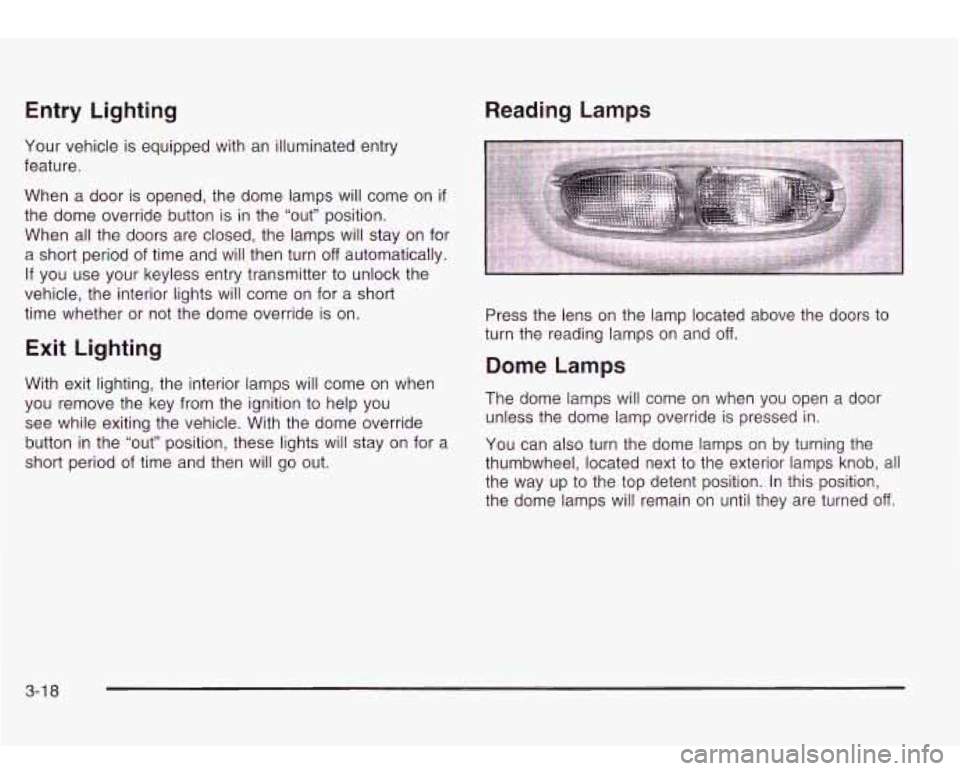
Press the lens on the lamp located above the doors to
turn the reading lamps on and off.
Dome Lamps
The dome lamps will come on when you open a door
unless the dome lamp override is pressed in.
You can also turn the dome lamps on by turning the
thumbwheel, located next to the exterior lamps knob, all
the way up to the top detent position. In this position,
the dome lamps will remain on until they are turned
off.
3-1 8
Page 140 of 410
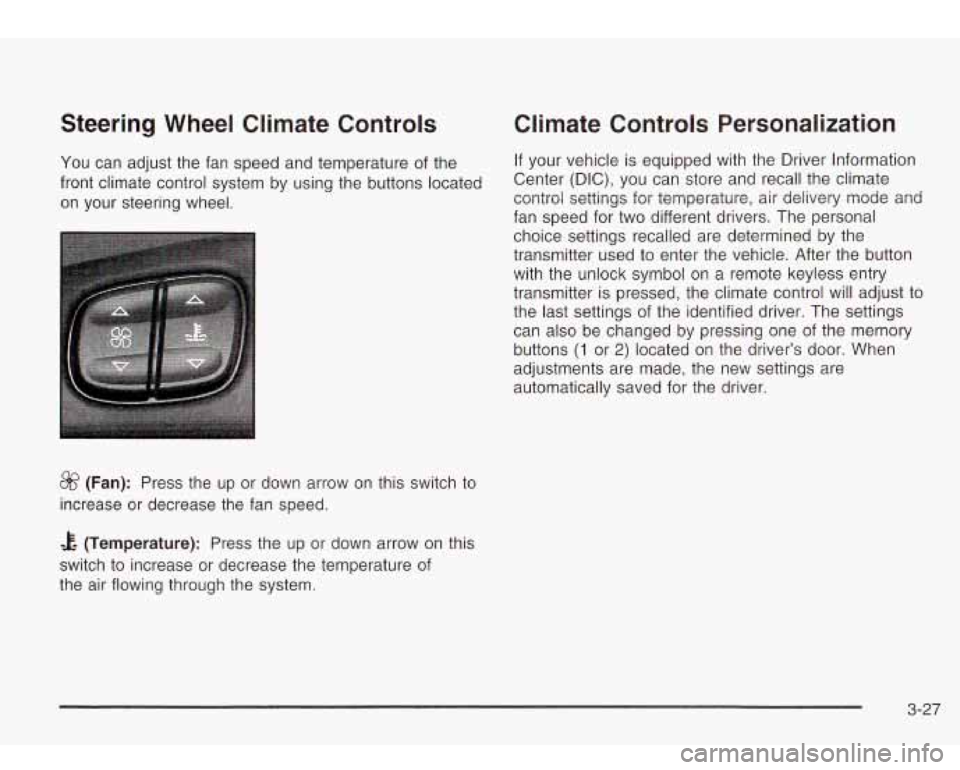
Steering Wheel Climate Controls
You can adjust the fan speed and temperature of the
front climate control system by using the buttons located
on your steering wheel.
&? (Fan): Press the up or down arrow on this switch to
increase or decrease the fan speed.
Climate Controls Personalization
If your vehicle is equipped with the Driver Information
Center (DIC), you can store and recall the climate
control settings for temperature, air delivery mode and
fan speed for two different drivers. The personal
choice settings recalled are determined by the
transmitter used to enter the vehicle. After the button
with the unlock symbol on a remote keyless entry
transmitter is pressed, the climate control will adjust to
the last settings of the identified driver. The settings
can also be changed by pressing one of the memory
buttons
(1 or 2) located on the driver’s door. When
adjustments are made,
automatically saved for the new
settings are
the driver.
& (Temperature): Press the up or down arrow on this
switch to increase or decrease the temperature of
the air flowing through the system.
3-27
Page 159 of 410
Personalization
You can program certain features to a preferred setting
for up to two people. Press the personalization button
to scroll through the following personalization features.
All of the personalization options may not be available
on your vehicle. Only the options available will be
displayed on your DIC.
ALARM WARNING TYPE
AUTOMATIC LOCKING
AUTOMATIC UNLOCKING
SEAT POSITION RECALL
PERIMETER LIGHTING
REMOTE LOCK FEEDBACK
REMOTE UNLOCK FEEDBACK
HEADLAMPS ON AT EXIT
MIRROR CURB VIEW ASSIST
EASY EXIT DRIVER SEAT
DISPLAY UNITS (E/M)
DISPLAY LANGUAGE
The driver’s preferences are recalled by pressing the
unlock button on the remote keyless entry transmitter or
by pressing the appropriate memory button
1 or 2
located on the driver’s door.
Alarm Warning Type
Press the personalization button until ALARM
WARNING TYPE appears in the display. To select your
personalization for alarm warning type, press the
select button while ALARM WARNING TYPE is
displayed on the DIC. Pressing the select button will
scroll through the following choices:
ALARM WARNING: BOTH (default)
ALARM WARNING: OFF
ALARM WARNING: HORN
ALARM WARNING: LAMPS
If you choose BOTH, the headlamps will flash and the
horn will chirp when the alarm is active.
If you choose OFF, there will be no alarm warning on
activation.
If you choose HORN, the horn will chirp when the alarm
is active.
If you choose LAMPS, the headlamps will flash when
the alarm is active.
Choose one of the four options and press the
personalization button while it is displayed
on the DIC to
select it and move on to the next feature. For more
information on alarm warning type, see
Content
Theft-Deterrent on page
2- 16.
3-46
Page 160 of 410
Automatic Locking
Press the select button while AUTOMATIC LOCKING is
displayed on the DIC
to scroll through the following
choices:
LOCK DOORS OUT
OF PARK (default)
LOCK DOORS MANUALLY
LOCK DOORS WITH §PEED
If you choose for the doors to lock out of park, the
doors will lock when the vehicle is shifted out of
PARK (P).
If you choose for the doors
to lock manually, the doors
will not be locked automatically.
If you choose for the doors
to lock with speed, the
doors will lock when the vehicle speed is above
8 mph
(1 3 km/h) for three seconds.
Press the personalization button while your choice is
displayed on the DIC
to select it and move on to the next
feature. For more information on automatic door locks
see
Programmable Automatic Door Locks on page 2- 10.
Automatic Unlocking
Press the personalization button until AUTOMATIC
UNLOCKING appears in the display. To select
your personalization for automatic unlocking, press the select button while
AUTOMATIC UNLOCKING is
displayed on the DIC. Pressing the select button will
scroll through the following choices:
UNLOCK ALL IN PARK (default)
UNLOCK ALL AT KEY OUT
UNLOCK DOOR§ MANUALLY
UNLOCK DRIVER IN PARK
If you choose for all the doors to unlock in park, all of
the doors will unlock when the vehicle is shifted
into PARK (P).
If you choose for all the doors to unlock at key out, all
of the doors will unlock when the key is taken out of the
ignition.
If you choose for the doors to unlock manually, the
doors will not be unlocked automatically.
If you choose for the driver’s door to unlock in park, the
driver’s door will be unlocked when the vehicle is
shifted into PARK (P).
Choose one of the four options and press the
personalization button while it is displayed on the DIC
to
select it and move on to the next feature. For more
information on automatic door locks see
Programmable
Automatic Door Locks
on page 2- 10.
3-47
Page 267 of 410

.-
While refueling, hang the fuel cap by the tether using
the hook located on the inside of the filler door.
To remove the fuel cap, turn it slowly to the left
(counterclockwise). The fuel cap has
a spring in it. If
you let go of the cap too soon, it will spring back to the
right. If you gel ,Jel on yoursel,.
,nd then some.,,,ng
ignites
it, you could be badly burned. Fuel can
spray out on you
if you open the fuel cap too
quickly. This spray can happen
if your tank is
nearly full, and is more likely in hot weather.
Open the fuel
cap slowly and wait for any
“hiss” noise to stop. Then unscrew the cap all
the way.
Be careful not to spill fuel. Clean fuel from painted
surfaces
as soon as possible. See Cleaning the Outside
of Your Vehicle on page 5-80. When filling the tank
do not overfill by squeezing in much more fuel after the
pump shuts
off.
5-8
Page 350 of 410
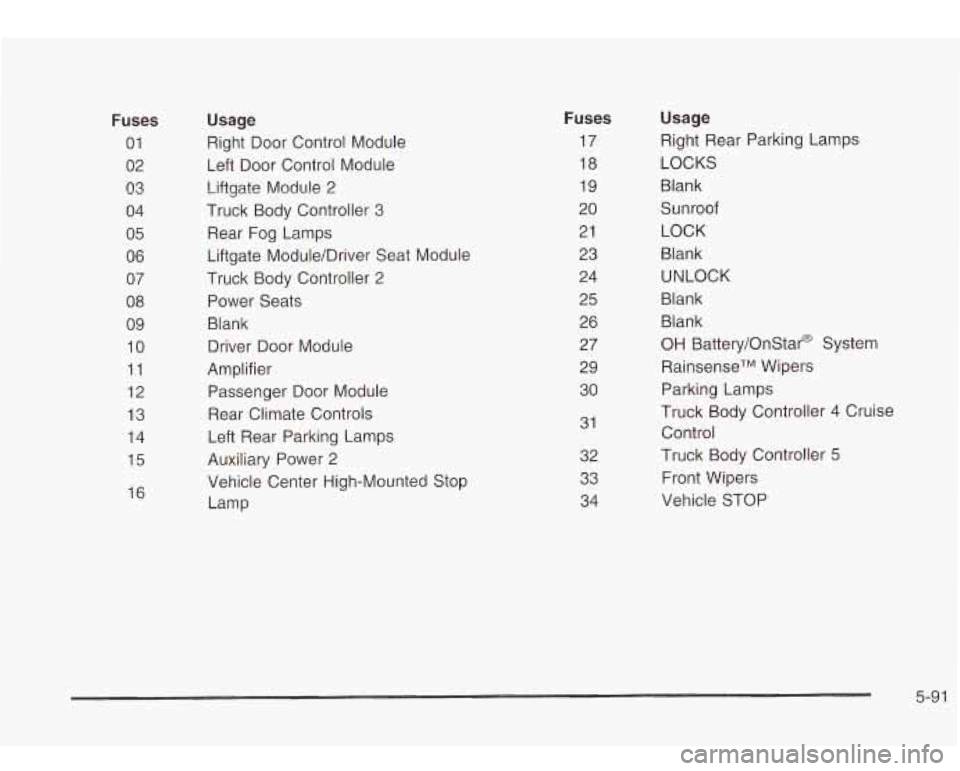
Fuses
01 02
03
04
05
06
07
08 09
10
11
12
13
14
15
16
Usage
Right Door Control Module
Left Door Control Module
Liftgate Module 2
Truck Body Controller 3
Rear Fog Lamps
Liftgate Module/Driver Seat Module
Truck Body Controller 2
Power Seats
Blank
Driver Door Module
Amplifier
Passenger Door Module
Rear Climate Controls
Left Rear Parking Lamps
Auxiliary Power
2
Vehicle Center High-Mounted Stop
Lamp
Fuses
17
18
19
20 21 23
24 25
26 27
29
30
31
32
33 34
Usage
Right Rear Parking Lamps
LOCKS
Blank
Sunroof LOCK
Blank
UNLOCK
Blank Blank
OH Battery/OnStar@ System
RainsenseTM Wipers
Parking Lamps
Truck Body Controller 4 Cruise
Control
Truck Body Controller
5
Front Wipers
Vehicle STOP
5-9 1
Page 365 of 410

At Least Once a Year
Key Lock Cylinders Service
Lubricate the key lock cylinders with the lubricant
specified in Part
D.
Body Lubrication Service
Lubricate all hood latch assembly, secondary latch,
pivots, spring anchor, release pawl, rear compartment
hinges, outer liftgate handle pivot points, rear door
detent link, roller mechanism, liftgate handle pivot points,
latch bolt, fuel door hinge, cargo door hinge, locks
and folding seat hardware. Part
D tells you what to use.
More frequent lubrication may be required when
exposed to a corrosive environment.
When you are doing this check, the vehicle
could move suddenly.
If it does, you or others
could be injured. Follow the steps below.
1. Before you start, be sure you have enough room
2. Firmly apply both the parking brake and the regular
around
the vehicle.
brake. See
Parking Brake on page 2-25 if
necessary.
Do not use the accelerator pedal, and be ready to
turn
off the engine immediately if it starts.
3. Try to start the engine in each gear. The starter
should work only in PARK
(P) or NEUTRAL (N).
If the starter works in any other position, your
vehicle needs service.
6-1 2