lights OLDSMOBILE SILHOUETTE 1996 Owners Manual
[x] Cancel search | Manufacturer: OLDSMOBILE, Model Year: 1996, Model line: SILHOUETTE, Model: OLDSMOBILE SILHOUETTE 1996Pages: 372, PDF Size: 19.39 MB
Page 7 of 372
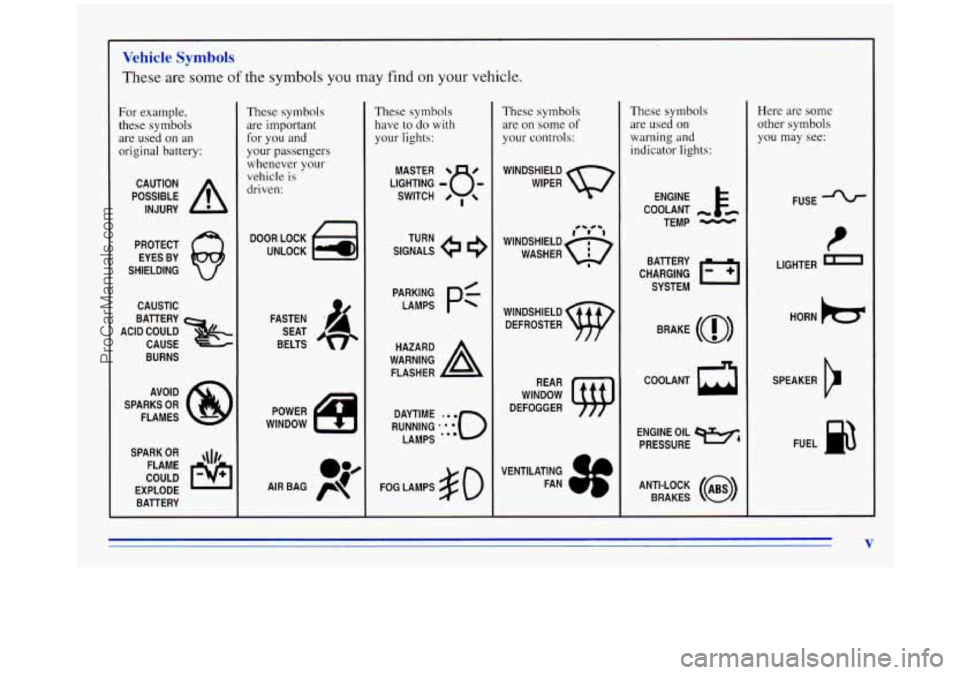
Vehicle Symbols
These are some of the symbols you may find on your vehicle.
For example,
these symbols are used on an
original battery:
POSSIBLE A
CAUTION
INJURY
PROTECT EYES BY
SHIELDING
CAUSTIC
BURNS
SPARK
OR ,\I/,
COULD FLAME
EXPLODE BAllERY
These symbols are important for you and
your passengers
whenever your
vehicle is
driven:
DOOR LOCK
UNLOCK
SEAT
BELTS
These symbols have to
do with
your lights:
SIGNALS TURN
FOG LAMPS
# 0
These symbols
are
on some of
your controls:
WINDSHIELD
WIPER
WINDOW
DEFOGGER
VENTILATING FAN
These symbols are used on
warning and
indicator lights:
ENGINE k
COOLANT - t6
TEMP -
CHARGING I-1
BAllERY
SYSTEM
BRAKE
(0)
h
COOLANT
ENGINE OIL
e,
PRESSURE
ANTI-LOCK
(@)
BRAKES
Here are some
other symbols
you may see:
FUSE
P
LIGHTER n
HORN b
SPEAKER
b
FUEL e3
V
ProCarManuals.com
Page 87 of 372

Ignition Positions
With the ignition key in the ignition switch, you can turn
the switch to five positions.
C
A E
ACCESSORY (A): An on position in which you can
operate your electrical power accessories. Press in the
ignition switch
as you turn the top of it toward you.
LOCK (B): This is the only position in which you can
remove
the key. This locks your steering wheel, ignition
and transaxle.
OFF (C): This position unlocks the steering wheel,
ignition and transaxle, but does not send electrical
power to any accessories. Use this position
if your
vehicle must be pushed
or towed, but never try to
push-start your vehicle. A warning chime will sound if
you open the driver’s door when the ignition is
OFF and
the key is
in the ignition.
RUN (D): An on position to which the switch returns
after
you start your engine and release the switch. The
switch stays
in the RUN position when the engine is
running. But
even when the engine is not running, you
can use the
RUN position to operate your electrical
power accessories, and to display some instrument panel
warning lights.
START (E): This position starts the engine. When the
engine starts, release the key. The ignition switch will
return
to the RUN position for normal driving.
ProCarManuals.com
Page 112 of 372

Lamps
Headlamps
PC: Push this switch to turn on:
0 Parking Lamps
Sidemarker Lamps
0 Taillamps
Instrument Panel Lights
Pull the switch to turn
off the lamps.
-:g-: Push this switch to turn on the headlamps,
together with:
Parking Lamps
Sidemarker Lamps
0 Taillamps
0 Instrument Panel Lights
Pull the switch to turn
off the lamps.
Lamps On Reminder
If you turn the ignition key to the OFF or LOCK
position while leaving the lamps on,
you will hear a
warning chime.
2-48
ProCarManuals.com
Page 113 of 372

Fog Lamps
Slide the lower lever on the lights control panel up to
turn on the fog lamps, down to turn them off.
An
indicator light next to the control will glow when the fog
lamps are on.
Your headlamps must be on for your fog lamps to go on.
Although your fog lamps will go
off when your high
beams are on, high beams are not recommended for
driving in fog.
Interior Lamps
Instrr--- Bt Panel Intensity Control
Slide the upper lights control all the way up to increase
the brightness of the instrument panel lights, down to
decrease the brightness. Slide the control all
the way
down to turn them off.
Interior Lights Control
Slide the upper lights control (located to the left of the
instrument panel cluster) all the way up to turn on the
interior lamps.
Interior Lights Override Switch
This switch is located to the left of the cigarette lighter
in the center instrument panel console. It has two
positions,
DOOR (on) and OFF, and overrides all
interior lamps except the reading lamps.
The interior lamps
go on each time you open the doors.
You can turn off these lamps
so that the doors may be
left open without running down the battery by turning
the interior lights override switch to
OFF.
2-49
ProCarManuals.com
Page 114 of 372
Illuminated Entry System (Option)
This option comes with the optional Remote Lock
Control system.
When you open the driver’s door (by itself or in
combination with any passenger door or the liftgate) the
interior lamps will come on and then gradually dim to
off 10 seconds after the last door is closed. (If the
driver’s door has not been opened, the interior lamps
will immediately dim to off.)
When you press
the unlock symbol on your remote
transmitter, the lamps inside your vehicle will go
on,
then gradually dim to off after about 40 seconds, unless
a door or the liftgate is opened.
When you turn
on the ignition, the interior lamps will
immediately dim
to off.
Overhead Console Reading Lamps
To turn on or off either reading lamp, press the switch
next to it. To adjust the aim of the lamps, pivot the
lamps in their sockets.
Center Dome Lamp
This lamp is located in the center of your vehicle and
has no switch of its own. It will go on each time you
open the doors, unless you turn the interior lights
override switch in the center instrument panel console
to
OFF.
If you have the optional rear climate control, you will
not have a center dome lamp.
2-50
ProCarManuals.com
Page 115 of 372
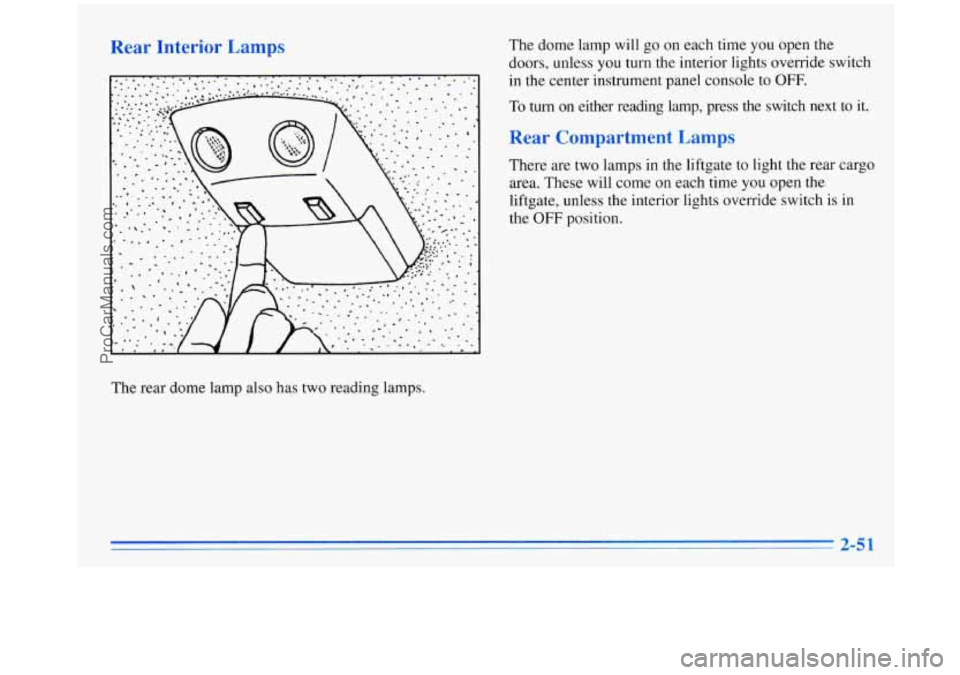
Rear Interior Lamps The dome lamp will go on each time you open the
doors, unless
you turn the interior lights override switch
in
the center instrument panel console to OFF.
To turn on either reading lamp, press the switch next to it.
Rear Compartment Lamps
There are two lamps in the liftgate to light the rear cargo
area. These will come on each time
you open the
liftgate, unless the interior lights override switch is in
the
OFF position.
The rear dome lamp also has two reading lamps.
2-5 1
ProCarManuals.com
Page 116 of 372
Mirrors
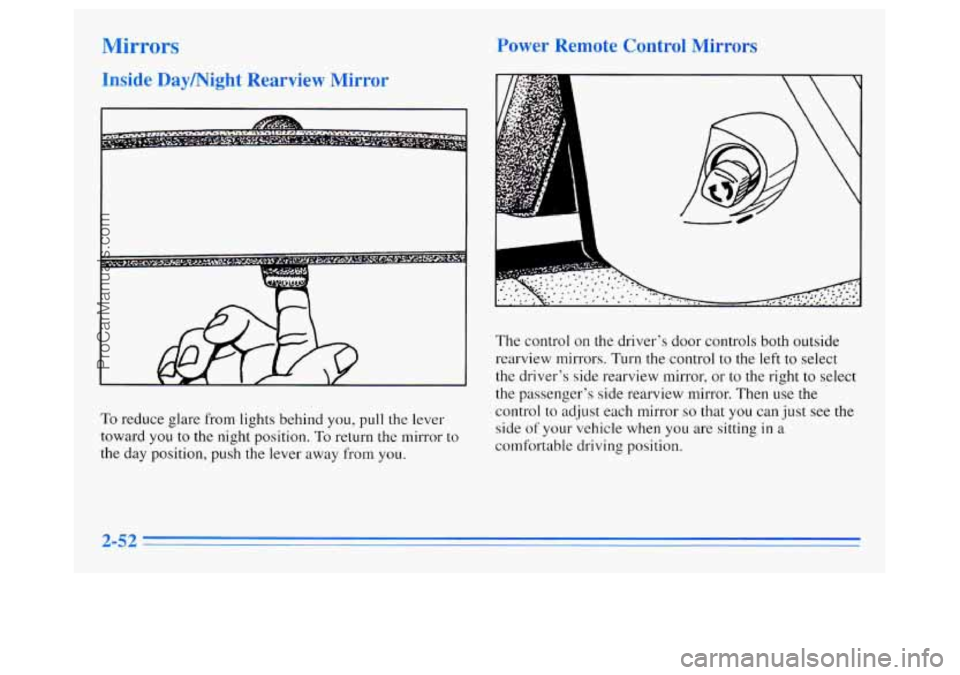
Inside Daymight Rearview Mirror Power Remote Control Mirrors
The
control on the driver's door controls both outside
rearview mirrors.
Turn the control to the left to select
the driver's side rearview mirror, or to the right to select
the passenger's side rearview mirror. Then use
the
To reduce glare from lights behind you, pull the lever
toward you to
the night position. To return the mirror to
the day position, push the lever away from you. control
to adjust each mirror
so that you can just see the
side of your vehicle when you are sitting in a
comfortable driving position.
2-52
ProCarManuals.com
Page 133 of 372

Your instrument panel is designed to let you know at a
glance how your vehicle is running. You’ll know how fast
you’re going, how much fuel you’re using, and many
other things you’ll need to drive safely and economically.
Refer to the accompanying diagram
of your instrument
panel to locate
the components listed below.
1. Side Vents
2. Lamp Controls
3. Turn Signal/Multifunction Lever
4. Tilt Steering Wheel Lever
5. Instrument Cluster
6. Gearshift Lever
7. Wiper/Washer Controls
8. Center Vents
9. Storage Compartment
10. Side Vents
1 1. Circuit Breaker/Relay Panel
12. Glove Box/Fuse Panel
13. Audio System
14. Rear Fan Controls
15. CupholdedAshtray
16. Locking Storage Bin
1 7. Lighter
18. Interior Lights Override Switch
19. Climate Controls
20. Hazard Warning Flashers Switch
21. Ignition Switch
22. Horn
23. Steering Wheel Touch Controls (Option)
2-69
ProCarManuals.com
Page 134 of 372
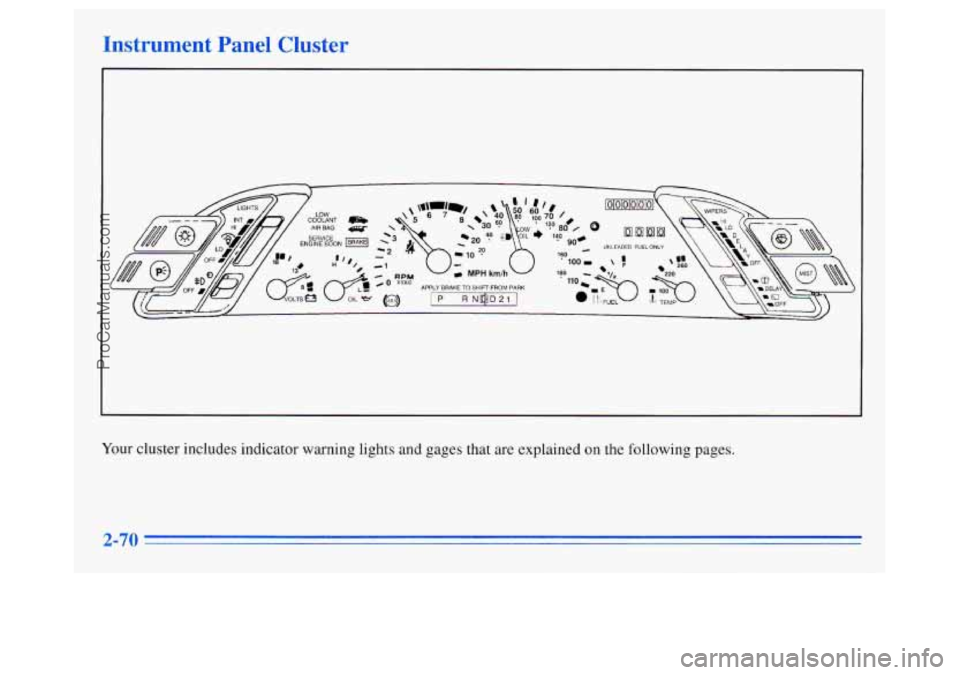
Instrument Panel Cluster
Your cluster includes indicator warning lights and gages that are explained on the following pages.
2-70
ProCarManuals.com
Page 136 of 372

Rip Odometer
UNLEADED FUEL ONLY
The trip odometer can tell you how far your vehicle has
been driven since
you last set it to zero. To set it to zero,
push the reset button located above the fuel gage.
Warning Lights, Gages and Indicators
This part describes the warning lights and gages that may
be on
your vehicle. The pictures will help you locate them.
Warning lights and gages can signal that something is
wrong before
it becomes serious enough to cause an
expensive repair or replacement. Paying attention to
your warning lights and gages could also save you or
others from injury.
Warning lights come on when there may be or
is a
problem with one of your vehicle’s functions.
As you
will see in the details on the next few pages, some
warning lights come on briefly when you start the
engine just to let you know they’re working.
If you are
familiar with this section, you should not be alarmed
when this happens.
Gages can indicate when there may be or
is a problem
with one
of your vehicle’s functions. Often gages and
warning lights work together to let you know when
there’s a problem with
your vehicle.
When one
of the warning lights comes on and stays on
when you are driving, or when one of the gages shows
there may be a problem, check the section that tells you
what to do about
it. Please follow this manual’s advice.
Waiting
to do repairs can be costly -- and even
dangerous.
So please get to know your warning lights
and gages. They’re a big help.
ProCarManuals.com