steering OLDSMOBILE SILHOUETTE 1997 User Guide
[x] Cancel search | Manufacturer: OLDSMOBILE, Model Year: 1997, Model line: SILHOUETTE, Model: OLDSMOBILE SILHOUETTE 1997Pages: 436, PDF Size: 21.87 MB
Page 195 of 436

Section 3 Comfort Controls and Audio Syster1.-
In this section, you’ll find out how to operate the comfort control and audio systems offered with your Oldsmobile.
Be sure
to read about the particular systems supplied with your vehicle.
3-2 3-3
3-4
3-4
3-5
3-8
3-8
3-9
3-9
3-15 Comfort Controls
Air Conditioning
Heating Ventilation System and Tips
Rear Climate Control
Tips for Defogging and Defrosting
Rear Window Defogger
Setting the Clock
Radios
Rear Seat Audio
3- 17
3 -24
3-26
3-27
3-27
3-28
3-28
3-30
3-30 Remote Compact
Disc Player
Theft-Deterrent Feature
Steering Wheel Controls
Understanding Radio Reception
Tips About Your Audio System
Adding Sound Equipment to Your Vehicle
Care
of Your Cassette Tape Player
Care
of Your Compact Discs
Antenna
ProCarManuals.com
Page 220 of 436
Disabling the Theft-Deterrent Feature
Enter your secret code as follows; pause no more than
15 seconds between steps:
1. Turn the ignition to ACCESSORY or RUN.
2. Turn the radio off.
3. Press the 1 and 4 buttons together. Hold them down
until
SEC shows on the display.
4. Press MN and 000 will appear on the display.
5. Press MN again to make the last two digits agree
6. Press HR to make the first one or two digits agree
with
your code.
with your code.
7. Press AM-FM after you have confirmed that the
code matches the secret code you have written down.
The display will show
---, indicating that the radio is
no longer secured.
If the code entered is incorrect, SEC will appear on the
display. The radio will remain secured until the correct
code is entered.
When battery power
is removed and later applied to a
secured radio, the radio won’t turn on and LOC will
appear on
the display.
To unlock a secured radio, see “Unlocking the
Theft-Deterrent Feature After a Power
Loss” earlier in
this section.
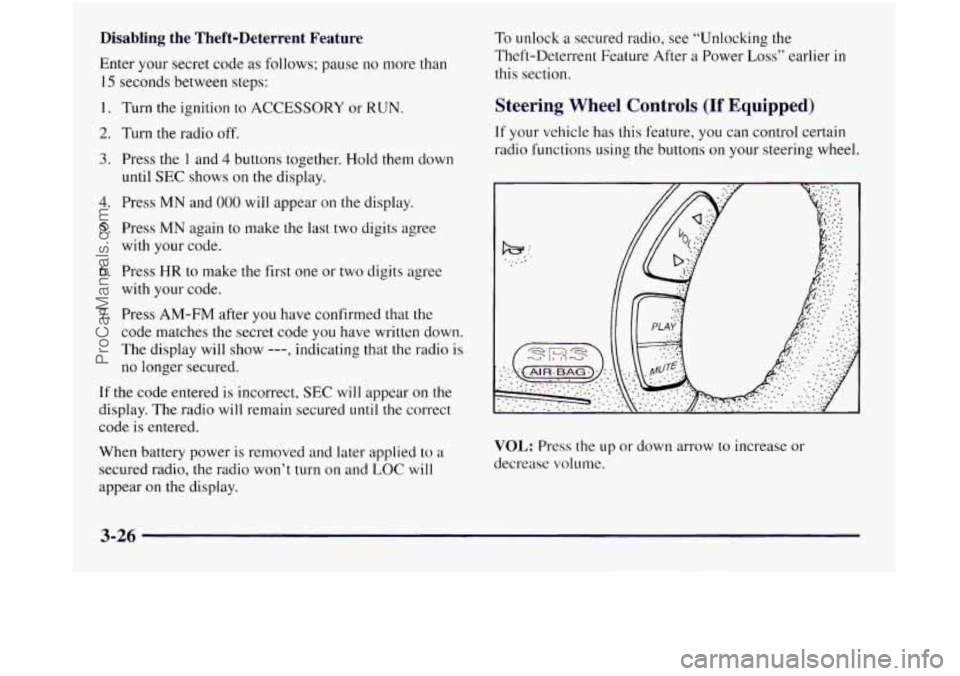
Steering Wheel Controls (If Equipped)
If your vehicle has this feature, you can control certain
radio functions using
the buttons on your steering wheel.
VOL: Press the up or down arrow to increase or
decrease volume.
3-26
ProCarManuals.com
Page 227 of 436
Section 4 Your Driving and the Road
Here you’ll find information about driving on different kinds of roads and in varying weather conditions. We’ve also
included many other useful tips on driving.
4-2
4-3
4-6
4-6
4-7
4-9 4- 10
4-1 1
4-13
4- 13
4- 15 Defensive Driving
Driving
Drunk
Having Control of Your Vehicle
Your Braking System Information
Anti-Lock Brake Information
Traction Control System
Braking in Emergencies
Steering Tips
Off-Road Recovery
Passing Other Vehicles
Loosing Control
of Your Vehicle 4-
16
4-
17
4-20
4-2
1
4-22
4-22
4-25
4-27
4-29 4-29
4-3
1
Night Driving
Driving
in Rain and on Wet Roads
City Driving
Freeway Driving
Tips Before Leaving on
a Long Trip
Avoiding Highway Hypnosis
Winter Driving
If You’re Caught in
a Blizzard
Loading Your Vehicle
Electronic Level Control
Helpful Hints for Towing
a Trailer
ProCarManuals.com
Page 232 of 436
Control of a Vehicle
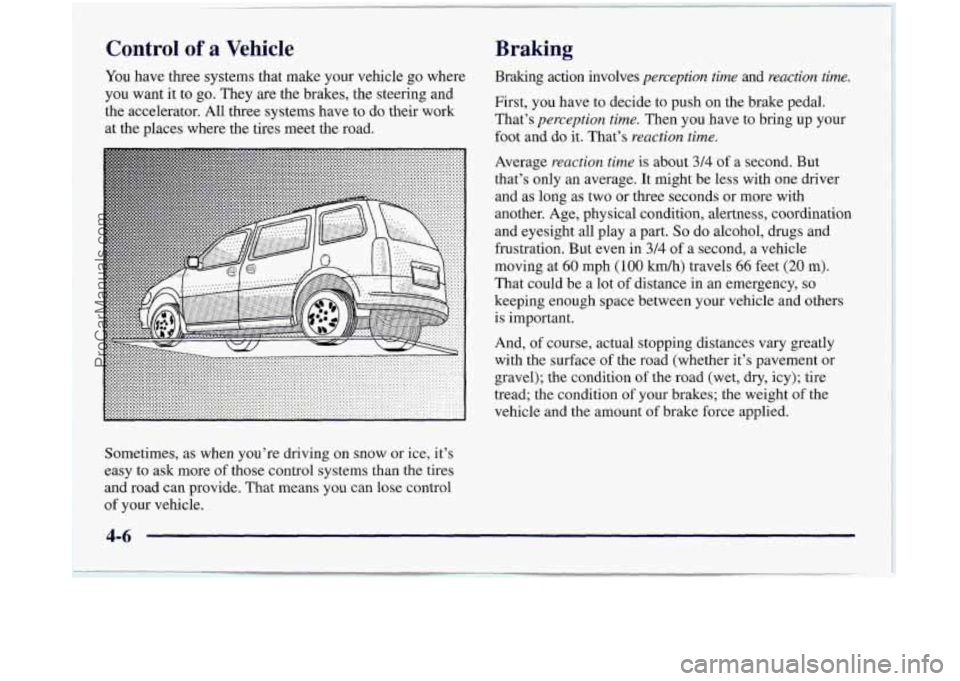
You have three systems that make your vehicle go where
you want it to go. They are the brakes, the steering and
the accelerator. All
three systems have to do their work
at the places where the tires meet the road.
Braking
Braking action involves perception time and reaction time.
First, you have to decide to push on the brake pedal.
That’s
perception time. Then you have to bring up your
foot and do it. That’s
reaction time.
Average reaction time is about 3/4 of a second. But
that’s only an average. It might be less with one driver
and as long as two or three seconds or more with
another. Age, physical condition, alertness, coordination
and eyesight all play a part.
So do alcohol, drugs and
frustration. But even in
3/4 of a second, a vehicle
moving at
60 mph ( 100 kmh) travels 66 feet (20 m).
That could be a lot of distance in an emergency,
so
keeping enough space between your vehicle and others
is important.
And,
of course, actual stopping distances vary greatly
with the surface
of the road (whether it’s pavement or
gravel); the condition of the road (wet, dry, icy); tire
tread; the condition of your brakes; the weight
of the
vehicle and the amount
of brake force applied.
Sometimes, as when you’re driving on snow or ice, it’s
easy to ask more
of those control systems than the tires
and road can provide. That means you can lose control
of your vehicle.
4-6
ProCarManuals.com
Page 236 of 436
When the system is on, this
warning light will come on
to let you know if there’s
a
problem with your traction
control system.
See “Traction Control System Warning Light” in the
Index. When this warning light is on,
the system will not
limit wheel spin. Adjust your driving accordingly.
The traction control system automatically comes on
whenever you start your vehicle.
To limit wheel spin,
especially
in slippery road conditions, you should
always leave the system on. But you can turn
the
traction control system off if you ever need to. (You
should turn the system off if your vehicle ever gets stuck
in sand, mud, ice or snow. See “Rocking Your Vehicle”
in the Index.)
7
C
C
C
L
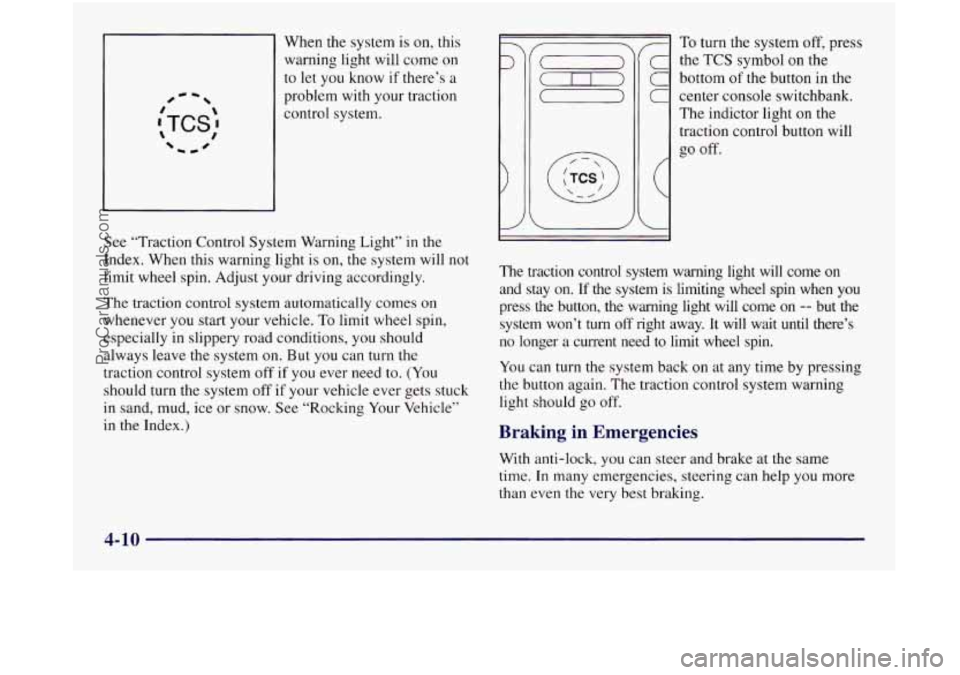
To turn the system off, press
the
TCS symbol on the
bottom of the button in the
center console switchbank.
The indictor light on the
traction control button will
go off.
The traction control system warning light will come on
and stay on. If the system
is limiting wheel spin when you
press the button, the warning light will come on
-- but the
system won’t
turn off right away. It will wait until there’s
no longer a current need
to limit wheel spin.
You can turn the system back on at any time by pressing
the button again. The traction control svstem warning
light should go
off.
Braking in Emergencies
With anti-lock, you can steer and brake at the same
time. In many emergencies, steering can help you more
than even the very best braking.
4-10
ProCarManuals.com
Page 237 of 436
Steering
Power Steering
If you lose power steering assist because the engine
stops or the system is not functioning, you can steer but
it will take much more effort.
Steering Tips
Driving on Curves
It’s important to take curves at a reasonable speed.
A lot of the “driver lost control” accidents mentioned on
the news happen on curves. Here’s why:
Experienced driver or beginner, each of
us is subject to
the same laws of physics when driving on curves. The
traction of the tires against
the road surface makes it
possible for the vehicle to change its path when you turn
the front wheels.
If there’s no traction, inertia will keep
the vehicle going
in the same direction. If you’ve ever
tried to steer a vehicle
on wet ice, you’ll understand this.
The traction you can get
in a curve depends on the
condition of your tires and the road surface, the angle at
which the curve is banked, and your speed. While you’re
in a curve, speed is the one factor you can control. Suppose you’re steering
through a sharp curve. Then you
suddenly accelerate. Both control systems
-- steering and
acceleration
-- have to do their work where the tires meet
the road. Adding the sudden acceleration can demand too
much of those places.
You can lose control.
What should you do if this ever happens? Ease up on the
accelerator pedal, steer the vehicle the way you want it
to
go, and slow down.
Speed limit signs near curves warn that you should
adjust your speed. Of course, the posted speeds are
based
on good weather and road conditions. Under less
favorable conditions you’ll want to
go slower.
If you need to reduce your speed as you approach a
curve, do
it before you enter the curve, while your front
wheels are straight ahead.
Try to adjust your speed
so you can “drive” through the
curve. Maintain a reasonable, steady speed. Wait to
accelerate
until you are out of the curve, and then
accelerate gently into the straightaway.
ProCarManuals.com
Page 238 of 436
Steering in Emergencies
There are times when steering can be more effective
than braking. For example, you come over a hill and
find a truck stopped in your lane, or a car suddenly pulls
out from nowhere, or a child darts out from between
parked cars and stops right in front of you. You can
avoid these problems by braking
-- if you can stop in
time. But sometimes you can’t; there isn’t room.
That’s the time for evasive action
-- steering around
the problem.
Your Oldsmobile
can perform very well in emergencies
like these. First apply your brakes. (See “Braking
in
Emergencies” earlier in this section.) It is better to
remove as much speed
as you can from a possible
collision. Then steer around
the problem, to the left or
right depending
on the space available. An
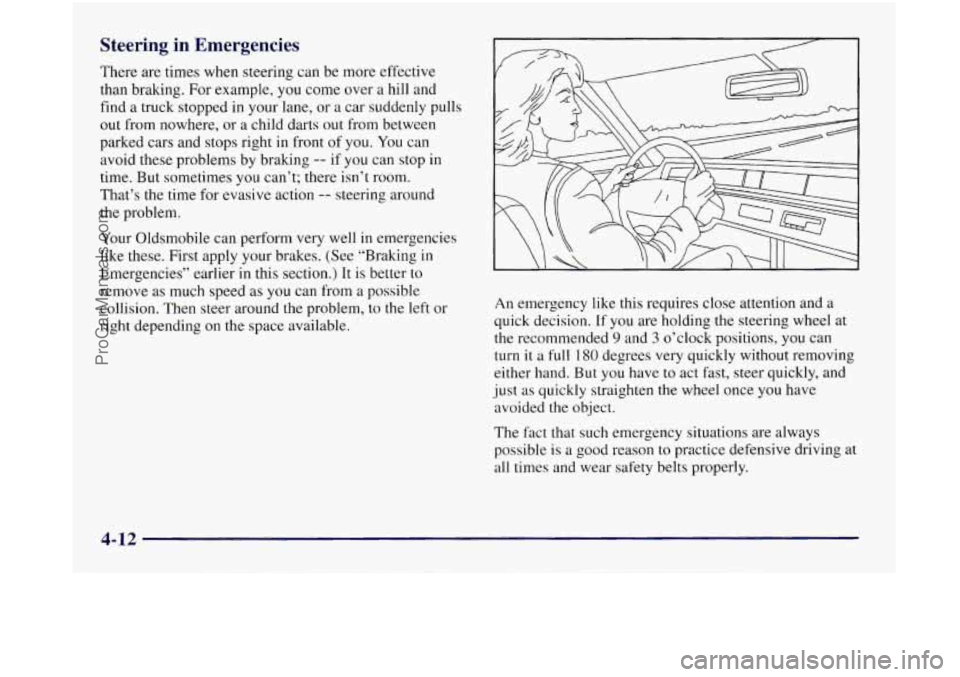
emergency like this requires close attention and a
quick decision. If you are holding the steering wheel at
the recommended
9 and 3 o’clock positions, you can
turn
it a full I80 degrees very quickly without removing
either hand. But you have to act fast, steer quickly, and
just as quickly straighten the wheel once you have
avoided the object.
The fact that such emergency situations are always
possible is a good reason to practice defensive driving at
all times and wear safety belts properly.
4-12
ProCarManuals.com
Page 239 of 436
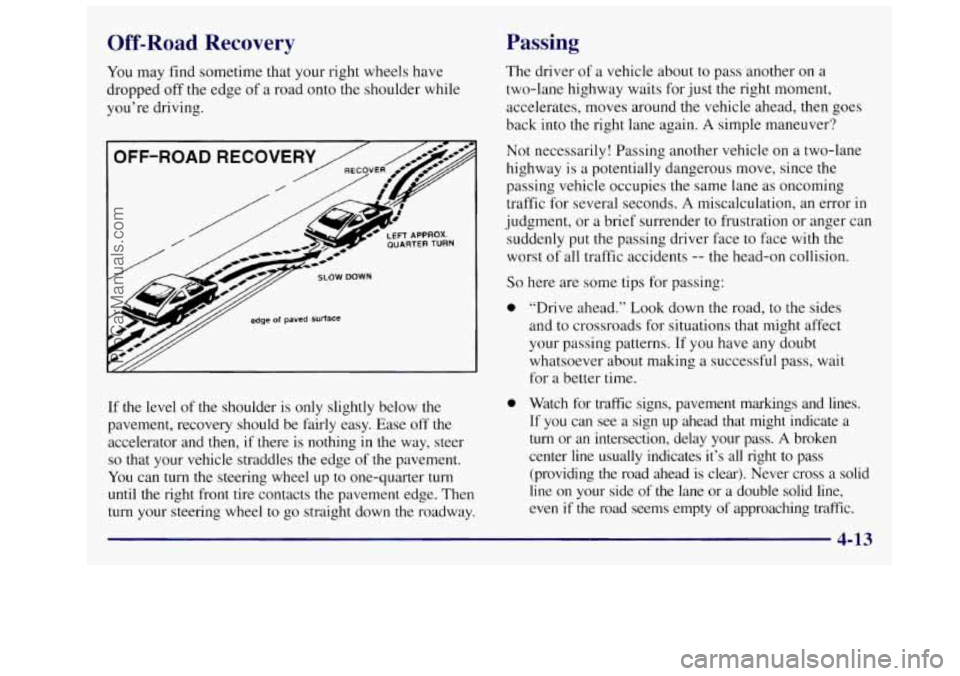
Off-Road Recovery
You may find sometime that your right wheels have
dropped off the edge of
a road onto the shoulder while
you’re driving.
OFF-ROAD RECOVERY
/ -*
/ /&.
/ / 2-A
LEFT APPROX. QUARTERTURN
smw DOWN
edge of paved surface
If the level of the shoulder is only slightly below the
pavement, recovery should be fairly easy. Ease off the
accelerator and then,
if there is nothing in the way, steer
so that your vehicle straddles the edge of the pavement.
You can turn the steering wheel up to one-quarter turn
until the right front tire contacts the pavement edge. Then
turn your steering wheel to go straight down the roadway.
Passing
The driver of a vehicle about to pass another on a
two-lane highway waits for just the right moment,
accelerates, moves around the vehicle ahead, then goes
back into the right lane again.
A simple maneuver?
Not necessarily! Passing another vehicle on
a two-lane
highway
is a potentially dangerous move, since the
passing vehicle occupies the same lane
as oncoming
traffic for several seconds.
A miscalculation, an error in
judgment, or a brief surrender to frustration or anger can
suddenly put the passing driver face to face with the
worst of all traffic accidents
-- the head-on collision.
So here are some tips for passing:
0 “Drive ahead.” Look down the road, to the sides
and to crossroads for situations that might affect
your passing patterns. If you have any doubt
whatsoever about making
a successful pass, wait
for
a better time.
0 Watch for traffic signs, pavement markings and lines.
If you can see a sign up ahead that might indicate a
turn or an intersection, delay your pass. A broken
center line usually indicates it’s all tight to pass
(providing the road ahead is clear). Never cross
a solid
line
on your side of the lane or a double solid line,
even
if the road seems empty of approaching traffic.
4-13
ProCarManuals.com
Page 241 of 436
Loss of Control
Let’s review what driving experts say about what
happens when the
three control systems (brakes, steering
and acceleration) don’t have enough friction where the
tires meet the road to do what the driver has asked.
In any emergency, don’t give up. Keep trying to steer and
constantly seek
an escape route or area of less danger.
Skidding
In a skid, a driver can lose control of the vehicle.
Defensive drivers avoid most skids by taking reasonable
care suited
to existing conditions, and by not “overdriving”
those conditions. But skids
are always possible.
The three types of skids correspond to your
Oldsmobile’s
three control systems. In the bralung skid,
your wheels aren’t rolling. In the steering or cornering
skid, too much speed or steering in a curve causes tires
to slip and lose cornering force. And in the acceleration
slud, too much throttle causes the driving wheels to spin.
A cornering skid and an acceleration skid are best
handled by easing your foot off the accelerator pedal.
If your vehicle starts to slide, ease your foot off the
accelerator pedal and quickly steer the way you want the
vehicle to go.
If you start steering quickly enough, your
vehicle may straighten out. Always be ready for a
second skid
if it occurs.
Of course, traction is reduced when water, snow, ice,
gravel or other material is on
the road. For safety, you’ll
want to slow down and adjust your driving to these conditions. It is important to slow down on slippery
surfaces because stopping distance will be longer and
vehicle control more limited.
While driving on a surface with reduced traction, try
your best to avoid sudden steering, acceleration or
braking (including engine braking by shifting to a lower
gear). Any sudden changes could cause
the tires to slide.
You may not realize the surface is slippery until your
vehicle is sludding. Learn to recognize warning
clues
-- such as enough water, ice or packed snow on
the road to make a “mirrored surface”
-- and slow down
when you have any doubt.
Remember: Any anti-lock brake system (ABS) helps
avoid only the braking skid.
4-15
- --
ProCarManuals.com
Page 252 of 436
I
If you have traction control, keep the system on. It will
improve your ability to accelerate when driving on a
slippery road. Even though your vehicle has a traction
control system, you’ll want to slow down and adjust
your driving to the road conditions. See “Traction
Control System” in
the Index.
If you don’t have traction control, accelerate gently. Try
not to break the gentle traction. If you accelerate too
fast, the drive wheels will spin and polish the surface
under the tires even more.
Your anti-lock brakes improve your vehicle’s stability
when you make a hard stop on a slippery road. Even
though you have an anti-lock braking system, you’ll
want to begin stopping sooner than you would on
dry
pavement. See “Anti-Lock” in the Index.
0
0
Allow greater following distance on any slippery road.
Watch for slippery spots. The road might be fine
until you hit a spot that’s covered with ice. On an
otherwise clear road, ice patches may appear in
shaded areas where the
sun can’t reach: around
clumps
of trees, behind buildings or under bridges.
Sometimes the surface of a curve or an overpass may
remain icy when the surrounding roads
are clear. If
you see a patch of ice ahead of you, brake before you
are
on it. Try not to brake while you’re actually on
the ice, and avoid sudden steering maneuvers.
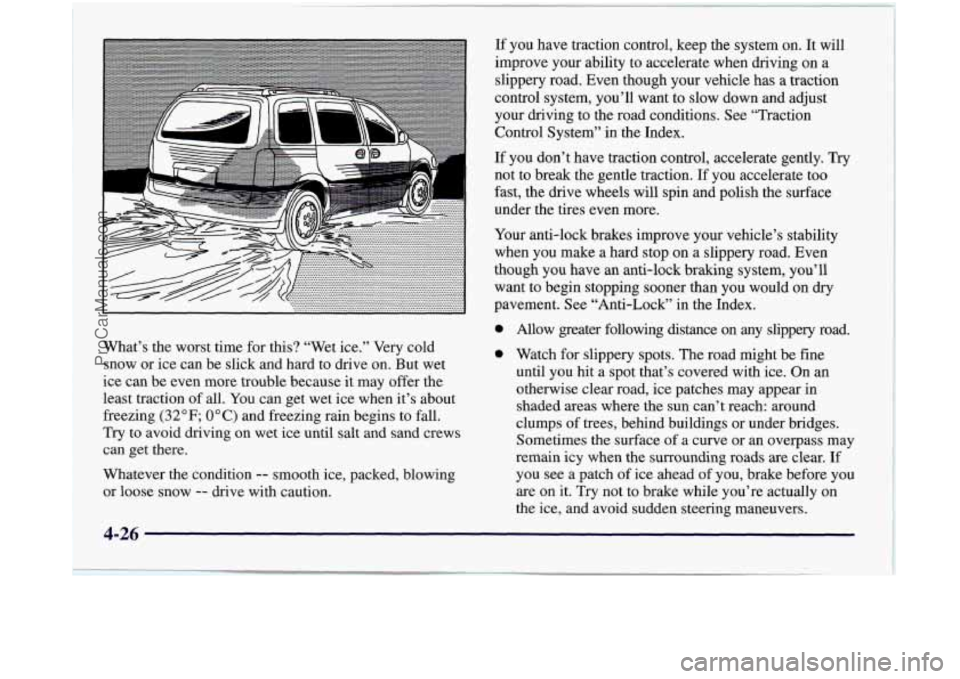
What’s
the worst time for this? “Wet ice.” Very cold
snow
or ice can be slick and hard to drive on. But wet
ice can be even more trouble because it may offer the
least traction of all. You can get wet ice when it’s about
freezing
(32°F; 0°C) and freezing rain begins to fall.
Try to avoid driving on wet ice until salt and sand crews
can get there.
Whatever the condition
-- smooth ice, packed, blowing
or loose snow
-- drive with caution.
4-26
ProCarManuals.com