brake light OLDSMOBILE SILHOUETTE 1998 User Guide
[x] Cancel search | Manufacturer: OLDSMOBILE, Model Year: 1998, Model line: SILHOUETTE, Model: OLDSMOBILE SILHOUETTE 1998Pages: 444, PDF Size: 23.2 MB
Page 200 of 444

Fuel Gage 0
e‘
E
EB
I I
United States Canadian
Your fuel gage tells you about how much fuel you have
left, when the ignition
is on. When the gage first
indicates
EMPTY (E), you still have a little fuel left, but
you should get more soon.
After filling the fuel tank, the gage will not read
FULL
(F) until the ignition is turned on.
Here are four things that some owners ask about. None
of these show a problem with your fuel gage:
0 At the service station, the gas pump shuts off before
the gage reads
FULL (F).
a
0
It takes a little more or less fuel to fill up than the gage
indicated, For example, the gage may have indicated
the tank was half full, but it actually took a little more
or less than half the tank’s capacity to
fill the tank.
The gage moves a little when you turn a corner,
brake or speed
up.
The gage doesn’t go back to EMPTY (E) when you
turn
off the ignition.
Low Fuel Warning Light
If your fuel is low, the
warning light next to the
fuel gage will go on and
stay
on until you add fuel.
If the warning light is still on after adding fuel, you need
to reset the warning light.
To reset the warning light,
turn the ignition
to OFF then to ON. If the light stays on,
see your dealer for service.
This light will also come on when
you turn on the
ignition, but the engine is
not running, to show you it is
worlung. If it doesn’t come on as you start your vehicle,
have it fixed right away.
ProCarManuals.com
Page 239 of 444

Avoid needless heavy braking. Some people drive in
spurts
-- heavy acceleration followed by heavy
braking
-- rather than keeping pace with traffic. This is a
mistake. Your brakes may not have time to cool between
hard stops. Your brakes will wear out much faster if you
do a lot
of heavy braking, If you keep pace with the
traffic and allow realistic following distances,
you will
eliminate a lot of unnecessary braking. That means
better braking and longer brake life.
If your engine ever stops while you’re driving, brake
normally but don’t pump your brakes. If you
do, the
pedal may get harder
to push down. If your engine
stops, you will still have
some power brake assist. But
you will use
it when you brake. Once the power assist is
used up, it may take longer to stop and the brake pedal
will be harder to push.
Anti-Lock Brakes (ABS)
Your vehicle has anti-lock brakes (ABS). ABS is an
advanced electronic braking system that will help
prevent a braking skid.
When you start your engine, or when you begin to drive
away, your anti-lock brake system will check itself. You
may hear
a momentary motor or clicking noise while
this test is going on, and
you may even notice that your
brake pedal moves
a little. (You may also hear a clicking
noise if you leave the ignition in the
RUN position for
about four seconds before starting the vehicle.) This
is normal.
If there’s a problem with the
anti-lock brake system, this
warning light will stay on or
flash. See “Anti-Lock
Brake System Warning
Light’’ in the Index.
ProCarManuals.com
Page 241 of 444

Remember: Anti-lock doesn’t change the time you need
to get your foot up to the brake pedal or always decrease
stopping distance. If you get too close to the vehicle in
front of you, you won’t have time to apply your brakes
if that vehicle suddenly slows or stops. Always leave
enough room up ahead to stop, even though you have
anti-lock brakes.
Using Anti-Lock
Don’t pump the brakes. Just hold the brake pedal down
firmly and
let anti-lock work for you. You may feel a
slight brake pedal pulsation or notice some noise, but
this is normal.
If your vehicle has the
traction control system, this
LOW light will come on when
your anti-lock system is
help avoid a braking
skid.
TRACTI adjusting brake pressure to
See “Low Traction Light” in the Index.
Traction Control System (If Equipped)
Your vehicle may have a traction control system that
limits wheel spin. This is especially useful
in slippery
road conditions. The system operates only if it senses
that
one or both of the front wheels are spinning or
beginning to lose traction. When this happens, the
system works the front brakes and reduces engine power
to limit wheel spin.
This light will come on
when the traction control
system is limiting wheel
spin. See “Low Traction
Light” in the Index.
LOW
TRACTION
You may feel or hear the system working, but this
is normal.
If your vehicle is in cruise control when the traction
control system begins to limit wheel spin, the cruise
control will automatically disengage. When road
conditions allow you to safely
use it again, you may
reengage the cruise control. (See “Cruise Control”
in the Index.)
ProCarManuals.com
Page 242 of 444

This light should come
on briefly when you start
the engine.
If it stays
on
or comes on while you
are driving, there’s a
problem with your traction
control system.
See “Traction Control System Warning Light” in the
Index. When this warning light is on, the system will not
limit wheel spin. Adjust your driving accordingly.
The traction control system automatically comes on
whenever you start your vehicle. To
limit wheel spin,
especially in slippery road conditions, you should
always leave the system on. But you can turn the
traction control system off
if you ever need to. (You
should turn the system
off if your vehicle ever gets stuck
in sand, mud, ice or snow. See “Rocking Your Vehicle”
in the Index.)
c the TCS symbol on the
C bottom of the button in the
C center console switchbank.
The indicator light on the
traction control button will
c
go off.
-I I
If the system is limiting wheel spin when you press the
button, the indicator light will go
off, but the system will
not turn
off until there is no longer a current need to
limit wheel spin. You can turn the system back on at any
time by pressing the button again. The traction control
system warning light should go
off.
Braking in Emergencies
With anti-lock, you can steer and brake at the same
time. In many emergencies, steering can help you more
than even the
very best braking.
4-10
ProCarManuals.com
Page 251 of 444
.................................................... ..................................................... .................................................... ....................................................
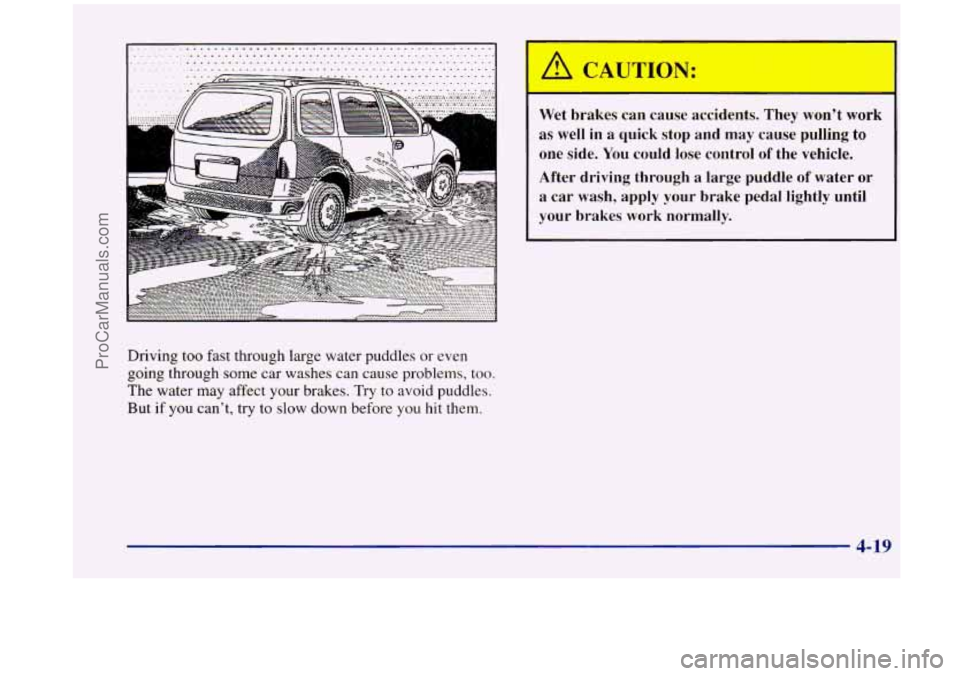
Driving too fast through large water puddles or even
going through some car washes can cause problems, too.
The water may affect your brakes. Try to avoid puddles.
But
if you can't, try to slow down before you hit them.
~
Wet brakes can cause accidents. They won't work
as well in
a quick stop and may cause pulling to
one side. You could lose control of the vehicle.
After driving through a large puddle of water
or
a car wash, apply your brake pedal lightly until
your brakes work normally.
4-19
ProCarManuals.com
Page 278 of 444
NOTICE:
To avoid the possibility of the vehicles rolling, set
the parking brake firmly on both vehicles
involved in the jump start procedure. Put an
automatic transaxle in
PARK (P).
3. Turn off the ignition on both vehicles. Unplug
unnecessary accessories plugged into the cigarette
lighter or accessory power outlet. Turn
off all lamps
that aren’t needed as well as radios. This will avoid
sparks and help save both batteries.
In addition, it
could save your radio!
I NOTICE:
If you leave your radio on, it could be badly
damaged. The repairs wouldn’t be covered by
your warranty.
JTION:
--
An electric fan can start up even when the engine
is not running and can injure you. Keep hands,
clothing and tools away from any underhood
electric fan.
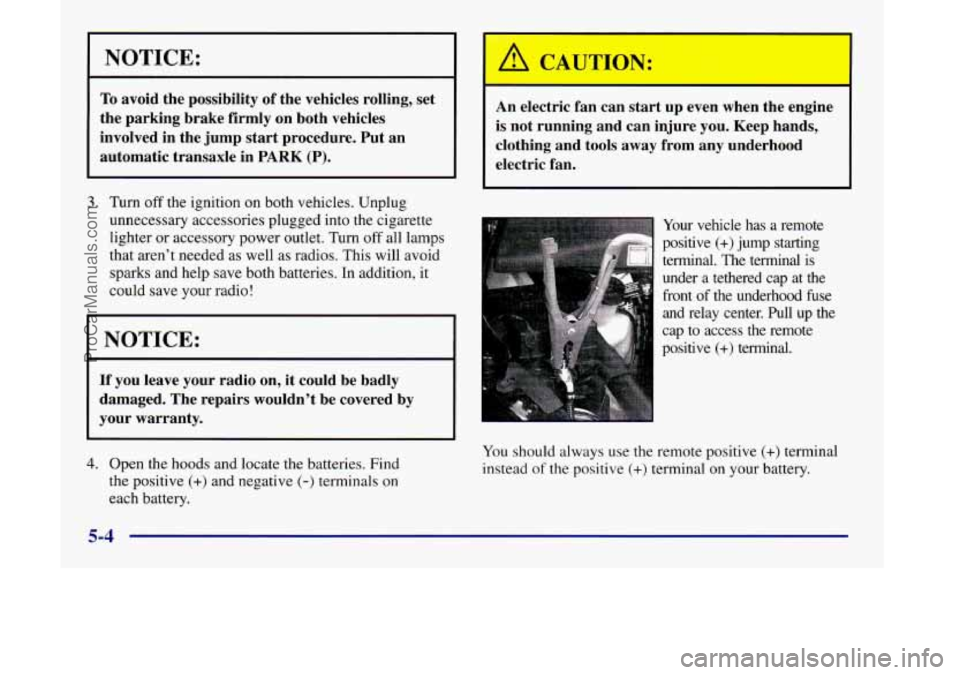
Your vehicle has a remote
positive
(+) jump starting
terminal. The terminal is
under a tethered cap at the
front of the underhood fuse
and relay center. Pull up the
cap to access the remote
positive
(+) terminal.
4. Open the hoods and locate the batteries. Find
the positive
(+) and negative (-) terminals on
each battery. You
should always use
the remote positive (+) terminal
instead
of the positive (+) terminal on your battery.
5-4
ProCarManuals.com
Page 338 of 444
BRAKE
United States Canadian
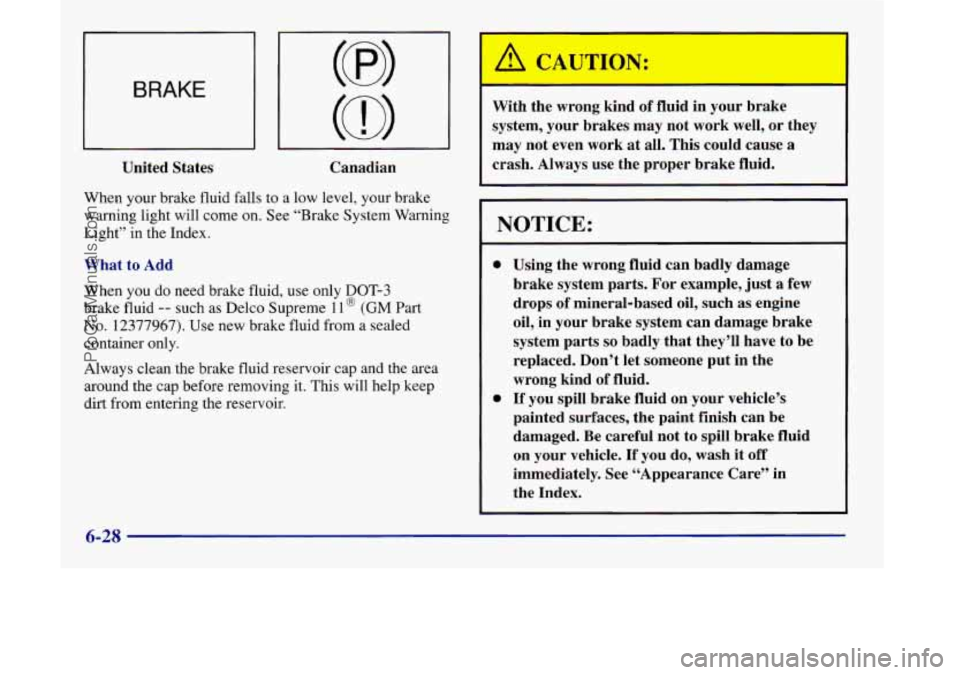
When your brake fluid falls to a low level, your brake
warning light will come on. See “Brake System Warning
Light” in the Index.
What to Add
When
you do need brake fluid, use only DOT-3
brake fluid -- such as Delco Supreme 1 1 @ (GM Part
No. 12377967). Use new brake fluid from a sealed
container only.
Always clean the brake fluid reservoir cap and the area
around the cap before removing it. This will help keep
dirt from entering the reservoir. With the wrong kind
of fluid in your brake
system, your brakes may not work well, or they
may not even work at all. This could cause
a
crash. “1 Always use the proper brake fluid.
NOTICE:
0
0
Using the wrong fluid can badly damage
brake system parts. For example, just
a few
drops of mineral-based oil, such as engine
oil, in your brake system can damage brake
system parts
so badly that they’ll have to be
replaced. Don’t let someone put in the
wrong kind of fluid.
If you spill brake fluid on your vehicle’s
painted surfaces, the paint finish can be
damaged. Be careful not to spill brake fluid
on your vehicle.
If you do, wash it off
immediately. See “Appearance Care” in
the Index.
6-28
ProCarManuals.com
Page 339 of 444
Brake Wear
Your vehicle has front disc brakes and rear drum brakes.
Disc brake pads have built-in wear indicators that
make a high-pitched warning sound when the brake
pads are worn and new pads are needed. The sound may
come and go or be heard all the time your vehicle is
moving (except when you are pushing
on the brake
pedal firmly).
I A CAUTION:
The brake wear warning sound means that soon
your brakes won’t work well. That could lead to
an accident. When you hear the brake wear
warning sound, have your vehicle serviced.
NOTICE:
Continuing to drive with worn-out brake pads
could result in costly brake repair.
Some driving conditions or climates may cause a brake
squeal when the brakes are first applied
or lightly
applied. This does not mean something is wrong with
your brakes.
Properly torqued wheel nuts are necessary to help
prevent brake pulsation. When tires are rotated, inspect
brake pads for wear and evenly torque wheel nuts in
the proper sequence
to GM specifications.
Your rear drum brakes don’t have wear indicators, but
if you ever hear
a rear brake rubbing noise, have the
rear brake linings inspected immediately. Also, the rear
brake drums should be removed and inspected each time
the tires are removed for rotation or changing. When
you have the front brake pads replaced, have the rear
brakes inspected, too.
Brake linings should always be replaced as complete
axle sets.
See “Brake System Inspection’’ in Section
7 under
Part
C “Periodic Maintenance Inspections.”
Brake Pedal Travel
See your retailer if the brake pedal does not return to
normal height, or if there is a rapid increase in pedal
travel. This could be a sign of brake trouble.
6-29
ProCarManuals.com
Page 427 of 444
Section 9 Index
Accessory Idator System ....................... 2-78
Accessory Power Outlets
......................... 2-81
Adding Equipment to the Outside Of Your Vehicle
...... 6-3
Adjusting the Bucket Seats
....................... 1-16
Adjusting the Split Bench Seat
..................... 1-9
AirBag
....................................... 1-38
How Does it Restrain
.......................... 1-44
Howitworks
................................ 1-41
Location
.................................... 1-41
Readiness Light
......................... 1.40. 2.87
Servicing
................................... 1-46
What Makes it Inflate
.......................... 1-43
What Will You See After
it Inflates ............... 1-44
When Should it Inflate
......................... 1-42
Aircleaner
.................................... 6-15
Air Conditioning Refrigerants ..................... 6-65
Air Filter Replacement, Passenger Compartment ...... 6-16
Airhflator
.................................... 2-78
Alignment and Balance, Tire
...................... 6-45
Aluminum Wheels, Cleaning
...................... 6-52
Antenna, Integrated Windshield
.................... 3-27
Antifreeze
..................................... 6-21
Brakes
...................................... 4-7
Brake System Warning Light
................ 2-89, 4-7
Appearancecare
............................... 6-47
Appearance Care Materials
....................... 6-54
AirConditioning
................................ 3-3
hti-LOck Ashtray
....... ........... a.......i.. .. .i-...<.:..i.. 2-77
Audio Systems
.................................. 3-9
Automatic
Door Locks ............................ 2-6
Automatic Overdrive
............................ 2-32
Automatic Transaxle Check
....................... 7-30
Automatic Transaxle Fluid
........................ 6-18
HowtoAdd
................................. 6-20
How to Check
............................... 6-18
When to Check and Change
..................... 6-18
Automatic Transaxle Operation
.................... 2-30
Shifting
..................................... 2-30
Automatic Transaxle
Park Mechanism Check ......... 7-32
Battery
...................................... 6-30
Jump Starting
................................. 5-3
BatterySaver .................................. 2-64
BBB Auto Line
................................. 8-7
Before Leaving on a Long
Trip .................... 4-23
Better Business Bureau Mediation
................... 8-7
Blizzard
...................................... 4-28
Brake Warnings
................................ 5.3. 5.5
Adjustment
.................................. 6-30
Fluid
....................................... 6-27
Master Cylinder
.............................. 6-27
Parking
..................................... 2-34
ProCarManuals.com
Page 428 of 444
Brake (Continued) PedalTravel
................................. 6-29
Replacing System Parts
........................ 6-30
System Warning Light
.................... 2.88. 6.28
Trailer
...................................... 4-37
Transaxle Shift Interlock
....................... 2-37
Transaxle Shift Interlock Check
.................. 7-3 1
Wear ....................................... 6-29
Brakes. Anti-Lock
............................... 4-7
Braking
........................................ 4-6
Braking in Emergencies
.......................... 4- 10
Break-In. New Vehicle
.......................... 2-25
BTSI
......................................... 2-37
BTSICheck
................................... 7-31
Bucketseats
................................... 1-15
Adjusting
................................... 1-16
Folding or Reclining the Seatback
................ 1 - 15
Removing
................................... 1-16
Replacing
................................... 1-19
Bulb Replacement .............................. 6-3 1
Canada. Ordering Service and Owner Publications .... 8-9
Canadian Roadside Assistance ...................... 8-6
Capacities and Specifications
...................... 6-64
Captain’s Chairs
................................ 1-21
Reclining
the Seatback ......................... 1-2 1
Removing ................................... 1-22
Replacing
................................... 1-23
Carbon Monoxide
.................... 2-38.4-29. 4-36
Cassette Deck Service
........................... 7-29
Cassette Tape Player
............................ 3- 10
Cassette Tape Player Care ........................ 3-26 CD Adapter Kits
............................... 3-14
CD Player Theft-Deterrent Feature
................. 3-21
Center Dome Lamp
............................. 2-63
Center Passenger Position (Bench Seat)
............. 1-53
Center Passenger Position (Bucket Seat)
............. 1-54
Certificationflire Label
.......................... 4-30
Chains. Safety
................................. 4-37
Chains. Tire
................................... 6-46
Changing
a Flat Tire ............................. 5-24
Charging System Indicator Light
................... 2-88
Checking Your Restraint Systems
.................. 1-89
Chemical Paint Spotting.
......................... 6-53
Child Restraints
................................ 1-70
Built-in
..................................... 1-59
Cleaning Built-in
............................. 6-49
Securing in
a Rear Outside Seat Position ........... 1-77
Securing in the Center Rear Seat Position
(Bucketseat)
............................... 1-81
Securing
in the Center Rear Seat Position
(Third Row Bench)
.......................... 1-79
Securing
in the Right Front Seat Position .......... 1-83
TopStrap
................................... 1-76
WheretoPut
................................ 1-75
Children
...................................... 1-56
Cigarette Lighter
............................... 2-77
Circuit Breakers and Fuses
....................... 6-57
Cleaner. Air
................................... 6-15
Cleaning Alum~num Wheels
............................ 6-52
Built-in Child Restraint
........................ 6-49
Fabric
...................................... 6-48
Glass
....................................... 6-50
Inside of Your Vehicle
......................... 6-47
Instrument Panel
............................. 6-49
9-2
ProCarManuals.com