tailgate OPEL GRANDLAND X 2018 Infotainment system
[x] Cancel search | Manufacturer: OPEL, Model Year: 2018, Model line: GRANDLAND X, Model: OPEL GRANDLAND X 2018Pages: 265, PDF Size: 7.5 MB
Page 36 of 265
34Keys, doors and windows
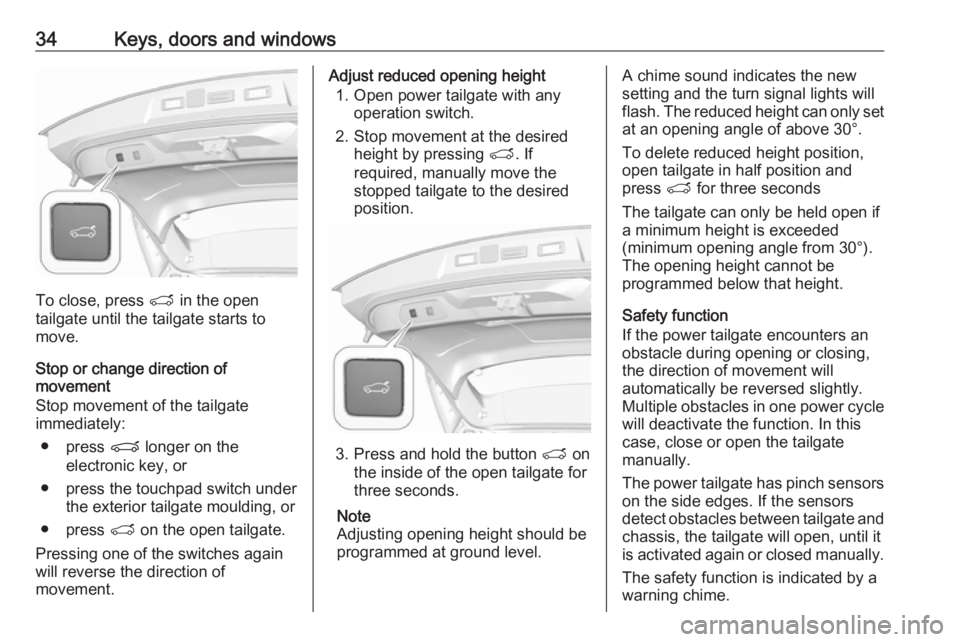
To close, press T in the open
tailgate until the tailgate starts to
move.
Stop or change direction of
movement
Stop movement of the tailgate immediately:
● press P longer on the
electronic key, or
● press the touchpad switch under the exterior tailgate moulding, or
● press T on the open tailgate.
Pressing one of the switches again
will reverse the direction of
movement.
Adjust reduced opening height
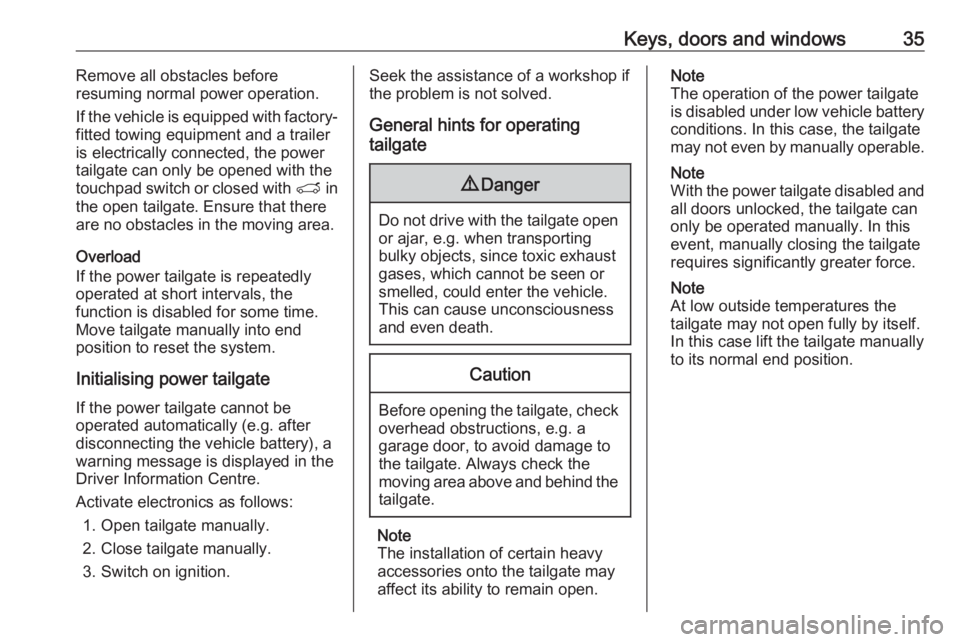
1. Open power tailgate with any operation switch.
2. Stop movement at the desired height by pressing T. If
required, manually move the
stopped tailgate to the desired
position.
3. Press and hold the button T on
the inside of the open tailgate for
three seconds.
Note
Adjusting opening height should be
programmed at ground level.
A chime sound indicates the new
setting and the turn signal lights will
flash. The reduced height can only set
at an opening angle of above 30°.
To delete reduced height position,
open tailgate in half position and
press T for three seconds
The tailgate can only be held open if
a minimum height is exceeded
(minimum opening angle from 30°).
The opening height cannot be
programmed below that height.
Safety function
If the power tailgate encounters an
obstacle during opening or closing,
the direction of movement will
automatically be reversed slightly.
Multiple obstacles in one power cycle will deactivate the function. In this
case, close or open the tailgate
manually.
The power tailgate has pinch sensors
on the side edges. If the sensors
detect obstacles between tailgate and chassis, the tailgate will open, until it
is activated again or closed manually.
The safety function is indicated by a
warning chime.
Page 37 of 265
Keys, doors and windows35Remove all obstacles before
resuming normal power operation.
If the vehicle is equipped with factory-
fitted towing equipment and a trailer
is electrically connected, the power
tailgate can only be opened with the
touchpad switch or closed with T in
the open tailgate. Ensure that there
are no obstacles in the moving area.
Overload
If the power tailgate is repeatedly
operated at short intervals, the
function is disabled for some time.
Move tailgate manually into end
position to reset the system.
Initialising power tailgate If the power tailgate cannot be
operated automatically (e.g. after
disconnecting the vehicle battery), a
warning message is displayed in the
Driver Information Centre.
Activate electronics as follows: 1. Open tailgate manually.
2. Close tailgate manually.
3. Switch on ignition.Seek the assistance of a workshop if
the problem is not solved.
General hints for operating
tailgate9 Danger
Do not drive with the tailgate open
or ajar, e.g. when transporting
bulky objects, since toxic exhaust
gases, which cannot be seen or
smelled, could enter the vehicle.
This can cause unconsciousness
and even death.
Caution
Before opening the tailgate, check overhead obstructions, e.g. a
garage door, to avoid damage to
the tailgate. Always check the
moving area above and behind the
tailgate.
Note
The installation of certain heavy
accessories onto the tailgate may
affect its ability to remain open.
Note
The operation of the power tailgate
is disabled under low vehicle battery
conditions. In this case, the tailgate
may not even by manually operable.
Note
With the power tailgate disabled and all doors unlocked, the tailgate can
only be operated manually. In this
event, manually closing the tailgate
requires significantly greater force.
Note
At low outside temperatures the
tailgate may not open fully by itself.
In this case lift the tailgate manually
to its normal end position.
Page 38 of 265
36Keys, doors and windowsVehicle security
Anti-theft locking system9 Warning
Do not use the system if there are
people in the vehicle! The doorscannot be unlocked from the
inside.
The system deadlocks all the doors. All doors must be closed otherwise
the system cannot be activated.
Unlocking the vehicle disables the
mechanical anti-theft locking system.
This is not possible with the central
locking button.
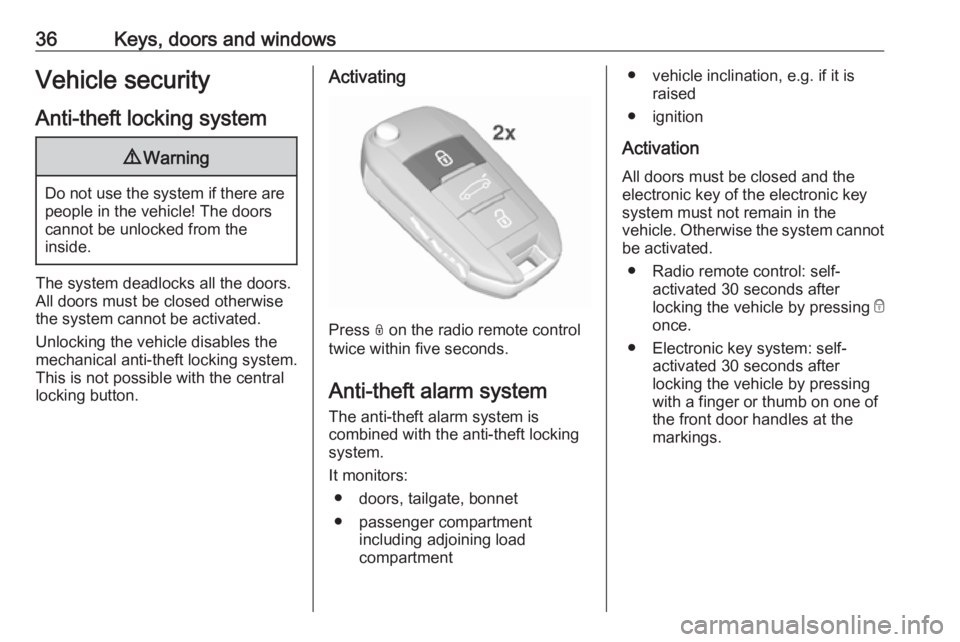
Activating
Press N on the radio remote control
twice within five seconds.
Anti-theft alarm system The anti-theft alarm system is
combined with the anti-theft locking
system.
It monitors: ● doors, tailgate, bonnet
● passenger compartment including adjoining load
compartment
● vehicle inclination, e.g. if it is raised
● ignition
Activation
All doors must be closed and the electronic key of the electronic key
system must not remain in the
vehicle. Otherwise the system cannot be activated.
● Radio remote control: self- activated 30 seconds after
locking the vehicle by pressing e
once.
● Electronic key system: self- activated 30 seconds after
locking the vehicle by pressing with a finger or thumb on one of
the front door handles at the
markings.
Page 39 of 265
Keys, doors and windows37
● Radio remote control orelectronic key: directly by
pressing e twice within
five seconds.
● Electronic key system with passive locking enabled: briefly
activated after passive locking
occurs.
Note
Changes to the vehicle interior such
as the use of seat covers and open windows, could impair the function
of passenger compartment
monitoring.
Activation without monitoring of
passenger compartment and
vehicle inclination
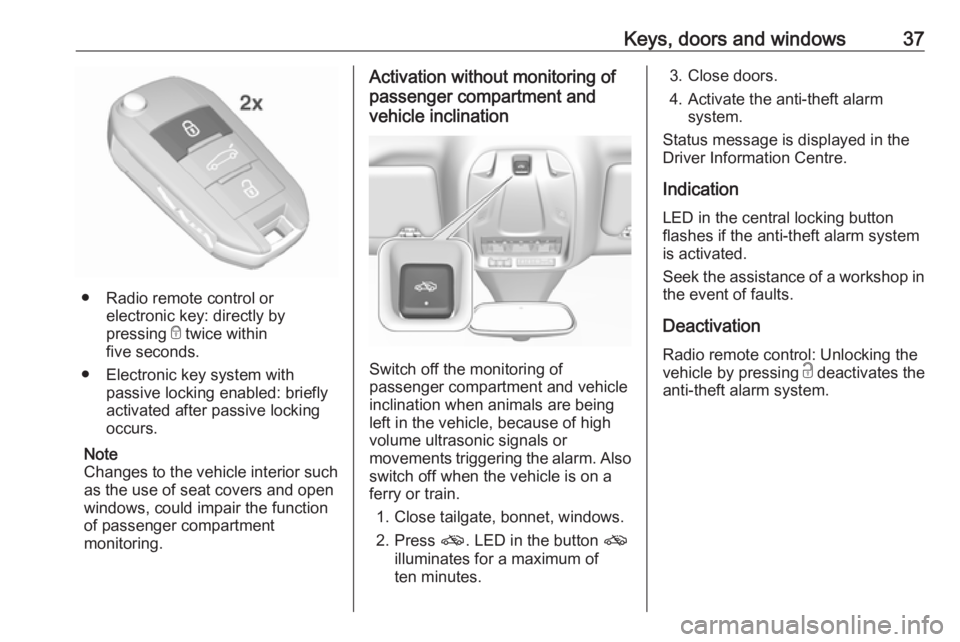
Switch off the monitoring of
passenger compartment and vehicle
inclination when animals are being
left in the vehicle, because of high
volume ultrasonic signals or
movements triggering the alarm. Also switch off when the vehicle is on a
ferry or train.
1. Close tailgate, bonnet, windows.
2. Press o. LED in the button o
illuminates for a maximum of
ten minutes.
3. Close doors.
4. Activate the anti-theft alarm system.
Status message is displayed in the
Driver Information Centre.
Indication
LED in the central locking button
flashes if the anti-theft alarm system
is activated.
Seek the assistance of a workshop in the event of faults.
Deactivation Radio remote control: Unlocking the
vehicle by pressing c deactivates the
anti-theft alarm system.
Page 75 of 265
Storage73Opening the pass through in the
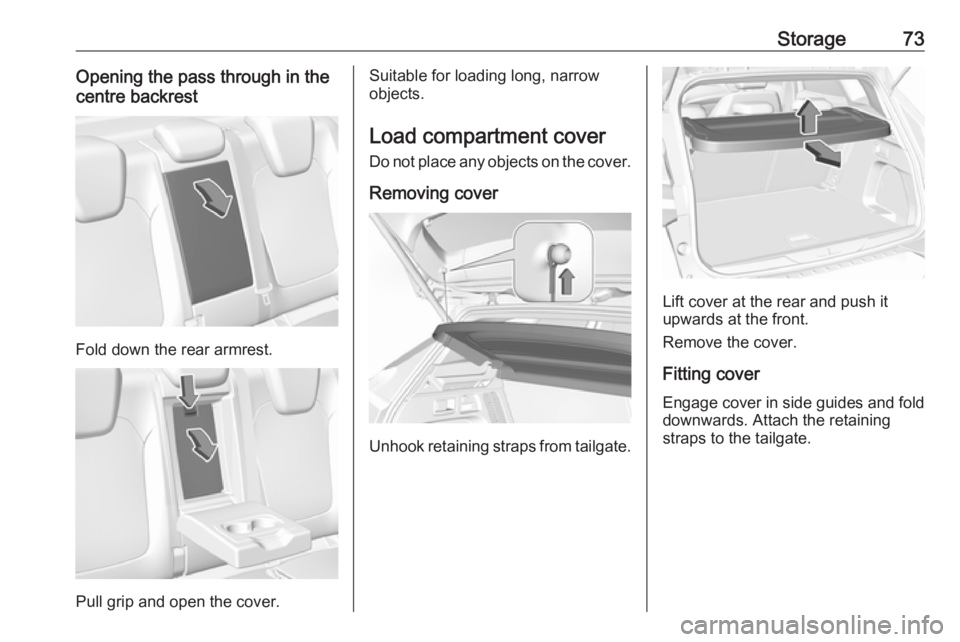
centre backrest
Fold down the rear armrest.
Pull grip and open the cover.
Suitable for loading long, narrow
objects.
Load compartment cover Do not place any objects on the cover.
Removing cover
Unhook retaining straps from tailgate.
Lift cover at the rear and push it
upwards at the front.
Remove the cover.
Fitting cover Engage cover in side guides and fold downwards. Attach the retaining
straps to the tailgate.
Page 79 of 265
Storage77Warning triangle
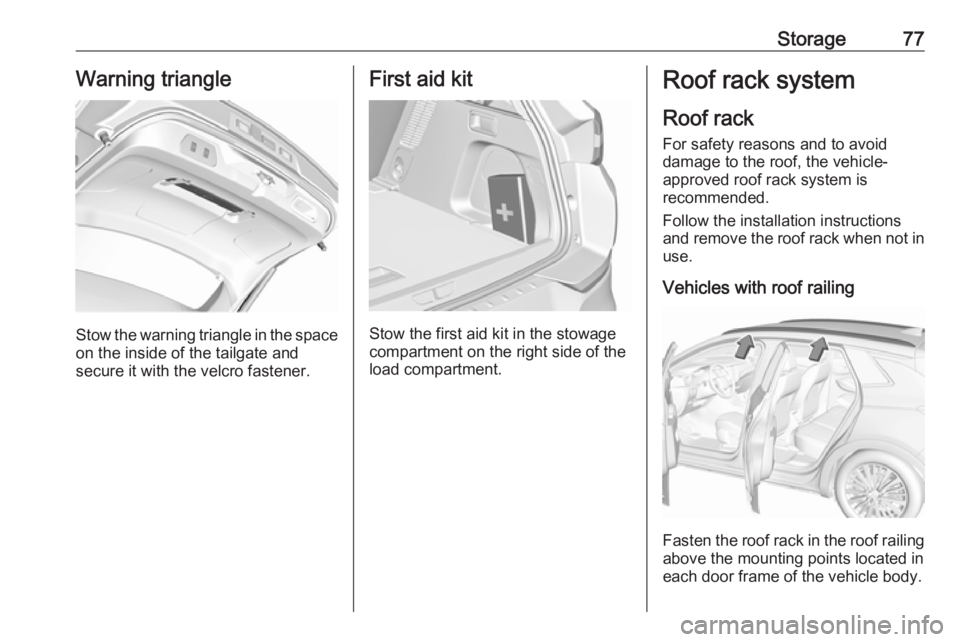
Stow the warning triangle in the space
on the inside of the tailgate and
secure it with the velcro fastener.
First aid kit
Stow the first aid kit in the stowage
compartment on the right side of the
load compartment.
Roof rack system
Roof rackFor safety reasons and to avoid
damage to the roof, the vehicle-
approved roof rack system is
recommended.
Follow the installation instructions and remove the roof rack when not in
use.
Vehicles with roof railing
Fasten the roof rack in the roof railing
above the mounting points located in
each door frame of the vehicle body.
Page 103 of 265
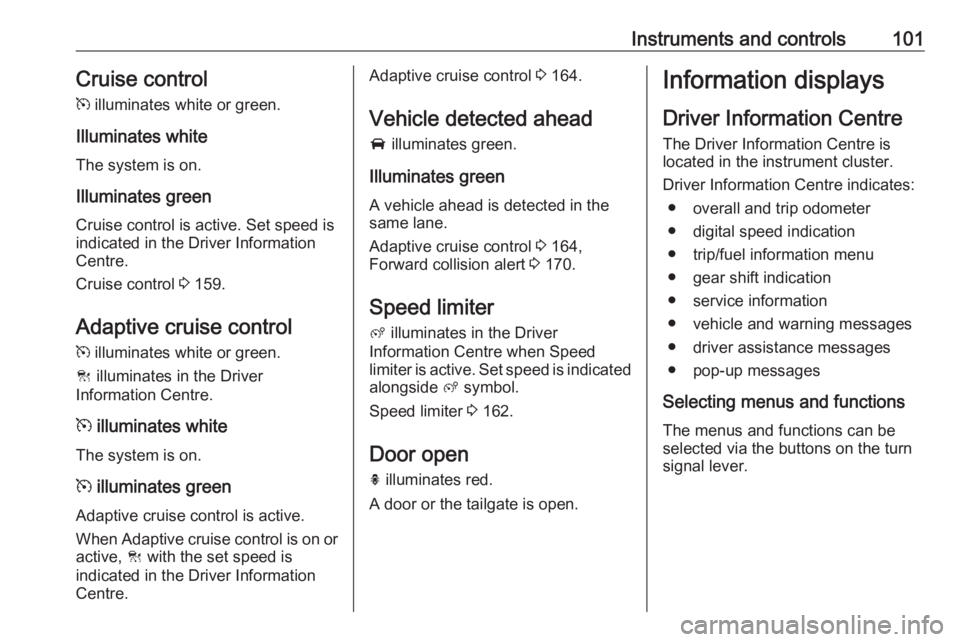
Instruments and controls101Cruise control
m illuminates white or green.
Illuminates white
The system is on.
Illuminates green
Cruise control is active. Set speed is
indicated in the Driver Information
Centre.
Cruise control 3 159.
Adaptive cruise control
m illuminates white or green.
C illuminates in the Driver
Information Centre.
m illuminates white
The system is on.
m illuminates green
Adaptive cruise control is active.
When Adaptive cruise control is on or
active, C with the set speed is
indicated in the Driver Information
Centre.Adaptive cruise control 3 164.
Vehicle detected ahead
A illuminates green.
Illuminates green
A vehicle ahead is detected in the
same lane.
Adaptive cruise control 3 164,
Forward collision alert 3 170.
Speed limiter
ß illuminates in the Driver
Information Centre when Speed
limiter is active. Set speed is indicated alongside ß symbol.
Speed limiter 3 162.
Door open
h illuminates red.
A door or the tailgate is open.Information displays
Driver Information Centre The Driver Information Centre is
located in the instrument cluster.
Driver Information Centre indicates: ● overall and trip odometer
● digital speed indication
● trip/fuel information menu
● gear shift indication
● service information
● vehicle and warning messages
● driver assistance messages
● pop-up messages
Selecting menus and functions The menus and functions can be
selected via the buttons on the turn
signal lever.
Page 107 of 265
Instruments and controls105Speech recognition
Description see Infotainment manual.
Vehicle personalisation 3 106.Vehicle messages
Messages are indicated in the Driver
Information Centre, in some cases
together with a warning and signal
chime.
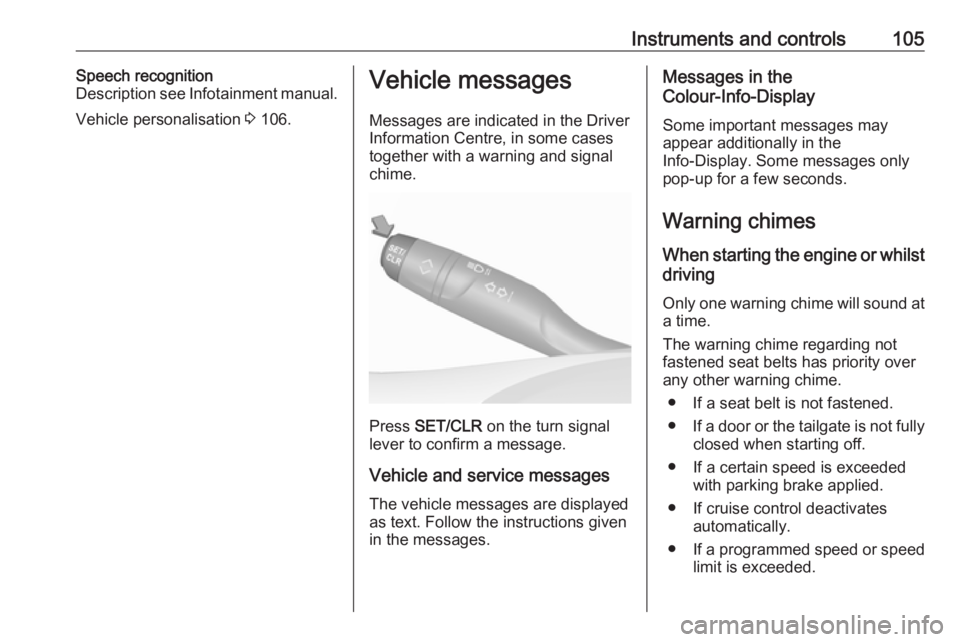
Press SET/CLR on the turn signal
lever to confirm a message.
Vehicle and service messages The vehicle messages are displayed
as text. Follow the instructions given
in the messages.
Messages in the
Colour-Info-Display
Some important messages may
appear additionally in the
Info-Display. Some messages only
pop-up for a few seconds.
Warning chimes When starting the engine or whilst
driving
Only one warning chime will sound at a time.
The warning chime regarding not
fastened seat belts has priority over
any other warning chime.
● If a seat belt is not fastened.
● If a door or the tailgate is not fully
closed when starting off.
● If a certain speed is exceeded with parking brake applied.
● If cruise control deactivates automatically.
● If a programmed speed or speed
limit is exceeded.
Page 110 of 265
108Instruments and controlsDrowsy Driver Alert : Activates or
deactivates the driver
drowsiness system.
Speed Limit Information :
Activates or deactivates the
speed limit information by traffic sign recognition.
Rear View Camera Guidelines :
Activates or deactivates the rear
view camera guidelines on the
Info display.
Forward Collision Alert :
Activates or deactivates the
forward collision alert, adjusts the
alert sensitivity.
● Comfort and Convenience
Auto Wipe in Reverse Gear :
Activates or deactivates
automatic switching on of the
rear window wiper when reverse gear is engaged.
● Lighting
Ambient Lighting : Activates or
deactivates the ambient lighting
and adjusts its brightness.
Welcome Lighting : Activates or
deactivates and changes the duration of welcome lighting.Exit Lighting : Activates or
deactivates and changes the
duration of exit lighting.
● Remote Lock, Unlock, Start
Remote Door Unlock : Changes
the configuration to unlock the
driver's door only or all doors
when pressing O on the remote
control.
Unlock boot only : Activates or
deactivates unlocking the tailgate only when pressing T on the
remote control.
Touch 9 repeatedly to return to the
homepage.8" Colour-Info-Display
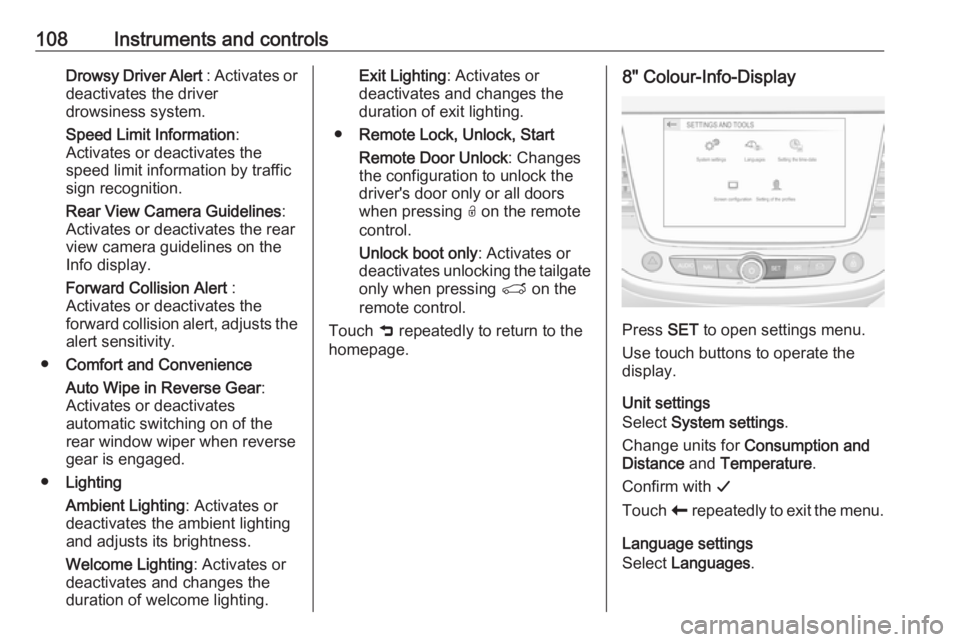
Press SET to open settings menu.
Use touch buttons to operate the
display.
Unit settings
Select System settings .
Change units for Consumption and
Distance and Temperature .
Confirm with G
Touch r repeatedly to exit the menu.
Language settings
Select Languages .
Page 111 of 265
Instruments and controls109Change language by touching the
respective entry.
Confirm with G
Touch r repeatedly to exit the menu.
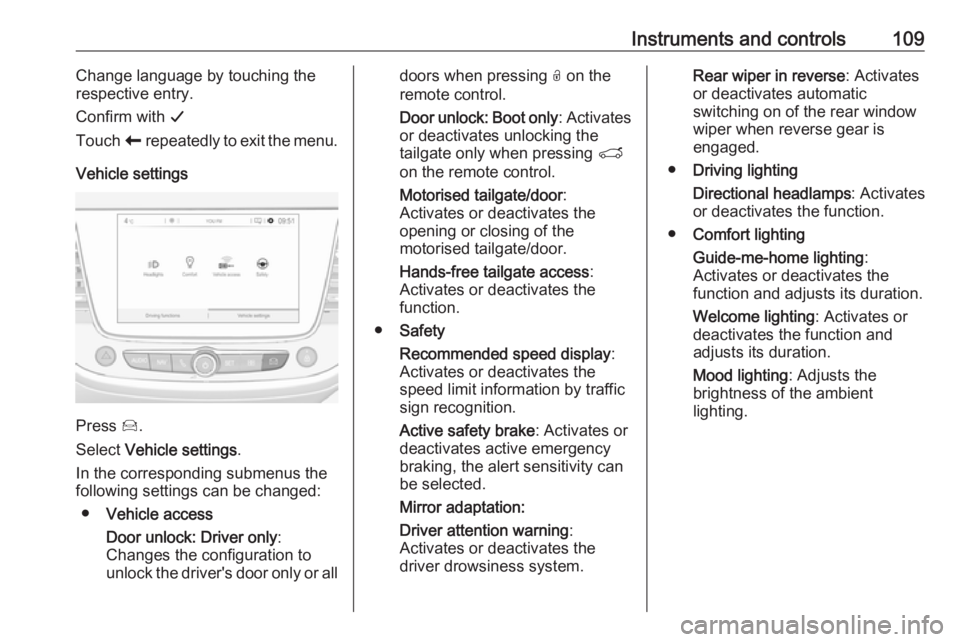
Vehicle settings
Press Í.
Select Vehicle settings .
In the corresponding submenus the
following settings can be changed:
● Vehicle access
Door unlock: Driver only :
Changes the configuration to unlock the driver's door only or all
doors when pressing O on the
remote control.
Door unlock: Boot only : Activates
or deactivates unlocking the
tailgate only when pressing T
on the remote control.
Motorised tailgate/door :
Activates or deactivates the
opening or closing of the
motorised tailgate/door.
Hands-free tailgate access :
Activates or deactivates the
function.
● Safety
Recommended speed display :
Activates or deactivates the
speed limit information by traffic
sign recognition.
Active safety brake : Activates or
deactivates active emergency
braking, the alert sensitivity can
be selected.
Mirror adaptation:
Driver attention warning :
Activates or deactivates the
driver drowsiness system.Rear wiper in reverse : Activates
or deactivates automatic
switching on of the rear window
wiper when reverse gear is
engaged.
● Driving lighting
Directional headlamps : Activates
or deactivates the function.
● Comfort lighting
Guide-me-home lighting :
Activates or deactivates the
function and adjusts its duration.
Welcome lighting : Activates or
deactivates the function and
adjusts its duration.
Mood lighting : Adjusts the
brightness of the ambient
lighting.