brake light OPEL KARL 2015 User Guide
[x] Cancel search | Manufacturer: OPEL, Model Year: 2015, Model line: KARL, Model: OPEL KARL 2015Pages: 217, PDF Size: 4.16 MB
Page 142 of 217
OPEL Karl Owner Manual (GMK-Localizing-EU RHD-9231168) - 2016 - crc -
5/7/15
Driving and Operating 141
Manual Gearbox
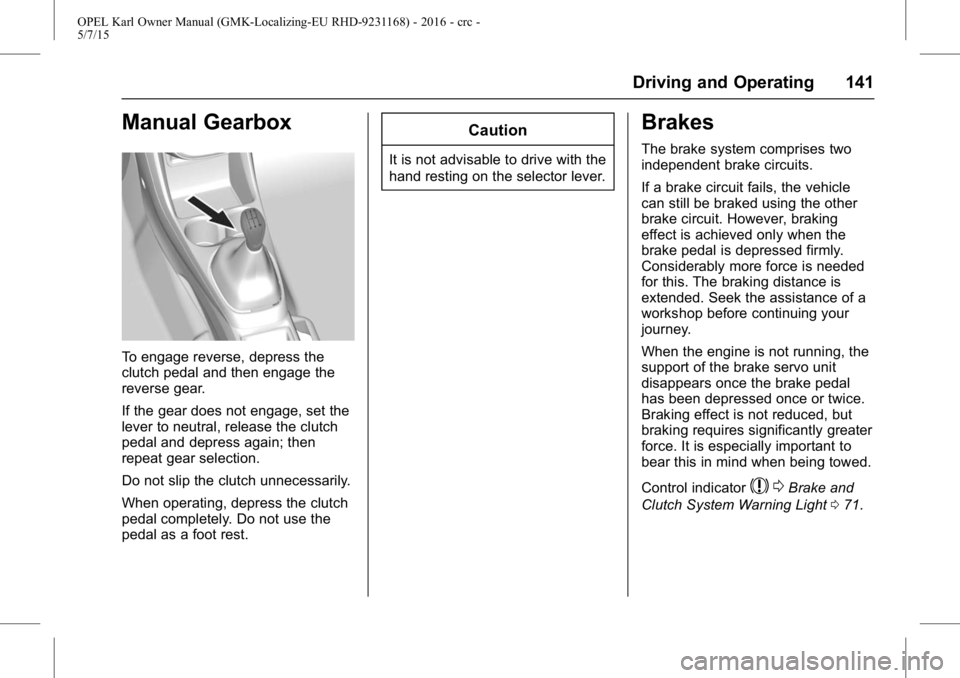
To engage reverse, depress the
clutch pedal and then engage the
reverse gear.
If the gear does not engage, set the
lever to neutral, release the clutch
pedal and depress again; then
repeat gear selection.
Do not slip the clutch unnecessarily.
When operating, depress the clutch
pedal completely. Do not use the
pedal as a foot rest.
Caution
It is not advisable to drive with the
hand resting on the selector lever.
Brakes
The brake system comprises two
independent brake circuits.
If a brake circuit fails, the vehicle
can still be braked using the other
brake circuit. However, braking
effect is achieved only when the
brake pedal is depressed firmly.
Considerably more force is needed
for this. The braking distance is
extended. Seek the assistance of a
workshop before continuing your
journey.
When the engine is not running, the
support of the brake servo unit
disappears once the brake pedal
has been depressed once or twice.
Braking effect is not reduced, but
braking requires significantly greater
force. It is especially important to
bear this in mind when being towed.
Control indicator
$0Brake and
Clutch System Warning Light 071.
Page 143 of 217
OPEL Karl Owner Manual (GMK-Localizing-EU RHD-9231168) - 2016 - crc -
5/7/15
142 Driving and Operating
Antilock Brake
System (ABS)
Anti-lock brake system (ABS)
prevents the wheels from locking.
ABS starts to regulate brake
pressure as soon as a wheel shows
a tendency to lock. The vehicle
remains steerable, even during hard
braking.
ABS control is made apparent
through a pulse in the brake pedal
and the noise of the regulation
process.
For optimum braking, keep the
brake pedal fully depressed
throughout the braking process,
despite the fact that the pedal is
pulsating. Do not reduce the
pressure on the pedal.
After starting off, the system
performs a self-test which may be
audible.
Control indicator
!0Antilock
Brake System (ABS) Warning
Light 071.
Adaptive brake light
During full braking, all three brake
lights flash for the duration of ABS
control.
Fault
{Warning
If there is a fault in the ABS, the
wheels may be liable to lock due
to braking that is heavier than
normal. The advantages of ABS
are no longer available. During
hard braking, the vehicle can no
longer be steered and may
swerve.
Have the cause of the fault
remedied by a workshop.
Parking Brake
{Warning
Always apply parking brake firmly
without operating the release
button, and apply as firmly as
possible on a downhill or uphill
slope.
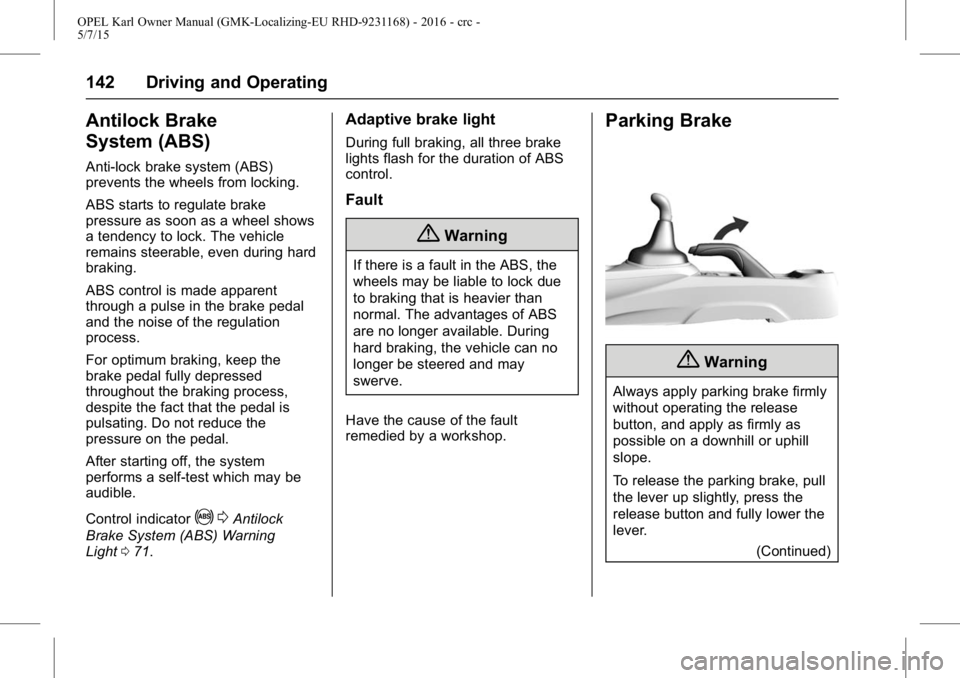
To release the parking brake, pull
the lever up slightly, press the
release button and fully lower the
lever. (Continued)
Page 144 of 217
OPEL Karl Owner Manual (GMK-Localizing-EU RHD-9231168) - 2016 - crc -
5/7/15
Driving and Operating 143
Warning (Continued)
To reduce the operating forces of
the parking brake, depress the
foot brake at the same time.
See Brake and Clutch System
Warning Light 071.
Brake Assist
If the brake pedal is depressed
quickly and forcefully, maximum
brake force is automatically applied
(full braking).
Maintain continuous pressure on the
brake pedal for as long as full
braking is required. Maximum brake
force is automatically reduced when
the brake pedal is released.
Hill Start Assist (HSA)
The system helps prevent
unintended movement when driving
away on inclines.
When releasing the foot brake after
stopping on an incline, the brakes
remain on for a further two seconds. The brakes release automatically as
soon as the vehicle begins to
accelerate.
The hill start assist is not active
during an Autostop.
Ride Control Systems
Traction Control
System (TCS)
The Traction Control system (TC) is
a component of the Electronic
Stability Control system.
TC improves driving stability when
necessary, regardless of the tyre of
road surface or tyre grip, by
preventing the drive wheels from
spinning.
As soon as the drive wheels starts
to spin, engine output is reduced
and the wheel spinning the most is
braked individually. This
considerably improves the driving
stability of the vehicle on slippery
road surfaces.
TC is operational as soon as the
control indicator
Gextinguishes.
When TC is active
Gflashes.
Page 145 of 217
OPEL Karl Owner Manual (GMK-Localizing-EU RHD-9231168) - 2016 - crc -
5/7/15
144 Driving and Operating
{Warning
Do not let this special safety
feature tempt you into taking risks
when driving.
Adapt speed to the road
conditions.
Control indicator
G 0Electronic
Stability Control (ESC) Indicator
Light 072.
Deactivation
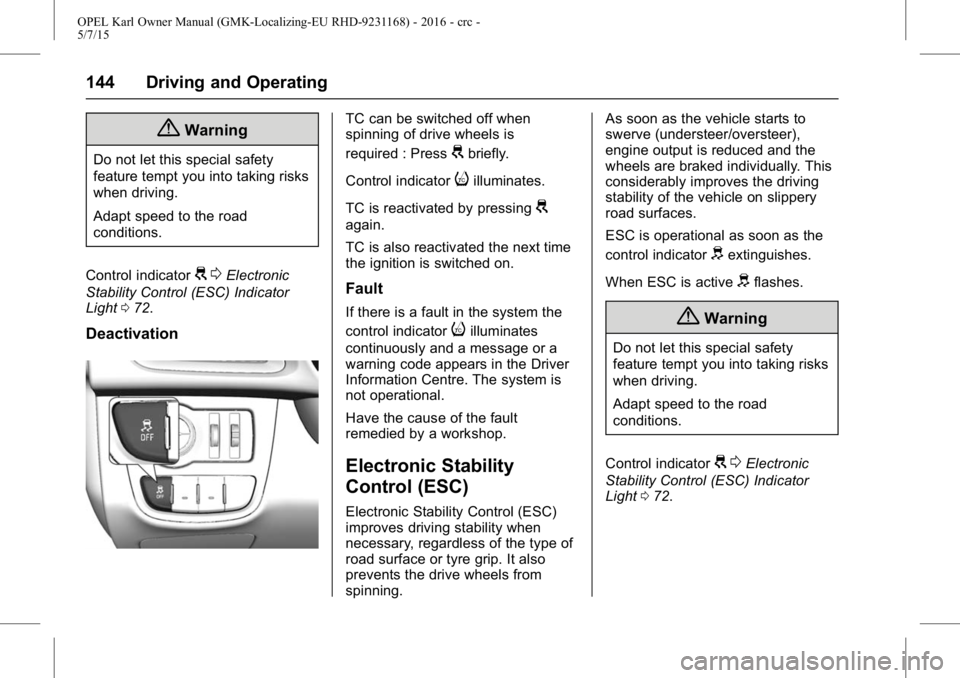
TC can be switched off when
spinning of drive wheels is
required : Press
Gbriefly.
Control indicator
iilluminates.
TC is reactivated by pressing
G
again.
TC is also reactivated the next time
the ignition is switched on.
Fault
If there is a fault in the system the
control indicator
iilluminates
continuously and a message or a
warning code appears in the Driver
Information Centre. The system is
not operational.
Have the cause of the fault
remedied by a workshop.
Electronic Stability
Control (ESC)
Electronic Stability Control (ESC)
improves driving stability when
necessary, regardless of the type of
road surface or tyre grip. It also
prevents the drive wheels from
spinning. As soon as the vehicle starts to
swerve (understeer/oversteer),
engine output is reduced and the
wheels are braked individually. This
considerably improves the driving
stability of the vehicle on slippery
road surfaces.
ESC is operational as soon as the
control indicator
dextinguishes.
When ESC is active
dflashes.
{Warning
Do not let this special safety
feature tempt you into taking risks
when driving.
Adapt speed to the road
conditions.
Control indicator
G 0Electronic
Stability Control (ESC) Indicator
Light 072.
Page 152 of 217
OPEL Karl Owner Manual (GMK-Localizing-EU RHD-9231168) - 2016 - crc -
5/7/15
Driving and Operating 151
.no brake pedal operation
. no active accelerator operation
or speeding-up
. no active steering
If the driver is active, no warning will
be issued.
Activation
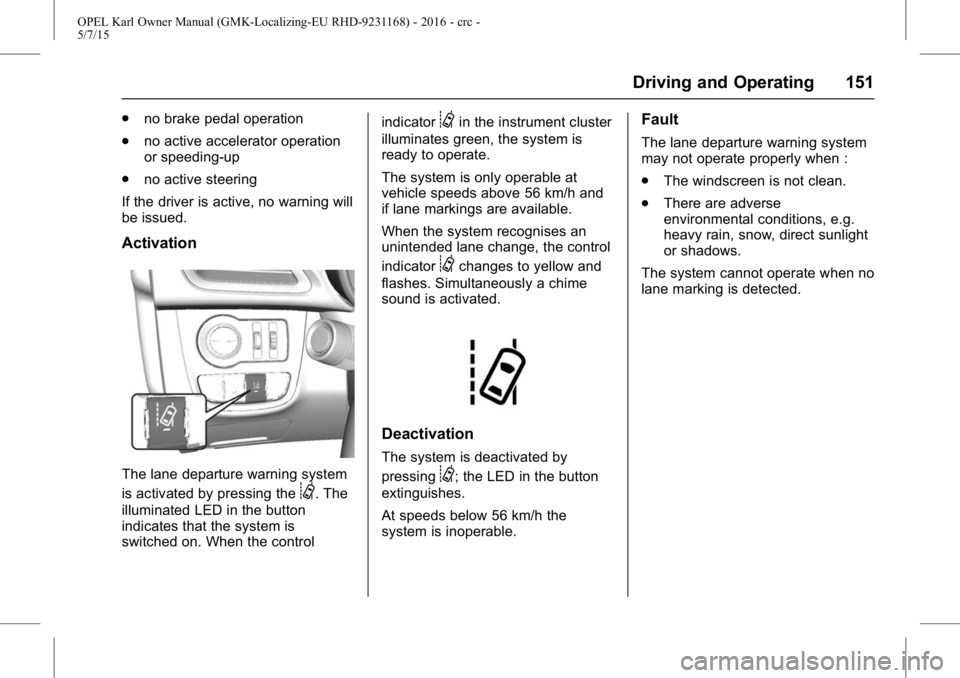
The lane departure warning system
is activated by pressing the
@. The
illuminated LED in the button
indicates that the system is
switched on. When the control indicator
@in the instrument cluster
illuminates green, the system is
ready to operate.
The system is only operable at
vehicle speeds above 56 km/h and
if lane markings are available.
When the system recognises an
unintended lane change, the control
indicator
@changes to yellow and
flashes. Simultaneously a chime
sound is activated.
Deactivation
The system is deactivated by
pressing
@; the LED in the button
extinguishes.
At speeds below 56 km/h the
system is inoperable.
Fault
The lane departure warning system
may not operate properly when :
. The windscreen is not clean.
. There are adverse
environmental conditions, e.g.
heavy rain, snow, direct sunlight
or shadows.
The system cannot operate when no
lane marking is detected.
Page 156 of 217
OPEL Karl Owner Manual (GMK-Localizing-EU RHD-9231168) - 2016 - crc -
5/7/15
Vehicle Care 155
Vehicle Care
General Information
Accessories andModifications . . . . . . . . . . . . . . . . 156
Vehicle Storage . . . . . . . . . . . . . . 156
End-of-Life Vehicle Recovery . . . . . . . . . . . . . . . . . . . . 157
Vehicle Checks
Doing Your OwnService Work . . . . . . . . . . . . . . . 157
Bonnet . . . . . . . . . . . . . . . . . . . . . . . 157
Engine Oil . . . . . . . . . . . . . . . . . . . . 158
Engine Coolant . . . . . . . . . . . . . . . 159
Washer Fluid . . . . . . . . . . . . . . . . . 160
Brakes . . . . . . . . . . . . . . . . . . . . . . . 160
Brake Fluid . . . . . . . . . . . . . . . . . . . 160
Battery . . . . . . . . . . . . . . . . . . . . . . . . 160
Wiper Blade Replacement . . . . 162
Bulb Replacement
Bulb Replacement . . . . . . . . . . . . 163
Headlamps and Parking Lamps . . . . . . . . . . . . . . . . . . . . . . 163
Fog Lamps . . . . . . . . . . . . . . . . . . . 165
Front Indicator Lamps . . . . . . . . 165
Taillights . . . . . . . . . . . . . . . . . . . . . . 165
Side Indicator Lamps . . . . . . . . . 167 Centre High-Mounted Brake
lamp (CHMBL) . . . . . . . . . . . . . . 167
Number Plate Lamp . . . . . . . . . . 168
Interior Lamps . . . . . . . . . . . . . . . . 168
Instrument Panel Illumination . . . . . . . . . . . . . . . . . . 168
Electrical System
Fuses . . . . . . . . . . . . . . . . . . . . . . . . 169
Engine Compartment FuseBlock . . . . . . . . . . . . . . . . . . . . . . . . 170
Instrument Panel Fuse Block . . . . . . . . . . . . . . . . . . . . . . . . 172
Vehicle Tools
Tools . . . . . . . . . . . . . . . . . . . . . . . . . 173
Wheels and Tyres
Wheels and Tyres . . . . . . . . . . . . 174
Winter Tyres . . . . . . . . . . . . . . . . . . 174
Tyre Designations . . . . . . . . . . . . 174
Tyre Pressure . . . . . . . . . . . . . . . . 175
Tyre Pressure MonitorSystem . . . . . . . . . . . . . . . . . . . . . . 176
Tread Depth . . . . . . . . . . . . . . . . . . 179
Wheel Covers . . . . . . . . . . . . . . . . 180
Tyre Chains . . . . . . . . . . . . . . . . . . 180
Tyre Repair Kit . . . . . . . . . . . . . . . 180
Tyre Changing . . . . . . . . . . . . . . . . 184
Compact Spare Tyre . . . . . . . . . 186
Jump Starting
Jump Starting . . . . . . . . . . . . . . . . 188
Towing the Vehicle
Towing the Vehicle . . . . . . . . . . . 190
Appearance Care
Exterior Care . . . . . . . . . . . . . . . . . 191
Interior Care . . . . . . . . . . . . . . . . . . 192
Page 166 of 217
OPEL Karl Owner Manual (GMK-Localizing-EU RHD-9231168) - 2016 - crc -
5/7/15
Vehicle Care 165
2. Detach bulb from the bulbholder and replace it.
3. Insert the bulb holder into the reflector and rotate clockwise.
Fog Lamps
Have bulbs replaced by a workshop.
Front Indicator Lamps
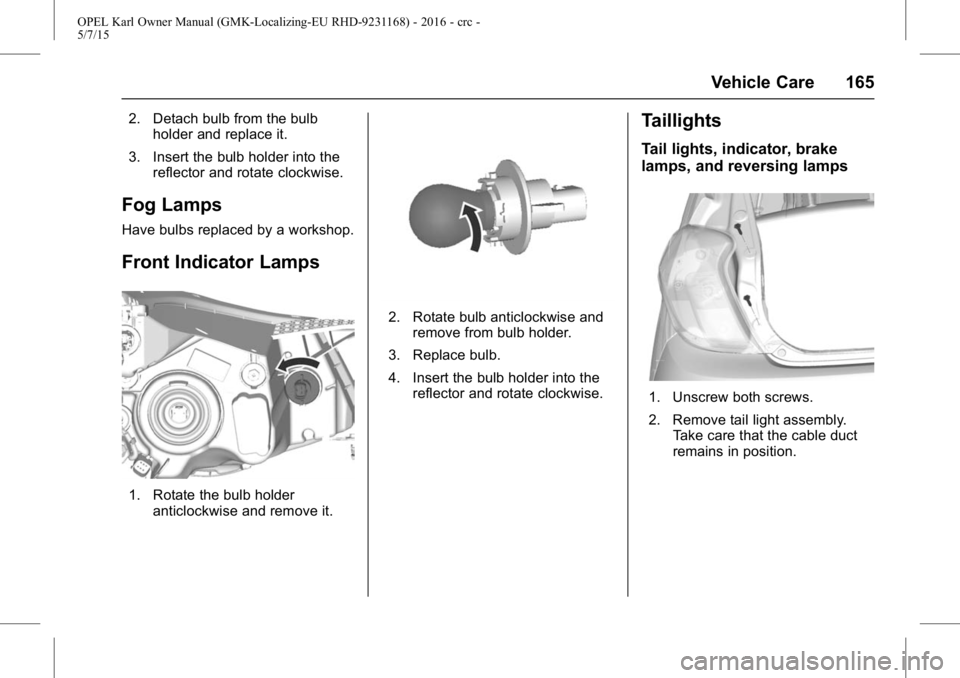
1. Rotate the bulb holderanticlockwise and remove it.
2. Rotate bulb anticlockwise andremove from bulb holder.
3. Replace bulb.
4. Insert the bulb holder into the reflector and rotate clockwise.
Taillights
Tail lights, indicator, brake
lamps, and reversing lamps
1. Unscrew both screws.
2. Remove tail light assembly.Take care that the cable duct
remains in position.
Page 167 of 217
OPEL Karl Owner Manual (GMK-Localizing-EU RHD-9231168) - 2016 - crc -
5/7/15
166 Vehicle Care
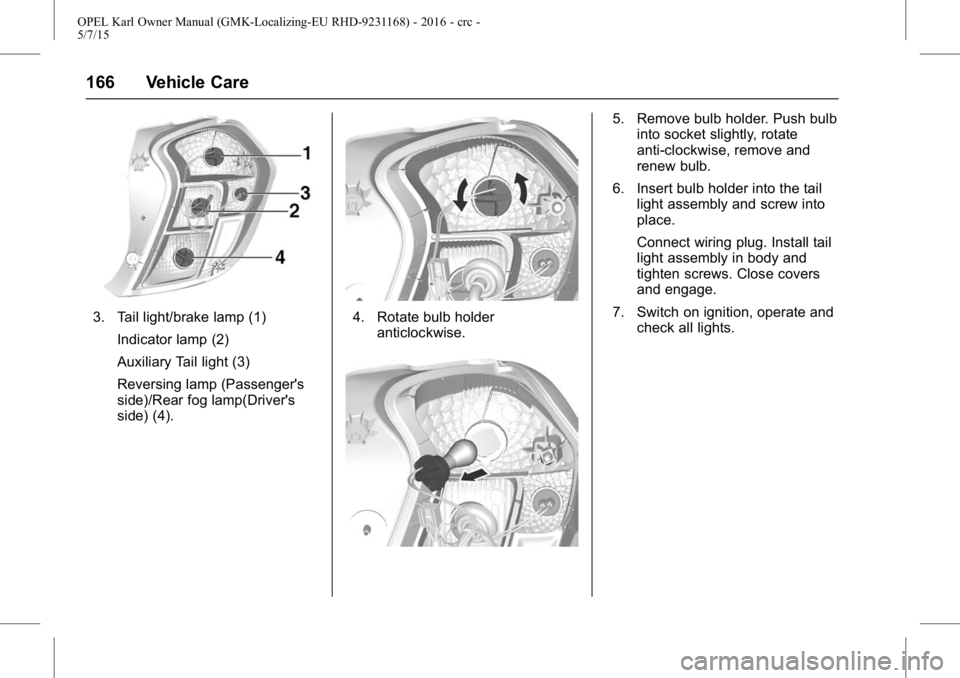
3. Tail light/brake lamp (1)Indicator lamp (2)
Auxiliary Tail light (3)
Reversing lamp (Passenger's
side)/Rear fog lamp(Driver's
side) (4).4. Rotate bulb holderanticlockwise.
5. Remove bulb holder. Push bulbinto socket slightly, rotate
anti-clockwise, remove and
renew bulb.
6. Insert bulb holder into the tail light assembly and screw into
place.
Connect wiring plug. Install tail
light assembly in body and
tighten screws. Close covers
and engage.
7. Switch on ignition, operate and check all lights.
Page 172 of 217
OPEL Karl Owner Manual (GMK-Localizing-EU RHD-9231168) - 2016 - crc -
5/7/15
Vehicle Care 171
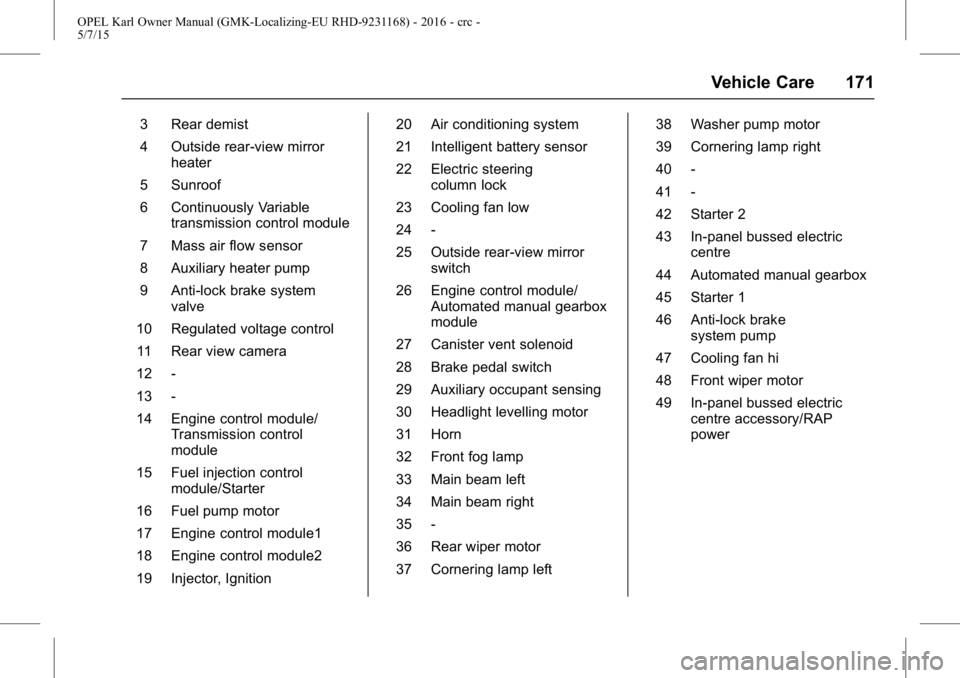
3 Rear demist
4 Outside rear-view mirrorheater
5 Sunroof
6 Continuously Variable transmission control module
7 Mass air flow sensor
8 Auxiliary heater pump
9 Anti-lock brake system valve
10 Regulated voltage control 11 Rear view camera
12 -
13 -
14 Engine control module/ Transmission control
module
15 Fuel injection control module/Starter
16 Fuel pump motor
17 Engine control module1
18 Engine control module2
19 Injector, Ignition 20 Air conditioning system
21 Intelligent battery sensor
22 Electric steering
column lock
23 Cooling fan low
24 -
25 Outside rear-view mirror switch
26 Engine control module/ Automated manual gearbox
module
27 Canister vent solenoid
28 Brake pedal switch
29 Auxiliary occupant sensing
30 Headlight levelling motor
31 Horn
32 Front fog lamp
33 Main beam left
34 Main beam right
35 -
36 Rear wiper motor
37 Cornering lamp left 38 Washer pump motor
39 Cornering lamp right
40 -
41 -
42 Starter 2
43 In-panel bussed electric
centre
44 Automated manual gearbox
45 Starter 1
46 Anti-lock brake system pump
47 Cooling fan hi
48 Front wiper motor
49 In-panel bussed electric centre accessory/RAP
power
Page 179 of 217
OPEL Karl Owner Manual (GMK-Localizing-EU RHD-9231168) - 2016 - crc -
5/7/15
178 Vehicle Care
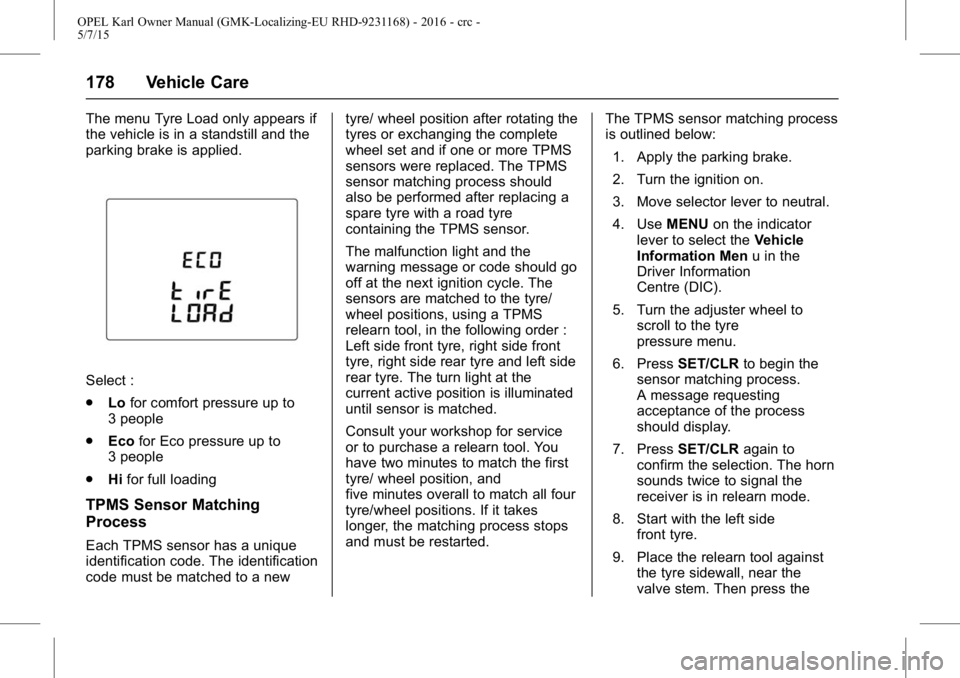
The menu Tyre Load only appears if
the vehicle is in a standstill and the
parking brake is applied.
Select :
.Lofor comfort pressure up to
3 people
. Eco for Eco pressure up to
3 people
. Hifor full loading
TPMS Sensor Matching
Process
Each TPMS sensor has a unique
identification code. The identification
code must be matched to a new tyre/ wheel position after rotating the
tyres or exchanging the complete
wheel set and if one or more TPMS
sensors were replaced. The TPMS
sensor matching process should
also be performed after replacing a
spare tyre with a road tyre
containing the TPMS sensor.
The malfunction light and the
warning message or code should go
off at the next ignition cycle. The
sensors are matched to the tyre/
wheel positions, using a TPMS
relearn tool, in the following order :
Left side front tyre, right side front
tyre, right side rear tyre and left side
rear tyre. The turn light at the
current active position is illuminated
until sensor is matched.
Consult your workshop for service
or to purchase a relearn tool. You
have two minutes to match the first
tyre/ wheel position, and
five minutes overall to match all four
tyre/wheel positions. If it takes
longer, the matching process stops
and must be restarted.
The TPMS sensor matching process
is outlined below:
1. Apply the parking brake.
2. Turn the ignition on.
3. Move selector lever to neutral.
4. Use MENUon the indicator
lever to select the Vehicle
Information Men u in the
Driver Information
Centre (DIC).
5. Turn the adjuster wheel to scroll to the tyre
pressure menu.
6. Press SET/CLR to begin the
sensor matching process.
A message requesting
acceptance of the process
should display.
7. Press SET/CLR again to
confirm the selection. The horn
sounds twice to signal the
receiver is in relearn mode.
8. Start with the left side front tyre.
9. Place the relearn tool against the tyre sidewall, near the
valve stem. Then press the