service OPEL KARL 2015 User Guide
[x] Cancel search | Manufacturer: OPEL, Model Year: 2015, Model line: KARL, Model: OPEL KARL 2015Pages: 217, PDF Size: 4.16 MB
Page 107 of 217
OPEL Karl Owner Manual (GMK-Localizing-EU RHD-9231168) - 2016 - crc -
5/7/15
106 Infotainment System
The list is displayed in the order
of Information→Pop →Rock →
Classical →Music →All.
. DAB announcements: Enter
the DAB announcements menu,
and then set the list entry of
interest.
Available announcements :
News →Weather →Sports →
Finance →Travel →Event →
Special →Radio Info →
Warning →Traffic →Alarm.
. DAB to DAB linking: Turn the
DAB linking feature on or off
(activate or deactivate the Auto
ensemble linking function).
. DAB to FM linking: Turn the FM
linking feature on or off (activate
or deactivate the Auto linking
DAB-FM function).
. L band: Turn L Band feature on
or off.
When L Band is turned on, the
system will seek/tune the station
to include the L Band frequency
blocks. .
Intellitext: Selects the specially
broadcast text providing
information such as sports
scores, headline news, and
others.
Radio Data System (RDS)
The Radio Data System (RDS) is a
service by FM stations that
considerably makes it easier to find
radio stations with fault-free
reception.
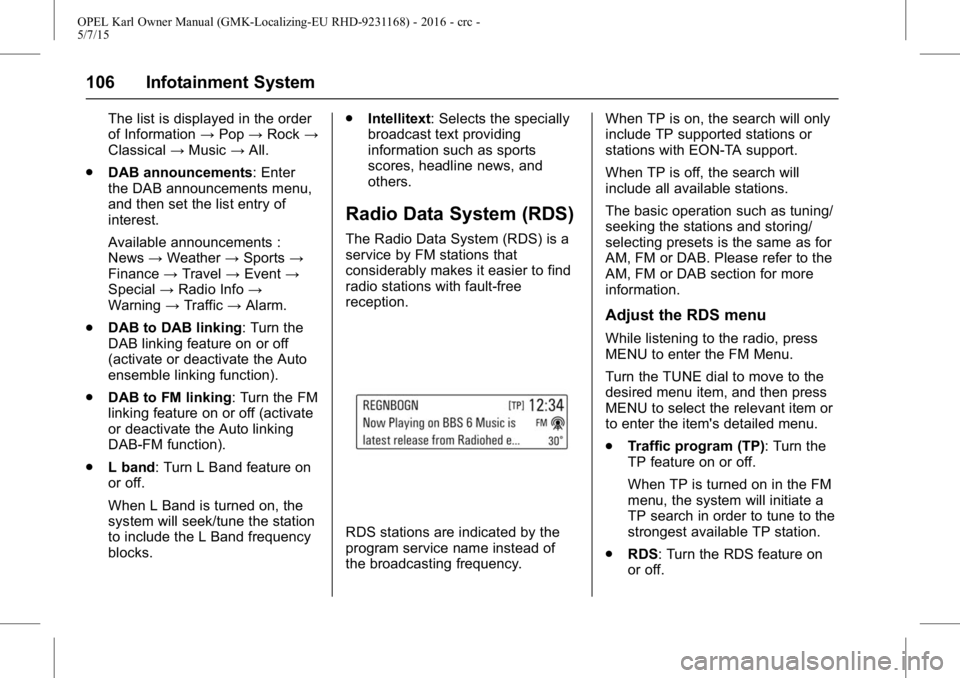
RDS stations are indicated by the
program service name instead of
the broadcasting frequency. When TP is on, the search will only
include TP supported stations or
stations with EON-TA support.
When TP is off, the search will
include all available stations.
The basic operation such as tuning/
seeking the stations and storing/
selecting presets is the same as for
AM, FM or DAB. Please refer to the
AM, FM or DAB section for more
information.
Adjust the RDS menu
While listening to the radio, press
MENU to enter the FM Menu.
Turn the TUNE dial to move to the
desired menu item, and then press
MENU to select the relevant item or
to enter the item's detailed menu.
.
Traffic program (TP): Turn the
TP feature on or off.
When TP is turned on in the FM
menu, the system will initiate a
TP search in order to tune to the
strongest available TP station.
. RDS: Turn the RDS feature on
or off.
Page 108 of 217
OPEL Karl Owner Manual (GMK-Localizing-EU RHD-9231168) - 2016 - crc -
5/7/15
Infotainment System 107
When RDS is turned on, the
program service name of the
current station appears instead
of its frequency.
When RDS is turned off, the
RDS Text will be switched off,
the alternate frequency feature
will not function, and the
frequency will be displayed in
the place of the PSN (PS name).
. Region: Turns the Region
feature on or off.
Only alternative frequencies with
the same regional programmes
are selected.
. Categories (FM category):
Selects a station from the list.
The list is displayed in the order
of Information →Pop →Rock →
Classical →Music →All.
Volume of the traffic
announcements (TA)
While the Traffic Alert is playing, the
Traffic alert volume can be adjusted
by turning the VOLUME dial. The system will store this setting for
future traffic alerts.
.
Once an alert is completed, the
system volume returns to its
previously set level prior to the
traffic alert.
. If the traffic alert volume is set to
zero during an alert, the next
traffic alert will arrive at the
minimum connection volume
level.
. The same process will apply to
DAB Announcements.
Radio traffic service
(TP : Traffic Program)
Radio traffic service stations are
RDS stations that broadcast
traffic news.
Press MENU > turn the TUNE dial
to select TP > press MENU to turn
the TP feature on or off.
.If the current station is not a
radio traffic service station, then
a search is automatically started
for the next radio traffic service
station. .
Once a radio traffic service
station has been found, "TP " is
displayed in the display screen.
. If the radio traffic service is
switched on, then it is
interrupted for the duration of the
traffic announcement in all
modes.
Blocking out traffic
announcements
If a traffic alert comes in while
listening to an audio source, the
system will display the Traffic Alert
Pop-up.
The pop-up will display with a
Dismiss option highlighted by
default for the alert.
.If a Traffic Alert pop-up is
displayed, the Traffic Alert
pop-up can also be dismissed by
SRC on the SWC.
. If a Traffic Alert pop-up is
displayed when an external
device is connected, the system
does not read the device.
Page 122 of 217
OPEL Karl Owner Manual (GMK-Localizing-EU RHD-9231168) - 2016 - crc -
5/7/15
Infotainment System 121
{Warning
Bear in mind that you can make
and receive calls with the mobile
phone, if it is in a service area
with a sufficiently strong signal.
Under certain circumstances
emergency calls cannot be made
on all mobile phone networks; it is
possible that they cannot be
made when certain network
services and/or telephone
functions are active. You can
enquire about this with the local
network operators.
The emergency call number can
differ depending on the region
and country. Please enquire
beforehand about the correct
emergency call number for the
relevant region.
Making an emergency call
Dial the emergency call number
(e.g. 112).
The telephone connection to the
emergency call centre is set up.Answer when the service personnel
questions you about the emergency.
{Warning
Do not end the call until you are
requested to do so by the
emergency call centre.
Operation
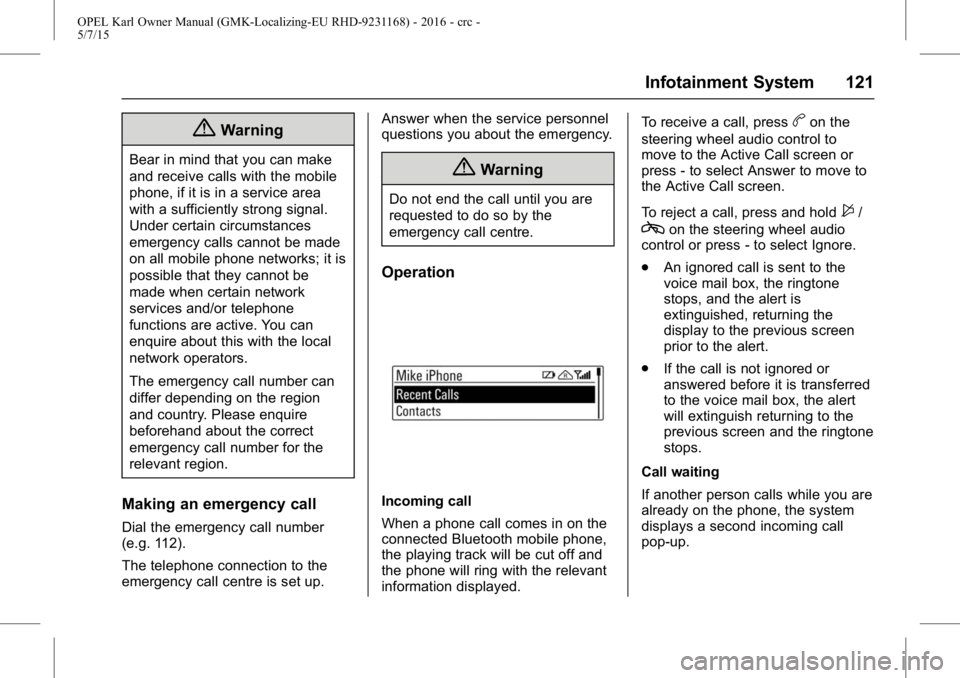
Incoming call
When a phone call comes in on the
connected Bluetooth mobile phone,
the playing track will be cut off and
the phone will ring with the relevant
information displayed.To receive a call, press
bon the
steering wheel audio control to
move to the Active Call screen or
press - to select Answer to move to
the Active Call screen.
To reject a call, press and hold
$/
con the steering wheel audio
control or press - to select Ignore.
. An ignored call is sent to the
voice mail box, the ringtone
stops, and the alert is
extinguished, returning the
display to the previous screen
prior to the alert.
. If the call is not ignored or
answered before it is transferred
to the voice mail box, the alert
will extinguish returning to the
previous screen and the ringtone
stops.
Call waiting
If another person calls while you are
already on the phone, the system
displays a second incoming call
pop-up.
Page 126 of 217
OPEL Karl Owner Manual (GMK-Localizing-EU RHD-9231168) - 2016 - crc -
5/7/15
Climate Controls 125
Climate Controls
Climate Control Systems
Heating and VentilationSystem . . . . . . . . . . . . . . . . . . . . . . 125
Air Conditioning System . . . . . . 126
Electronic Climate Control System . . . . . . . . . . . . . . . . . . . . . . 128
Air Vents
Adjustable Air Vents . . . . . . . . . . 131
Fixed Air Vents . . . . . . . . . . . . . . . 132
Maintenance
Air Intake . . . . . . . . . . . . . . . . . . . . . 132
Passenger Compartment AirFilter . . . . . . . . . . . . . . . . . . . . . . . . 132
Air Conditioning Regular Operation . . . . . . . . . . . . . . . . . . . 132
Service . . . . . . . . . . . . . . . . . . . . . . . 133
Climate Control
Systems
Heating and Ventilation
System
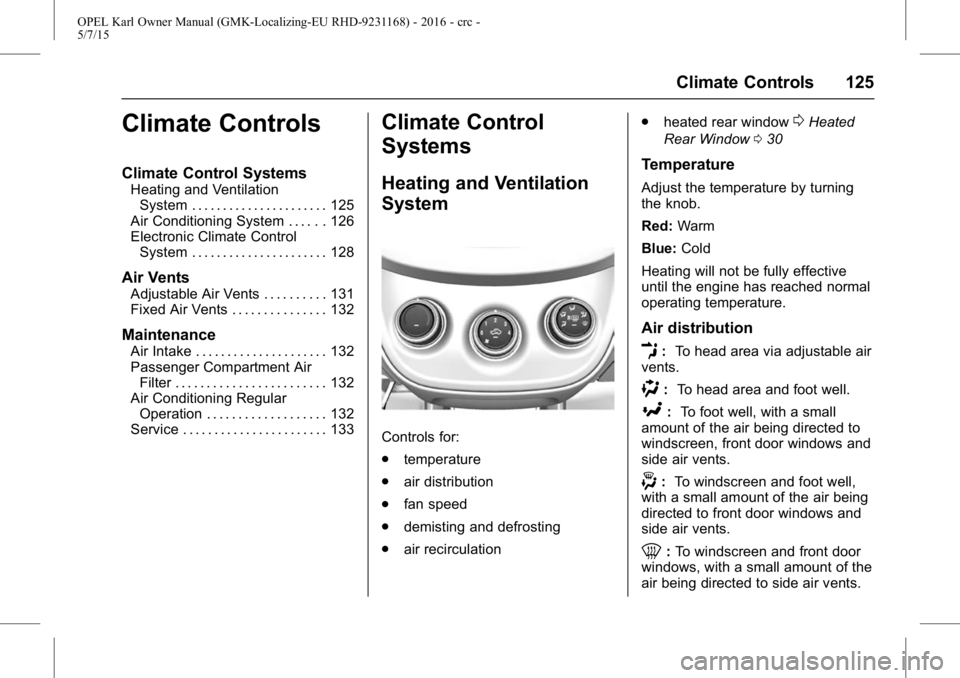
Controls for:
. temperature
. air distribution
. fan speed
. demisting and defrosting
. air recirculation .
heated rear window
0Heated
Rear Window 030
Temperature
Adjust the temperature by turning
the knob.
Red: Warm
Blue: Cold
Heating will not be fully effective
until the engine has reached normal
operating temperature.
Air distribution
E: To head area via adjustable air
vents.
): To head area and foot well.
[:To foot well, with a small
amount of the air being directed to
windscreen, front door windows and
side air vents.
-: To windscreen and foot well,
with a small amount of the air being
directed to front door windows and
side air vents.
0: To windscreen and front door
windows, with a small amount of the
air being directed to side air vents.
Page 134 of 217
OPEL Karl Owner Manual (GMK-Localizing-EU RHD-9231168) - 2016 - crc -
5/7/15
Climate Controls 133
and time of year. Operation with
cooling is not possible when the
outside temperature is too low.
Service
For optimal cooling performance, it
is recommended to annually check
the climate control system.
.functionality and pressure test
. heating functionality
. leakage check
. check of drive belts
. cleaning of condenser and
evaporator drainage
. performance check
Page 137 of 217
OPEL Karl Owner Manual (GMK-Localizing-EU RHD-9231168) - 2016 - crc -
5/7/15
136 Driving and Operating
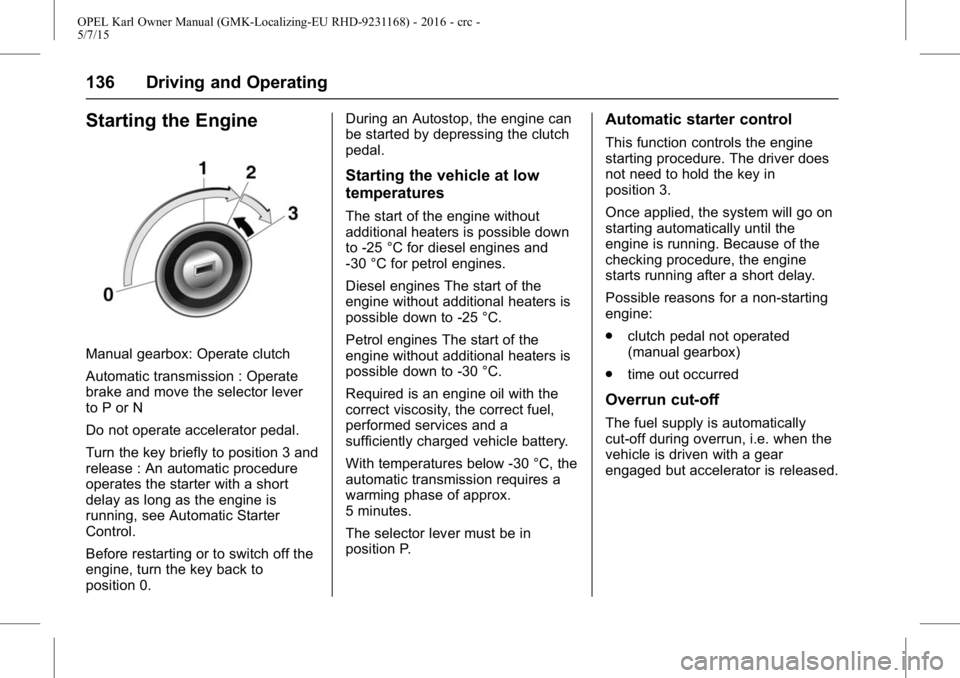
Starting the Engine
Manual gearbox: Operate clutch
Automatic transmission : Operate
brake and move the selector lever
to P or N
Do not operate accelerator pedal.
Turn the key briefly to position 3 and
release : An automatic procedure
operates the starter with a short
delay as long as the engine is
running, see Automatic Starter
Control.
Before restarting or to switch off the
engine, turn the key back to
position 0.During an Autostop, the engine can
be started by depressing the clutch
pedal.
Starting the vehicle at low
temperatures
The start of the engine without
additional heaters is possible down
to -25 °C for diesel engines and
-30 °C for petrol engines.
Diesel engines The start of the
engine without additional heaters is
possible down to -25 °C.
Petrol engines The start of the
engine without additional heaters is
possible down to -30 °C.
Required is an engine oil with the
correct viscosity, the correct fuel,
performed services and a
sufficiently charged vehicle battery.
With temperatures below -30 °C, the
automatic transmission requires a
warming phase of approx.
5 minutes.
The selector lever must be in
position P.
Automatic starter control
This function controls the engine
starting procedure. The driver does
not need to hold the key in
position 3.
Once applied, the system will go on
starting automatically until the
engine is running. Because of the
checking procedure, the engine
starts running after a short delay.
Possible reasons for a non-starting
engine:
.
clutch pedal not operated
(manual gearbox)
. time out occurred
Overrun cut-off
The fuel supply is automatically
cut-off during overrun, i.e. when the
vehicle is driven with a gear
engaged but accelerator is released.
Page 156 of 217
OPEL Karl Owner Manual (GMK-Localizing-EU RHD-9231168) - 2016 - crc -
5/7/15
Vehicle Care 155
Vehicle Care
General Information
Accessories andModifications . . . . . . . . . . . . . . . . 156
Vehicle Storage . . . . . . . . . . . . . . 156
End-of-Life Vehicle Recovery . . . . . . . . . . . . . . . . . . . . 157
Vehicle Checks
Doing Your OwnService Work . . . . . . . . . . . . . . . 157
Bonnet . . . . . . . . . . . . . . . . . . . . . . . 157
Engine Oil . . . . . . . . . . . . . . . . . . . . 158
Engine Coolant . . . . . . . . . . . . . . . 159
Washer Fluid . . . . . . . . . . . . . . . . . 160
Brakes . . . . . . . . . . . . . . . . . . . . . . . 160
Brake Fluid . . . . . . . . . . . . . . . . . . . 160
Battery . . . . . . . . . . . . . . . . . . . . . . . . 160
Wiper Blade Replacement . . . . 162
Bulb Replacement
Bulb Replacement . . . . . . . . . . . . 163
Headlamps and Parking Lamps . . . . . . . . . . . . . . . . . . . . . . 163
Fog Lamps . . . . . . . . . . . . . . . . . . . 165
Front Indicator Lamps . . . . . . . . 165
Taillights . . . . . . . . . . . . . . . . . . . . . . 165
Side Indicator Lamps . . . . . . . . . 167 Centre High-Mounted Brake
lamp (CHMBL) . . . . . . . . . . . . . . 167
Number Plate Lamp . . . . . . . . . . 168
Interior Lamps . . . . . . . . . . . . . . . . 168
Instrument Panel Illumination . . . . . . . . . . . . . . . . . . 168
Electrical System
Fuses . . . . . . . . . . . . . . . . . . . . . . . . 169
Engine Compartment FuseBlock . . . . . . . . . . . . . . . . . . . . . . . . 170
Instrument Panel Fuse Block . . . . . . . . . . . . . . . . . . . . . . . . 172
Vehicle Tools
Tools . . . . . . . . . . . . . . . . . . . . . . . . . 173
Wheels and Tyres
Wheels and Tyres . . . . . . . . . . . . 174
Winter Tyres . . . . . . . . . . . . . . . . . . 174
Tyre Designations . . . . . . . . . . . . 174
Tyre Pressure . . . . . . . . . . . . . . . . 175
Tyre Pressure MonitorSystem . . . . . . . . . . . . . . . . . . . . . . 176
Tread Depth . . . . . . . . . . . . . . . . . . 179
Wheel Covers . . . . . . . . . . . . . . . . 180
Tyre Chains . . . . . . . . . . . . . . . . . . 180
Tyre Repair Kit . . . . . . . . . . . . . . . 180
Tyre Changing . . . . . . . . . . . . . . . . 184
Compact Spare Tyre . . . . . . . . . 186
Jump Starting
Jump Starting . . . . . . . . . . . . . . . . 188
Towing the Vehicle
Towing the Vehicle . . . . . . . . . . . 190
Appearance Care
Exterior Care . . . . . . . . . . . . . . . . . 191
Interior Care . . . . . . . . . . . . . . . . . . 192
Page 158 of 217
OPEL Karl Owner Manual (GMK-Localizing-EU RHD-9231168) - 2016 - crc -
5/7/15
Vehicle Care 157
End-of-Life Vehicle
Recovery
Information on end-of-life vehicle
recovery centres and the recycling
of end-of-life vehicles is available on
our website. Only entrust this work
to an authorised recycling centre.
Gas vehicles must be recycled by a
service centre authorised for gas
vehicles.
Vehicle Checks
Doing Your Own
Service Work
{Warning
Only perform engine compartment
checks when the ignition is off.
The cooling fan may start
operating even if the ignition
is off.
{Danger
The ignition system uses
extremely high voltage. Do not
touch.
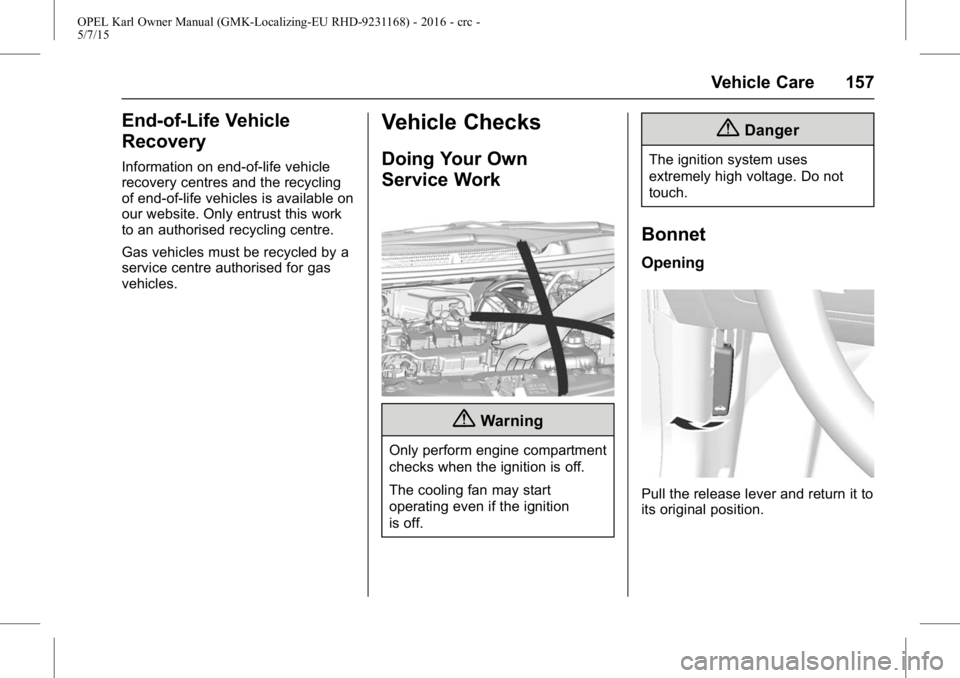
Bonnet
Opening
Pull the release lever and return it to
its original position.
Page 178 of 217
OPEL Karl Owner Manual (GMK-Localizing-EU RHD-9231168) - 2016 - crc -
5/7/15
Vehicle Care 177
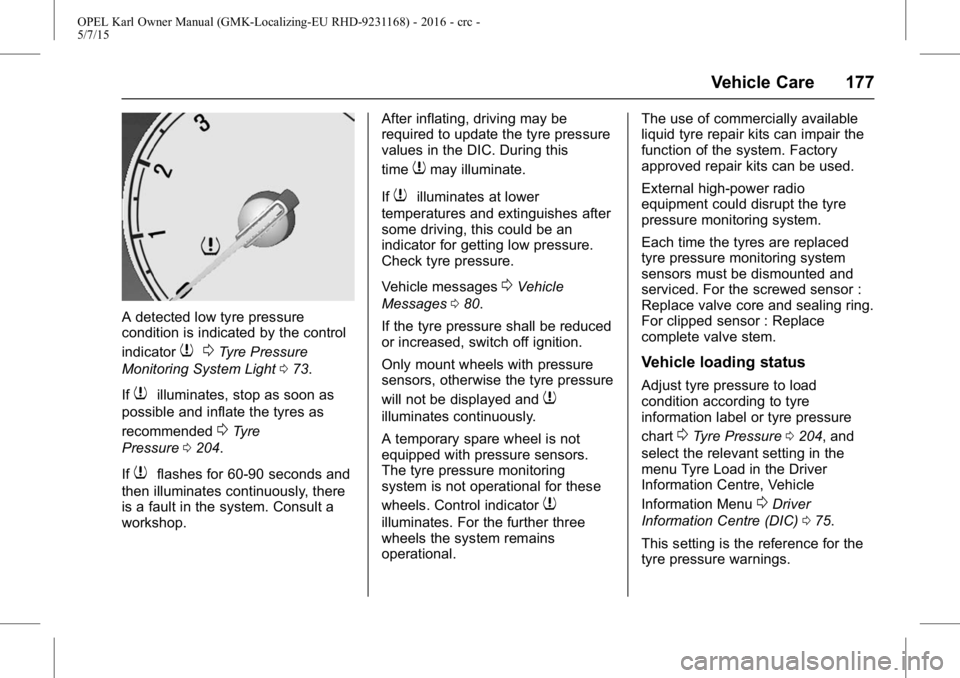
A detected low tyre pressure
condition is indicated by the control
indicator
70Tyre Pressure
Monitoring System Light 073.
If
7illuminates, stop as soon as
possible and inflate the tyres as
recommended
0Tyre
Pressure 0204.
If
7flashes for 60-90 seconds and
then illuminates continuously, there
is a fault in the system. Consult a
workshop. After inflating, driving may be
required to update the tyre pressure
values in the DIC. During this
time
7may illuminate.
If
7illuminates at lower
temperatures and extinguishes after
some driving, this could be an
indicator for getting low pressure.
Check tyre pressure.
Vehicle messages
0Vehicle
Messages 080.
If the tyre pressure shall be reduced
or increased, switch off ignition.
Only mount wheels with pressure
sensors, otherwise the tyre pressure
will not be displayed and
7
illuminates continuously.
A temporary spare wheel is not
equipped with pressure sensors.
The tyre pressure monitoring
system is not operational for these
wheels. Control indicator
7
illuminates. For the further three
wheels the system remains
operational. The use of commercially available
liquid tyre repair kits can impair the
function of the system. Factory
approved repair kits can be used.
External high-power radio
equipment could disrupt the tyre
pressure monitoring system.
Each time the tyres are replaced
tyre pressure monitoring system
sensors must be dismounted and
serviced. For the screwed sensor :
Replace valve core and sealing ring.
For clipped sensor : Replace
complete valve stem.
Vehicle loading status
Adjust tyre pressure to load
condition according to tyre
information label or tyre pressure
chart
0Tyre Pressure
0204, and
select the relevant setting in the
menu Tyre Load in the Driver
Information Centre, Vehicle
Information Menu
0Driver
Information Centre (DIC) 075.
This setting is the reference for the
tyre pressure warnings.
Page 179 of 217
OPEL Karl Owner Manual (GMK-Localizing-EU RHD-9231168) - 2016 - crc -
5/7/15
178 Vehicle Care
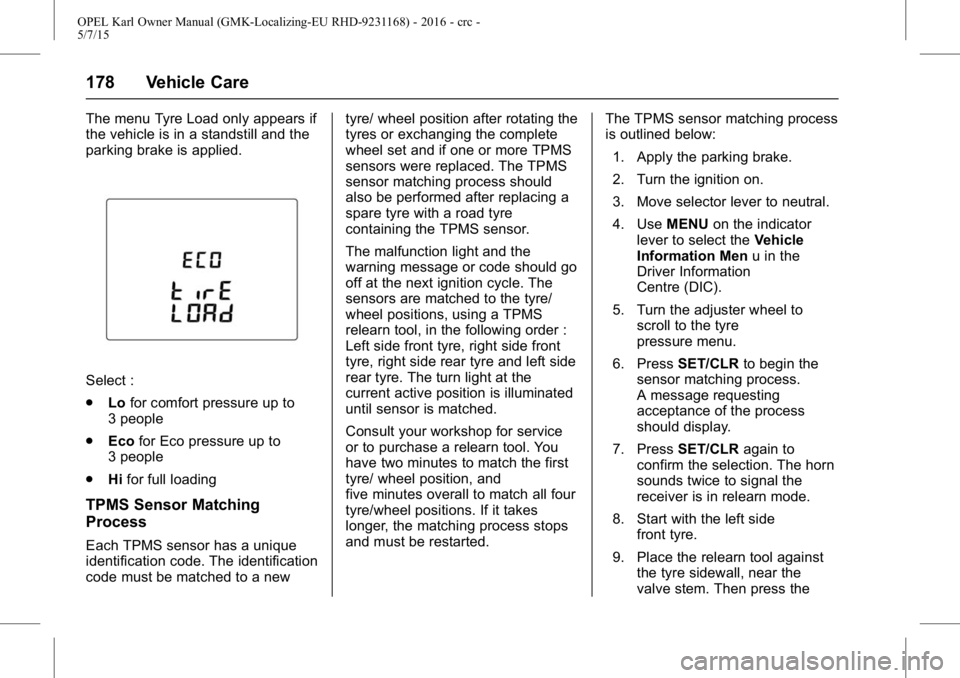
The menu Tyre Load only appears if
the vehicle is in a standstill and the
parking brake is applied.
Select :
.Lofor comfort pressure up to
3 people
. Eco for Eco pressure up to
3 people
. Hifor full loading
TPMS Sensor Matching
Process
Each TPMS sensor has a unique
identification code. The identification
code must be matched to a new tyre/ wheel position after rotating the
tyres or exchanging the complete
wheel set and if one or more TPMS
sensors were replaced. The TPMS
sensor matching process should
also be performed after replacing a
spare tyre with a road tyre
containing the TPMS sensor.
The malfunction light and the
warning message or code should go
off at the next ignition cycle. The
sensors are matched to the tyre/
wheel positions, using a TPMS
relearn tool, in the following order :
Left side front tyre, right side front
tyre, right side rear tyre and left side
rear tyre. The turn light at the
current active position is illuminated
until sensor is matched.
Consult your workshop for service
or to purchase a relearn tool. You
have two minutes to match the first
tyre/ wheel position, and
five minutes overall to match all four
tyre/wheel positions. If it takes
longer, the matching process stops
and must be restarted.
The TPMS sensor matching process
is outlined below:
1. Apply the parking brake.
2. Turn the ignition on.
3. Move selector lever to neutral.
4. Use MENUon the indicator
lever to select the Vehicle
Information Men u in the
Driver Information
Centre (DIC).
5. Turn the adjuster wheel to scroll to the tyre
pressure menu.
6. Press SET/CLR to begin the
sensor matching process.
A message requesting
acceptance of the process
should display.
7. Press SET/CLR again to
confirm the selection. The horn
sounds twice to signal the
receiver is in relearn mode.
8. Start with the left side front tyre.
9. Place the relearn tool against the tyre sidewall, near the
valve stem. Then press the