stop start OPEL KARL 2015 User Guide
[x] Cancel search | Manufacturer: OPEL, Model Year: 2015, Model line: KARL, Model: OPEL KARL 2015Pages: 217, PDF Size: 4.16 MB
Page 74 of 217
OPEL Karl Owner Manual (GMK-Localizing-EU RHD-9231168) - 2016 - crc -
5/7/15
Instruments and Controls 73
If the light does not go out, you
should switch the engine off and
consult a workshop as soon as
possible. We recommend that you
consult your authorised workshop.
Tyre Pressure Monitoring
System Light
7
illuminates or flashes yellow.
Illuminates
Tyre pressure loss. Stop
immediately and check tyre
pressure.
Flashes
Fault in system or tyre without
pressure sensor mounted (e.g.
spare wheel). After 60-90 seconds
the control indicator illuminates
continuously. Consult a workshop.
Tyre pressure monitoring system
0
Tyre Pressure 0175.
Engine Oil Pressure Light
:
illuminates red. Illuminates when the ignition is
switched on and extinguishes
shortly after the engine starts.
Illuminates when the engine is
running
Caution
Engine lubrication may be
interrupted. This may result in
damage to the engine and/or
locking of the drive wheels.
If the engine oil pressure warning
light comes on while driving, Pull off
the road, stop the engine and check
the oil level. 1. Depress clutch.
2. Select neutral gear, set selector lever to N.
3. Move out of the flow of traffic as quickly as possible without
impeding other vehicles.
4. Switch off ignition.
{Warning
When the engine is off,
considerably more force is
needed to brake and steer.
Autostop the brake servo unit will
still be operational.
Do not remove key until vehicle is
stationary, otherwise the steering
wheel lock could engage
unexpectedly.
Check oil level before seeking
assistance of a workshop
0Engine
Oil 0158.
Low Fuel Warning Light
.
illuminates or flashes yellow.
Illuminates
Level in fuel tank is too low.
Flashes
Fuel used up. Refuel immediately.
Never run the tank dry.
Catalytic converter
0Catalytic
Converter 0140.
Page 75 of 217
OPEL Karl Owner Manual (GMK-Localizing-EU RHD-9231168) - 2016 - crc -
5/7/15
74 Instruments and Controls
Auto Stop Mode
h
illuminates when engine is in an
Autostop.
Stop-start system
0Starting the
Engine 0136.
Immobiliser Light
A
flashes yellow.
Fault in the immobiliser system. The
engine cannot be started.
Reduced Engine Power
Light
w
illuminates yellow.
The engine power is limited. Consult
a workshop.
Main-Beam On Light
3
illuminates blue.
Illuminated when main beam is on
and during headlight flash
0
Exterior Lamp Controls 085.
Front Fog Lamp Light
#
illuminates green. The front fog lights are on
0Front
Fog Lamps 087.
Rear Fog Lamp Light
s
illuminates yellow.
The rear fog light is on
0Rear Fog
Lamps 088.
Tail lamp Indicator Light
;
illuminates green.
The exterior lights are on
0
Exterior Lamp Controls 085.
Cruise Control Light
I
illuminates white or green.
Illuminates white
The system is on.
Illuminates green
A certain speed is stored.
Cruise control
0Cruise
Control 0148.
Bonnet Ajar Light
i
illuminates when the bonnet
is open.
Automatic engine stop/start feature
0Automatic Engine Start/Stop
Feature 0137.
Door Ajar Light
U
illuminates red.
A door or the tailgate is open.
Page 78 of 217
OPEL Karl Owner Manual (GMK-Localizing-EU RHD-9231168) - 2016 - crc -
5/7/15
Instruments and Controls 77
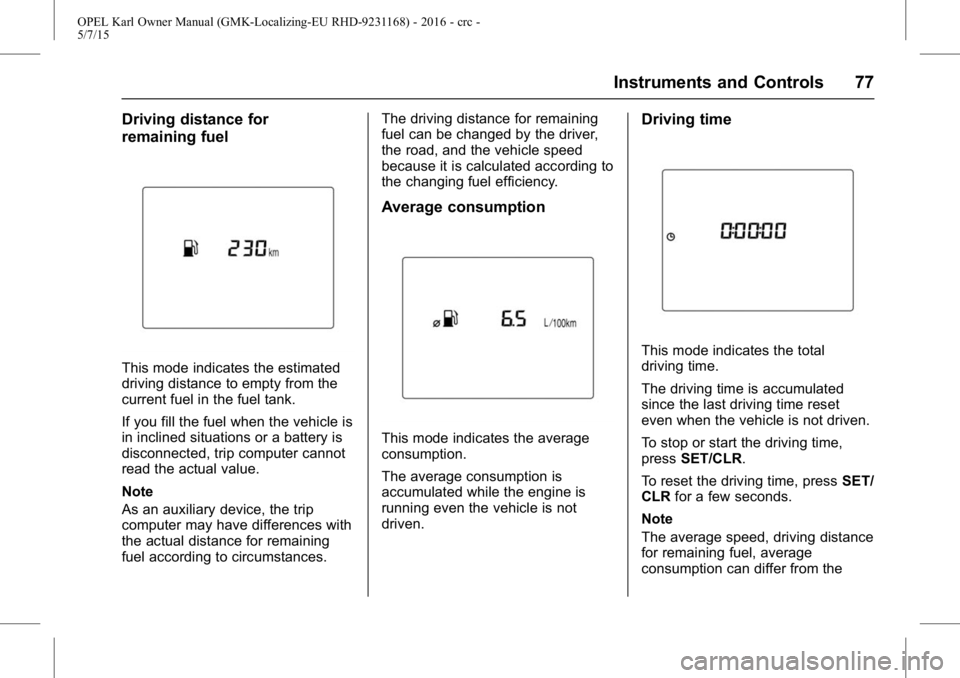
Driving distance for
remaining fuel
This mode indicates the estimated
driving distance to empty from the
current fuel in the fuel tank.
If you fill the fuel when the vehicle is
in inclined situations or a battery is
disconnected, trip computer cannot
read the actual value.
Note
As an auxiliary device, the trip
computer may have differences with
the actual distance for remaining
fuel according to circumstances.The driving distance for remaining
fuel can be changed by the driver,
the road, and the vehicle speed
because it is calculated according to
the changing fuel efficiency.
Average consumption
This mode indicates the average
consumption.
The average consumption is
accumulated while the engine is
running even the vehicle is not
driven.
Driving time
This mode indicates the total
driving time.
The driving time is accumulated
since the last driving time reset
even when the vehicle is not driven.
To stop or start the driving time,
press
SET/CLR.
To reset the driving time, press SET/
CLR for a few seconds.
Note
The average speed, driving distance
for remaining fuel, average
consumption can differ from the
Page 83 of 217
OPEL Karl Owner Manual (GMK-Localizing-EU RHD-9231168) - 2016 - crc -
5/7/15
82 Instruments and Controls
.If a fault in the automatic locking
system is detected.
When the vehicle is parked
and / or the driver's door is
opened
.With exterior lights on.
During an Autostop
.If the driver's door is opened.
Battery voltage
When the vehicle battery voltage is
running low, a warning message or
warning code 174 will appear in the
Driver Information Centre.
1. Switch off immediately any electrical consumers which are
not required for a safe ride, e.g.
seat heating, heated rear
window or other main
consumers.
2. Charge the vehicle battery by driving continuously for a while
or by using a charging device. The warning message or warning
code will disappear after the engine
has been started twice
consecutively without a
voltage drop.
If the vehicle battery cannot be
recharged, have the cause of the
fault remedied by a workshop.
Vehicle
Personalisation
The vehicle can be personalised by
changing the settings in the
infotainment display.
Depending on vehicle equipment
some of the functions described
below might not be available.
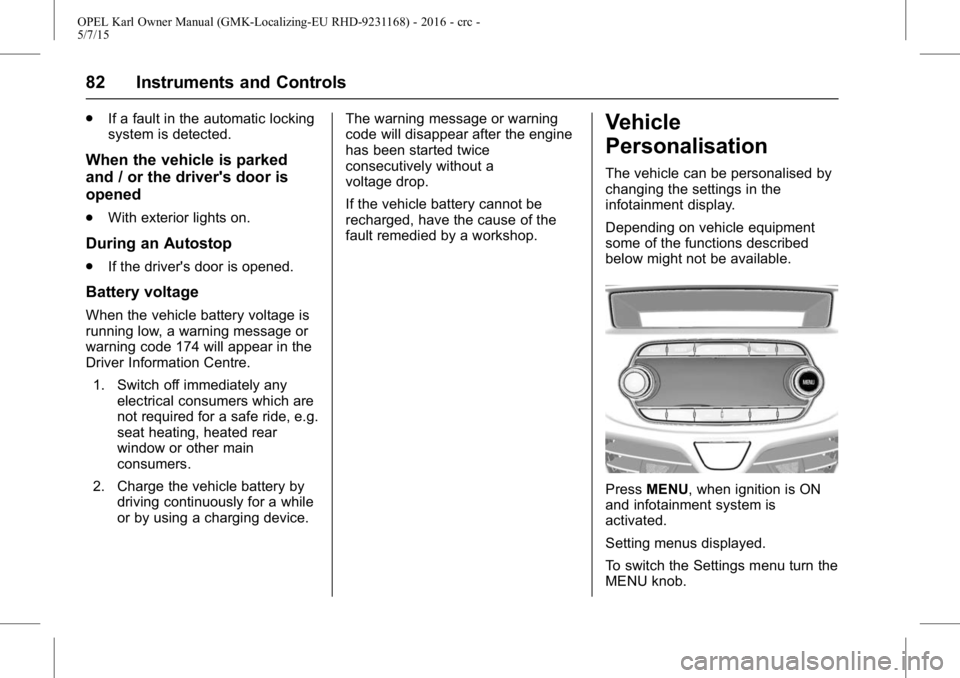
Press
MENU, when ignition is ON
and infotainment system is
activated.
Setting menus displayed.
To switch the Settings menu turn the
MENU knob.
Page 84 of 217
OPEL Karl Owner Manual (GMK-Localizing-EU RHD-9231168) - 2016 - crc -
5/7/15
Instruments and Controls 83
To select the Settings menu,
pressMENU.
To close or back to previous,
press BACK.
Select the "Vehicle settings".
Vehicle Settings
. Park assist / Collision detection
Park assist: Activate or
deactivate the ultrasonic
sensors.
. Comfort settings
Chime volume: Change the
volume of warning chime.
Personalisation by driver:
Activate or deactivate the
personalisation.
Rear auto wipe in reverse:
Activate or deactivate the rear
wipe in reverse gear.
. Language
Select the Language menu item.
Scroll through the list and select
the desired language. .
Exterior ambient lighting
Exterior lighting by unlocking:
Activate or deactivate the entry
lighting.
Duration upon exit of vehicle:
Activate or deactivate of exit
lighting and change the lighting
duration.
. Stop door lock if door open:
Activate or deactivate the
driver's door lock when the door
is open.
If deactivated is selected, the
Delayed door lock menu is
available.
Delayed door lock: Activate or
deactivate the delayed
door lock.
When pressing the central
locking button, three chimes are
sounds to signal delayed locking
is in use. This function will delay
the locking of the doors until
five seconds after the last door
is closed. .
Remote locking, unlocking,
starting
Remote unlock feedback:
Activate or deactivate the light
feedback while unlocking.
Remote door unlock: Change
the configuration to unlock only
the driver's door or the all doors
while unlocking.
Auto relock doors: Activate or
deactivate the door automatically
locking when door is not opened
after unlocking.
. Restore factory settings
All settings are restored to initial
settings.
. Valet mode
if valet mode is activated, all
vehicle displays are locked and
no changes may be performed
within the system.
Note
Vehicle-related messages remain
enabled. Locking the system: Press
MENU and then select the
SETTINGS Menu.
Page 105 of 217
OPEL Karl Owner Manual (GMK-Localizing-EU RHD-9231168) - 2016 - crc -
5/7/15
104 Infotainment System
Pressing and holdingg/d
continuously changes the station
until the button is released. After the
release, the system stops at the
current frequency displayed or
seeks for the next station.
Seeking for DAB service
component
Press
g/dto automatically
search for the station of the
ensemble with superior reception.
Pressing and holding
g/d
continuously changes the station
and ensemble until the button is
released. After the release, the
system stops at the current station
displayed or seeks for the next
station.
. If the next or previous station is
located in another ensemble,
then the first or last receivable
strong station of that ensemble
is tuned.
. If there are no strong signal
stations, the display will show
“No DAB Stations Available ”.Linking the DAB service
In DAB mode, press MENU > turn
the TUNE dial to select the DAB
linking feature > press MENU to turn
the DAB linking feature on or off.
.
The DAB linking feature:
DAB to DAB linking: On or Off
DAB to FM linking: On or Off
. When DAB to DAB linking is set
to On status and the currently
tuned DAB station weakens and
fails, the system will directly
search and link quickly to a
related FM station.
. When DAB to FM linking is set
to the On status and the
currently tuned DAB station
weakens and fails, the system
will attempt to link to the FM
variant of the service.
DAB to DAB linking is either
deactivated or has failed.
Tuning a radio station manually
Turn the TUNE dial to manually find
the desired broadcasting frequency. Tuning a DAB station manually
Press MENU to enter the
DAB menu.
Turn the TUNE dial to select DAB
manual tuning, and then
press MENU.
Turn the TUNE dial to manually find
the desired broadcasting frequency,
and then press MENU.
.
The station list is arranged in the
order of channel labels.
Using the DAB stations list
Turn the TUNE dial to show the
DAB stations list.
. The station list information will
be displayed.
. If the station list is empty, DAB
stations list updating is started
automatically.
Turn the TUNE dial to select the
desired list, and then press MENU
to receive the relevant broadcasting
channel.
Page 119 of 217
OPEL Karl Owner Manual (GMK-Localizing-EU RHD-9231168) - 2016 - crc -
5/7/15
118 Infotainment System
It is recommended to keep the
car windows closed during
hands-free calls for best results.
. This unit uses the following
Bluetooth profiles:
‐Phone Book Access
Profile (PBAP)
‐ Hands Free Profile (HFP)
‐ Advanced Audio Distribution
Profile (A2DP)
‐ Audio Video Remote Control
Profile (AVRCP)
. If the Bluetooth profiles do not
match, the system will display
the “Action not supported by this
device” pop-up on the display
screen (e.g. device is not able to
control the TUNE dial).
Before using Bluetooth
music mode
. Bluetooth Audio mode can be
used only if a Bluetooth Audio
device has been connected.
. If music is not yet playing from
your mobile device after
switching to streaming audio
(Bluetooth Audio) mode or after pressing Play on the mobile
device itself, try to start music
playback by pressing the Play
button again.
. Check whether music from the
Bluetooth device is playing after
converting to streaming audio
mode. The Streaming audio
feature may not be supported by
some mobile phones.
. If the Bluetooth phone is
disconnected while Bluetooth
Audio mode is active, then the
music will also stop.
. Bluetooth streaming audio may
not be supported by some
mobile phones.
. If the Bluetooth indicator is not
displayed, then no Bluetooth
device is connected or the
connection is not of satisfactory
quality.
. This unit can pair up to 5
Bluetooth devices.Connecting Bluetooth
Registering the Bluetooth device
Register the Bluetooth device to be
connected to the Infotainment
system.
Firstly, set up the Bluetooth device
to be connected from the Bluetooth
settings menu to enable other
devices to search for the Bluetooth
device.
Press PHONE to enter the Phone
application mode.
To select Pair, press -. The
information “Name: Device name /
PIN: 0000 ”appears in the display
screen and then the Pairing
progress starts.
. If no phone source is connected,
the status region displays “No
Device Paired ”.
. To change the PIN, press the -
and select New Pin in the Pair
menu. Turn and press MENU to
change the PIN.
From the Bluetooth device, search
for this unit and pair the device.
Page 121 of 217
OPEL Karl Owner Manual (GMK-Localizing-EU RHD-9231168) - 2016 - crc -
5/7/15
120 Infotainment System
Repeatedly press MEDIA to select
the Bluetooth Music mode.
.Audio file within the Bluetooth
device will automatically play
once "Bluetooth Music " is
displayed on the display screen.
. If music is not yet playing from
your mobile device after
switching to streaming audio
(Bluetooth Music) mode or after
pressing Play on the mobile
device itself, try to start music
playback by pressing the Play
button again.
While playing, press
g/dto
move to the previous or next track. .
This function only operates with
Bluetooth devices that support
Audio Video Remote Control
Profile (AVRCP) version 1.0 or
above. (Depending on the
Bluetooth device options, some
devices may display Audio
Video Remote Control Profile
(AVRCP) being connected for
the initial connection.)
. If the Bluetooth device is
disconnected while Bluetooth
music is playing, the music will
also stop.
Afterwards, the functions to play
Bluetooth Music are operated
similarly to USB playback.
Using the Bluetooth music menu
While playing, press MENU to enter
the Bluetooth Audio Menu. Turn the
TUNE dial to move to the desired
menu item, and then press MENU to
select the relevant item or to enter
the item's detailed menu.
. Browse “Device Name ”: Select
a list item in the list of browse
names. If the Bluetooth profiles do not match, the system will
display
“Action not supported
by devices ”.
Support Profile version : Audio
Video Remote Control Profile
(AVRCP) 1.4.
. Shuffle: Turn the shuffle feature
on or off.
. Manage Bluetooth devices:
Enter the Phone List menu.
Emergency call
{Warning
Connection setup cannot be
guaranteed in all situations. For
this reason, do not rely
exclusively on a mobile phone
when a vitally important
communication (e.g. a medical
emergency) is concerned.
On some networks, it may be
necessary for a valid SIM card to
be properly inserted in the mobile
phone.
Page 127 of 217
OPEL Karl Owner Manual (GMK-Localizing-EU RHD-9231168) - 2016 - crc -
5/7/15
126 Climate Controls
Fan speed
Adjust the air flow by switching the
fan to the desired speed.
Demisting and defrosting
.Turn the air distribution knob to
DEFROST
0.
. Set temperature control to
warmest level.
. Adjust the fan control knob to
highest speed for quick
defrosting.
. Switch on heated rear window
R
1.
. Open side air vents as required
and direct them towards the door
windows.
Note
If the settings for demisting and
defrosting are selected, an Autostop
will be inhibited.
If the settings for demisting and
defrosting are selected while the
engine is in an Autostop, the engine
will restart automatically. Note
If mode knob is set on Defrost mode
0, A/C operates and Recirculation
mode will be fixed to outside air
mode regardless of indicator status.
Stop-start system
0Automatic
Engine Start/Stop Feature 0137.
Air Conditioning System
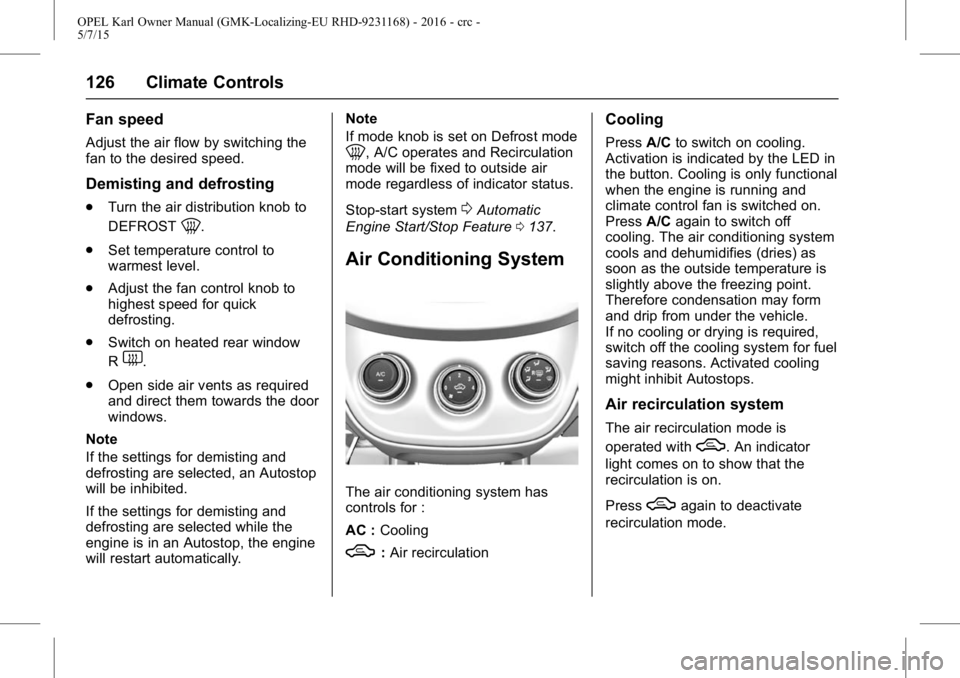
The air conditioning system has
controls for :
AC : Cooling
W:Air recirculation
Cooling
Press A/Cto switch on cooling.
Activation is indicated by the LED in
the button. Cooling is only functional
when the engine is running and
climate control fan is switched on.
Press A/Cagain to switch off
cooling. The air conditioning system
cools and dehumidifies (dries) as
soon as the outside temperature is
slightly above the freezing point.
Therefore condensation may form
and drip from under the vehicle.
If no cooling or drying is required,
switch off the cooling system for fuel
saving reasons. Activated cooling
might inhibit Autostops.
Air recirculation system
The air recirculation mode is
operated with
W. An indicator
light comes on to show that the
recirculation is on.
Press
Wagain to deactivate
recirculation mode.
Page 128 of 217
OPEL Karl Owner Manual (GMK-Localizing-EU RHD-9231168) - 2016 - crc -
5/7/15
Climate Controls 127
{Warning
Periodically turn to the outside air
mode for fresh air. The exchange
of fresh air is reduced in air
recirculation mode. In operation
without cooling the air humidity
increases, so the windows may
mist up. The quality of the
passenger compartment air
deteriorates, which may cause
the vehicle occupants to feel
drowsy.
In warm and very humid ambient air
conditions, the windscreen might
mist up from outside, when cold air
is directed to it. If windscreen mists
up from outside, activate
windscreen wiper and
deactivate
0.
Maximum cooling
Briefly open the windows so that hot
air can disperse quickly.
. Switch on cooling A/C. .
Switch on air recirculation
system
W.
. Press air distribution switch
E.
. Set temperature control to
coldest level.
. Set fan speed to highest level.
. Open all vents.
Demisting and defrosting the
windows
.
Turn the air distribution knob to
DEFROST
0.
. Set temperature control to
warmest level.
. Adjust the fan control knob to
highest speed for quick
defrosting.
. Switch on heated rear window
R
1.
. Open side air vents as required
and direct them towards the door
windows. Note
If
1is pressed while the engine is
running, an Autostop will be
inhibited until
1is pressed again.
If
1is pressed while the engine is
in an Autostop, the engine will
restart automatically.
Note
If mode knob is set on Defrost mode
1, A/C operates and Recirculation
mode will be fixed to outside air
mode regardless of indicator status.
Stop-start system
0Automatic
Engine Start/Stop Feature 0137.