display OPEL KARL 2015 Workshop Manual
[x] Cancel search | Manufacturer: OPEL, Model Year: 2015, Model line: KARL, Model: OPEL KARL 2015Pages: 217, PDF Size: 4.16 MB
Page 147 of 217
OPEL Karl Owner Manual (GMK-Localizing-EU RHD-9231168) - 2016 - crc -
5/7/15
146 Driving and Operating
Each time the engine is started, City
mode is deactivated.
Overload
If the steering in City mode is
heavily loaded, e.g. in long parking
manoeuvres or heavy city traffic, the
system is deactivated for overheat
protection. Steering operates in
normal mode until City mode
activates automatically.
Fault
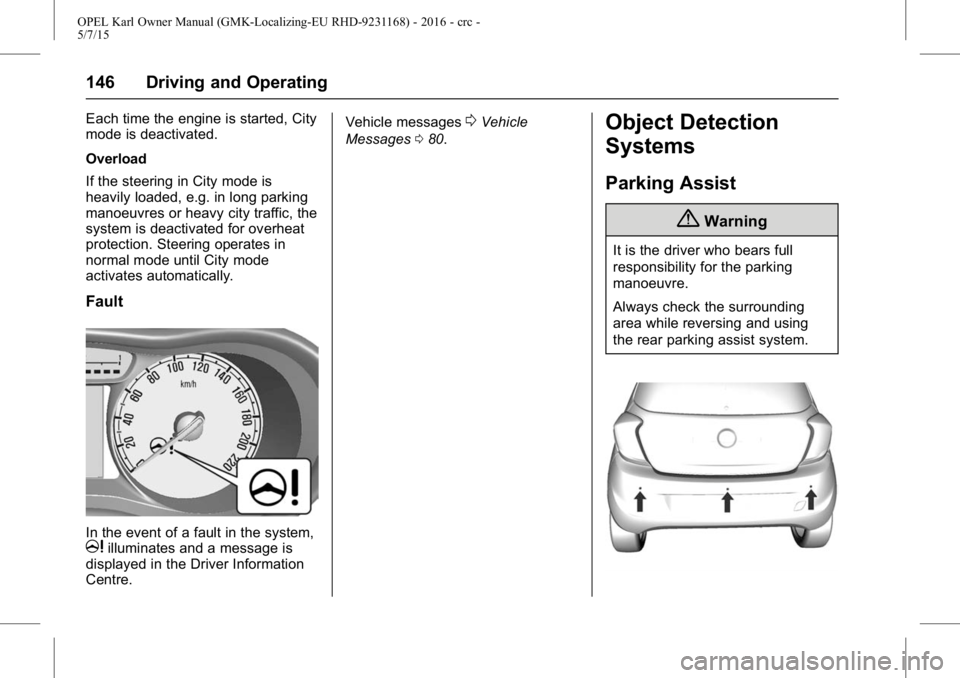
In the event of a fault in the system,milluminates and a message is
displayed in the Driver Information
Centre. Vehicle messages
0Vehicle
Messages 080.Object Detection
Systems
Parking Assist
{Warning
It is the driver who bears full
responsibility for the parking
manoeuvre.
Always check the surrounding
area while reversing and using
the rear parking assist system.
Page 148 of 217
OPEL Karl Owner Manual (GMK-Localizing-EU RHD-9231168) - 2016 - crc -
5/7/15
Driving and Operating 147
The rear parking assist makes
parking easier by measuring the
distance between the vehicle and
rear obstacles. It informs and warns
the driver by giving acoustic signals
and display indication.
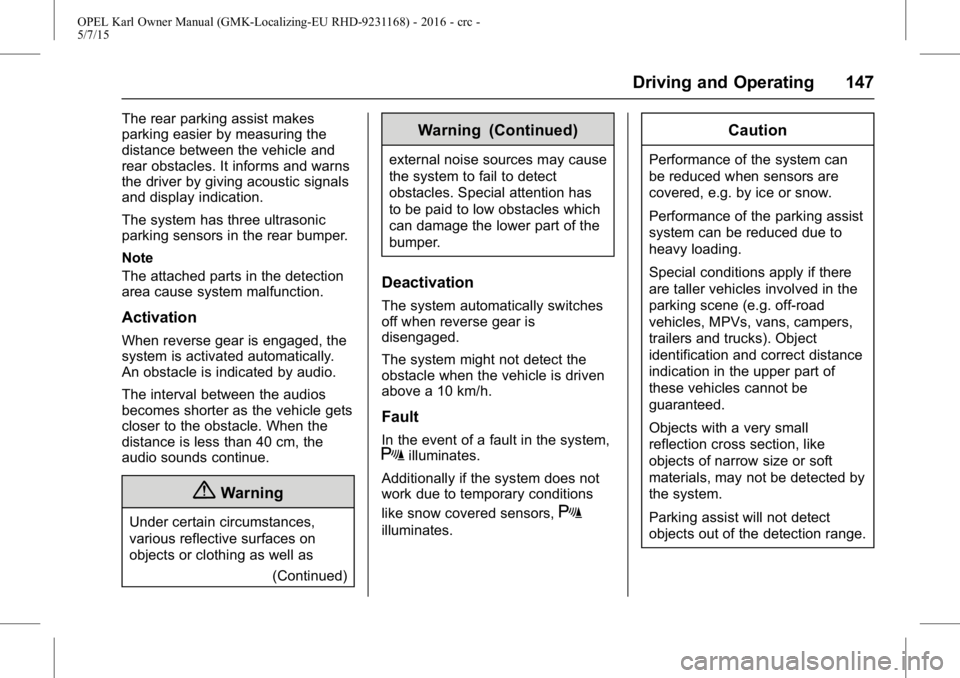
The system has three ultrasonic
parking sensors in the rear bumper.
Note
The attached parts in the detection
area cause system malfunction.
Activation
When reverse gear is engaged, the
system is activated automatically.
An obstacle is indicated by audio.
The interval between the audios
becomes shorter as the vehicle gets
closer to the obstacle. When the
distance is less than 40 cm, the
audio sounds continue.
{Warning
Under certain circumstances,
various reflective surfaces on
objects or clothing as well as(Continued)
Warning (Continued)
external noise sources may cause
the system to fail to detect
obstacles. Special attention has
to be paid to low obstacles which
can damage the lower part of the
bumper.
Deactivation
The system automatically switches
off when reverse gear is
disengaged.
The system might not detect the
obstacle when the vehicle is driven
above a 10 km/h.
Fault
In the event of a fault in the system,Xilluminates.
Additionally if the system does not
work due to temporary conditions
like snow covered sensors,
X
illuminates.
Caution
Performance of the system can
be reduced when sensors are
covered, e.g. by ice or snow.
Performance of the parking assist
system can be reduced due to
heavy loading.
Special conditions apply if there
are taller vehicles involved in the
parking scene (e.g. off-road
vehicles, MPVs, vans, campers,
trailers and trucks). Object
identification and correct distance
indication in the upper part of
these vehicles cannot be
guaranteed.
Objects with a very small
reflection cross section, like
objects of narrow size or soft
materials, may not be detected by
the system.
Parking assist will not detect
objects out of the detection range.
Page 150 of 217
OPEL Karl Owner Manual (GMK-Localizing-EU RHD-9231168) - 2016 - crc -
5/7/15
Driving and Operating 149
Reduce speed
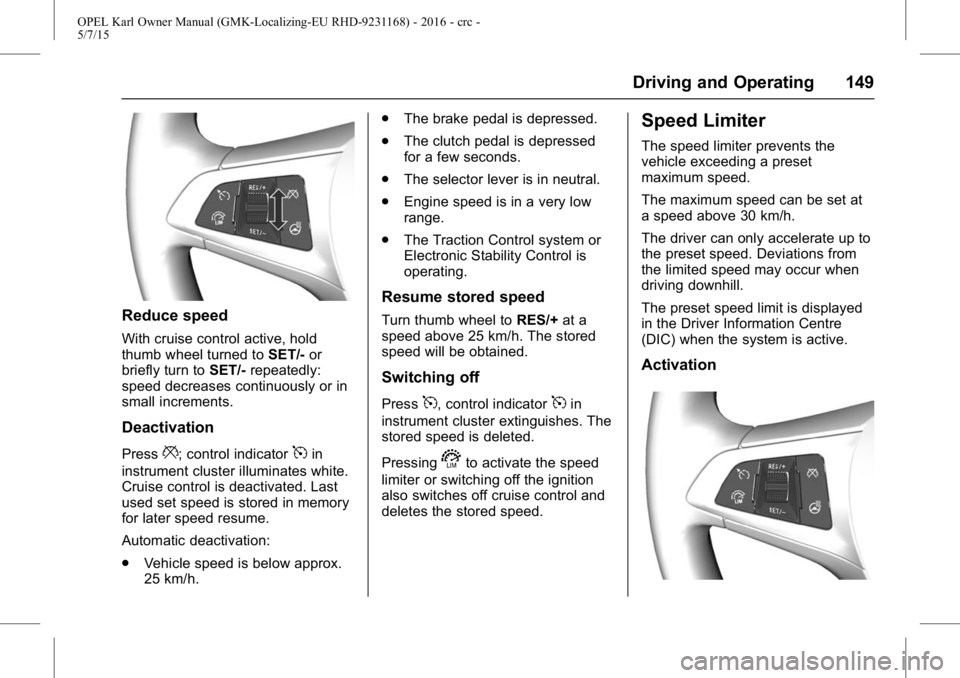
With cruise control active, hold
thumb wheel turned toSET/-or
briefly turn to SET/-repeatedly:
speed decreases continuously or in
small increments.
Deactivation
Press*; control indicator5in
instrument cluster illuminates white.
Cruise control is deactivated. Last
used set speed is stored in memory
for later speed resume.
Automatic deactivation:
. Vehicle speed is below approx.
25 km/h. .
The brake pedal is depressed.
. The clutch pedal is depressed
for a few seconds.
. The selector lever is in neutral.
. Engine speed is in a very low
range.
. The Traction Control system or
Electronic Stability Control is
operating.
Resume stored speed
Turn thumb wheel to RES/+at a
speed above 25 km/h. The stored
speed will be obtained.
Switching off
Press5, control indicator5in
instrument cluster extinguishes. The
stored speed is deleted.
Pressing
sto activate the speed
limiter or switching off the ignition
also switches off cruise control and
deletes the stored speed.
Speed Limiter
The speed limiter prevents the
vehicle exceeding a preset
maximum speed.
The maximum speed can be set at
a speed above 30 km/h.
The driver can only accelerate up to
the preset speed. Deviations from
the limited speed may occur when
driving downhill.
The preset speed limit is displayed
in the Driver Information Centre
(DIC) when the system is active.
Activation
Page 151 of 217
OPEL Karl Owner Manual (GMK-Localizing-EU RHD-9231168) - 2016 - crc -
5/7/15
150 Driving and Operating
Presss. If cruise control has been
activated before, it is switched off
when speed limiter is activated and
control indicator
5extinguishes.
Set speed limit
With speed limiter active, hold
thumb wheel turned to RES/+or
briefly turn to RES/+repeatedly until
the desired maximum speed is
displayed in the DIC.
Alternatively, accelerate to the
desired speed and briefly turn
thumb wheel to SET/-: the current
speed is stored as maximum speed.
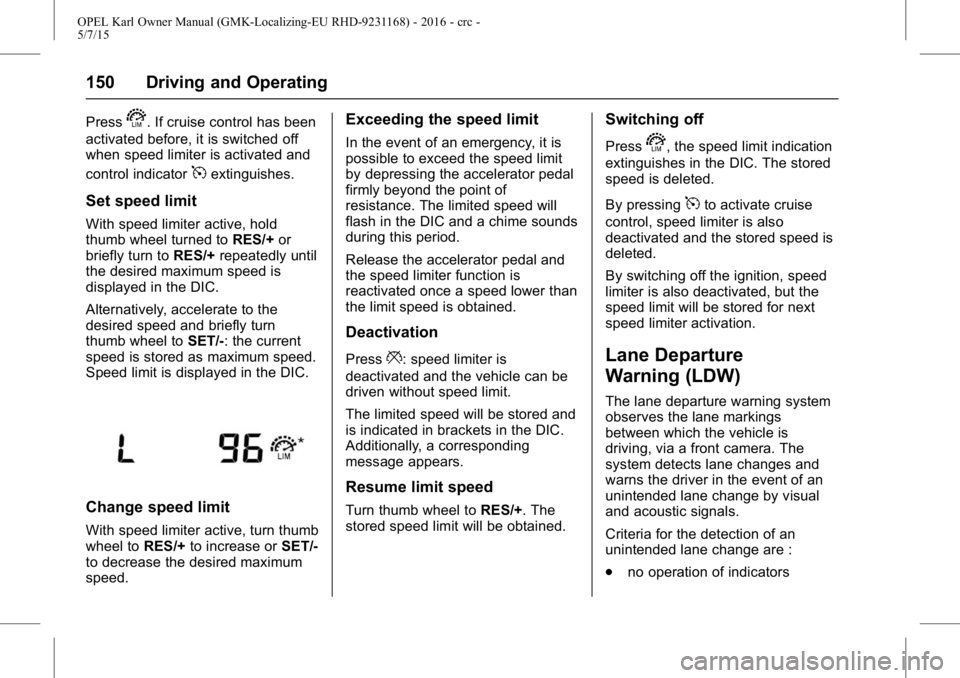
Speed limit is displayed in the DIC.
Change speed limit
With speed limiter active, turn thumb
wheel to RES/+to increase or SET/-
to decrease the desired maximum
speed.
Exceeding the speed limit
In the event of an emergency, it is
possible to exceed the speed limit
by depressing the accelerator pedal
firmly beyond the point of
resistance. The limited speed will
flash in the DIC and a chime sounds
during this period.
Release the accelerator pedal and
the speed limiter function is
reactivated once a speed lower than
the limit speed is obtained.
Deactivation
Press*: speed limiter is
deactivated and the vehicle can be
driven without speed limit.
The limited speed will be stored and
is indicated in brackets in the DIC.
Additionally, a corresponding
message appears.
Resume limit speed
Turn thumb wheel to RES/+. The
stored speed limit will be obtained.
Switching off
Presss, the speed limit indication
extinguishes in the DIC. The stored
speed is deleted.
By pressing
5to activate cruise
control, speed limiter is also
deactivated and the stored speed is
deleted.
By switching off the ignition, speed
limiter is also deactivated, but the
speed limit will be stored for next
speed limiter activation.
Lane Departure
Warning (LDW)
The lane departure warning system
observes the lane markings
between which the vehicle is
driving, via a front camera. The
system detects lane changes and
warns the driver in the event of an
unintended lane change by visual
and acoustic signals.
Criteria for the detection of an
unintended lane change are :
. no operation of indicators
Page 174 of 217
OPEL Karl Owner Manual (GMK-Localizing-EU RHD-9231168) - 2016 - crc -
5/7/15
Vehicle Care 173
18 Instrument panel cluster
19 Reflected LED Alert Display
20 Headlight levelling switch
21 Front power window
22 Rear power window
23 -
24 Automated manual gearboxmodule
25 Auxiliary power socket
26 Sunroof
27 -
28 Body control module 8
29 Body control module 7
30 Body control module 6
31 Body control module 5
32 Body control module 4
33 Body control module 3
34 Body control module 2 (Non CVT Stop & Start)
35 Body control module 1 (Non CVT Stop & Start) 36 Discrete logic ignition
switch (CVT stop&start)
37 Steering wheel controls backlighting
38 -
39 Logistic/DC-DC converter
40 Driver express power window
41 Blower motor
42 Front heated seat
43 HVAC module
44 Heated steering wheel
45 Body control module 2 (CVT Stop & Start)Vehicle Tools
Tools
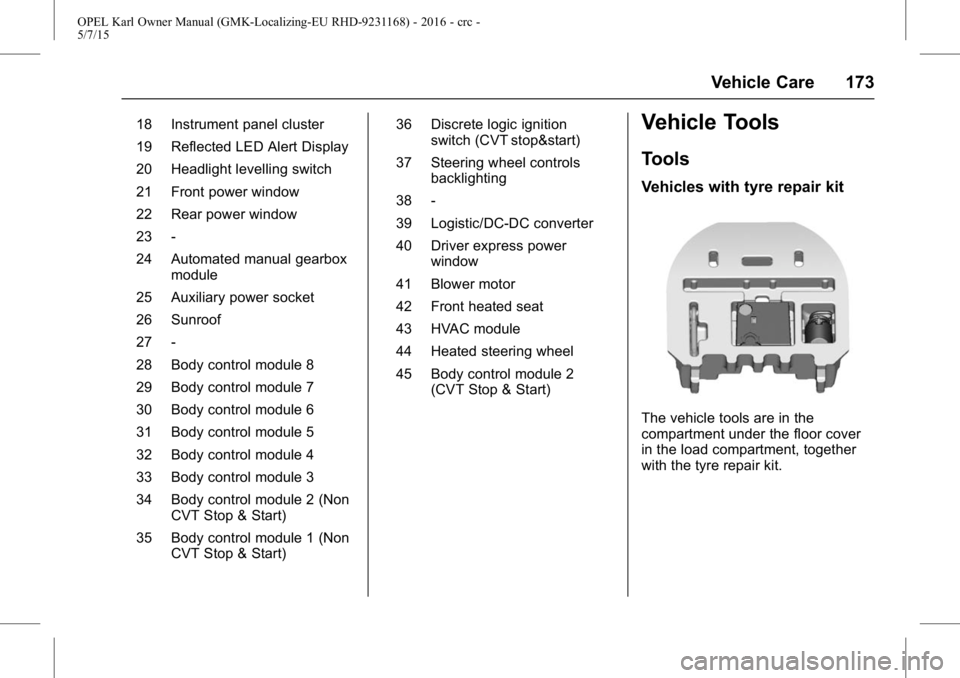
Vehicles with tyre repair kit
The vehicle tools are in the
compartment under the floor cover
in the load compartment, together
with the tyre repair kit.
Page 177 of 217
OPEL Karl Owner Manual (GMK-Localizing-EU RHD-9231168) - 2016 - crc -
5/7/15
176 Vehicle Care
Tyre Pressure Monitor
System
The tyre pressure monitoring
system (TPMS) checks the pressure
of all four wheels once a minute
when vehicle speed exceeds a
certain limit.
Caution
Tyre pressure monitoring system
warns only about low tyre
pressure condition and does not
replace regular tyre maintenance
by the driver.
All wheels must be equipped with
pressure sensors and the tyres
must have the prescribed pressure.
Note
In countries where the tyre pressure
monitoring system is legally
required, the use of wheels without
pressure sensors will invalidate the
vehicle type approval. The current tyre pressures can be
shown in the Vehicle Information
Menu in the Driver Information
Centre (DIC).
The menu can be selected by the
buttons on the indicator lever.
Press the
MENUto select the
Vehicle Information MENU
g.
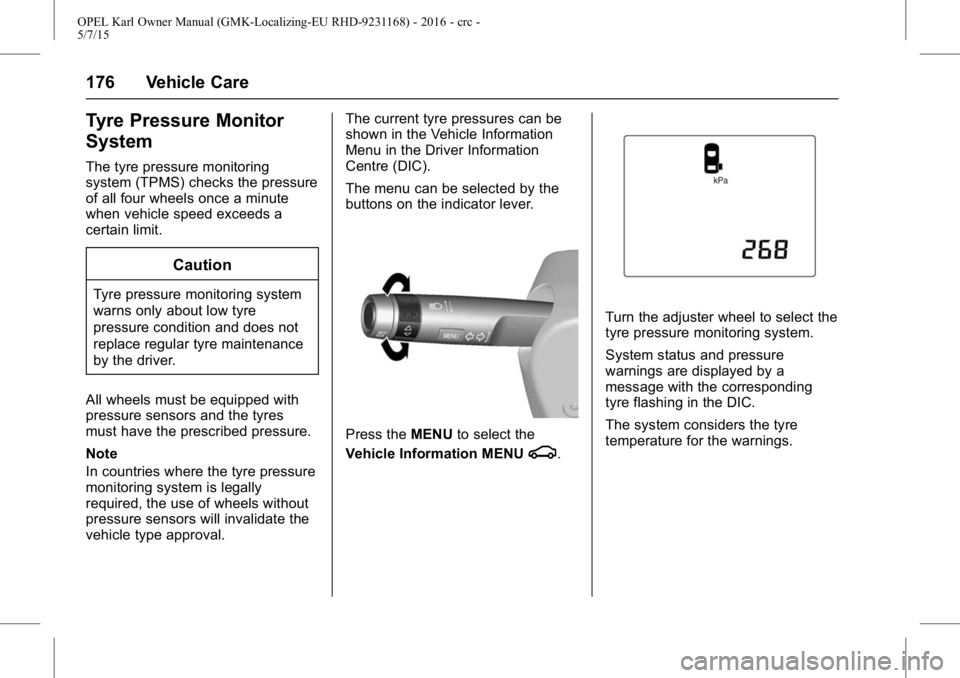
Turn the adjuster wheel to select the
tyre pressure monitoring system.
System status and pressure
warnings are displayed by a
message with the corresponding
tyre flashing in the DIC.
The system considers the tyre
temperature for the warnings.
Page 178 of 217
OPEL Karl Owner Manual (GMK-Localizing-EU RHD-9231168) - 2016 - crc -
5/7/15
Vehicle Care 177
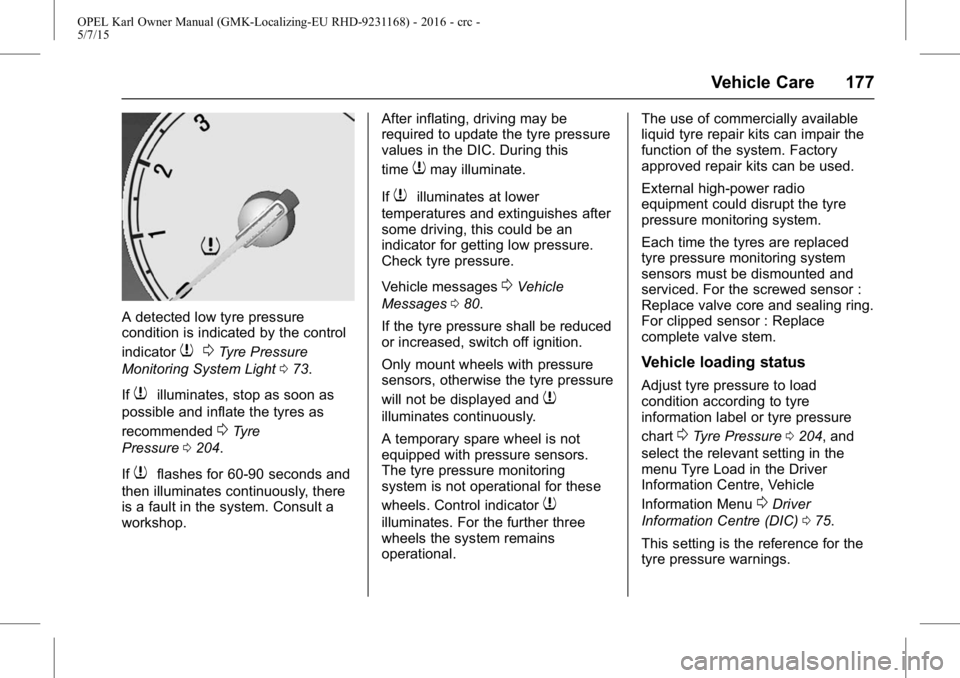
A detected low tyre pressure
condition is indicated by the control
indicator
70Tyre Pressure
Monitoring System Light 073.
If
7illuminates, stop as soon as
possible and inflate the tyres as
recommended
0Tyre
Pressure 0204.
If
7flashes for 60-90 seconds and
then illuminates continuously, there
is a fault in the system. Consult a
workshop. After inflating, driving may be
required to update the tyre pressure
values in the DIC. During this
time
7may illuminate.
If
7illuminates at lower
temperatures and extinguishes after
some driving, this could be an
indicator for getting low pressure.
Check tyre pressure.
Vehicle messages
0Vehicle
Messages 080.
If the tyre pressure shall be reduced
or increased, switch off ignition.
Only mount wheels with pressure
sensors, otherwise the tyre pressure
will not be displayed and
7
illuminates continuously.
A temporary spare wheel is not
equipped with pressure sensors.
The tyre pressure monitoring
system is not operational for these
wheels. Control indicator
7
illuminates. For the further three
wheels the system remains
operational. The use of commercially available
liquid tyre repair kits can impair the
function of the system. Factory
approved repair kits can be used.
External high-power radio
equipment could disrupt the tyre
pressure monitoring system.
Each time the tyres are replaced
tyre pressure monitoring system
sensors must be dismounted and
serviced. For the screwed sensor :
Replace valve core and sealing ring.
For clipped sensor : Replace
complete valve stem.
Vehicle loading status
Adjust tyre pressure to load
condition according to tyre
information label or tyre pressure
chart
0Tyre Pressure
0204, and
select the relevant setting in the
menu Tyre Load in the Driver
Information Centre, Vehicle
Information Menu
0Driver
Information Centre (DIC) 075.
This setting is the reference for the
tyre pressure warnings.
Page 179 of 217
OPEL Karl Owner Manual (GMK-Localizing-EU RHD-9231168) - 2016 - crc -
5/7/15
178 Vehicle Care
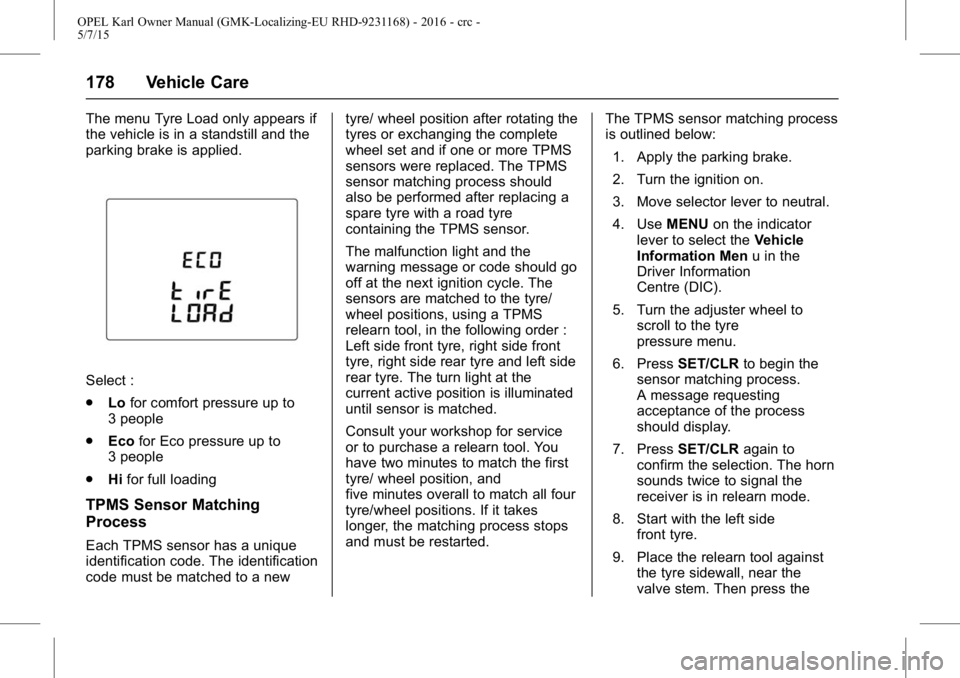
The menu Tyre Load only appears if
the vehicle is in a standstill and the
parking brake is applied.
Select :
.Lofor comfort pressure up to
3 people
. Eco for Eco pressure up to
3 people
. Hifor full loading
TPMS Sensor Matching
Process
Each TPMS sensor has a unique
identification code. The identification
code must be matched to a new tyre/ wheel position after rotating the
tyres or exchanging the complete
wheel set and if one or more TPMS
sensors were replaced. The TPMS
sensor matching process should
also be performed after replacing a
spare tyre with a road tyre
containing the TPMS sensor.
The malfunction light and the
warning message or code should go
off at the next ignition cycle. The
sensors are matched to the tyre/
wheel positions, using a TPMS
relearn tool, in the following order :
Left side front tyre, right side front
tyre, right side rear tyre and left side
rear tyre. The turn light at the
current active position is illuminated
until sensor is matched.
Consult your workshop for service
or to purchase a relearn tool. You
have two minutes to match the first
tyre/ wheel position, and
five minutes overall to match all four
tyre/wheel positions. If it takes
longer, the matching process stops
and must be restarted.
The TPMS sensor matching process
is outlined below:
1. Apply the parking brake.
2. Turn the ignition on.
3. Move selector lever to neutral.
4. Use MENUon the indicator
lever to select the Vehicle
Information Men u in the
Driver Information
Centre (DIC).
5. Turn the adjuster wheel to scroll to the tyre
pressure menu.
6. Press SET/CLR to begin the
sensor matching process.
A message requesting
acceptance of the process
should display.
7. Press SET/CLR again to
confirm the selection. The horn
sounds twice to signal the
receiver is in relearn mode.
8. Start with the left side front tyre.
9. Place the relearn tool against the tyre sidewall, near the
valve stem. Then press the
Page 180 of 217
OPEL Karl Owner Manual (GMK-Localizing-EU RHD-9231168) - 2016 - crc -
5/7/15
Vehicle Care 179
button to activate the TPMS
sensor. A horn chirp confirms
that the sensor identification
code has been matched to this
tyre and wheel position.
10. Proceed to the right side front tyre, and repeat the procedure
in Step 9.
11. Proceed to the right side rear tyre, and repeat the procedure
in Step 9.
12. Proceed to the left side rear tyre, and repeat the procedure
in Step 9. The horn sounds
twice to indicate the sensor
identification code has been
matched to the left side rear
tyre, and the TPMS sensor
matching process is no longer
active.
13. Turn off the ignition.
14. Set all four tyres to the recommended air pressure
level as indicated on the tyre
pressure label. 15. Ensure the tyre loading status
is set according selected
pressure
0Driver Information
Centre (DIC) 075.
Temperature dependency
The tyre pressure depends on the
temperature of the tyre. During
driving, tyre temperature and
pressure increase. Tyre pressure
values provided on the tyre
information label and tyre pressure
chart are valid for cold tyres, which
means at 20 °C. The pressure
increases by nearly 10 kPa for a
10 °C temperature increase. This
must be considered when warm
tyres are checked.
The tyre pressure value displayed in
the DIC shows the real tyre
pressure. A cooled down tyre will
show a decreased value, which
does not indicate an air leak.
Tread Depth
Check tread depth at regular
intervals. Tyres should be replaced for safety
reasons at a tread depth of 2-3 mm
(4 mm for winter tyres).
For safety reasons it is
recommended that the tread depth
of the tyres on one axle should not
vary by more than 2 mm.
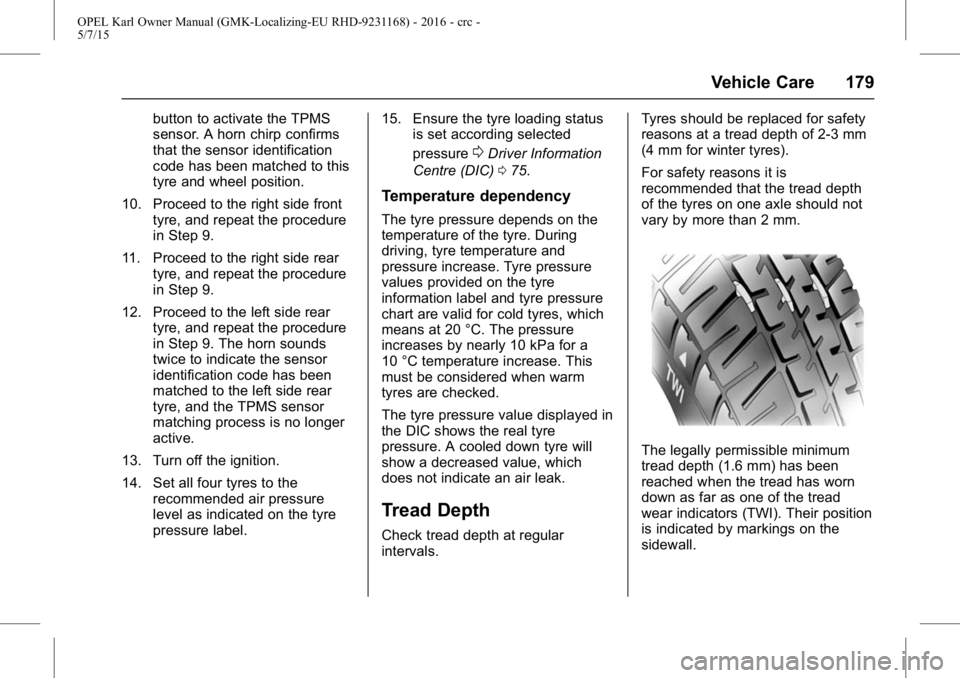
The legally permissible minimum
tread depth (1.6 mm) has been
reached when the tread has worn
down as far as one of the tread
wear indicators (TWI). Their position
is indicated by markings on the
sidewall.
Page 193 of 217
OPEL Karl Owner Manual (GMK-Localizing-EU RHD-9231168) - 2016 - crc -
5/7/15
192 Vehicle Care
Plastic body parts must not be
treated with wax or polishing
agents.
Windows and windscreen
wiper blades
Use a soft lint-free cloth or chamois
leather together with window
cleaner and insect remover.
When cleaning the rear window,
make sure the heating element
inside is not damaged.
For mechanical removal of ice, use
a sharp-edged ice scraper. Press
the scraper firmly against the glass
so that no dirt can get under it and
scratch the glass.
Clean smearing wiper blades with a
soft cloth and window cleaner.
Sunroof
Never clean with solvents or
abrasive agents, fuels, aggressive
media (e.g. paint cleaner, acetone
containing solutions etc.), acidic or
highly alkaline media or abrasive
pads. Do not apply wax or polishing
agents to the sunroof.
Wheels and tyres
Do not use high-pressure jet
cleaners.
Clean rims with a pH-neutral wheel
cleaner.
Rims are painted and can be
treated with the same agents as
the body.
Paintwork damage
Rectify minor paintwork damage
with a touch-up pen before rust
forms. Have more extensive
damage or rust areas repaired by a
workshop.
Underbody
Some areas of the vehicle
underbody have a PVC
undercoating while other critical
areas have a durable protective wax
coating.
After the underbody is washed,
check the underbody and have it
waxed if necessary.Bitumen/rubber materials could
damage the PVC coating. Have
underbody work carried out by a
workshop.
Before and after winter, wash the
underbody and have the protective
wax coating checked.
Interior Care
Interior and upholstery
Only clean the vehicle interior,
including the instrument panel
fascia and panelling, with a dry cloth
or interior cleaner.
Clean the leather upholstery with
clear water and a soft cloth. In case
of heavy soiling, use leather care.
The instrument cluster and the
displays should only be cleaned
using a soft damp cloth.
If necessary use a weak soap
solution.
Clean fabric upholstery with a
vacuum cleaner and brush. Remove
stains with an upholstery cleaner.