warning OPEL MOVANO_B 2020 Manual user
[x] Cancel search | Manufacturer: OPEL, Model Year: 2020, Model line: MOVANO_B, Model: OPEL MOVANO_B 2020Pages: 353, PDF Size: 9.4 MB
Page 250 of 353
248Driving and operatingThe traction control system is not
operational. Have the cause of the
fault remedied by a workshop.
Vehicle messages 3 106.
Driver Information Centre 3 105.
Electronic Stability Control
The Electronic Stability Control (ESC) improves driving stability when
necessary, regardless of the type of
road surface or tyre grip. It also
prevents the drive wheels from
spinning.
As soon as the vehicle starts to
swerve (understeer / oversteer),
engine output is reduced and the wheels are braked individually. This
considerably improves the driving
stability of the vehicle on slippery road
surfaces.
ESC is operational as soon as the
ignition is switched on and control indicator b extinguishes in the
instrument cluster.
When ESC comes into action b
flashes.9 Warning
Do not let this special safety
feature tempt you into taking risks
when driving.
Adapt speed to the road
conditions.
Control indicator b 3 101.
Trailer stability assist 3 266.
Enhanced traction function
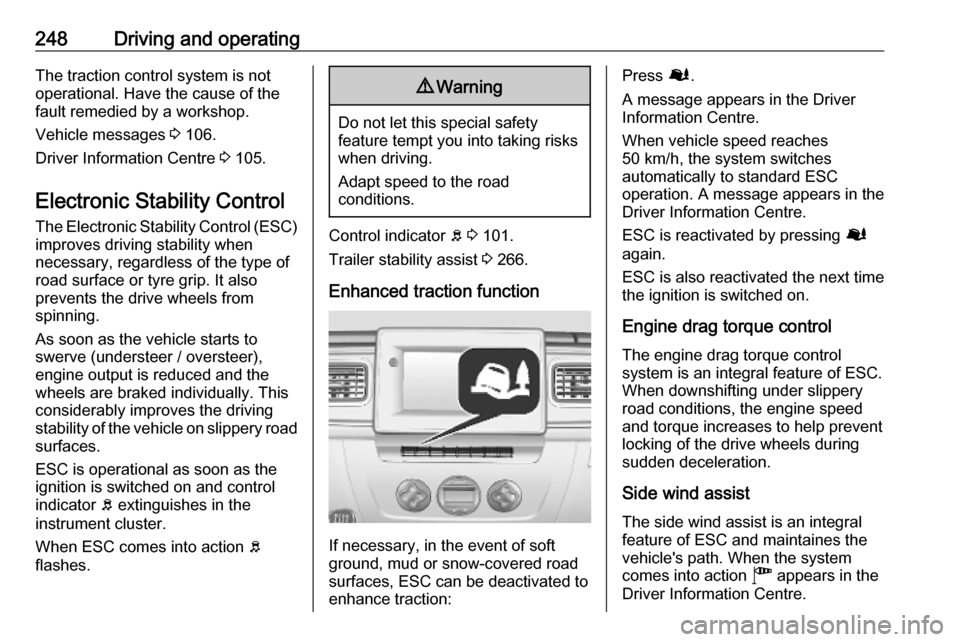
If necessary, in the event of soft
ground, mud or snow-covered road
surfaces, ESC can be deactivated to
enhance traction:
Press Ø.
A message appears in the Driver
Information Centre.
When vehicle speed reaches
50 km/h, the system switches
automatically to standard ESC
operation. A message appears in the
Driver Information Centre.
ESC is reactivated by pressing Ø
again.
ESC is also reactivated the next time
the ignition is switched on.
Engine drag torque control The engine drag torque control
system is an integral feature of ESC. When downshifting under slippery
road conditions, the engine speed
and torque increases to help prevent
locking of the drive wheels during
sudden deceleration.
Side wind assist The side wind assist is an integralfeature of ESC and maintaines the
vehicle's path. When the system
comes into action " appears in the
Driver Information Centre.
Page 251 of 353

Driving and operating249Fault
If the system detects a fault, control indicator b 3 101 illuminates together
with j 3 99 in the instrument cluster
and a corresponding message
appears in the Driver Information
Centre 3 105.
The ESC is not operational. Have the cause of the fault remedied by a
workshop.
Vehicle messages 3 106.
Driver Information Centre 3 105.
Limited-slip rear axle
Rear-wheel drive vehicles may be
equipped with an automatic locking
rear differential which automatically
controls the torque transmitted to
each rear wheel, enhancing traction
in the event of soft ground, mud or
snow-covered road surfaces.9 Warning
Do not let this special safety
feature tempt you into taking risks
when driving.
Adapt speed to the road
conditions.
When vehicle speed reaches
30 km/h, or once the rear wheels
return to surfaces with normal grip,
e.g. paved roads, the system
automatically deactivates,
sometimes accompanied by a noise
(with no consequence to vehicle
behaviour).
The system can also be deactivated
manually once normal grip conditions have resumed by briefly releasing the
accelerator.
Driver assistance
systems9 Warning
Driver assistance systems are
developed to support the driver
and not to replace the driver's
attention.
The driver accepts full
responsibility when driving the
vehicle.
When using driver assistance
systems, always take care
regarding the current traffic
situation.
Cruise control
The cruise control can store and
maintain speeds of 30 km/h and
above. Deviations from the stored
speeds may occur when driving uphill or downhill. The stored speed will
flash in the Driver Information Centre
3 105.
Page 254 of 353
252Driving and operatingSwitching on the system
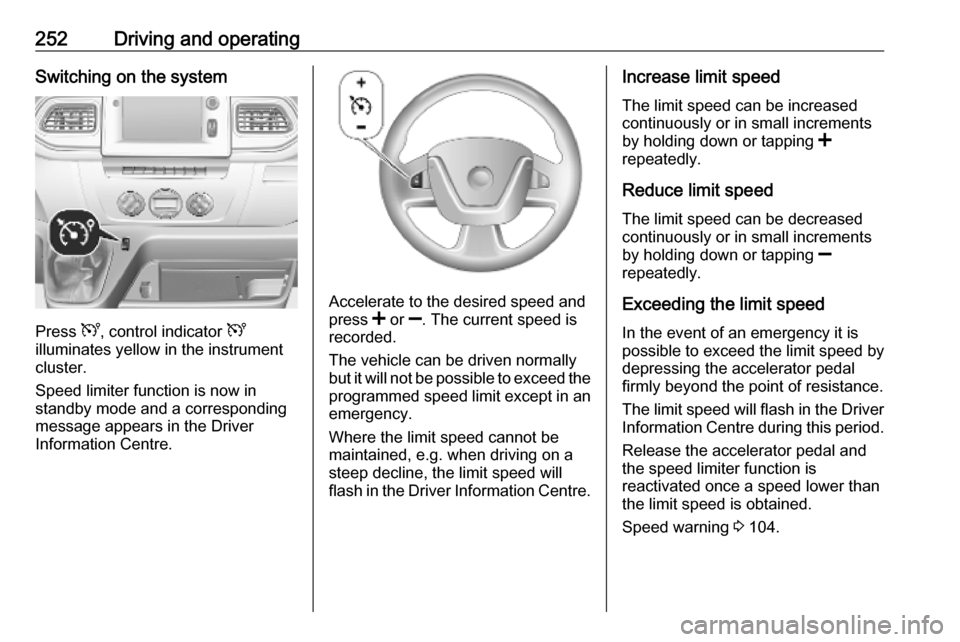
Press U, control indicator U
illuminates yellow in the instrument
cluster.
Speed limiter function is now in
standby mode and a corresponding
message appears in the Driver
Information Centre.
Accelerate to the desired speed and
press < or ]. The current speed is
recorded.
The vehicle can be driven normally
but it will not be possible to exceed the programmed speed limit except in an
emergency.
Where the limit speed cannot be
maintained, e.g. when driving on a
steep decline, the limit speed will
flash in the Driver Information Centre.
Increase limit speed
The limit speed can be increased
continuously or in small increments
by holding down or tapping <
repeatedly.
Reduce limit speed
The limit speed can be decreased continuously or in small increments
by holding down or tapping ]
repeatedly.
Exceeding the limit speed
In the event of an emergency it is
possible to exceed the limit speed by
depressing the accelerator pedal
firmly beyond the point of resistance.
The limit speed will flash in the Driver
Information Centre during this period.
Release the accelerator pedal andthe speed limiter function is
reactivated once a speed lower than
the limit speed is obtained.
Speed warning 3 104.
Page 255 of 353
Driving and operating253Deactivation of the functionality
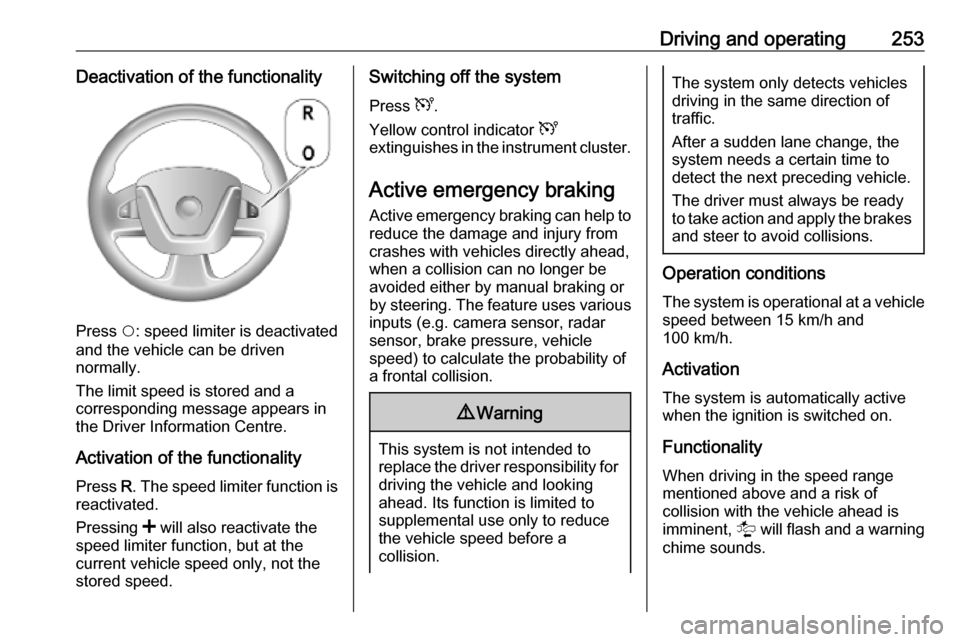
Press $: speed limiter is deactivated
and the vehicle can be driven
normally.
The limit speed is stored and a
corresponding message appears in
the Driver Information Centre.
Activation of the functionality Press R. The speed limiter function is
reactivated.
Pressing < will also reactivate the
speed limiter function, but at the
current vehicle speed only, not the
stored speed.
Switching off the system
Press U.
Yellow control indicator U
extinguishes in the instrument cluster.
Active emergency braking Active emergency braking can help toreduce the damage and injury from
crashes with vehicles directly ahead,
when a collision can no longer be
avoided either by manual braking or
by steering. The feature uses various
inputs (e.g. camera sensor, radar
sensor, brake pressure, vehicle
speed) to calculate the probability of
a frontal collision.9 Warning
This system is not intended to
replace the driver responsibility for driving the vehicle and looking
ahead. Its function is limited to
supplemental use only to reduce
the vehicle speed before a
collision.
The system only detects vehicles
driving in the same direction of
traffic.
After a sudden lane change, the
system needs a certain time to
detect the next preceding vehicle.
The driver must always be ready
to take action and apply the brakes and steer to avoid collisions.
Operation conditions
The system is operational at a vehicle
speed between 15 km/h and
100 km/h.
Activation The system is automatically activewhen the ignition is switched on.
Functionality
When driving in the speed range
mentioned above and a risk of
collision with the vehicle ahead is
imminent, l will flash and a warning
chime sounds.
Page 256 of 353
254Driving and operatingThe indicator light l and the chimes
stop when the system detects that a
collision is not imminent anymore.
Just before the imminent collision, the
system brakes automatically to
reduce the impact speed of the
collision or prohibit a crash.9 Warning
Do not rely on the system to brake
the vehicle. Active emergency
braking will not brake outside of its
operating speed range and only
responds to detected vehicles.
Deactivation and re-activation
Active emergency braking can be
deactivated with the vehicle
stationary and the ignition switched
on:
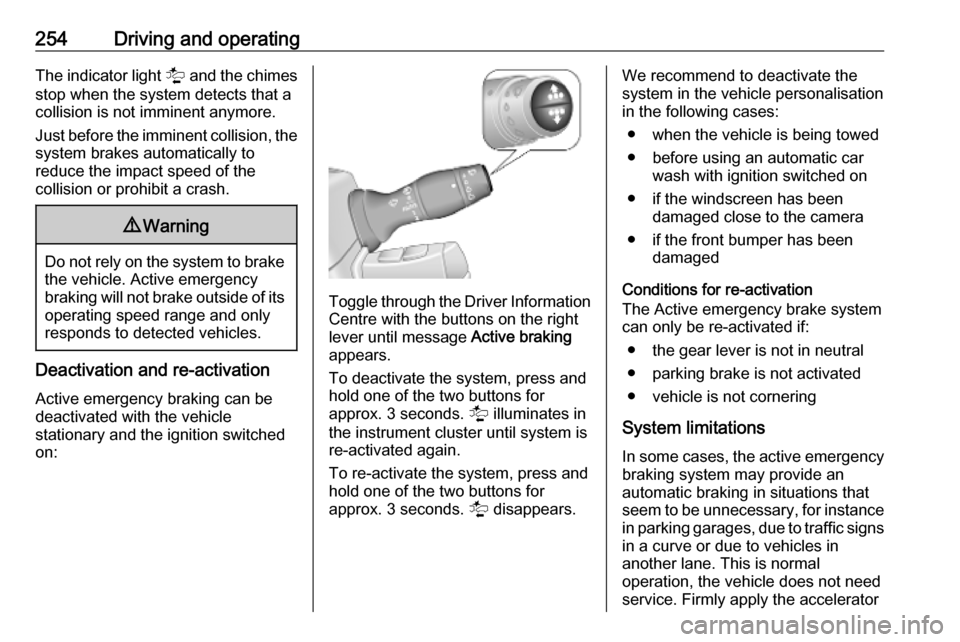
Toggle through the Driver Information
Centre with the buttons on the right
lever until message Active braking
appears.
To deactivate the system, press and
hold one of the two buttons for
approx. 3 seconds. l illuminates in
the instrument cluster until system is
re-activated again.
To re-activate the system, press and hold one of the two buttons for
approx. 3 seconds. l disappears.
We recommend to deactivate the
system in the vehicle personalisation
in the following cases:
● when the vehicle is being towed
● before using an automatic car wash with ignition switched on
● if the windscreen has been damaged close to the camera
● if the front bumper has been damaged
Conditions for re-activation
The Active emergency brake system
can only be re-activated if:
● the gear lever is not in neutral
● parking brake is not activated
● vehicle is not cornering
System limitations In some cases, the active emergency
braking system may provide an
automatic braking in situations that
seem to be unnecessary, for instance in parking garages, due to traffic signs
in a curve or due to vehicles in
another lane. This is normal
operation, the vehicle does not need
service. Firmly apply the accelerator
Page 257 of 353
Driving and operating255pedal to override the automatic
braking if the situation and the
surroundings permit.
In the following cases, active
emergency braking performance is limited:
● driving on winding or hilly roads
● detecting all vehicles, especially vehicles with a trailer, tractors,
muddy vehicles, etc.
● detecting a vehicle when weather
limits visibility, such as in fog,
rain, or snow
● driving during nighttime
● sensor in the windscreen or radar
unit behind the front bumper
blocked by snow, ice, slush, mud, dirt, etc.
● windscreen damaged or affected
by foreign objects, e.g. stickers
Complete attention is always required
while driving, and you should be
ready to take action and apply the
brakes and / or steer the vehicle to
avoid crashes.Fault
In case the system requires a service,
a message is displayed in the Driver
Information Centre.
Additionally, warning lights l and
j illuminate at the same time.
When the system detects that its
function is not available, warning light l or j illuminates and stays on.
Additionally, a message in the Driver Information Centre appears. The
system may be temporarily disrupted
(for example: radar or camera
obscured by dirt, mud, snow etc.). In
this case, park the vehicle and switch
off the engine. Clean the windscreen
area around the camera and the
detection zone of the radar in the front bumper. When the warning lights and
messages still appear after starting
the vehicle again, seek the
assistance of a workshop.Parking assist9 Warning
It is the driver who bears full
responsibility for the parking
manoeuvre.
Always check the surrounding
area while reversing and using the rear parking assist system.
The parking assist measures the
distance between the vehicle and
obstacles behind and, if available, in
front of the vehicle. It informs and
warns the driver by giving acoustic
signals.
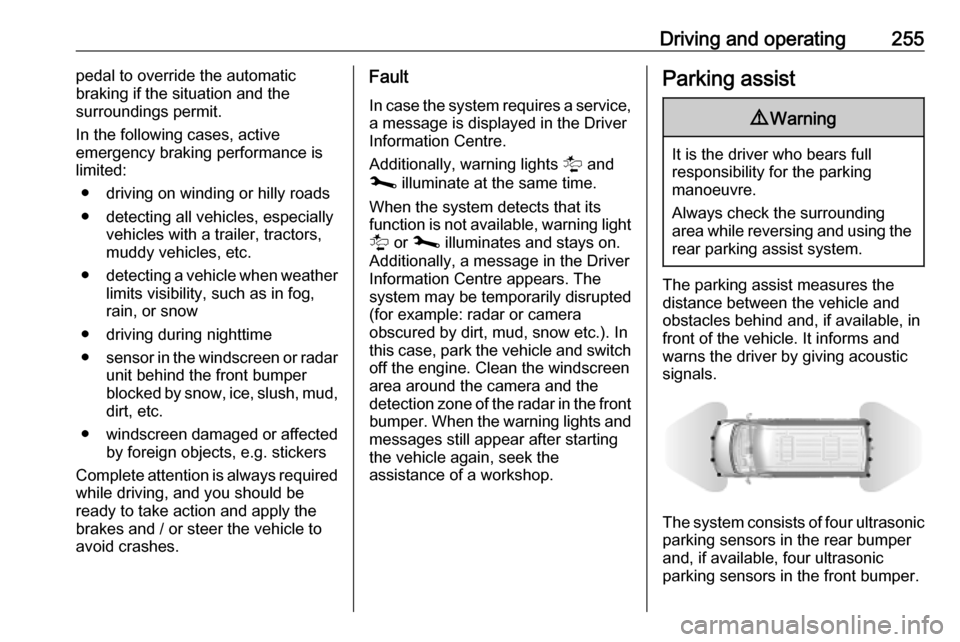
The system consists of four ultrasonic parking sensors in the rear bumper
and, if available, four ultrasonic
parking sensors in the front bumper.
Page 259 of 353
Driving and operating257Caution
When reversing, the area should
be free from obstacles which could impact on the underside of the
vehicle.
Impact to the rear axle, which may
not be visible, could lead to
uncharacteristic changes in the
vehicle handling. In the event of
such an impact, consult a
workshop.
Basic notes on parking assist
system
9 Warning
Under certain circumstances,
various reflective surfaces on
objects or clothing as well as
external noise sources may cause the system to fail to detect
obstacles.
Special attention must be paid to
low obstacles which can damage
the lower part of the bumper.
Caution
Performance of the sensors can
be reduced when sensors are
covered, e.g. by ice or snow.
Performance of the parking assist
system can be reduced due to
heavy loading.
Special conditions apply if there
are taller vehicles involved (e.g.
off-road vehicles, mini vans,
vans). Object identification in the
upper part of these vehicles
cannot be guaranteed.
Objects with a very small reflection
cross-section, e.g. objects of
narrow size or soft materials, may
not be detected by the system.
The parking assist system will not
detect objects which are out of the detection range of the sensors.
Side blind spot alert
The side blind spot alert system
detects and reports objects on either
side of the vehicle, within a specified
blind spot zone. The system displays
a visual alert in each exterior mirror,
when detecting objects that may not
be visible in the interior and exterior
mirrors.
Side blind spot alert uses some of the
parking assist sensors which are
located in the front and rear bumper
on both sides of the vehicle.9 Warning
Side blind spot alert does not
replace driver vision.
The system does not detect:
● vehicles outside the side blind zones which may be rapidly
approaching
● pedestrians, cyclists or animals
Before changing a lane, always
check all mirrors, look over the
shoulder and use the turn signal.
Activation
The system is activated when the
speed of the vehicle is between
approx. 30 km/h and 140 km/h.
Page 260 of 353
258Driving and operatingDeactivation
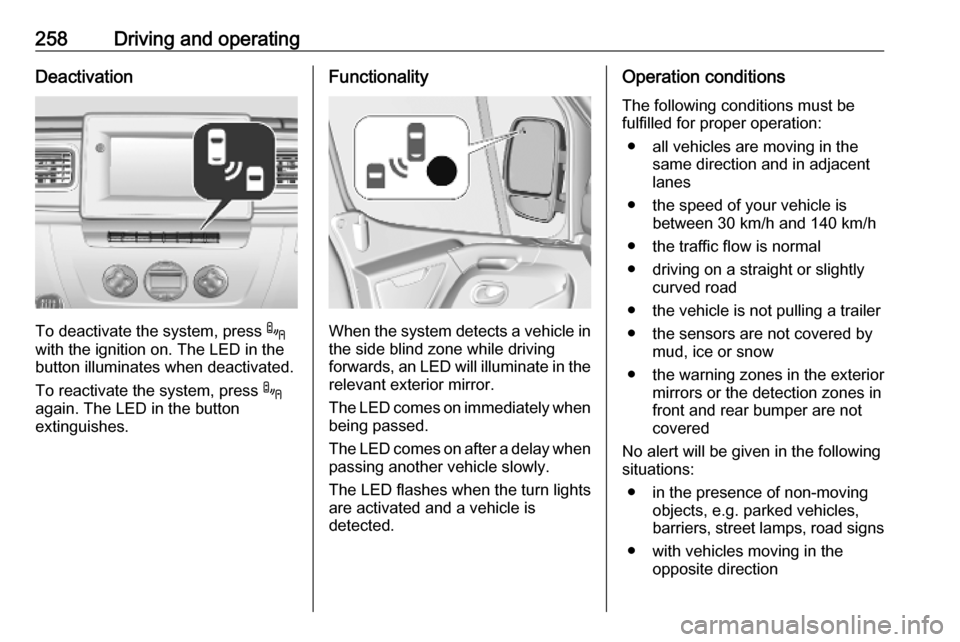
To deactivate the system, press .
with the ignition on. The LED in the
button illuminates when deactivated.
To reactivate the system, press .
again. The LED in the button
extinguishes.
Functionality
When the system detects a vehicle in the side blind zone while driving
forwards, an LED will illuminate in the
relevant exterior mirror.
The LED comes on immediately when being passed.
The LED comes on after a delay when
passing another vehicle slowly.
The LED flashes when the turn lights
are activated and a vehicle is
detected.
Operation conditions
The following conditions must be
fulfilled for proper operation:
● all vehicles are moving in the same direction and in adjacent
lanes
● the speed of your vehicle is between 30 km/h and 140 km/h
● the traffic flow is normal
● driving on a straight or slightly curved road
● the vehicle is not pulling a trailer
● the sensors are not covered by mud, ice or snow
● the warning zones in the exterior mirrors or the detection zones in
front and rear bumper are not
covered
No alert will be given in the following
situations:
● in the presence of non-moving objects, e.g. parked vehicles,
barriers, street lamps, road signs
● with vehicles moving in the opposite direction
Page 261 of 353
Driving and operating259● driving on a winding road or asharp corner
● when passing or being passed by
a very long vehicle, e.g. lorry,
coach, which is at the same time
detected at the rear in the blind spot angle and present in the
driver's forward field of vision
● in very heavy traffic, vehicles detected in front and behind are
confused with a lorry or a
stationary object
● when passing too quickly
Fault
In the event of a fault, a
corresponding message will be
displayed in the instrument cluster.
Have the cause of the fault remedied
by a workshop.
Rear view camera The rear view camera assists the
driver when reversing by displaying a view of the area behind the vehicle in
either the interior mirror or the Info
Display.9 Warning
The rear view camera does not
replace driver vision. Note that
objects that are outside the
camera's field of view, e.g. below
the bumper or underneath the
vehicle, are not displayed.
Do not reverse the vehicle by only looking at the display and checkthe surrounding area behind and
around the vehicle before
reversing.
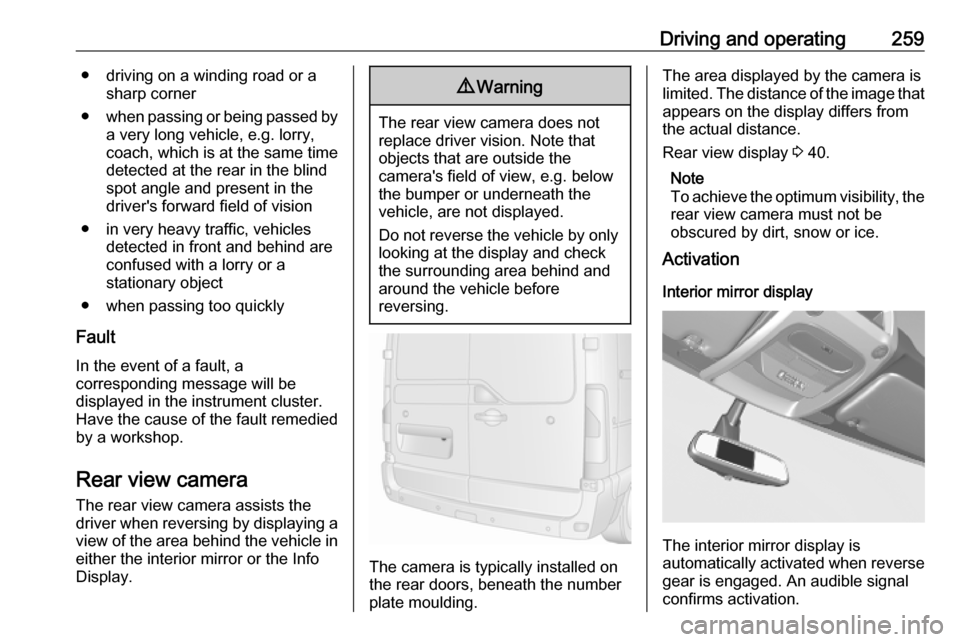
The camera is typically installed on
the rear doors, beneath the number
plate moulding.
The area displayed by the camera is
limited. The distance of the image that
appears on the display differs from
the actual distance.
Rear view display 3 40.
Note
To achieve the optimum visibility, the rear view camera must not be
obscured by dirt, snow or ice.
Activation
Interior mirror display
The interior mirror display is
automatically activated when reverse
gear is engaged. An audible signal
confirms activation.
Page 263 of 353
Driving and operating261● the rear doors are not closedcorrectly
● the vehicle had a rear-end accident
● there are extreme temperature changes
Lane departure warning The lane departure warning system
uses a front camera to observe the
lane markings between which the
vehicle is driving. The system detects
lane changes and warns the driver in
the event of an unintended lane
change via visual and acoustic
signals.
Criteria for the detection of an
unintended lane change are:
● no operation of turn lights
● no active steering
If the driver is performing these
actions, no warning will be issued.Activation
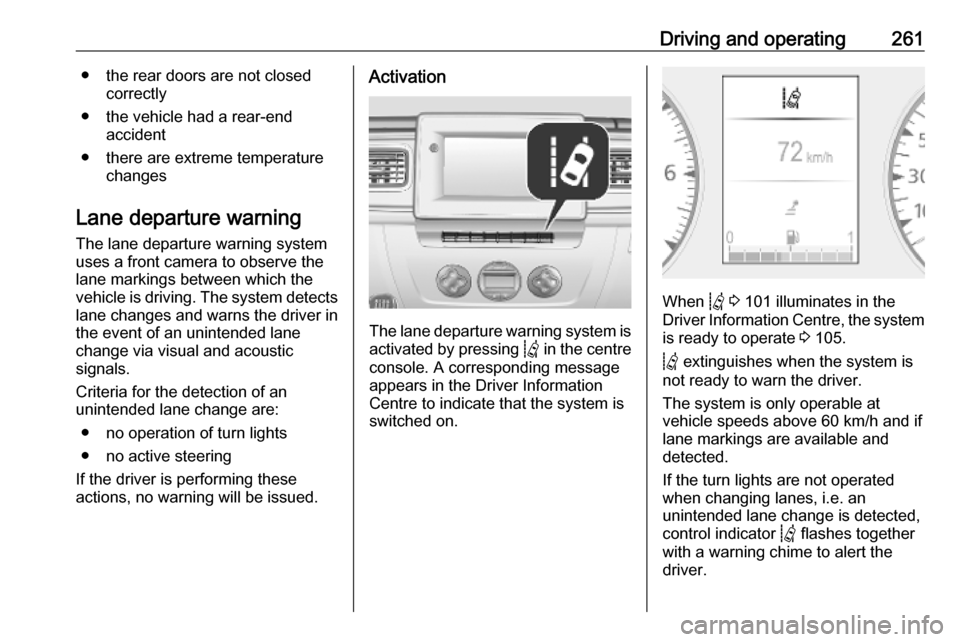
The lane departure warning system is activated by pressing Q in the centre
console. A corresponding message
appears in the Driver Information
Centre to indicate that the system is
switched on.
When Q 3 101 illuminates in the
Driver Information Centre, the system is ready to operate 3 105.
Q extinguishes when the system is
not ready to warn the driver.
The system is only operable at
vehicle speeds above 60 km/h and if
lane markings are available and
detected.
If the turn lights are not operated
when changing lanes, i.e. an
unintended lane change is detected,
control indicator Q flashes together
with a warning chime to alert the
driver.