warning OPEL VIVARO 2015 Workshop Manual
[x] Cancel search | Manufacturer: OPEL, Model Year: 2015, Model line: VIVARO, Model: OPEL VIVARO 2015Pages: 205, PDF Size: 4.47 MB
Page 109 of 205
Climate control107
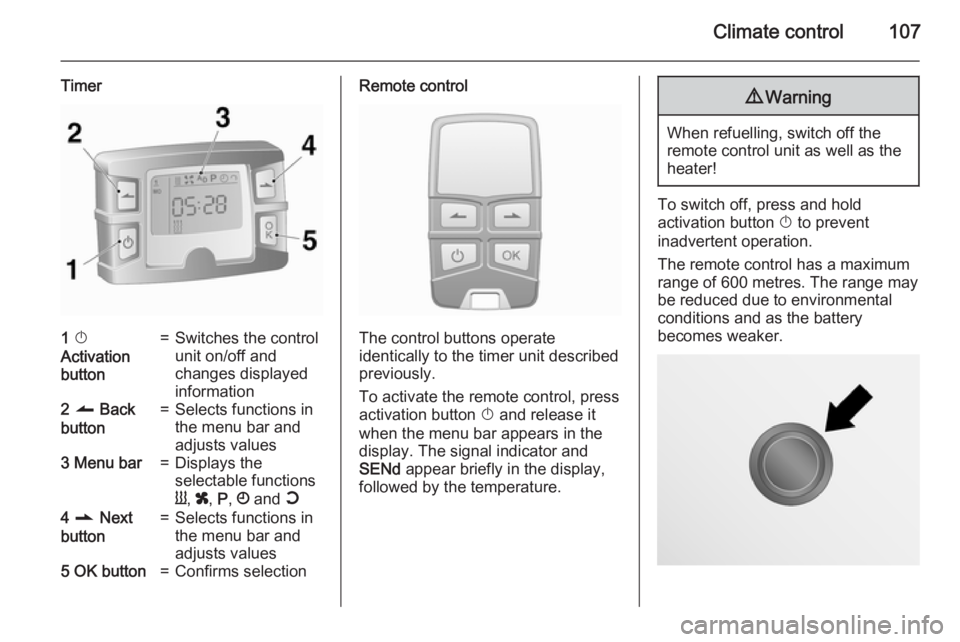
Timer1 X
Activation
button=Switches the control
unit on/off and
changes displayed
information2 q Back
button=Selects functions in
the menu bar and
adjusts values3 Menu bar=Displays the
selectable functions
Y , x , P , Ö and Y4 r Next
button=Selects functions in
the menu bar and
adjusts values5 OK button=Confirms selectionRemote control
The control buttons operate
identically to the timer unit described
previously.
To activate the remote control, press activation button X and release it
when the menu bar appears in the display. The signal indicator and
SENd appear briefly in the display,
followed by the temperature.
9 Warning
When refuelling, switch off the
remote control unit as well as the
heater!
To switch off, press and hold
activation button X to prevent
inadvertent operation.
The remote control has a maximum
range of 600 metres. The range may
be reduced due to environmental
conditions and as the battery
becomes weaker.
Page 112 of 205
110Climate controlAir vents
Adjustable air vents At least one air vent must be open
while cooling is on, in order to prevent
the evaporator from icing up due to lack of air movement.9 Warning
Do not attach any objects to the
slats of the air vents. Risk of
damage and injury in case of an
accident.
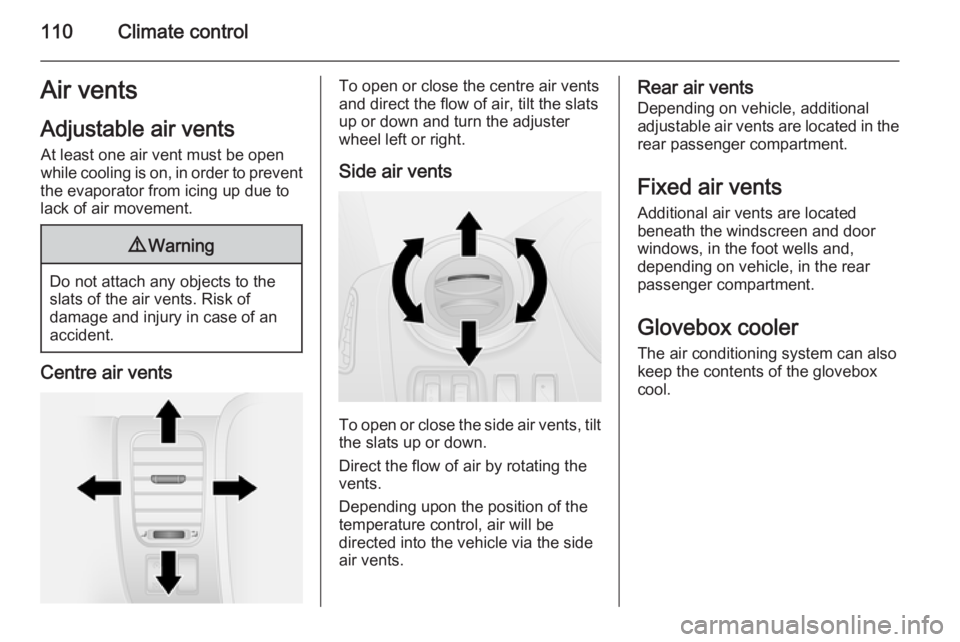
Centre air vents
To open or close the centre air vents
and direct the flow of air, tilt the slats
up or down and turn the adjuster
wheel left or right.
Side air vents
To open or close the side air vents, tilt the slats up or down.
Direct the flow of air by rotating the
vents.
Depending upon the position of the
temperature control, air will be
directed into the vehicle via the side
air vents.
Rear air vents
Depending on vehicle, additional
adjustable air vents are located in the
rear passenger compartment.
Fixed air vents
Additional air vents are located
beneath the windscreen and door
windows, in the foot wells and,
depending on vehicle, in the rear passenger compartment.
Glovebox cooler
The air conditioning system can also
keep the contents of the glovebox
cool.
Page 116 of 205
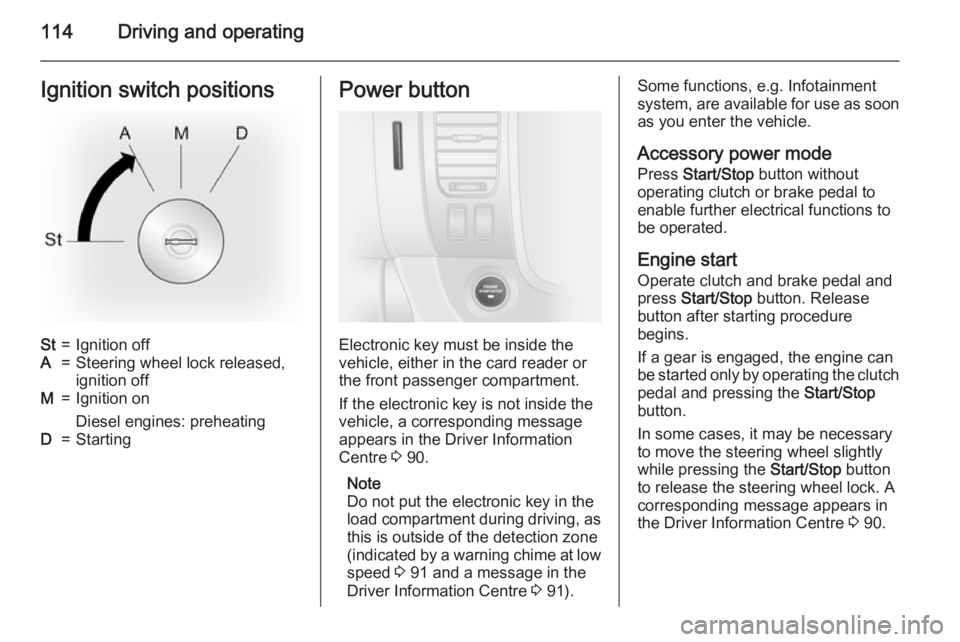
114Driving and operatingIgnition switch positionsSt=Ignition offA=Steering wheel lock released,ignition offM=Ignition on
Diesel engines: preheatingD=StartingPower button
Electronic key must be inside the
vehicle, either in the card reader or
the front passenger compartment.
If the electronic key is not inside the
vehicle, a corresponding message
appears in the Driver Information
Centre 3 90.
Note
Do not put the electronic key in the
load compartment during driving, as
this is outside of the detection zone
(indicated by a warning chime at low
speed 3 91 and a message in the
Driver Information Centre 3 91).
Some functions, e.g. Infotainment
system, are available for use as soon as you enter the vehicle.
Accessory power mode
Press Start/Stop button without
operating clutch or brake pedal to enable further electrical functions to
be operated.
Engine start Operate clutch and brake pedal and
press Start/Stop button. Release
button after starting procedure
begins.
If a gear is engaged, the engine can
be started only by operating the clutch
pedal and pressing the Start/Stop
button.
In some cases, it may be necessary
to move the steering wheel slightly
while pressing the Start/Stop button
to release the steering wheel lock. A
corresponding message appears in
the Driver Information Centre 3 90.
Page 117 of 205
Driving and operating115
At very low outside temperatures
(e.g. below -10 °C) keep the clutch
pedal depressed while pressing the
Start/Stop button until the engine
starts.
If one of the starting conditions is not
applied, a corresponding message
appears in the Driver Information
Centre 3 90.
Vehicle messages 3 91.
Engine stop Electronic key must be inside the
vehicle, either in the card reader or
the front passenger compartment.
With the vehicle stationary, press the
Start/Stop button to stop the engine.
The steering wheel lock is engaged
when the driver's door is opened and the vehicle is locked.
If the electronic key is not detected, a
corresponding message appears in
the Driver Information Centre 3 90 . In
this event, press the Start/Stop button
for 2 seconds to stop the engine.
Central locking system 3 25.Retained power off
Press the Start/Stop button for more
than two seconds; the engine is
stopped while some functions, e.g.
Infotainment system, are available for
use for approx. 10 minutes.
These functions stop working when
the driver's door is opened and the
vehicle is locked.
Note
Always take the electronic key with you when exiting the vehicle.
The electronic key being left in the
card reader is indicated by a warning
chime 3 91 and a message in the
Driver Information Centre 3 91 when
the driver's door is opened.9 Danger
Never leave an electronic key
inside the vehicle when children or animals are left in the vehicle, to
avoid unintended operation of
windows, doors or engine. Risk of
fatal injury.
Fault
If the engine cannot be started, the
cause may be one of the following:
■ Fault in electronic key.
■ Electronic key out of reception range.
■ Battery voltage too low.
■ Overload of the central locking system by operating at frequentintervals, the power supply is
interrupted for a short time.
■ Interference from higher-power radio waves from other sources.
Battery replacement 3 21.
Central locking system 3 25.
Electronic key system 3 23.
Page 119 of 205
Driving and operating117Vehicle shutdown
Fuel cut-off system
If the vehicle runs out of fuel, the fuel system is cut-off and must be reset
after refuelling. A corresponding
warning message may also appear in the Driver Information Centre 3 90.9 Danger
If you can smell fuel in the vehicle,
or a fuel leak is present, have thecause of this remedied
immediately by a workshop. Do
not reset the fuel cut-off system, to avoid the risk of fire.
Resetting with remote control
key / manual key
To reset the fuel cut-off system and
enable the vehicle to be driven:
1. Turn the ignition key to position M
3 114.
2. Wait a few minutes to allow the fuel system to be reset.
3. Turn key to position D to start the
engine.
If the engine does not start, repeat the procedure.
Resetting with electronic keysystem
To reset the fuel cut-off system and
enable the vehicle to be driven:
1. Insert the electronic key in the card reader 3 114.
2. Press the engine start/stop button
without depressing any pedals.
3. Wait a few minutes to allow the fuel system to be reset.
If the engine does not start, repeat the procedure.
Electronic key system 3 23.Power button 3 114.
Refuelling 3 134.
Overrun cut-off
The fuel supply is automatically cut off during overrun, i.e. when the vehicle
is driven with a gear engaged but
accelerator is released.
Stop-start system
The stop-start system helps to save
fuel and to reduce the exhaust
emissions. When conditions allow, it
switches off the engine as soon as the vehicle is at a low speed or at a
standstill, e.g. at a traffic light or in a
traffic jam. It restarts the engine
automatically as soon as the clutch pedal is depressed.
Activation The stop-start system is available as
soon as the engine is started, the
vehicle starts-off and the conditions
as stated below in this section are
fulfilled.
Page 121 of 205
Driving and operating119
■ the self-cleaning function of thediesel particle filter is not active
3 120.
■ the vehicle has moved since the last Autostop.
Otherwise an Autostop will be
inhibited.
Restart of the engine by the
driver
Depress the clutch pedal to restart the
engine.
Control indicator Ï 3 89 extinguishes
in the instrument cluster when the
engine is restarted.
Restart of the engine by the
stop-start system
The selector lever must be in neutral to enable an automatic restart.
If one of the following conditions
occurs during an Autostop, the
engine will be restarted automatically
by the stop-start system:
■ The stop-start system is manually deactivated.
■ the bonnet is opened.■ the vehicle battery is discharged.
■ the engine temperature is too low.
■ the brake vacuum is not sufficient.
■ the vehicle starts to move.
■ the defrosting function is activated 3 103.
If an electrical accessory, e.g. a
portable CD player, is connected to
the power outlet, a brief power drop during engine restart may be
noticeable.
Fault If a fault occurs in the stop-start
system, the LED in button Î
illuminates, and a corresponding
message appears in the Driver
Information Centre 3 90. Seek the
assistance of a workshop.
Vehicle messages 3 91.
Warning chimes 3 91.Parking9 Warning
■ Do not park the vehicle on an
easily ignitable surface. The
high temperature of the exhaust system could ignite the surface.
■ Always apply parking brake without pressing release button.Apply as firmly as possible on a
downhill slope or uphill slope.
Depress foot brake at the same
time to reduce operating force.
■ Switch off the engine.
■ If the vehicle is on a level surface or uphill slope, engage
first gear. On an uphill slope,
turn the front wheels away from the kerb.
If the vehicle is on a downhill
slope, engage reverse gear.
Turn the front wheels towards
the kerb.
Lock the vehicle 3 25 and activate the
anti-theft locking system 3 34 and
anti-theft alarm system 3 35.
Page 124 of 205
122Driving and operatingBrakes
The brake system comprises two
independent brake circuits.
If a brake circuit fails, the vehicle can
still be braked using the other brake
circuit. However, braking effect is
achieved only when you depress the
brake pedal firmly. You need to use
considerably more force for this. The
braking distance is extended. Seek
the assistance of a workshop before
continuing your journey.
When the engine is not running, the
support of the brake servo unit
disappears once the brake pedal has been depressed once or twice.
Braking effect is not reduced, but
braking requires significantly greater
force. It is especially important to bear this in mind when being towed.
If control indicator R illuminates in
the instrument cluster while driving and a corresponding message
appears in the Driver Information
Centre, there is a fault in the braking
system. Seek the assistance of a
workshop immediately.Control indicator R 3 87.
Vehicle messages 3 91.
Antilock brake system
Antilock brake system (ABS)
prevents the wheels from locking.
ABS starts to regulate brake pressure as soon as a wheel shows a tendency to lock. The vehicle remains
steerable, even during hard braking.
ABS control is made apparent
through a pulse in the brake pedal
and the noise of the regulation
process.
For optimum braking, keep the brake
pedal fully depressed throughout the
braking process, despite the fact that the pedal is pulsating. Do not reduce
the pressure on the pedal.
Control indicator u 3 87.
Fault
If control indicator u does not go out
a few seconds after the ignition is
switched on, or if it illuminates while driving, there is a fault in the ABS.
Control indicator F 3 86 may alsoilluminate in the instrument cluster
together with a corresponding
message in the Driver Information
Centre. The brake system remains
operational but without ABS
regulation.9 Warning
If there is a fault in the ABS, the
wheels may be liable to lock due
to braking that is heavier than
normal. The advantages of ABS are no longer available. During
hard braking, the vehicle can no longer be steered and may
swerve.
If control indicators u, F , R 3 87
and C 3 86 illuminate, there is a fault
in the braking system. A
corresponding message also
appears in the Driver Information
Centre 3 90. Have the cause of the
fault remedied by a workshop.
Vehicle messages 3 91.
Page 125 of 205
Driving and operating123Parking brake9Warning
Always apply parking brake firmly
without operating the release
button, and apply as firmly as
possible on a downhill or uphill
slope.
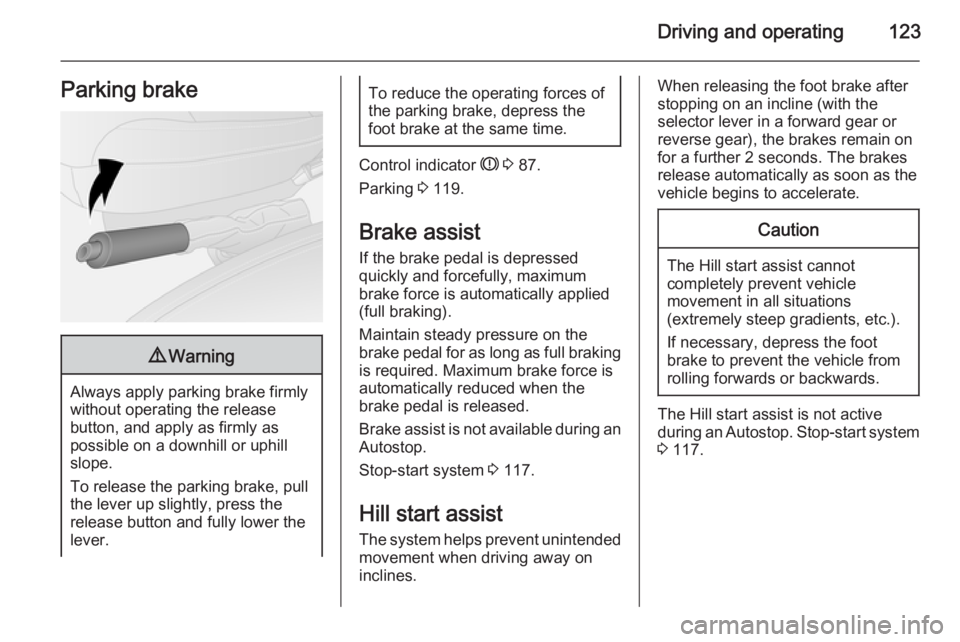
To release the parking brake, pull
the lever up slightly, press the
release button and fully lower the
lever.
To reduce the operating forces of
the parking brake, depress the
foot brake at the same time.
Control indicator R 3 87.
Parking 3 119.
Brake assist If the brake pedal is depressed
quickly and forcefully, maximum
brake force is automatically applied
(full braking).
Maintain steady pressure on the
brake pedal for as long as full braking
is required. Maximum brake force is
automatically reduced when the
brake pedal is released.
Brake assist is not available during an
Autostop.
Stop-start system 3 117.
Hill start assist The system helps prevent unintendedmovement when driving away on
inclines.
When releasing the foot brake after
stopping on an incline (with the
selector lever in a forward gear or
reverse gear), the brakes remain on
for a further 2 seconds. The brakes
release automatically as soon as the
vehicle begins to accelerate.Caution
The Hill start assist cannot
completely prevent vehicle
movement in all situations
(extremely steep gradients, etc.).
If necessary, depress the foot
brake to prevent the vehicle from
rolling forwards or backwards.
The Hill start assist is not active
during an Autostop. Stop-start system
3 117.
Page 126 of 205
124Driving and operatingRide control systems
Traction Control system
The Traction Control system (TC) is a
component part of the Electronic
Stability Program (ESP® Plus
) which
improves driving stability when
necessary, regardless of the type of
road surface or tyre grip, by
preventing the drive wheels from
spinning.
As soon as the drive wheels starts to spin, engine output is reduced and
the wheel spinning the most is braked
individually. This considerably
improves the driving stability of the
vehicle on slippery road surfaces.
TC is operational as soon as the
ignition is switched on and control
indicator b extinguishes in the
instrument cluster. A corresponding
message also appears in the Driver
Information Centre 3 90.
When TC is active b flashes.9 Warning
Do not let this special safety
feature tempt you into taking risks
when driving.
Adapt speed to the road
conditions.
Control indicator b 3 87.
Trailer stability assist (TSA) 3 137.
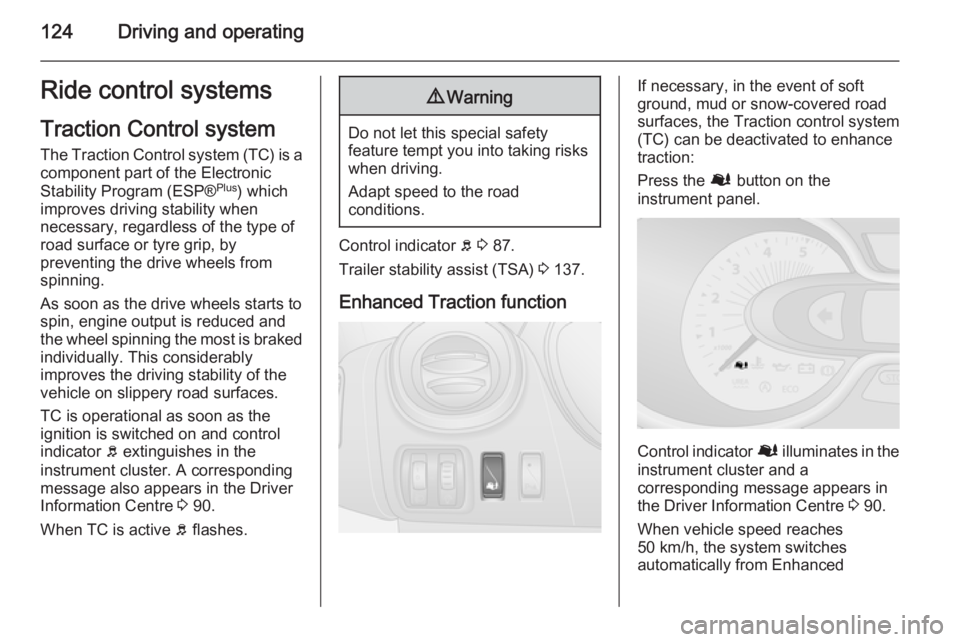
Enhanced Traction function
If necessary, in the event of soft
ground, mud or snow-covered road
surfaces, the Traction control system
(TC) can be deactivated to enhance
traction:
Press the Ø button on the
instrument panel.
Control indicator Ø illuminates in the
instrument cluster and a
corresponding message appears in
the Driver Information Centre 3 90.
When vehicle speed reaches 50 km/h, the system switches
automatically from Enhanced
Page 127 of 205
Driving and operating125
Traction function to TC operation.
Control indicator Ø extinguishes in
the instrument cluster.
TC is reactivated by pressing the Ø
button again. Control indicator Ø
extinguishes.
TC is also reactivated the next time
the ignition is switched on.
Fault If the system detects a fault, control
indicator b 3 87 illuminates together
with F 3 86 in the instrument cluster
and a corresponding message
appears in the Driver Information
Centre 3 90.
TC is not operational. Have the cause of the fault remedied by a workshop.
Vehicle messages 3 91.
Electronic stability
program
The Electronic Stability Program
(ESP® Plus
) improves driving stability
when necessary, regardless of thetype of road surface or tyre grip. It also
prevents the drive wheels from
spinning.
As soon as the vehicle starts to
swerve (understeer/oversteer),
engine output is reduced and the
wheels are braked individually. This
considerably improves the driving
stability of the vehicle on slippery road
surfaces.
ESP® Plus
is operational as soon as
the ignition is switched on and control
indicator b extinguishes in the
instrument cluster. A corresponding message also appears in the Driver
Information Centre 3 90.
When ESP® Plus
comes into action b
flashes.9 Warning
Do not let this special safety
feature tempt you into taking risks
when driving.
Adapt speed to the road
conditions.
Control indicator b 3 87.
Trailer stability assist (TSA) 3 137.
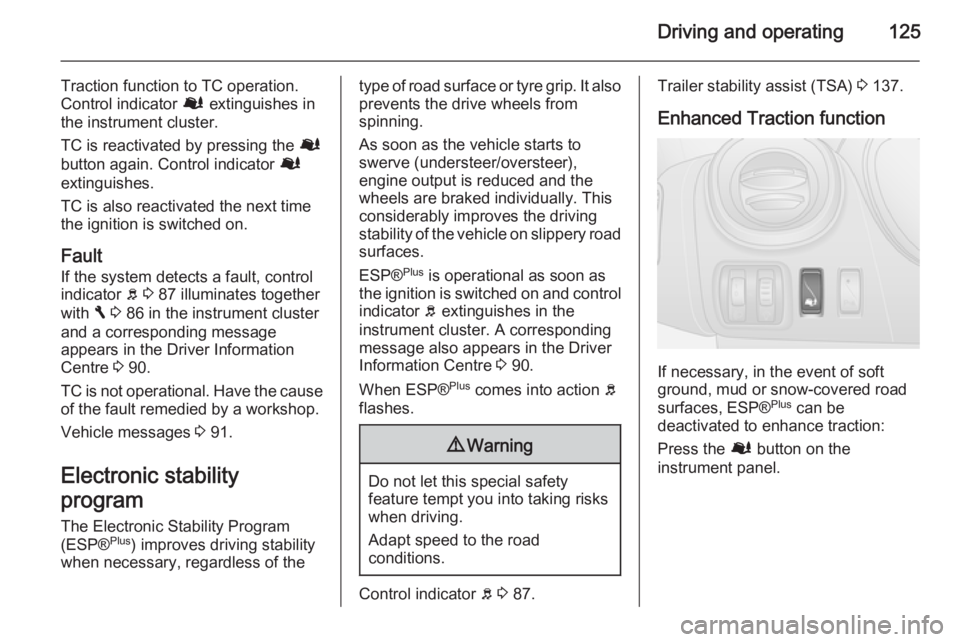
Enhanced Traction function
If necessary, in the event of soft
ground, mud or snow-covered road
surfaces, ESP® Plus
can be
deactivated to enhance traction:
Press the Ø button on the
instrument panel.