warning OPEL VIVARO 2015 Repair Manual
[x] Cancel search | Manufacturer: OPEL, Model Year: 2015, Model line: VIVARO, Model: OPEL VIVARO 2015Pages: 205, PDF Size: 4.47 MB
Page 128 of 205
126Driving and operating
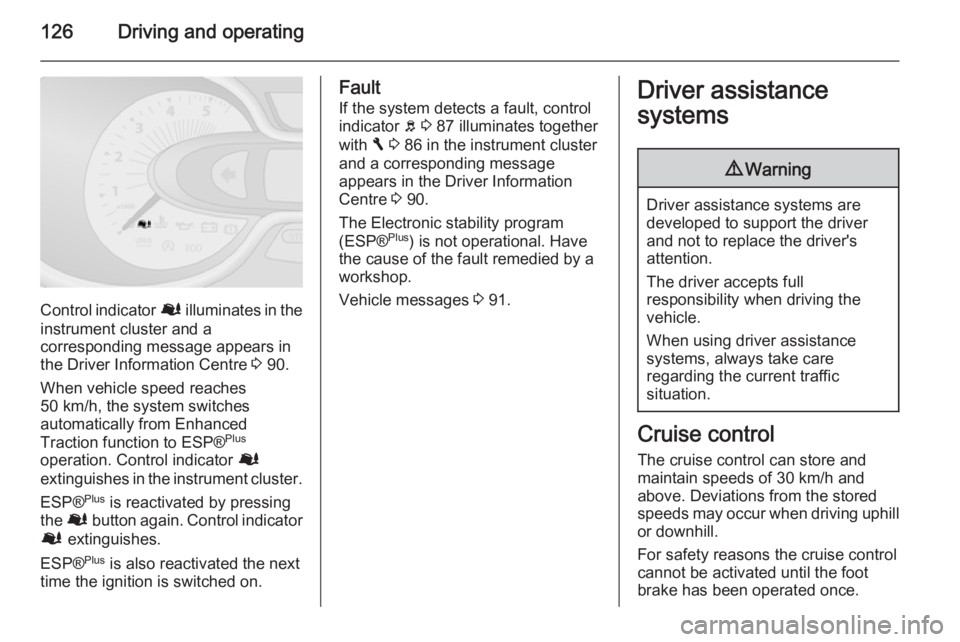
Control indicator Ø illuminates in the
instrument cluster and a
corresponding message appears in
the Driver Information Centre 3 90.
When vehicle speed reaches 50 km/h, the system switches
automatically from Enhanced
Traction function to ESP® Plus
operation. Control indicator Ø
extinguishes in the instrument cluster.
ESP® Plus
is reactivated by pressing
the Ø button again. Control indicator
Ø extinguishes.
ESP® Plus
is also reactivated the next
time the ignition is switched on.
Fault
If the system detects a fault, control indicator b 3 87 illuminates together
with F 3 86 in the instrument cluster
and a corresponding message
appears in the Driver Information
Centre 3 90.
The Electronic stability program
(ESP® Plus
) is not operational. Have
the cause of the fault remedied by a
workshop.
Vehicle messages 3 91.Driver assistance
systems9 Warning
Driver assistance systems are
developed to support the driver
and not to replace the driver's
attention.
The driver accepts full
responsibility when driving the
vehicle.
When using driver assistance
systems, always take care
regarding the current traffic
situation.
Cruise control
The cruise control can store and
maintain speeds of 30 km/h and
above. Deviations from the stored speeds may occur when driving uphill or downhill.
For safety reasons the cruise control cannot be activated until the foot
brake has been operated once.
Page 131 of 205
Driving and operating129
Activation
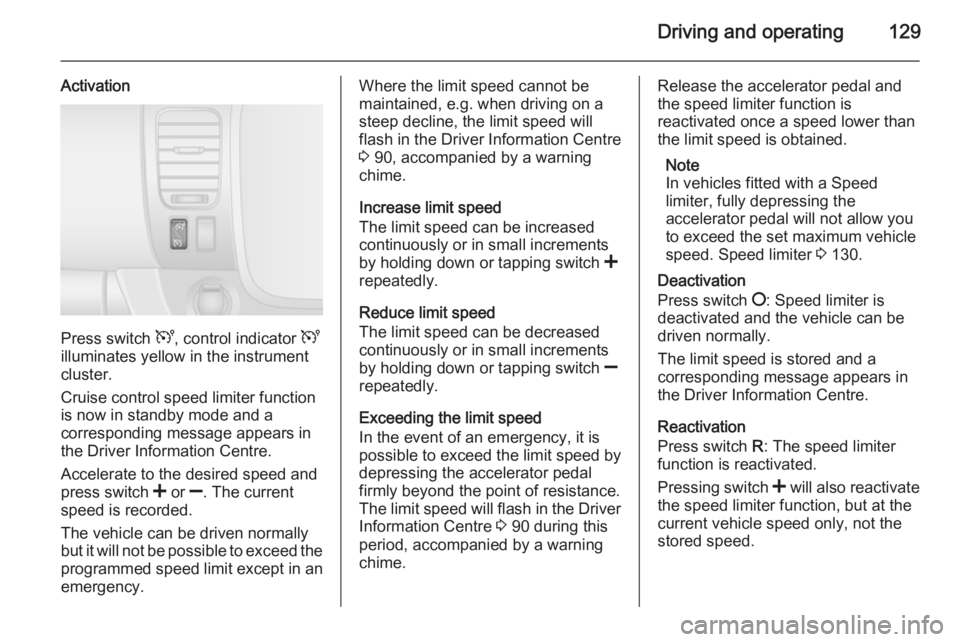
Press switch U, control indicator U
illuminates yellow in the instrument
cluster.
Cruise control speed limiter function
is now in standby mode and a
corresponding message appears in
the Driver Information Centre.
Accelerate to the desired speed and
press switch < or ]. The current
speed is recorded.
The vehicle can be driven normally
but it will not be possible to exceed the programmed speed limit except in an
emergency.
Where the limit speed cannot be
maintained, e.g. when driving on a
steep decline, the limit speed will
flash in the Driver Information Centre
3 90, accompanied by a warning
chime.
Increase limit speed
The limit speed can be increased
continuously or in small increments
by holding down or tapping switch <
repeatedly.
Reduce limit speed
The limit speed can be decreased
continuously or in small increments
by holding down or tapping switch ]
repeatedly.
Exceeding the limit speed
In the event of an emergency, it is
possible to exceed the limit speed by
depressing the accelerator pedal firmly beyond the point of resistance.
The limit speed will flash in the Driver Information Centre 3 90 during this
period, accompanied by a warning chime.Release the accelerator pedal andthe speed limiter function is
reactivated once a speed lower than
the limit speed is obtained.
Note
In vehicles fitted with a Speed
limiter, fully depressing the
accelerator pedal will not allow you
to exceed the set maximum vehicle
speed. Speed limiter 3 130.
Deactivation
Press switch §: Speed limiter is
deactivated and the vehicle can be
driven normally.
The limit speed is stored and a
corresponding message appears in
the Driver Information Centre.
Reactivation
Press switch R: The speed limiter
function is reactivated.
Pressing switch < will also reactivate
the speed limiter function, but at the
current vehicle speed only, not the stored speed.
Page 132 of 205
130Driving and operating
Deleting the limit speed
Press switch U: Yellow control
indicator U extinguishes in the
instrument cluster.
Speed limiter Maximum speed limiter
In accordance with local or national
regulations, the vehicle may be
equipped with a fixed maximum
speed limiter that cannot be disabled.
If equipped, a warning label indicating the fixed maximum speed limit (90 to
130 km/h) is located on the
instrument panel.
Deviations from the maximum speed
limit may occur briefly when driving
downhill, for physical reasons.
A warning buzzer will sound for
10 seconds every 40 seconds if the
vehicle briefly exceeds the set limit.
Vehicles also equipped with cruise
control speed limiter: the maximum
speed cannot be exceeded by
depressing the accelerator pedal
firmly beyond the point of resistance.
Cruise control speed limiter 3 126.Parking assist
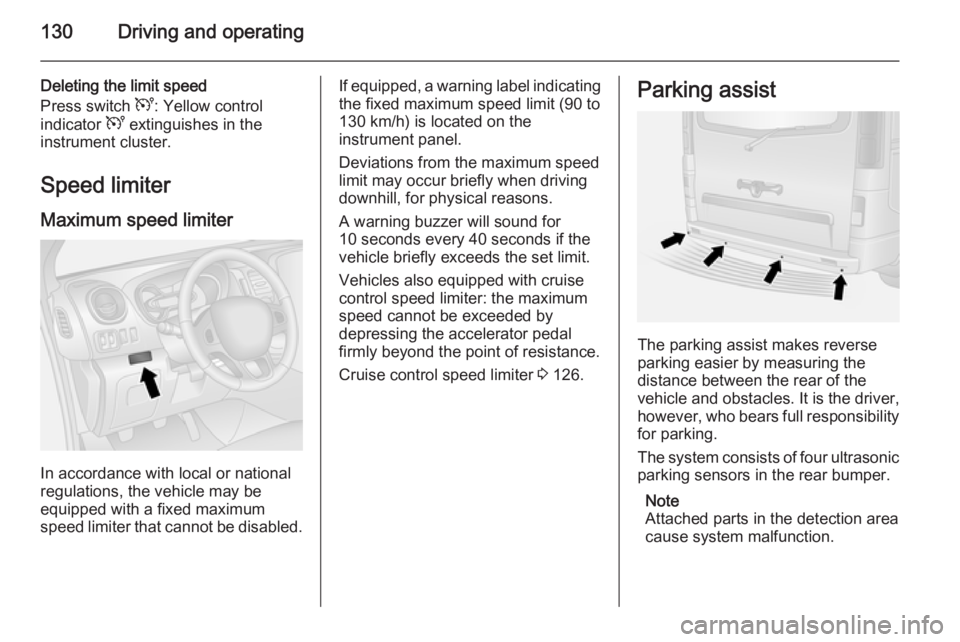
The parking assist makes reverse
parking easier by measuring the
distance between the rear of the
vehicle and obstacles. It is the driver,
however, who bears full responsibility for parking.
The system consists of four ultrasonic
parking sensors in the rear bumper.
Note
Attached parts in the detection area
cause system malfunction.
Page 133 of 205
Driving and operating131
ActivationWhen reverse gear is engaged, the
system switches itself on
automatically. Readiness for
operation is indicated by a brief
acoustic signal.
An obstacle is indicated by buzzers
and, depending on vehicle, is also
indicated in the Info-Display. The
interval between the buzzers
becomes shorter as the vehicle gets
closer to the obstacle. When the
distance is less than 30 cm, the buzzer is continuous.
Note
In versions with Info-Display
indication, the volume of the buzzer
can be adjusted via the Infotainment
system. Refer to Infotainment
system manual for further
information.9 Warning
Under certain circumstances,
various reflective surfaces on
objects or clothing as well as
external noise sources may cause the system to fail to detect
obstacles.
Deactivation
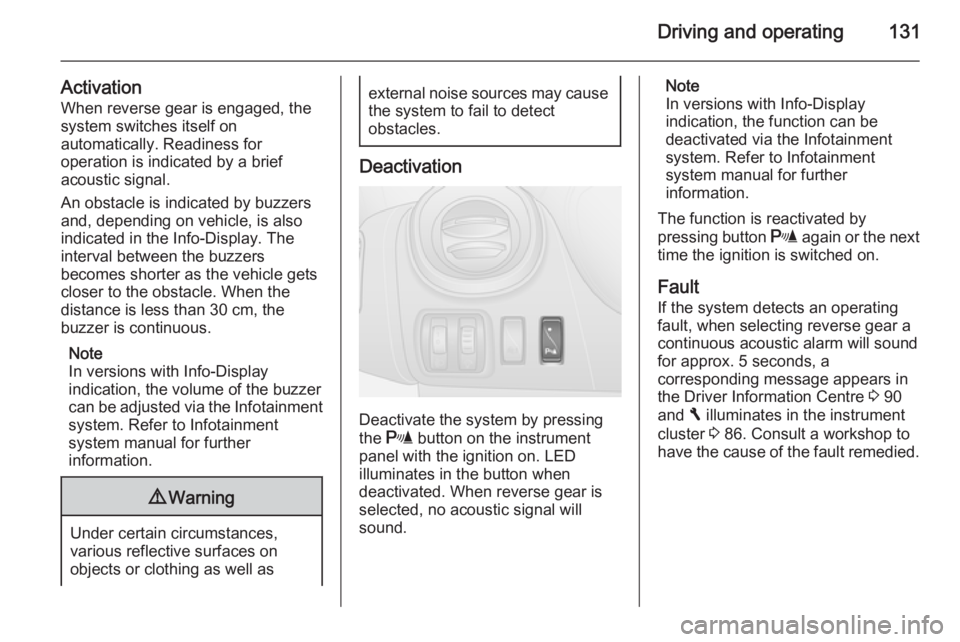
Deactivate the system by pressing
the r button on the instrument
panel with the ignition on. LED
illuminates in the button when
deactivated. When reverse gear is
selected, no acoustic signal will
sound.
Note
In versions with Info-Display
indication, the function can be
deactivated via the Infotainment
system. Refer to Infotainment
system manual for further
information.
The function is reactivated by
pressing button r again or the next
time the ignition is switched on.
Fault If the system detects an operating
fault, when selecting reverse gear a
continuous acoustic alarm will sound
for approx. 5 seconds, a
corresponding message appears in
the Driver Information Centre 3 90
and F illuminates in the instrument
cluster 3 86. Consult a workshop to
have the cause of the fault remedied.
Page 134 of 205
132Driving and operatingCaution
When reversing, the area should
be free from obstacles which could impact on the underside of the
vehicle.
Impact to the rear axle, which may
not be visible, could lead to
uncharacteristic changes in the
vehicle handling. In the event of
such an impact, consult a
workshop.
Vehicle messages 3 91.
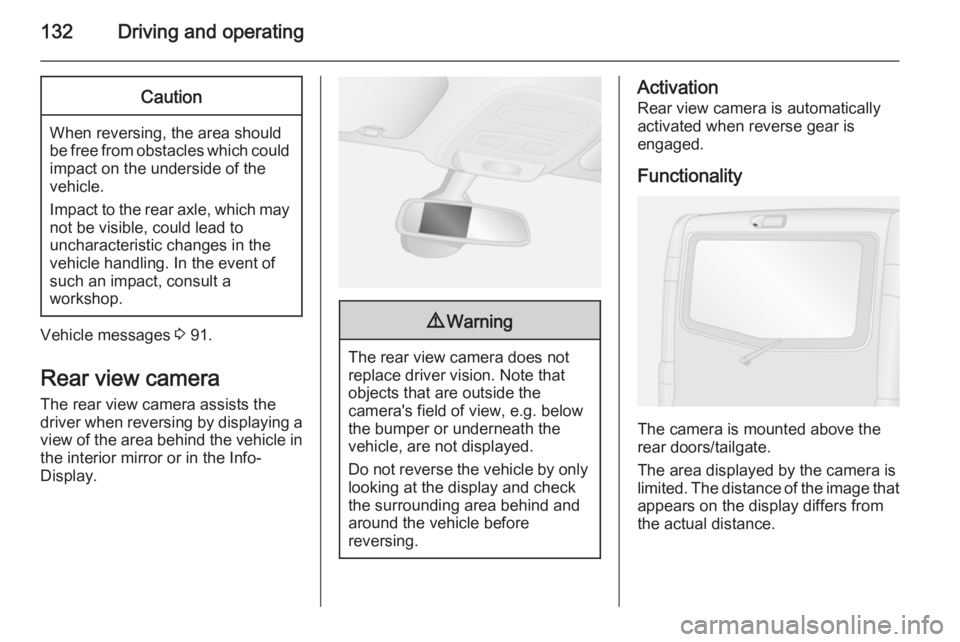
Rear view camera The rear view camera assists the
driver when reversing by displaying a view of the area behind the vehicle in
the interior mirror or in the Info-
Display.
9 Warning
The rear view camera does not
replace driver vision. Note that
objects that are outside the
camera's field of view, e.g. below
the bumper or underneath the
vehicle, are not displayed.
Do not reverse the vehicle by only looking at the display and checkthe surrounding area behind and
around the vehicle before
reversing.
Activation
Rear view camera is automatically
activated when reverse gear is
engaged.
Functionality
The camera is mounted above the
rear doors/tailgate.
The area displayed by the camera is
limited. The distance of the image that
appears on the display differs from
the actual distance.
Page 141 of 205
Vehicle care139
■ Open the bonnet, close all doorsand lock the vehicle.
■ Disconnect the clamp from the negative terminal of the vehicle
battery. Beware that all systems are
not functional, e.g. anti-theft alarm
system.
Putting back into operation
When the vehicle is to be put back into
operation:
■ Connect the clamp to the negative terminal of the vehicle battery.
Activate the electronics of the
power windows.
■ Check tyre pressure.
■ Fill up the washer fluid reservoir.
■ Check the engine oil level.
■ Check the coolant level.
■ Fit the number plate, if necessary.End-of-life vehicle
recovery
Information on end-of-life vehicle
recovery centres and the recycling of
end-of-life vehicles is available on our website. Only entrust this work to an
authorised recycling centre.Vehicle checks
Performing work9 Warning
Only perform engine compartment
checks when the ignition is off.
The cooling fan may start
operating even if the ignition is off.
9 Danger
The ignition system generates
extremely high voltages. Do not
touch.
The caps for topping up the engine oil, the coolant, the washer fluid and the
oil dipstick handle are yellow for ease
of identification.
Page 144 of 205
142Vehicle careEngine coolantThe coolant provides freeze
protection down to approx. -28 °C.Caution
Only use approved antifreeze.
Coolant level
Caution
Too low a coolant level can cause engine damage.
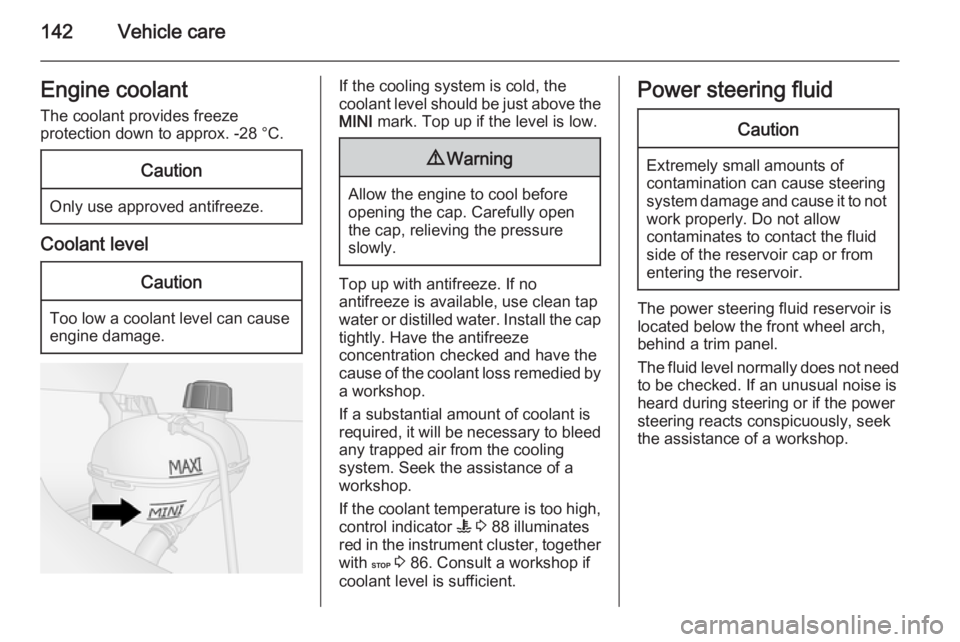
If the cooling system is cold, the
coolant level should be just above the
MINI mark. Top up if the level is low.9Warning
Allow the engine to cool before
opening the cap. Carefully open
the cap, relieving the pressure
slowly.
Top up with antifreeze. If no
antifreeze is available, use clean tap
water or distilled water. Install the cap
tightly. Have the antifreeze
concentration checked and have the
cause of the coolant loss remedied by a workshop.
If a substantial amount of coolant is
required, it will be necessary to bleed
any trapped air from the cooling
system. Seek the assistance of a
workshop.
If the coolant temperature is too high, control indicator W 3 88 illuminates
red in the instrument cluster, together
with C 3 86. Consult a workshop if
coolant level is sufficient.
Power steering fluidCaution
Extremely small amounts of
contamination can cause steering
system damage and cause it to not work properly. Do not allow
contaminates to contact the fluid
side of the reservoir cap or from
entering the reservoir.
The power steering fluid reservoir is located below the front wheel arch,
behind a trim panel.
The fluid level normally does not need
to be checked. If an unusual noise is
heard during steering or if the power
steering reacts conspicuously, seek
the assistance of a workshop.
Page 145 of 205
Vehicle care143
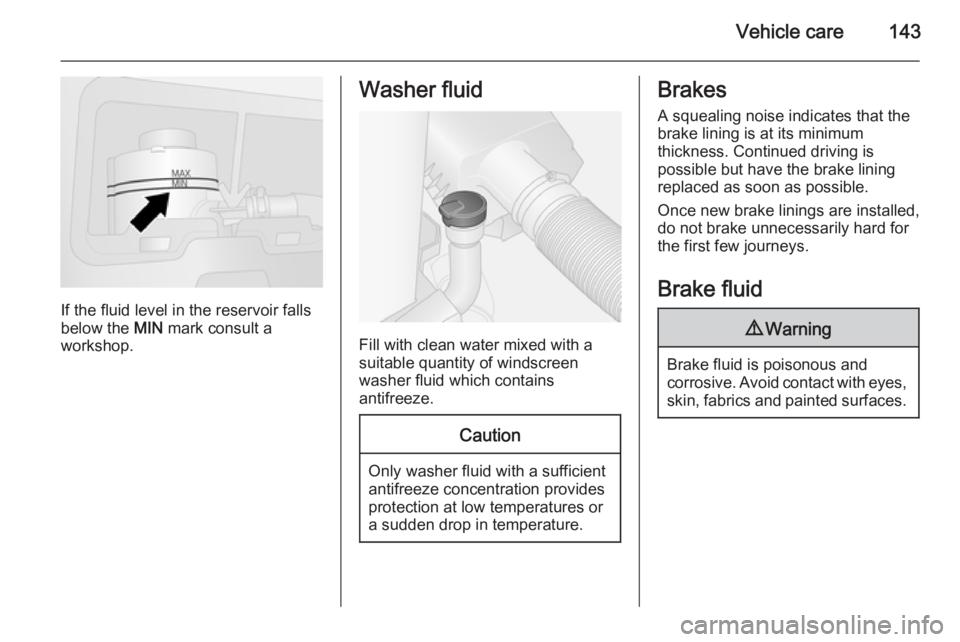
If the fluid level in the reservoir falls
below the MIN mark consult a
workshop.
Washer fluid
Fill with clean water mixed with a
suitable quantity of windscreen
washer fluid which contains
antifreeze.
Caution
Only washer fluid with a sufficient
antifreeze concentration provides
protection at low temperatures or
a sudden drop in temperature.
Brakes
A squealing noise indicates that the
brake lining is at its minimum
thickness. Continued driving is
possible but have the brake lining
replaced as soon as possible.
Once new brake linings are installed,
do not brake unnecessarily hard for
the first few journeys.
Brake fluid9 Warning
Brake fluid is poisonous and
corrosive. Avoid contact with eyes, skin, fabrics and painted surfaces.
Page 147 of 205
Vehicle care145
An AGM battery can be identified by
the label on the battery. We
recommend the use of an original
Opel battery.
Note
Using an AGM vehicle battery
different from the original Opel
vehicle battery may result in a lower performance of the stop-start
system.
We recommend that you have the
vehicle battery replaced by a
workshop.
Stop-start system 3 117.
Charging the vehicle battery9 Warning
On vehicles with stop-start
system, ensure that the charging potential does not exceed
14.6 volts when using a battery
charger. Otherwise the vehicle
battery might be damaged.
9 Danger
Ensure adequate ventilation when
charging the battery. There is a
risk of explosion if gases
generated during charging are
allowed to accumulate!
Jump starting 3 168.
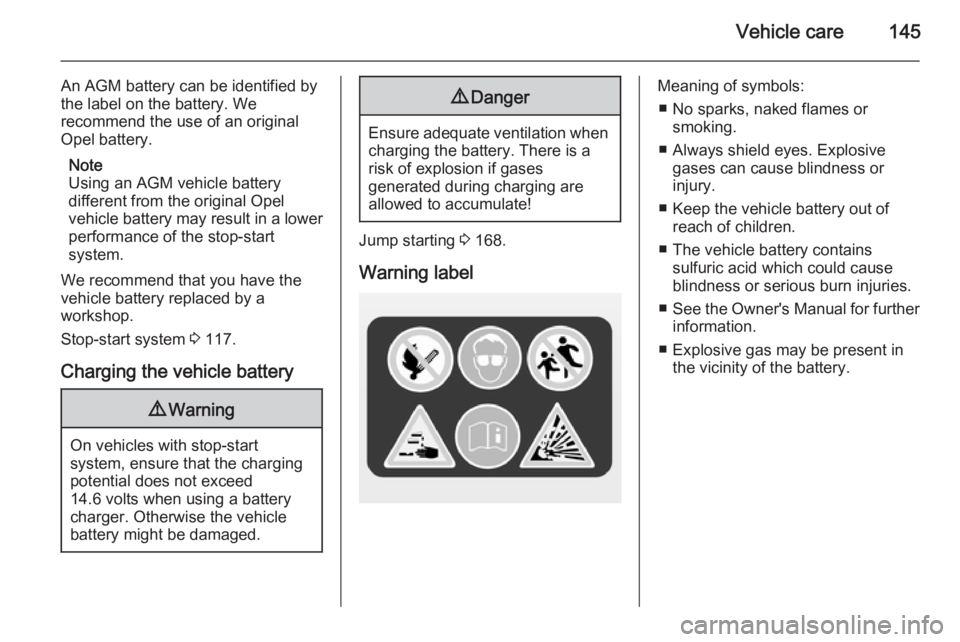
Warning label
Meaning of symbols: ■ No sparks, naked flames or smoking.
■ Always shield eyes. Explosive gases can cause blindness or
injury.
■ Keep the vehicle battery out of reach of children.
■ The vehicle battery contains sulfuric acid which could cause
blindness or serious burn injuries.
■ See the Owner's Manual for further
information.
■ Explosive gas may be present in the vicinity of the battery.
Page 157 of 205
Vehicle care155
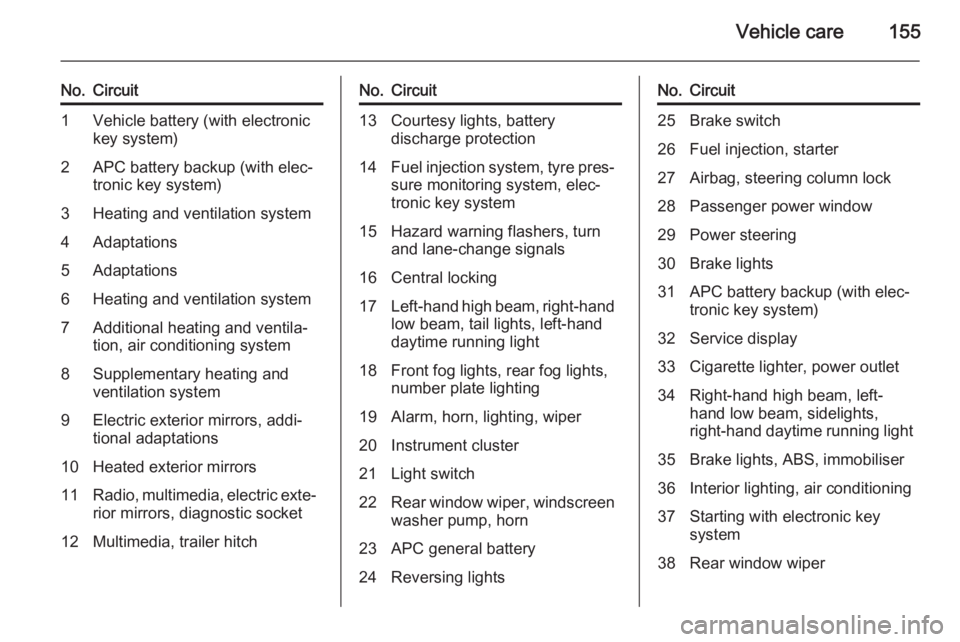
No.Circuit1Vehicle battery (with electronic
key system)2APC battery backup (with elec‐
tronic key system)3Heating and ventilation system4Adaptations5Adaptations6Heating and ventilation system7Additional heating and ventila‐
tion, air conditioning system8Supplementary heating and
ventilation system9Electric exterior mirrors, addi‐
tional adaptations10Heated exterior mirrors11Radio, multimedia, electric exte‐ rior mirrors, diagnostic socket12Multimedia, trailer hitchNo.Circuit13Courtesy lights, battery
discharge protection14Fuel injection system, tyre pres‐ sure monitoring system, elec‐
tronic key system15Hazard warning flashers, turn and lane-change signals16Central locking17Left-hand high beam, right-hand
low beam, tail lights, left-hand
daytime running light18Front fog lights, rear fog lights,
number plate lighting19Alarm, horn, lighting, wiper20Instrument cluster21Light switch22Rear window wiper, windscreen
washer pump, horn23APC general battery24Reversing lightsNo.Circuit25Brake switch26Fuel injection, starter27Airbag, steering column lock28Passenger power window29Power steering30Brake lights31APC battery backup (with elec‐
tronic key system)32Service display33Cigarette lighter, power outlet34Right-hand high beam, left-
hand low beam, sidelights,
right-hand daytime running light35Brake lights, ABS, immobiliser36Interior lighting, air conditioning37Starting with electronic key
system38Rear window wiper