instrument panel OPEL VIVARO B 2018 Manual user
[x] Cancel search | Manufacturer: OPEL, Model Year: 2018, Model line: VIVARO B, Model: OPEL VIVARO B 2018Pages: 237, PDF Size: 5.57 MB
Page 91 of 237
Instruments and controls89
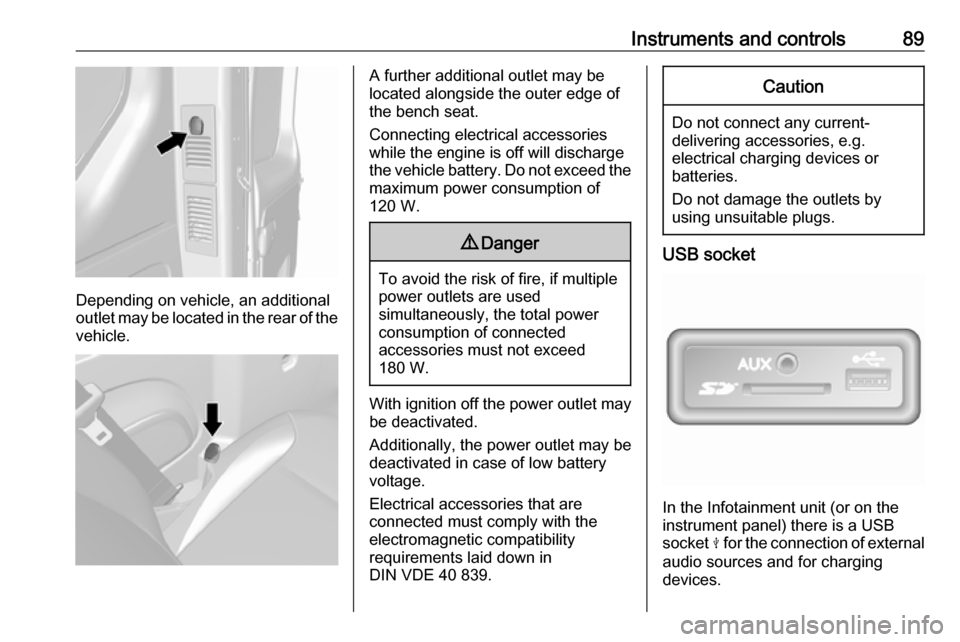
Depending on vehicle, an additional
outlet may be located in the rear of the
vehicle.
A further additional outlet may be
located alongside the outer edge of
the bench seat.
Connecting electrical accessories while the engine is off will discharge
the vehicle battery. Do not exceed the
maximum power consumption of
120 W.9 Danger
To avoid the risk of fire, if multiple
power outlets are used
simultaneously, the total power
consumption of connected
accessories must not exceed
180 W.
With ignition off the power outlet may
be deactivated.
Additionally, the power outlet may be
deactivated in case of low battery
voltage.
Electrical accessories that are
connected must comply with the
electromagnetic compatibility
requirements laid down in
DIN VDE 40 839.
Caution
Do not connect any current- delivering accessories, e.g.
electrical charging devices or
batteries.
Do not damage the outlets by
using unsuitable plugs.
USB socket
In the Infotainment unit (or on the
instrument panel) there is a USB
socket M for the connection of external
audio sources and for charging
devices.
Page 92 of 237
90Instruments and controlsNote
The sockets must always be kept
clean and dry.
AUX socket, SD card slot - refer to the Infotainment manual.
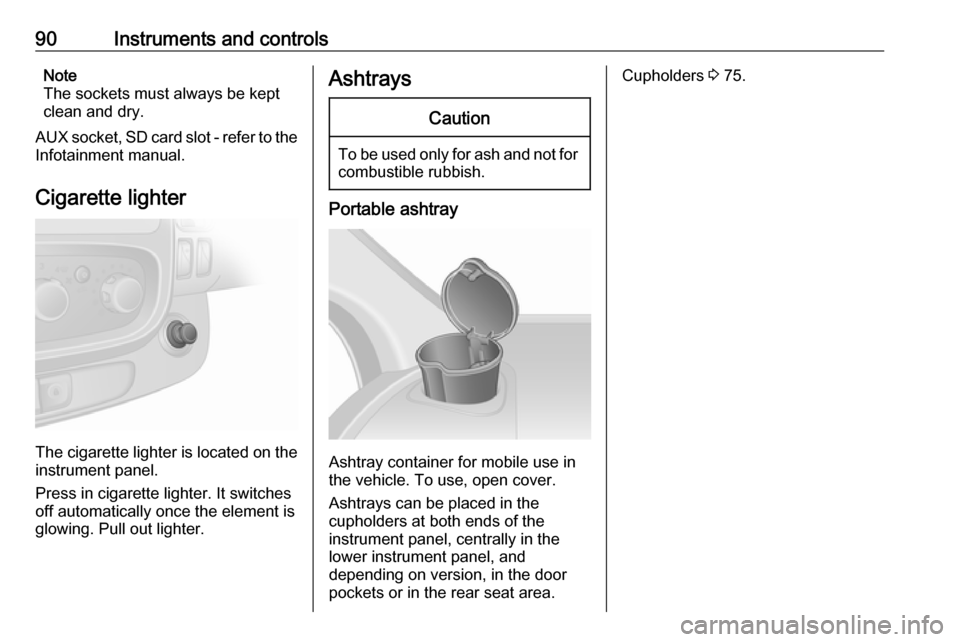
Cigarette lighter
The cigarette lighter is located on the instrument panel.
Press in cigarette lighter. It switches
off automatically once the element is
glowing. Pull out lighter.
AshtraysCaution
To be used only for ash and not for combustible rubbish.
Portable ashtray
Ashtray container for mobile use in
the vehicle. To use, open cover.
Ashtrays can be placed in the
cupholders at both ends of the
instrument panel, centrally in the
lower instrument panel, and
depending on version, in the door pockets or in the rear seat area.
Cupholders 3 75.
Page 93 of 237
Instruments and controls91Warning lights, gauges
and indicators
Instrument cluster
In some versions, the needles of the
instruments briefly rotate to the end
position when the ignition is switched on.
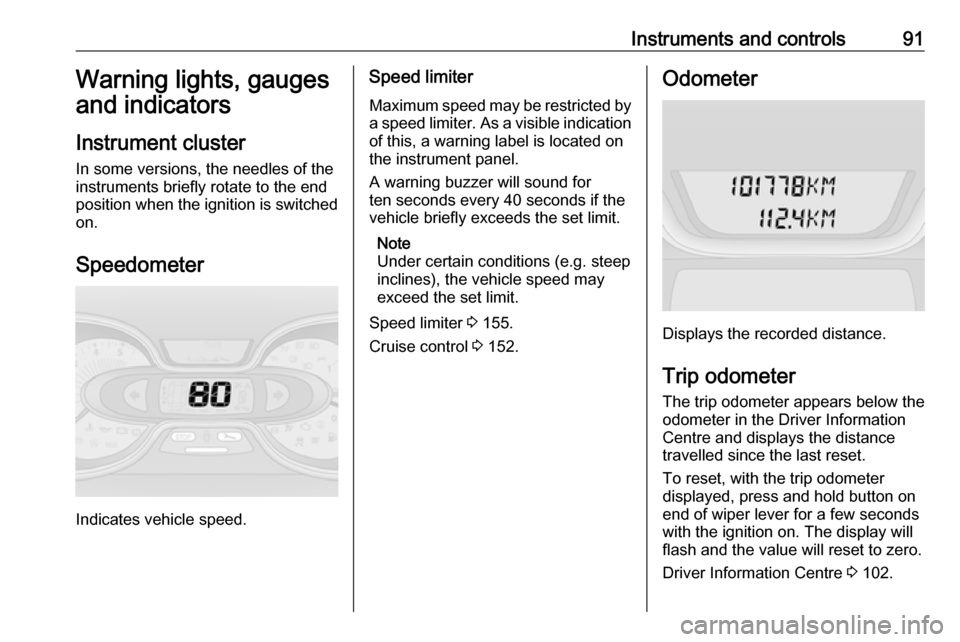
Speedometer
Indicates vehicle speed.
Speed limiter Maximum speed may be restricted by
a speed limiter. As a visible indication
of this, a warning label is located on
the instrument panel.
A warning buzzer will sound for
ten seconds every 40 seconds if the
vehicle briefly exceeds the set limit.
Note
Under certain conditions (e.g. steep
inclines), the vehicle speed may
exceed the set limit.
Speed limiter 3 155.
Cruise control 3 152.Odometer
Displays the recorded distance.
Trip odometer The trip odometer appears below the
odometer in the Driver Information
Centre and displays the distance
travelled since the last reset.
To reset, with the trip odometer
displayed, press and hold button on
end of wiper lever for a few seconds
with the ignition on. The display will
flash and the value will reset to zero.
Driver Information Centre 3 102.
Page 101 of 237

Instruments and controls99If R illuminates together with control
indicator C and a warning chime,
there is a fault in the braking system.
A corresponding message also
appears in the Driver Information
Centre 3 102 . Seek the assistance of
a workshop immediately.
Brake system 3 147.
Antilock brake system (ABS)
u illuminates yellow.
Illuminates briefly after the ignition is
switched on. The system is ready for
operation when u extinguishes.
If control indicator u does not go out
after a few seconds, or if it illuminates while driving, there is a fault in the
ABS. Control indicator F may also
illuminate in the instrument cluster
together a corresponding message in the Driver Information Centre 3 102.
The brake system remains
operational but without ABS
regulation.
If control indicators u, F , R and C
illuminate, there is a fault in the
braking system. A correspondingmessage appears in the Driver
Information Centre. Seek the
assistance of a workshop
immediately.
Antilock brake system (ABS) 3 147.
Upshift k or j illuminates.
It is recommended to shift gear when
illuminated to improve fuel economy.
Electronic Stability Program
R flashes or illuminates yellow.
Illuminates briefly when the ignition is
switched on.
Flashing during driving
The system is actively engaged.
Engine output may be reduced and
the vehicle may be braked
automatically to a small degree.
Illuminates while driving The system is not available. A
corresponding message also
appears in the Driver Information
Centre 3 102.ESP® Plus
3 150.
Traction Control system 3 149.
Electronic Stability Program off
Ø illuminates green.
If ESP ®Plus
has been deactivated with
Ø on the instrument panel, control
indicator Ø illuminates and a
corresponding message appears in
the Driver Information Centre 3 102.
ESP® Plus
3 150.
Traction Control system 3 149.
Engine coolant temperature
W illuminates blue or red.
Illuminates red briefly when the
ignition is switched on, then turns
blue.
Illuminates red when the engine is
running
Stop, switch off engine.
Page 109 of 237
Instruments and controls107Interruption of power supply
If the power supply has been
interrupted or if the vehicle battery
voltage has dropped too low, the
values stored in the trip computer will be lost.Tachograph
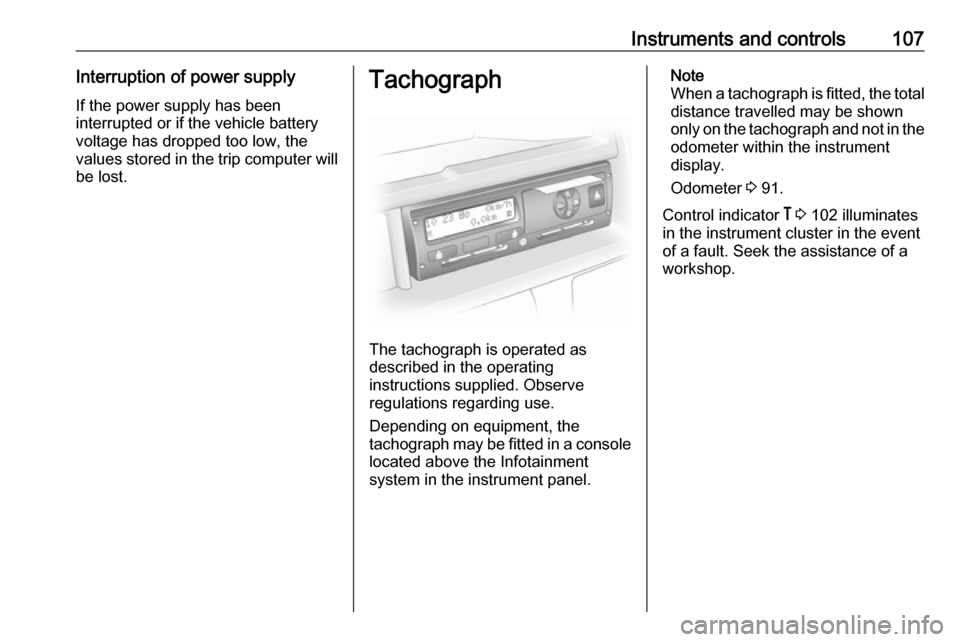
The tachograph is operated as
described in the operating
instructions supplied. Observe
regulations regarding use.
Depending on equipment, the
tachograph may be fitted in a console located above the Infotainment
system in the instrument panel.
Note
When a tachograph is fitted, the total
distance travelled may be shown
only on the tachograph and not in the odometer within the instrument
display.
Odometer 3 91.
Control indicator & 3 102 illuminates
in the instrument cluster in the event
of a fault. Seek the assistance of a
workshop.
Page 110 of 237

108LightingLightingExterior lighting.......................... 108
Light switch .............................. 108
Automatic light control .............109
High beam ............................... 109
Headlight flash ......................... 109
Headlight range adjustment ....109
Headlights when driving abroad .................................... 110
Daytime running lights .............110
Adaptive forward lighting .........110
Hazard warning flashers ..........111
Turn and lane-change signals . 111
Front fog lights ......................... 111
Rear fog lights ......................... 112
Reversing lights .......................112
Misted light covers ...................112
Interior lighting ........................... 112
Instrument panel illumination control ..................................... 112
Interior lights ............................ 112
Load compartment lighting ......114
Reading lights .......................... 114
Glove box lighting ....................114
Lighting features ........................114
Entry lighting ............................ 114Exit lighting.............................. 114
Battery discharge protection ....115Exterior lighting
Light switch
Turn outer switch:
7:off8:sidelights9P:headlights
High beam control indicator P
3 101.
Low beam control indicator 9 3 101.
Note
If the headlights have been switched
on manually, a warning chime will
sound when the engine is switched
Page 114 of 237

112LightingRear fog lights
Turn inner switch to position ø;
control indicator ø illuminates in the
instrument cluster.
Rear fog light comes on together with
front fog lights and will only operate
when the ignition and headlights are
switched on.
Reversing lights
The reversing lights come on when
the ignition is on and reverse gear is
selected.
Misted light covers
The inside of the light covers may mist up briefly in poor, wet and cold
weather conditions, in heavy rain or
after washing. The mist disappears
quickly by itself; to help, switch on the headlights.Interior lighting
Instrument panel illumination control
Brightness of the following lights can
be adjusted when the exterior lights
are on:
● instrument panel illumination
● info-display
● illuminated switches and operation elements.
Turn thumb wheel b until the desired
brightness is obtained.
Interior lights
Courtesy lights
During entry and exit of the vehicle,
depending on switch position the front and rear courtesy lights automaticallyswitch on, together with the foot well
lights, then switch off after a delay.
Front courtesy lights
Operate rocker switch:
press 7:offcentre posi‐
tion:automatic switching
on and offpress d:on
Page 122 of 237

120Climate controlCooling A/C
The air conditioning system cools and
dehumidifies (dries) the air when
outside temperature is above a
specific level. Therefore
condensation may form and drip from under the vehicle.
Note
Air conditioning performance is
reduced when ECO mode has been
activated 3 130.
If no cooling or drying is required
press A/C OFF to switch the cooling
system off, thus saving fuel. LED
illuminates in the button.
To return to Automatic mode: Press
AUTO button.
Air recirculation mode u
Activate or deactivate manual air recirculation mode with u. LED
illuminates in the button when
activated.9 Warning
The exchange of fresh air is
reduced in air recirculation mode.
In operation without cooling the air humidity increases, so the
windows may mist up from inside.
The quality of the passenger
compartment air deteriorates,
which may cause the vehicle
occupants to feel drowsy.
To return to Automatic mode: Press
AUTO button.
Rear heating system
The rear passenger compartment
heating fan assists air flow to the rear
passenger compartment via the rear
air vents.
The rate of air flow is determined by
the fan. Air temperature is controlled
using the temperature control on the
instrument panel.
Page 125 of 237
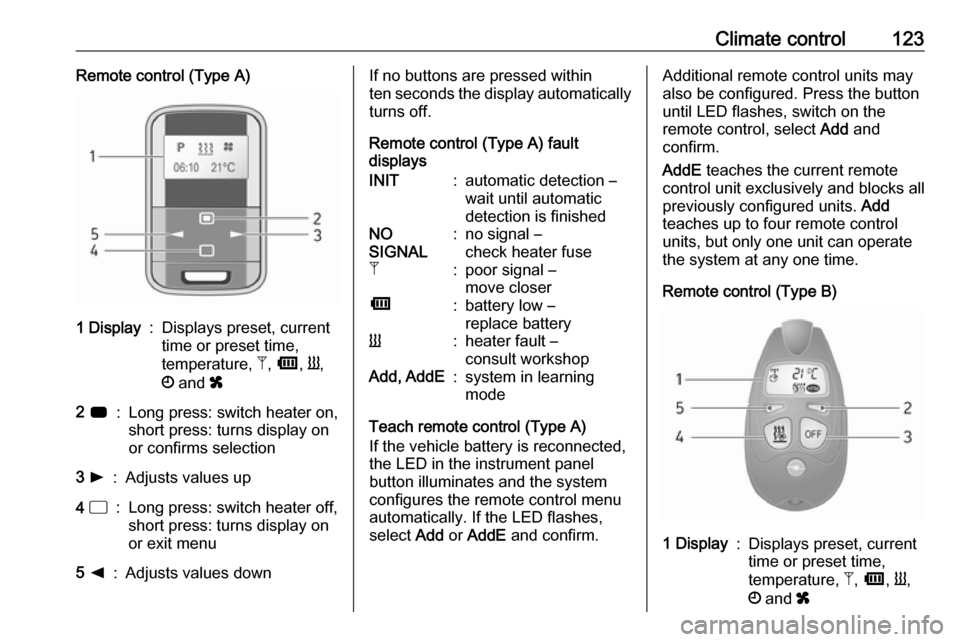
Climate control123Remote control (Type A)1 Display:Displays preset, current
time or preset time,
temperature, Z, Ü , Y ,
Ö and x2 7:Long press: switch heater on,
short press: turns display on
or confirms selection3 l:Adjusts values up4 d:Long press: switch heater off,
short press: turns display on
or exit menu5 k:Adjusts values downIf no buttons are pressed within
ten seconds the display automatically
turns off.
Remote control (Type A) fault
displaysINIT:automatic detection –
wait until automatic
detection is finishedNO
SIGNAL:no signal –
check heater fuseZ:poor signal –
move closerÜ:battery low –
replace batteryY:heater fault –
consult workshopAdd, AddE:system in learning
mode
Teach remote control (Type A)
If the vehicle battery is reconnected, the LED in the instrument panel
button illuminates and the system
configures the remote control menu
automatically. If the LED flashes,
select Add or AddE and confirm.
Additional remote control units may
also be configured. Press the button
until LED flashes, switch on the
remote control, select Add and
confirm.
AddE teaches the current remote
control unit exclusively and blocks all
previously configured units. Add
teaches up to four remote control
units, but only one unit can operate
the system at any one time.
Remote control (Type B)1 Display:Displays preset, current
time or preset time,
temperature, Z, Ü , Y ,
Ö and x
Page 126 of 237
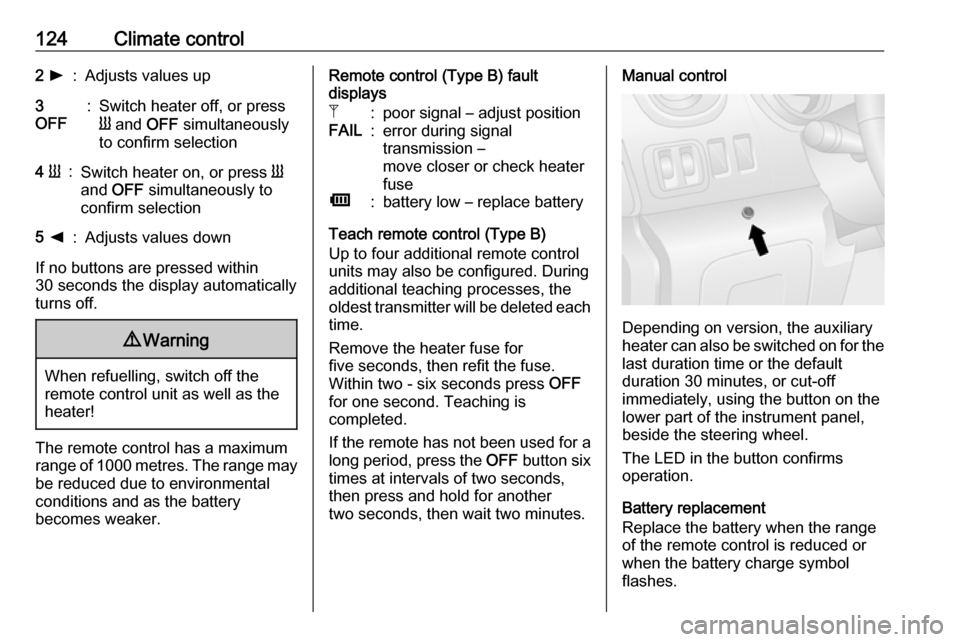
124Climate control2 l:Adjusts values up3
OFF:Switch heater off, or press
Y and OFF simultaneously
to confirm selection4 Y:Switch heater on, or press Y
and OFF simultaneously to
confirm selection5 k:Adjusts values down
If no buttons are pressed within
30 seconds the display automatically
turns off.
9 Warning
When refuelling, switch off the
remote control unit as well as the
heater!
The remote control has a maximum
range of 1000 metres. The range may
be reduced due to environmental
conditions and as the battery
becomes weaker.
Remote control (Type B) fault
displaysZ:poor signal – adjust positionFAIL:error during signal
transmission –
move closer or check heater
fuseÜ:battery low – replace battery
Teach remote control (Type B)
Up to four additional remote control
units may also be configured. During
additional teaching processes, the
oldest transmitter will be deleted each
time.
Remove the heater fuse for
five seconds, then refit the fuse.
Within two - six seconds press OFF
for one second. Teaching is
completed.
If the remote has not been used for a long period, press the OFF button six
times at intervals of two seconds,
then press and hold for another
two seconds, then wait two minutes.
Manual control
Depending on version, the auxiliary
heater can also be switched on for the
last duration time or the default
duration 30 minutes, or cut-off
immediately, using the button on the
lower part of the instrument panel,
beside the steering wheel.
The LED in the button confirms
operation.
Battery replacement
Replace the battery when the range
of the remote control is reduced or when the battery charge symbol
flashes.