lock OPEL ZAFIRA 2009 Owner's Manual
[x] Cancel search | Manufacturer: OPEL, Model Year: 2009, Model line: ZAFIRA, Model: OPEL ZAFIRA 2009Pages: 228, PDF Size: 7.3 MB
Page 71 of 228
Storage
71
Cargo management
system
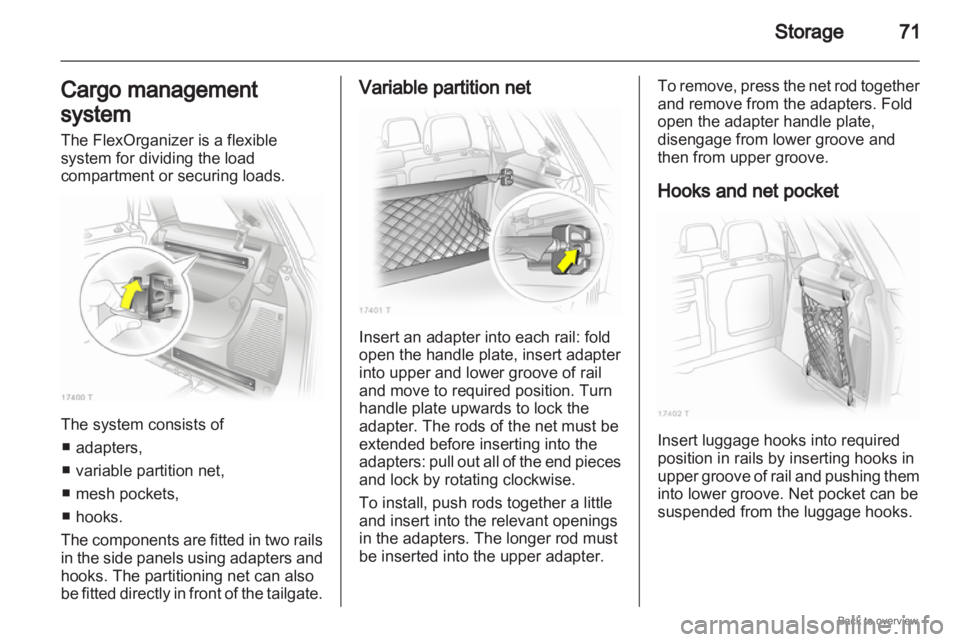
The FlexOrganizer is a flexible
system for dividing the load
compartment or securing loads. The system consists of
■ adapters,
■ variable partition net,
■ mesh pockets,
■ hooks.
The components are fitted in two rails
in the side panels using adapters and
hooks. The partitioning net can also
be fitted directly in front of the tailgate. Variable partition net
Insert an adapter into each rail: fold
open the handle plate, insert adapter
into upper and lower groove of rail
and move to required position. Turn
handle plate upwards to lock the
adapter. The rods of the net must be
extended before inserting into the
adapters:
pull out all of the end pieces
and lock by rotating clockwise.
To install, push rods together a little
and insert into the relevant openings
in the adapters. The longer rod must
be inserted into the upper adapter. To remove, press the net rod together
and remove from the adapters. Fold
open the adapter handle plate,
disengage from lower groove and
then from upper groove.
Hooks and net pocket
Insert luggage hooks into required
position in rails by inserting hooks in
upper
groove of rail and pushing them
into lower groove. Net pocket can be
suspended from the luggage hooks.
Page 72 of 228

72
Storage
Partitioning net in front of
tailgate The partitioning net can be installed
directly in front of the tailgate,
preventing the load from falling out
when the tailgate is opened.
The four end pieces of the net rod
must be pushed in before installation
by rotating each end piece
anticlockwise and pushing in.
To install, push the net rods together
a little and insert into the openings.
The
longer rod must be inserted at the
top. To remove, push the net rods
together and remove.
For easier loading with the third seat
row upright, first insert the rod, place
the
load in the load compartment and
then insert the upper rod.
Safety net
The safety net can be installed behind
the second seat row or the front seats.
Passengers must not be transported
behind the safety net.
Installation There are two installation openings in
the roof frame: suspend and engage
rod of net at one side, compress rod
and suspend and engage at other
side.
Behind the second seat row
Suspend hooks of net tensioning
belts in lashing eyes in floor and
tension.
Page 77 of 228
Instruments and controls
77
Instruments and
controls
Controls ....................................... 77
Warning lights, gauges and
indicators ..................................... 83
Information displays .....................93
Vehicle messages
...................... 100
Trip computer ............................. 102 Controls
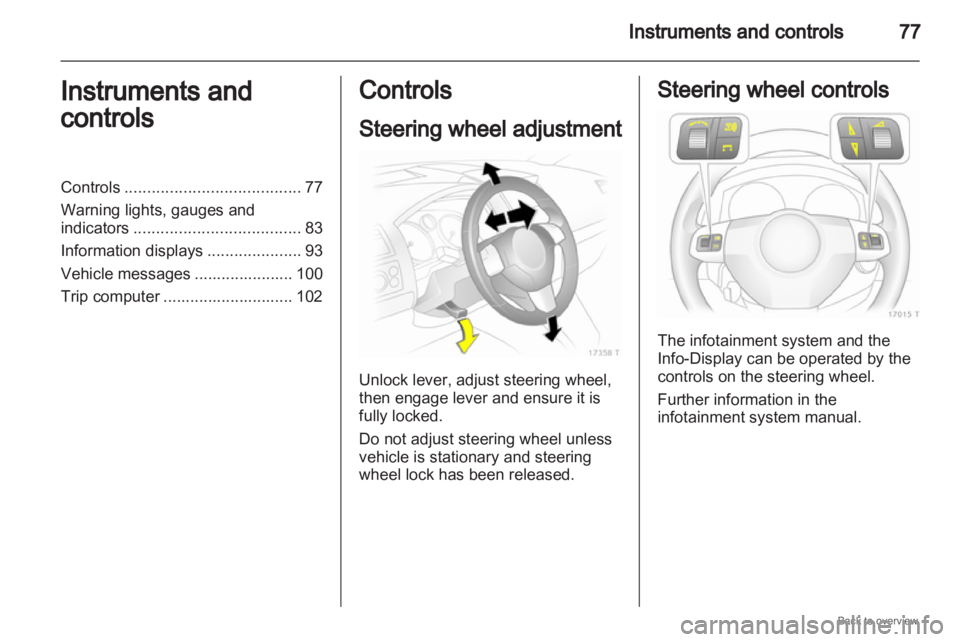
Steering wheel adjustment
Unlock lever, adjust steering wheel,
then engage lever and ensure it is
fully locked.
Do not adjust steering wheel unless
vehicle is stationary and steering
wheel lock has been released. Steering wheel controls
The infotainment system and the
Info-Display can be operated by the
controls on the steering wheel.
Further information in the
infotainment system manual.
Page 80 of 228
80
Instruments and controls
The rear screen wiper comes on
automatically when the windscreen
wiper is switched on and reverse gear
is engaged.
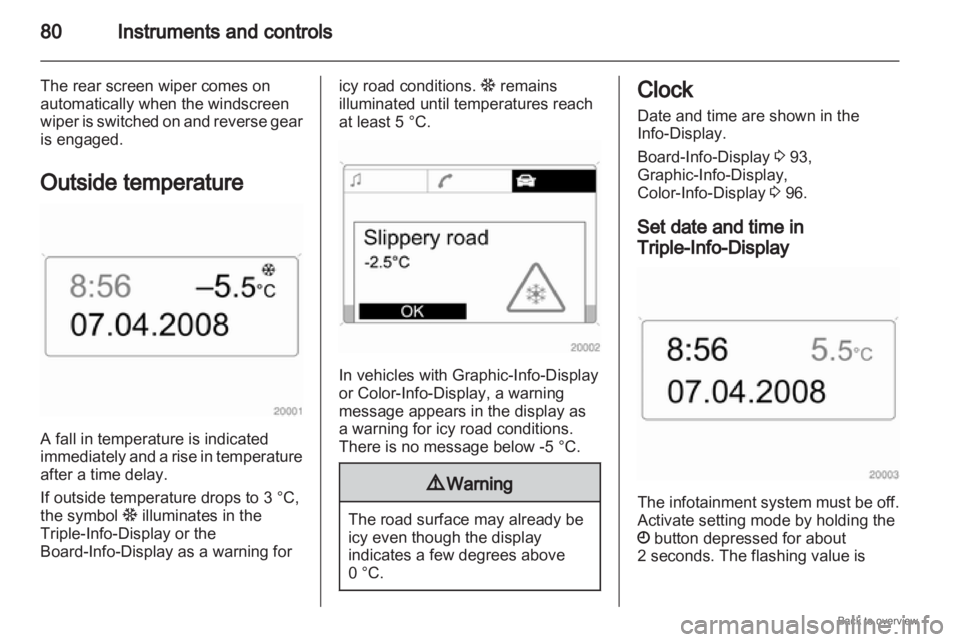
Outside temperature A fall in temperature is indicated
immediately
and a rise in temperature
after a time delay.
If outside temperature drops to 3 °C,
the symbol : illuminates in the
Triple-Info-Display or the
Board-Info-Display as a warning for icy road conditions.
: remains
illuminated until temperatures reach
at least 5 °C. In vehicles with Graphic-Info-Display
or Color-Info-Display
, a warning
message appears in the display as
a warning for icy road conditions.
There is no message below -5 °C. 9
Warning The road surface may already be
icy even though the display
indicates a few degrees above
0 °C. Clock
Date and time are shown in the
Info-Display.
Board-Info-Display
3 93,
Graphic-Info-Display,
Color-Info-Display 3 96.
Set date and time in
Triple-Info-Display The infotainment system must be off.
Activate setting mode by holding the
Ö button depressed for about
2 seconds. The flashing value is
Page 85 of 228
Instruments and controls
85
If the natural gas tanks are not
refuelled, the system must be
manually switched to petrol operation
before the engine is started up again.
This will prevent damage to the
catalytic converter (overheating
caused by irregular fuel supply).
If the selector switch is operated
several times within a short time
a switchover block is activated. The
engine remains in the current
operating mode. The block remains
active until the ignition is switched off.
A slight loss of power and torque can
be expected in petrol operation. You
must therefore adapt your driving
style (e.g. during overtaking
manoeuvres) and vehicle loads (e.g.
towing loads) accordingly.
Every six months run the petrol tank
down until control indicator Y
illuminates and refuel. This is
necessary to maintain fuel quality as
well as system function necessary for
petrol operation.
Fill the tank completely at regular
intervals to prevent corrosion in the
tank. Service display
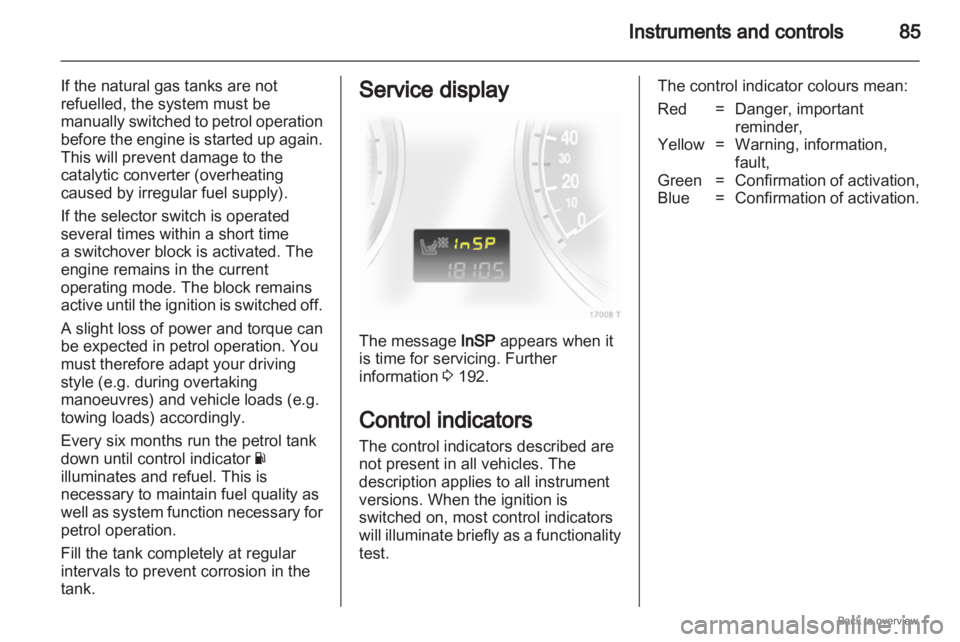
The message InSP appears when it
is time for servicing. Further
information
3 192.
Control indicators
The control indicators described are
not present in all vehicles. The
description applies to all instrument
versions. When the ignition is
switched on, most control indicators
will
illuminate briefly as a functionality
test. The control indicator colours mean:
Red = Danger, important
reminder,
Yellow = Warning, information, fault,
Green = Confirmation of activation,
Blue = Confirmation of activation.
Page 89 of 228

Instruments and controls
89
Flashes with switched on
ignition
Fault in the electronic immobiliser
system.
The engine cannot be started
3 38.
Brake and clutch system
R illuminates or flashes red.
Illuminated
Illuminates when the hand brake is
released if the brake/clutch fluid level
is too low 3 158. 9
Warning Stop. Do not continue your
journey. Consult a workshop.
Illuminates after the ignition is
switched on if the hand brake is
applied
3 141.
Flashes
On vehicle with automated manual
transmission, flashes for a few
seconds
when the ignition is switched
off if the hand brake is not applied. On vehicles with automated manual
transmission, flashes when the
driver's door is opened if no gear is
engaged and the hand brake is not
applied.
Antilock brake system
(ABS)
u
illuminates red.
Illuminates
for a few seconds after the
ignition is turned on. The system is
ready for operation when the control
indicator goes out.
If the control indicator does not go out
after a few seconds, or if it illuminates
while driving, there is a fault in the
ABS. The brake system remains
operational but without ABS
regulation.
Anti-lock Braking System 3 140.
Sport mode
1 illuminates yellow.
The symbol is illuminated when Sport
mode is on 3 134, 3 138. Winter mode
T
illuminates yellow.
The symbol is illuminated when
Winter mode is on 3 134, 3 138.
Ultrasonic parking assist
r illuminates or flashes yellow.
Illuminated
Fault
in system. Have the cause of the
fault remedied by a workshop.
Flashes
Fault due to sensors that are dirty or
covered by ice or snow.
or
Interference due to external sources
of ultra sound. Once the source of
interference is removed, the system
will operate normally.
Ultrasonic parking sensors 3 145.
Electronic Stability
Program
v flashes or illuminates yellow.
Page 91 of 228
Instruments and controls
91
Interactive Driving System,
Continuous Damping
Control, SPORT-mode
IDS+ illuminates yellow.
Illuminates for approximately 10
seconds after the driver's door is
opened. Illumination whilst driving
indicates a fault in the system. The
system
switches to the harder chassis
setting for reasons of safety. Have the
cause of the fault remedied by
a workshop.
IDS Plus
3 143, CDC 3 143, SPORT
mode 3 143.
Engine oil pressure
I illuminates red.
It illuminates when the ignition is
switched on and goes out shortly after
the engine starts. Illuminates when the engine is
running
Caution
Engine lubrication may be
interrupted. This may result in
damage to the engine and/or
locking of the drive wheels.
1. Depress clutch.
2.
Select neutral gear, set selectorlever to N .
3. Move out of the flow of traffic as quickly as possible without
impeding other vehicles.
4. Switch off ignition. 9
Warning When the engine is off,
considerably
more force is needed
to brake and steer.
Do not remove key until vehicle
has come to a standstill, otherwise
the steering column lock could
engage unexpectedly. Seek the assistance of a workshop.
Low engine oil level
S
illuminates yellow.
Engine oil level is checked
automatically.
Illuminates when the engine is
running
Low
engine oil level. Check engine oil
level and top up as necessary
3 156.
Low fuel
Y illuminates or flashes yellow.
Illuminated
Level in fuel tank too low.
Flashes
Fuel used up. Refuel immediately.
Never run the tank dry.
Catalytic converter 3 130.
Bleeding the diesel fuel system
3 159.
Page 92 of 228

92
Instruments and controls
When operating with natural gas, the
system automatically switches over to
petrol operation 3 84.
Open&Start system
0 illuminates or flashes yellow.
Flashes
The electronic key is no more within
the reception range of the vehicle
interior. The engine cannot be
started. Hold the Start/Stop button
depressed a bit longer to switch off
the ignition.
or
Failure of the electronic key.
Operation is yet only possible via
emergency operation.
Illuminated
Fault in system. Try to operate with
the spare key, the remote control or
through emergency operation. Hold
the Start/Stop button depressed a bit
longer to switch off the ignition. Seek
the assistance of a workshop.
or The steering wheel lock is still
engaged. Move the steering wheel
slightly and press the
Start/Stop
button.
Open&Start System 3 29.
Apply footbrake
j illuminates yellow.
The
engine with manual transmission
automated can only be started if the
foot brake is depressed. If the foot
brake is not depressed, the control
indicator illuminates 3 137.
Exterior light
8 illuminates green.
Illuminated when the exterior lights
are on 3 108.
High beam
C illuminates blue.
Illuminated when high beam is on and
during headlamp flash 3 109. Adaptive forward lighting
B
illuminates or flashes yellow.
Illuminated
Fault in system.
If the swivelling device for curve
lighting fails, the corresponding
dipped
beam lamp is deactivated and
the fog lamp is switched on.
Seek the assistance of a workshop.
Flashes
System switched to symmetrical
dipped beam.
Control indicator B flashes for
approximately 4 seconds after the
ignition is switched on as a reminder
that the system has been switched
3 109.
Adaptive Forward Lighting (AFL)
3 110.
Fog light
> illuminates green.
Illuminated when the fog lamps are on
3 111.
Page 95 of 228
Instruments and controls
95
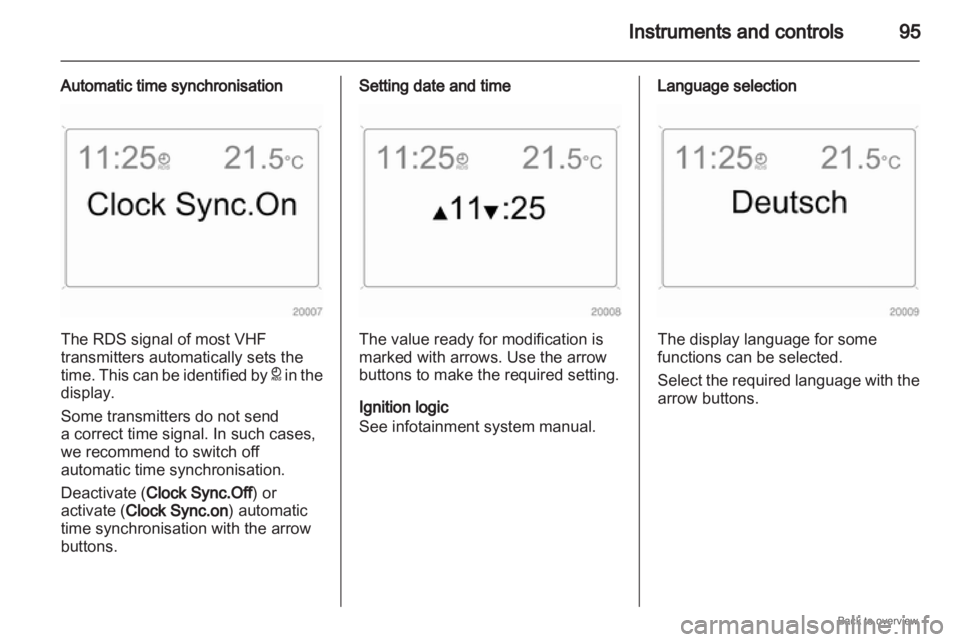
Automatic time synchronisation The RDS signal of most VHF
transmitters automatically sets the
time.
This can be identified by } in the
display.
Some transmitters do not send
a correct time signal. In such cases,
we recommend to switch off
automatic time synchronisation.
Deactivate (Clock Sync.Off) or
activate (Clock Sync.on) automatic
time synchronisation with the arrow
buttons. Setting date and time
The value ready for modification is
marked with arrows. Use the arrow
buttons to make the required setting.
Ignition logic
See infotainment system manual. Language selection
The display language for some
functions can be selected.
Select
the required language with the
arrow buttons.
Page 98 of 228
98
Instruments and controls
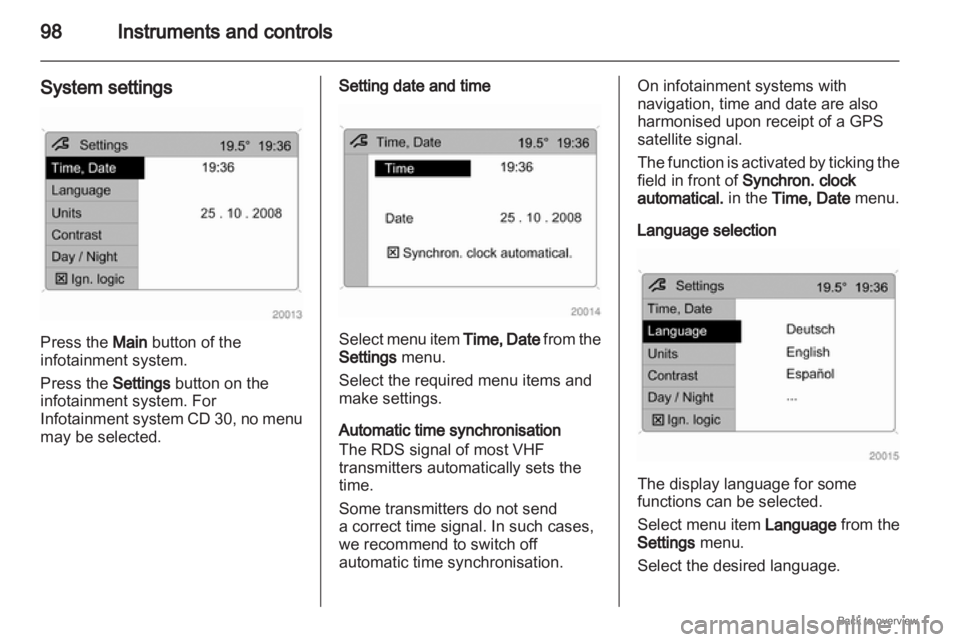
System settings Press the Main button of the
infotainment system.
Press the Settings button on the
infotainment system. For
Infotainment
system CD 30, no menu
may be selected. Setting date and time
Select menu item
Time, Date from the
Settings menu.
Select the required menu items and
make settings.
Automatic time synchronisation
The RDS signal of most VHF
transmitters automatically sets the
time.
Some transmitters do not send
a correct time signal. In such cases,
we recommend to switch off
automatic time synchronisation. On infotainment systems with
navigation, time and date are also
harmonised upon receipt of a GPS
satellite signal.
The
function is activated by ticking the
field in front of Synchron. clock
automatical. in the Time, Date menu.
Language selection The display language for some
functions can be selected.
Select
menu item Language from the
Settings menu.
Select the desired language.