lock OPEL ZAFIRA 2009 User Guide
[x] Cancel search | Manufacturer: OPEL, Model Year: 2009, Model line: ZAFIRA, Model: OPEL ZAFIRA 2009Pages: 228, PDF Size: 7.3 MB
Page 30 of 228

30
Keys, doors and windows
If the ignition has been switched off
and the vehicle is stationary, the
steering wheel lock activates
automatically when the driver’s door
is opened or closed.
Control indicator 0 3 92.
Note
Do not put the electronic key in the
load compartment or in front of the
Info-Display.
The
sensor fields in the door handles
must be kept clean to ensure
unrestricted functionality.
If the battery is discharged, the
vehicle must not be towed, tow-
started or bump-started as the
steering column lock cannot be
disengaged. Radio remote control
The electronic key also has a radio
remote control feature. Emergency operation
If the radio remote control also fails,
the driver's door can be locked or
unlocked with the emergency key
contained
in the electronic key: press
locking mechanism on underside and
remove cap by applying gentle
pressure to the cap. Push emergency
key towards the outside over the
detent and remove.
Page 31 of 228
Keys, doors and windows
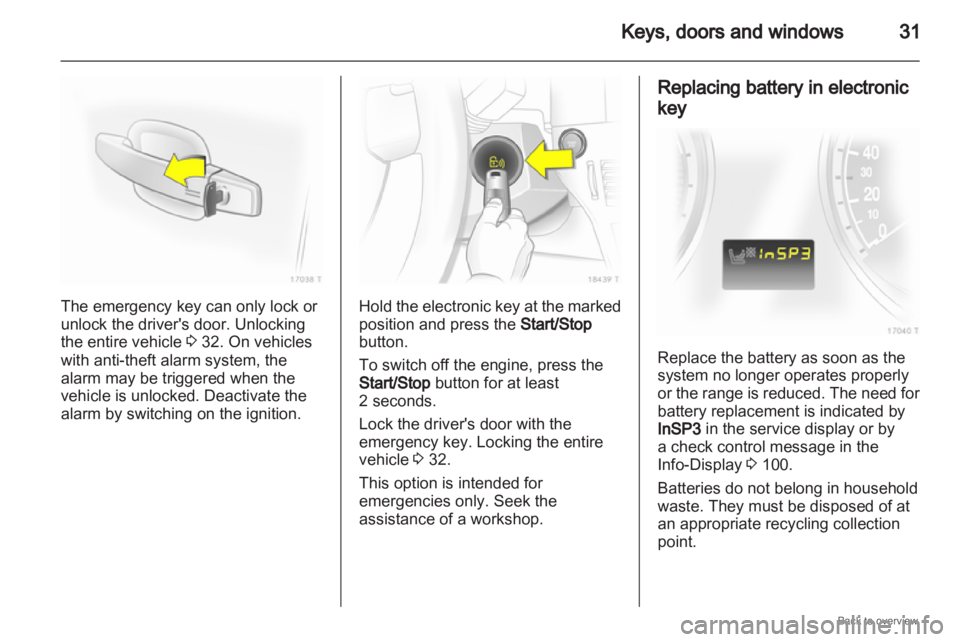
31The emergency key can only lock or
unlock the driver's door. Unlocking
the entire vehicle
3 32. On vehicles
with anti-theft alarm system, the
alarm may be triggered when the
vehicle is unlocked. Deactivate the
alarm by switching on the ignition. Hold the electronic key at the marked
position and press the
Start/Stop
button.
To switch off the engine, press the
Start/Stop button for at least
2 seconds.
Lock the driver's door with the
emergency key. Locking the entire
vehicle 3 32.
This option is intended for
emergencies only. Seek the
assistance of a workshop. Replacing battery in electronic
key
Replace the battery as soon as the
system no longer operates properly
or
the range is reduced. The need for
battery replacement is indicated by
InSP3 in the service display or by
a check control message in the
Info-Display 3 100.
Batteries do not belong in household
waste. They must be disposed of at
an appropriate recycling collection
point.
Page 32 of 228
32
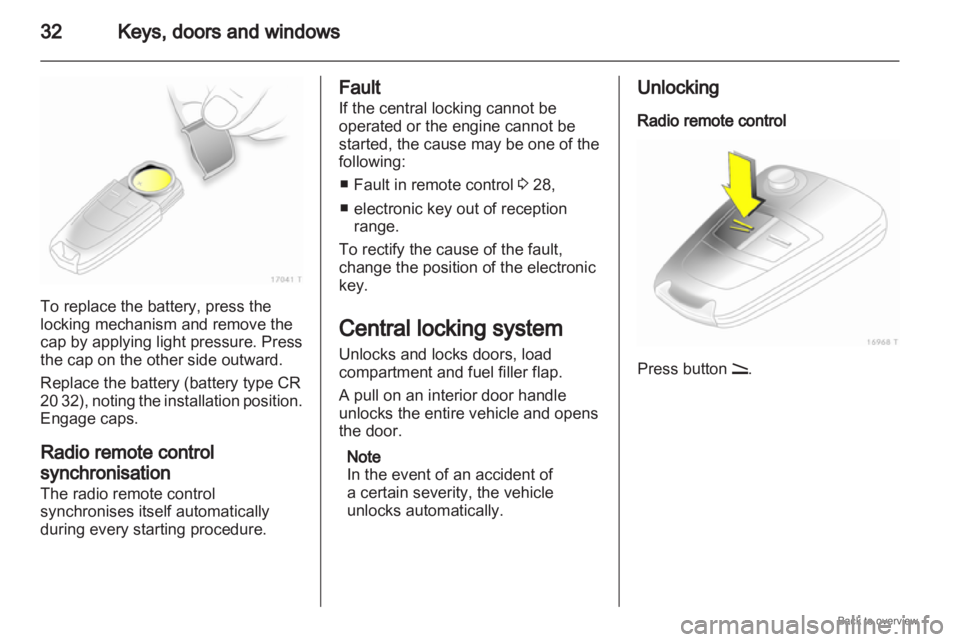
Keys, doors and windowsTo replace the battery, press the
locking mechanism and remove the
cap by applying light pressure. Press
the cap on the other side outward.
Replace the battery (battery type CR
20
32), noting the installation position.
Engage caps.
Radio remote control
synchronisation
The radio remote control
synchronises itself automatically
during every starting procedure. Fault
If the central locking cannot be
operated or the engine cannot be
started, the cause may be one of the
following:
■
Fault in remote control 3 28,
■ electronic key out of reception range.
To rectify the cause of the fault,
change the position of the electronic
key.
Central locking system
Unlocks and locks doors, load
compartment and fuel filler flap.
A pull on an interior door handle
unlocks the entire vehicle and opens
the door.
Note
In the event of an accident of
a certain severity, the vehicle
unlocks automatically. Unlocking
Radio remote control
Press button q.
Page 33 of 228
Keys, doors and windows
33
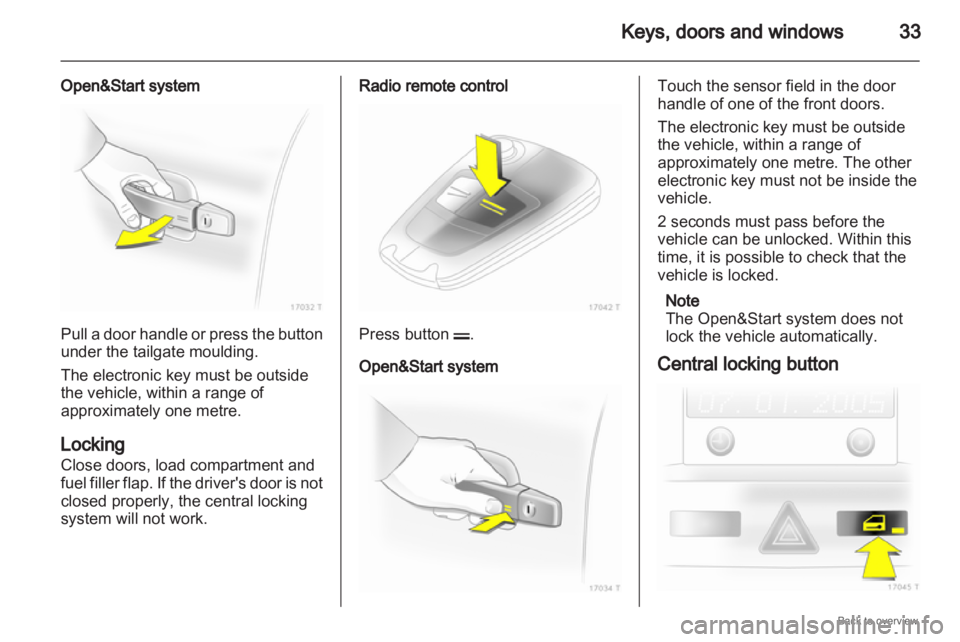
Open&Start system Pull a door handle or press the button
under the tailgate moulding.
The electronic key must be outside
the vehicle, within a range of
approximately one metre.
Locking
Close doors, load compartment and
fuel
filler flap. If the driver's door is not
closed properly, the central locking
system will not work. Radio remote control
Press button p.
Open&Start system Touch the sensor field in the door
handle of one of the front doors.
The electronic key must be outside
the vehicle, within a range of
approximately one metre. The other
electronic key must not be inside the
vehicle.
2 seconds must pass before the
vehicle can be unlocked. Within this
time, it is possible to check that the
vehicle is locked.
Note
The Open&Start system does not
lock the vehicle automatically.
Central locking button
Page 34 of 228
34
Keys, doors and windows
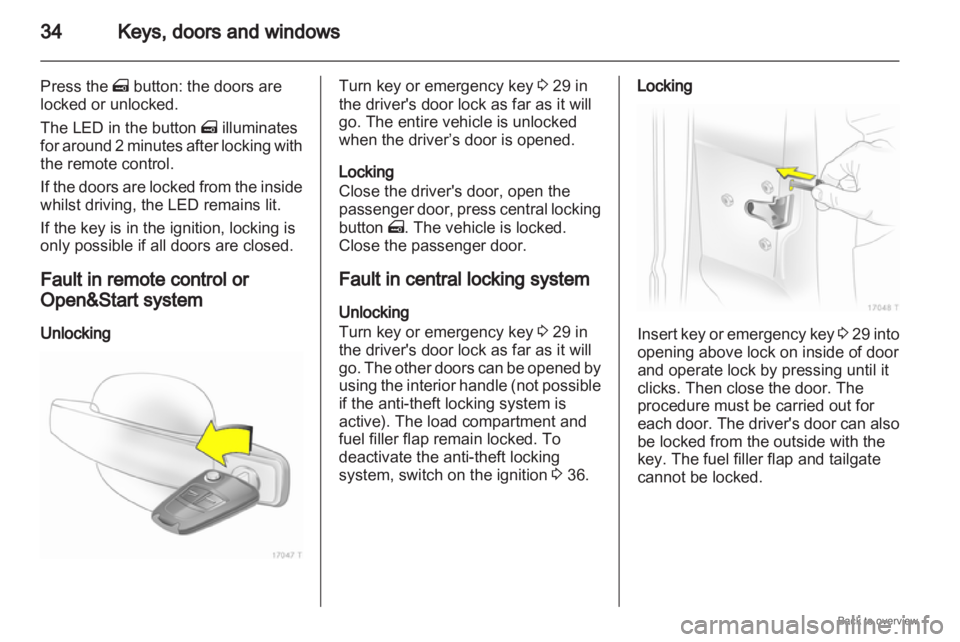
Press the m button: the doors are
locked or unlocked.
The LED in the button m illuminates
for
around 2 minutes after locking with
the remote control.
If the doors are locked from the inside
whilst driving, the LED remains lit.
If the key is in the ignition, locking is
only possible if all doors are closed.
Fault in remote control or
Open&Start system
Unlocking Turn key or emergency key
3 29 in
the driver's door lock as far as it will
go. The entire vehicle is unlocked
when the driver’s door is opened.
Locking
Close the driver's door, open the
passenger
door, press central locking
button m. The vehicle is locked.
Close the passenger door.
Fault in central locking system
Unlocking
Turn key or emergency key 3 29 in
the driver's door lock as far as it will
go. The other doors can be opened by
using the interior handle (not possible
if the anti-theft locking system is
active). The load compartment and
fuel filler flap remain locked. To
deactivate the anti-theft locking
system, switch on the ignition 3 36. Locking
Insert key or emergency key
3 29
into
opening above lock on inside of door
and operate lock by pressing until it
clicks. Then close the door. The
procedure must be carried out for
each door. The driver's door can also
be locked from the outside with the
key. The fuel filler flap and tailgate
cannot be locked.
Page 35 of 228
Keys, doors and windows
35
Child locks 9
Warning Use the child locks whenever
children are occupying the rear
seats.
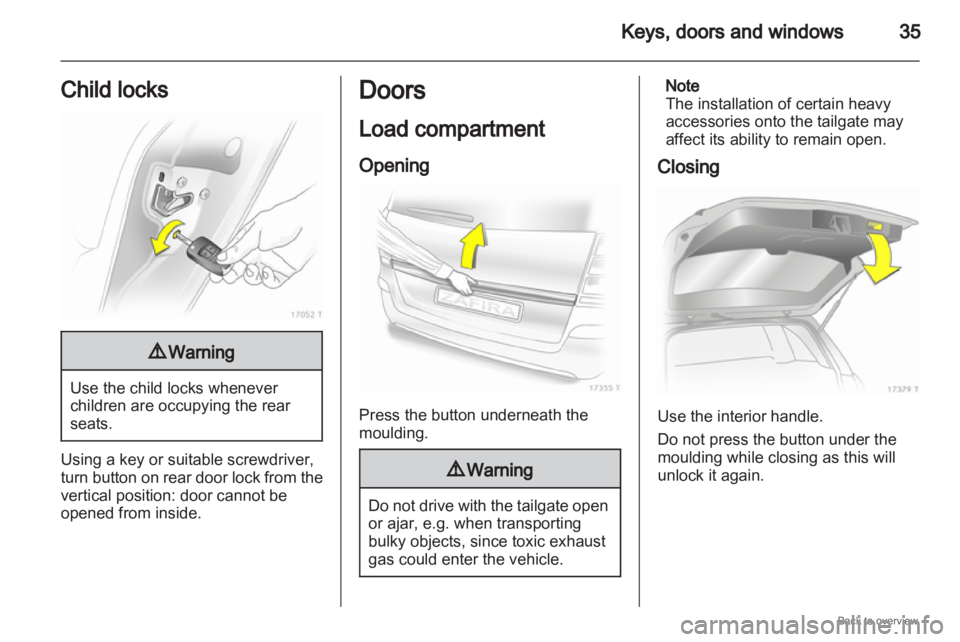
Using a key or suitable screwdriver,
turn
button on rear door lock from the
vertical position: door cannot be
opened from inside. Doors
Load compartment
Opening
Press the button underneath the
moulding.
9
Warning Do not drive with the tailgate open
or ajar, e.g. when transporting
bulky objects, since toxic exhaust
gas could enter the vehicle. Note
The installation of certain heavy
accessories onto the tailgate may
affect its ability to remain open.
Closing Use the interior handle.
Do not press the button under the
moulding while closing as this will
unlock it again.
Page 36 of 228
36
Keys, doors and windows
Vehicle security
Anti-theft locking system 9
Warning Do not use the system if there are
people in the vehicle! The doors
cannot be unlocked from the
inside.
The system deadlocks all the doors.
All doors must be closed or the
system cannot be activated.
If
the ignition was on, the driver's door
must be opened and closed once so
that the vehicle can be secured.
Unlocking the vehicle disables the
mechanical anti-theft locking system.
This is not possible with the central
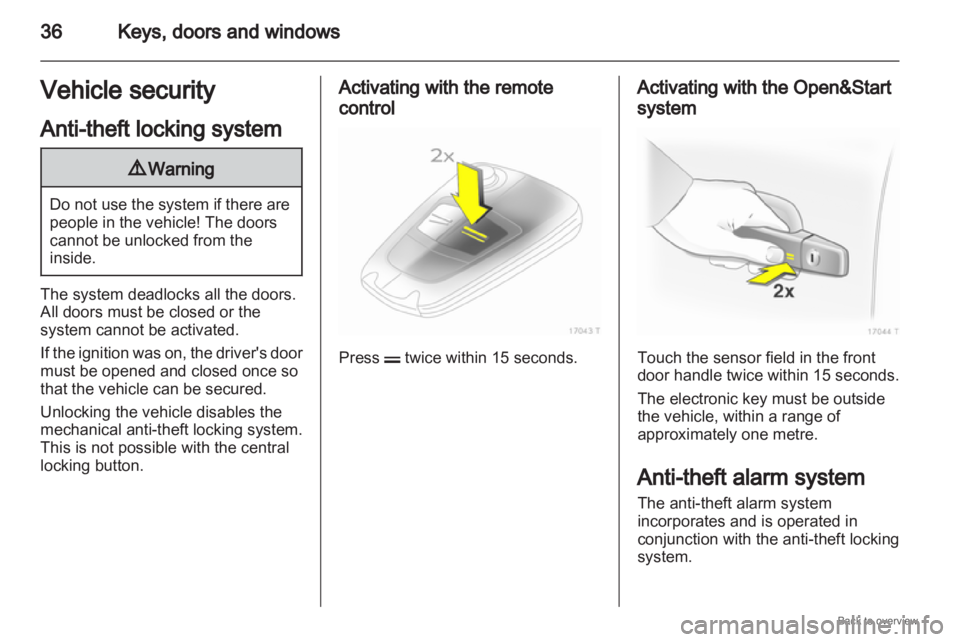
locking button. Activating with the remote
control
Press p twice within 15 seconds. Activating with the Open&Start
system
Touch the sensor field in the front
door handle twice within 15 seconds.
The electronic key must be outside
the vehicle, within a range of
approximately one metre.
Anti-theft alarm system
The anti-theft alarm system
incorporates and is operated in
conjunction with the anti-theft locking
system.
Page 37 of 228
Keys, doors and windows
37
It monitors: ■ Doors, load compartment, bonnet,
■ Passenger compartment,
■ Vehicle tilt, e.g. if it is raised,
■ Ignition.
Unlocking the vehicle deactivates
both systems simultaneously.
Note
Changes to the vehicle interior, such
as the use of seat covers, could
impair the function of passenger
compartment monitoring. Activation without monitoring of
passenger compartment and
vehicle tilt
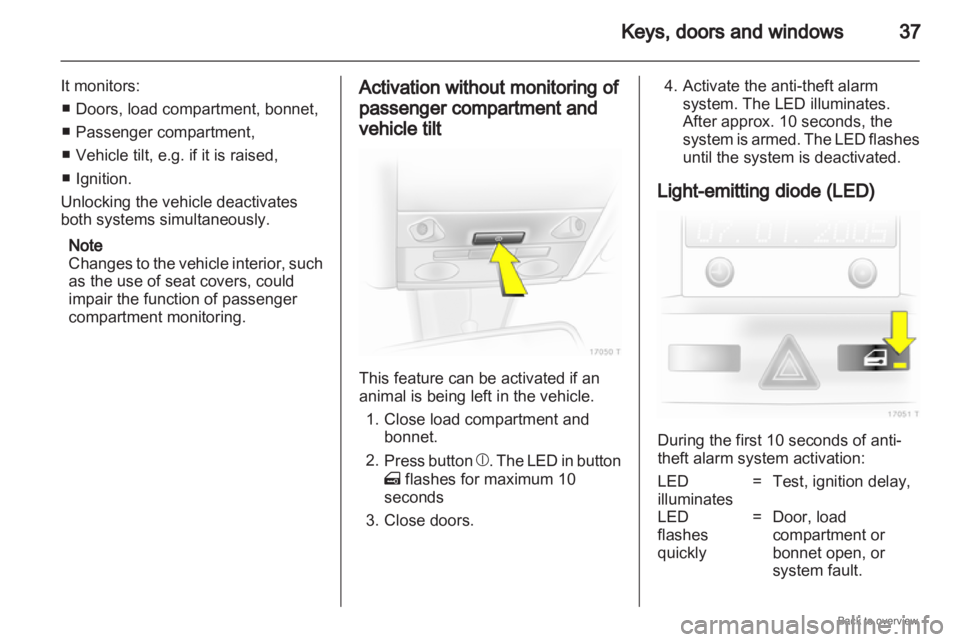
This feature can be activated if an
animal is being left in the vehicle.
1.
Close load compartment andbonnet.
2. Press button b. The LED in button
m flashes for maximum 10
seconds
3. Close doors. 4. Activate the anti-theft alarm
system. The LED illuminates.
After approx. 10 seconds, the
system
is armed. The LED flashes
until the system is deactivated.
Light-emitting diode (LED) During the first 10 seconds of anti-
theft alarm system activation:
LED
illuminates
= Test, ignition delay,
LED
flashes
quickly = Door, load
compartment or
bonnet open, or
system fault.
Page 38 of 228
38
Keys, doors and windows
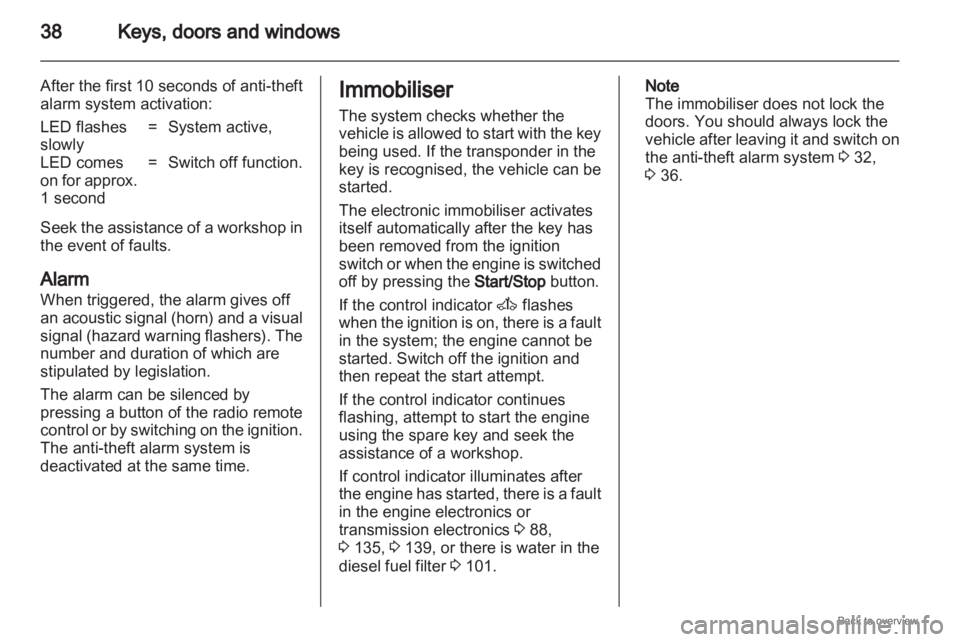
After the first 10 seconds of anti-theft
alarm system activation:
LED flashes
slowly = System active,
LED comes
on for approx.
1 second = Switch off function.
Seek the assistance of a workshop in
the event of faults.
Alarm
When triggered, the alarm gives off
an
acoustic signal (horn) and a visual
signal (hazard warning flashers). The
number and duration of which are
stipulated by legislation.
The alarm can be silenced by
pressing a button of the radio remote
control or by switching on the ignition.
The anti-theft alarm system is
deactivated at the same time. Immobiliser
The system checks whether the
vehicle
is allowed to start with the key
being used. If the transponder in the
key is recognised, the vehicle can be
started.
The electronic immobiliser activates
itself automatically after the key has
been removed from the ignition
switch or when the engine is switched
off by pressing the Start/Stop button.
If the control indicator A flashes
when the ignition is on, there is a fault
in the system; the engine cannot be
started. Switch off the ignition and
then repeat the start attempt.
If the control indicator continues
flashing, attempt to start the engine
using the spare key and seek the
assistance of a workshop.
If control indicator illuminates after
the engine has started, there is a fault
in the engine electronics or
transmission electronics 3 88,
3 135, 3 139, or there is water in the
diesel fuel filter 3 101. Note
The immobiliser does not lock the
doors. You should always lock the
vehicle
after leaving it and switch on
the anti-theft alarm system 3 32,
3 36.
Page 54 of 228
54
Seats, restraints
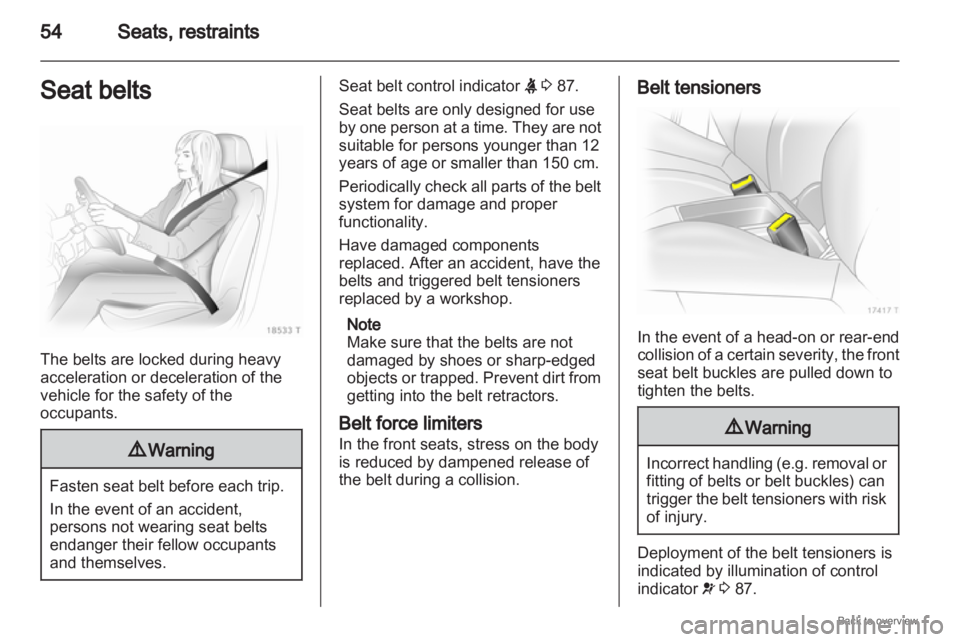
Seat belts The belts are locked during heavy
acceleration or deceleration of the
vehicle for the safety of the
occupants.
9
Warning Fasten seat belt before each trip.
In the event of an accident,
persons not wearing seat belts
endanger their fellow occupants
and themselves. Seat belt control indicator
X 3 87.
Seat belts are only designed for use
by
one person at a time. They are not
suitable for persons younger than 12
years of age or smaller than 150 cm.
Periodically check all parts of the belt
system for damage and proper
functionality.
Have damaged components
replaced. After an accident, have the
belts and triggered belt tensioners
replaced by a workshop.
Note
Make sure that the belts are not
damaged by shoes or sharp-edged
objects or trapped. Prevent dirt from
getting into the belt retractors.
Belt force limiters
In the front seats, stress on the body
is reduced by dampened release of
the belt during a collision. Belt tensioners
In the event of a head-on or rear-end
collision
of a certain severity, the front
seat belt buckles are pulled down to
tighten the belts. 9
Warning Incorrect handling (e.g. removal or
fitting of belts or belt buckles) can
trigger
the belt tensioners with risk
of injury. Deployment of the belt tensioners is
indicated by illumination of control
indicator
v 3 87.