wheel OPEL ZAFIRA TOURER 2017 Workshop Manual
[x] Cancel search | Manufacturer: OPEL, Model Year: 2017, Model line: ZAFIRA TOURER, Model: OPEL ZAFIRA TOURER 2017Pages: 307, PDF Size: 9.35 MB
Page 188 of 307
186Driving and operating
The stored speed is maintained.
9Warning
When adaptive cruise control is
deactivated, the driver must take
over full brake and engine control.
Switching off
Press C to switch off adaptive cruise
control. The control indicator m
extinguishes. The stored speed is
deleted.
Switching off the ignition also
switches off adaptive cruise control
and deletes the stored speed.
Driver's attention
● Use adaptive cruise control carefully on bends or mountain
roads, as it can lose the vehicle
ahead and require time to detect
it again.
● Do not use the system on slippery roads as it can create
rapid changes in tyre traction
(wheel spinning), so that you
could lose control.
● Do not use adaptive cruise control during rain, snow or
heavy dirt, as the radar sensor
can be covered by a water film,
dust, ice or snow. This reduces or completely suppresses the
visibility. In case of sensor
blockage, clean the sensor
cover.
System limits ● The system's automatic brake force does not permit hard
braking and the braking level
may not be sufficient to avoid a
collision.● After a sudden lane change, the system needs a certain time to
detect the next preceding
vehicle. So if a new vehicle is
detected, the system may
accelerate instead of braking.
● Adaptive cruise control does ignore the oncoming traffic.
● Adaptive cruise control does not brake for stopped vehicles,
pedestrians or animals.
Bends
The adaptive cruise control calculates
a predicted path based on the
centrifugal force. This predicted path
considers the current bend
characteristic, but cannot consider a
future bend change. The system may lose the current vehicle ahead or
consider a vehicle which is not in the
actual lane. This can happen when
Page 194 of 307
192Driving and operatingapproaching a vehicle ahead too
rapidly, it may not provide you
enough time to avoid a collision.
The driver accepts full
responsibility for the appropriate
following distance based on traffic, weather and visibility conditions.
The complete attention of the
driver is always required while
driving. The driver must always be
ready to take action and apply the
brakes.
System limitations
The system is designed to warn only for vehicles, but may react also onother metallic objects.
In the following cases, forward
collision alert may not detect a vehicle ahead or sensor performance is
limited:
● on winding roads
● when weather limits visibility, such as fog, rain, or snow
● when the sensor is blocked by snow, ice, slush, mud, dirt, or
windscreen damage
Following distance
indication
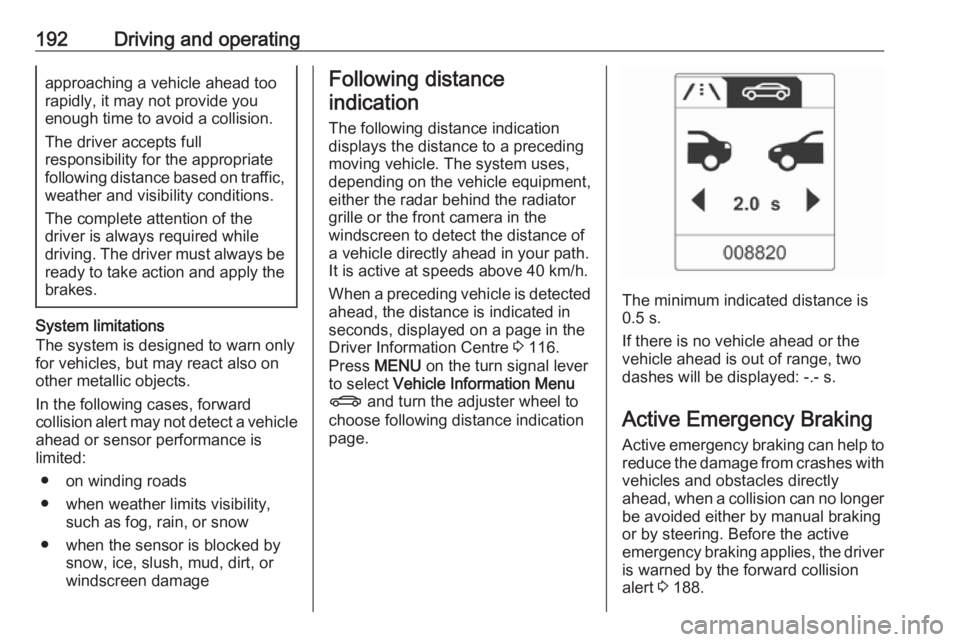
The following distance indication
displays the distance to a preceding
moving vehicle. The system uses,
depending on the vehicle equipment,
either the radar behind the radiator
grille or the front camera in the
windscreen to detect the distance of
a vehicle directly ahead in your path.
It is active at speeds above 40 km/h.
When a preceding vehicle is detected ahead, the distance is indicated inseconds, displayed on a page in the
Driver Information Centre 3 116.
Press MENU on the turn signal lever
to select Vehicle Information Menu
X and turn the adjuster wheel to
choose following distance indication
page.
The minimum indicated distance is 0.5 s.
If there is no vehicle ahead or the
vehicle ahead is out of range, two
dashes will be displayed: -.- s.
Active Emergency Braking Active emergency braking can help toreduce the damage from crashes with
vehicles and obstacles directly
ahead, when a collision can no longer be avoided either by manual braking
or by steering. Before the active
emergency braking applies, the driver is warned by the forward collision
alert 3 188.
Page 201 of 307
Driving and operating199
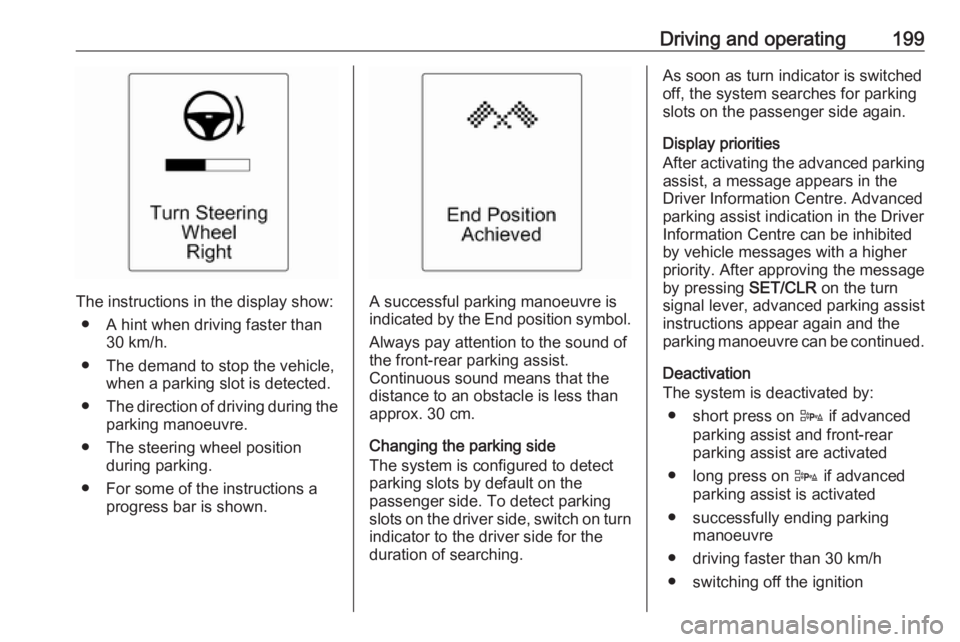
The instructions in the display show:● A hint when driving faster than 30 km/h.
● The demand to stop the vehicle, when a parking slot is detected.
● The direction of driving during the
parking manoeuvre.
● The steering wheel position during parking.
● For some of the instructions a progress bar is shown.A successful parking manoeuvre is
indicated by the End position symbol.
Always pay attention to the sound of
the front-rear parking assist.
Continuous sound means that the
distance to an obstacle is less than
approx. 30 cm.
Changing the parking side
The system is configured to detect
parking slots by default on the
passenger side. To detect parking
slots on the driver side, switch on turn indicator to the driver side for the
duration of searching.
As soon as turn indicator is switched
off, the system searches for parking
slots on the passenger side again.
Display priorities
After activating the advanced parking
assist, a message appears in the
Driver Information Centre. Advanced
parking assist indication in the Driver
Information Centre can be inhibited
by vehicle messages with a higher
priority. After approving the message
by pressing SET/CLR on the turn
signal lever, advanced parking assist
instructions appear again and the
parking manoeuvre can be continued.
Deactivation
The system is deactivated by:
● short press on D if advanced
parking assist and front-rear
parking assist are activated
● long press on D if advanced
parking assist is activated
● successfully ending parking manoeuvre
● driving faster than 30 km/h
● switching off the ignition
Page 208 of 307
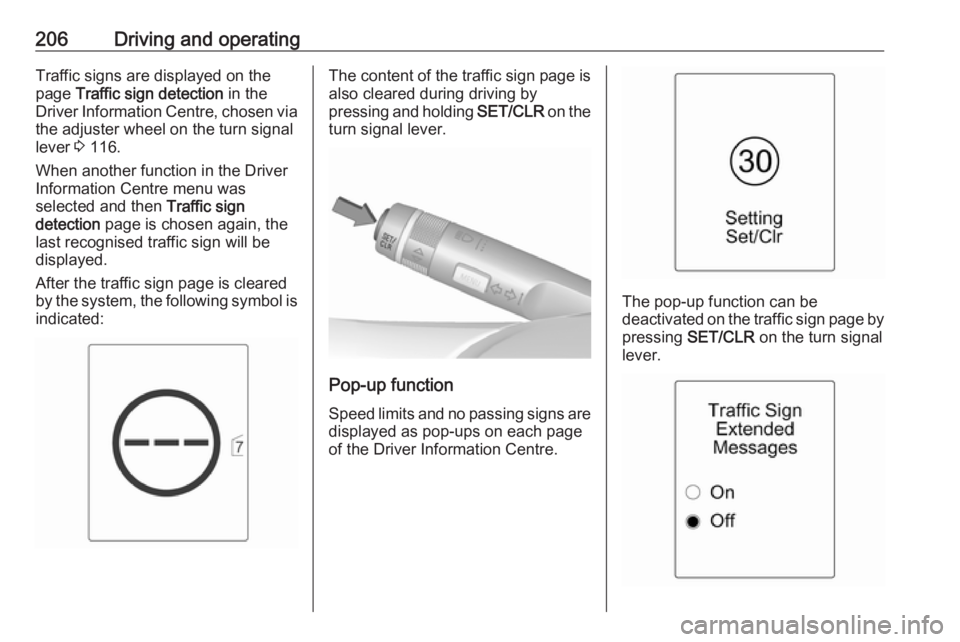
206Driving and operatingTraffic signs are displayed on the
page Traffic sign detection in the
Driver Information Centre, chosen via the adjuster wheel on the turn signal
lever 3 116.
When another function in the Driver Information Centre menu was
selected and then Traffic sign
detection page is chosen again, the
last recognised traffic sign will be
displayed.
After the traffic sign page is cleared
by the system, the following symbol is
indicated:The content of the traffic sign page is also cleared during driving by
pressing and holding SET/CLR on the
turn signal lever.
Pop-up function
Speed limits and no passing signs are
displayed as pop-ups on each page
of the Driver Information Centre.
The pop-up function can be
deactivated on the traffic sign page by
pressing SET/CLR on the turn signal
lever.
Page 224 of 307
222Driving and operatingAttach breakaway stopping cable to
eye.
Check that the coupling ball bar is correctly installed
● Green marking on rotary knob must point towards green
marking on coupling ball bar.
● There must be no gap between the rotary handle and the
coupling ball bar.
● The coupling ball bar must be firmly engaged in the opening.
● The coupling ball bar must be locked and the key removed.9Warning
Towing a trailer is permitted only
when a coupling ball bar is fitted correctly. If the coupling ball bardoes not engage correctly, seekthe assistance of a workshop.
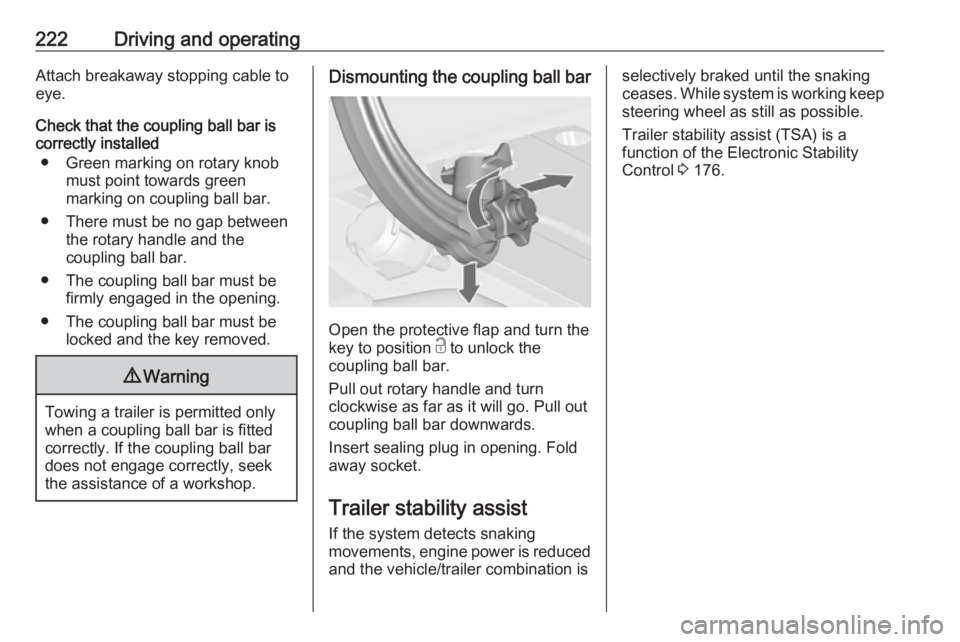
Dismounting the coupling ball bar
Open the protective flap and turn the
key to position c to unlock the
coupling ball bar.
Pull out rotary handle and turn
clockwise as far as it will go. Pull out coupling ball bar downwards.
Insert sealing plug in opening. Fold away socket.
Trailer stability assist
If the system detects snaking
movements, engine power is reduced
and the vehicle/trailer combination is
selectively braked until the snaking ceases. While system is working keep steering wheel as still as possible.
Trailer stability assist (TSA) is a
function of the Electronic Stability
Control 3 176.
Page 225 of 307
Vehicle care223Vehicle careGeneral Information...................224
Accessories and vehicle modifications .......................... 224
Vehicle storage ........................224
End-of-life vehicle recovery .....224
Vehicle checks ........................... 225
Performing work ......................225
Bonnet ..................................... 225
Engine oil ................................. 226
Engine coolant ......................... 227
Power steering fluid .................228
Washer fluid ............................ 229
Brakes ..................................... 229
Brake fluid ............................... 229
Vehicle battery ......................... 229
Diesel fuel system bleeding .....231
Wiper blade replacement ........231
Bulb replacement .......................232
Halogen headlights ..................232
Adaptive forward lighting .........234
Fog lights ................................. 235
Tail lights ................................. 236
Side turn signal lights ..............238
Number plate light ...................239Interior lights ............................ 239
Instrument panel illumination ...240
Electrical system ........................240
Fuses ....................................... 240
Engine compartment fuse box . 241
Instrument panel fuse box .......243
Load compartment fuse box ....244
Vehicle tools .............................. 246
Tools ........................................ 246
Wheels and tyres .......................247
Winter tyres ............................. 247
Tyre designations ....................247
Tyre pressure .......................... 247
Tyre pressure monitoring system .................................... 248
Tread depth ............................. 251
Changing tyre and wheel size . 252
Wheel covers ........................... 252
Tyre chains .............................. 253
Tyre repair kit .......................... 253
Wheel changing .......................256
Spare wheel ............................ 258
Jump starting ............................. 262
Towing ....................................... 263
Towing the vehicle ...................263
Towing another vehicle ...........264Appearance care .......................265
Exterior care ............................ 265
Interior care ............................. 267
Page 246 of 307
244Vehicle care
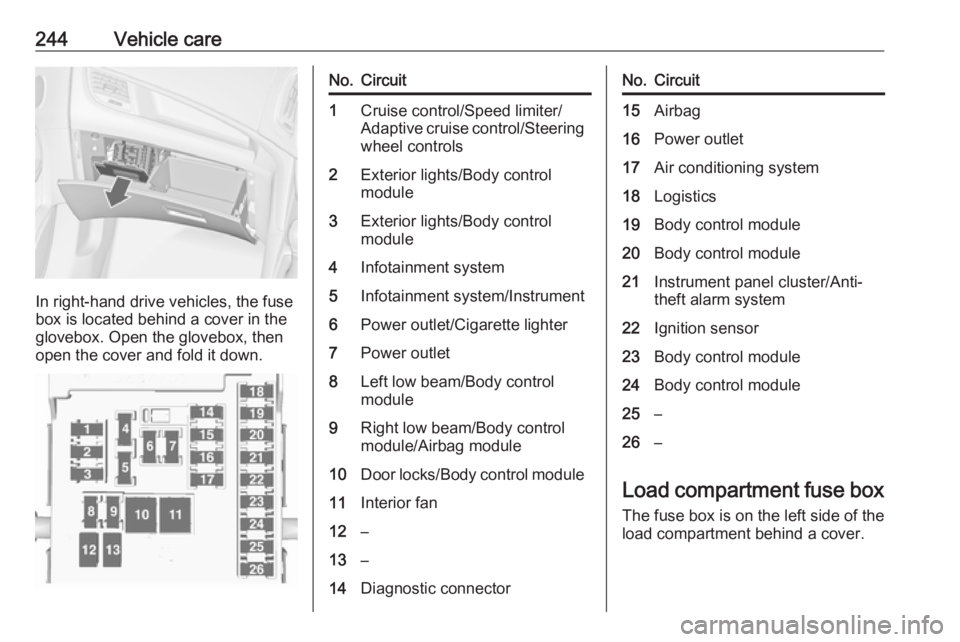
In right-hand drive vehicles, the fuse
box is located behind a cover in the
glovebox. Open the glovebox, then
open the cover and fold it down.
No.Circuit1Cruise control/Speed limiter/
Adaptive cruise control/Steering wheel controls2Exterior lights/Body control
module3Exterior lights/Body control
module4Infotainment system5Infotainment system/Instrument6Power outlet/Cigarette lighter7Power outlet8Left low beam/Body control
module9Right low beam/Body control
module/Airbag module10Door locks/Body control module11Interior fan12–13–14Diagnostic connectorNo.Circuit15Airbag16Power outlet17Air conditioning system18Logistics19Body control module20Body control module21Instrument panel cluster/Anti-
theft alarm system22Ignition sensor23Body control module24Body control module25–26–
Load compartment fuse box
The fuse box is on the left side of the
load compartment behind a cover.
Page 248 of 307
246Vehicle careNo.Circuit16Interior mirror/Rear view
camera17Power outlet18–19Steering wheel heating20Sunblind21Heated front seats22–23–24Selective catalytic reduction
system25–26–27–28–29–30–No.Circuit31–32Active damping system/Lane
departure warningVehicle tools
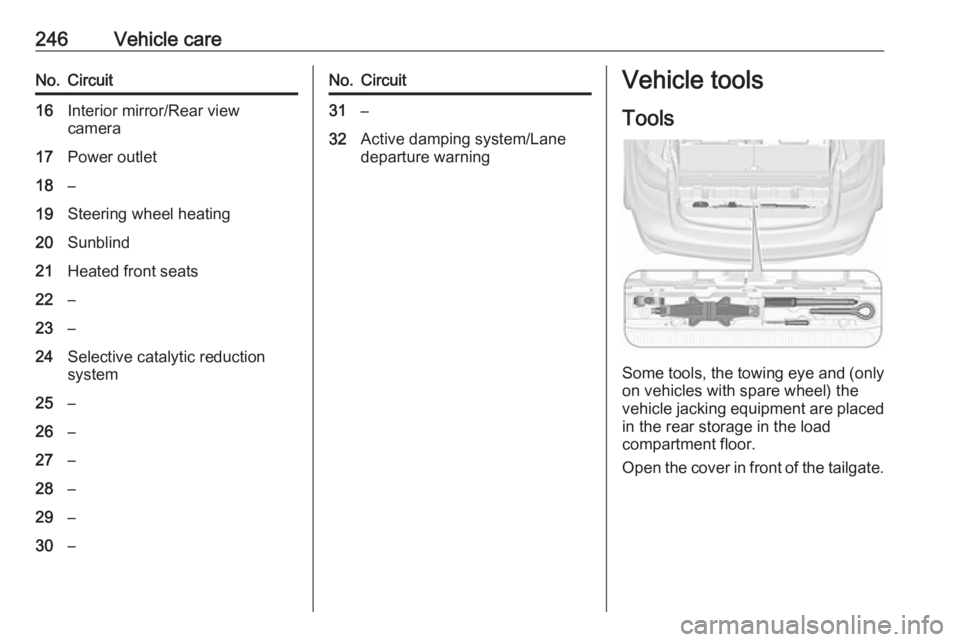
Tools
Some tools, the towing eye and (only on vehicles with spare wheel) the
vehicle jacking equipment are placed
in the rear storage in the load
compartment floor.
Open the cover in front of the tailgate.
Page 249 of 307
Vehicle care247Wheels and tyres
Tyre condition, wheel condition
Drive over edges slowly and at right
angles if possible. Driving over sharp
edges can cause tyre and wheel
damage. Do not trap tyres on the kerb when parking.
Regularly check the wheels for
damage. Seek the assistance of a
workshop in the event of damage or
unusual wear.
Winter tyres
Winter tyres improve driving safety at temperatures below 7 °C and should
therefore be fitted on all wheels.
In accordance with country-specific
regulations, affix the speed sticker in
the driver's field of view.
Tyre designations
E.g. 215/60 R 16 95 H215:tyre width, mm60:cross-section ratio (tyre height
to tyre width), %R:belt type: RadialRF:type: RunFlat16:wheel diameter, inches95:load index e.g. 95 is equivalent
to 690 kgH:speed code letter
Speed code letter:
Q:up to 160 km/hS:up to 180 km/hT:up to 190 km/hH:up to 210 km/hV:up to 240 km/hW:up to 270 km/h
Choose a tyre appropriate for the
maximum speed of your vehicle.
The maximum speed is achievable at kerb weight with driver (75 kg) plus125 kg payload. Optional equipment
could reduce the maximum speed of
the vehicle.
Performance 3 281.
Directional tyres
Fit directional tyres such that they roll in the direction of travel. The rolling
direction is indicated by a symbol
(e.g. an arrow) on the sidewall.
Tyre pressure
Check the pressure of cold tyres at
least every 14 days and before any
long journey. Do not forget the spare
wheel. This also applies to vehicles
with tyre pressure monitoring system.
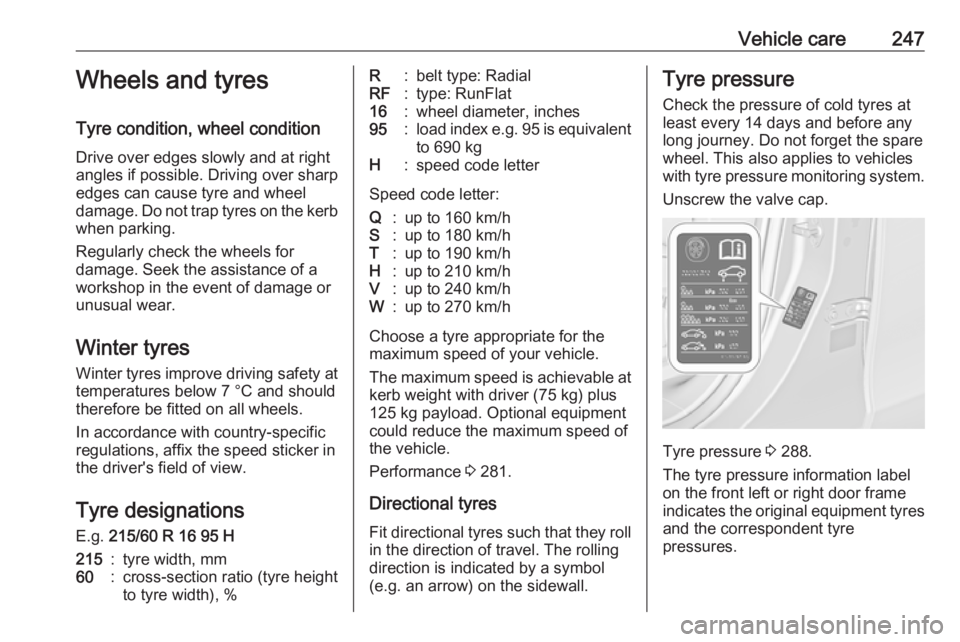
Unscrew the valve cap.
Tyre pressure 3 288.
The tyre pressure information label
on the front left or right door frame
indicates the original equipment tyres
and the correspondent tyre
pressures.
Page 251 of 307
Vehicle care249Caution
Tyre pressure monitoring system
warns only about low tyre pressure condition and does not replace
regular tyre maintenance by the
driver.
All wheels must be equipped with pressure sensors and the tyres must
have the prescribed pressure.
Note
In countries where the tyre pressure
monitoring system is legally
required, the use of wheels without
pressure sensors will invalidate the
vehicle type approval.
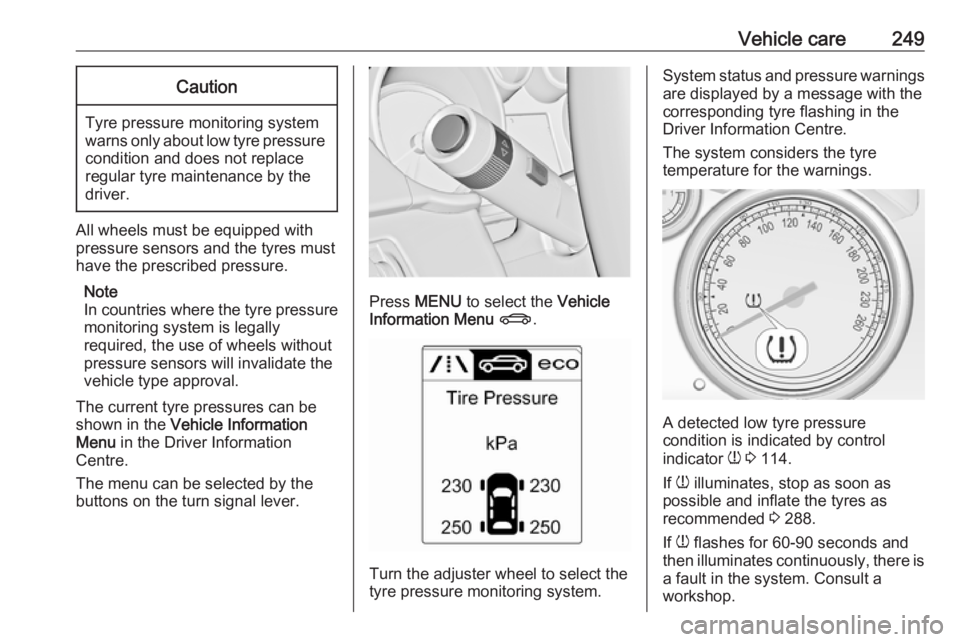
The current tyre pressures can be
shown in the Vehicle Information
Menu in the Driver Information
Centre.
The menu can be selected by the buttons on the turn signal lever.
Press MENU to select the Vehicle
Information Menu X .
Turn the adjuster wheel to select the
tyre pressure monitoring system.
System status and pressure warnings
are displayed by a message with the
corresponding tyre flashing in the
Driver Information Centre.
The system considers the tyre
temperature for the warnings.
A detected low tyre pressure
condition is indicated by control
indicator w 3 114.
If w illuminates, stop as soon as
possible and inflate the tyres as
recommended 3 288.
If w flashes for 60-90 seconds and
then illuminates continuously, there is
a fault in the system. Consult a
workshop.