CD player PEUGEOT 107 2012 Owners Manual
[x] Cancel search | Manufacturer: PEUGEOT, Model Year: 2012, Model line: 107, Model: PEUGEOT 107 2012Pages: 140, PDF Size: 4.02 MB
Page 8 of 140
Familiarisation
6
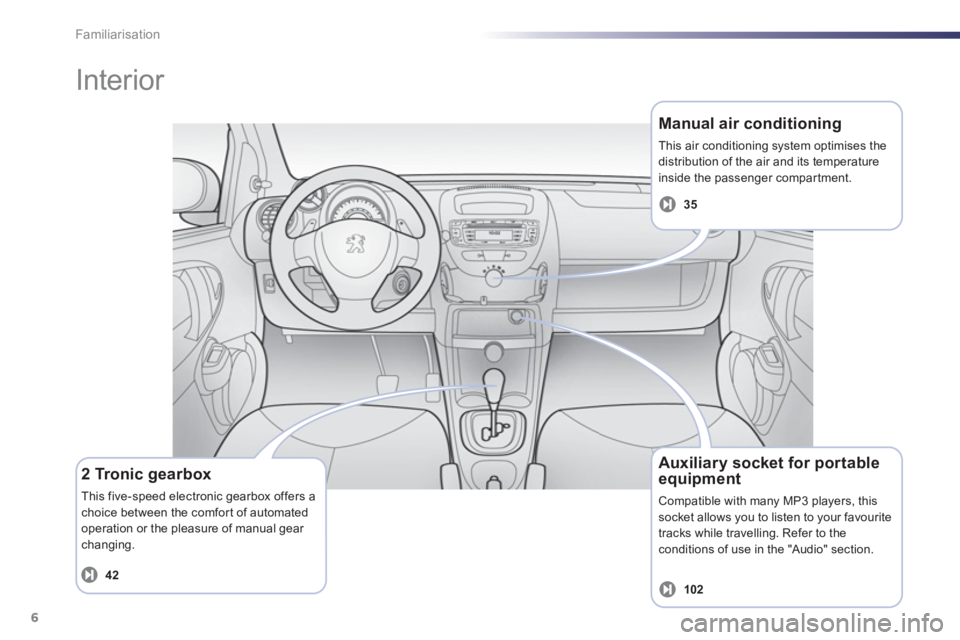
Manual air conditioning
This air conditioning system optimises the
distribution of the air and its temperatureinside the passenger compartment.
2 Tronic gearbox
This five-speed electronic gearbox offers achoice between the comfort of automatedoperation or the pleasure of manual gear
changing.
Auxiliary socket for portable equipment
Compatible with many MP3 players, this socket allows you to listen to your favourite
tracks while travelling. Refer to the conditions of use in the "Audio" section.
Interior
102
35
42
Page 84 of 140
82Practical information
Accessories A wide range of accessories and genuine par ts
is available from the PEUGEOT dealer network.
These accessories and par ts have been tested
and approved for reliability and safety.
The
y are all adapted to your vehicle and
benefit from PEUGEOT's recommendation and
warranty.
Installation of radio communication transmitters
Before installing any after-market radiocommunication transmitter, you can contact
a PEUGEOT dealer for the specification of
transmitters which can be fitted (frequency, maximum power, aerial position, specific
installation requirements), in line with the
Vehicle Electromagnetic CompatibilityDirective (2004/10 4/EC).
*
France only.
"Comfort":front and rear parking sensors,portable ashtray, glove box lid, insulatedmodule, centre armrest, portable reading lamp,
door deflectors, sun blinds, ...
"Transport solutions":boot liner, transverse roof bars, bicycle carrier, ski carrier, rigid and soft roof boxes, boot carpet, boot dividers, boot net, ...
You can obtain "Van" conversion kits to converta private vehicle to a van * .
"Styling":14 inch wheel trims, 14 and 15 inch alloy wheels, spoiler, "aluminium" interior styling kit, aluminium look and carbon fibre lookmirror shells, aluminium look and carbon fibre
look sill finishers chromed exhaust tailpipe,
leather steerin
g wheel, aluminium look and carbon fibre look rear diffuser, styling stickers,
door sill protectors, aluminium gear knob,
"Cristal" rear lamps..."Securit
y and safety":anti-theft alarm,
security wheel bolts, snow chains and wheelnon-skid covers, high visibility vest, warningtriangle, breathalyzer, child seats, first aid kit,fire extinguisher, foglamp kit, seat belt for an
animal, cage for an animal...
"Protection"
: mats, seat covers, front and rear
mudflaps, protective side rubbing strips, boot
sill protector, car cover, translucent front and
rear bumper protectors, rear seat cover, bootcover...
To prevent the mat from becoming caught under the pedals:
- ensure that the mat is positioned andsecured correctly,
- never fit one mat on top of another.
"Multimedia"
: semi-integrated navigation
systems, USB Box, audio systems, speakers,rear parcel shelf with speakers, Bluetooth
hands-free system, hands free kit for smar t
phone, speed camera detector, video pack
(DVD player + 2 screens) auxiliary cable for
audio equipment, iPod dock, Hi-Fi module,
mobile phone charger compatible with iPhone, head-up display, rear mulit-media suppor t,
Wi-Fi on board, ...
Depending on the legislation in force in the country, it may be compulsoryto have a high visibility safety vest, warning triangle and spare bulbs and fuses available in the vehicle. The fitting of electrical equipmentor accessories which are notrecommended by PEUGEOT may result
in a failure of your vehicle's electronic system and excessive electrical consumption.Please note this precaution. Youare advised to contact a PEUGEOT representative to be shown the rangeof recommended equipment andaccessories.
Page 100 of 140
03
98
AUDIO
AUDIO CD
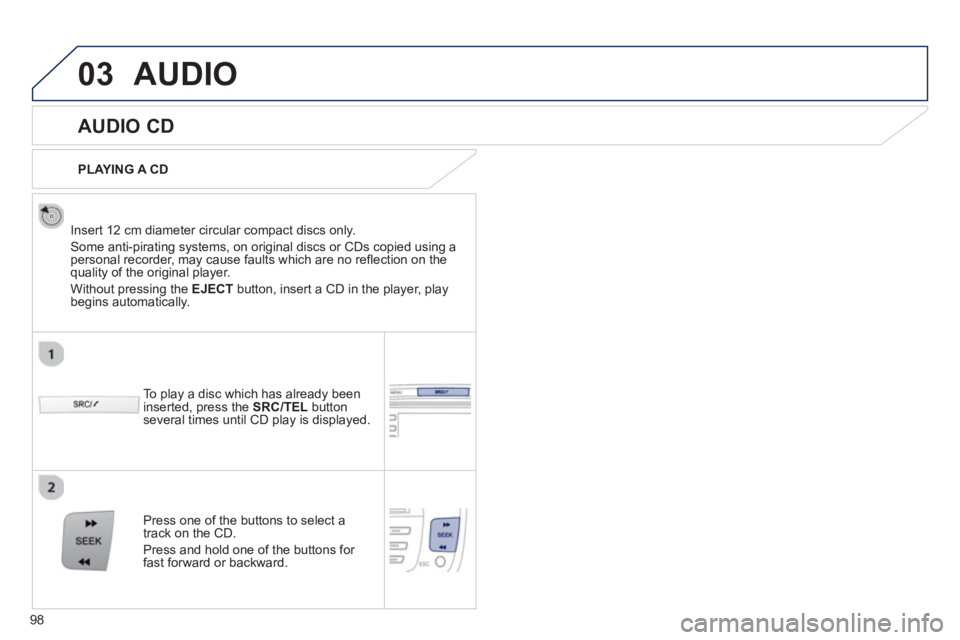
Insert 12 cm diameter circular compact discs only.
Some anti-piratin
g systems, on original discs or CDs copied using apersonal recorder, may cause faults which are no refl ection on thequality of the original player.
Without pressing the EJECT
button, insert a CD in the player, playbegins automatically.
To pla
y a disc which has already been
inserted, press the SRC/TEL
button several times until CD play is displayed.
Pr
ess one of the buttons to select a
track on the CD.
Pr
ess and hold one of the buttons for fast forward or backward.
PLAYING A CD
Page 101 of 140
03
99
AUDIO
CD, USB
INFORMATION AND ADVICE
On a single disc, the CD player can read up to 255 MP3 fi les spread
over 8 folder levels with a maximum of 192 folders. However, it is
recommended that this be kept to 2 levels so as to limit the time taken
to access and play the CD.
Durin
g play, the folder structure is not observed.
In order to be able to pla
y a recorded CDR or CDRW, when recordingit is preferable to select standards ISO 9660 level 1.2 or Joliet.
If the disc is recorded in another format, it ma
y not be played correctly.
It is recommended that the same recording standard is always usedfor an individual disc, with as low a speed as possible (4x maximum)for optimum sound quality.
In the particular case o
f a multi-session CD, the Joliet standard is
recommended.
Do not connect a hard disk or U
SB device other than audio players to
the USB port. This may cause damage to your installation.
The audio s
ystem will only play fi les with ".mp3", ".wma" and ".wav" on
a CD and can play fi les with ".ogg" extension only on USB.
A high compression rate can adversely affect sound quality.
The pla
ylists accepted on CD, MP3, iPod and USB connection are
types ".m3u" and ".wpl".
The number of fi les reco
gnised is limited to 5 000 in 500 folders on a maximum of 8 levels.
Page 104 of 140
03
102
AUDIO
APPLE ®
PLAYERS or MOBILE PLAYER
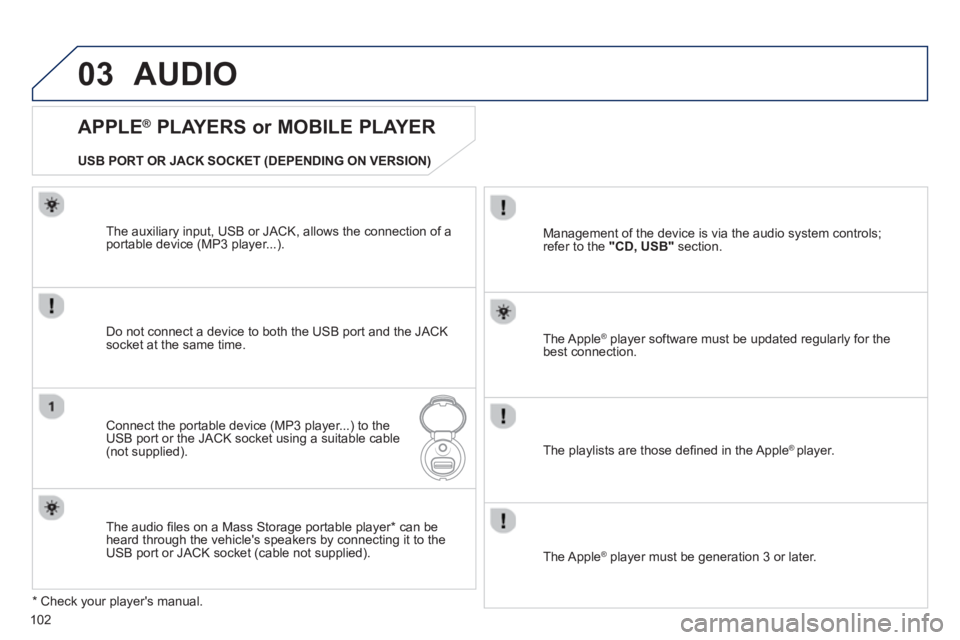
Do not connect a device to both the USB port and the JACK socket at the same time.
Connect the portable device (MP3 player...) to theUSB port or the JACK socket using a suitable cable(not supplied). The Apple
® player software must be updated regularly for the®
best connection.
The pla
ylists are those defi ned in the Apple ® player.
*
Check your player's manual. The auxiliar
y input, USB or JACK, allows the connection of a
portable device (MP3 player...).
USB PORT OR JACK SOCKET
(DEPENDING ON VERSION)
Mana
gement of the device is via the audio system controls;
refer to the "CD, USB"section.
The audio fi les on a Mass Stora
ge portable player * can be heard through the vehicle's speakers by connecting it to the USB port or JACK socket (cable not supplied).
The Apple ® player must be generation 3 or later.
®
Page 116 of 140
11 4
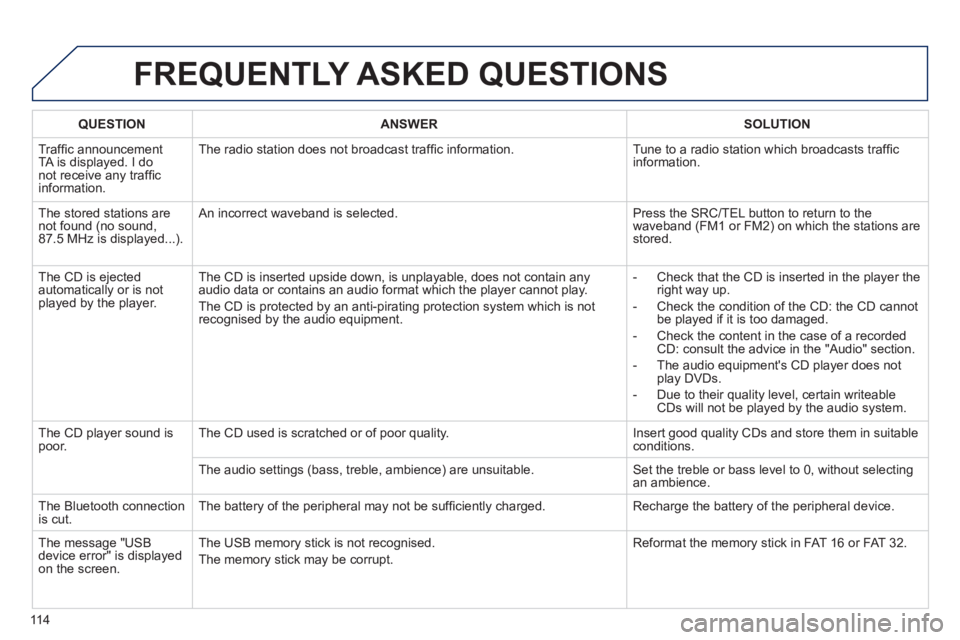
FREQUENTLY ASKED QUESTIONS
QUESTIONANSWERSOLUTION
Traffi c announcementTA is displayed. I donot receive any traffi c
information.Th
e radio station does not broadcast traffi c information. Tune to a radio station which broadcasts traffi c
information.
The stored stations arenot found (no sound, 87.5 MHz is displayed...).
An incorrect waveband is selected. Press the SRC/TEL button to return to the
waveband (FM1 or FM2) on which the stations arestored.
The
CD is ejected
automatically or is not played by the player. The
CD is inserted upside down, is unplayable, does not contain any audio data or contains an audio format which the player cannot play.
The CD is protected b
y an anti-pirating protection system which is not recognised by the audio equipment.
-
Check that the CD is inserted in the player the
right way up.
-
Check the condition of the CD: the CD cannot
be played if it is too damaged.
-
Check the content in the case of a recordedCD: consult the advice in the "Audio" section.
- The audio equipment's
CD player does not
play DVDs.
- Due to their qualit
y level, certain writeableCDs will not be played by the audio system.
The
CD player sound ispoor.The CD used is scratched or of poor quality. Insert good quality CDs and store them in suitable conditions.
The audio settin
gs (bass, treble, ambience) are unsuitable. Set the treble or bass level to 0, without selectingan ambience.
The Bluetooth connection
is cut. The battery of the peripheral may not be suffi ciently charged. Recharge the battery of the peripheral device.
The messa
ge "USB
device error" is displayed
on the screen.The U
SB memory stick is not recognised.
The memory stick may be corrupt. Reformat the memory stick in FAT 16 or FAT 32.
Page 119 of 140
01
11 7
FIRST STEPS
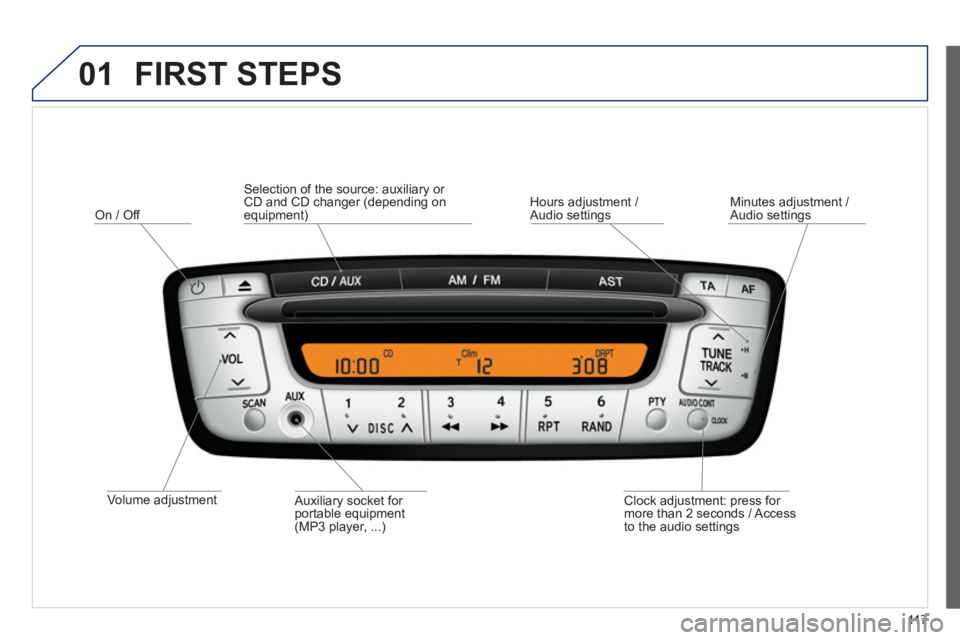
Volume adjustment
On / Off
Clock ad
justment: press for
more than 2 seconds / Access
to the audio settings
Auxiliar
y socket for portable equipment (MP3 player, ...)
Minutes ad
justment /
Audio settings Selection of the source: auxiliar
y or CD and CD changer (depending on
equipment)
Hours adjustment /
Audio settings
Page 120 of 140
01
118
FIRST STEPS
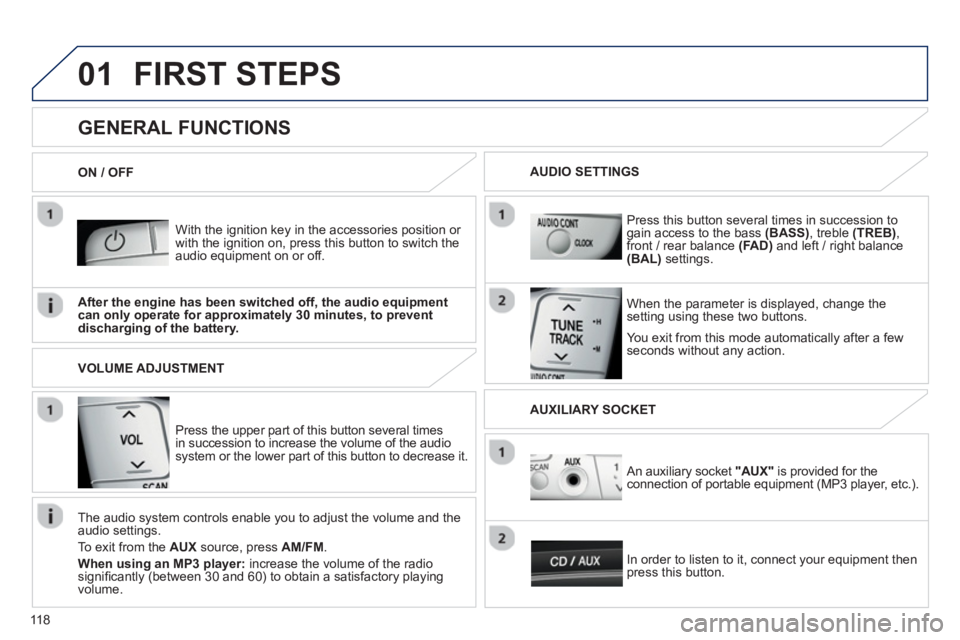
With the ignition key in the accessories position or with the ignition on, press this button to switch the
audio equipment on or off.
You exit
from this mode automatically after a fewseconds without any action.
GENERAL FUNCTIONS
When the parameter is displayed, change thesetting using these two buttons.
Pr
ess this button several times in succession togain access to the bass (BASS)
, treble (TREB)
,
front / rear balance (FA D)and left / right balance(BAL) settings.
After the en
gine has been switched off, the audio equipmentcan only operate for approximately 30 minutes, to preventdischarging of the battery.
AUDIO SETTINGS
ON / OFF
Press the upper part o
f this button several times
in succession to increase the volume of the audio system or the lower part of this button to decrease it.
VOLUME ADJUSTMENT
The audio s
ystem controls enable you to adjust the volume and the
audio settings.
T
o exit from the AUX
source, press AM/FM.
When using an MP3 player:
increase the volume of the radio signifi cantly (between 30 and 60) to obtain a satisfactory playing
volume.
In order to listen to it, connect
your equipment then press this button.
An auxiliary socket "AUX"
is provided for the connection of portable equipment (MP3 player, etc.).
AUXILIARY SOCKET
Page 128 of 140
03
126
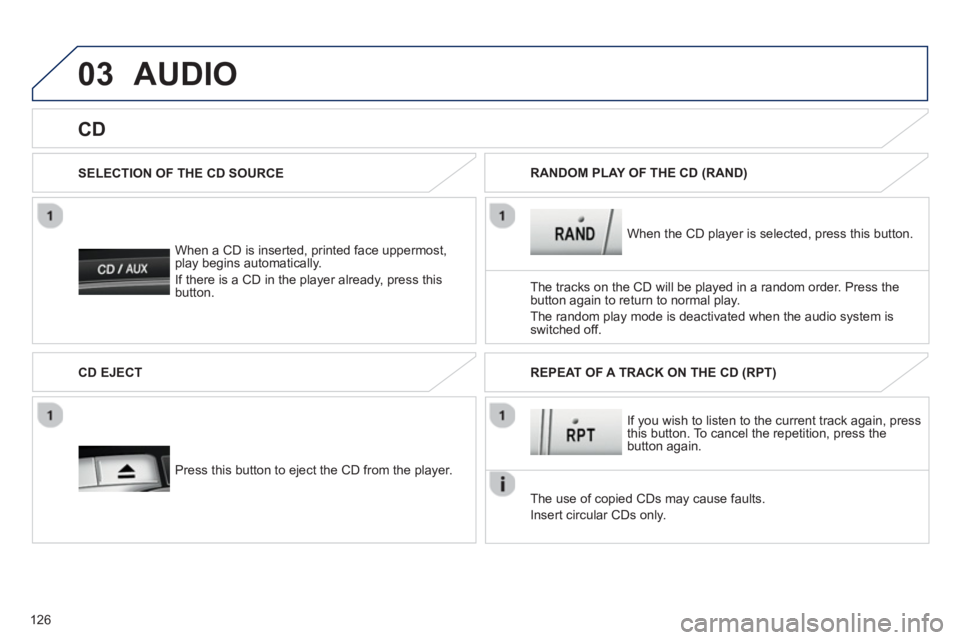
When a CD is inserted, printed face uppermost,play begins automatically.
I
f there is a CD in the player already, press this button. SELECTION OF THE CD SOURCE
The tracks on the CD will be played in a random order. Press thebutton again to return to normal play.
The random pla
y mode is deactivated when the audio system isswitched off.When the CD pla
yer is selected, press this button. RANDOM PLAY OF THE CD
(RAND)
CD
Press this button to eject the CD from the player. CD EJECT
The use of copied CDs ma
y cause faults.
Insert circular
CDs only. If
you wish to listen to the current track again, press
this button. To cancel the repetition, press the button again. REPEAT OF A TRACK ON THE CD
(RPT)
AUDIO
Page 136 of 140
134Alphabetical index
Lamps, front......................................44,67,68Lamps, rear.......................................r44, 69,70LED daytime running lamps..........................45Level, brake fluid...........................................86Levels and checks...................................86,87Lighting....................................................44,68Lighting bulbs (replacement)..................67,68Lighting control stalk .....................................44Lighting on reminder.....................................r44Loading..........................................................17Locating your vehicle....................................26Locking/unlockinga door from the inside .................................28
Main beam........................................44, 67, 68Maintenance............................................17,85Manual mode................................................42Mat................................................................79Mini fuel level ..........................................23, 30Mirror, rear view............................................37Mirrors, door..................................................r37Mountings for ISOFIX seats .........................62MP3 CD .................................................99, 100
Number plate lamps......................................70
Oil filter..........................................................r88Oil level..........................................................86Opening the bonnet......................................84Opening the boot ..........................................29L
M
N
O
Filling with fuel ........................................30,31Fitting a wheel ...............................................65Flashing indicators .............................44, 67-70Folding/unfolding the door mirrors................37Force limiter..................................................r51Front foglamps........................................44, 68Front seats....................................................38Fuel..............................................17, 23,30,31Fuel consumption..............................17, 23, 30Fuel gauge ..............................................23, 30Fuel tank..................................................23, 30Fuses .............................................................71
Gearbox, manual..........................................88Gearbox, manual (reverse gear)...................16Gear lever......................................................17
Instrument panel fusebox.............................71Interior fittings...............................................40Interior lamp..................................................46ISOFIX.....................................................62, 64
ISOFIX child seats ..................................63, 64
ISOFIX mountings ...................................62, 64
Jack...............................................................65JACK socket..................................................40
Hands-free kit..............................................104Headlamp adjustment...................................44Headlamp flash .............................................44Headlamps ........................................ 44, 67, 68Head restraints, rear.....................................r39Heating ........................................12, 13, 17,34Keepin
g children safe.......................28,57, 63Key................................................................26
F
H
G
I
J
K
Identification..................................................92Identification plates .......................................92Inflating tyres ................................................17Instrument panel ...........................................19
G
Parcel shelf, rear...........................................r41Parking brake....................................20, 48,88Parking the vehicle........................................48Passengercompartment filter.......................r88Player, CD MP3.....................................99, 100Port, USB .............................................. 40, 101Power steering..............................................22Pre-tensioning seat belts..............................51Protecting children..................................57,63Puncture........................................................65
P