audio PEUGEOT 108 2014 Owners Manual
[x] Cancel search | Manufacturer: PEUGEOT, Model Year: 2014, Model line: 108, Model: PEUGEOT 108 2014Pages: 256, PDF Size: 5.88 MB
Page 5 of 256
.
.
B3_en_Chap00a_sommaire_ed01-2014
Direction indicators 102
Horn
10
2
Hazard warning lamps
1
03
Under-inflation detection
1
03
e
SC system
1
07
Seat belts
1
10
Airbags
113
Safety
Child seats 1 18
Deactivating the passenger's front airbag
1
21
ISOFIX child seats
1
27
Child lock
1
33
Child safety Checks
Fuel tank 1
34
te
mporary puncture repair kit
1
36
Changing a wheel
1
41
Snow chains
1
46
Changing a bulb
1
47
Changing a fuse
1
52
12 V battery
1
61
el
ectrical energy economy mode
1
64
Changing a wiper blade
1
64
to
wing the vehicle
1
65
Fitting roof bars
1
66
Accessories
167
Practical informationte chnical data
7-inch touch screen 181
Radio
2
21
Audio equipment and telematics
Visual search
Alphabetical index
B o n n et 170
Petrol engines
1
71
Checking levels
1
72
C h e c ks
175
en
gines
177
We i g ht s
178
Dimensions
179
Identification markings
1
80
Contents
Page 9 of 256
7
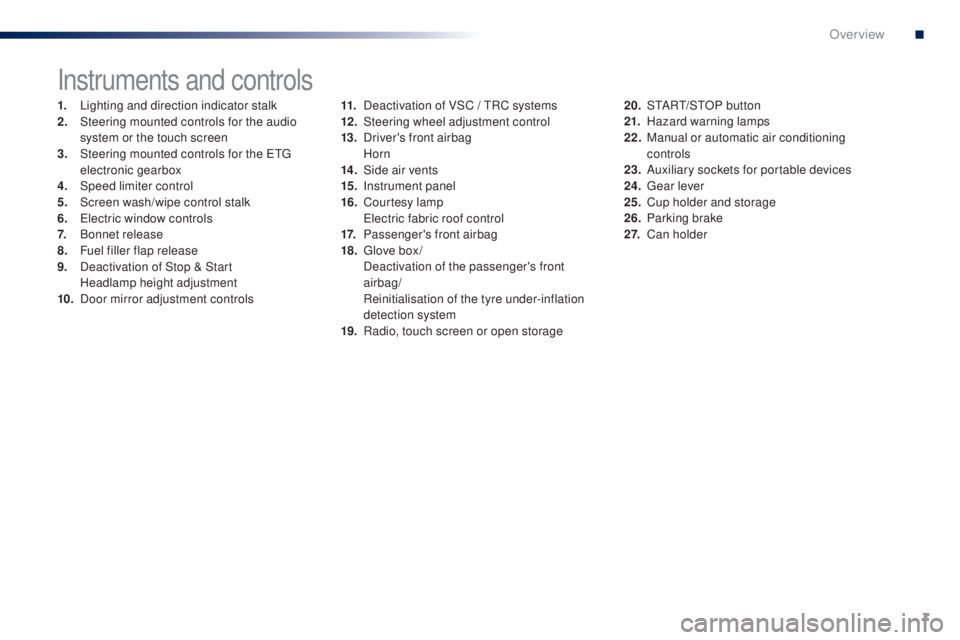
Instruments and controls
1. Lighting and direction indicator stalk
2. Steering mounted controls for the audio
system or the touch screen
3.
S
teering mounted controls for the etg
electronic gearbox
4.
Spe
ed limiter control
5.
S
creen wash/wipe control stalk
6.
e
le
ctric window controls
7.
B
onnet release
8.
F
uel filler flap release
9.
D
eactivation of Stop & Start
H
eadlamp height adjustment
10.
D
oor mirror adjustment controls 11. D
eactivation of VSC / tR C systems
12 . S teering wheel adjustment control
13.
D
river's front airbag
Horn
14 .
S
ide air vents
15.
I
nstrument panel
16.
C
ourtesy lamp
e
le
ctric fabric roof control
17.
P
assenger's front airbag
18.
g
l
ove box /
D
eactivation of the passenger's front
airbag/
R
einitialisation of the tyre under-inflation
detection system
19.
R
adio, touch screen or open storage20. S
tA Rt/ S tO P button
21. H azard warning lamps
22.
M
anual or automatic air conditioning
controls
23.
A
uxiliary sockets for portable devices
24.
g
ea
r lever
25.
C
up holder and storage
26.
P
arking brake
2 7.
Ca
n holder
B3_en_Chap00b_vue-ensemble_ed01-2014
.
Over view
Page 17 of 256
15
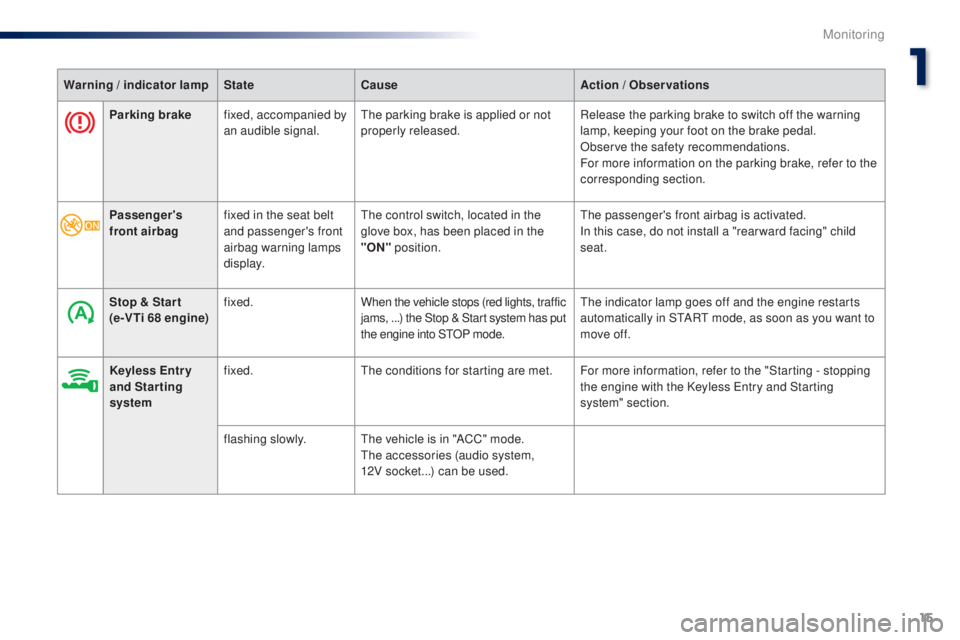
Parking brakefixed, accompanied by
an audible signal.th e parking brake is applied or not
properly released. Release the parking brake to switch off the warning
lamp, keeping your foot on the brake pedal.
Observe the safety recommendations.
For more information on the parking brake, refer to the
corresponding section.
Warning / indicator lamp
StateCause Action / Observations
Passenger's
front airbag fixed in the seat belt
and passenger's front
airbag warning lamps
display.
th
e control switch, located in the
glove box, has been placed in the
"ON" position.
the
passenger's front airbag is activated.
In this case, do not install a "rear ward facing" child
seat.
Stop & Star t
(e-VTi 68 engine) fixed.
When the vehicle stops (red lights, traffic
jams, ...) the Stop & Start system has put
the engine into S
tO
P mode.
th
e indicator lamp goes off and the engine restarts
automatically in S
tA
R
t
mode, as soon as you want to
move off.
Keyless Entr y
and Starting
system fixed.
th
e conditions for starting are met. For more information, refer to the "Starting - stopping the engine with the Keyless
e
n
try and Starting
system" section.
flashing slowly.
th
e vehicle is in "ACC" mode.
th
e accessories (audio system,
12V socket...) can be used.
1
Monitoring
Page 68 of 256
66
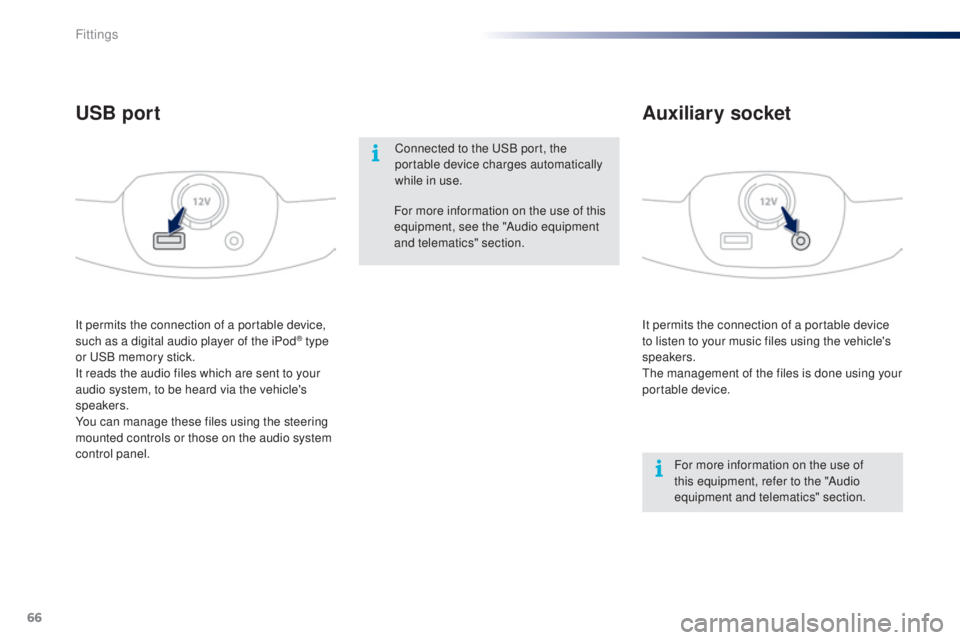
It permits the connection of a portable device
to listen to your music files using the vehicle's
speakers.
th
e management of the files is done using your
portable device.
It permits the connection of a portable device,
such as a digital audio player of the iPod® type
or
uS
B memory stick.
It reads the audio files which are sent to your
audio system, to be heard via the vehicle's
speakers.
You can manage these files using the steering
mounted controls or those on the audio system
control panel.
Auxiliary socket
USB port
For more information on the use of
this equipment, refer to the "Audio
equipment and telematics" section.
For more information on the use of this
equipment, see the "Audio equipment
and telematics" section.
Connected to the
u
S
B port, the
portable device charges automatically
while in use.
Fittings
Page 156 of 256
154
Dashboard fuses
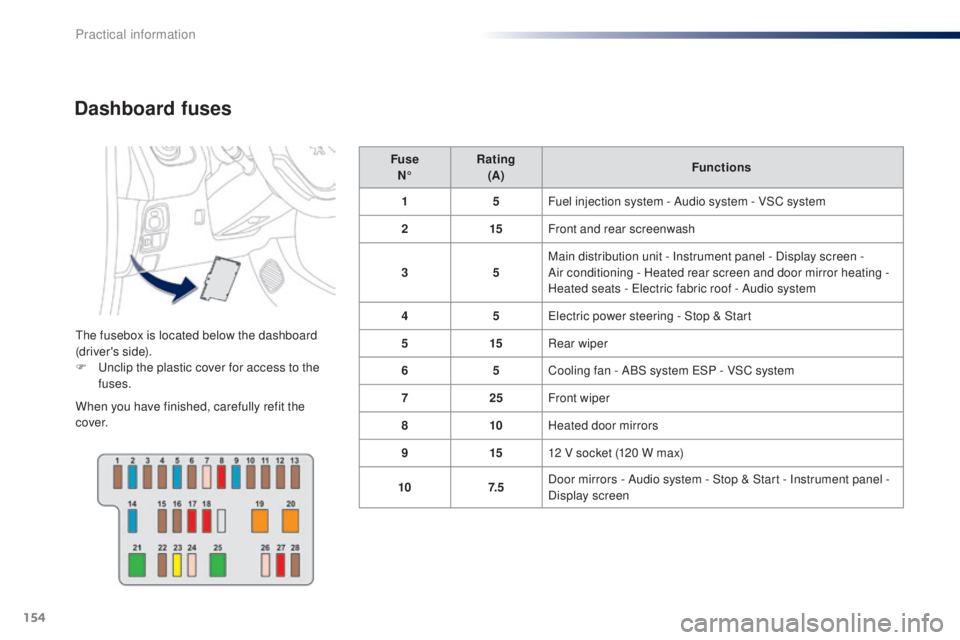
the fusebox is located below the dashboard
(driver's side).
F u
n
clip the plastic cover for access to the
fuses.
When you have finished, carefully refit the
c ove r. Fuse
N° Rating
(A) Functions
1 5Fuel injection system - Audio system - VSC system
2 15Front and rear screenwash
3 5Main distribution unit - Instrument panel - Display screen -
Air conditioning - Heated rear screen and door mirror heating -
Heated seats - e
l
ectric fabric roof - Audio system
4 5
el
ectric power steering - Stop & Start
5 15Rear wiper
6 5Cooling fan - ABS system
e
S
P - VSC system
7 25Front wiper
8 10Heated door mirrors
9 1512 V socket (120 W max)
10 7. 5Door mirrors - Audio system - Stop & Start - Instrument panel -
Display screen
Practical information
Page 160 of 256
158
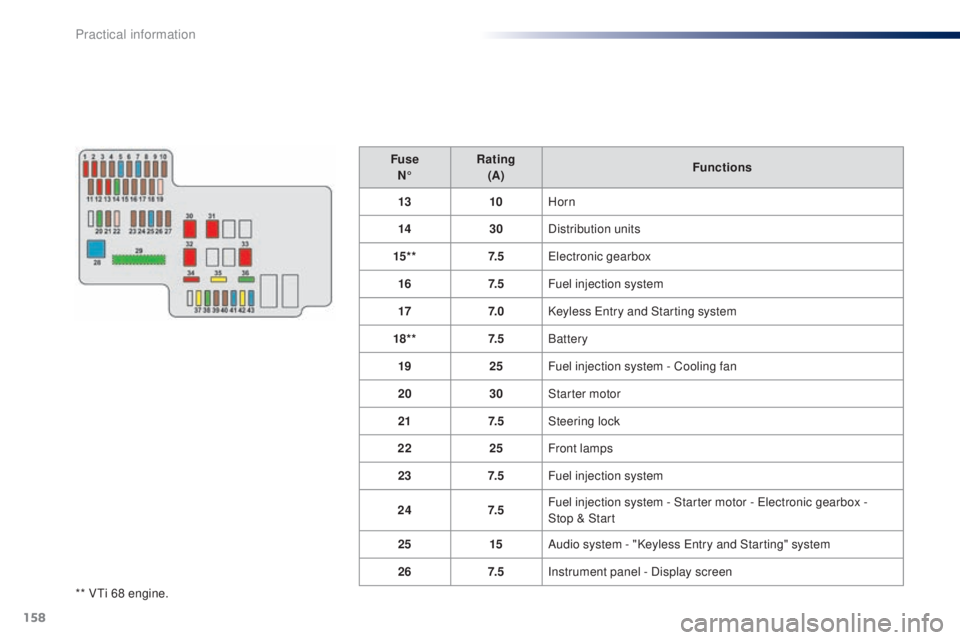
** Vti 68 engine.Fuse
N° Rating
(A) Functions
13 10Horn
14 30Distribution units
15* * 7. 5
ele
ctronic gearbox
16 7. 5Fuel injection system
17 7. 0Keyless e
n
try and Starting system
18* * 7. 5Battery
19 25Fuel injection system - Cooling fan
20 30Starter motor
21 7. 5Steering lock
22 25Front lamps
23 7. 5Fuel injection system
24 7. 5Fuel injection system - Starter motor - e
l
ectronic gearbox -
Stop
& Start
25 15Audio system - "Keyless e
n
try and Starting" system
26 7. 5Instrument panel - Display screen
Practical information
Page 166 of 256
164
electrical energy economy mode*
System which manages the duration of use of certain functions to conserve a sufficient level of
charge in the battery.
After the engine has stopped, you can still use functions such as the audio system, windscreen
wipers, dipped beam headlamps,
courtesy lamps, etc. for a maximum combined duration of
twenty
minutes.
th
is period may be greatly reduced if the battery is not fully charged. Let the engine run for the duration
specified to ensure that the battery
charge is sufficient.
Do not repeatedly and continuously
restart the engine in order to charge the
battery.
A flat battery prevents the engine from
starting.
Refer to the "Battery" section.
Switching to economy mode
Once this time has elapsed the active functions
are put on standby.
Exiting economy mode
these functions are reactivated automatically
next time the vehicle is driven.
to r
estore the use of these functions
immediately, start the engine and let it run for at
least 5 minutes.
Changing a wiper
blade
Removing the front wiper blade
F Raise the wiper arm.
F R emove the wiper blade, sliding it towards
the outside.
Fitting the front wiper blade
F Put the corresponding new wiper blade in place and fix it.
F
F
old down the wiper arm carefully.
to c
onserve the effectiveness of
the flat-blade type wiper blades, we
recommend that they are:
-
han
dled with care,
-
c
leaned regularly with soapy water,
-
n
ot used to hold a cardboard sheet
against the windscreen,
-
r
eplaced at the first signs of wear.
*
O
nly on vehicles with the "Keyless
e
n
try and
Starting" system.
Practical information
Page 170 of 256
168
the fitting of electrical equipment
or accessories which are not
recommended by P
e
uge
Ot
may result
in a failure of your vehicle's electronic
system and excessive electrical
consumption.
Contact a P
e
uge
Ot
dealer
for information on the range of
recommended equipment and
accessories.
Installation of radio
communication
transmitters
Before installing any after-market radio
communication transmitter, you can
contact a P
e
uge
Ot
dealer for the
specification of transmitters which can
be fitted (frequency, maximum power,
aerial position, specific installation
requirements), in line with the Vehicle
el
ectromagnetic Compatibility Directive
(2004/104/
eC
). Depending on the legislation in force in
the country, certain safety equipment
may be compulsory: high visibility
safety vests, warning triangles,
breathalyzers, spare bulbs, spare fuses,
fire extinguisher, first aid kit, mud flaps
at the rear of the vehicle.
"Multimedia":
CD player, audio system,
speaker, semi-integral navigation systems,
hands-free kit, driving assistance systems,
230 V socket, rear multi-media support, DVD
players, portable satellite navigation system,
telephone/smartphone support, digital radio, ...
Practical information
Page 184 of 256
01
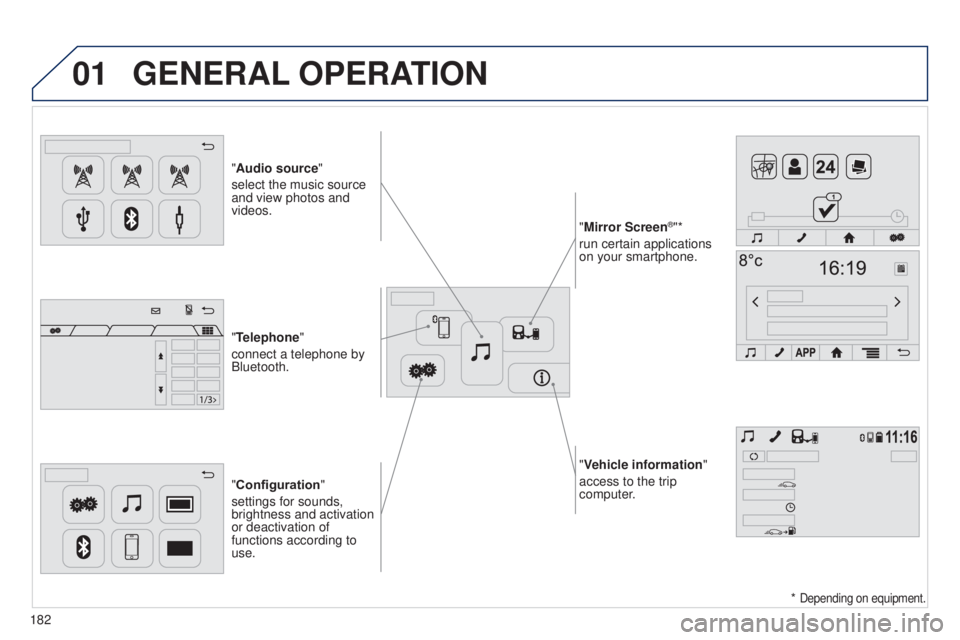
"Vehicle information"
access to the trip
computer.
"Audio source"
select the music source
and view photos and
videos.
"Configuration
"
settings for sounds,
brightness and activation
or deactivation of
functions according to
use. "Mirror Screen
®"*
run certain applications
on your smartphone.
"Telephone"
connect a telephone by
Bluetooth.
GENERAL OPERATION
182 *
Depending on equipment.
Page 186 of 256
02
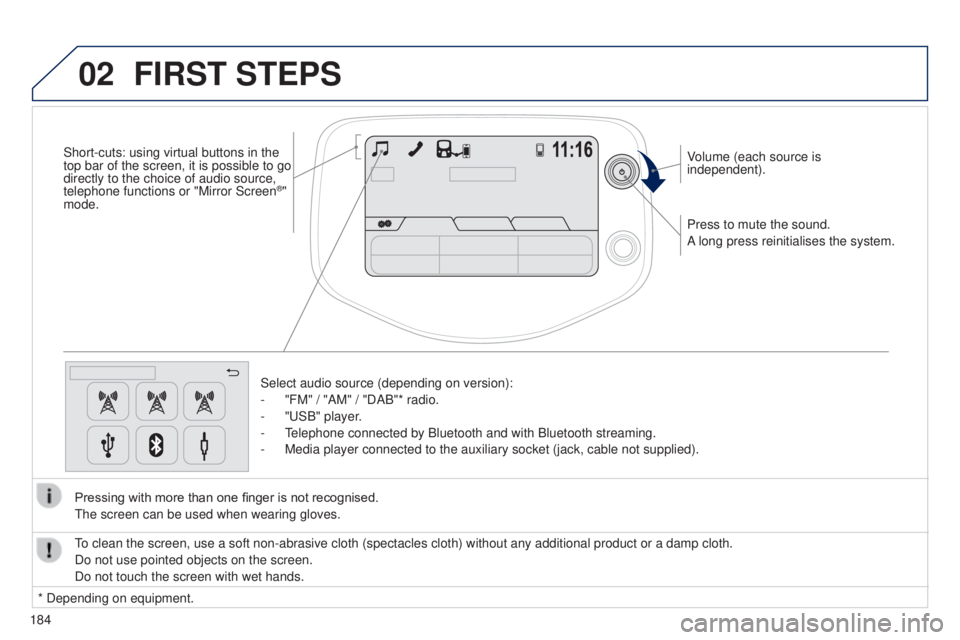
184Press to mute the sound.
A long press reinitialises the system. Volume (each source is
independent).
Select audio source (depending on version):
-
"FM" / "AM" / "DAB"* radio.
-
"
u SB" player.
- t
elephone connected by Bluetooth and with Bluetooth streaming.
-
Media player connected to the auxiliary socket (jack, cable not supplie\
d).
Pressing with more than one finger is not recognised.
t
he screen can be used when wearing gloves.
FIRST STEPS
* Depending on equipment.
to clean the screen, use a soft non-abrasive cloth (spectacles cloth) w\
ithout any additional product or a damp cloth.
Do not use pointed objects on the screen.
Do not touch the screen with wet hands.
Short-cuts: using virtual buttons in the
top bar of the screen, it is possible to go
directly to the choice of audio source,
telephone functions or "Mirror Screen
®"
mode.