radio controls PEUGEOT 108 2016 Owners Manual
[x] Cancel search | Manufacturer: PEUGEOT, Model Year: 2016, Model line: 108, Model: PEUGEOT 108 2016Pages: 268, PDF Size: 6.17 MB
Page 8 of 268
6
108_en_Chap00b_vue-ensemble_ed01-2016
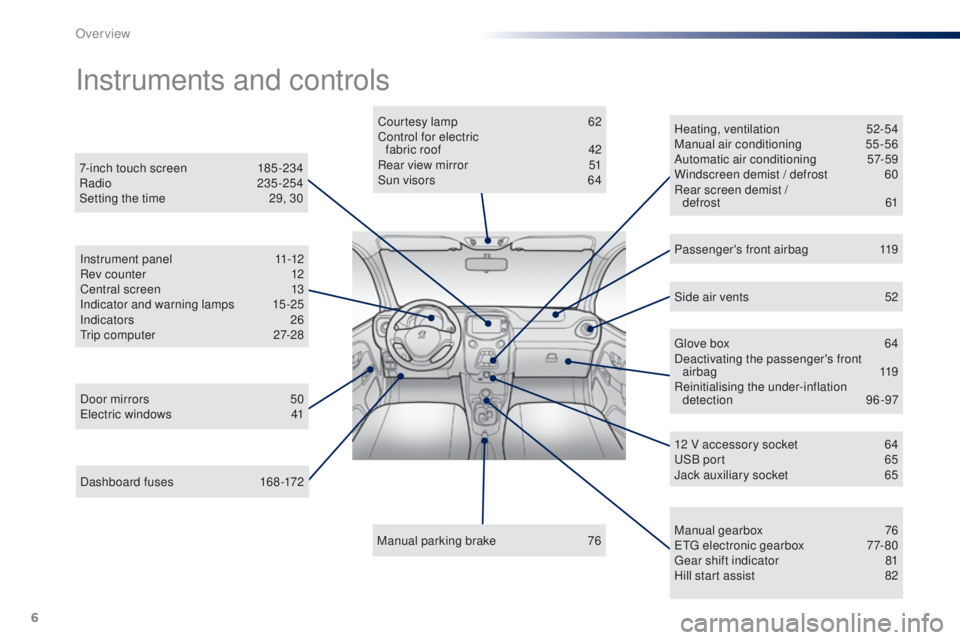
Dashboard fuses 168-172
Instruments and controls
Door mirrors 5 0el
ectric windows 4 1Courtesy lamp
6
2
Control for electric fabric roof
4
2
Rear view mirror
5
1
Sun visors
6
4
Manual parking brake
7
6Heating, ventilation
5
2-54
Manual air conditioning
5
5-56
Automatic air conditioning
5
7-59
Windscreen demist / defrost
6
0
Rear screen demist / defrost
61
7-inch touch screen
1
85 -234
Radio
235-254
Setting the time
2
9, 30
Manual gearbox
7
6
e
tg
el
ectronic gearbox
7
7-80
ge
ar shift indicator
8
1
Hill start assist
8
2
12 V accessory socket
6
4
uS
B port
6
5
Jack auxiliary socket
6
5
Instrument panel
1
1-12
Rev counter
1
2
Central screen
1
3
Indicator and warning lamps
1
5-25
Indicators 26
tr
ip computer
2
7-28
Side air vents
5
2
Passenger's front airbag
1
19
gl
ove box
6
4
Deactivating the passenger's front airbag
119
Reinitialising the under-inflation detection 96-97
Over view
Page 9 of 268
7
108_en_Chap00b_vue-ensemble_ed01-2016
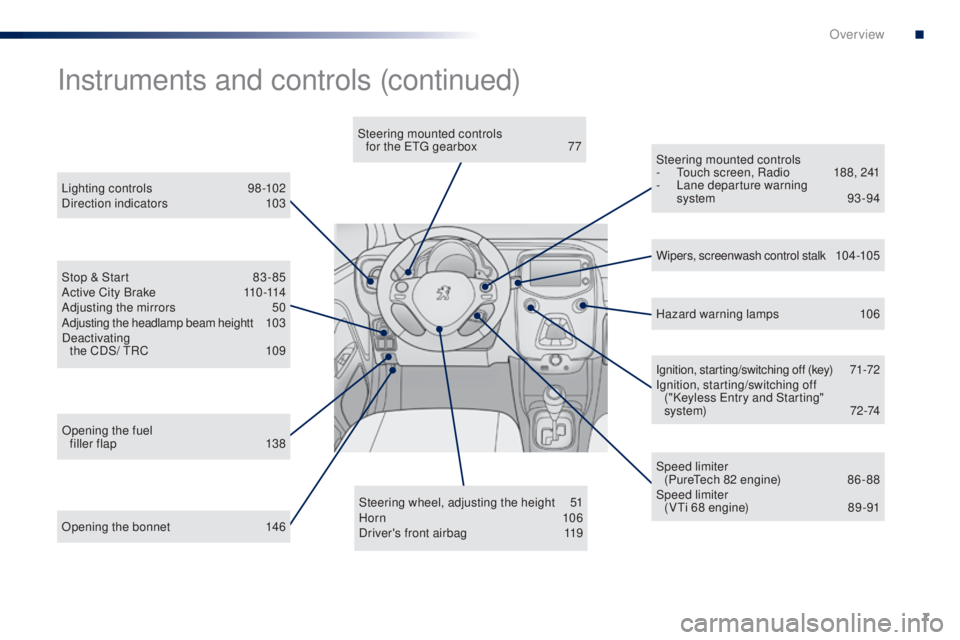
Opening the bonnet 146Steering wheel, adjusting the height
5
1
Horn 10 6
Driver's front airbag 1 19Ignition, starting/switching off (key)
7
1-72
Ignition, starting/switching off ("Keyless e
n
try and Starting"
system)
7
2-74
Steering mounted controls
- t
o
uch screen, Radio
1
88, 241
-
L
ane departure warning
system 93 -94
Instruments and controls (continued)
Lighting controls 9
8-102
Direction indicators 1 03
Stop & Start
8
3 - 85
Active City Brake
1
10 -114
Adjusting the mirrors
5
0
Adjusting the headlamp beam heightt
1
03
Deactivating the CDS/
t
R
C
1
09 Wipers, screenwash control stalk
1
0 4 -10 5
Speed limiter (Pure
te
ch 82 engine)
8
6 - 88
Speed limiter (V
ti 6
8 engine)
8
9 -91
Opening the fuel
filler flap
1
38 Hazard warning lamps
1
06
Steering mounted controls
for the etg gearbox
7
7
.
Over view
Page 187 of 268
185
108_en_Chap10a_Autoradio-toyota-tactile-1_ed01-2016
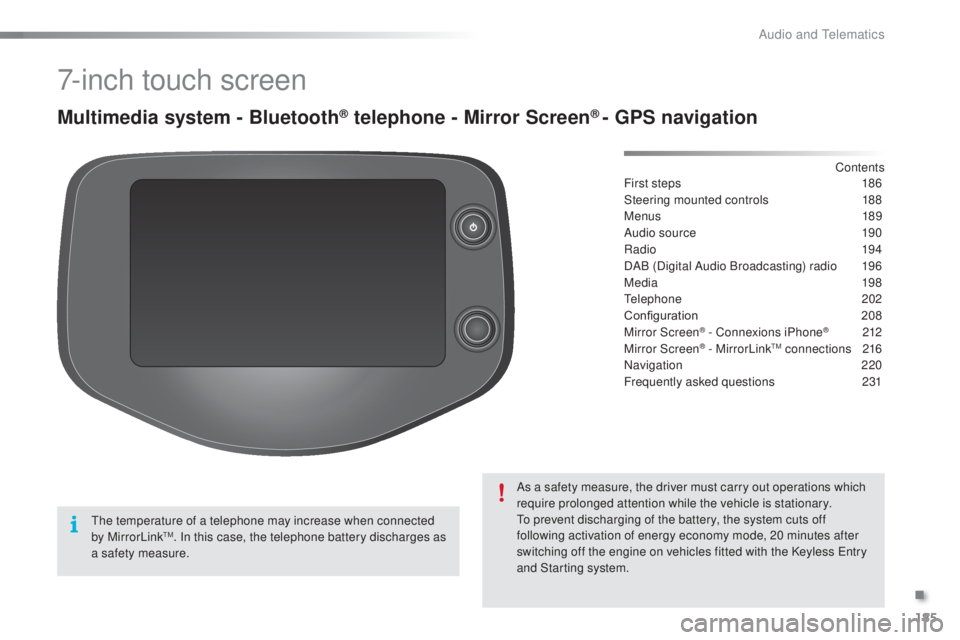
7-inch touch screen
Multimedia system - Bluetooth® telephone - Mirror Screen® - gPS navigation
First steps 1 86
Steering mounted controls
1
88
Menus
189
Audio source
1
90
Radio
19 4
DAB (Digital Audio Broadcasting) radio
1
96
Media
19
8
te
lephone
202
Configuration
20
8
Mirror Screen
® - Connexions iPhone® 212
Mirror Screen® - MirrorLinktM connections 2 16
Navigation
2
20
Frequently asked questions
23
1
As a safety measure, the driver must carry out operations which
require prolonged attention while the vehicle is stationary.
to p
revent discharging of the battery, the system cuts off
following activation of energy economy mode, 20 minutes after
switching off the engine on vehicles fitted with the Keyless
e
n
try
and Starting system. Contents
th
e temperature of a telephone may increase when connected
by MirrorLink
tM. In this case, the telephone battery discharges as
a safety measure.
.
Audio and telematics
Page 190 of 268
188
108_en_Chap10a_Autoradio-toyota-tactile-1_ed01-2016
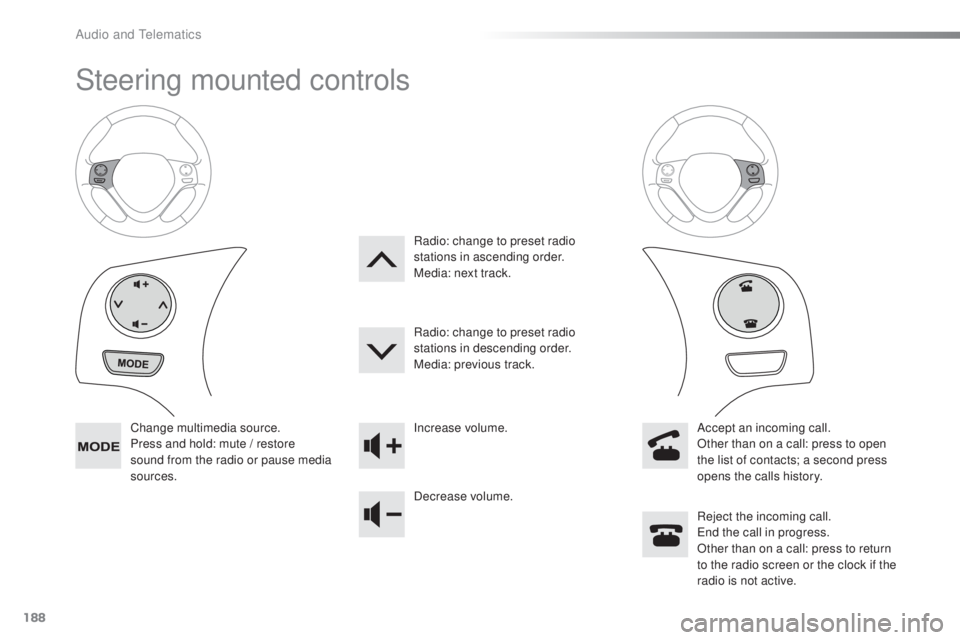
Steering mounted controls
Change multimedia source.
Press and hold: mute / restore
sound from the radio or pause media
sources. Increase volume.
Decrease volume.
Reject the incoming call.
en
d the call in progress.
Other than on a call: press to return
to the radio screen or the clock if the
radio is not active.
Radio: change to preset radio
stations in ascending order.
Media: next track.
Radio: change to preset radio
stations in descending order.
Media: previous track.
Accept an incoming call.
Other than on a call: press to open
the list of contacts; a second press
opens the calls history.
Audio and telematics
Page 201 of 268
199
108_en_Chap10a_Autoradio-toyota-tactile-1_ed01-2016
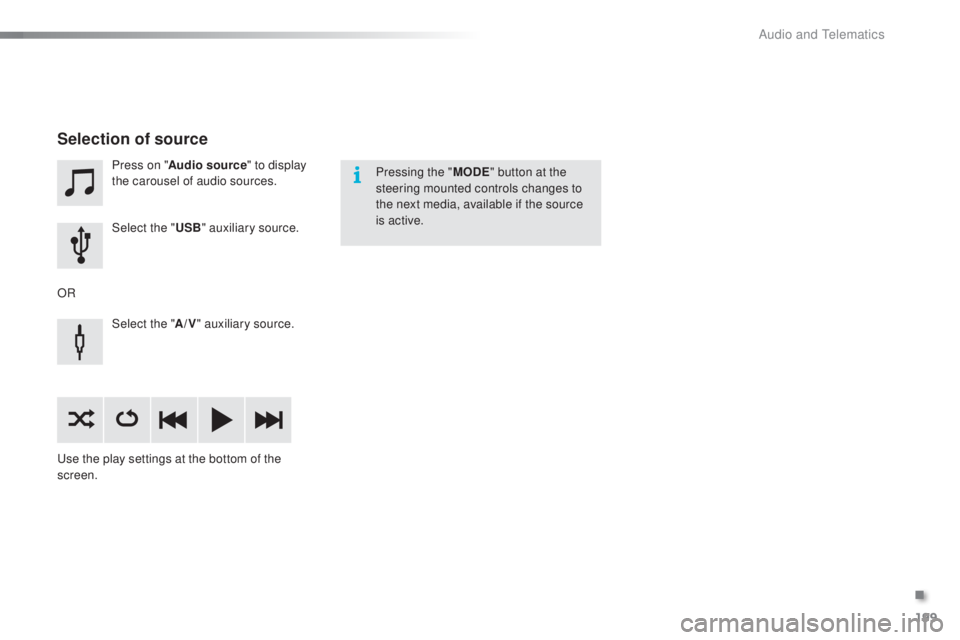
Press on "Audio source " to display
the carousel of audio sources.
Select the "
u
SB" auxiliary source.
Select the " A/V" auxiliary source.
us
e the play settings at the bottom of the
screen.
Selection of source
OR Pressing the "
M
oD
e
" b
utton at the
steering mounted controls changes to
the next media, available if the source
is active.
.
Audio and telematics
Page 202 of 268
200
108_en_Chap10a_Autoradio-toyota-tactile-1_ed01-2016
Information and advice
the system accepts uS B mass storage
devices or Apple® players via the uS
B ports.
th
e adaptor cable is not
supplied.
Control of the peripheral device is with
the audio system controls.
Other peripherals, not recognised on
connection, must be connected to the
auxiliary socket using a Jack cable (not
supplied).
It is advisable to restrict file names to
20
characters, without using of special
characters (e.g.: " " ? ; ù) to avoid any playing
and displaying problems.
us
e only
u
S
B memory sticks formatted FA
t
32
(File Allocation
t
a
ble).
th
e audio system plays files with the extension:
".wma", type Ver7 and Ver8 with bit rate
between 48 and 192 Kbps and type Ver9 with
bit rate between 48 and 320 Kbps.
".aac", with bit rate between 16 and 320 Kbps.
".mp3 - MP
e
g
1
" with bit rate between 32 and
320 Kbps and ".mp3 - MP
e
g
2
" with bit rate
between 8 and 160 Kbps.
th
e sampling rates supported are 11, 22, 44
and 48 KHz.
th
e system can alternatively read files
via the Bluetooth
® system and the uS B
port.
It is recommended that the
u
S
B cable
for the portable device is used.
Audio and telematics
Page 203 of 268
201
108_en_Chap10a_Autoradio-toyota-tactile-1_ed01-2016
Audio streaming
Once connected for streaming, the
telephone is considered as a media
source.
It is recommended that "Repeat" mode
be activated in the Bluetooth device. Streaming allows audio files on your
telephone to be played via the vehicle's
speakers.
Connect the telephone: see the "
tel
ephone
"
section, then " Bluetooth".
Choose either " Connect all" or " Connect as
audio player " profile.
If play does not start automatically, it may
be necessary to start audio play from the
telephone.
Control is from the peripheral device or by
using the audio system controls.
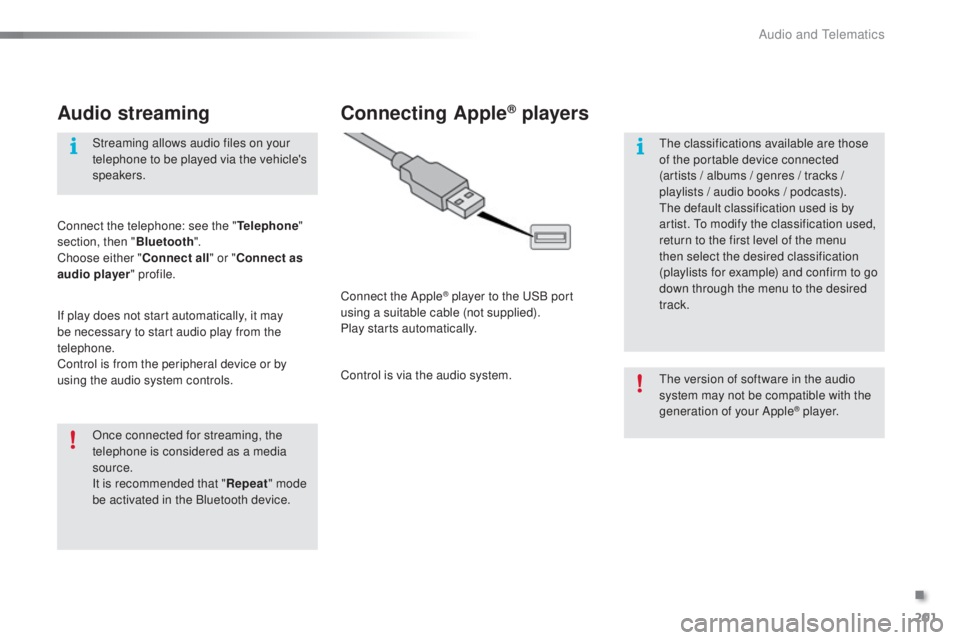
Connecting Apple® players
Connect the Apple® player to the uS B port
using a suitable cable (not supplied).
Play starts automatically.
Control is via the audio system.
th
e version of software in the audio
system may not be compatible with the
generation of your Apple
® p l aye r.
th
e classifications available are those
of the portable device connected
(artists / albums / genres / tracks /
playlists / audio books
/ podcasts).
th
e default classification used is by
artist.
t
o m
odify the classification used,
return to the first level of the menu
then select the desired classification
(playlists for example) and confirm to go
down through the menu to the desired
track.
.
Audio and telematics
Page 208 of 268
206
108_en_Chap10a_Autoradio-toyota-tactile-1_ed01-2016
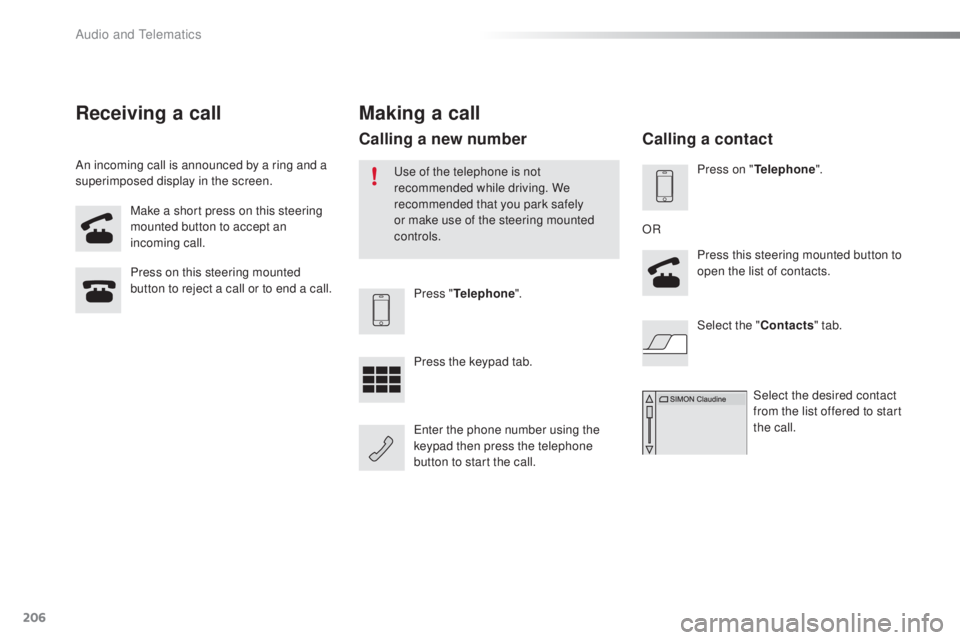
Make a short press on this steering
mounted button to accept an
incoming call.
Press on this steering mounted
button to reject a call or to end a call.
Press "
tel
ephone".
Press the keypad tab.
en
ter the phone number using the
keypad then press the telephone
button to start the call.
Receiving a call
An incoming call is announced by a ring and a
superimposed display in the screen.
Making a call
use of the telephone is not
recommended while driving. We
recommended that you park safely
or make use of the steering mounted
controls.
Calling a new number
Press on "tel ephone".
Press this steering mounted button to
open the list of contacts.
OR
Select the " Contacts" tab.
Select the desired contact
from the list offered to start
the call.
Calling a contact
Audio and telematics
Page 237 of 268
MODE
235
108_en_Chap10b_Autoradio-toyota-2_ed01-2016
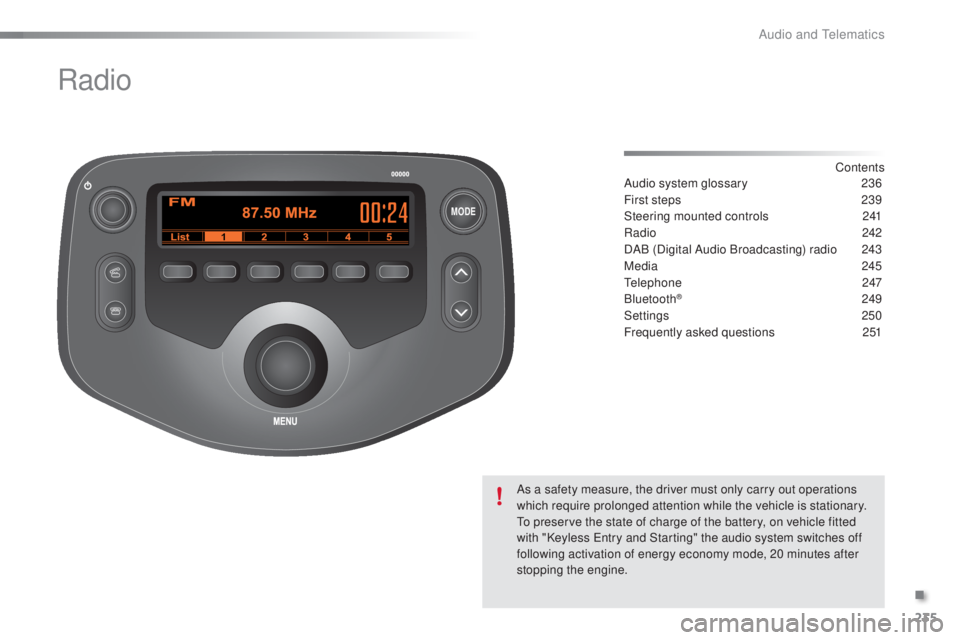
Radio
Contents
Audio system glossary
2 36
First steps
2
39
Steering mounted controls
2
41
Radio
2
42
DAB (Digital Audio Broadcasting) radio
2
43
Media
245
te
lephone
247
Bluetooth
® 249
Settings
250
Frequently asked questions
2
51
As a safety measure, the driver must only carry out operations
which require prolonged attention while the vehicle is stationary.
to p
reserve the state of charge of the battery, on vehicle fitted
with "Keyless
e
n
try and Starting" the audio system switches off
following activation of energy economy mode, 20 minutes after
stopping the engine.
.
Audio and telematics
Page 243 of 268
241
108_en_Chap10b_Autoradio-toyota-2_ed01-2016
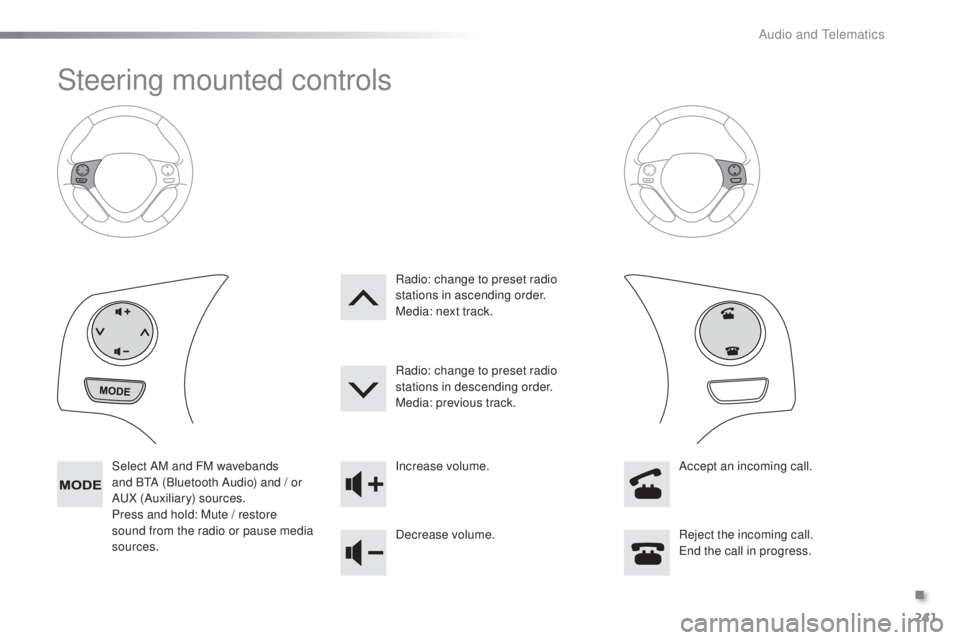
Steering mounted controls
Select AM and FM wavebands
and BtA (
Bluetooth Audio) and / or
A
uX
(Auxiliary) sources.
Press and hold: Mute / restore
sound from the radio or pause media
sources. Increase volume.
Decrease volume.
Reject the incoming call.
en
d the call in progress.
Radio: change to preset radio
stations in ascending order.
Media: next track.
Radio: change to preset radio
stations in descending order.
Media: previous track.
Accept an incoming call.
.
Audio and telematics