display PEUGEOT 2008 2016 Owner's Manual
[x] Cancel search | Manufacturer: PEUGEOT, Model Year: 2016, Model line: 2008, Model: PEUGEOT 2008 2016Pages: 450, PDF Size: 14.16 MB
Page 70 of 450
68
2008_en_Chap03_confort_ed01-2016
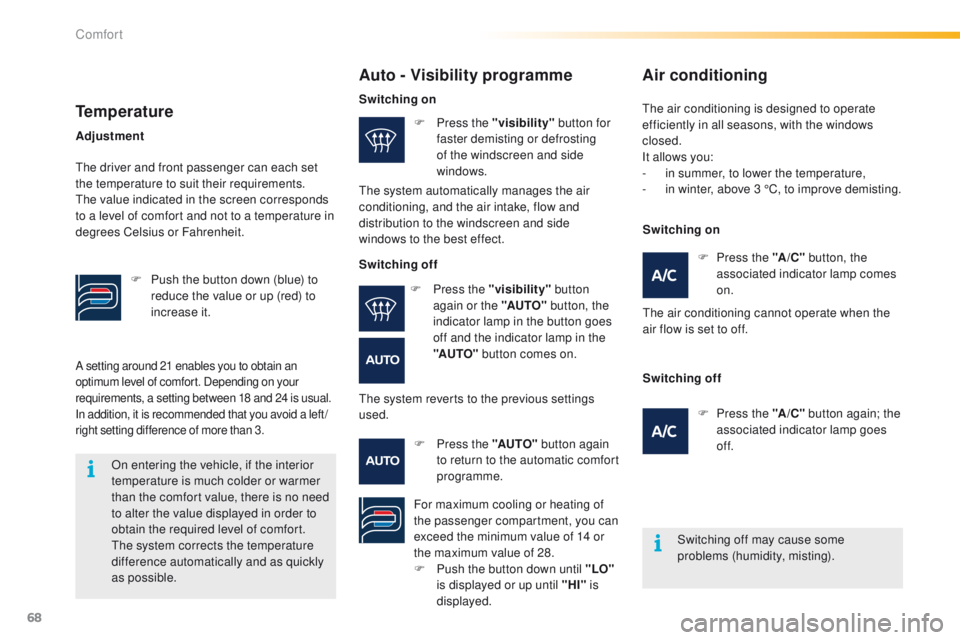
A setting around 21 enables you to obtain an
optimum level of comfort. Depending on your
requirements, a setting between 18 and 24 is usual.
In addition, it is recommended that you avoid a left /
right setting difference of more than 3.
On entering the vehicle, if the interior
temperature is much colder or warmer
than the comfort value, there is no need
to alter the value displayed in order to
obtain the required level of comfort.
The system corrects the temperature
difference automatically and as quickly
as possible.
Auto - Visibility programme
Switching off may cause some
problems (humidity, misting).
F
P
ress the "visibility"
button for
faster demisting or defrosting
of the windscreen and side
windows.
F
P
ress the "
A/C" button, the
associated indicator lamp comes
on.
The air conditioning cannot operate when the
air flow is set to off.
F
P
ress the "AUTO"
button again
to return to the automatic comfort
programme.
Temperature
F Push the button down (blue) to reduce the value or up (red) to
increase it.
Adjustment
The driver and front passenger can each set
the temperature to suit their requirements.
The value indicated in the screen corresponds
to a level of comfort and not to a temperature in
degrees Celsius or Fahrenheit.
Switching on
The system automatically manages the air
conditioning, and the air intake, flow and
distribution to the windscreen and side
windows to the best effect.
Switching off
F P ress the "visibility" button
again or the "AUTO" button, the
indicator lamp in the button goes
off and the indicator lamp in the
"AUTO" button comes on.
The system reverts to the previous settings
used.
For maximum cooling or heating of
the passenger compartment, you can
exceed the minimum value of 14 or
the maximum value of 28.
F
P
ush the button down until "LO"
is displayed or up until "HI" is
displayed.
Air conditioning
The air conditioning is designed to operate
efficiently in all seasons, with the windows
closed.
It allows you:
-
i
n summer, to lower the temperature,
-
i
n winter, above 3 °C, to improve demisting.
Switching on
Switching off F
P
ress the "A /C " button again; the
associated indicator lamp goes
of f.
Comfort
Page 71 of 450
69
2008_en_Chap03_confort_ed01-2016
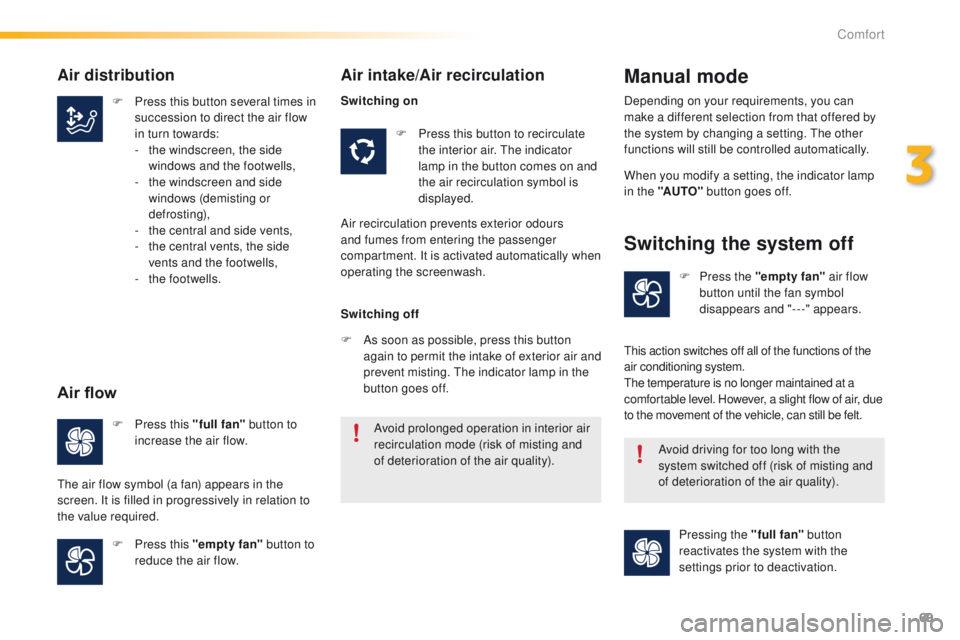
F Press this button several times in succession to direct the air flow
in turn towards:
-
t
he windscreen, the side
windows and the footwells,
-
t
he windscreen and side
windows (demisting or
def r o st ing),
-
t
he central and side vents,
-
t
he central vents, the side
vents and the footwells,
-
t
he footwells. F
P
ress this button to recirculate
the interior air. The indicator
lamp in the button comes on and
the air recirculation symbol is
displayed. When you modify a setting, the indicator lamp
in the "AUTO"
button goes off.
F
P
ress this "full fan" button to
increase the air flow.
F
P
ress this "empty fan" button to
reduce the air flow. Avoid prolonged operation in interior air
recirculation mode (risk of misting and
of deterioration of the air quality).
Avoid driving for too long with the
system switched off (risk of misting and
of deterioration of the air quality).
Air distribution
Air flow
The air flow symbol (a fan) appears in the
screen. It is filled in progressively in relation to
the value required.
Air intake/Air recirculation
Air recirculation prevents exterior odours
and fumes from entering the passenger
compartment. It is activated automatically when
operating the screenwash.
Manual mode
Switching the system off
Switching on
Switching off
F
A
s soon as possible, press this button
again to permit the intake of exterior air and
prevent misting. The indicator lamp in the
button goes off. Depending on your requirements, you can
make a different selection from that offered by
the system by changing a setting. The other
functions will still be controlled automatically.
F
P
ress the "empty fan" air flow
button until the fan symbol
disappears and "---" appears.
This action switches off all of the functions of the
air conditioning system.
The temperature is no longer maintained at a
comfortable level. However, a slight flow of air, due
to the movement of the vehicle, can still be felt.
Pressing the "full fan" button
reactivates the system with the
settings prior to deactivation.
3
Comfort
Page 74 of 450
72
2008_en_Chap04_amenagements_ed01-2016
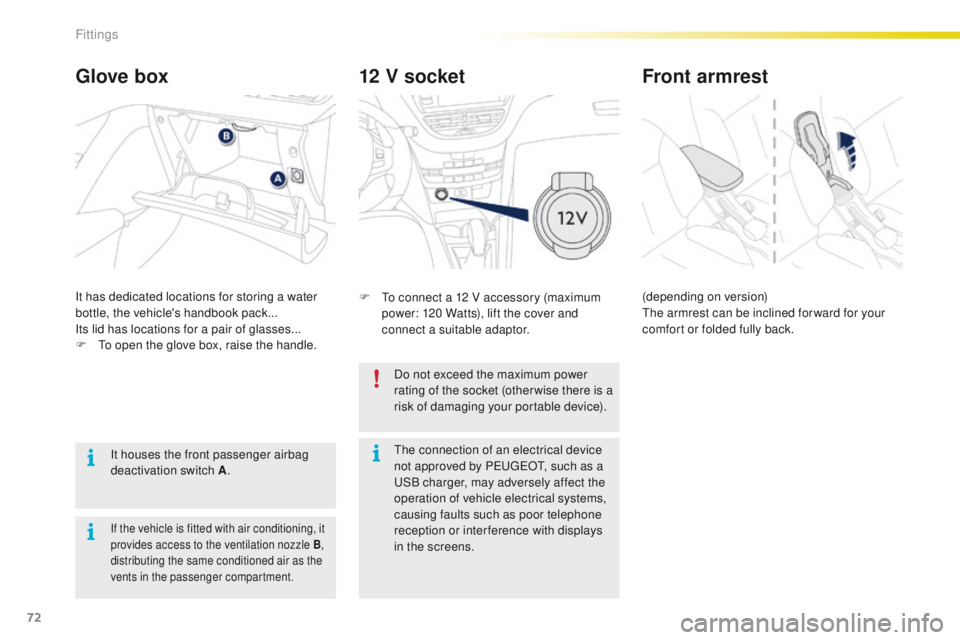
12 V socket
F To connect a 12 V accessory (maximum power: 120 Watts), lift the cover and
connect a suitable adaptor.
Glove box
It has dedicated locations for storing a water
bottle, the vehicle's handbook pack...
Its lid has locations for a pair of glasses...
F
T
o open the glove box, raise the handle.
It houses the front passenger airbag
deactivation switch A .
If the vehicle is fitted with air conditioning, it
provides access to the ventilation nozzle
B,
distributing the same conditioned air as the
vents in the passenger compartment.
Do not exceed the maximum power
rating of the socket (otherwise there is a
risk of damaging your portable device).
Front armrest
(depending on version)
The armrest can be inclined for ward for your
comfort or folded fully back.
The connection of an electrical device
not approved by PEUGEOT, such as a
USB charger, may adversely affect the
operation of vehicle electrical systems,
causing faults such as poor telephone
reception or inter ference with displays
in the screens.
Fittings
Page 75 of 450
73
2008_en_Chap04_amenagements_ed01-2016
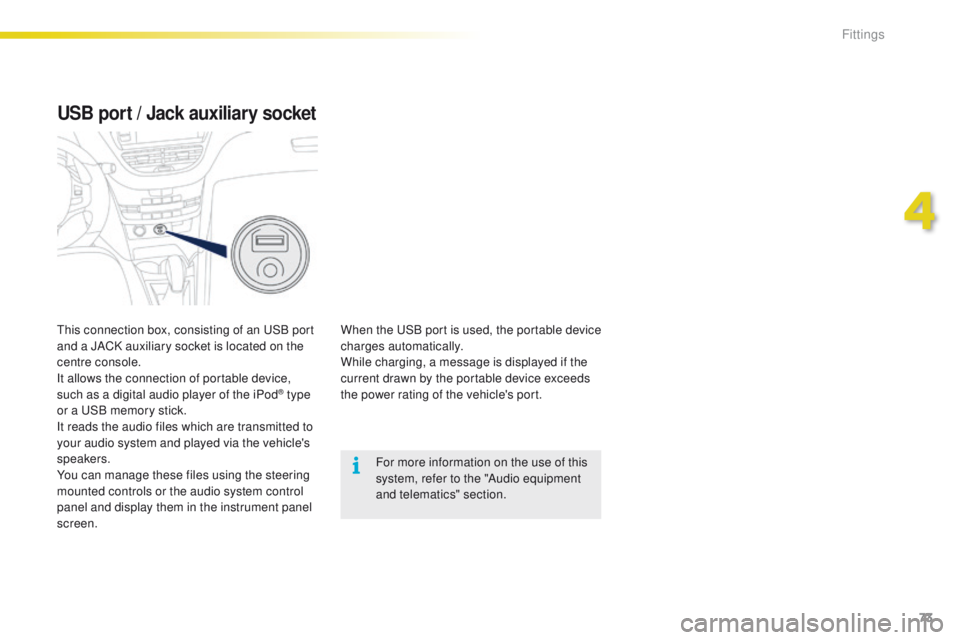
USB port / Jack auxiliary socket
When the USB port is used, the portable device
charges automatically.
While charging, a message is displayed if the
current drawn by the portable device exceeds
the power rating of the vehicle's port.For more information on the use of this
system, refer to the "Audio equipment
and telematics" section.
This connection box, consisting of an USB port
and a JACK auxiliary socket is located on the
centre console.
It allows the connection of portable device,
such as a digital audio player of the iPod
® type
or a USB memory stick.
It reads the audio files which are transmitted to
your audio system and played via the vehicle's
speakers.
You can manage these files using the steering
mounted controls or the audio system control
panel and display them in the instrument panel
screen.
4
Fittings
Page 87 of 450
85
2008_en_Chap05_conduite_ed01-2016
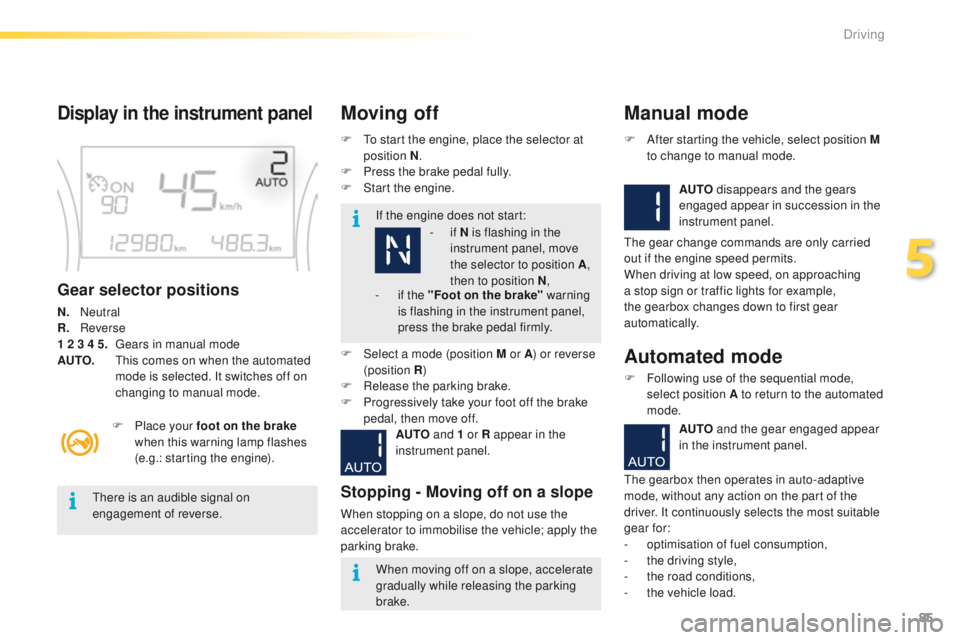
Display in the instrument panel
Gear selector positions
N. Neutral
R . Reverse
1 2 3 4 5.
G
ears in manual mode
AUTO.
T
his comes on when the automated
mode is selected. It switches off on
changing to manual mode. F
T
o start the engine, place the selector at
position N .
F
P
ress the brake pedal fully.
F
S
tart the engine.
Moving off
If the engine does not start:
F
P
lace your foot on the brake
when this warning lamp flashes
(e.g.: starting the engine).
There is an audible signal on
engagement of reverse.
When moving off on a slope, accelerate
gradually while releasing the parking
brake.
F
Sel
ect a mode (position M or A ) or reverse
(position R )
F
R
elease the parking brake.
F
P
rogressively take your foot off the brake
pedal, then move off.
AUTO and 1 or R appear in the
instrument panel.
Stopping - Moving off on a slope
When stopping on a slope, do not use the
accelerator to immobilise the vehicle; apply the
parking brake.
Manual mode
AUTO disappears and the gears
engaged appear in succession in the
instrument panel.
F
A
fter starting the vehicle, select position M
to change to manual mode.
The gear change commands are only carried
out if the engine speed permits.
When driving at low speed, on approaching
a stop sign or traffic lights for example,
the gearbox changes down to first gear
automatically.
Automated mode
F Following use of the sequential mode, select position A to return to the automated
mode.
-
i
f
N is flashing in the
instrument panel, move
the selector to position A ,
then to position N ,
-
i
f the "Foot on the brake" warning
is flashing in the instrument panel,
press the brake pedal firmly.
AUTO and the gear engaged appear
in the instrument panel.
The gearbox then operates in auto-adaptive
mode, without any action on the part of the
driver. It continuously selects the most suitable
gear for:
-
o
ptimisation of fuel consumption,
-
t
he driving style,
-
t
he road conditions,
-
t
he vehicle load.
5
Driving
Page 88 of 450
86
2008_en_Chap05_conduite_ed01-2016
You must press the brake pedal firmly
while starting the engine.
Never select neutral N while the vehicle
is moving.
Only engage reverse gear R when the
vehicle is immobilised, with your foot on
the brake pedal.
In all cases, you must apply the parking
brake to immobilise the vehicle.
For best acceleration, when overtaking
another vehicle for example, press the
accelerator pedal firmly to pass the
point of resistance.
"Auto sequential" mode
In the automated mode, you can resume
control temporarily at any time using the
steering mounted control paddles.
The use of these paddles permits manual
selection of the gears in situations which
require a more rapid change-down than in
the automated mode (arrival at a roundabout,
leaving a car park with a steep gradient,
over taking...).
The gearbox engages the required gear if
the engine speed permits. AUTO
remains
displayed on the instrument panel.
After a few moments, the gearbox resumes
automatic control of the gears.
Stopping the vehicle
Before switching off the engine, you can
change to position N to be in neutral.
In this case, you must apply the parking
brake to immobilise the vehicle.
Reinitialisation
Following disconnection of the battery, the
gearbox must be reinitialised.
F
S
witch on the ignition.
AUTO and - appear in the instrument
panel.
F
Sel
ect position N .
F
P
ress the brake pedal.
F
W
ait approximately 30 seconds until N or a
gear appears in the instrument panel.
F
R
elease the brake pedal.
The gearbox is operational again.
Operating fault
With the ignition on, if this
warning lamp comes on and
AUTO flashes, accompanied by
an audible signal and a message in the screen,
this indicates a gearbox fault.
Have it checked by a PEUGEOT dealer or a
qualified workshop.
Driving
Page 90 of 450
88
2008_en_Chap05_conduite_ed01-2016
Engagement of reverse gear is
accompanied by an audible signal.If the engine does not start:
For optimum acceleration, for example
when overtaking another vehicle, press
the accelerator pedal firmly past the
point of resistance.
Display in the instrument panelMoving offAutomated mode
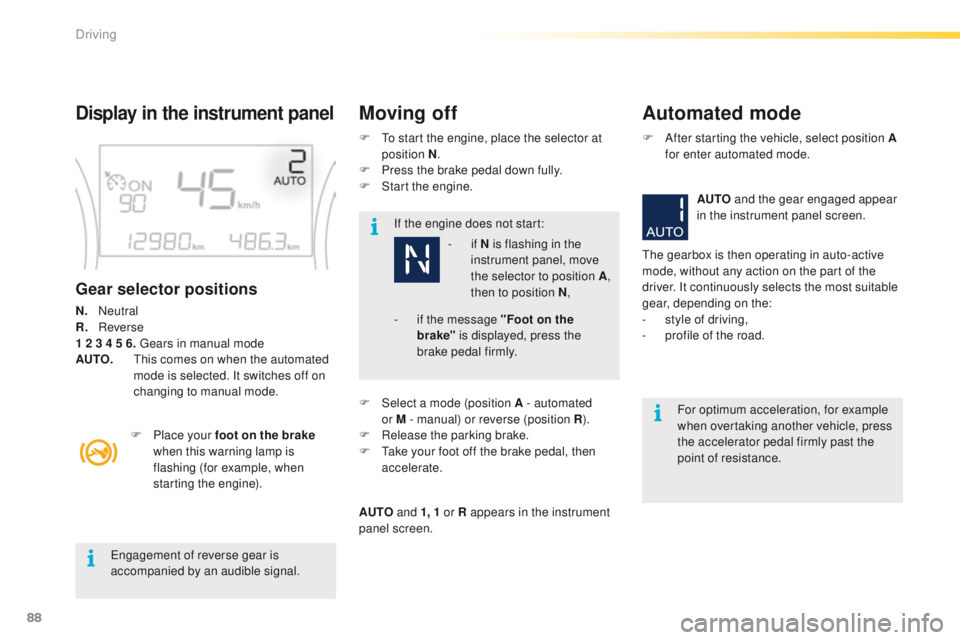
Gear selector positions
N. Neutral
R. R everse
1 2 3 4 5 6. Gears in manual mode
AUTO.
T
his comes on when the automated
mode is selected. It switches off on
changing to manual mode.
F
P
lace your foot on the brake
when this warning lamp is
flashing (for example, when
starting the engine). F
T
o start the engine, place the selector at
position N .
F
P
ress the brake pedal down fully.
F
S
tart the engine.
- if
N is flashing in the
instrument panel, move
the selector to position A ,
then to position N ,
F
Sel
ect a mode (position A - automated
or
M - manual) or reverse (position R).
F
R
elease the parking brake.
F
T
ake your foot off the brake pedal, then
accelerate.
AUTO and 1, 1 or R appears in the instrument
panel screen. F
A
fter starting the vehicle, select position A
for enter automated mode.
AUTO and the gear engaged appear
in the instrument panel screen.
The gearbox is then operating in auto-active
mode, without any action on the part of the
driver. It continuously selects the most suitable
gear, depending on the:
- s tyle of driving,
-
p
rofile of the road.
-
i f the message "Foot on the
brake" is displayed, press the
brake pedal firmly.
Driving
Page 91 of 450
89
2008_en_Chap05_conduite_ed01-2016
At very low speed, if reverse gear
is requested, this will only be taken
into account when the vehicle is
immobilised. A warning lamp appears in
the instrument panel screen.
Manual gear changingManual mode
On sharp acceleration, the gearbox will
not change up unless the driver acts on
the gear lever or the steering mounted
paddles.
Never select neutral N while the vehicle
is moving.
Only engage reverse gear R when the
vehicle is immobilised with the brake
pedal pressed.
This selective gear change mode enables you
to overtake, for example, while still remaining in
automatic mode.
F
O
perate the + or - steering mounted control
paddle.
The gearbox engages the gear requested if the
engine speed permits. AUTO is still displayed
in the instrument panel.
After a few moments without any action on
the controls, the gearbox resumes automatic
control of the gears. F
W
hen the vehicle has moved off, select
position M to change to manual mode.
F
P
ull the selector towards the +
sign to
change up a gear.
F
P
ush the selector towards the - sign to
change down a gear.
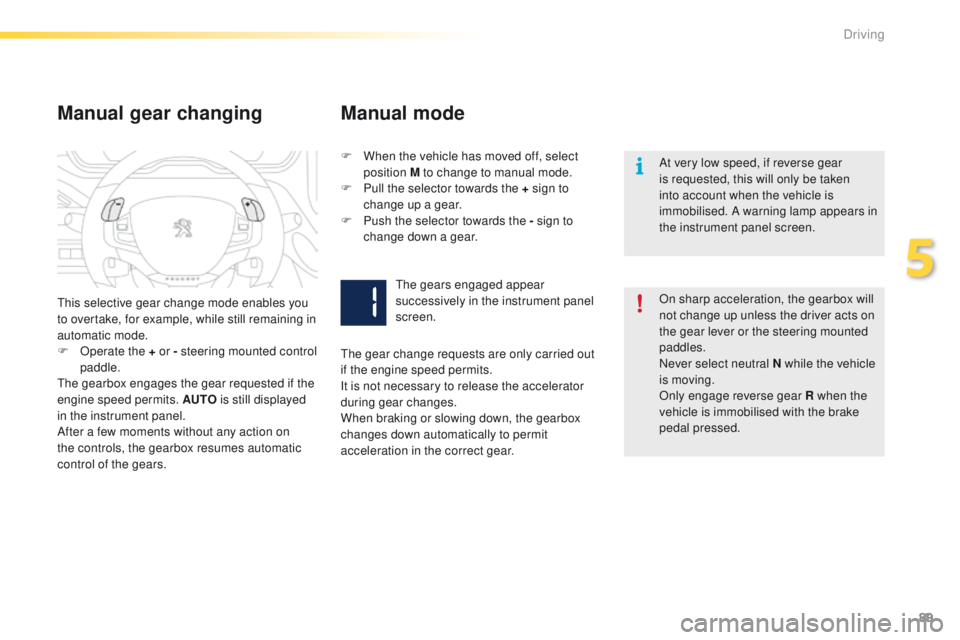
The gears engaged appear
successively in the instrument panel
screen.
The gear change requests are only carried out
if the engine speed permits.
It is not necessary to release the accelerator
during gear changes.
When braking or slowing down, the gearbox
changes down automatically to permit
acceleration in the correct gear.
5
Driving
Page 93 of 450
91
2008_en_Chap05_conduite_ed01-2016
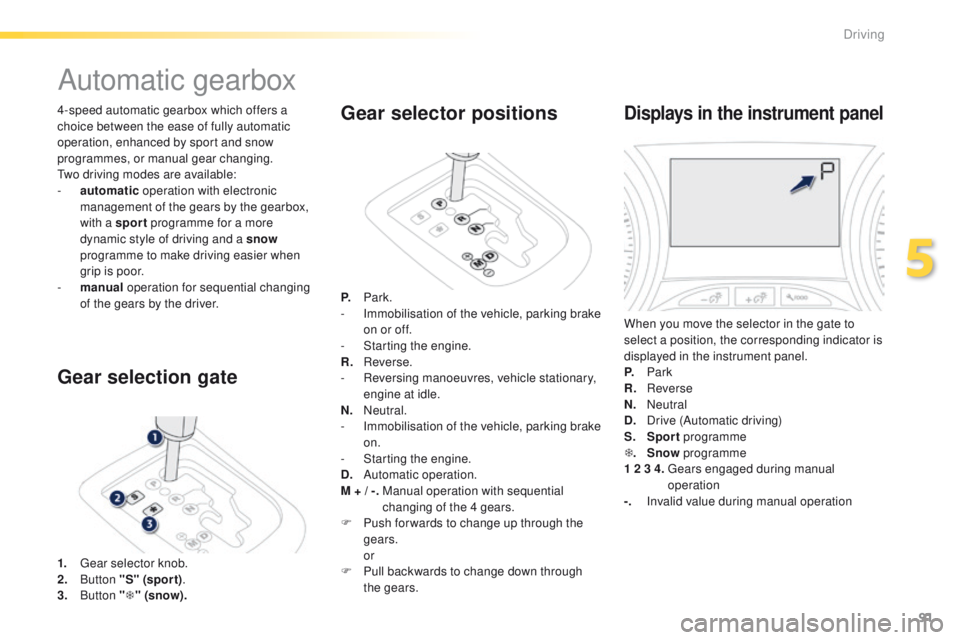
4-speed automatic gearbox which offers a
choice between the ease of fully automatic
operation, enhanced by sport and snow
programmes, or manual gear changing.
Two driving modes are available:
-
a
utomatic operation with electronic
management of the gears by the gearbox,
with a sport programme for a more
dynamic style of driving and a snow
programme to make driving easier when
grip is poor.
-
m
anual operation for sequential changing
of the gears by the driver.
Automatic gearbox
1. Gear selector knob.
2. B utton "S" (spor t) .
3.
Button "T " (snow).
Gear selection gate Gear selector positions
P.
Park.
- I mmobilisation of the vehicle, parking brake
on or off.
-
S
tarting the engine.
R.
R
everse.
-
R
eversing manoeuvres, vehicle stationary,
engine at idle.
N.
N
eutral.
-
I
mmobilisation of the vehicle, parking brake
on.
-
S
tarting the engine.
D.
A
utomatic operation.
M + / -.
M
anual operation with sequential
changing of the 4 gears.
F
P
ush for wards to change up through the
gears.
or
F
P
ull backwards to change down through
the gears.
Displays in the instrument panel
When you move the selector in the gate to
select a position, the corresponding indicator is
displayed in the instrument panel.
P.
Park
R.
Reverse
N.
N
eutral
D.
D
rive (Automatic driving)
S.
Sport programme
T .
Snow programme
1 2 3 4.
G
ears engaged during manual
operation
-.
I
nvalid value during manual operation
5
Driving
Page 94 of 450
92
2008_en_Chap05_conduite_ed01-2016
F With your foot on the brake, select position P or N .
Moving off
When the engine is running at idle,
with the brakes released, if position R ,
D or
M is selected, the vehicle moves
even without the accelerator being
pressed.
When the engine is running, never
leave children in the vehicle without
supervision.
When carrying out maintenance with
the engine running, apply the parking
brake and select position P .
If position N is selected inadvertently
while driving, allow the engine to
return to idle then select position D to
accelerate. Never select position N while the
vehicle is moving.
Never select positions P or R unless the
vehicle is completely stationary.
Automatic operation
F Select position D for automatic changing
of the 4 gears.
The gearbox then operates in auto-adaptive
mode, without any intervention on the part
of the driver. It continuously selects the most
suitable gear according to the style of driving,
the profile of the road and the load in the
vehicle.
For maximum acceleration without touching
the selector, press the accelerator pedal down
fully (kick down). The gearbox changes down
automatically or maintains the gear selected
until the maximum engine speed is reached.
On braking, the gearbox changes down
automatically to provide efficient engine
braking.
If you release the accelerator sharply, the
gearbox will not change to a higher gear for
safety reasons.
F
S
tart the engine.
If this procedure is not followed, there is an
audible signal, accompanied by the display of
an warning message.
F
W
ith the engine running, press the brake
pedal.
F
R
elease the parking brake.
F
Sel
ect position R , D or M.
F
G
radually release the brake pedal.
The vehicle then moves off.
If the ambient temperature is
below
-23°C, the engine should be
left at idle for 4 minutes, to ensure the
correct operation and life of the engine
and gearbox.
Driving