light PEUGEOT 2008 2016 Repair Manual
[x] Cancel search | Manufacturer: PEUGEOT, Model Year: 2016, Model line: 2008, Model: PEUGEOT 2008 2016Pages: 450, PDF Size: 14.16 MB
Page 362 of 450
360
2008_en_Chap13_index-alpha_ed01-2016
Emergency warning lamps .....................7 8, 135
Emissions control system, SCR .............25, 175
Energy economy mode
.................................219
Engine compartment
...........................235, 236
Engine, Diesel
......... 1
8, 173, 174, 236, 247, 249
Engine oil level indicator
...............................237
Engine, petrol
....................... 173, 235, 243, 245
Environment
.......... 1
2, 46, 70, 98, 181, 214, 239
Filling the fuel tank
........................1
70, 172, 173
Filter, particle
........................................239, 240
Fitting a wheel
...............................
................19 9
Fitting roof bars
............................................. 230
Fittings, boot
................................................... 75
F
ittings, interior
......................................... 71, 72
Flap, fuel filler
...............................
.........170, 172
Flashing indicators
........................122, 135, 203
Foglamp, rear
...............................
.119, 206, 207
Foglamps, front
............................. 119, 125, 205
Folding/unfolding the door mirrors
.................60
Frequency (radio)
.........................282, 330, 350
Fuel .......................................................... 12, 173
Fuel consumption
...................................... 12
, 4 0
Fuel tank ................................................ 170, 172
Fusebox, dashboard
.............................210, 212
Fusebox, engine compartment
.....................213
Fuses
............................................................. 208Gauge, fuel
........................................ 14, 15, 170
Gearbox, automatic
............12, 91, 95, 214, 241
Gearbox, electronic ....12, 72, 84, 87, 100, 214, 241
Gearbox, manual ...................... 12, 83, 100, 241
Gear lever, automatic gearbox
....................... 91
G
ear lever, electronic gearbox
.................84, 87
Gear lever, manual gearbox
........................... 83
Gear shift indicator
......................................... 99
Glove box
........................................................ 72
Grip control
................................................... 143
Guide-me-home
.............................. 4 5, 12 2, 123
Identification plates
....................................... 25
3
Ignition switch
................................................. 80
Imm
obiliser, electronic
.............................. 45, 47
Indicator, coolant temperature
........................ 33
I
ndicator, engine oil level ........................ 31, 237
Indicator lamps, operation
........................ 16, 20
F
G
I
DAB (Digital Audio Broadcasting) -
Digital radio ................................................. 284
Date (setting)
...............................
....................42
Daytime running lamps
..............................
....................118 , 12 1
Daytime running lamps, LED
................................................. 121
Deactivating the passenger airbag
.................................................. 15
3, 15 8
Demisting/defrosting
....................................... 70
Dials and gauges
...............
..................................... 14, 15
Dimensions
................................................... 252
Dipstick
................
.................................... 31, 237
Directional lighting
........................................ 125
Direction indicators
..............122, 135, 203, 206
Display screen, instrument panel
...............................
......14, 15
Door pockets
................................................... 71
D
oors
............................................................... 48
Driving abroad ............................................... 124
Driving economically ....................................... 12
Dynamic stability c ontrol (DSC)
........................23, 140, 142, 143
D
EBA (Emergency braking assistance) ..........140
Eco-driving (advice) ........................................ 12
Economy mode
............................................. 219
Electronic brake force distribution (EBFD)
..................................... 140
Electronic gearbox
............................84, 87, 241
Emergency call
..................................... 13
6, 25 4 Hazard warning lamps
............................
78, 135
Headlamps, automatic illumination
..............
123
Headlamps
............................................
117, 203
Head restraints, front ......................................
57
Head restraints, rear .......................................
59
Heating
................................................
64, 65, 67
Hill start assist
...............................................
10
3
H
E
Alphabetical index
Page 363 of 450
361
2008_en_Chap13_index-alpha_ed01-2016
Labels, identification .....................................25 3
LED daytime running lamps .........................204Level, brake fluid
...........................................
2
37
Level, Diesel additive
....................................
239
Level, engine coolant
..............................
33, 238
Level, engine oil
...............................
.......
31, 237
Levels and checks ................................
235-239
Light-emitting diodes - LEDs
........................
206
Lighting control stalk
.....................................
12 2
Lighting dimmer
..............................
..............
13 0
Lighting, guide-me home
................
4 5, 12 2, 123
Lighting, interior
............................................
131
Lighting, mood
..............................................
132
Loading
...................................................
12, 23 0
Load reduction mode
....................................
219
Locating your vehicle
...................................... 45
Lo
cking
............................................................
43
Locking the boot.............................................. 50
Low fuel level ..........................................
26, 170
Luggage retaining strap
..................................
75Navigation
.....................................................
262
Net, high load retaining
...................................
76
Net, storage ..................................................... 75
Number plate lamps
...................................... 2
07
Oil filter
...............
...........................................
240
Oil level .......................................................... 237
Opening the bonnet
...................................... 23
4
Opening the boot
..............................
..............
50
Opening the doors
...............................
...........
48
Opening the fuel filler flap
.............................
17
0
Opening the roof blind
..................................
13 3
K
L
M
N
Keeping children safe ............15 1, 153, 15 6 -16 0
Key with remote control ..................................43
Kit, hands-free
...................................... 314, 3 3 6
Kit, temporary puncture repair
..............183, 188 Maintenance (advice)
....................................
230
Maintenance, routine ..............................
12, 23 5
Map reading lamps .......................................131
Markings, identification
.................................253
Mat
..................................................................74
Menu (touch screen)
............261, 262, 264, 268,
276, 278, 280, 290, 292, 294, 310, 312
Mirror, rear view
..............................................61
Mirrors, door .................................................... 60
Misfuel prevention
...............................
..........172
Mountings, Isofix
...........................................165
MP3 CD
.................................................332, 352
Indicators, direction
.....................
135, 203, 206
Inflating tyres
..........................................
12, 25 3
Inflating tyres and accessories (using the kit)
..............................
........
18 6, 193
Input, auxiliary
........................ 7
3, 286, 333, 352
Instrument panels
.....................................
14, 15
Instrument panel screen
............... 1
4, 15, 38, 99
Internet browser
............................................
299
ISOFIX child seats
...............................
.........
167
Isofix mountings
...............................
.............
165
Jack
........
.......................................................
19 4
Jukebox
.........................................................
289
Jump starting
..............................
..................
215
J
O
P
Pads, brake ................................................... 2 41
Paint colour code .......................................... 253
Panoramic glass sunroof
..............................13 3
Park Assist
.................................................... 113
Parking brake
.......................................... 8 2 , 2 41
Parking lamps
............................................... 12 2
Parking sensors, front
...................................111
Parking sensors, rear .................................... 11 0
Passenger compartment filter
......................240
.
Alphabetical index
Page 364 of 450
362
2008_en_Chap13_index-alpha_ed01-2016
Table of weights ....................................24 5, 249
Tables of engines .................................. 243, 247
Tables of fuses
.............................................. 208
Ta n k , f u e l
............................................... 170, 172
Technical data
....................................... 243-249
Telephone
............................................. 310, 33 6
Temperature, coolant
...................................... 33
T
S
Selector, gear .......................... 83, 84, 87, 91, 95
Serial number, vehicle .................................. 25
3
Service indicator
............................................. 28
Servicing
...............................
..........................12
Settings
...............
.........................290, 339, 354
Sidelamps
..................... 117, 121, 122, 204, 206
Side repeater
..............................
..................205
Snow chains
.......................................... 13
9, 201
Socket, 12 V accessory
..................................72
So
ckets, audio
.......................73, 286, 333, 352
Speed limiter
......................................... 104, 108
Starting the engine
......................................... 80
Starting using another battery
...................... 2
15
Station, radio
................................ 2
82, 330, 350
Stay, bonnet
.................................................. 234
Steering mounted controls, audio
.......................................... 260, 329, 349
Steering wheel, adjustment
............................59
Stop & Start
........................ 19, 40, 70, 100, 113,
170, 214, 218, 234, 240
Storage
...................................................... 71, 72
Stowing rings
.................................................. 75
Switching off the engine
................................. 80
S
ynchronising the remote control
...................46
Reminder, lighting on
.................................... 120
Remote control .......................................... 4
3 - 47
Removing a wheel
........................................ 197
Removing the mat
........................................... 74
Replacing bulbs
............................................ 202
Replacing fuses
..............................
.............. 208
Replacing the air filter
................................... 240
Replacing the oil filter
................................... 24
0
Replacing the passenger compartment filter
.... 240
Resetting the service indicator
....................... 30
Resetting the trip recorder
.............................. 41
Reversing camera
......................................... 112
Reversing lamp
..................................... 2
06, 207
Risk areas (update)
....................................... 273
Roof bars
....................................................... 23
0
Routine checks
..................................... 240, 241
Running out of fuel (Diesel)
.......................... 1
74
Petrol
............................................................. 173
PE
UGEOT C
onnect Assistance
................... 255
P
E
UGEOT
C
onnect Packs
........................... 255
P
E
UGEOT
C
onnect SOS
............................. 25
4
Player, Apple
® .............................. ........288, 335
Player, MP3 CD ............................ 286, 332, 352
Port, USB
....................................... 7
3, 286, 332
Pre-heater, Diesel
........................................... 18
Pressures, tyres
............................................ 253
Pre-tensioning seat belts
.............................. 151
Priming the fuel system
................................ 174
Protecting children
................. 151, 153, 15 6 -16 0
Puncture
........................................................ 183
Radio
............................................ 282, 330, 350
Radio, digital (Digital Audio Broadcasting - DAB)
................................... 284
Range, AdBlue
.............................................. 176
Range, fuel
...................................................... 40
RDS
............................................... 283, 331, 350
Rear foglamp ................................. 119, 206, 207
Rear screen, demisting
................................... 70
Recharging the battery
................................. 2
16
Recirculation, air
....................................... 66, 69
Reduction of electrical load
.......................... 219
Regeneration of the particle filter
.................24
0
Reinitialisation of the under-inflation detection system
......................................... 13 8
Reinitialising the remote control
..................... 46
R
eminder, key in ignition ................................. 81Safety, children
......................
15
1, 153, 15 6 -16 0
Screen, instrument panel
....................14, 15, 38
Screen menu map
...............262, 264, 268, 276,
278, 280, 290, 292, 294, 310, 312, 341, 355
Screenwash
..................................................126
Screenwash fluid level
..................................238
Screenwash, rear
..........................................127
SCR (Selective Catalytic Reduction)
............175
Seat belts
....................................... 1
4 9 -151, 161
Seats, front
...............................
.......................56
Seats, heated
..................................................57
Seats, rear
.......................................................58
R
Alphabetical index
Page 377 of 450
2
Monitoring
Touch screen
For For Forsafety reasons, the driver , the driver , the drivermustonly carry out operations that require close attention with the vehicle stationary. Some functions are not accessible when driving.
It gives access to: - menus for adjusting settings for vehicle functions and systems, - audio and display configuration menus, - audio system and telephone controls and the display of associated information.
And, depending on equipment, it allows: - the display of alert messages and the visual parking sensors information, - access to the controls for the navigation system and Internet services, and the display of associated information.
General operation
Recommendations
It is necessary to press firmly, particularly for "flick" gestures (scrolling through lists, moving the map, etc.). A light wipe is not enough. The screen does not recognise pressing with more than one finger. This technology allows use at all temperatures and when wearing gloves. Do not use pointed objects on the touch screen. Do not touch the touch screen with wet hands. Uses a soft clean cloth to clean the touch screen.
State of indicator lamps
Some buttons contain an indicator lamp that gives the state of the corresponding function. Green indicator: you have switched on the corresponding function. Orange indicator: you have switched off the corresponding function.
Principles
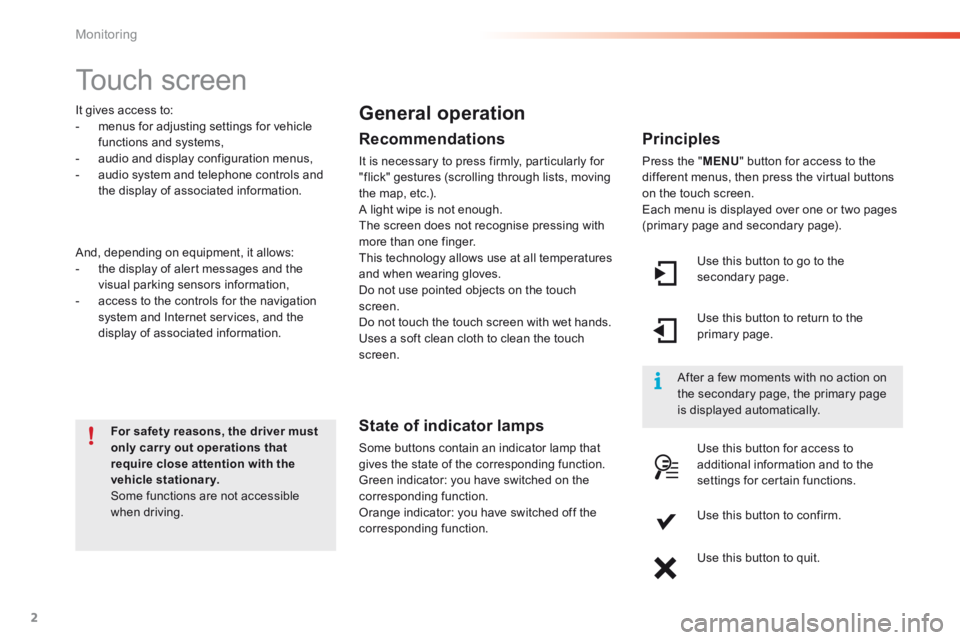
Press the " MENU " button for access to the different menus, then press the virtual buttons on the touch screen. Each menu is displayed over one or two pages (primary page and secondary page).
Use this button to go to the secondary page.
After a few moments with no action on the secondary page, the primary page is displayed automatically.
Use this button to return to the primary page.
Use this button for access to additional information and to the settings for certain functions.
Use this button to confirm.
Use this button to quit.
Page 429 of 450
55
2008-additif_en_Chap12b_SMEGplus_ed01-2016
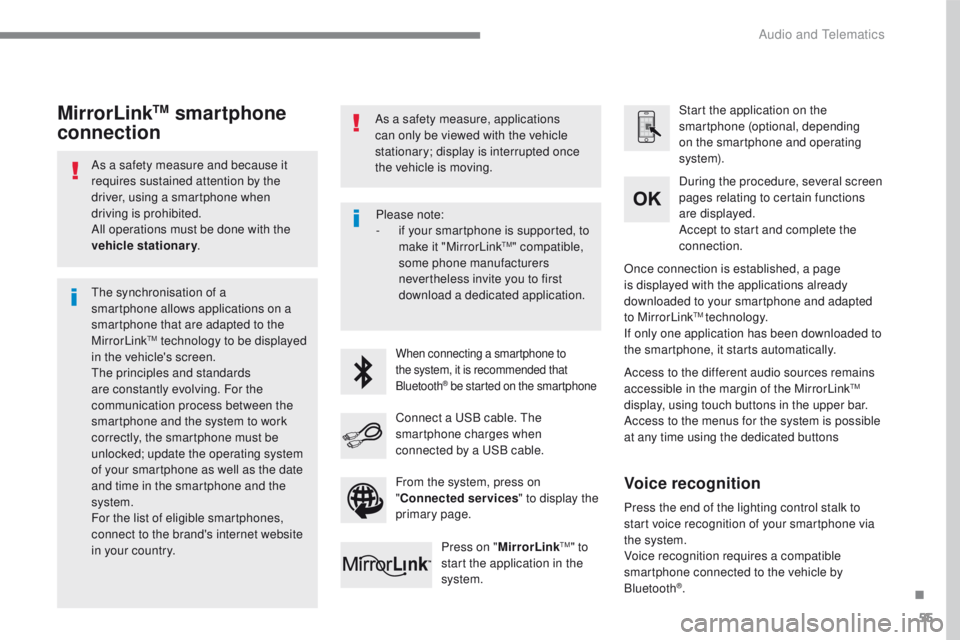
As a safety measure and because it
requires sustained attention by the
driver, using a smartphone when
driving is prohibited.
All operations must be done with the
vehicle stationary.
The synchronisation of a
smartphone allows applications on a
smartphone that are adapted to the
MirrorLink
TM technology to be displayed
in t
he vehicle's screen.
The principles and standards
are constantly evolving. For the
communication process between the
smartphone and the system to work
correctly, the smartphone must be
unlocked; update the operating system
of your smartphone as well as the date
and time in the smartphone and the
system.
For the list of eligible smartphones,
connect to the brand's internet website
in your country. As a safety measure, applications
can only be viewed with the vehicle
stationary; display is interrupted once
the vehicle is moving.When connecting a smartphone to
the system, it is recommended that
Bluetooth
® be started on the smartphone
Start the application on the
smartphone (optional, depending
on the smartphone and operating
syste m).
Access to the different audio sources remains
accessible in the margin of the MirrorLink
TM
display, using touch buttons in the upper bar.
Access to the menus for the system is possible
at any time using the dedicated buttons During the procedure, several screen
pages relating to certain functions
are displayed.
Accept to start and complete the
connection.
Connect a USB cable. The
smartphone charges when
connected by a USB cable. Press on " MirrorLink
TM" to
start the application in the
system. Once connection is established, a page
is displayed with the applications already
downloaded to your smartphone and adapted
to MirrorLink
TM technology.
If only one application has been downloaded to
the smartphone, it starts automatically.
MirrorLinkTM smartphone
connection
Press the end of the lighting control stalk to
start voice recognition of your smartphone via
the system.
Voice recognition requires a compatible
smartphone connected to the vehicle by
Bluetooth
®.
Voice recognition
Please note:
- if y
our smartphone is supported, to
make it "MirrorLink
TM" compatible,
some phone manufacturers
nevertheless invite you to first
download a dedicated application.
From the system, press on
" Connected services " to display the
primary page.
.
Audio and Telematics
Page 433 of 450
59
2008-additif_en_Chap12b_SMEGplus_ed01-2016
As a safety measure and because it
requires sustained attention by the
driver, using a smartphone when
driving is prohibited.
All operations must be done with the
vehicle stationary.
As a safety measure, applications
can only be viewed with the vehicle
stationary; display is interrupted once
the vehicle is moving. The synchronisation of a
smartphone allows applications on a
smartphone that are adapted to the
CarPlay
® technology to be displayed on
the
vehicle's screen.
As the principles and standards are
constantly evolving, it is recommended
that you update the operating system of
your smartphone.
For the list of eligible smartphones,
connect to the brand's internet website
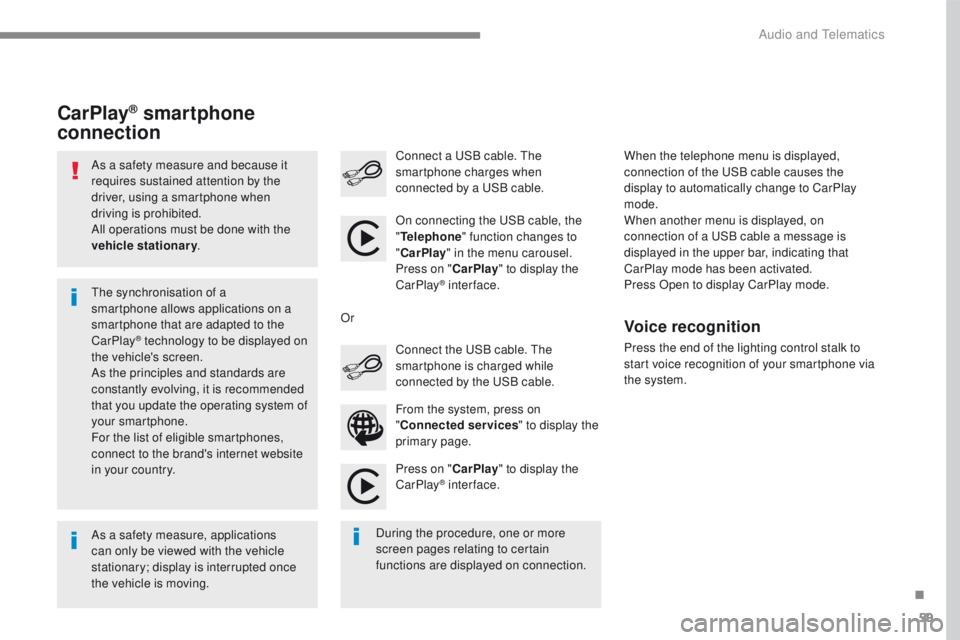
in your country. On connecting the USB cable, the
"
Telephone " function changes to
" CarPlay " in the menu carousel.
Press on " CarPlay" to display the
CarPlay
® inter face.
Press on " CarPlay" to display the
CarPlay
® inter face.
Connect a USB cable. The
smartphone charges when
connected by a USB cable.
Press the end of the lighting control stalk to
start voice recognition of your smartphone via
the system.
CarPlay® smartphone
connection
During the procedure, one or more
screen pages relating to certain
functions are displayed on connection. From the system, press on
"
Connected services " to display the
primary page. Connect the USB cable. The
smartphone is charged while
connected by the USB cable.
Or
Voice recognition
When the telephone menu is displayed,
connection of the USB cable causes the
display to automatically change to CarPlay
mode.
When another menu is displayed, on
connection of a USB cable a message is
displayed in the upper bar, indicating that
CarPlay
m
ode has been activated.
Press Open to display CarPlay mode.
.
Audio and Telematics