display PEUGEOT 207 2009 Owner's Guide
[x] Cancel search | Manufacturer: PEUGEOT, Model Year: 2009, Model line: 207, Model: PEUGEOT 207 2009Pages: 279, PDF Size: 19.5 MB
Page 132 of 279
i
124
SPEED LIMITER
System which prevents the vehicle from exceeding the speed programmed by the driver.
When the programmed speed limit is reached, pressing the accelerator pedal no longer has any effect.
The speed limiter is switched on manu-ally: it requires a programmed speed of at least 20 mph (30 km/h).
The speed limiter is switched off by switched offmanual operation of the control.
The programmed speed can be ex-ceeded temporarily by pressing the ac-celerator fi rmly.
To return to the programmed speed, simply slow down to a speed below the programmed speed.
The programmed speed remains in the memory when the ignition is switched off.
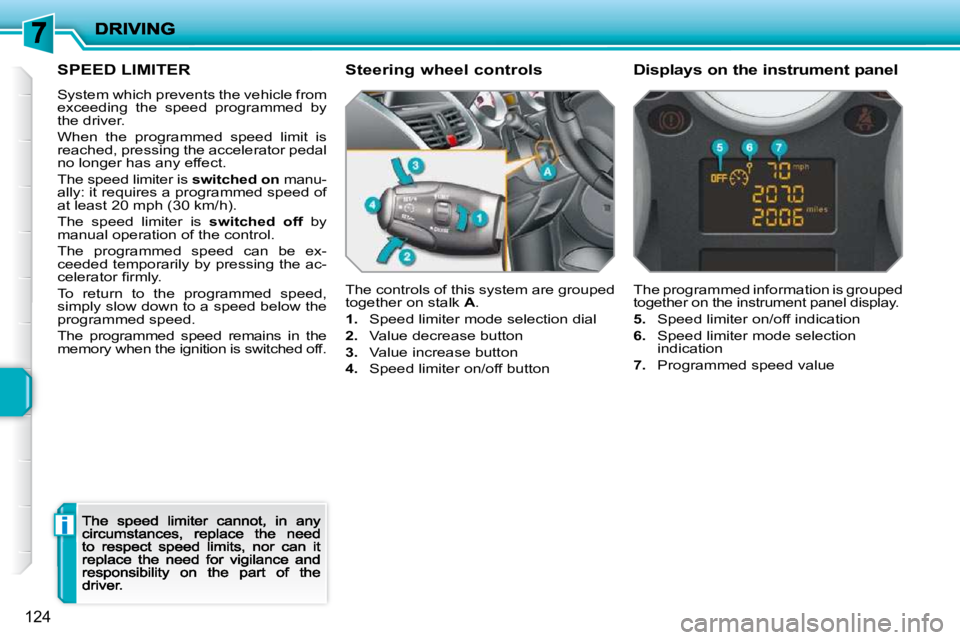
The controls of this system are grouped together on stalk A .
1. Speed limiter mode selection dial
2. Value decrease button
3. Value increase button
4. Speed limiter on/off button
The programmed information is grouped together on the instrument panel display.
5. Speed limiter on/off indication
6. Speed limiter mode selection indication
7. Programmed speed value
Steering wheel controls Displays on the instrument panel
Page 133 of 279
!
125
Programming
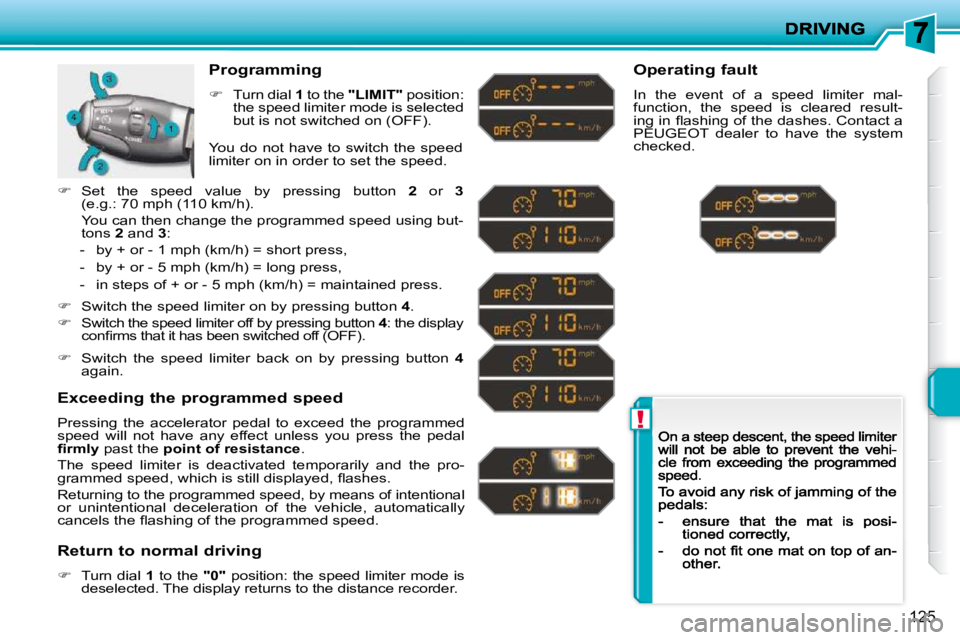
Turn dial 1 to the "LIMIT" position: the speed limiter mode is selected but is not switched on (OFF).
Exceeding the programmed speed
Pressing the accelerator pedal to exceed the programmed speed will not have any effect unless you press the pedal fi rmly past the point of resistance .
The speed limiter is deactivated temporarily and the pro-grammed speed, which is still displayed, fl ashes.
Returning to the programmed speed, by means of intentional or unintentional deceleration of the vehicle, automaticall y cancels the fl ashing of the programmed speed.
Return to normal driving
Turn dial 1 to the "0" position: the speed limiter mode is deselected. The display returns to the distance recorder.
Operating fault
In the event of a speed limiter mal-function, the speed is cleared result-ing in fl ashing of the dashes. Contact a PEUGEOT dealer to have the system checked. You do not have to switch the speed limiter on in order to set the speed.
Switch the speed limiter on by pressing button 4 .
Switch the speed limiter off by pressing button 4 : the display 4confi rms that it has been switched off (OFF).
Switch the speed limiter back on by pressing button 4again.
Set the speed value by pressing button 2 or 3(e.g.: 70 mph (110 km/h).
You can then change the programmed speed using but-tons 2 and 3 :
- by + or - 1 mph (km/h) = short press,
- by + or - 5 mph (km/h) = long press,
- in steps of + or - 5 mph (km/h) = maintained press.
Page 134 of 279
i
126
CRUISE CONTROL
System which automatically maintains the speed of the vehicle at the value programmed by the driver, without any action on the accelerator pedal.
The cruise control is switched onmanually: it requires a minimum vehicle speed of 25 mph (40 km/h), as well as the engaging:
-of fourth gear on the manual gearbox,
- of second gear with the "2 Tronic" or automatic gearbox, in sequential mode,
- of position A on the "2 Tronic" gear-box or D on the automatic gearbox.
The cruise control is switched off manu- offally or by pressing the brake or clutch pedal or on triggering of the ESP system for safety reasons.
It is possible to exceed the programmed speed temporarily by pressing the ac-celerator pedal.
To return to the programmed speed, simply release the accelerator pedal.
Switching off the ignition cancels any programmed speed value.
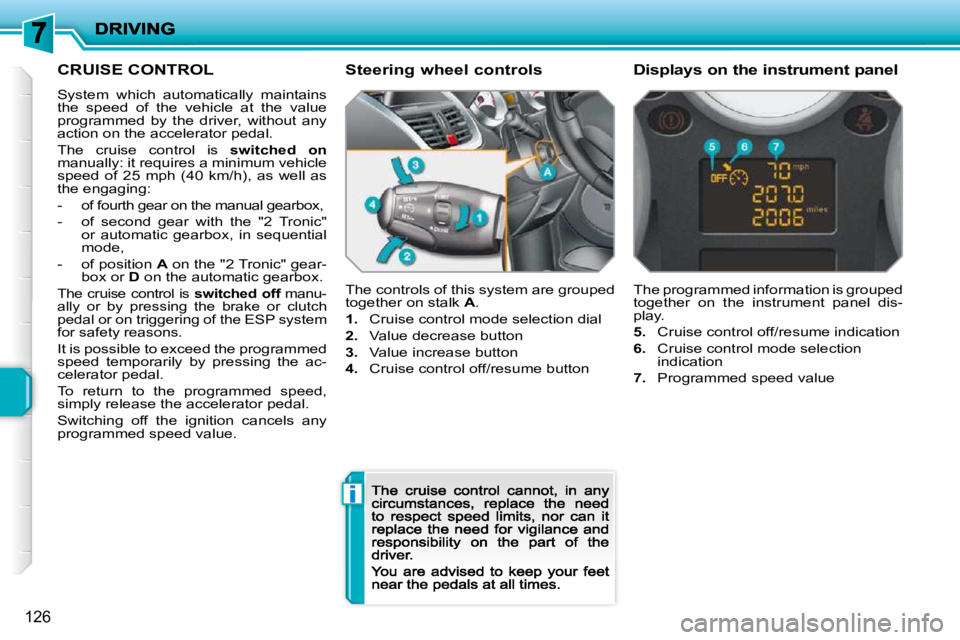
The controls of this system are grouped
together on stalk A .
1. Cruise control mode selection dial
2. Value decrease button
3. Value increase button
4. Cruise control off/resume button
The programmed information is grouped together on the instrument panel dis-play.
5. Cruise control off/resume indication
6. Cruise control mode selection indication
7. Programmed speed value
Steering wheel controls Displays on the instrument panel
Page 135 of 279
!
127
Programming
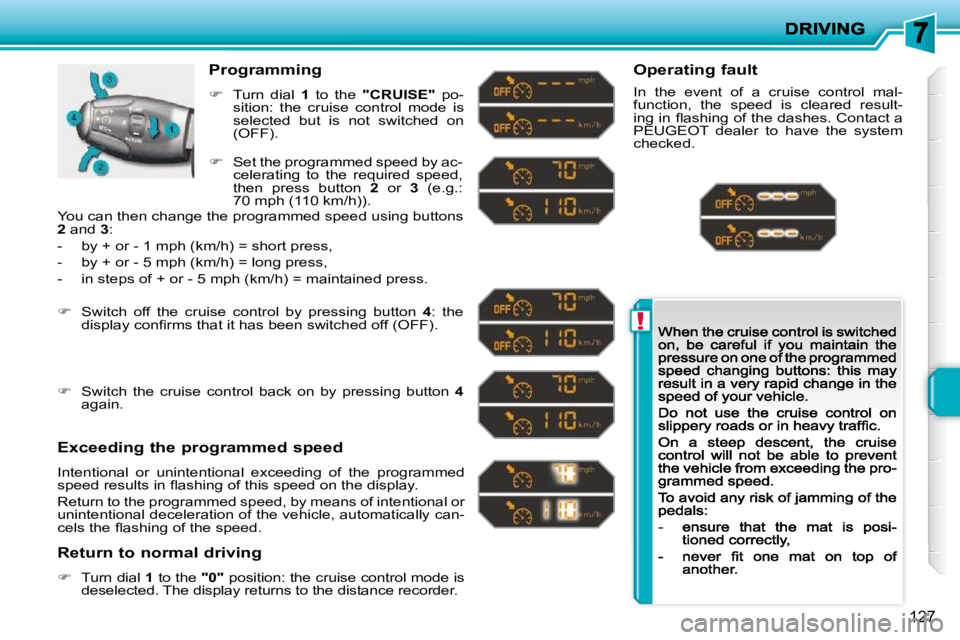
Turn dial 1 to the "CRUISE" po-sition: the cruise control mode is selected but is not switched on (OFF).
Exceeding the programmed speed
Intentional or unintentional exceeding of the programmed speed results in fl ashing of this speed on the display.
Return to the programmed speed, by means of intentional or unintentional deceleration of the vehicle, automatically can-cels the fl ashing of the speed.
Return to normal driving
Turn dial 1 to the "0" position: the cruise control mode is deselected. The display returns to the distance recorder.
Operating fault
In the event of a cruise control mal-function, the speed is cleared result-ing in fl ashing of the dashes. Contact a PEUGEOT dealer to have the system checked.
Set the programmed speed by ac-celerating to the required speed, then press button 2 or 3 (e.g.: 70 mph (110 km/h)).
Switch off the cruise control by pressing button 4 : the display confi rms that it has been switched off (OFF).
Switch the cruise control back on by pressing button 4again.
You can then change the programmed speed using buttons 2 and 3 :
- by + or - 1 mph (km/h) = short press,
- by + or - 5 mph (km/h) = long press,
- in steps of + or - 5 mph (km/h) = maintained press.
Page 166 of 279
!
i
157
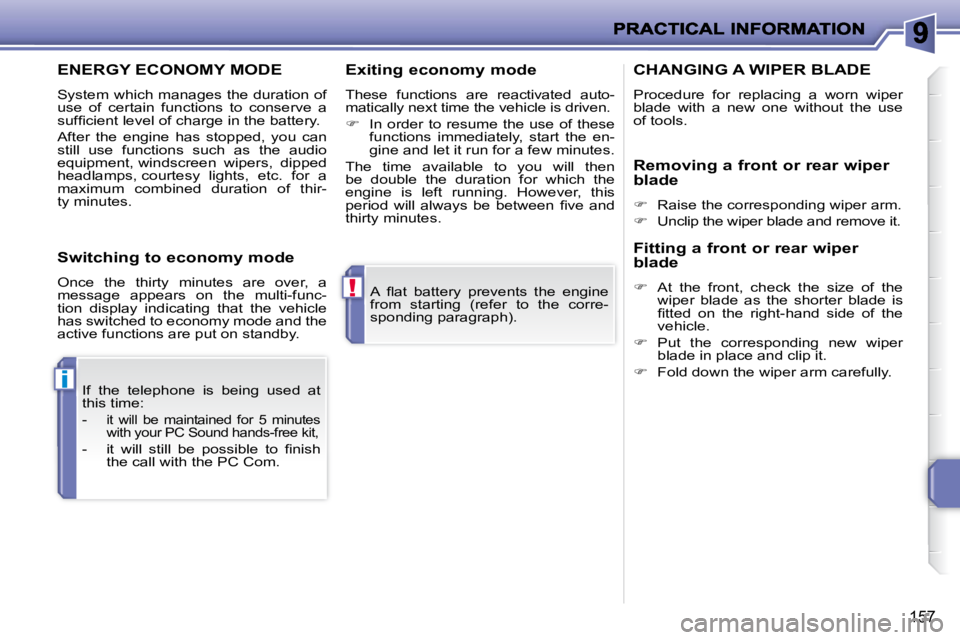
A fl at battery prevents the engine
from starting (refer to the corre-
sponding paragraph).
If the telephone is being used at
this time:
-
it will be maintained for 5 minutes
with your PC Sound hands-free kit,
- it will still be possible to fi nish the call with the PC Com.
ENERGY ECONOMY MODE
System which manages the duration of
use of certain functions to conserve a
suffi cient level of charge in the battery.
After the engine has stopped, you can
still use functions such as the audio
equipment, windscreen wipers, dipped
headlamps, courtesy lights, etc. for a
maximum combined duration of thir-
ty minutes. Exiting economy mode
These functions are reactivated auto-
matically next time the vehicle is driven.
In order to resume the use of these
functions immediately, start the en-
gine and let it run for a few minutes.
The time available to you will then
be double the duration for which the
engine is left running. However, this
period will always be between fi ve and
thirty minutes.
Switching to economy mode
Once the thirty minutes are over, a
message appears on the multi-func-
tion display indicating that the vehicle
has switched to economy mode and the
active functions are put on standby. CHANGING A WIPER BLADE Procedure for replacing a worn wiper blade with a new one without the use of tools.
Removing a front or rear wiper
blade
Raise the corresponding wiper arm.
Unclip the wiper blade and remove it.
Fitting a front or rear wiper
blade
At the front, check the size of the wiper blade as the shorter blade is fi tted on the right-hand side of the vehicle.
Put the corresponding new wiper blade in place and clip it.
Fold down the wiper arm carefully.
Page 193 of 279
184
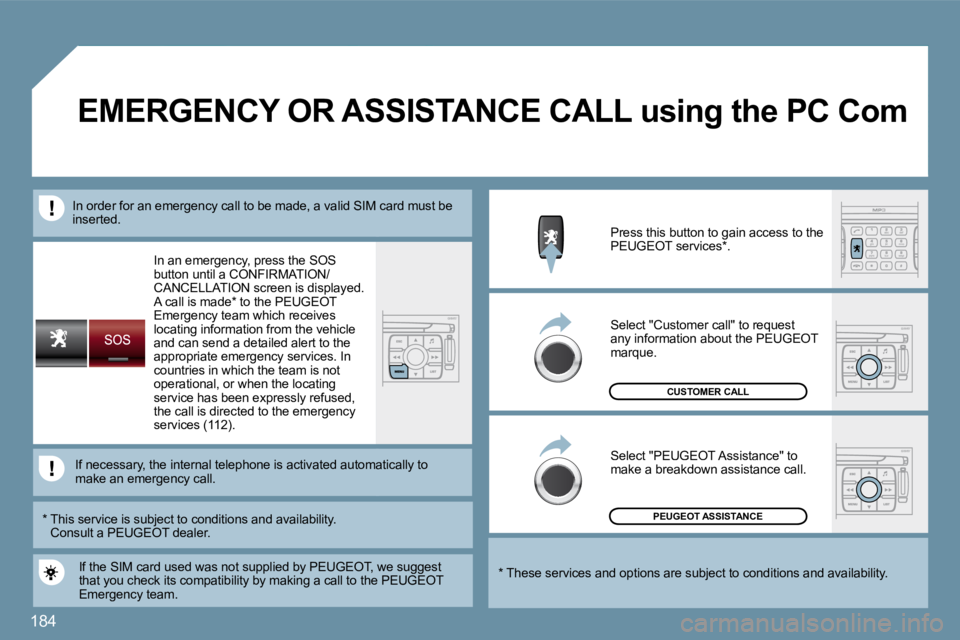
In an emergency, press the SOS button until a CONFIRMATION/CANCELLATION screen is displayed. A call is made * to the PEUGEOTEmergency team which receives locating information from the vehicle and can send a detailed alert to the appropriate emergency services. In countries in which the team is not operational, or when the locating service has been expressly refused, the call is directed to the emergency services (112).
PEUGEOT ASSISTANCE
CUSTOMER CALL
If the SIM card used was not supplied by PEUGEOT, we suggest that you check its compatibility by making a call to the PEUGEOTEmergency team.
Press this button to gain access to the PEUGEOT services * .
Select "Customer call" to request any information about the PEUGEOT marque.
Select "PEUGEOT Assistance" to make a breakdown assistance call.
* These services and options are subject to conditions and availability.
* This service is subject to conditions and availability.Consult a PEUGEOT dealer.
If necessary, the internal telephone is activated automattomatically to make an emergency call.
In order for an emergency call to be made, a vali d SIM cSIM card must be inserted.
EMERGENCY OR ASSISTANCE CALL using the PC Com
Page 197 of 279
188
02GENERAL MENU
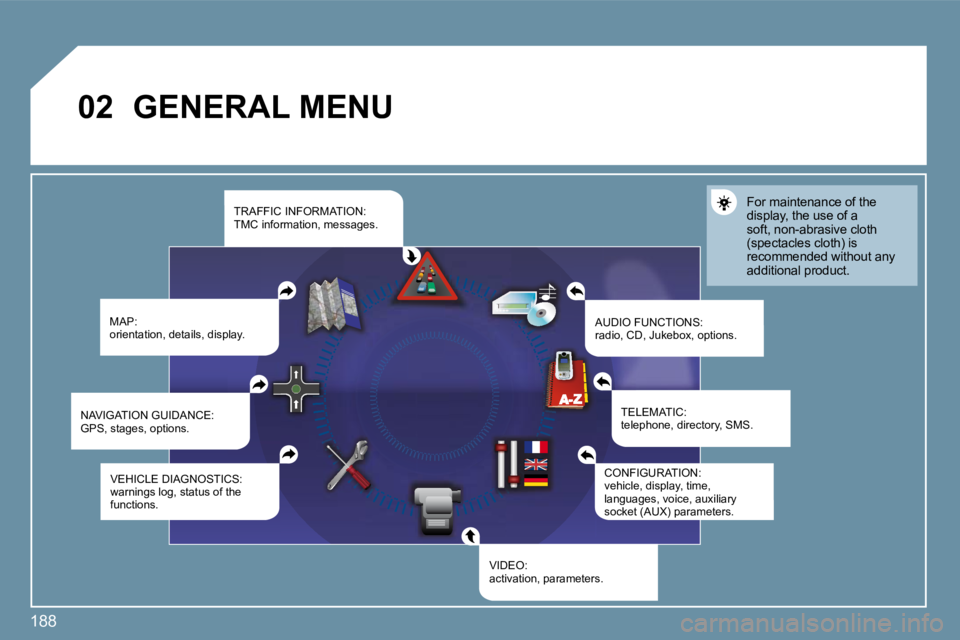
MAP: orientation, details, display. AUDIO FUNCTIONS: radio, CD, Jukebox, options.
For maintenance of the display, the use of a soft, non-abrasive cloth (spectacles cloth) is recommended without any additional product.
TELEMATIC: telephone, directory, SMS.
CONFIGURATION: vehicle, display, time, languages, voice, auxiliary socket (AUX) parameters. socket (AUX) parameters.
VIDEO: activation, parameters.
VEHICLE DIAGNOSTICS: warnings log, status of the functions.
NAVIGATION GUIDANCE: GPS, stages, options.
TRAFFIC INFORMATION: TMC information, messages.
Page 198 of 279
189
1
1
1
1
1
1
1
1
1
1
1
1
1
1
1
1
1
1
1
1
1
1
1
1
1
1
1
1
1
1
1
1
1
1
1
1
1
1
1
02DISPLAY AND GENERAL MENU
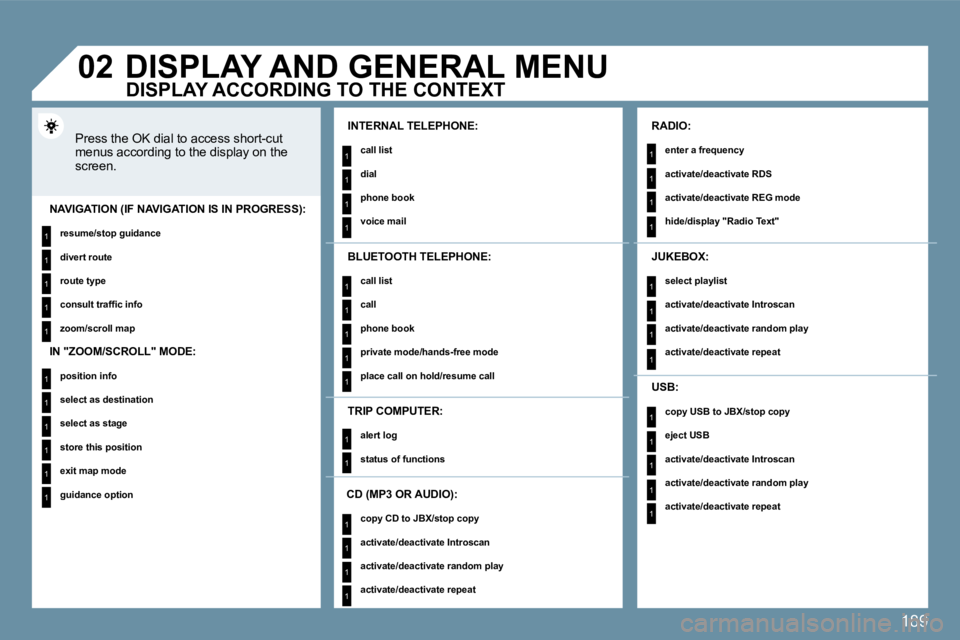
Press the OK dial to access short-cut menus according to the display on the screen.
INTERNAL TELEPHONE:
call list
dial
phone book
voice mail NAVIGATION (IF NAVIGATION IS IN PROGRESS):
resume/stop guidance
divert route
route type
consult traffi c info
zoom/scroll map
TRIP COMPUTER:
alert log
status of functions
BLUETOOTH TELEPHONE:
call list
call
phone book
private mode/hands-free mode
place call on hold/resume call
CD (MP3 OR AUDIO):
copy CD to JBX/stop copy
activate/deactivate Introscan
activate/deactivate random play
activate/deactivate repeat
RADIO:
enter a frequency
activate/deactivate RDS
activate/deactivate REG mode
hide/display "Radio Text"
JUKEBOX:
select playlist
activate/deactivate Introscan
activate/deactivate random play
activate/deactivate repeat
USB:
copy USB to JBX/stop copy
eject USB
activate/deactivate Introscan
activate/deactivate random play
activate/deactivate repeat
DISPLAY ACCORDING TO THE CONTEXT
IN "ZOOM/SCROLL" MODE:
position info
select as destination
select as stage
store this position
exit map mode
guidance option
Page 205 of 279
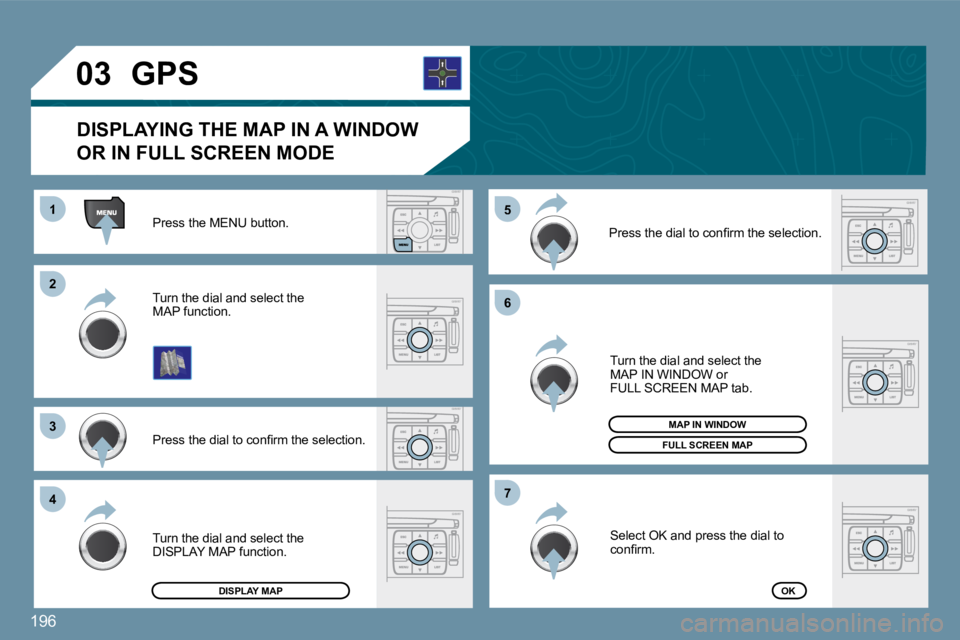
196
22
33
44
155
66
77
03 Press the MENU button.
Press the dial to confi rm the selection.
Turn the dial and select the
MAP function.
Turn the dial and select the
MAP IN WINDOW or
FULL SCREEN MAP tab.
Select OK and press the dial to
confi rm.
Press the dial to confi rm the selection.
Turn the dial and select the
DISPLAY MAP function.
DISPLAYING THE MAP IN A WINDOW
OR IN FULL SCREEN MODE
GPS
FULL SCREEN MAP
MAP IN WINDOW
DISPLAY MAPOK
Page 209 of 279
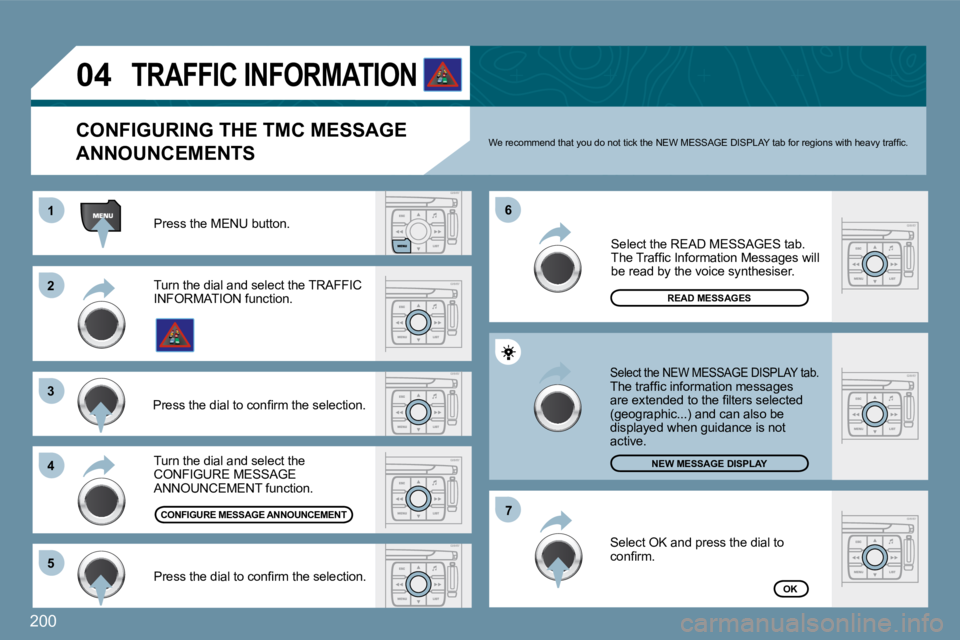
200
11
22
33
44
66
55
77
04
Turn the dial and select the CONFIGURE MESSAGE ANNOUNCEMENT function.
Select the READ MESSAGES tab. The Traffi c Information Messages will be read by the voice synthesiser.
Select the NEW MESSAGE DISPLAY tab. The traffi c information messages are extended to the fi lters selected (geographic...) and can also be displayed when guidance is not active.
Press the MENU button.
OK
CONFIGURING THE TMC MESSAGE
ANNOUNCEMENTS We recommend that you do not tick the NEW MESSAGE DISPLAY tab for regions with heavy traffi c.
Turn the dial and select the TRAFFIC INFORMATION function.
Press the dial to confi rm the selection.
Press the dial to confi rm the selection.
TRAFFIC INFORMATION
Select OK and press the dial to confi rm.
READ MESSAGES
CONFIGURE MESSAGE ANNOUNCEMENT
NEW MESSAGE DISPLAY