Speed Peugeot 301 2017 Owner's Guide
[x] Cancel search | Manufacturer: PEUGEOT, Model Year: 2017, Model line: 301, Model: Peugeot 301 2017Pages: 306, PDF Size: 9.87 MB
Page 108 of 306
106
Electronic gearbox
Five-speed electronically controlled gearbox
which offers a choice between the comfort of
automated operation or the pleasure of manual
gear changing.
There are two driving modes:
-
a
utomated mode for automatic control
of the gears by the gearbox, without any
action by the driver,
-
man
ual mode for sequential changing
of the gears by the driver, using the gear
selector.
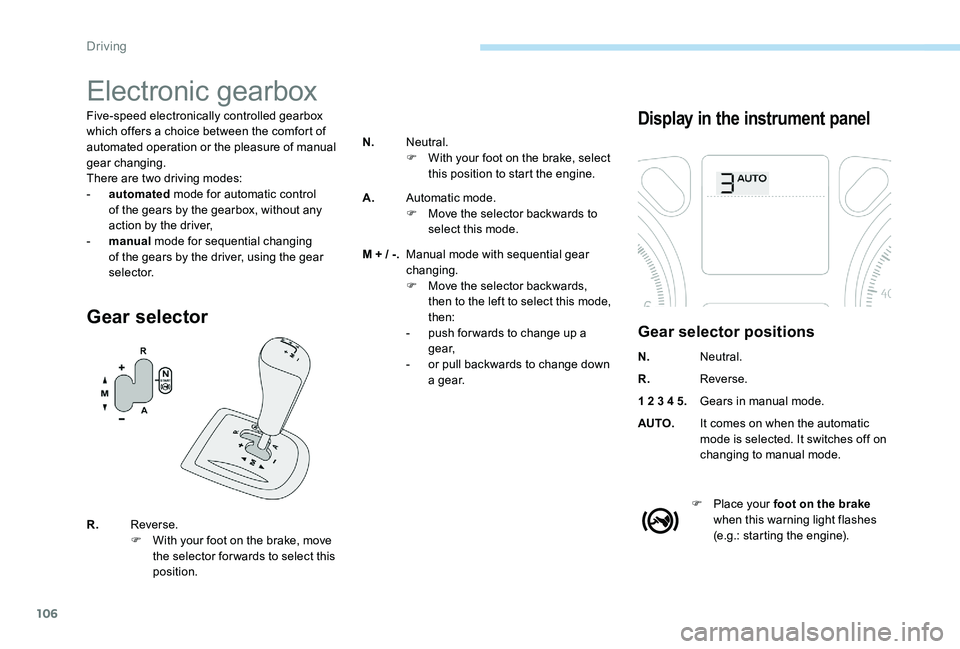
Gear selector
Display in the instrument panel
Gear selector positions
N. Neutral.
R. Reverse.
1 2 3 4 5. Gears in manual mode.
AUTO. It comes on when the automatic
mode is selected. It switches off on
changing to manual mode.
F
P
lace your foot on the brake
when this warning light flashes
(e.g.: starting the engine).
R.
Reverse.
F
W
ith your foot on the brake, move
the selector for wards to select this
position. N.
Neutral.
F
W
ith your foot on the brake, select
this position to start the engine.
A. Automatic mode.
F
M
ove the selector backwards to
select this mode.
M + / -. Manual mode with sequential gear
changing.
F
M
ove the selector backwards,
then to the left to select this mode,
then:
-
p
ush for wards to change up a
g e a r,
-
o
r pull backwards to change down
a g e a r.
Driving
Page 109 of 306

107
Moving off
F Select position N.
F P ress the brake pedal firmly.
F
S
tart the engine.
You must keep your foot on the brake
pedal while starting the engine.
If the engine does not start:
-
If N is flashing in the instrument panel,
move the selector to position A then to
position N .
-
I
f the “Foot on brake” message
appears, press the brake pedal
harder.
N appears in the instrument cluster.
F
Sel
ect automated mode (position A ),
manual mode (position M ) or reverse
(position R ) AUTO
and 1, 1 or R appear on the
instrument cluster.
F
R
elease the parking brake.
F
G
radually release the brake pedal.
The vehicle then moves off straight away
(refer to the section on the "Autonomous
traction function").
F
Accelerate.
Do not press the brake and clutch pedals
simultaneously. This can cause very rapid
wear on the clutch.Autonomous traction function
This function provides great flexibility in
manoeuvring the vehicle at low speed (when
parking, in traffic jams, …).
With the gear selector in position A , M or R,
the vehicle moves as soon as you take your
foot off the brake pedal , at low speed and
with the engine at idle.
When the engine is running, never leave
children in the vehicle without supervision.
The autonomous traction function may
be temporarily unavailable if the clutch
temperature is too high or the slope too
steep.
6
Driving
Page 110 of 306
108
Automated mode
F Select position A.
You can change mode at any time by
moving the gear selector from A to M or
the other way round.
Moving vehicle, never select the neutral N .
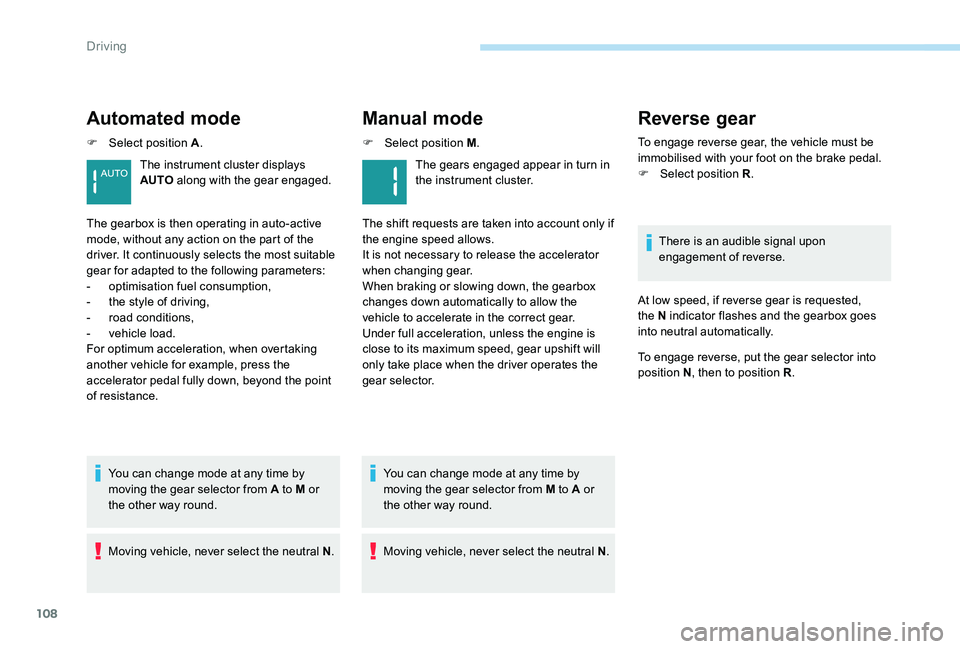
The instrument cluster displays
AUTO
along with the gear engaged.
The gearbox is then operating in auto-active
mode, without any action on the part of the
driver. It continuously selects the most suitable
gear for adapted to the following parameters:
-
o
ptimisation fuel consumption,
-
t
he style of driving,
-
r
oad conditions,
-
v
ehicle load.
For optimum acceleration, when overtaking
another vehicle for example, press the
accelerator pedal fully down, beyond the point
of resistance.
Manual mode
F Select position M .
Moving vehicle, never select the neutral N .
You can change mode at any time by
moving the gear selector from M to A or
the other way round. The gears engaged appear in turn in
the instrument cluster.
The shift requests are taken into account only if
the engine speed allows.
It is not necessary to release the accelerator
when changing gear.
When braking or slowing down, the gearbox
changes down automatically to allow the
vehicle to accelerate in the correct gear.
Under full acceleration, unless the engine is
close to its maximum speed, gear upshift will
only take place when the driver operates the
gear selector.
Reverse gear
To engage reverse gear, the vehicle must be
immobilised with your foot on the brake pedal.
F
Sel
ect position R .
There is an audible signal upon
engagement of reverse.
At low speed, if reverse gear is requested,
the N indicator flashes and the gearbox goes
into neutral automatically.
To engage reverse, put the gear selector into
position N , then to position R .
Driving
Page 112 of 306
110
Automatic gearbox (EAT6)
Six-speed automatic gearbox which offers a
choice between the comfort of fully automatic
operation, enhanced by sport and snow
programmes, or manual gear changing.
Two driving modes are available:
-
a
utomatic operation for electronic
management of the gears by the gearbox,
with a spor t programme for a more
dynamic style of driving and a snow
programme to improve driving when
traction is poor,
-
man
ual operation for sequential changing
of the gears by the driver.
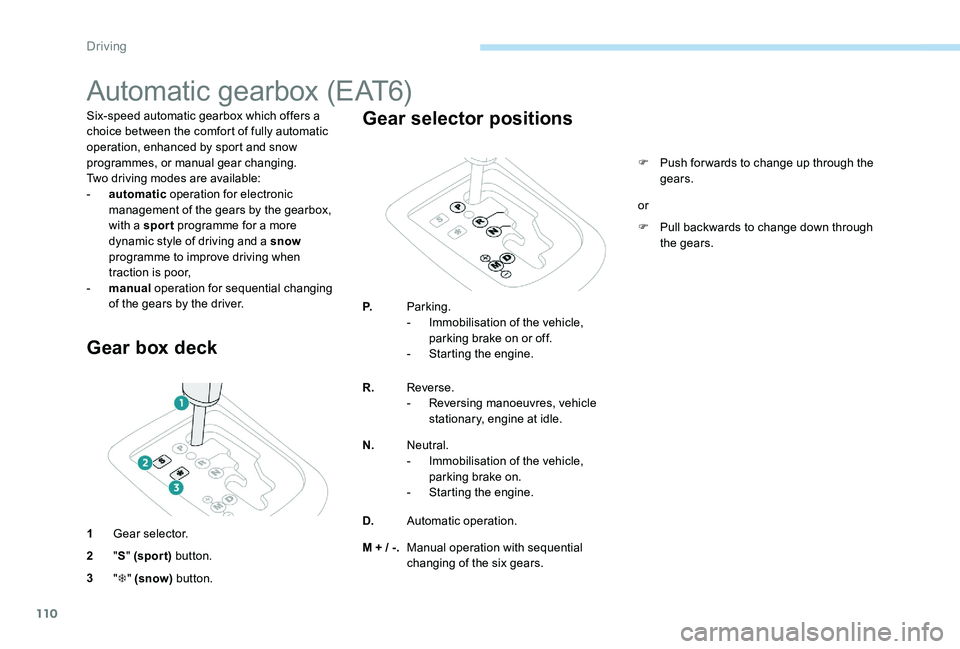
Gear box deck
1 Gear selector.
2 "S " (spor t) button.
3 "T " (snow) button.
Gear selector positions
P. Parking.
-
I mmobilisation of the vehicle,
parking brake on or off.
-
S
tarting the engine.
R. Reverse.
-
R
eversing manoeuvres, vehicle
stationary, engine at idle.
N. Neutral.
-
I
mmobilisation of the vehicle,
parking brake on.
-
S
tarting the engine.
D. Automatic operation.
M + / -. Manual operation with sequential
changing of the six gears. F
P
ush for wards to change up through the
gears.
F
P
ull backwards to change down through
the gears.
or
Driving
Page 114 of 306
112
Automatic operation
F Select position D for automatic changing
of the six gears.
The gearbox then operates in auto-adaptive
mode, without any action needed from the
driver. It continuously selects the most suitable
gear according to the style of driving, the profile
of the road and the load in the vehicle.
To obtain maximum acceleration without
touching the selector, press the accelerator
pedal all the way down (kick down). The
gearbox changes down automatically or
maintains the gear selected until the maximum
engine speed is reached.
When braking, the gearbox changes down
automatically to provide effective engine
braking.
If you release the accelerator sharply, the
gearbox will not change to a higher gear for
safety reasons.
Never select position N while the vehicle
is moving.
Never select positions P or R unless the
vehicle is completely stationary.Reverse gear
When selecting reverse R with the ignition
on, the rear parking sensors are activated
automatically.
For more information on Rear parking
sensors , refer to the corresponding section.
Autonomous traction function
(moving without using the
accelerator)
This function facilitates manoeuvring of the
vehicle at low speed (when parking, in traffic
jams, …).
With the engine at idle, parking brake released
and position D , M or R selected, the vehicle
moves as soon as you take your foot off
the brake pedal (even without pressing the
accelerator).
Sport and snow
programmes
These two special programmes supplement the
automatic operation in very specific conditions
of use.
Sport programme "S"
F Press button S, after starting the engine.
The gearbox automatically favours a dynamic
style of driving.
S appears in the instrument panel.
Driving
Page 115 of 306
113
Manual operation
F Select position M for sequential changing
of the six gears.
F
M
ove the selector towards the + sign to
change up a gear.
F
M
ove the selector towards the - sign to
change down a gear.
It is only possible to change from one gear to
another if the vehicle speed and engine speed
permit; otherwise, the gearbox will operate
temporarily in automatic mode.
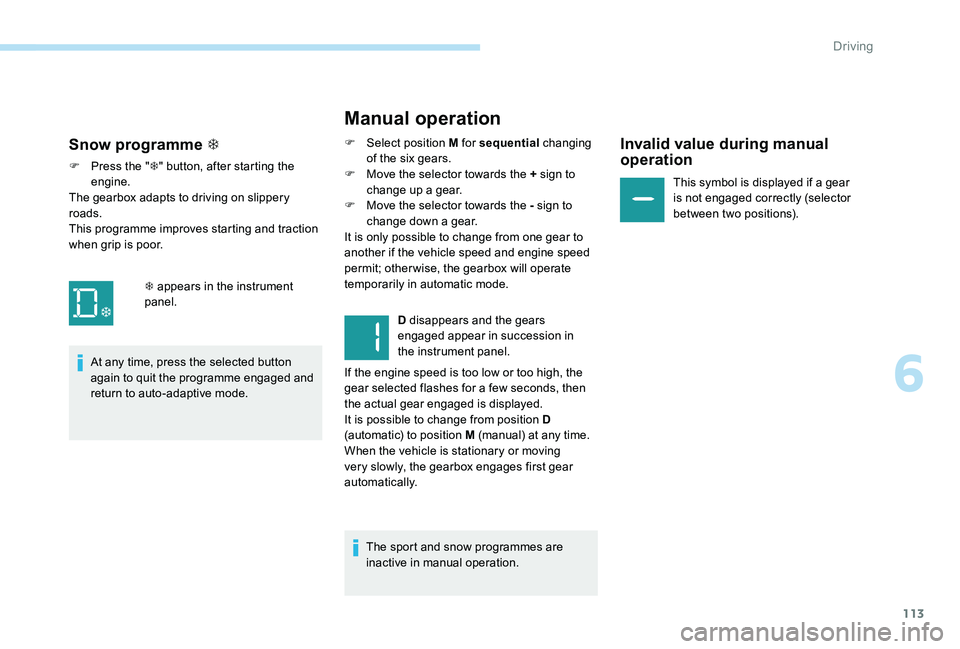
D disappears and the gears
engaged appear in succession in
the instrument panel.
If the engine speed is too low or too high, the
gear selected flashes for a few seconds, then
the actual gear engaged is displayed.
It is possible to change from position D
(automatic) to position M (manual) at any time.
When the vehicle is stationary or moving
very slowly, the gearbox engages first gear
automatically.
The sport and snow programmes are
inactive in manual operation.Invalid value during manual
operation
This symbol is displayed if a gear
is not engaged correctly (selector
between two positions).
Snow programme T
F Press the " T" button, after starting the
engine.
The gearbox adapts to driving on slippery
roads.
This programme improves starting and traction
when grip is poor.
At any time, press the selected button
again to quit the programme engaged and
return to auto-adaptive mode. T appears in the instrument
panel.
6
Driving
Page 116 of 306
114
Stopping the vehicle
Before switching off the engine, you can
engage position P or N to place the gearbox in
neutral.
In both cases, apply the parking brake to
immobilise the vehicle.If the selector is not in position P , when the
driver's door is opened or approximately
45 seconds after the ignition is switched
off, a warning message appears in the
screen.
F
R
eturn the selector to position P ; the
message disappears.
When driving on flooded roads or when
crossing a ford, proceed at walking pace.
Malfunction
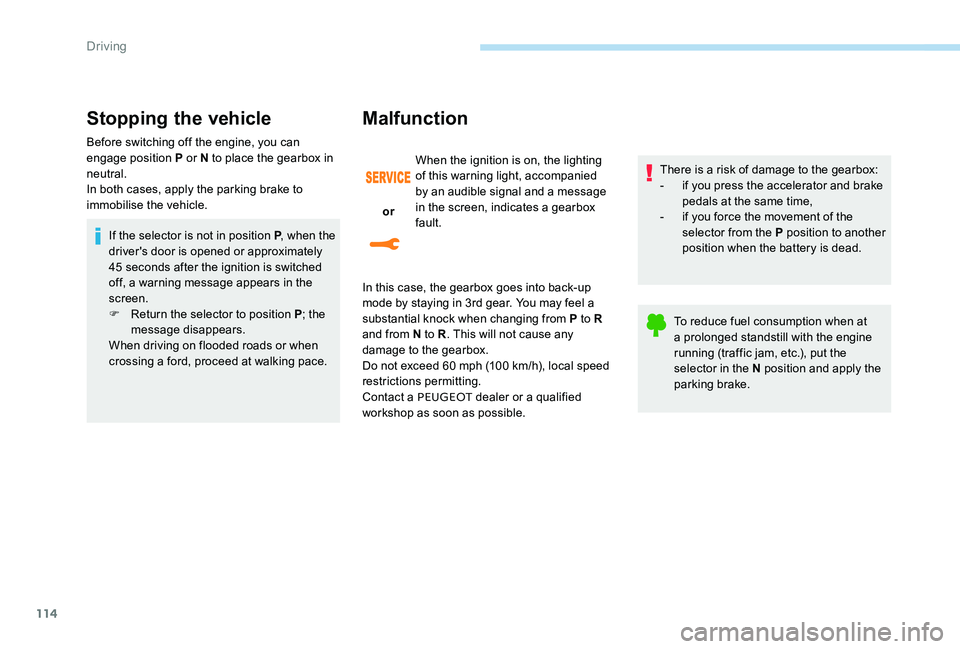
or When the ignition is on, the lighting
of this warning light, accompanied
by an audible signal and a message
in the screen, indicates a gearbox
fault.
In this case, the gearbox goes into back-up
mode by staying in 3rd gear. You may feel a
substantial knock when changing from P to R
and from N to R . This will not cause any
damage to the gearbox.
Do not exceed 60 mph (100 km/h), local speed
restrictions permitting.
Contact a PEUGEOT dealer or a qualified
workshop as soon as possible. There is a risk of damage to the gearbox:
-
i
f you press the accelerator and brake
pedals at the same time,
- i f you force the movement of the
selector from the P position to another
position when the battery is dead.
To reduce fuel consumption when at
a prolonged standstill with the engine
running (traffic jam, etc.), put the
selector in the N position and apply the
parking brake.
Driving
Page 119 of 306
117
Manual deactivation /
reactivation
In certain circumstances, such as the need
to maintain the temperature in the passenger
compartment, it may be useful to deactivate the
Stop & Start system.
The system can be deactivated at any time,
once the ignition is switched on.
If the engine is in STOP mode, it then restarts.
The Stop & Start system is reactivated
automatically every time the ignition is switched
on.Going into engine START mode
- you release the brake pedal with the gear selector in position A or M ,
-
y
ou are in position N with the brake pedal
released and you move the gear selector to
position A or M,
-
y
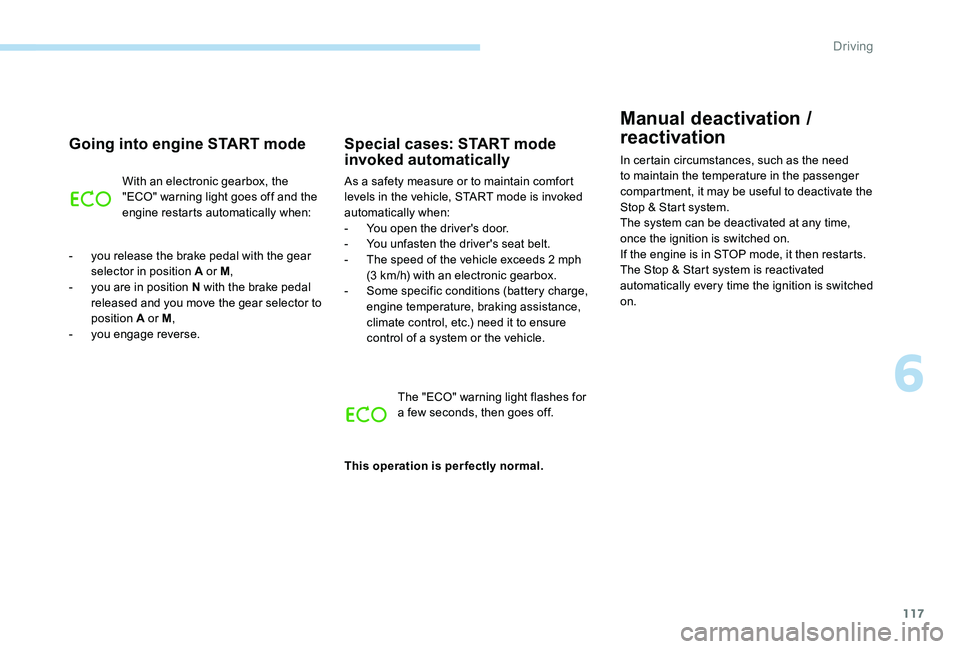
ou engage reverse.With an electronic gearbox, the
"ECO" warning light goes off and the
engine restarts automatically when:
Special cases: START mode
invoked automatically
As a safety measure or to maintain comfort
levels in the vehicle, START mode is invoked
automatically when:
-
Y
ou open the driver's door.
-
Y
ou unfasten the driver's seat belt.
-
T
he speed of the vehicle exceeds 2 mph
(3 km/h) with an electronic gearbox.
-
S
ome specific conditions (battery charge,
engine temperature, braking assistance,
climate control, etc.) need it to ensure
control of a system or the vehicle.
The "ECO" warning light flashes for
a few seconds, then goes off.
This operation is perfectly normal.
6
Driving
Page 121 of 306
119
Speed limiter
System which prevents the vehicle from
exceeding the speed programmed by the
driver.
When the programmed speed limit is reached,
pressing the accelerator pedal in the normal
manner no longer has any effect.
The speed limiter is switched on manually: it
requires a programmed speed of at least
20 mph (30 km/h).
The speed limiter is switched off by manual
operation of the control.
The programmed speed can be exceeded
temporarily by pressing the accelerator firmly.
To return to the programmed speed, simply
slow down to a speed below the programmed
speed.
The programmed speed remains in the system
memory when the ignition is switched off.
The limiter can under no circumstances
replace respect for speed limits, or the
vigilance of the driver.Steering mounted controls
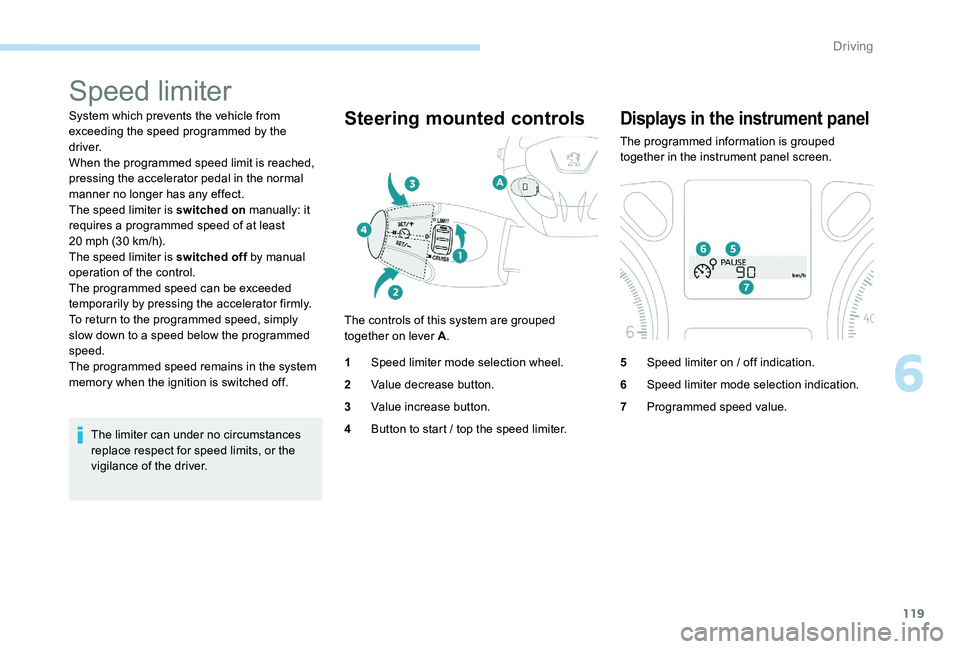
The controls of this system are grouped
together on lever A .
1 Speed limiter mode selection wheel.
2 Value decrease button.
3 Value increase button.
4 Button to start / top the speed limiter.
Displays in the instrument panel
The programmed information is grouped
together in the instrument panel screen.
5Speed limiter on / off indication.
6 Speed limiter mode selection indication.
7 Programmed speed value.
6
Driving
Page 122 of 306
120
Programming
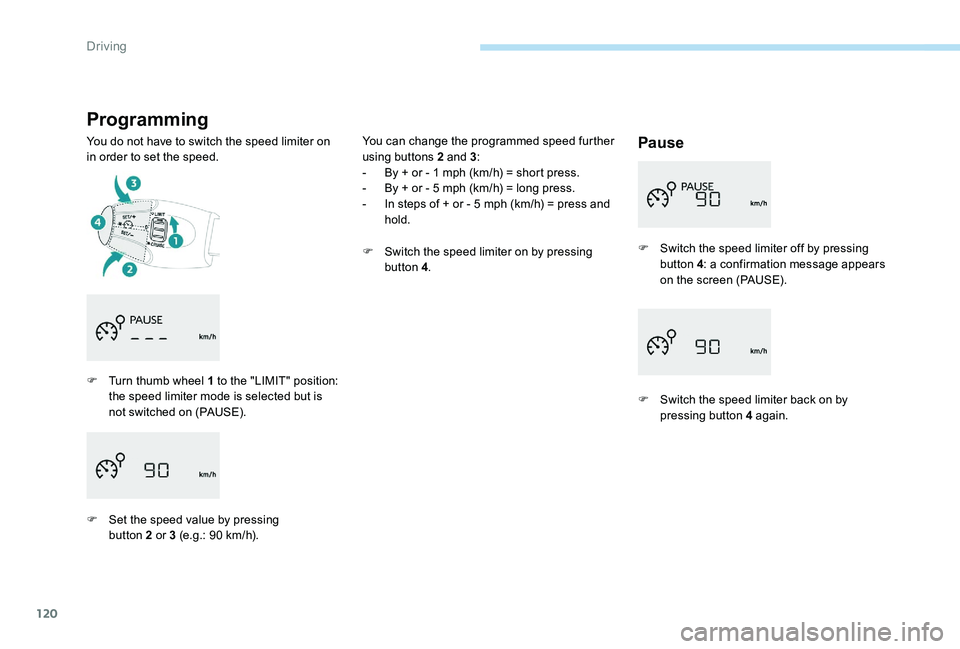
You do not have to switch the speed limiter on
in order to set the speed.Pause
F Turn thumb wheel 1 to the "LIMIT" position: the speed limiter mode is selected but is
not switched on (PAUSE).
F
S
et the speed value by pressing
button 2 or 3 (e.g.: 90 km/h). F
S
witch the speed limiter off by pressing
button 4: a confirmation message appears
on the screen (PAUSE).
F
S
witch the speed limiter back on by
pressing button 4 again.
You can change the programmed speed further
using buttons 2 and 3
:
-
B
y + or - 1 mph (km/h) = short press.
-
B
y + or - 5 mph (km/h) = long press.
-
I
n steps of + or - 5 mph (km/h) = press and
hold.
F
S
witch the speed limiter on by pressing
button 4 .
Driving