display Peugeot 308 2015 Owner's Guide
[x] Cancel search | Manufacturer: PEUGEOT, Model Year: 2015, Model line: 308, Model: Peugeot 308 2015Pages: 416, PDF Size: 11.81 MB
Page 50 of 416
48
308_en_Chap01_controle-de-marche_ed01-2015
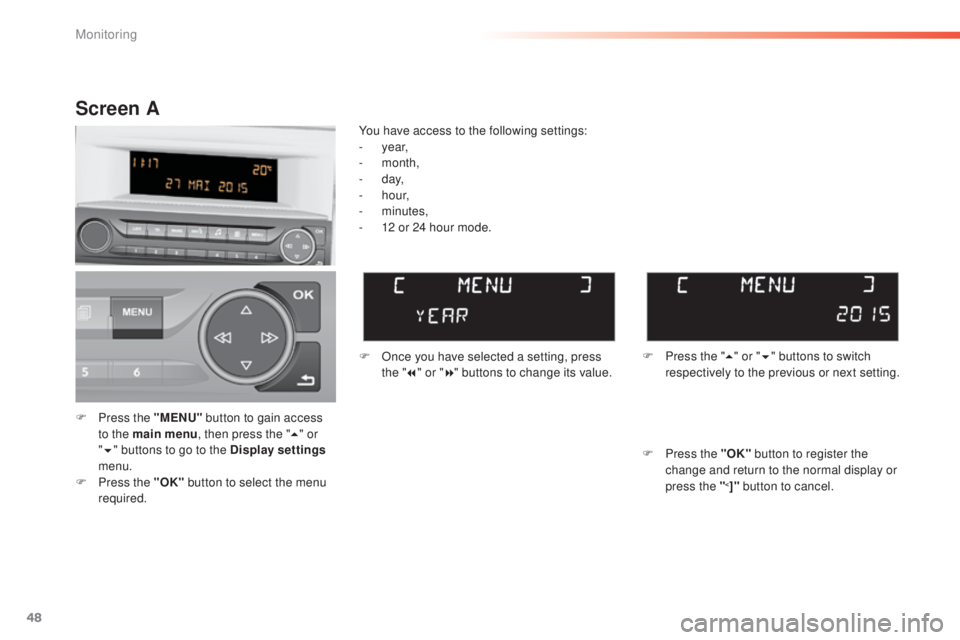
F Press the "MENU" button to gain access
to the main menu , then press the "5" or
" 6 " buttons to go to the Display settings
menu.
F
P
ress the "OK" button to select the menu
required. F
O
nce you have selected a setting, press
the " 7" or " 8" buttons to change its value.
You have access to the following settings:
-
year,
-
month,
-
d ay,
-
h o u r,
-
minutes,
-
1
2 or 24 hour mode.
Screen A
F Press the " 5" or " 6" buttons to switch
respectively to the previous or next setting.
F
P
ress the "OK" button to register the
change and return to the normal display or
press the "
<]" button to cancel.
Monitoring
Page 51 of 416
49
308_en_Chap01_controle-de-marche_ed01-2015
Screen A (without audio system)
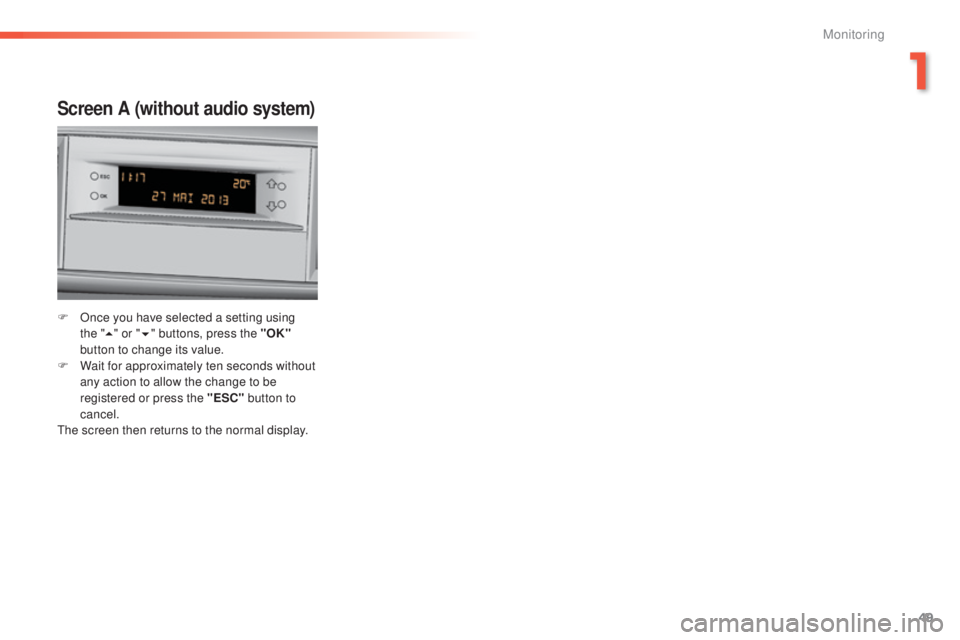
F Once you have selected a setting using the "5 " or " 6" buttons, press the "OK"
button to change its value.
F
W
ait for approximately ten seconds without
any action to allow the change to be
registered or press the "ESC" button to
cancel.
th
e screen then returns to the normal display.
1
Monitoring
Page 93 of 416
91
308_en_Chap03_confort_ed01-2015
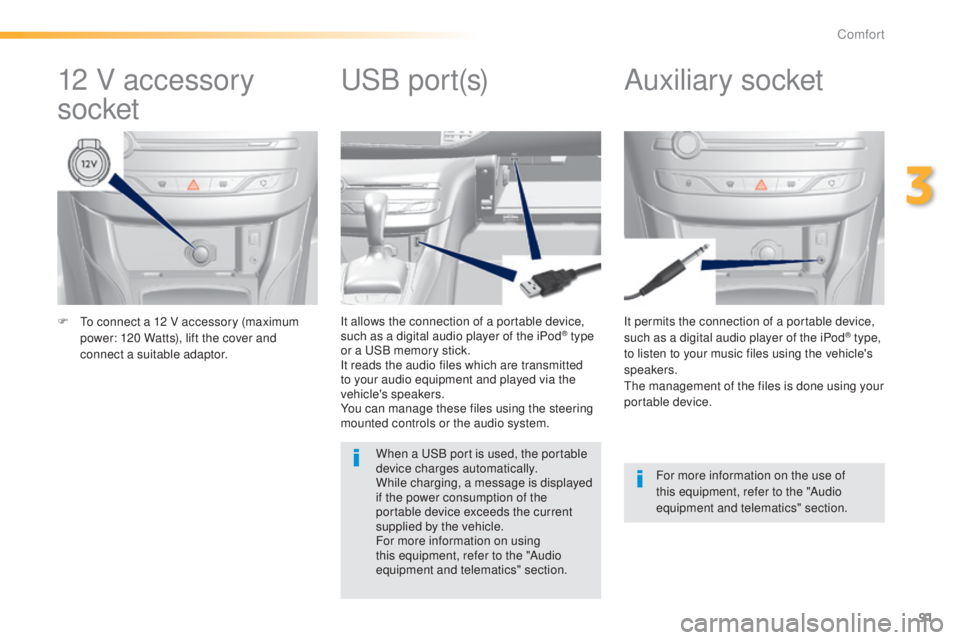
F to connect a 12 V accessory (maximum power: 120 Watts), lift the cover and
connect a suitable adaptor. It permits the connection of a portable device,
such as a digital audio player of the iPod® type,
to listen to your music files using the vehicle's
speakers.
th
e management of the files is done using your
portable device.
It allows the connection of a portable device,
such as a digital audio player of the iPod® type
or a
uS
B memory stick.
It reads the audio files which are transmitted
to your audio equipment and played via the
vehicle's speakers.
You can manage these files using the steering
mounted controls or the audio system.
12 V accessory
socket Auxiliary socketuSB p
ort(s)
For more information on the use of
this equipment, refer to the "Audio
equipment and telematics" section.
When a
u
S
B port is used, the portable
device charges automatically.
While charging, a message is displayed
if the power consumption of the
portable device exceeds the current
supplied by the vehicle.
For more information on using
this equipment, refer to the "Audio
equipment and telematics" section.
3
Comfort
Page 105 of 416
103
308_en_Chap03_confort_ed01-2015
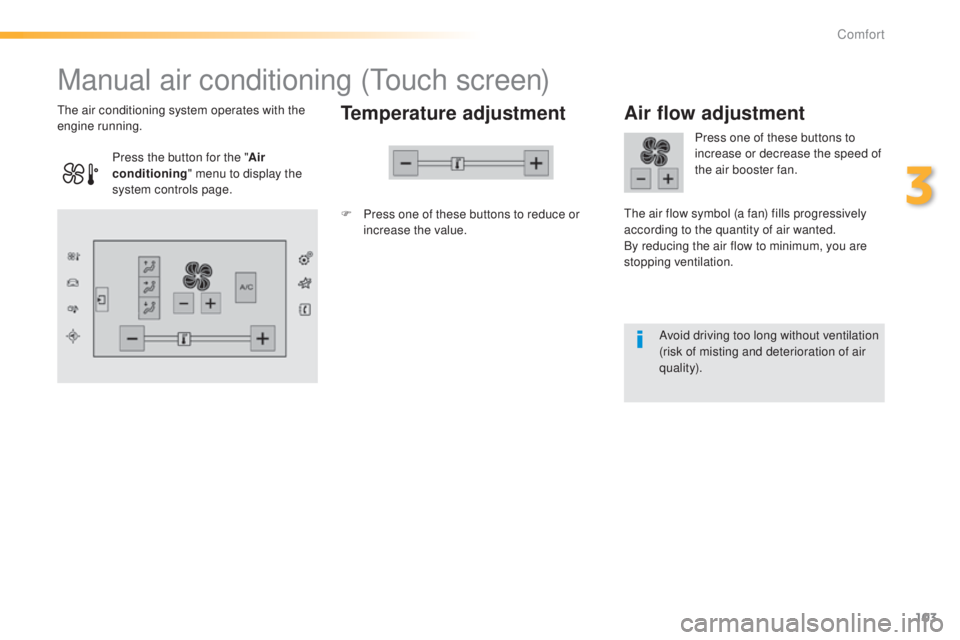
Manual air conditioning (touch screen)
Temperature adjustment
F Press one of these buttons to reduce or
increase the value.
th
e air conditioning system operates with the
engine running.
Air flow adjustment
Press one of these buttons to
increase or decrease the speed of
the air booster fan.
th
e air flow symbol (a fan) fills progressively
according to the quantity of air wanted.
By reducing the air flow to minimum, you are
stopping ventilation.
Avoid driving too long without ventilation
(risk of misting and deterioration of air
quality).
Press the button for the "
Air
conditioning " menu to display the
system controls page.
3
Comfort
Page 107 of 416
105
308_en_Chap03_confort_ed01-2015
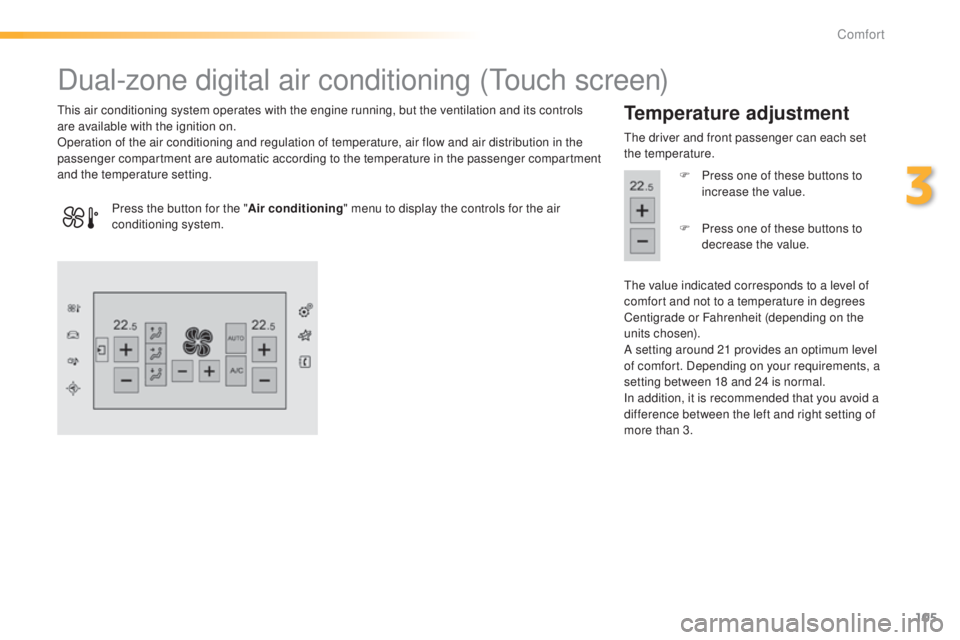
Dual-zone digital air conditioning (touch screen)
this air conditioning system operates with the engine running, but the ventilation and its controls
are available with the ignition on.
Operation of the air conditioning and regulation of temperature, air flow and air distribution in the
passenger compartment are automatic according to the temperature in the passenger compartment
and the temperature setting.Temperature adjustment
the driver and front passenger can each set
the temperature.
F
P
ress one of these buttons to
increase the value.
th
e value indicated corresponds to a level of
comfort and not to a temperature in degrees
Centigrade or Fahrenheit (depending on the
units chosen).
A setting around 21 provides an optimum level
of comfort. Depending on your requirements, a
setting between 18 and 24 is normal.
In addition, it is recommended that you avoid a
difference between the left and right setting of
more than 3.
Press the button for the "
Air conditioning" menu to display the controls for the air
conditioning system. F
P
ress one of these buttons to
decrease the value.
3
Comfort
Page 108 of 416
106
308_en_Chap03_confort_ed01-2015
In cold conditions and when the engine
is cold, to limit distribution of cold air
in the passenger compartment, the
air flow will change gradually until the
comfort setting is reached.
On entering the vehicle, if the interior
temperature is much colder or warmer
than the comfort value setting, there
is no need to alter the value displayed
in order to reach more quickly the
required level of comfort. t
h
e system
compensates automatically and
corrects the temperature difference as
quickly as possible.
th
is setting is associated with A
u
t
O m
ode
only. However, on deactivation of A
u
t
O m
ode,
the indicator for the last setting remains on.
Changing the setting does not reactivate A
u
t
O
mode if deactivated.
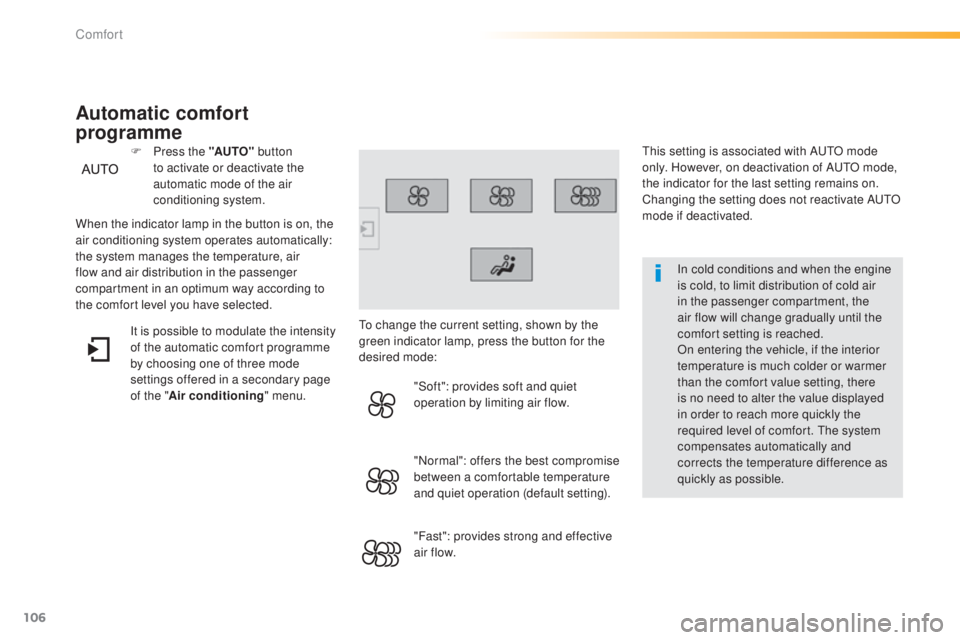
When the indicator lamp in the button is on, the
air conditioning system operates automatically:
the system manages the temperature, air
flow and air distribution in the passenger
compartment in an optimum way according to
the comfort level you have selected. F
P
ress the "AUTO"
button
to activate or deactivate the
automatic mode of the air
conditioning system.
Automatic comfort
programme
to change the current setting, shown by the
green indicator lamp, press the button for the
desired mode:
"Soft": provides soft and quiet
operation by limiting air flow.
"Normal": offers the best compromise
between a comfortable temperature
and quiet operation (default setting).
"Fast": provides strong and effective
air f low.
It is possible to modulate the intensity
of the automatic comfort programme
by choosing one of three mode
settings offered in a secondary page
of the "
Air conditioning " menu.
Comfort
Page 109 of 416
107
308_en_Chap03_confort_ed01-2015
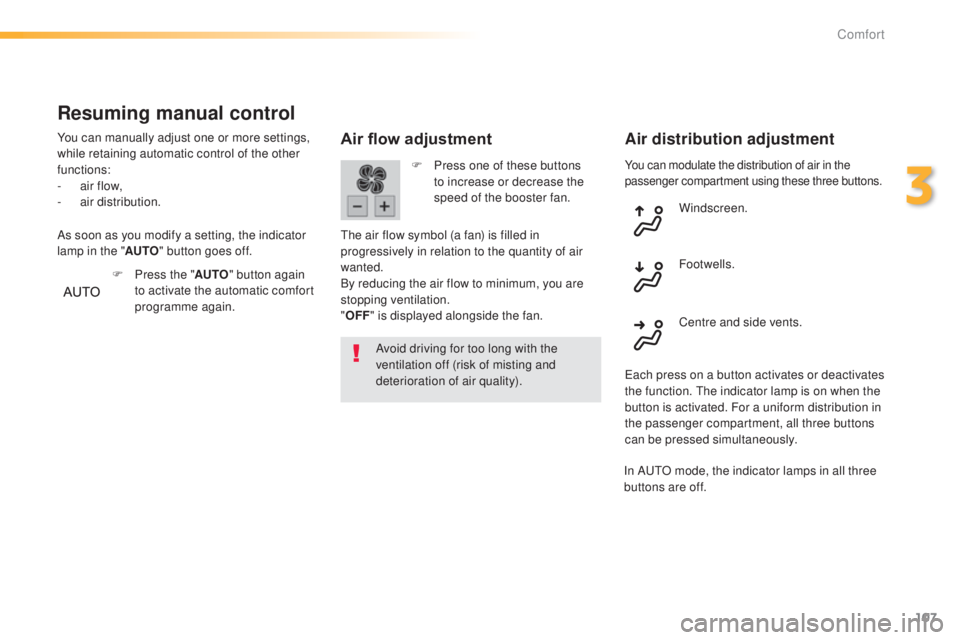
You can modulate the distribution of air in the
passenger compartment using these three buttons.
Air flow adjustment
Avoid driving for too long with the
ventilation off (risk of misting and
deterioration of air quality).
Air distribution adjustment
F Press one of these buttons to increase or decrease the
speed of the booster fan.
th
e air flow symbol (a fan) is filled in
progressively in relation to the quantity of air
wanted.
By reducing the air flow to minimum, you are
stopping ventilation.
" OFF " is displayed alongside the fan. Windscreen.
Centre and side vents. Footwells.
ea
ch press on a button activates or deactivates
the function.
t
h
e indicator lamp is on when the
button is activated. For a uniform distribution in
the passenger compartment, all three buttons
can be pressed simultaneously.
Resuming manual control
You can manually adjust one or more settings,
while retaining automatic control of the other
functions:
-
a
ir flow,
-
a
ir distribution.
F
P
ress the "AUTO" button again
to activate the automatic comfort
programme again.
As soon as you modify a setting, the indicator
lamp in the "
AUTO" button goes off.
In A
u
t
O m
ode, the indicator lamps in all three
buttons are off.
3
Comfort
Page 118 of 416
116
308_en_Chap04_conduite_ed01-2015
For Diesel vehicles, in sub-
zero temperatures the engine
will not start until the pre-heater
warning lamp has gone off.
If this warning lamp comes on
after pressing the "S
tA
R
t/
StO
P" button, press down on
the brake or clutch pedal until
the warning lamp goes off,
without pressing the "S
tA
R
t/
StO
P" button again, until the
engine starts and runs.
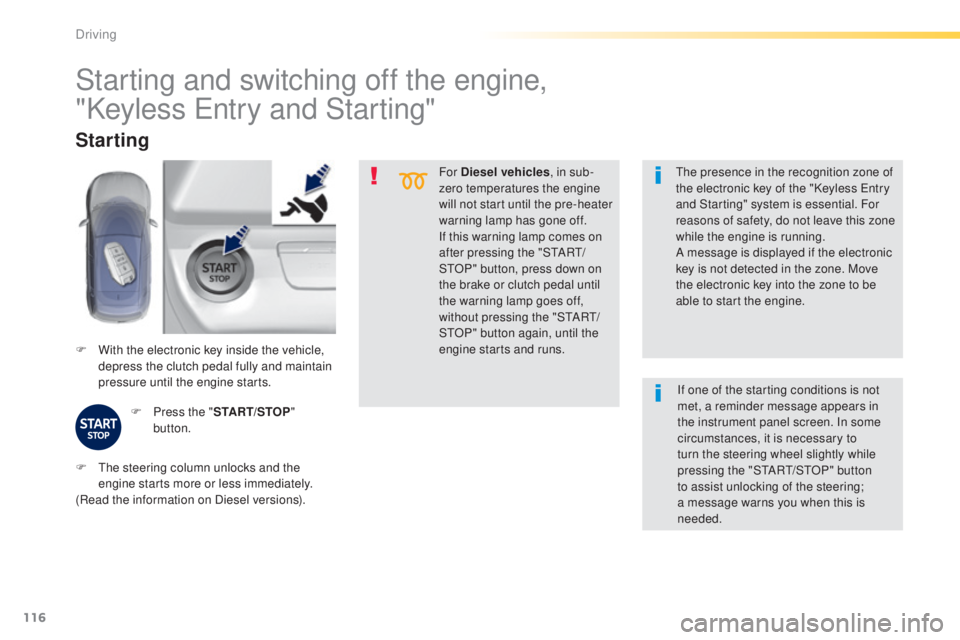
F
W
ith the electronic key inside the vehicle,
depress the clutch pedal fully and maintain
pressure until the engine starts.
Starting
F Press the " START/STOP"
button.
th
e presence in the recognition zone of
the electronic key of the "Keyless e
n
try
and Starting" system is essential. For
reasons of safety, do not leave this zone
while the engine is running.
A message is displayed if the electronic
key is not detected in the zone. Move
the electronic key into the zone to be
able to start the engine.
Starting and switching off the engine,
"Keyless e
n
try and Starting"
F the steering column unlocks and the
engine starts more or less immediately.
(Read the information on Diesel versions). If one of the starting conditions is not
met, a reminder message appears in
the instrument panel screen. In some
circumstances, it is necessary to
turn the steering wheel slightly while
pressing the "StA
Rt/ StO P" button
to assist unlocking of the steering;
a message warns you when this is
needed.
Driving
Page 124 of 416
122
308_en_Chap04_conduite_ed01-2015
Automatic operation
Automatic release
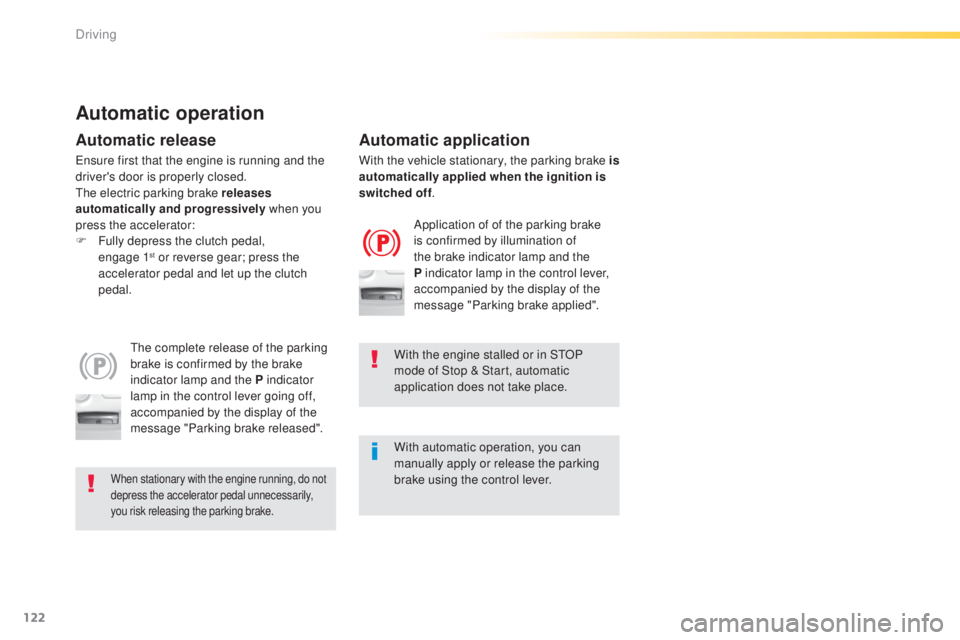
the complete release of the parking
brake is confirmed by the brake
indicator lamp and the P indicator
lamp in the control lever going off,
accompanied by the display of the
message "Parking brake released".
When stationary with the engine running, do not
depress the accelerator pedal unnecessarily,
you risk releasing the parking brake.
Automatic application
Application of of the parking brake
is confirmed by illumination of
the brake indicator lamp and the
P indicator lamp in the control lever,
accompanied by the display of the
message "Parking brake applied".
With the engine stalled or in S
tO
P
mode of Stop & Start, automatic
application does not take place.
With automatic operation, you can
manually apply or release the parking
brake using the control lever.
en
sure first that the engine is running and the
driver's door is properly closed.
th
e electric parking brake releases
automatically and progressively when you
press the accelerator:
F
F
ully depress the clutch pedal,
engage
1
st or reverse gear; press the
a
ccelerator pedal and let up the clutch
pedal. With the vehicle stationary, the parking brake is
automatically applied when the ignition is
switched off
.
Driving
Page 125 of 416
123
308_en_Chap04_conduite_ed01-2015
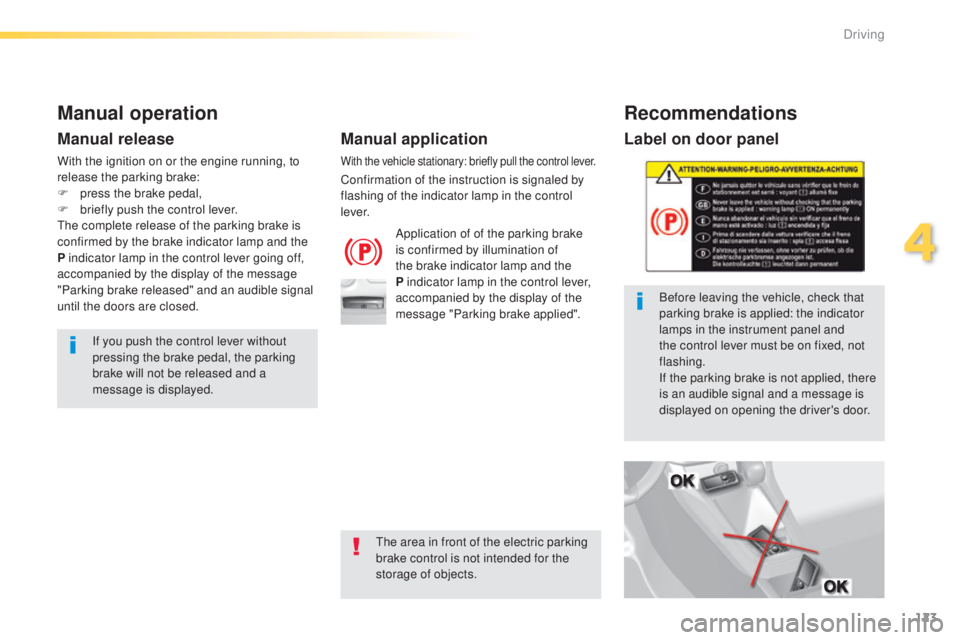
Label on door panel
Before leaving the vehicle, check that
parking brake is applied: the indicator
lamps in the instrument panel and
the control lever must be on fixed, not
flashing.
If the parking brake is not applied, there
is an audible signal and a message is
displayed on opening the driver's door.
Manual operation
Application of of the parking brake
is confirmed by illumination of
the brake indicator lamp and the
P indicator lamp in the control lever,
accompanied by the display of the
message "Parking brake applied".
Manual release
If you push the control lever without
pressing the brake pedal, the parking
brake will not be released and a
message is displayed.
With the vehicle stationary: briefly pull the control lever.
Confirmation of the instruction is signaled by
flashing of the indicator lamp in the control
l eve r.
With the ignition on or the engine running, to
release the parking brake:
F
p
ress the brake pedal,
F
b
riefly push the control lever.
th
e complete release of the parking brake is
confirmed by the brake indicator lamp and the
P indicator lamp in the control lever going off,
accompanied by the display of the message
"Parking brake released" and an audible signal
until the doors are closed.
Manual application
Recommendations
the area in front of the electric parking
brake control is not intended for the
storage of objects.
4
Driving