services Peugeot 308 2016 User Guide
[x] Cancel search | Manufacturer: PEUGEOT, Model Year: 2016, Model line: 308, Model: Peugeot 308 2016Pages: 398, PDF Size: 9.38 MB
Page 237 of 398
235
308_en_Chap07_info-pratiques_ed02-2015
AdBlue® additive and SCR system
for BlueHDi Diesel engines
to assure respect for the environment and
c onformity with the new eur o 6 emissions
standard, without adversely affecting the
per formance or fuel consumption of Diesel
engines, P
eu
ge
Ot h
as taken the decision to
equip its vehicles with an effective system that
associates SCR (Selective Catalytic Reduction)
with a particle filter (FAP) for the treatment of
exhaust gases.
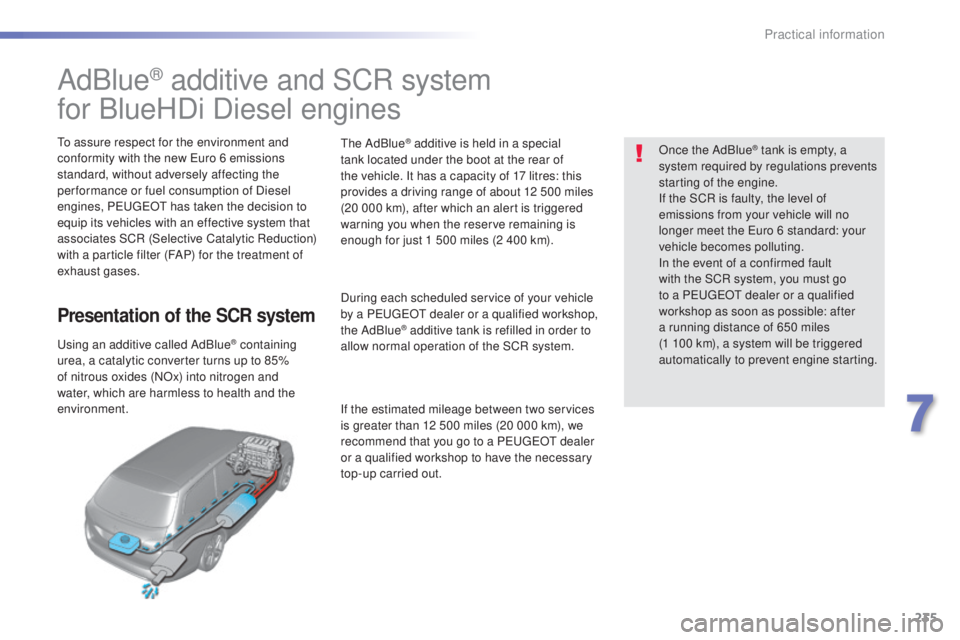
Presentation of the SCR system
using an additive called AdBlue® containing
urea, a catalytic converter turns up to 85%
of nitrous oxides (NOx) into nitrogen and
water, which are harmless to health and the
environment.
the
AdBlue
® additive is held in a special
tank located under the boot at the rear of
the vehicle. It has a capacity of 17 litres: this
provides a driving range of about 12 500 miles
(20 000 km), after which an alert is triggered
warning you when the reserve remaining is
enough for just 1 500 miles (2 400 km).
During each scheduled service of your vehicle
by a P
eu
ge
Ot d
ealer or a qualified workshop,
the AdBlue
® additive tank is refilled in order to
allow normal operation of the SCR system.
If the estimated mileage between two services
is greater than 12 500 miles (20 000 km), we
recommend that you go to a P
eu
ge
Ot d
ealer
or a qualified workshop to have the necessary
top-up carried out. Once the AdBlue
® tank is empty, a
sy
stem required by regulations prevents
starting of the engine.
If the SCR is faulty, the level of
emissions from your vehicle will no
longer meet the
eur
o 6 standard: your
vehicle becomes polluting.
In the event of a confirmed fault
with the SCR system, you must go
to a P
eu
ge
Ot d
ealer or a qualified
workshop as soon as possible: after
a running distance of 650 miles
(1
1
00 km), a system will be triggered
automatically to prevent engine starting.
7
Practical information
Page 241 of 398
239
308_en_Chap07_info-pratiques_ed02-2015
Topping-up the AdBlue® additive
Filling the AdBlue® tank is an operation
included in every routine service on your
vehicle by a P
eu
ge
Ot d
ealer or a qualified
workshop.
Nevertheless, given the capacity of the tank,
it may be necessary to top-up the additive
between services, more particularly if an alert
(warning lamps and a message) signals the
requirement.
You can got to a P
eu
ge
Ot d
ealer or a
qualified workshop.
If you envisage topping-up yourself, please
read the following warnings carefully.Precautions in use
Keep AdBlue® out of the reach of
children, in its original bottle.
Never transfer AdBlue
® to another
container: it would lose its purity.
use
only AdBlue
® additive that meets the
ISO 22241 standard.
Never dilute the additive with water.
Never pour the additive into the Diesel
fuel tank.
the s
upply in a non-drip bottle simplifies
toping-up. You can obtain 1.89 litre (half a
uS
ga
llon) bottles from a P
eu
ge
Ot d
ealer or a
qualified workshop.
Never top-up from an AdBlue
®
dispenser reserved for heavy goods
vehicles.
the
AdBlue
® additive is an urea-based
solution. thi
s liquid is non-flammable,
colourless and odourless (kept in a cool area).
In the event of contact with the skin, wash
the affected area with soap and water. In the
event of contact with the eyes, wash (irrigate)
the eyes with large amounts of water or with
an eye wash solution for at least 15 minutes.
If a burning sensation or irritation persists, get
medical attention.
If swallowed, immediately wash out the mouth
with clean water and then drink plenty of water.
In certain conditions (high ambient
temperature, for example), the risk of release
of ammonia cannot be excluded: do not inhale
the product. Ammonia vapour has en irritant
effect on mucous membranes (eyes, nose and
throat).
Important
If your vehicle's AdBlue
® tank is
co
mpletely empty (which is confirmed
by the alert messages and the
impossibility of starting the engine)
you must add at least 3.8 litres
(so two 1.89 litre bottles).
7
Practical information
Page 298 of 398
296
308_en_Chap10a_BtA_ed02-2015
emergency or assistance call
If an impact is detected by the airbag
control unit, and independently of
the deployment of any airbags, an
emergency call is made automatically.
PEUGEOT Connect SOS
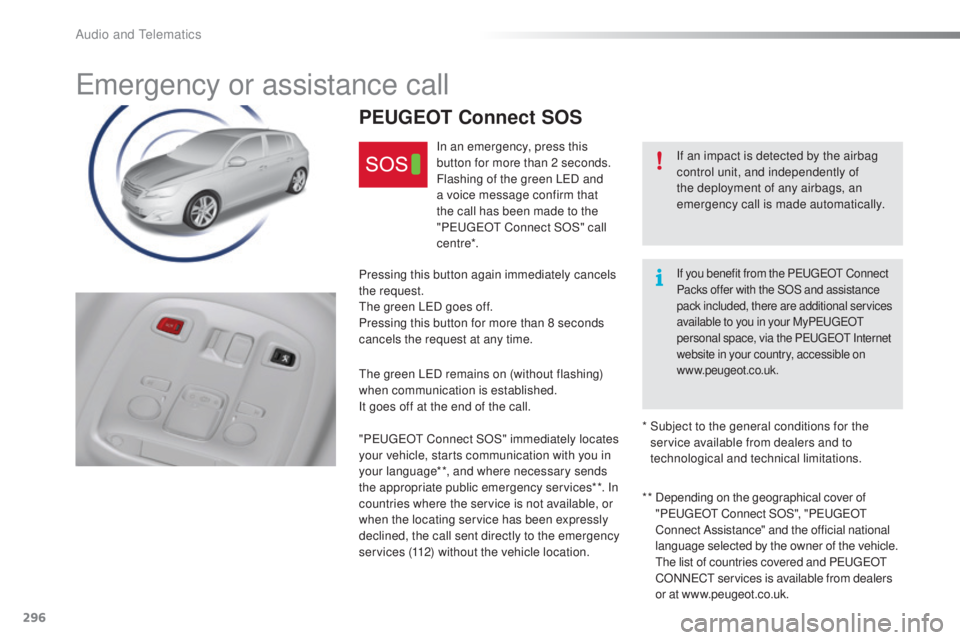
In an emergency, press this
button for more than 2 seconds.
Flashing of the green L
eD an
d
a voice message confirm that
the call has been made to the
" Peuge
Ot C
onnect SOS" call
c e nt re*.
Pressing this button again immediately cancels
the request.
the g
reen L
eD go
es off.
Pressing this button for more than 8 seconds
cancels the request at any time.
the g
reen L
eD re
mains on (without flashing)
when communication is established.
It goes off at the end of the call.
" Peuge
Ot C
onnect SOS" immediately locates
your vehicle, starts communication with you in
your language**, and where necessary sends
the appropriate public emergency services**. In
countries where the service is not available, or
when the locating service has been expressly
declined, the call sent directly to the emergency
services (112) without the vehicle location. * *
De
pending on the geographical cover of
" Peuge
Ot C
onnect SOS", "Peuge
Ot
C
onnect Assistance" and the official national
language selected by the owner of the vehicle.
t
he l
ist of countries covered and P
eu
ge
Ot
CO
NN
eCt se
rvices is available from dealers
or at www.peugeot.co.uk.
*
Su
bject to the general conditions for the
service available from dealers and to
technological and technical limitations.
If you benefit from the PeugeOt C onnect
Packs offer with the SOS and assistance
pack included, there are additional services
available to you in your My Peuge
Ot
p
ersonal space, via the P
eu
ge
Ot I
nternet
website in your country, accessible on
www.peugeot.co.uk.
Audio and telematics
Page 299 of 398
297
308_en_Chap10a_BtA_ed02-2015
PEUGEOT Connect Assistance
If you purchased your vehicle outside
the Peu
geOt d ealer network, we
invite you to have a dealer check the
configuration of these services and, if
desired, modified to suit your wishes.
In a multi-lingual country, configuration
is possible in the official national
language of your choice.
For technical reasons and in particular
to improve the quality of "P
eu
ge
Ot
C
ONN
eCt s
ervices" services to
customers, the manufacturer reserves
the right to carry out updates to the
vehicle's on-board telematic system.
A fault with the system does not
prevent the vehicle being driven. Press this button for more than
2
s
econds to request assistance
if the vehicle breaks down.
A voice message confirms that
the call has been made**.
Pressing this button again immediately cancels
the request.
the c
ancellation is confirmed by a voice
message.
the o
range L
eD is o
n continuously: the backup
battery must be replaced.
In either case, the emergency and assistance
calls may not function.
Contact a qualified repairer as soon as
possible.
Operation of the system
When the ignition is switched
on, the green LeD co mes on for
3 seconds indicating that the
system is operating correctly.
If the orange L
eD fl
ashes then
goes off: there is a system fault.
* *
De
pending on the geographical cover of
" Peuge
Ot C
onnect SOS", "Peuge
Ot
C
onnect Assistance" and the official national
language selected by the owner of the vehicle.
the l
ist of countries covered and P
eu
ge
Ot
CO
NN
eCt se
rvices is available from dealers
or at www.peugeot.co.uk.
.
Audio and telematics
Page 301 of 398
299
308_en_Chap10c_SMegplus_ed02-2015
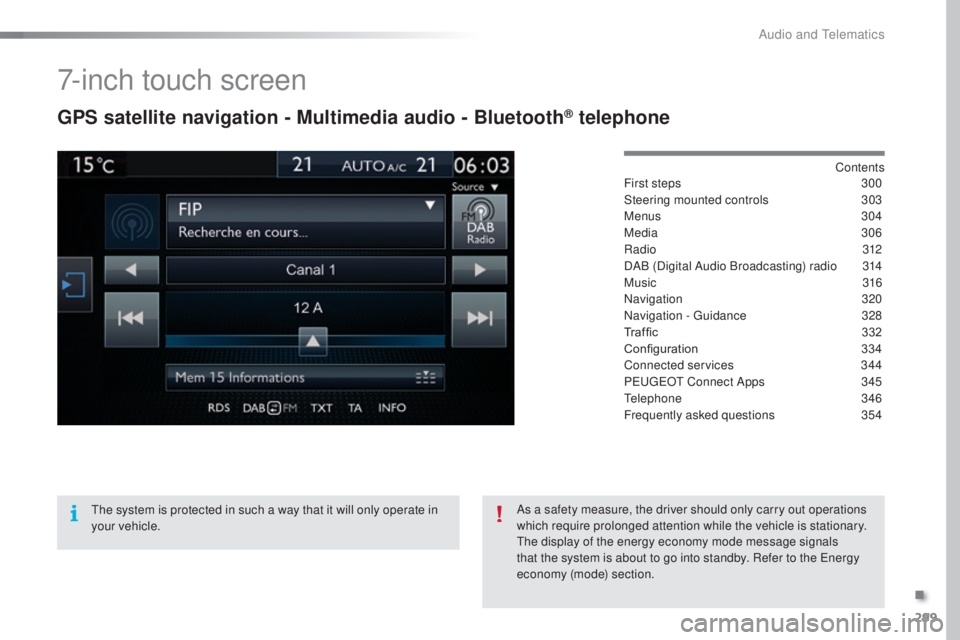
7-inch touch screen
GPS satellite navigation - Multimedia audio - Bluetooth® telephone
Contents
First steps 30 0
Steering mounted controls
30
3
Menus
3
04
Media
3
06
Radio
3
12
DAB (Digital Audio Broadcasting) radio
31
4
Music
3
16
Navigation
32
0
Navigation -
guid
ance
32
8
Traffic
332
C
onfiguration
33
4
Connected services
34
4
P
eu
ge
Ot C
onnect Apps
34
5
tele
phone
34
6
Frequently asked questions
35
4
the s
ystem is protected in such a way that it will only operate in
your vehicle. As a safety measure, the driver should only carry out operations
which require prolonged attention while the vehicle is stationary.
the d
isplay of the energy economy mode message signals
that the system is about to go into standby. Refer to the
ene
rgy
economy (mode) section.
.
Audio and telematics
Page 307 of 398
305
308_en_Chap10c_SMegplus_ed02-2015
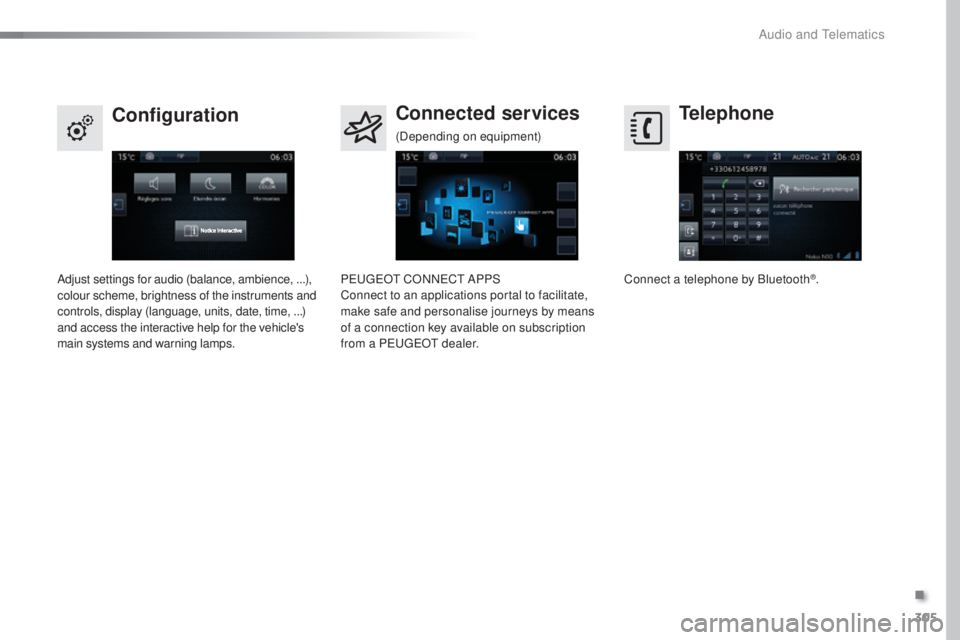
Telephone
Configuration Connected services
Connect a telephone by Bluetooth®.
Adjust settings for audio (balance, ambience, ...),
colour scheme, brightness of the instruments and
controls, display (language, units, date, time, ...)
and access the interactive help for the vehicle's
main systems and warning lamps. Peu
geOt CO
NNeCt AP
PS
Connect to an applications portal to facilitate,
make safe and personalise journeys by means
of a connection key available on subscription
from a P
eu
ge
Ot d
ealer.
(Depending on equipment)
.
Audio and telematics
Page 346 of 398
344
308_en_Chap10c_SMegplus_ed02-2015
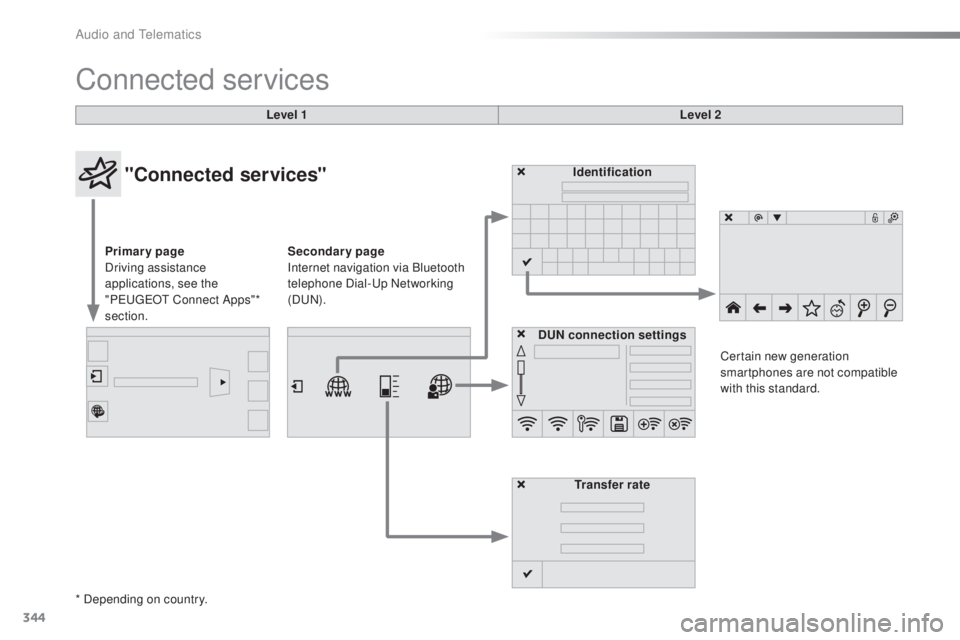
Connected services
Level 1Level 2
"Connected services"
Primary page
Driving assistance
applications, see the
"P
eu
ge
Ot C
onnect Apps"*
section. Identification
DUN connection settings Transfer rate Certain new generation
smartphones are not compatible
with this standard.
Secondary page
Internet navigation via Bluetooth
telephone Dial-
up
Networking
(D
uN).
*
Depending on country.
Audio and telematics
Page 347 of 398
345
308_en_Chap10c_SMegplus_ed02-2015
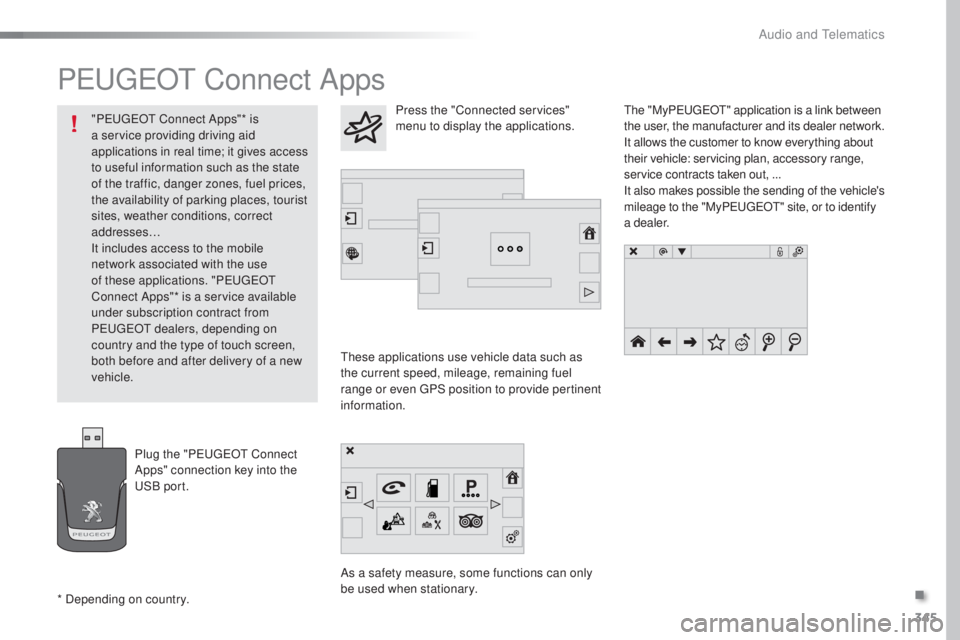
PeugeOt Connect Apps
these applications use vehicle data such as
t he current speed, mileage, remaining fuel
range or even
gPS p
osition to provide pertinent
information.
As a safety measure, some functions can only
be used when stationary.
the "
My
Peuge
Ot" a
pplication is a link between
the user, the manufacturer and its dealer network.
It allows the customer to know everything about
their vehicle: servicing plan, accessory range,
service contracts taken out, ...
It also makes possible the sending of the vehicle's
mileage to the "My Peuge
Ot" s
ite, or to identify
a dealer.
Press the "Connected services"
menu to display the applications.
Plug the "P
eu
ge
Ot C
onnect
Apps" connection key into the
uSB
port.
* Depending on country. "P
eu
ge
Ot C
onnect Apps"* is
a service providing driving aid
applications in real time; it gives access
to useful information such as the state
of the traffic, danger zones, fuel prices,
the availability of parking places, tourist
sites, weather conditions, correct
addresses…
It includes access to the mobile
network associated with the use
of these applications. "P
eu
ge
Ot
C
onnect Apps"* is a service available
under subscription contract from
P
eu
ge
Ot dea
lers, depending on
country and the type of touch screen,
both before and after delivery of a new
vehicle.
.
Audio and telematics
Page 353 of 398
351
308_en_Chap10c_SMegplus_ed02-2015
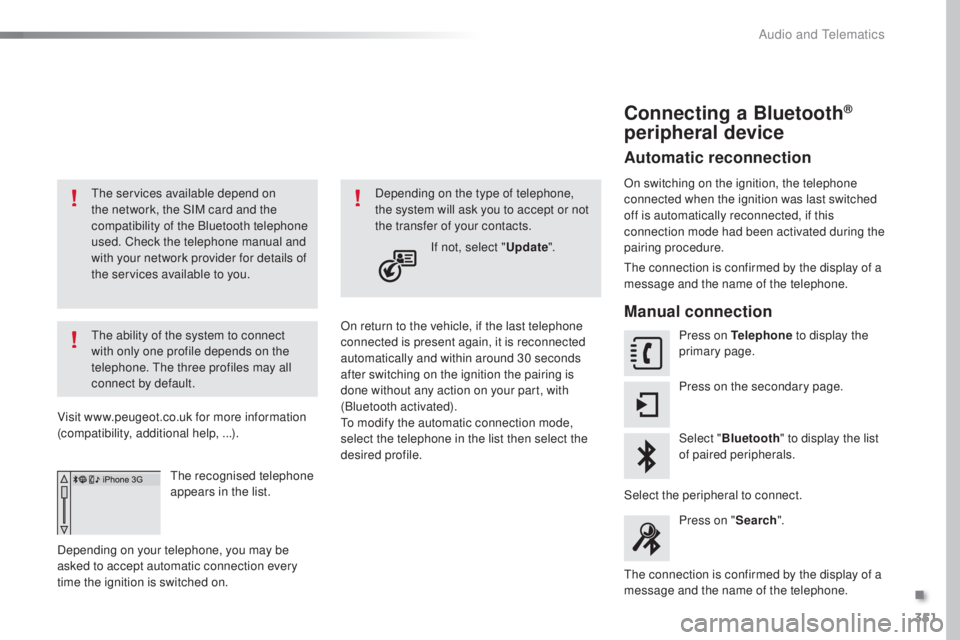
the services available depend on
t he network, the SIM card and the
compatibility of the Bluetooth telephone
used. Check the telephone manual and
with your network provider for details of
the services available to you.
the a
bility of the system to connect
with only one profile depends on the
telephone.
the
three profiles may all
connect by default.
Visit www.peugeot.co.uk for more information
(compatibility, additional help, ...).
the r
ecognised telephone
appears in the list.
Depending on your telephone, you may be
asked to accept automatic connection every
time the ignition is switched on. On return to the vehicle, if the last telephone
connected is present again, it is reconnected
automatically and within around 30 seconds
after switching on the ignition the pairing is
done without any action on your part, with
(Bluetooth activated).
to mo
dify the automatic connection mode,
select the telephone in the list then select the
desired profile. Depending on the type of telephone,
the system will ask you to accept or not
the transfer of your contacts.
If not, select " Update".
Connecting a Bluetooth®
peripheral device
Automatic reconnection
On switching on the ignition, the telephone
connected when the ignition was last switched
off is automatically reconnected, if this
connection mode had been activated during the
pairing procedure.
the c
onnection is confirmed by the display of a
message and the name of the telephone.
Manual connection
Press on Telephone to display the
primary page.
Press on the secondary page.
Select " Bluetooth " to display the list
of paired peripherals.
Select the peripheral to connect. Press on " Search".
the c
onnection is confirmed by the display of a
message and the name of the telephone.
.
Audio and telematics
Page 363 of 398
361
308_en_Chap10c_SMegplus_ed02-2015
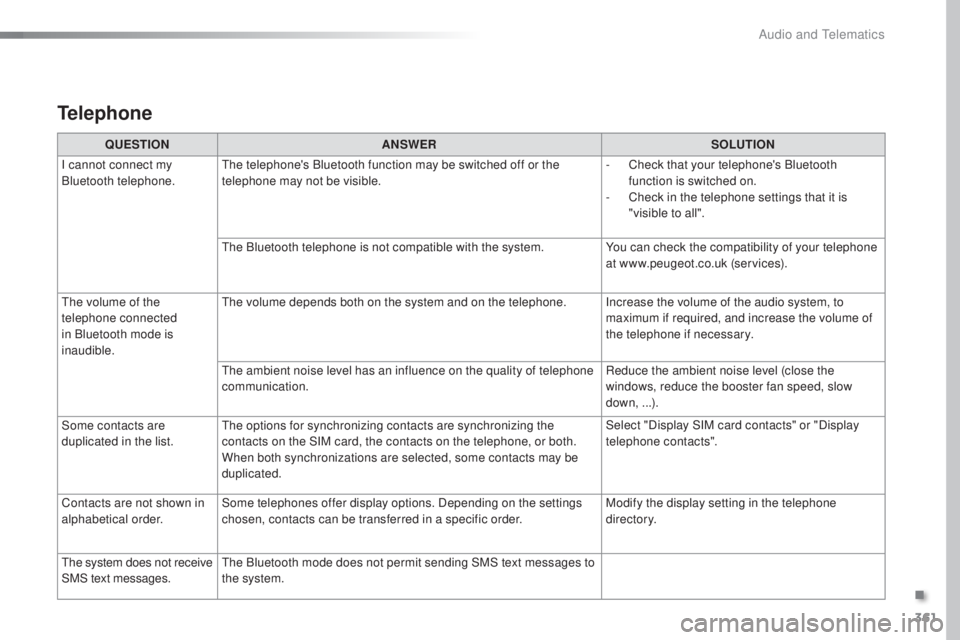
Telephone
QUESTIONANSWER SOLUTION
I cannot connect my
Bluetooth telephone.
the t
elephone's Bluetooth function may be switched off or the
telephone may not be visible. -
Ch
eck that your telephone's Bluetooth
function is switched on.
-
Ch
eck in the telephone settings that it is
"visible to all".
the B
luetooth telephone is not compatible with the system. You can check the compatibility of your telephone
at www.peugeot.co.uk (services).
the v
olume of the
telephone connected
in Bluetooth mode is
inaudible.
the v
olume depends both on the system and on the telephone. Increase the volume of the audio system, to maximum if required, and increase the volume of
the telephone if necessary.
the a
mbient noise level has an influence on the quality of telephone
communication. Reduce the ambient noise level (close the
windows, reduce the booster fan speed, slow
down, ...).
Some contacts are
duplicated in the list.
the o
ptions for synchronizing contacts are synchronizing the
contacts on the SIM card, the contacts on the telephone, or both.
When both synchronizations are selected, some contacts may be
duplicated. Select "Display SIM card contacts" or "Display
telephone contacts".
Contacts are not shown in
alphabetical order. Some telephones offer display options. Depending on the settings
chosen, contacts can be transferred in a specific order. Modify the display setting in the telephone
di r e c to r y.
the s
ystem does not receive
SMS text messages.
the B
luetooth mode does not permit sending SMS text messages to
the system.
.
Audio and telematics