display Peugeot 308 2016 Service Manual
[x] Cancel search | Manufacturer: PEUGEOT, Model Year: 2016, Model line: 308, Model: Peugeot 308 2016Pages: 398, PDF Size: 9.38 MB
Page 168 of 398
166
308_en_Chap06_conduite_ed02-2015
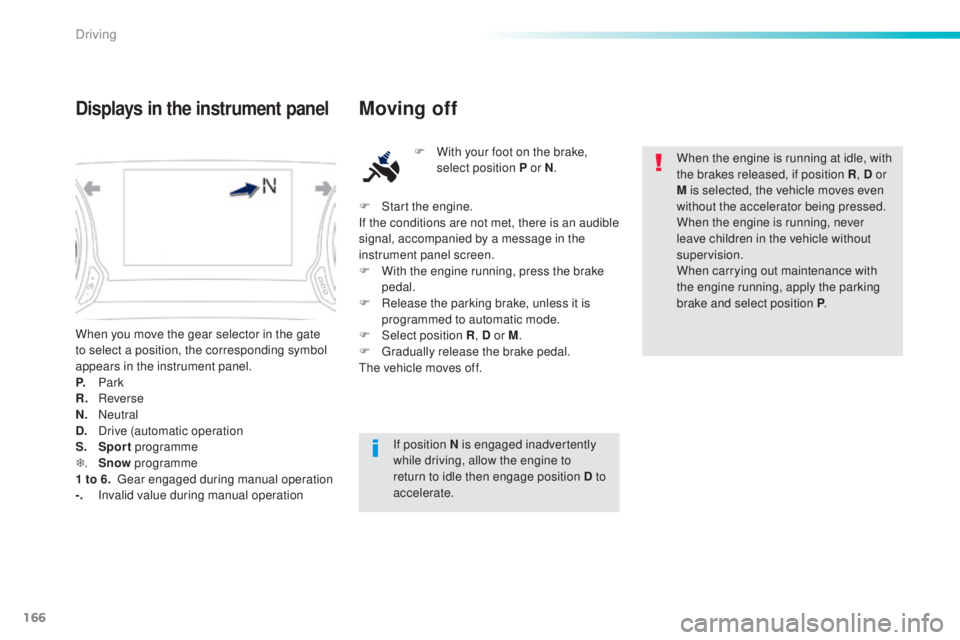
When you move the gear selector in the gate
to select a position, the corresponding symbol
appears in the instrument panel.
P.
Pa
rk
R.
Re
verse
N.
Ne
utral
D.
Dr
ive (automatic operation
S.
Sp
ort programme
T .
Sn
ow programme
1 to 6.
g
ear
engaged during manual operation
-.
In
valid value during manual operation
Displays in the instrument panelMoving off
F With your foot on the brake,
select position P or N .
If position N is engaged inadvertently
while driving, allow the engine to
return to idle then engage position D to
accelerate. When the engine is running at idle, with
the brakes released, if position R
, D or
M is selected, the vehicle moves even
without the accelerator being pressed.
When the engine is running, never
leave children in the vehicle without
supervision.
When carrying out maintenance with
the engine running, apply the parking
brake and select position P .
F
St
art the engine.
If the conditions are not met, there is an audible
signal, accompanied by a message in the
instrument panel screen.
F
Wi
th the engine running, press the brake
pedal.
F
Re
lease the parking brake, unless it is
programmed to automatic mode.
F
Selec
t position R , D or M.
F
g
rad
ually release the brake pedal.
the v
ehicle moves off.
Driving
Page 170 of 398
168
308_en_Chap06_conduite_ed02-2015
F Select position M for sequential c hanging
of the six gears.
F
Pu
ll towards the + sign and release to
change up a gear.
F
Pu
sh towards the - sign and release to
change down a gear.
It is only possible to change from one gear to
another if the vehicle speed and engine speed
permit; otherwise, the gearbox will operate
temporarily in automatic mode.
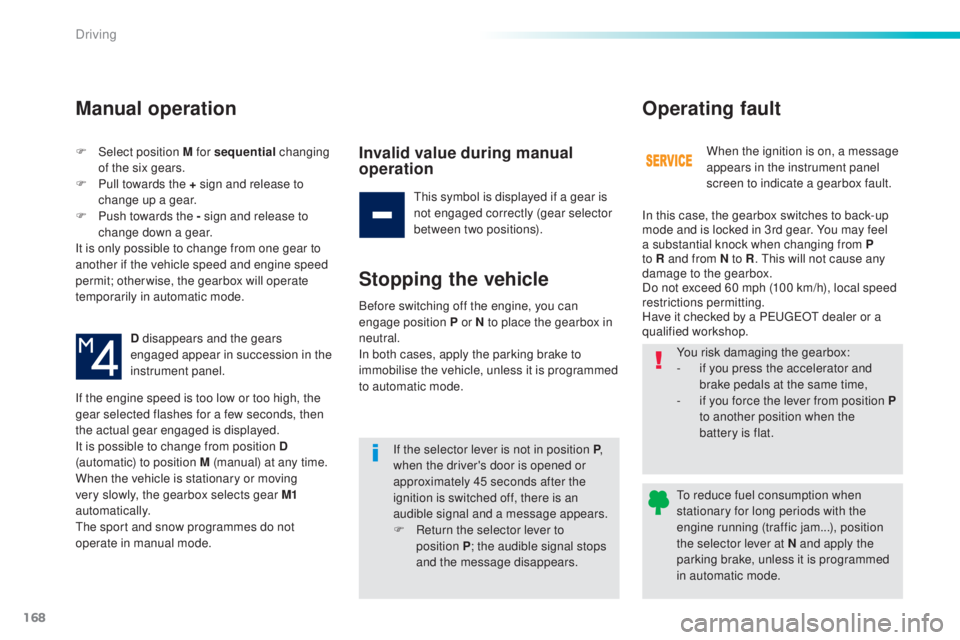
D disappears and the gears
engaged appear in succession in the
instrument panel.
If the engine speed is too low or too high, the
gear selected flashes for a few seconds, then
the actual gear engaged is displayed.
It is possible to change from position D
(automatic) to position M (manual) at any time.
When the vehicle is stationary or moving
very slowly, the gearbox selects gear M1
automatically.
the s
port and snow programmes do not
operate in manual mode.
Manual operation
Invalid value during manual
operation
this symbol is displayed if a gear is
n ot engaged correctly (gear selector
between two positions).
Stopping the vehicle
If the selector lever is not in position P ,
when the driver's door is opened or
approximately 45 seconds after the
ignition is switched off, there is an
audible signal and a message appears.
F
Re
turn the selector lever to
position
P ; t
he audible signal stops
and the message disappears. When the ignition is on, a message
appears in the instrument panel
screen to indicate a gearbox fault.
Operating fault
In this case, the gearbox switches to back-up
mode and is locked in 3rd gear. You may feel
a substantial knock when changing from P
to R and from N to R
.
thi
s will not cause any
damage to the gearbox.
Do not exceed 60 mph (100 km/h), local speed
restrictions permitting.
Have it checked by a P
eu
ge
Ot d
ealer or a
qualified workshop.
Before switching off the engine, you can
engage position P or N to place the gearbox in
neutral.
In both cases, apply the parking brake to
immobilise the vehicle, unless it is programmed
to automatic mode. You risk damaging the gearbox:
-
if y
ou press the accelerator and
brake pedals at the same time,
-
if y
ou force the lever from position
P
to another position when the
battery is flat.
to re
duce fuel consumption when
stationary for long periods with the
engine running (traffic jam...), position
the selector lever at N and apply the
parking brake, unless it is programmed
in automatic mode.
Driving
Page 171 of 398
169
308_en_Chap06_conduite_ed02-2015
Dynamic pack
this pack conditions:
- th e visual ambience, with specific back-
lighting for the instrument panel,
-
th
e acoustic ambience of the engine,
-
th
e power assistance for the steering,
-
a
cceleration,
-
in
formation to the driver in the instrument
panel on dynamic settings.
thi
s function is only available when
Park Assist is not selected and snow
mode in the automatic gearbox is not
selected.
If Park Assist
i
s switched on, this
automatically deactivates the function.
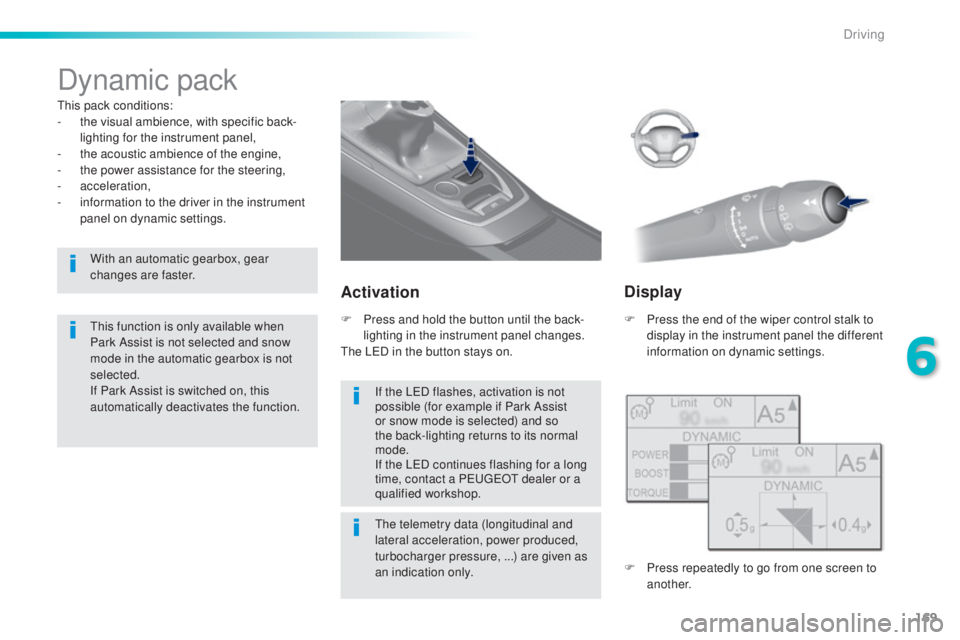
Activation
F Press the end of the wiper control stalk to
d isplay in the instrument panel the different
information on dynamic settings.
the
telemetry data (longitudinal and
lateral acceleration, power produced,
turbocharger pressure, ...) are given as
an indication only.
F Pr
ess and hold the button until the back-
lighting in the instrument panel changes.
the LeD in t
he button stays on.
Display
F Press repeatedly to go from one screen to
a nother.
If the L
eD fl
ashes, activation is not
possible (for example if Park Assist
or snow mode is selected) and so
the back-lighting returns to its normal
mode.
If the L
eD co
ntinues flashing for a long
time, contact a P
eu
ge
Ot d
ealer or a
qualified workshop.
With an automatic gearbox, gear
changes are faster.
6
Driving
Page 174 of 398
172
308_en_Chap06_conduite_ed02-2015
Operating fault
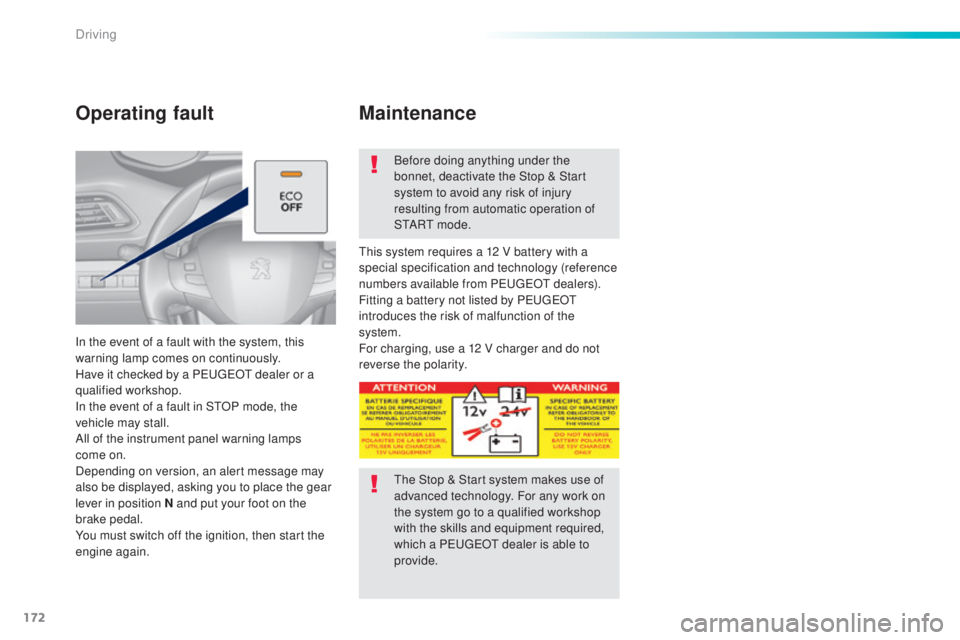
In the event of a fault with the system, this
warning lamp comes on continuously.
Have it checked by a P
eu
ge
Ot d
ealer or a
qualified workshop.
In the event of a fault in S
tOP m
ode, the
vehicle may stall.
All of the instrument panel warning lamps
come on.
Depending on version, an alert message may
also be displayed, asking you to place the gear
lever in position N and put your foot on the
brake pedal.
You must switch off the ignition, then start the
engine again. Before doing anything under the
bonnet, deactivate the Stop & Start
system to avoid any risk of injury
resulting from automatic operation of
S
tA
R
t m o
d e .
thi
s system requires a 12 V battery with a
special specification and technology (reference
numbers available from P
eug
e
Ot de
alers).
Fitting a battery not listed by P
eu
ge
Ot
i
ntroduces the risk of malfunction of the
system.
For charging, use a 12 V charger and do not
reverse the polarity.
Maintenance
the Stop & Start system makes use of
a dvanced technology. For any work on
the system go to a qualified workshop
with the skills and equipment required,
which a P
eu
ge
Ot d
ealer is able to
provide.
Driving
Page 176 of 398
174
308_en_Chap06_conduite_ed02-2015
Steering mounted controls
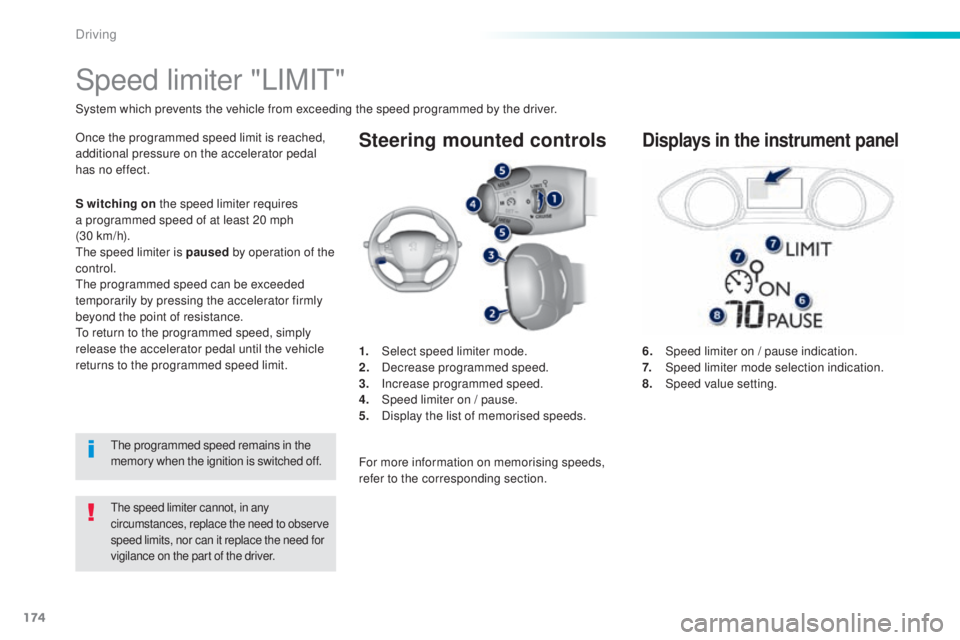
6. Speed limiter on / pause indication.
7. Speed limiter mode selection indication.
8.
Speed
value setting.
Speed limiter "LIMIt"
System which prevents the vehicle from exceeding the speed programmed by the driver.
the speed limiter cannot, in any
c ircumstances, replace the need to observe
speed limits, nor can it replace the need for
vigilance on the part of the driver.
Once the programmed speed limit is reached,
additional pressure on the accelerator pedal
has no effect.
1.
Selec
t speed limiter mode.
2.
Dec
rease programmed speed.
3.
Inc
rease programmed speed.
4.
Sp
eed limiter on / pause.
5.
Di
splay the list of memorised speeds.Displays in the instrument panel
S witching on the speed limiter requires
a programmed speed of at least 20 mph
(30
k
m/h).
the s
peed limiter is paused by operation of the
control.
the
programmed speed can be exceeded
temporarily by pressing the accelerator firmly
beyond the point of resistance.
to re
turn to the programmed speed, simply
release the accelerator pedal until the vehicle
returns to the programmed speed limit.
the p
rogrammed speed remains in the
memory when the ignition is switched off. For more information on memorising speeds,
refer to the corresponding section.
Driving
Page 177 of 398
175
308_en_Chap06_conduite_ed02-2015
Switching on / Pause
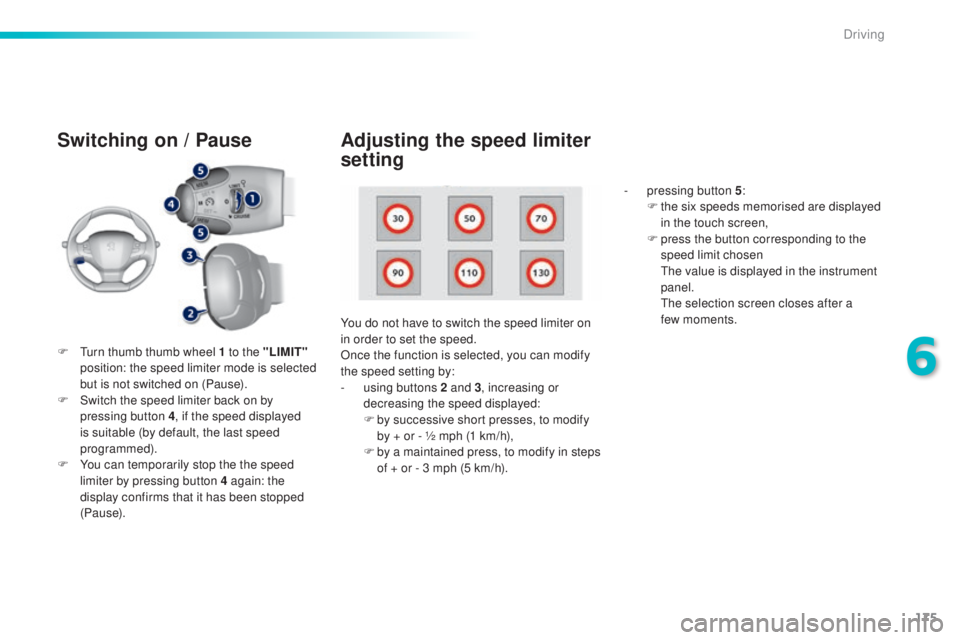
F turn thumb thumb wheel 1 to the "LIMIT"
p osition: the speed limiter mode is selected
but is not switched on (Pause).
F
Sw
itch the speed limiter back on by
pressing button 4 , if the speed displayed
is suitable (by default, the last speed
programmed).
F
Yo
u can temporarily stop the the speed
limiter by pressing button 4 again: the
display confirms that it has been stopped
(Pause). You do not have to switch the speed limiter on
in order to set the speed.
Once the function is selected, you can modify
the speed setting by:
-
us
ing buttons 2 and 3, increasing or
decreasing the speed displayed:
F
by s
uccessive short presses, to modify
by + or - ½ mph (1 km/h),
F
by a m
aintained press, to modify in steps
of + or - 3 mph (5 km/h). -
pr
essing button 5
:
F
th
e six speeds memorised are displayed
in the touch screen,
F
pr
ess the button corresponding to the
speed limit chosen
the v
alue is displayed in the instrument
panel.
the s
election screen closes after a
few moments.
Adjusting the speed limiter
setting
6
Driving
Page 178 of 398
176
308_en_Chap06_conduite_ed02-2015
On sharp acceleration, as when
descending a steep hill, the speed
limiter will not be able to prevent
the vehicle from exceeding the
programmed speed.
the l
imiter is temporarily deactivated
and the displayed programmed speed
flashes.
An audible signal accompanies the
flashing of the programmed speed
when exceeding the speed is not due to
an action by the driver.
the u
se of mats not approved by
P
eu
ge
Ot m
ay inter fere with the
operation of the speed limiter.
to av
oid any risk of jamming of the
pedals:
-
en
sure that the mat is secured
c o r r e c t l y,
-
do n
ot fit one mat on top of another.
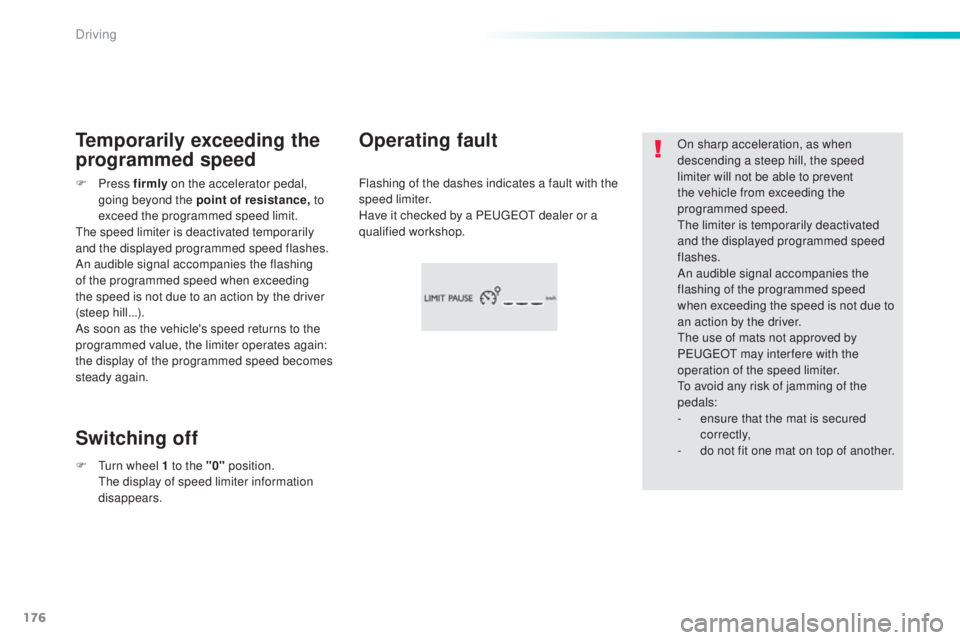
Flashing of the dashes indicates a fault with the
speed limiter.
Have it checked by a P
eu
ge
Ot d
ealer or a
qualified workshop.Operating fault
Temporarily exceeding the
programmed speed
Switching off
F Press fir mly on the accelerator pedal,
going beyond the point of resistance, t o
exceed the programmed speed limit.
the s
peed limiter is deactivated temporarily
and the displayed programmed speed flashes.
An audible signal accompanies the flashing
of the programmed speed when exceeding
the speed is not due to an action by the driver
(steep hill...).
As soon as the vehicle's speed returns to the
programmed value, the limiter operates again:
the display of the programmed speed becomes
steady again.
F
t
ur
n wheel 1 to the "0" position.
the
display of speed limiter information
disappears.
Driving
Page 179 of 398
177
308_en_Chap06_conduite_ed02-2015
Steering mounted controls
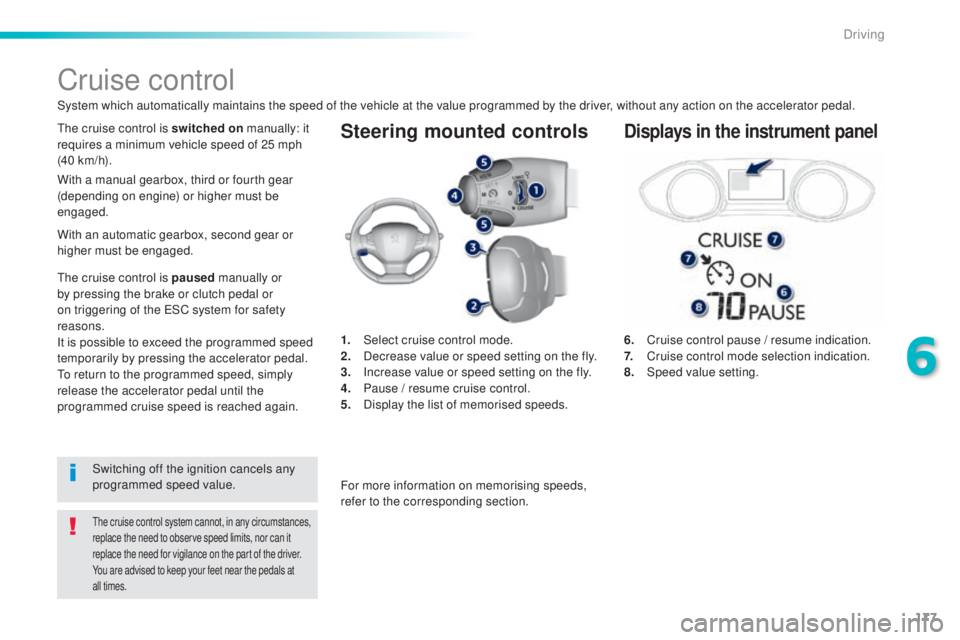
6. Cruise control pause / resume indication.
7. Cr uise control mode selection indication.
8.
Speed
value setting.
Cruise control
System which automatically maintains the speed of the vehicle at the value programmed by the driver, without any action on the accelerator pedal.
the cruise control system cannot, in any circumstances,
r eplace the need to observe speed limits, nor can it
replace the need for vigilance on the part of the driver.
You are advised to keep your feet near the pedals at
all times.
the cruise control is switched on m anually: it
requires a minimum vehicle speed of 25 mph
(40 km/h).
1.
Selec
t cruise control mode.
2.
De
crease value or speed setting on the fly.
3.
In
crease value or speed setting on the fly.
4.
Pa
use / resume cruise control.
5.
Dis
play the list of memorised speeds.Displays in the instrument panel
Switching off the ignition cancels any
programmed speed value.
the c
ruise control is paused
manually or
by pressing the brake or clutch pedal or
on triggering of the
eS
C system for safety
reasons.
It is possible to exceed the programmed speed
temporarily by pressing the accelerator pedal.
to re
turn to the programmed speed, simply
release the accelerator pedal until the
programmed cruise speed is reached again. With a manual gearbox, third or fourth gear
(depending on engine) or higher must be
engaged.
For more information on memorising speeds,
refer to the corresponding section.
With an automatic gearbox, second gear or
higher must be engaged.
6
Driving
Page 180 of 398
178
308_en_Chap06_conduite_ed02-2015
Switching on
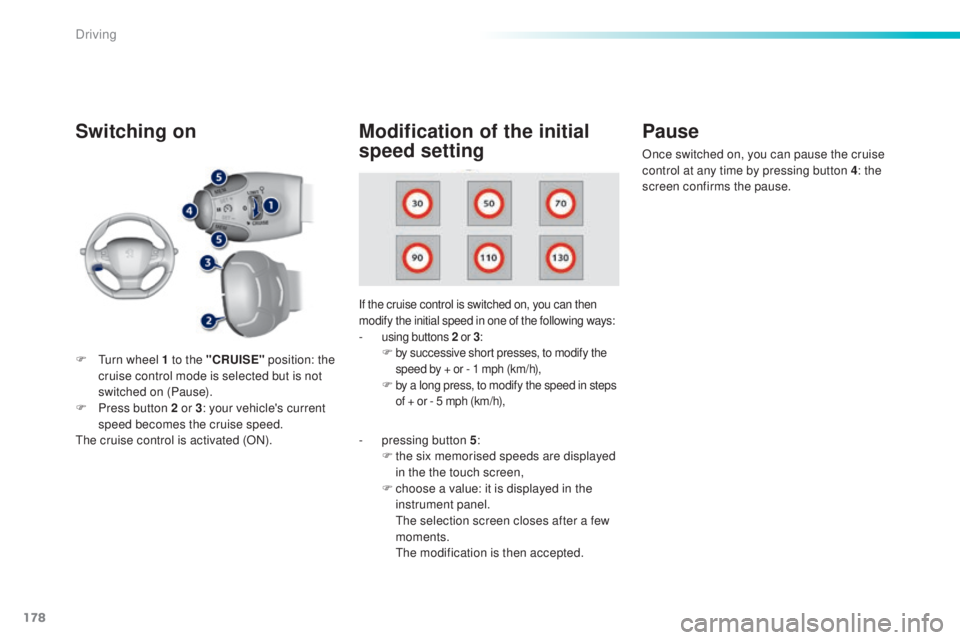
If the cruise control is switched on, you can then
modify the initial speed in one of the following ways:
- using buttons 2 o r 3:F by successive short presses, to modify the
s peed by + or - 1 mph (km/h),
F by a long press, to modify the speed in steps
o f + or - 5 mph (km/h),
Pause
F turn wheel 1 to the "CRUISE" p osition: the
cruise control mode is selected but is not
switched on (Pause).
F
Pr
ess button 2 or 3 : your vehicle's current
speed becomes the cruise speed.
the c
ruise control is activated (ON).
Modification of the initial
speed setting
- pressing button 5 :
F th e six memorised speeds are displayed
in the the touch screen,
F
ch
oose a value: it is displayed in the
instrument panel.
the s
election screen closes after a few
moments.
the m
odification is then accepted. Once switched on, you can pause the cruise
control at any time by pressing button 4: the
screen confirms the pause.
Driving
Page 181 of 398
179
308_en_Chap06_conduite_ed02-2015
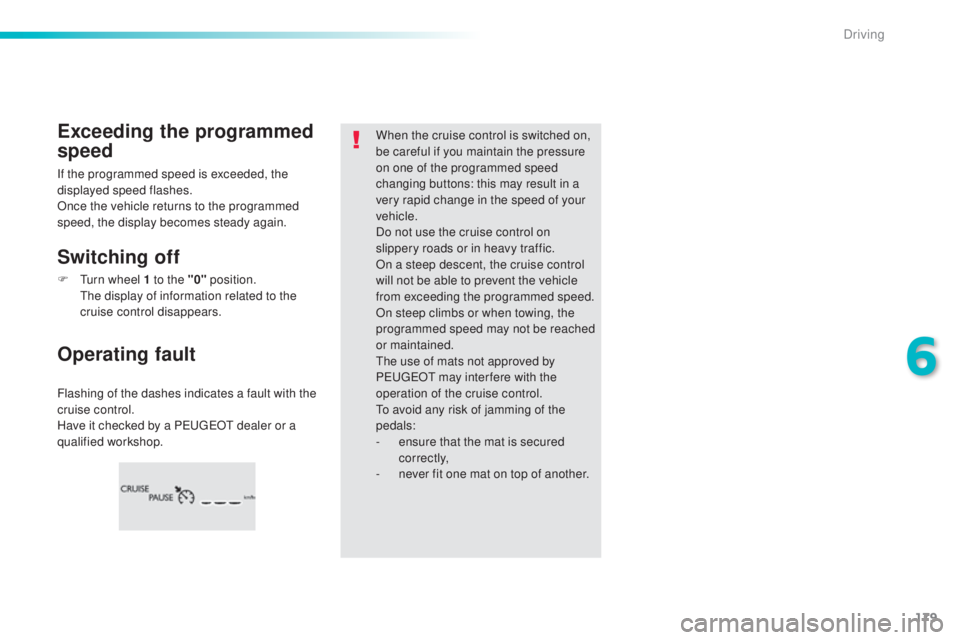
Flashing of the dashes indicates a fault with the
cruise control.
Have it checked by a P
eu
ge
Ot d
ealer or a
qualified workshop.
Operating fault Exceeding the programmed
speed
Switching off
When the cruise control is switched on,
be careful if you maintain the pressure
on one of the programmed speed
changing buttons: this may result in a
very rapid change in the speed of your
vehicle.
Do not use the cruise control on
slippery roads or in heavy traffic.
On a steep descent, the cruise control
will not be able to prevent the vehicle
from exceeding the programmed speed.
On steep climbs or when towing, the
programmed speed may not be reached
or maintained.
the u
se of mats not approved by
P
eu
ge
Ot m
ay inter fere with the
operation of the cruise control.
to av
oid any risk of jamming of the
pedals:
-
en
sure that the mat is secured
c o r r e c t l y,
-
ne
ver fit one mat on top of another.
If the programmed speed is exceeded, the
displayed speed flashes.
Once the vehicle returns to the programmed
speed, the display becomes steady again.
F
t
ur
n wheel 1 to the "0" position.
the d
isplay of information related to the
cruise control disappears.
6
Driving